
图形化升级单机oracle 11.2.0.1 到 11.2.0.4
1. 讲补丁包上传到 oracle server ,解压、安装
[root@11g ~]#unzip p13390677_112040_Linux-x86-64_1of7.zip -d /tmp && unzip p13390677_112040_Linux-x86-64_2of7.zip -d /tmp
2. 检查当前版本
SQL> select * from v$version;
BANNER
--------------------------------------------------------------------------------
Oracle Database 11g Enterprise Edition Release 11.2.0.1.0 - 64bit Production
PL/SQL Release 11.2.0.1.0 - Production
CORE 11.2.0.1.0 Production
TNS for Linux: Version 11.2.0.1.0 - Production
NLSRTL Version 11.2.0.1.0 - Production
SQL> set linesize 150
SQL> set pagesize 9999
SQL> col comp_name format a40
SQL> SELECT COMP_NAME, VERSION, STATUS FROM SYS.DBA_REGISTRY;
COMP_NAME VERSION STATUS
---------------------------------------- ------------------------------ --------
OWB 11.2.0.1.0 VALID
Oracle Application Express 3.2.1.00.10 VALID
Oracle Enterprise Manager 11.2.0.1.0 VALID
OLAP Catalog 11.2.0.1.0 VALID
Spatial 11.2.0.1.0 VALID
Oracle Multimedia 11.2.0.1.0 VALID
Oracle XML Database 11.2.0.1.0 VALID
Oracle Text 11.2.0.1.0 VALID
Oracle Expression Filter 11.2.0.1.0 VALID
Oracle Rules Manager 11.2.0.1.0 VALID
Oracle Workspace Manager 11.2.0.1.0 VALID
Oracle Database Catalog Views 11.2.0.1.0 VALID
Oracle Database Packages and Types 11.2.0.1.0 VALID
JServer JAVA Virtual Machine 11.2.0.1.0 VALID
Oracle XDK 11.2.0.1.0 VALID
Oracle Database Java Packages 11.2.0.1.0 VALID
OLAP Analytic Workspace 11.2.0.1.0 VALID
Oracle OLAP API 11.2.0.1.0 VALID
18 rows selected.
3. 检查磁盘空间(system 必须要最少 10m)
SQL> select a.tablespace_name, round(a.total_size) "total_size(mb)",
round(a.total_size) - round(b.free_size,3) "unsed_size(mb)",
round(b.free_size,3) "free_size(mb)",
round(b.free_size/total_size *100,2) ||'%' free_rate
from
(select tablespace_name,sum(bytes) /1024/1024 total_size
from dba_data_files
group by tablespace_name) a,
(select tablespace_name,sum(bytes)/1024/1024 free_size
from dba_free_space
group by tablespace_name) b
where a.tablespace_name=b.tablespace_name(+);
4.为数据库做冷备份
RMAN>run {
shutdown immediate;
startup mount;
allocate channel c1 type disk;
allocate channel c2 type disk;
backup full tag='db_full_bak' database format '/home/oracle/rmanbak/full_cold_%d_%s.bak';
alter database open;
}
RMAN> list backup;
数据库正常关闭后,还需要备份Oracle主目录,目的还是为了升级失败时,能够还原出数据库软件到升级前的版本。
重点是如下目录:
ORACLE_HOME/dbs
ORACLE_HOME/network/admin
ORACLE_HOME/hostname_dbname
ORACLE_HOME/oc4j/j2ee/OC4J_DBConsole_hostname_dbname
[oracle@11g ~]$ env|grep ORA
ORACLE_SID=orcl
ORACLE_BASE=/home/oracle/app
ORACLE_HOME=/home/oracle/app/oracle/product/11.2.0/dbhome_1
[oracle@11g ~]$ tar cvf oracle.ora /home/oracle
5. 关闭数据库实例及相关进程 (静态监听、动态监听、EOM、相关服务)
--停止数据库外部进程
[root@11g ~]#ps -ef|grep -v grep |grep LOCAL=NO|awk '{print $2}'|xargs kill -9
SQL> shutdown immediate;
[oracle@11g rmanbak]$ cat /home/oracle/app/oracle/product/11.2.0/dbhome_1/network/admin/listener.ora
[oracle@11g rmanbak]$ lsnrctl stop
[oracle@11g rmanbak]$ lsnrctl status
[oracle@11g rmanbak]$ ps -ef |grep ora_|grep -v grep
[oracle@11g rmanbak]$ netstat -an |grep 1521
[oracle@11g rmanbak]$ netstat -an |grep 1158
6. 开始升级操作
[oracle@11g ~]$ cd /tmp/database
[oracle@11g database]$ ./runInstaller
6.1 不勾选  , 点击 next
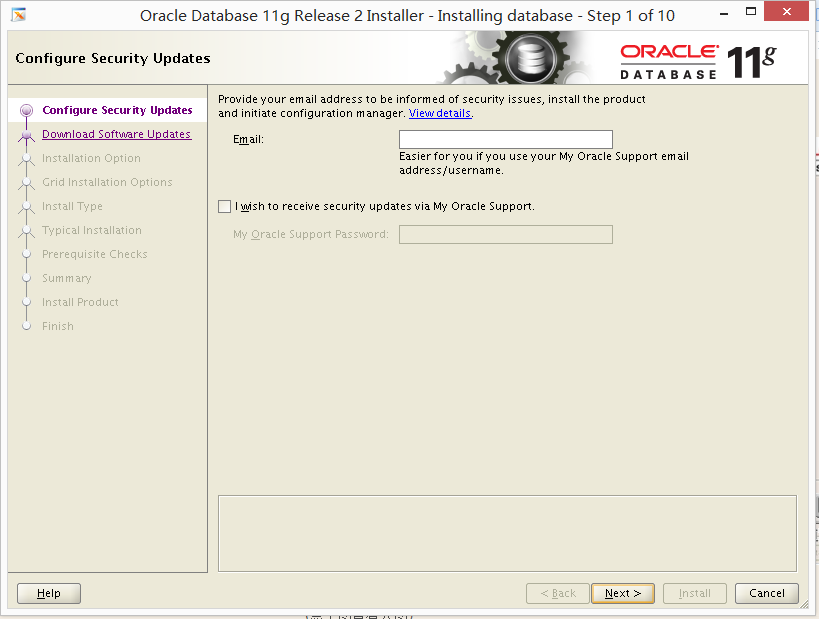
6.2 选择 skip software updates
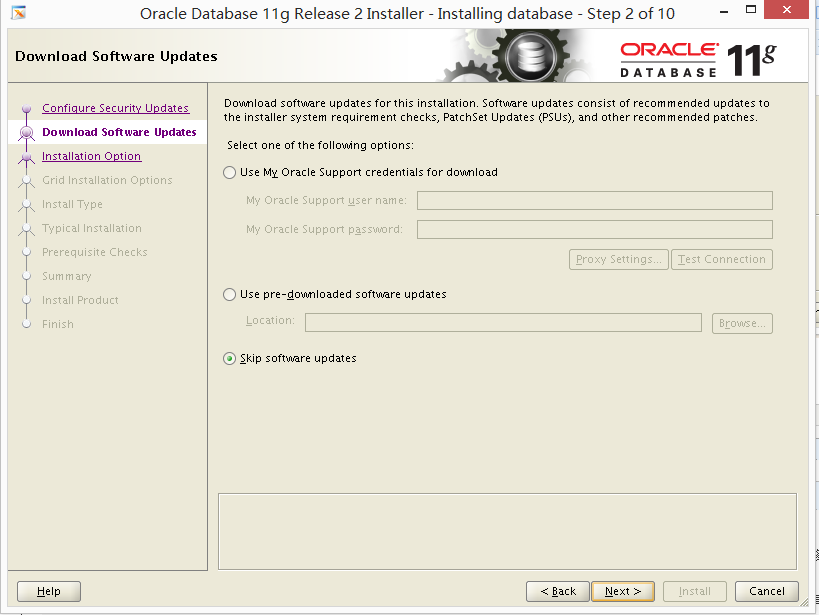
6.3 选择 upgrade an existing database
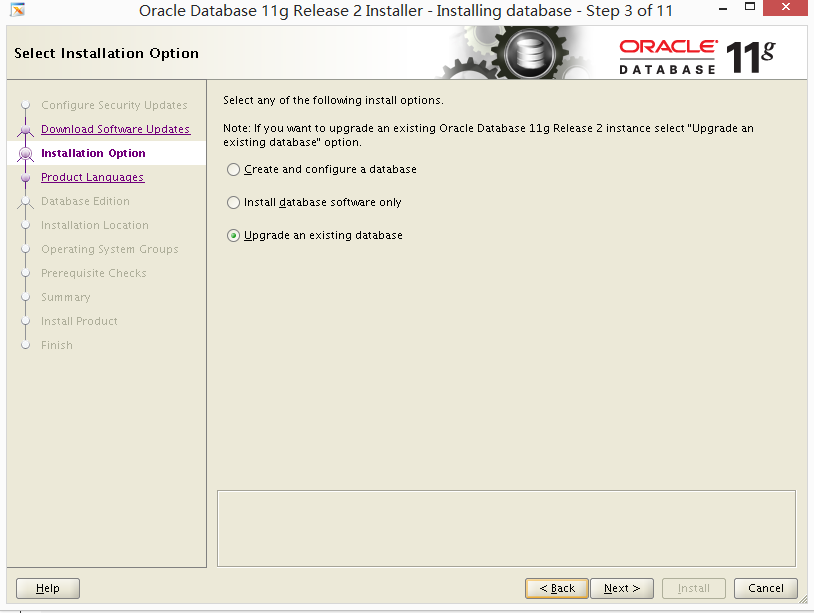
6.4 选择语言
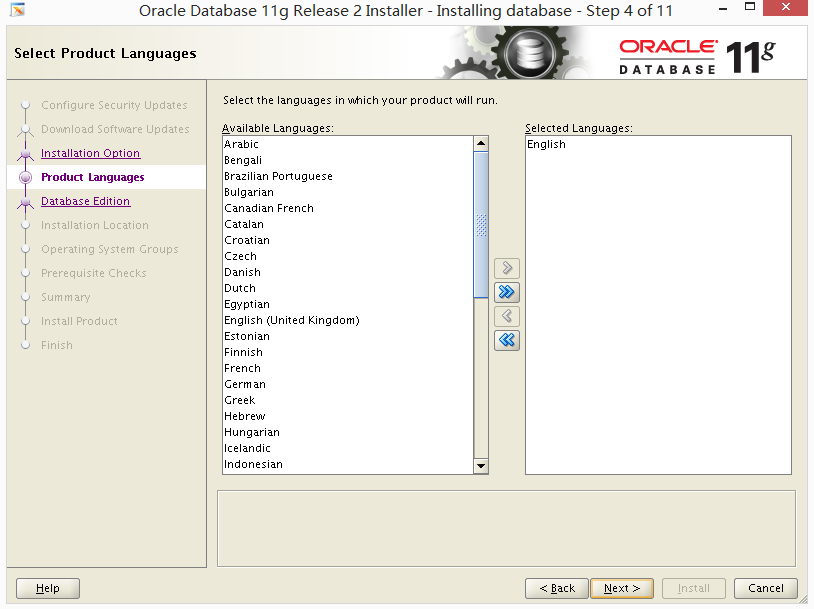
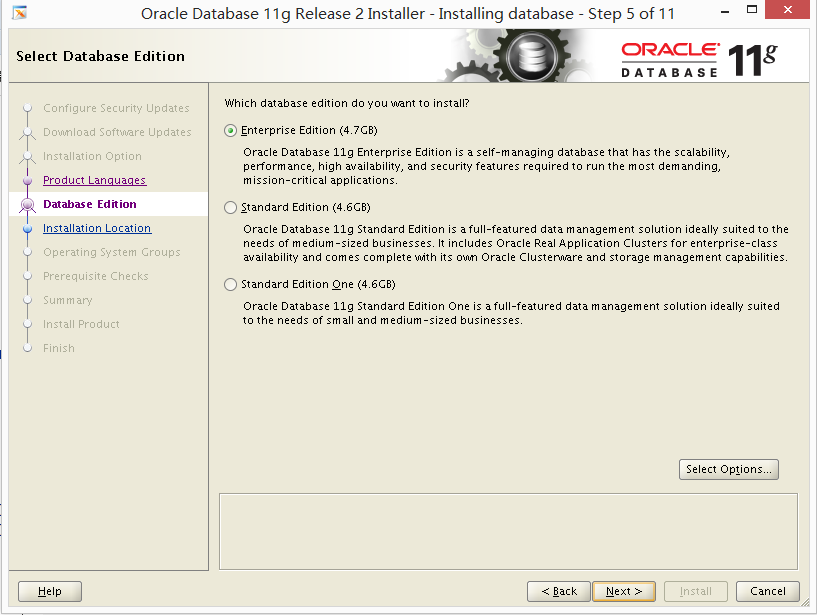
6.5 选择 enterprise edition
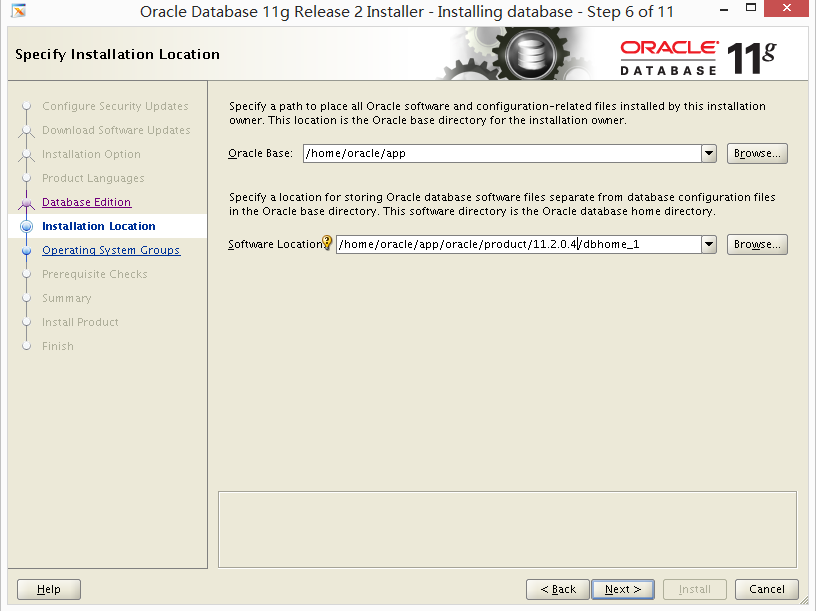
6.6 注意这里的安装位置,我之前的安装目录是11.2.0,我新目录是11.2.0.4 即将oracle 安装到其他位置,这样可以减少宕机时间,也是oracle 推荐的方法。
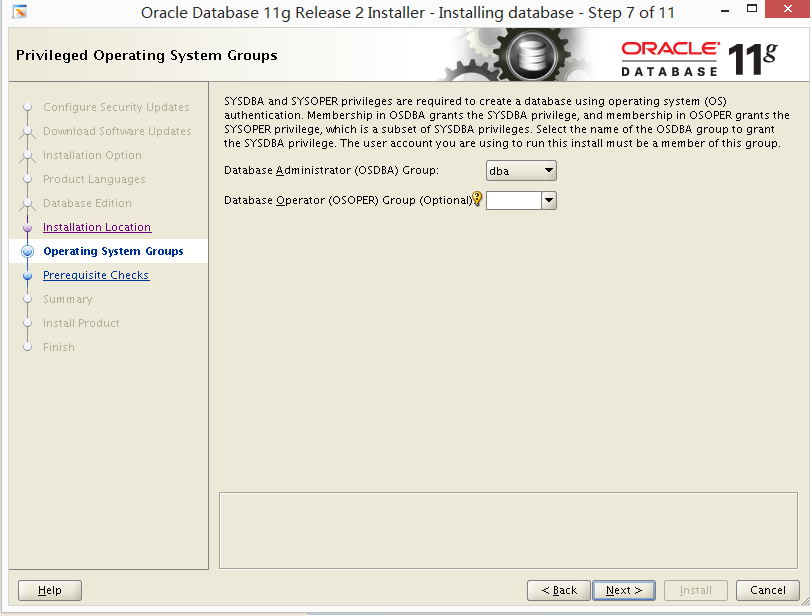
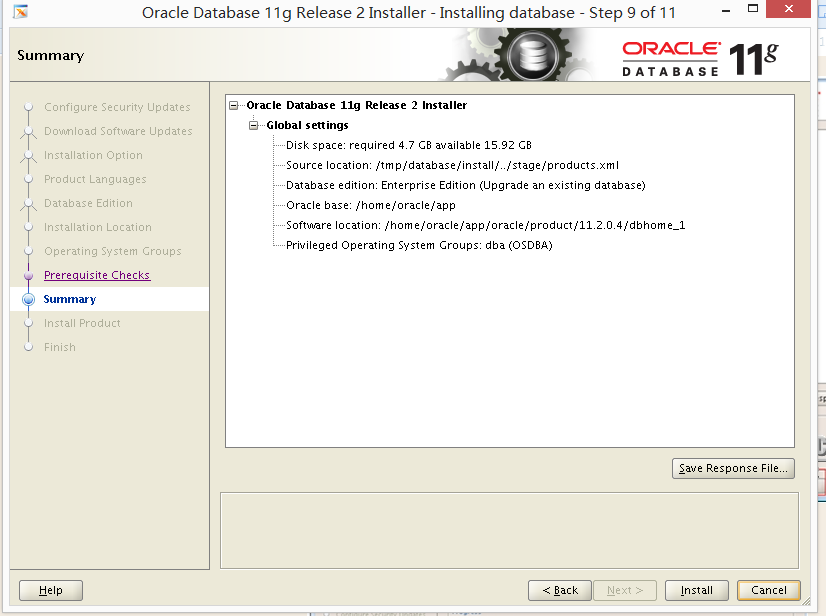
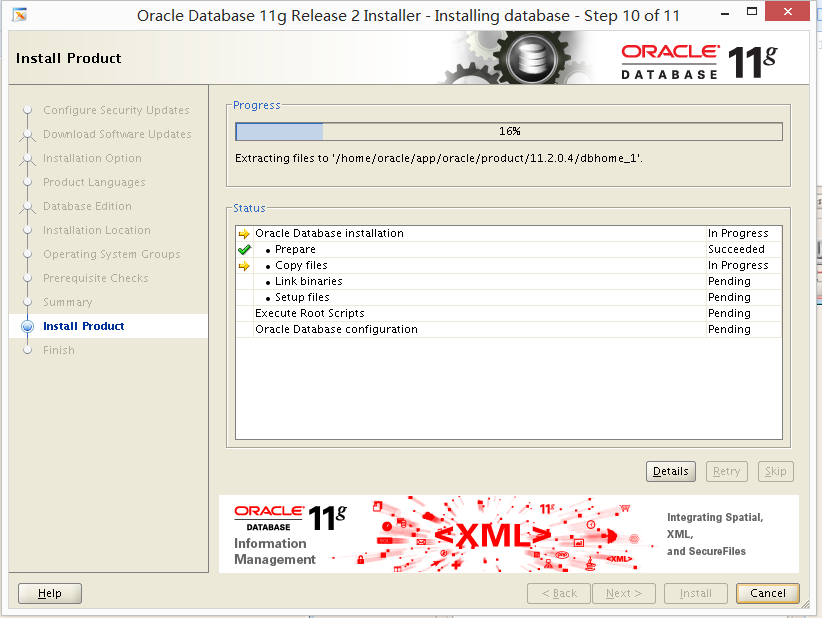
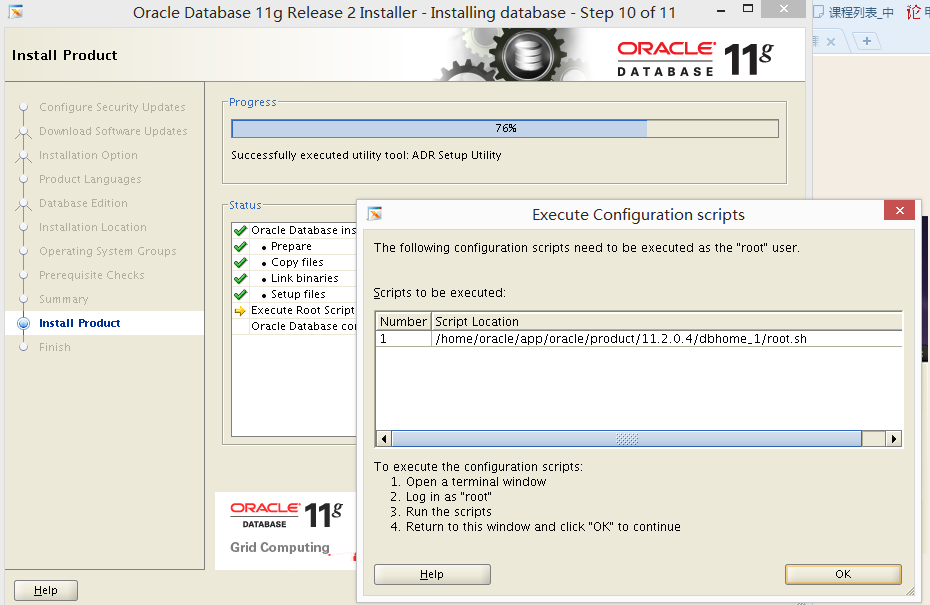
6.7 执行到76%的时候弹出如下窗口: 用 root 用户跑这个脚本
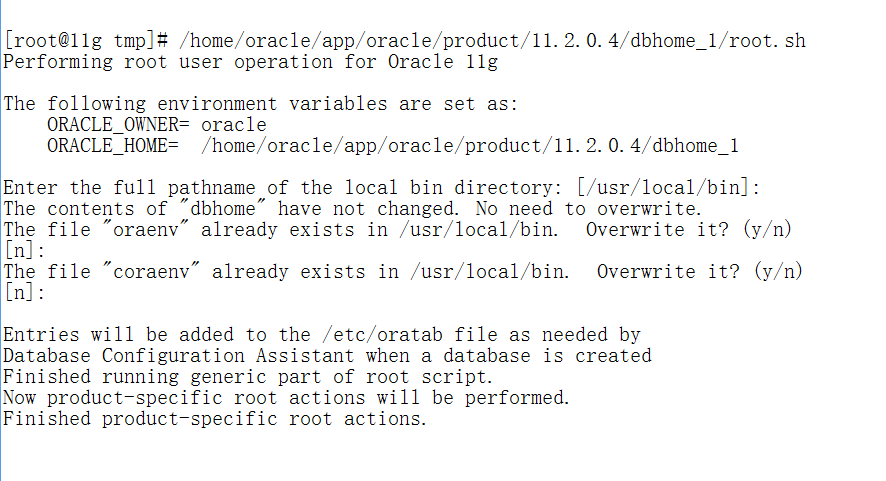
下面就是一个配置监听的过程
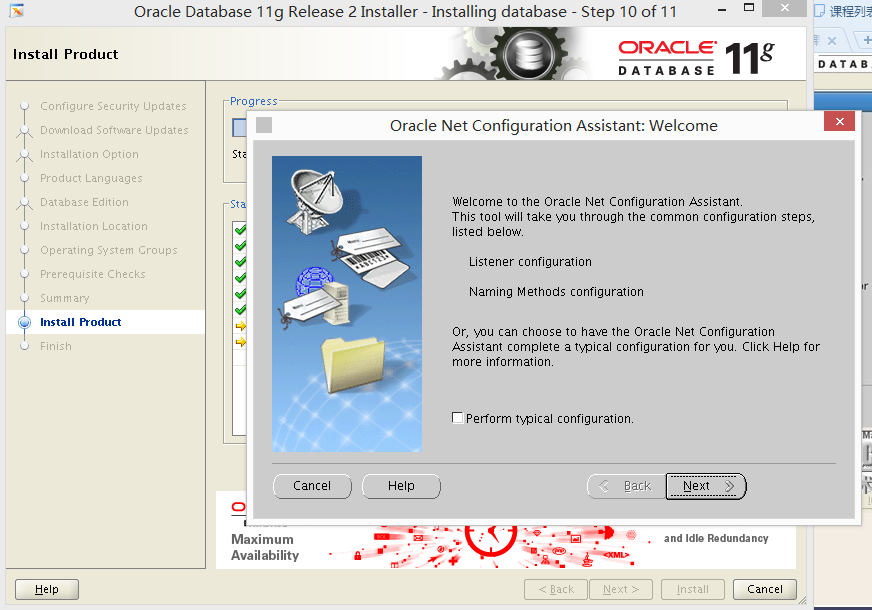
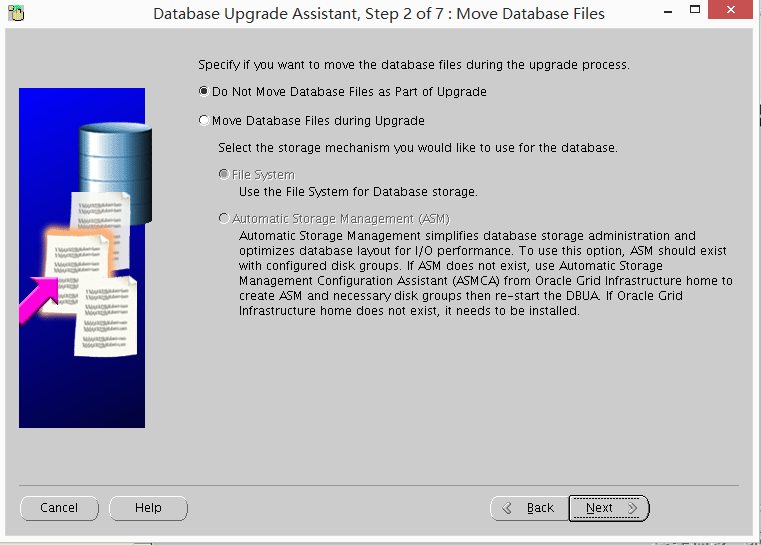
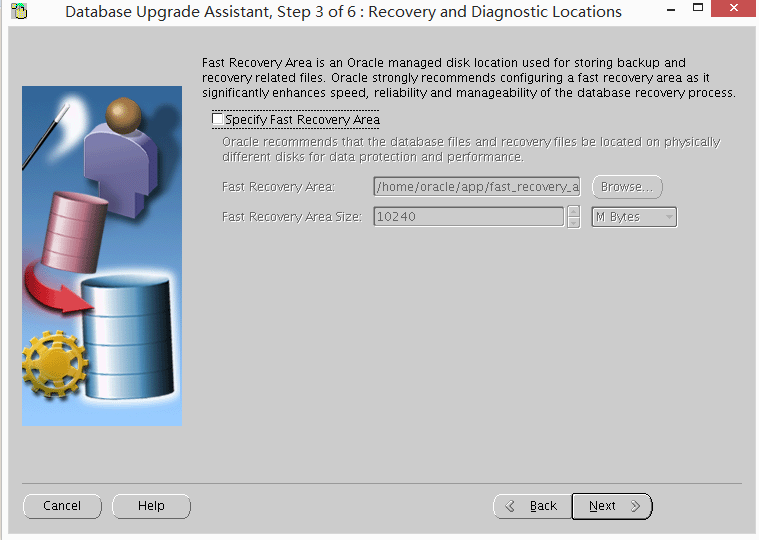
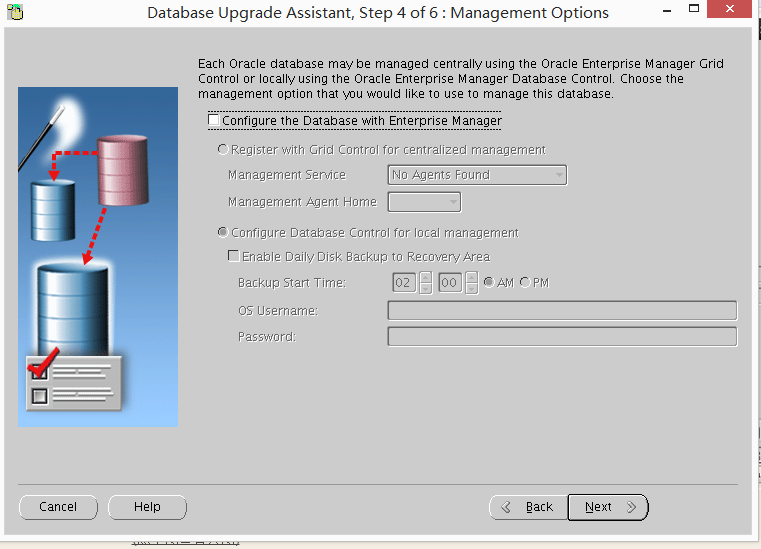
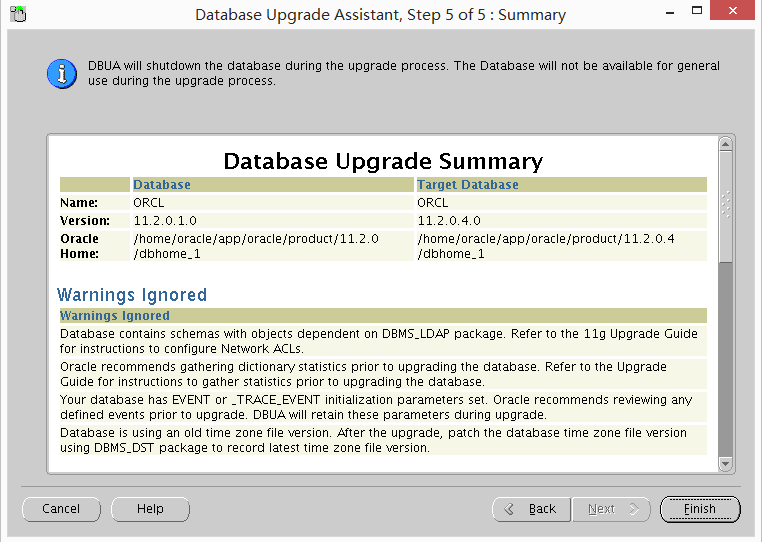
随后就是 会自动调用DBUA 来升级我们的实例(1---7步)
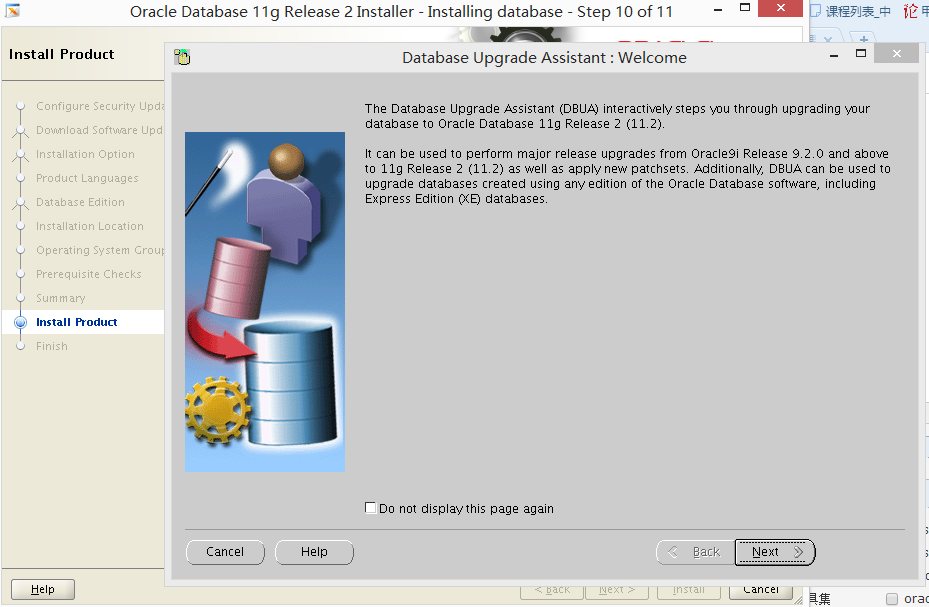
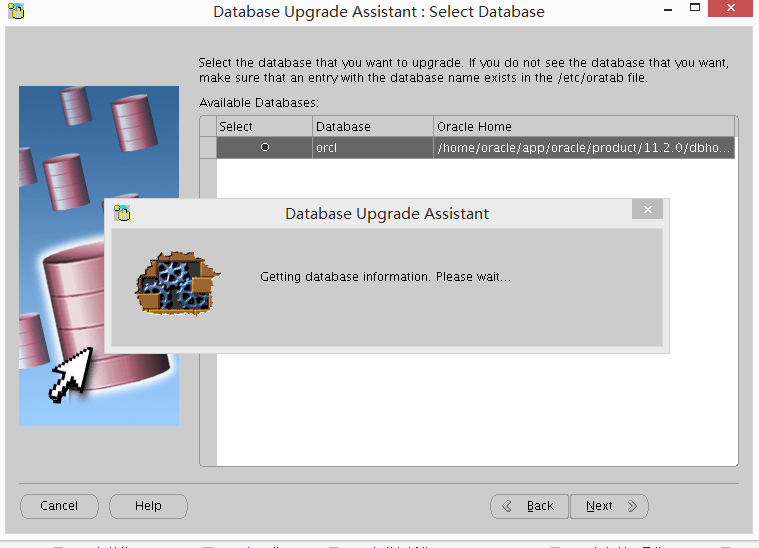
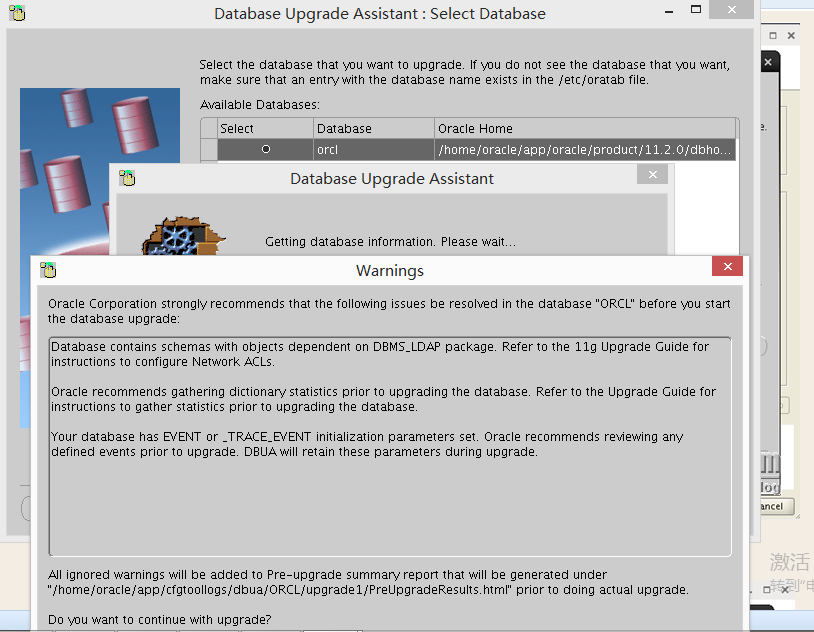
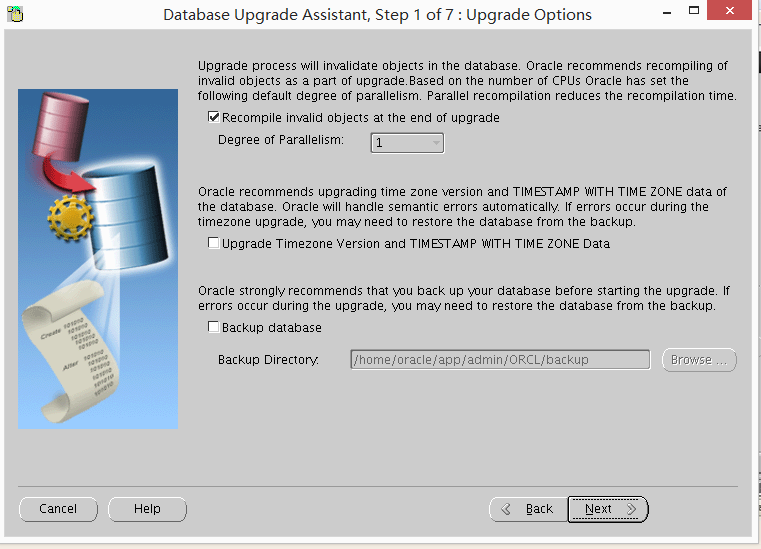
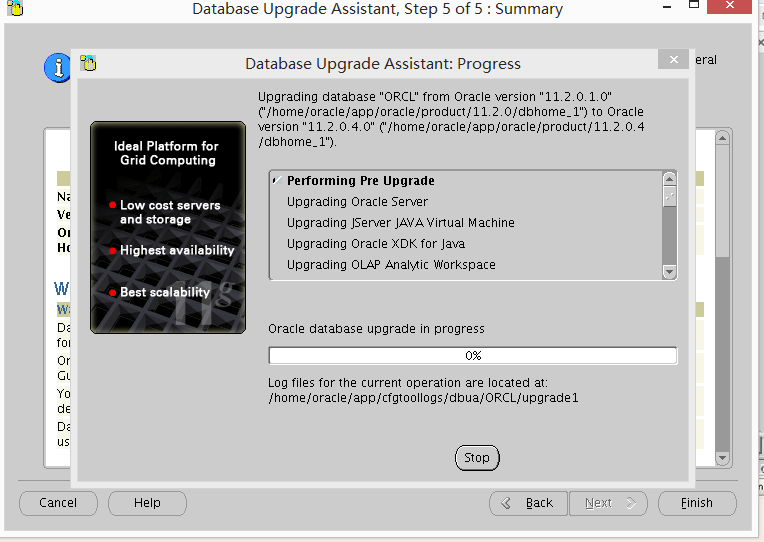

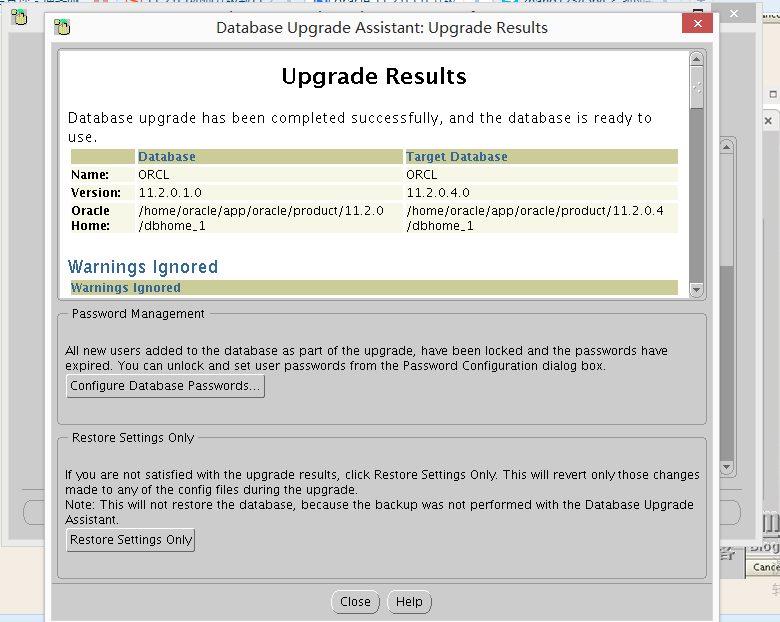
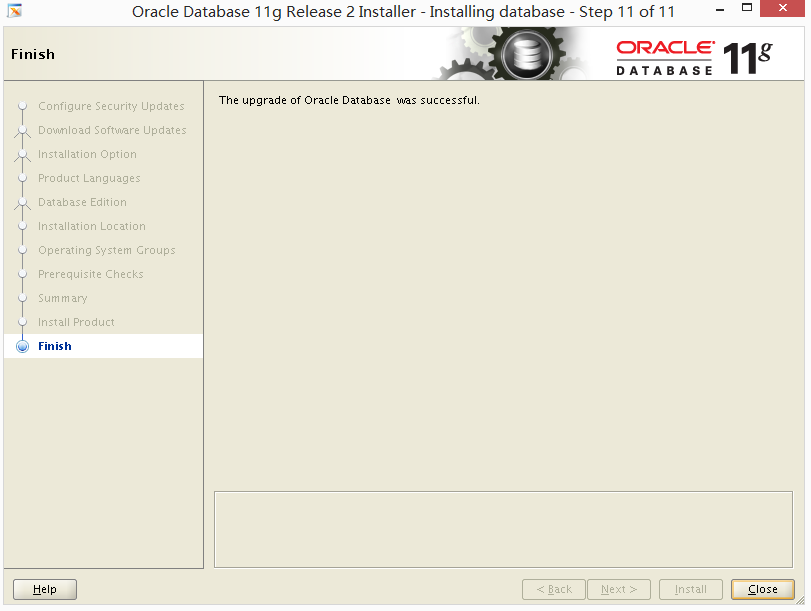
7. 修改环境变量
然后,再修改oracle用户的.bash_profile
ORACLE_HOME=$ORACLE_BASE/product/11.2.0.4/db_1
然后source ~/.bash_profile
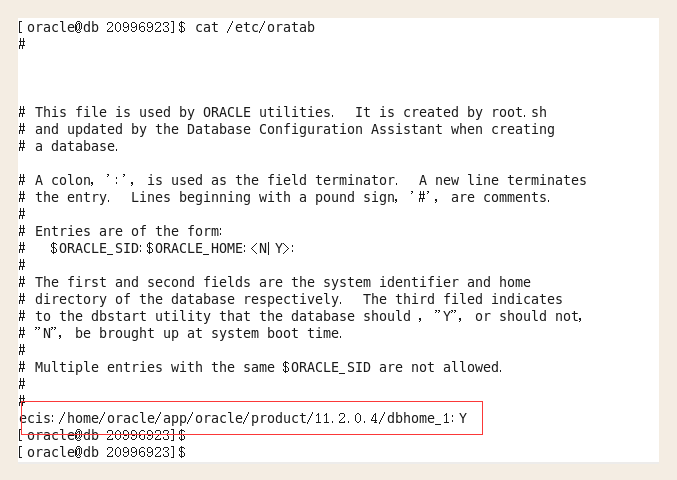
查看 cat /etc/oratab 【内容应该是新目录】
8. 登录查看,升级后版本
[oracle@11g ~]$ sqlplus / as sysdba
SQL*Plus: Release 11.2.0.1.0 Production on Mon Feb 16 05:54:26 2015
Copyright (c) 1982, 2009, Oracle. All rights reserved.
Connected to:
Oracle Database 11g Enterprise Edition Release 11.2.0.4.0 - 64bit Production
With the Partitioning, OLAP, Data Mining and Real Application Testing options
SQL> set linesize 150
SQL> set pagesize 9999
SQL> col comp_name format a40
SQL> SELECT COMP_NAME, VERSION, STATUS FROM SYS.DBA_REGISTRY;
COMP_NAME VERSION STATUS
---------------------------------------- ------------------------------ ------------------
OWB 11.2.0.1.0 VALID
Oracle Application Express 3.2.1.00.10 VALID
Oracle Enterprise Manager 11.2.0.4.0 VALID
OLAP Catalog 11.2.0.4.0 VALID
Spatial 11.2.0.4.0 VALID
Oracle Multimedia 11.2.0.4.0 VALID
Oracle XML Database 11.2.0.4.0 VALID
Oracle Text 11.2.0.4.0 VALID
Oracle Expression Filter 11.2.0.4.0 VALID
Oracle Rules Manager 11.2.0.4.0 VALID
Oracle Workspace Manager 11.2.0.4.0 VALID
Oracle Database Catalog Views 11.2.0.4.0 VALID
Oracle Database Packages and Types 11.2.0.4.0 VALID
JServer JAVA Virtual Machine 11.2.0.4.0 VALID
Oracle XDK 11.2.0.4.0 VALID
Oracle Database Java Packages 11.2.0.4.0 VALID
OLAP Analytic Workspace 11.2.0.4.0 VALID
Oracle OLAP API 11.2.0.4.0 VALID
18 rows selected.
SQL> select count(*) from dba_objects where status<>'VALID';
COUNT(*)
----------
0
SQL> select * from utl_recomp_errors;
no rows selected
-- 最后修改 compatible 参数 ,切记这个参数已修改,此次升级操作就无法回退,一定要在应用经过测试之后修改。
SQL> show parameter comp
NAME TYPE VALUE
------------------------------------ ----------- ------------------------------
cell_offload_compaction string ADAPTIVE
compatible string 11.2.0
nls_comp string BINARY
plsql_v2_compatibility boolean FALSE
SQL> alter system set compatible='11.2.0.4.0' scope=spfile;
System altered.
SQL> shutdown immediate;
Database closed.
Database dismounted.
ORACLE instance shut down.
SQL> startup;
ORACLE instance started.
Total System Global Area 1068937216 bytes
Fixed Size 2260088 bytes
Variable Size 671089544 bytes
Database Buffers 390070272 bytes
Redo Buffers 5517312 bytes
Database mounted.
Database opened.
SQL> show parameter comp
NAME TYPE VALUE
------------------------------------ ----------- ------------------------------
cell_offload_compaction string ADAPTIVE
compatible string 11.2.0.4.0
nls_comp string BINARY
plsql_v2_compatibility boolean FALSE
图形化升级单机oracle 11.2.0.1 到 11.2.0.4的更多相关文章
- 图形化升级单机oracle 11.2.0.4 到 12.2.0.1
1. 讲补丁包上传到 Oracle server ,解压.安装 [oracle@11g tmp]$ unzip linuxx64_12201_database.zip 2. 检查当前版本 SQL> ...
- 升级_开阔视野之Oracle图形化升级(dbca建库后升级)—10.2.0.1.0升为10.2.0.5.0
***********************************************声明*************************************************** ...
- CentOS7 图形化方式安装 Oracle 18c 单实例
下载 Oracle 数据库,zip 包 https://www.oracle.com/technetwork/database/enterprise-edition/downloads/index.h ...
- CentOS7 图形化方式安装Oracle 18c 安装配置
下载 Oracle 数据库,zip 包 https://www.oracle.com/technetwork/database/enterprise-edition/downloads/index.h ...
- 图形化界面安装oracle报错Could not execute auto check for display colors using command /usr/bin/xdpyinfo. Check if the DISPLAY variable is set.
问题描述: 在Linux + oracle 安装时,采有root 帐号登录x-windows 界面,然后 $su oracle 登录录安装Oracle 报以下错误: >>> Coul ...
- git 学习小记之图形化界面客户端
习惯了 Windows 的用户,一直不喜欢用类似命令行的东西来操作,当然我也不是不喜欢,只是操作太慢了.也许 Linux 大神在命令行的帮助下,办事效率翻倍,那也是非常常见的事情..当然我不是大神,所 ...
- 单机Oracle+asm(11.2.0.3.0) Patch Set Update(11.2.0.3.7 )
之前写过一篇关于PSU升级的案例,参考如下: http://blog.csdn.net/jyjxs/article/details/8983880 但是,感觉有些地方理解的不是很透彻明白,照猫画虎的比 ...
- 单机 Oracle 11g(11.2.0.4)手动打补丁PSU(11.2.0.4.8)
环境说明:database : 11.2.0.4 x64os: centos6.7 x64 准备内容:OPatch : p6880880_112000_Linux-x86-64.zipDB PSU : ...
- 转如何升级oracle版本?(11.2.0.1至11.2.0.4)
dbua from 11.2,0.2 to 11.2.0.4 need 2hours 升级结果: 步骤名 日志文件名 状态 升级前操作 PreUpgrade.l ...
随机推荐
- jQuery--基础(实例)
jQuery的操作方法并不需要都记下来,但是使用什么功能需要什么样的方法,我们是一定会知道的.所以写实例来进行对功能方法的练习和熟练,是最快能够掌握jQuery的方法. <!DOCTYPE ht ...
- 自制小工具大大加速MySQL SQL语句优化(附源码)
引言 优化SQL,是DBA常见的工作之一.如何高效.快速地优化一条语句,是每个DBA经常要面对的一个问题.在日常的优化工作中,我发现有很多操作是在优化过程中必不可少的步骤.然而这些步骤重复性的执行,又 ...
- Visual Studio Code v1.17
Visual Studio Code v1.17发布 欢迎来到2017年9月发行的Visual Studio代码.在这个版本中有一些重要的更新,我们希望你会喜欢,一些关键的亮点包括: macOS To ...
- 编译webrtc for android库与apk
git clone https://chromium.googlesource.com/chromium/tools/depot_tools.git export PATH=`pwd`/depot_t ...
- git 工具 - 子模块(submodule)
From: https://git-scm.com/book/zh/v2/Git-%E5%B7%A5%E5%85%B7-%E5%AD%90%E6%A8%A1%E5%9D%97 子模块 有种情况我们经常 ...
- vue 流程设计器
github地址:https://github.com/280780363/gucflow.designer demo地址:https://280780363.github.io/gucflow.de ...
- Spring、Hibernate 数据不能插入到数据库问题解决
1.问题:在使用Spring.Hibernate开发的数据库应用中,发现不管如何,数据都插不到数据库. 可是程序不报错.能查询到,也能插入. 2.分析:Hibernate设置了自己主动提交仍然无论用, ...
- @Bean 和@ Component的区别
@Component auto detects and configures the beans using classpath scanning whereas @Bean explicitly d ...
- EasyPusher华为手机直播推流硬编码[OMX.IMG.TOPAZ.Encoder] failed to set input port definition parameters.
EasyPusher作为一款RTSP推送利器, 配合EasyDarwin开源流媒体服务器,在发布伊始,很快获得了广大人民群众的一致好评. 但是也有一些用户反映: EasyPusher在我的华为手机上会 ...
- react-navigation遇到的坑
关于goBack返回指定页面 react-navigation是提供了goBack()到指定页面的方法的,那就是在goBack()中添加一个参数,但当你使用goBack('Main')的时候,你会发现 ...