
【原创 Hadoop&Spark 动手实践 5】Spark 基础入门,集群搭建以及Spark Shell
Spark 基础入门,集群搭建以及Spark Shell
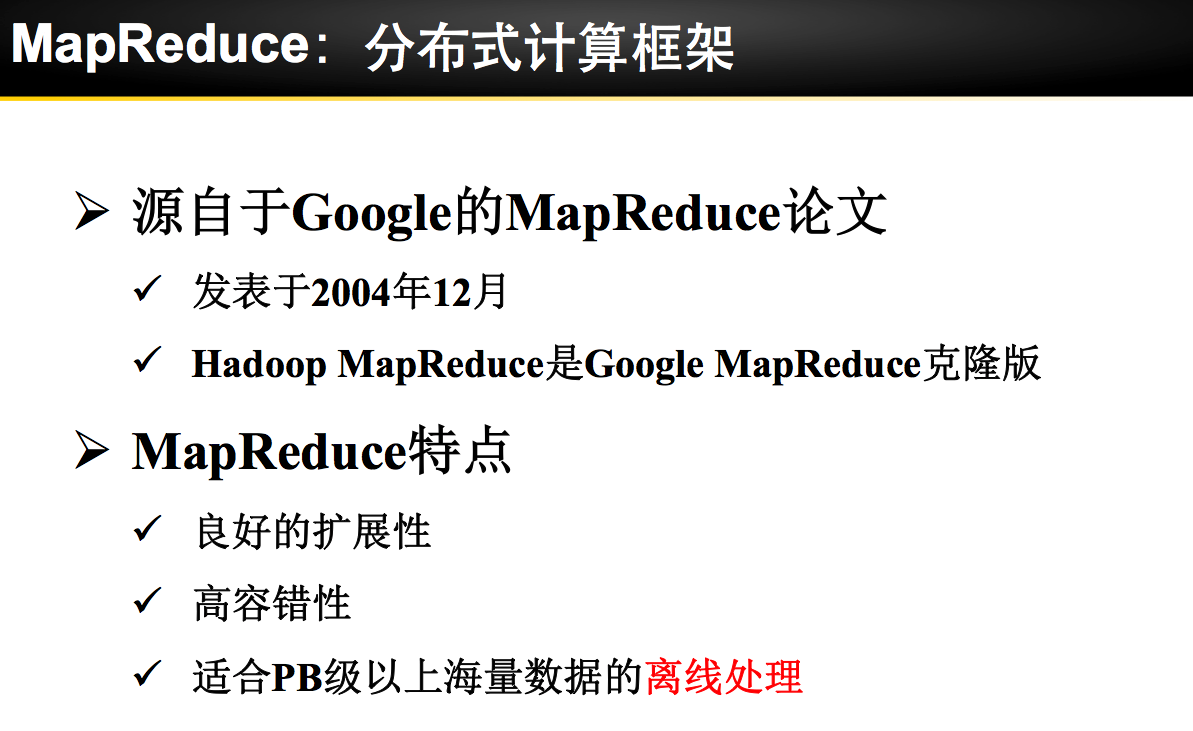
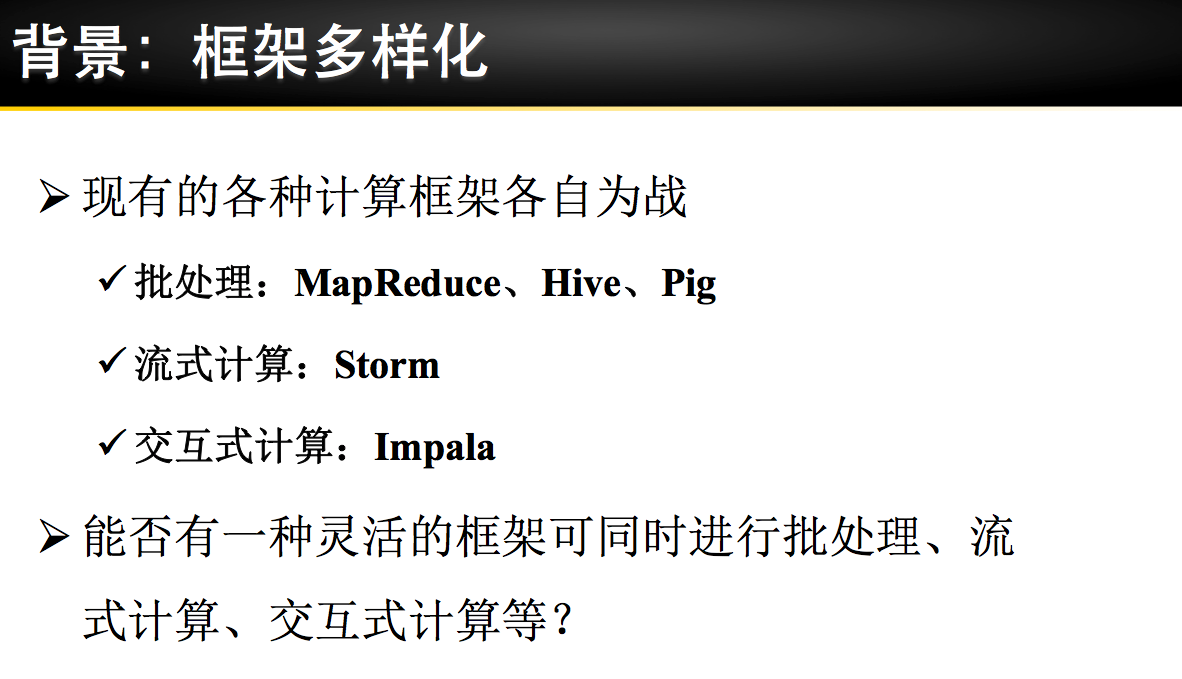
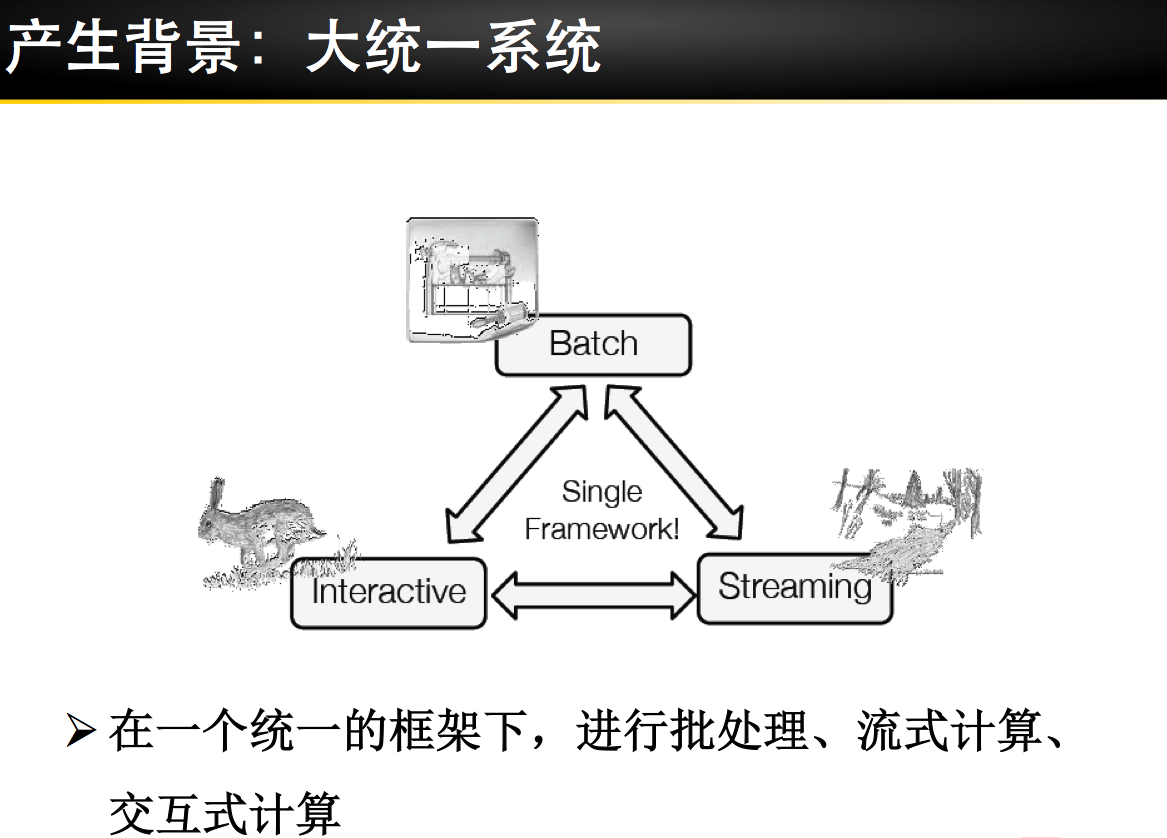
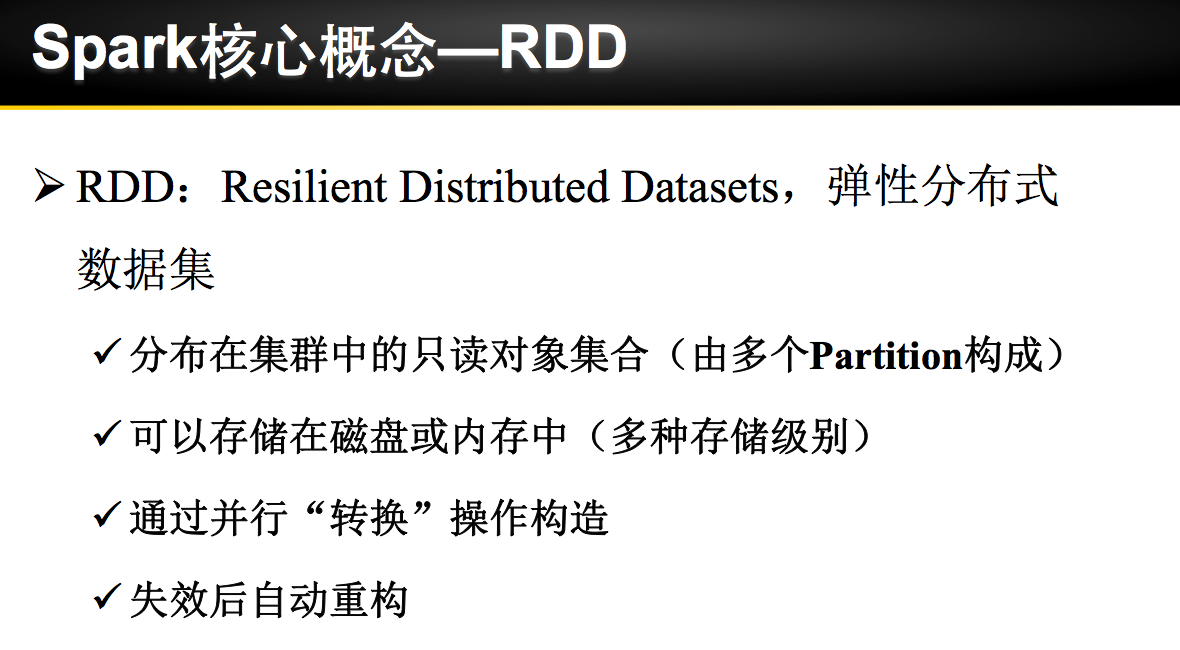
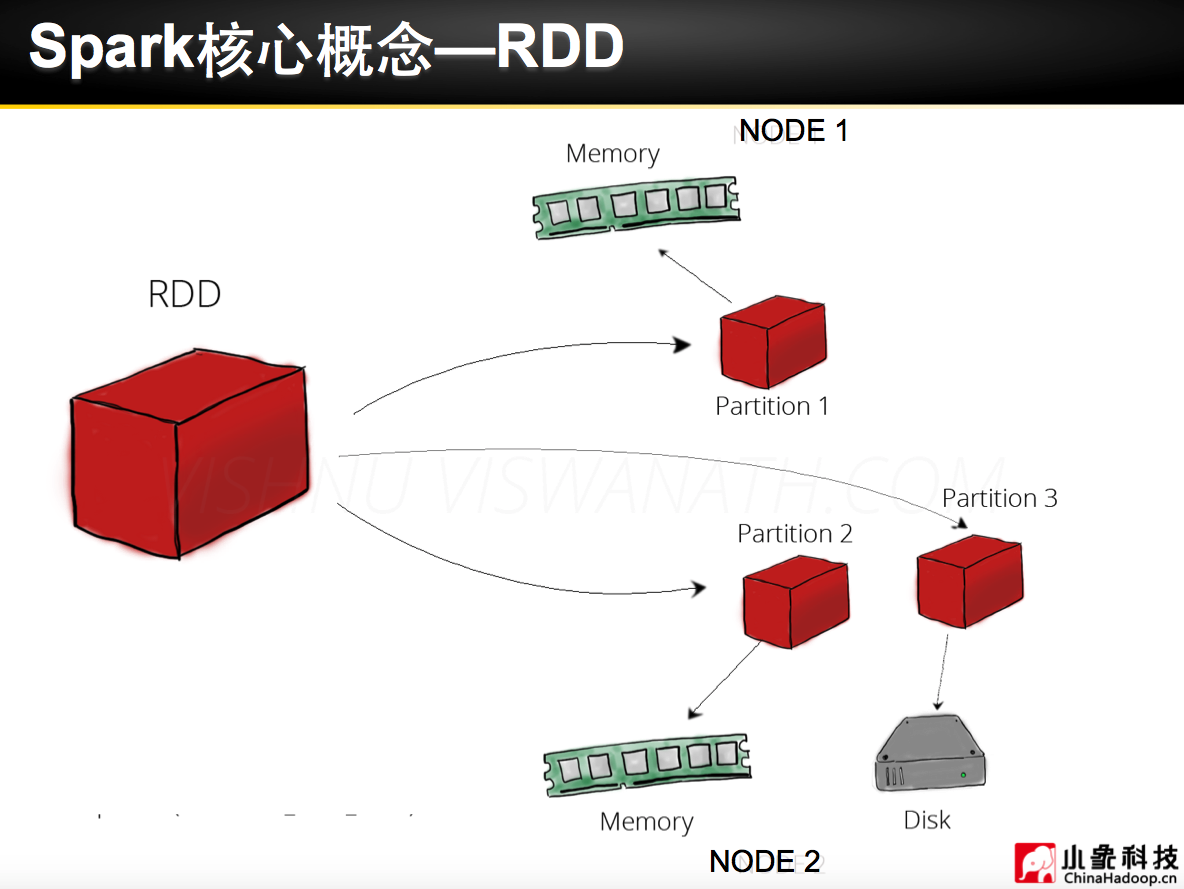
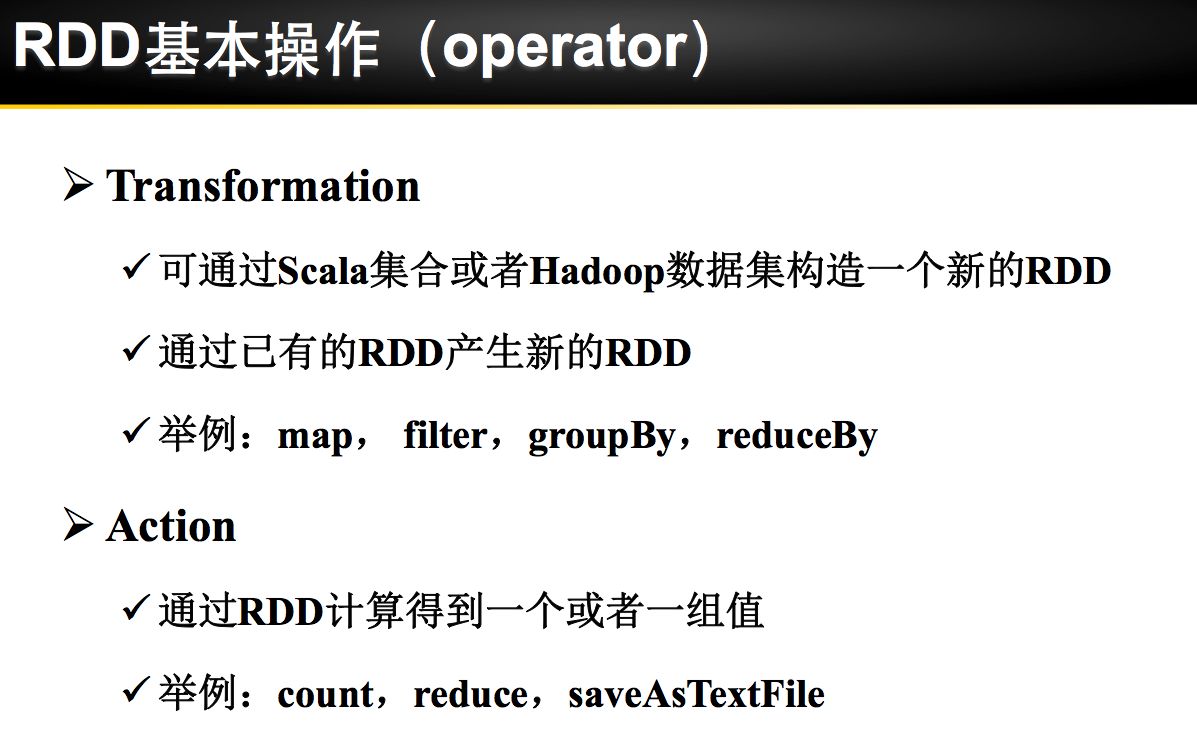
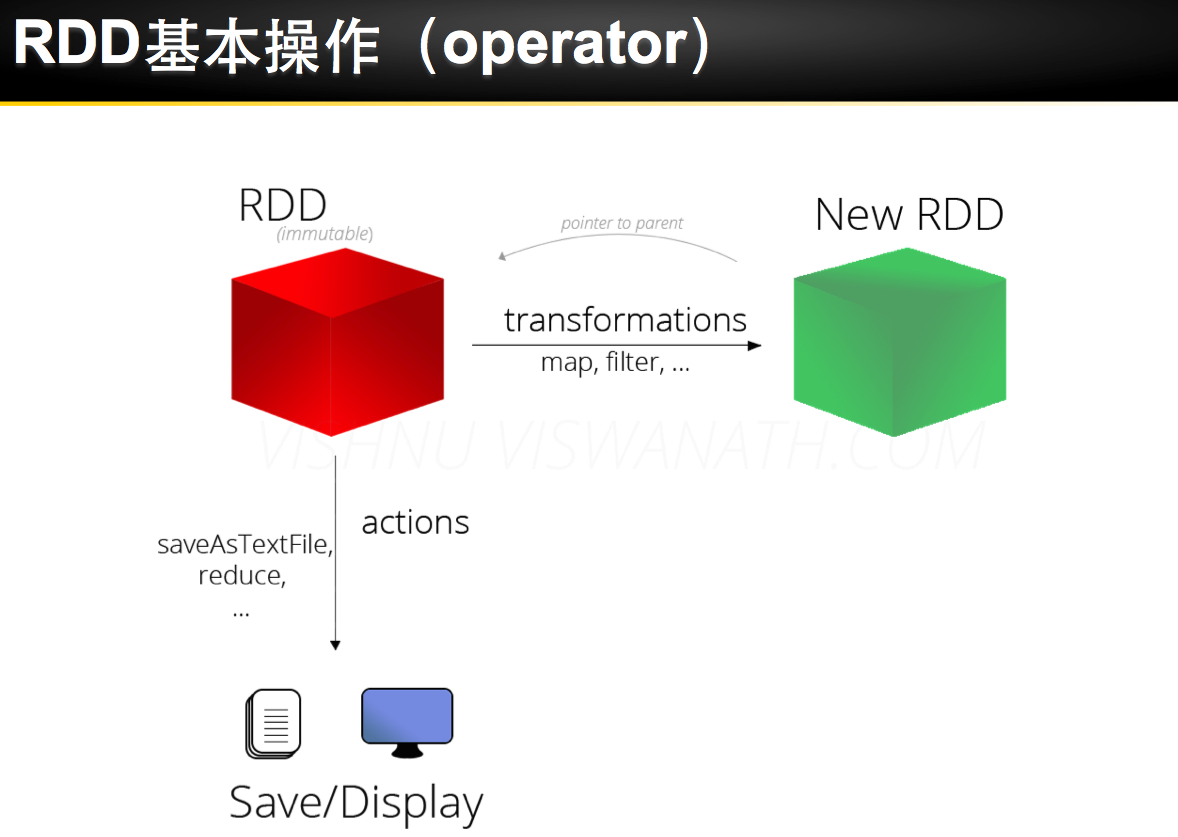
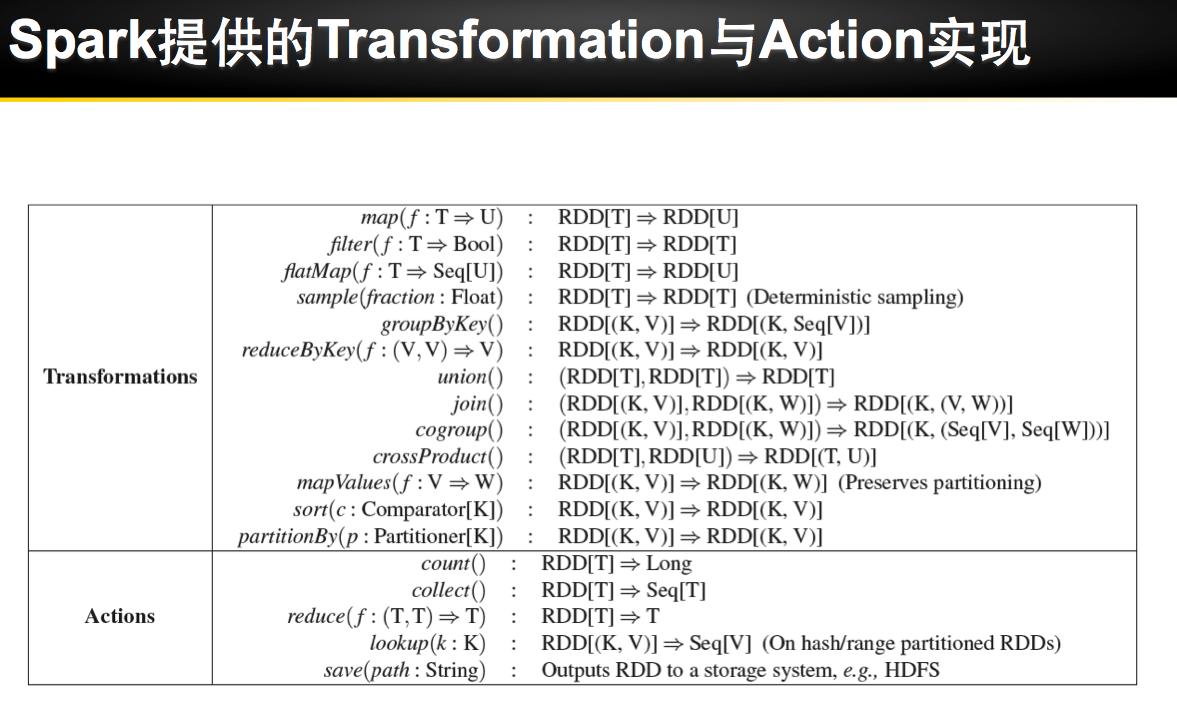
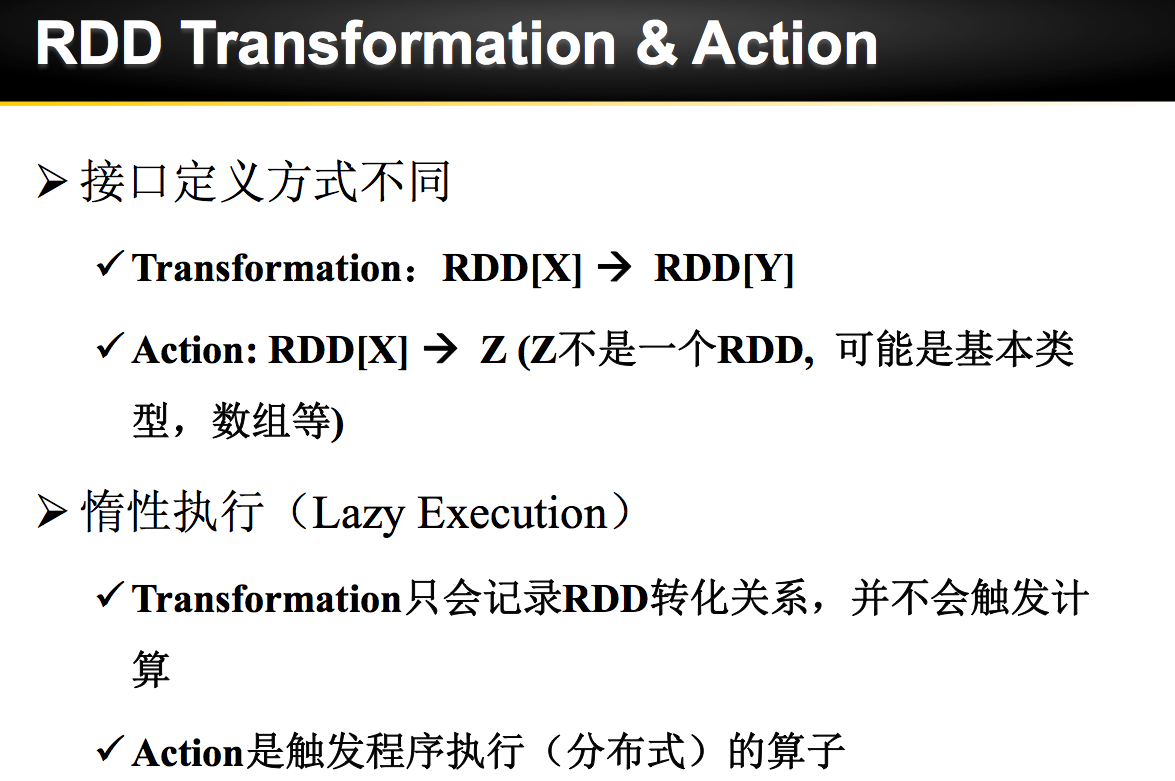
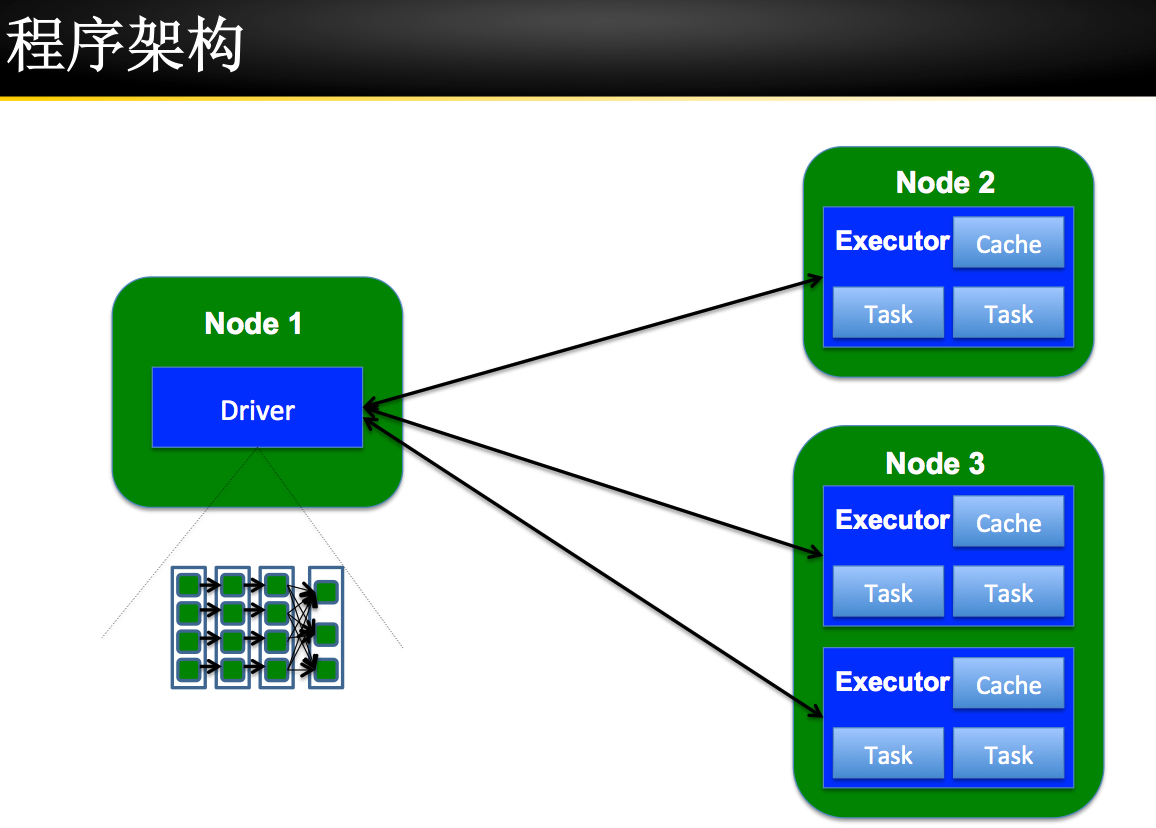
主要借助Spark基础的PPT,再加上实际的动手操作来加强概念的理解和实践。












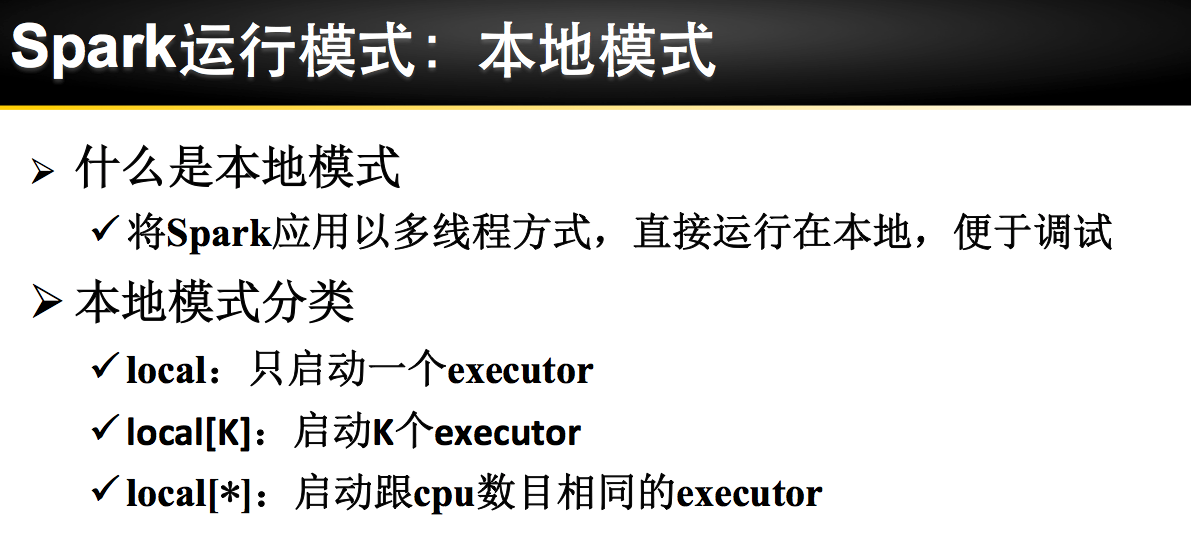
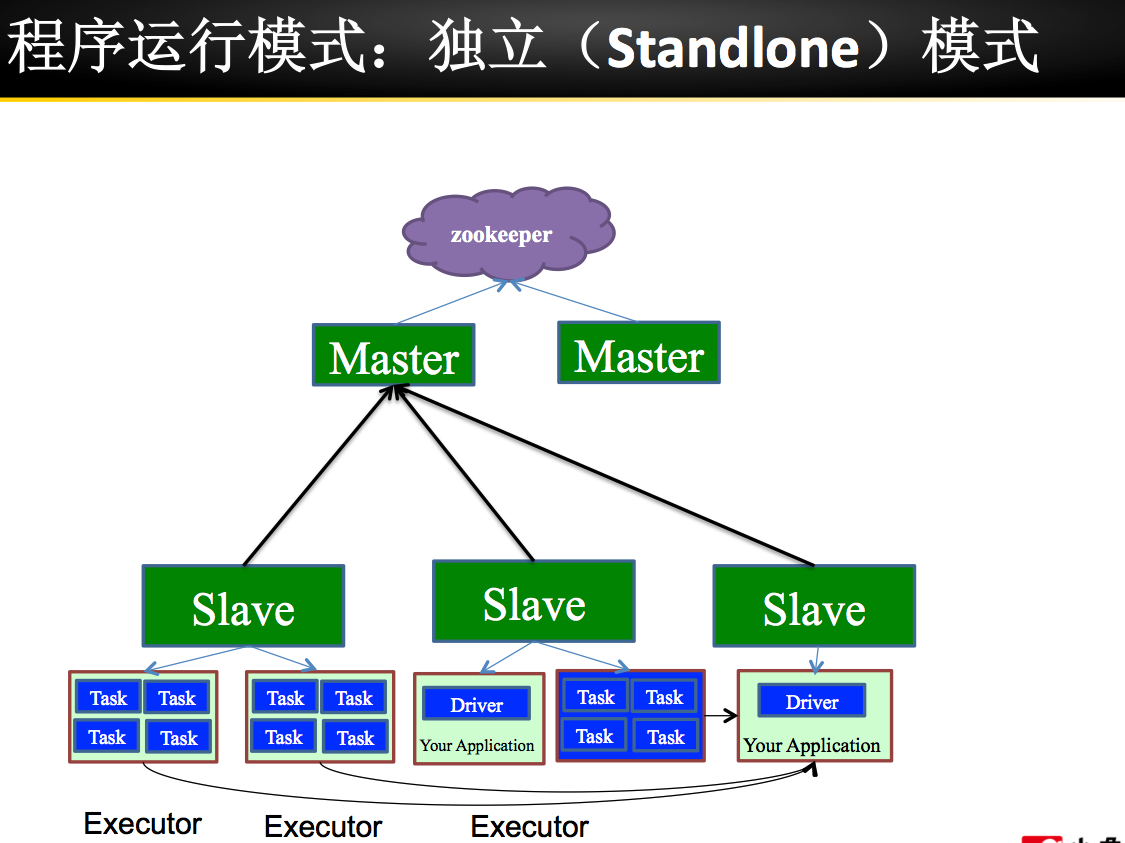
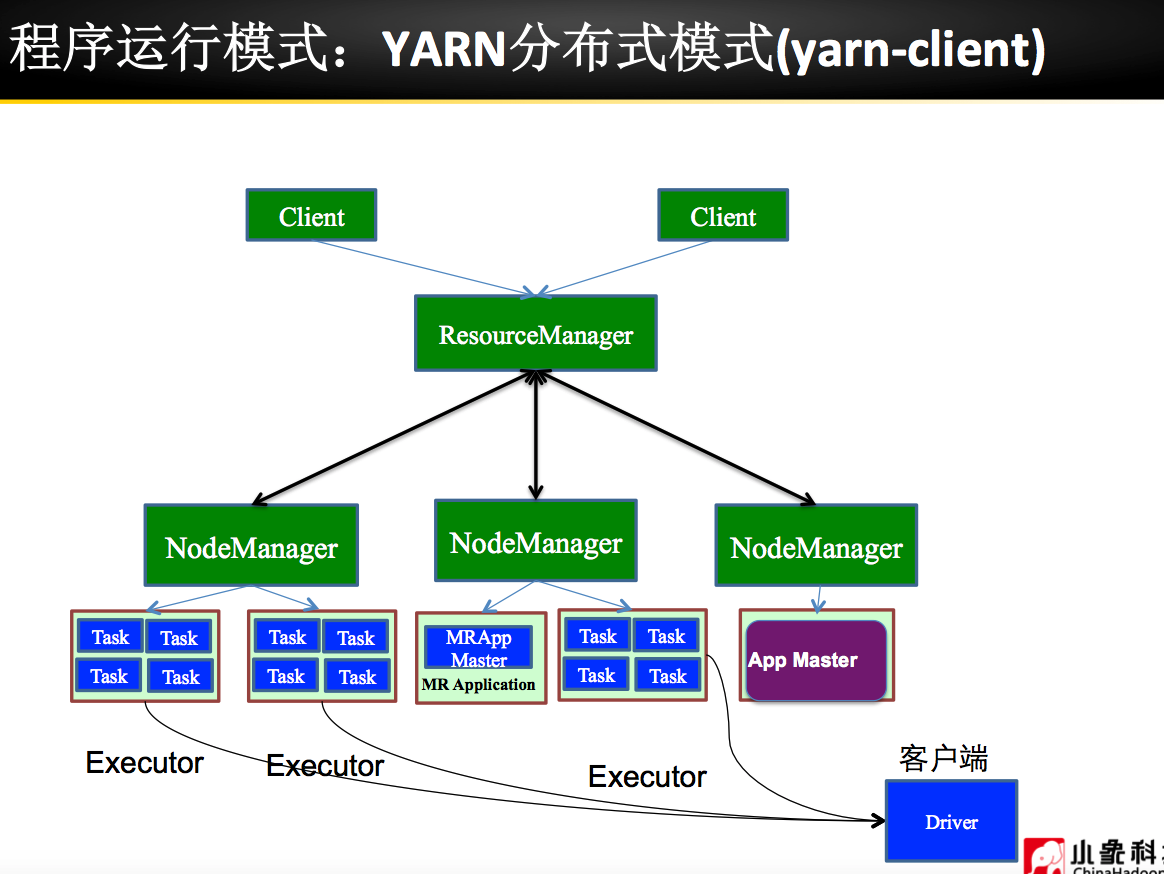
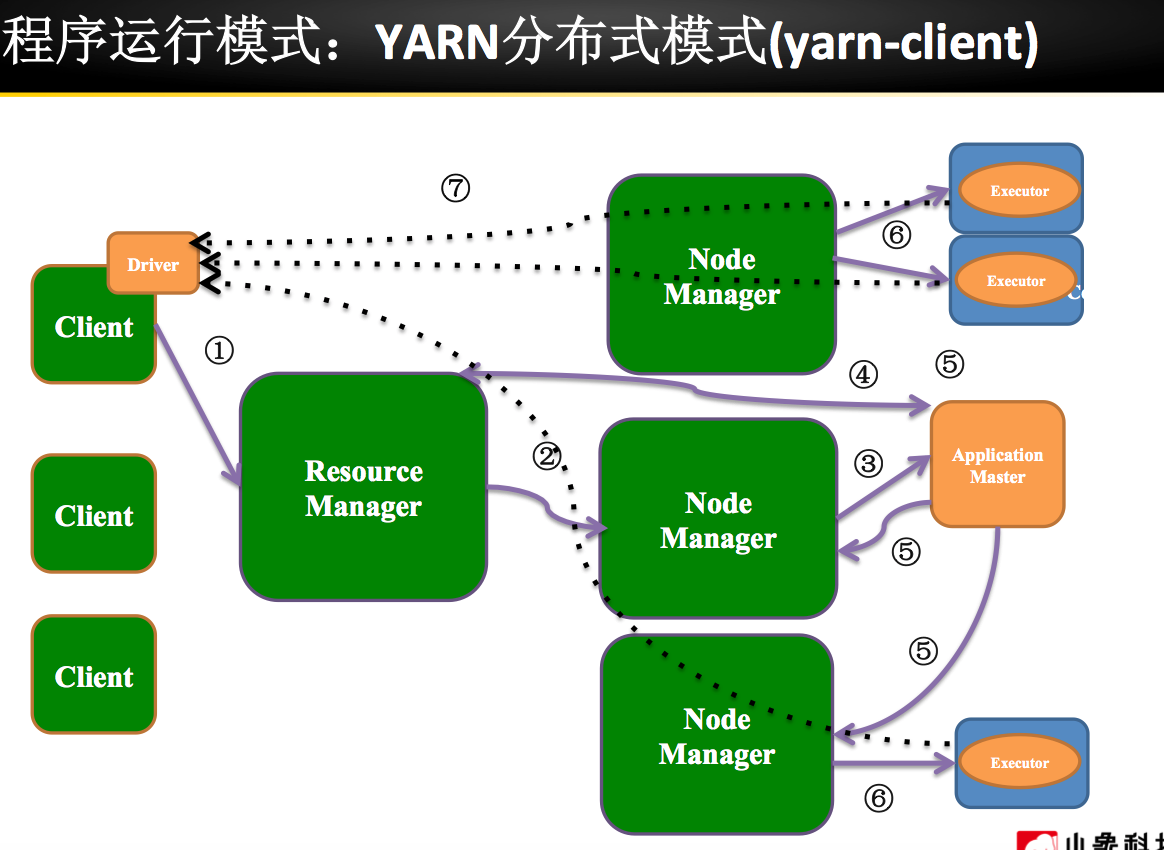

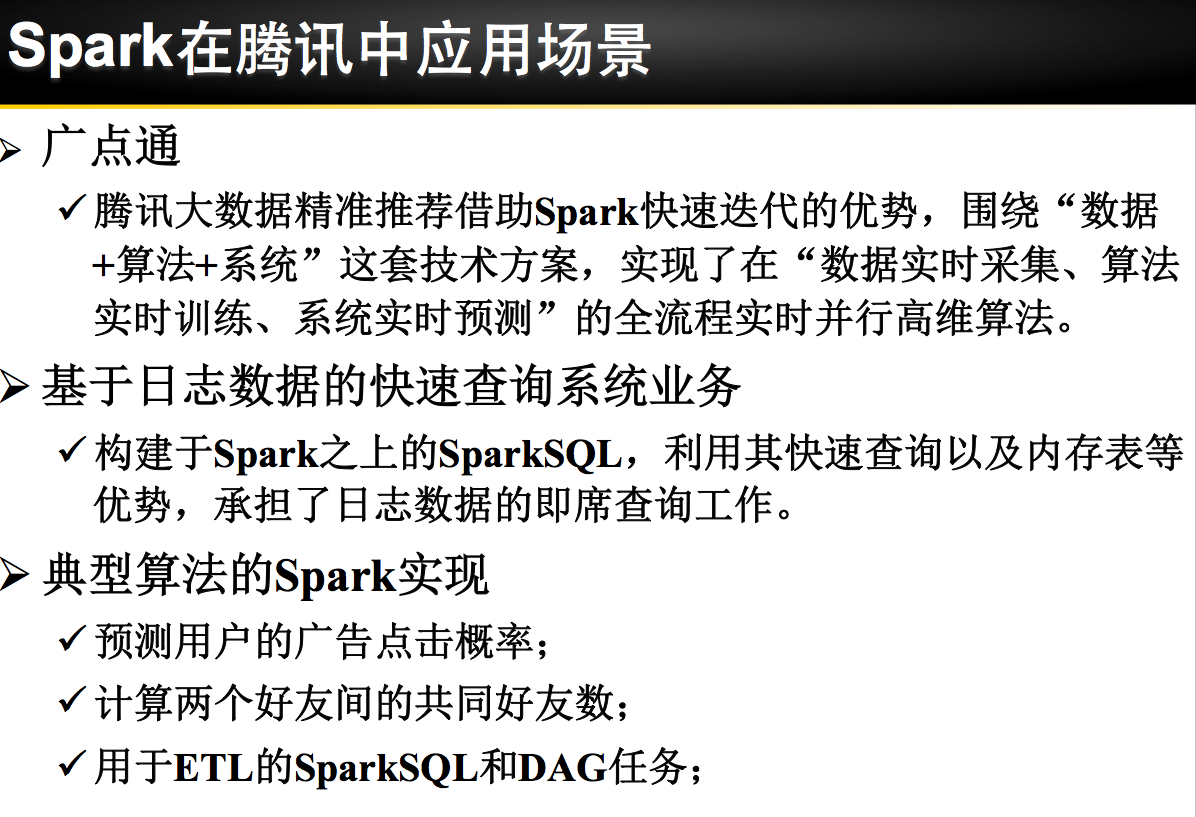


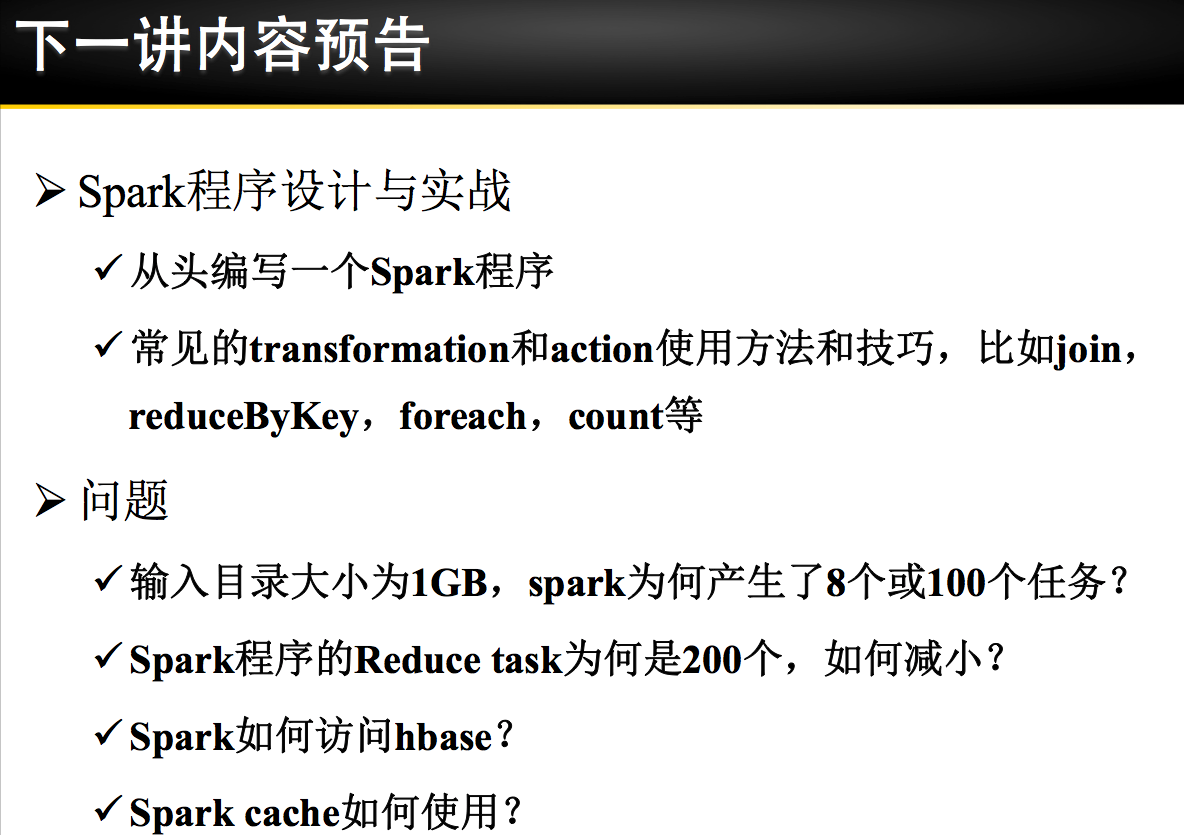
Spark 安装部署


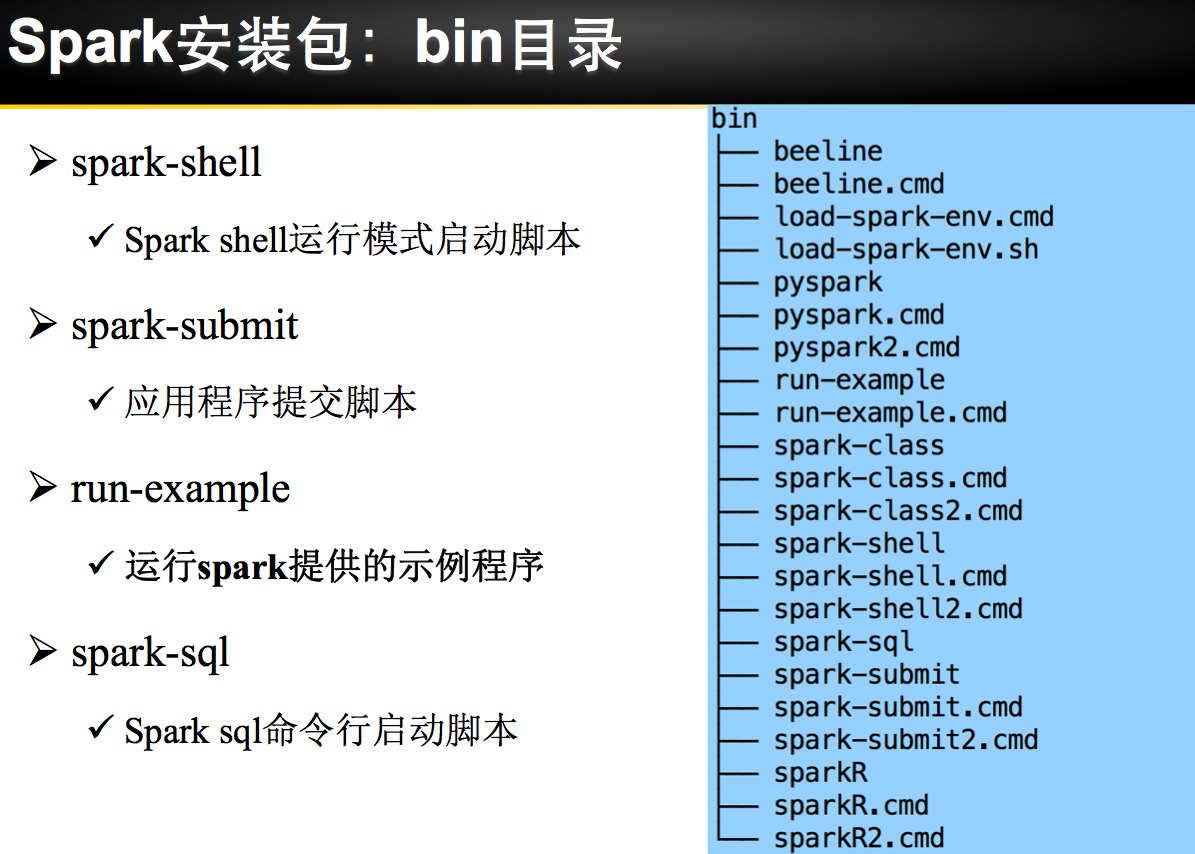
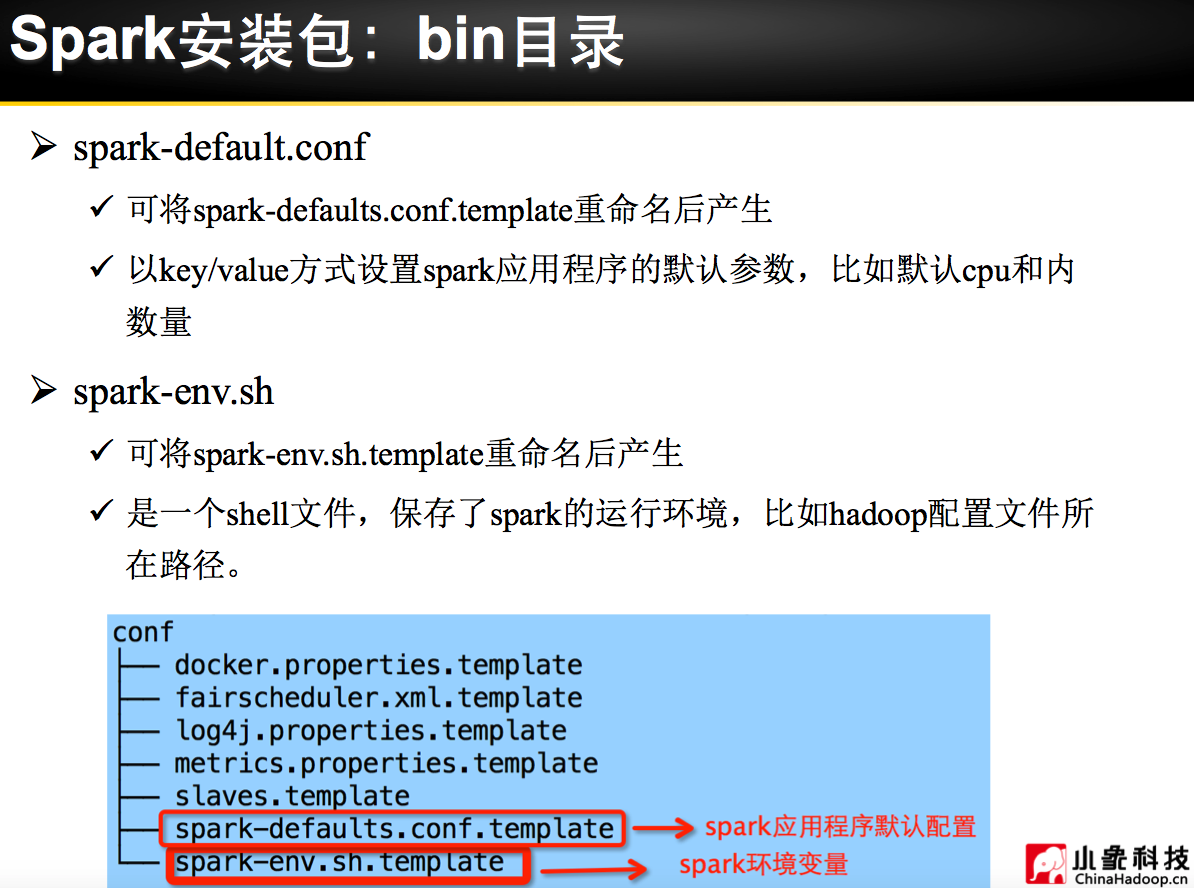


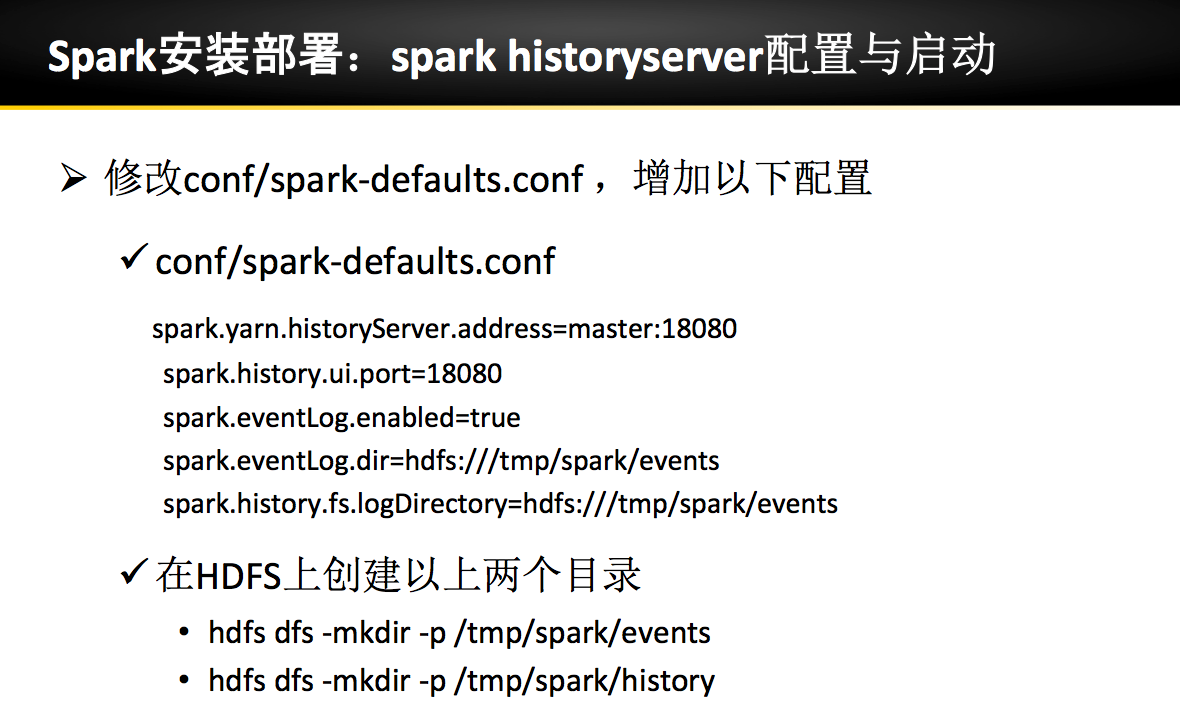
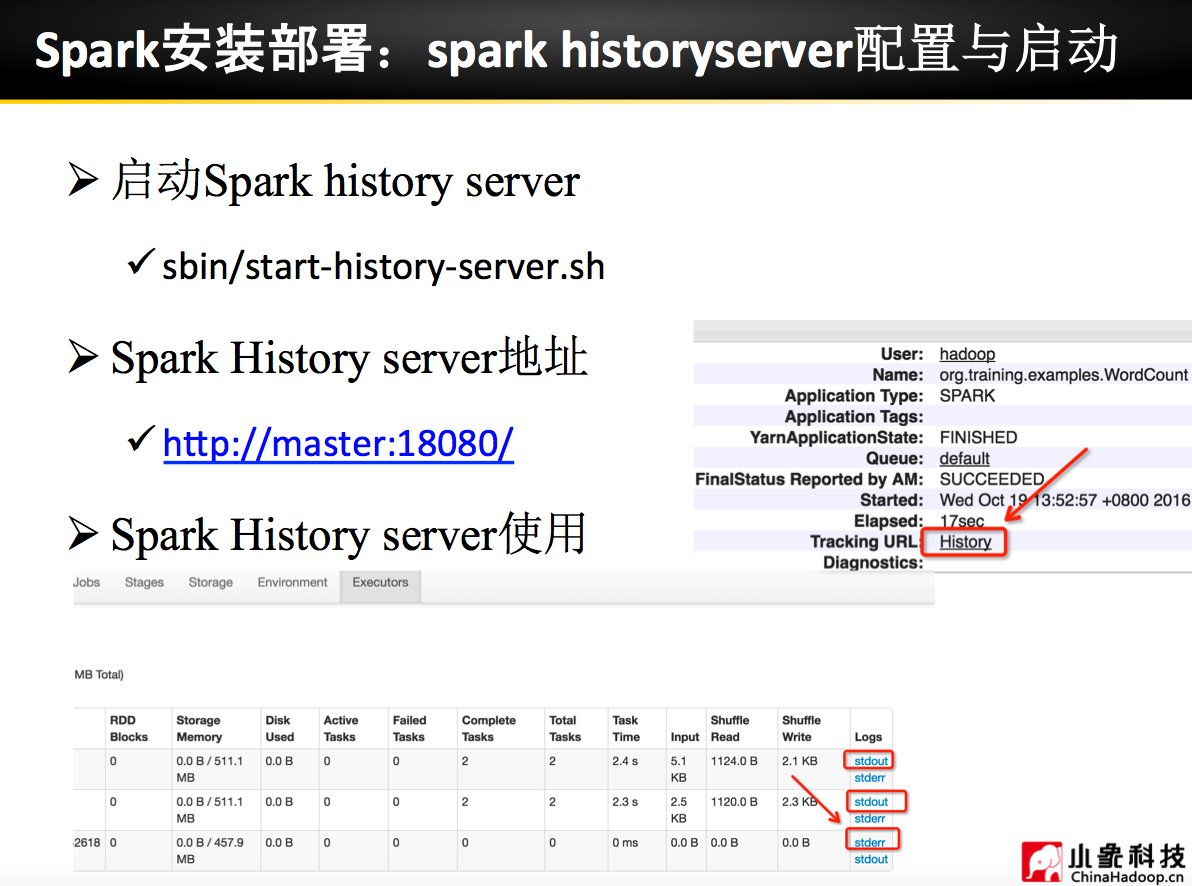
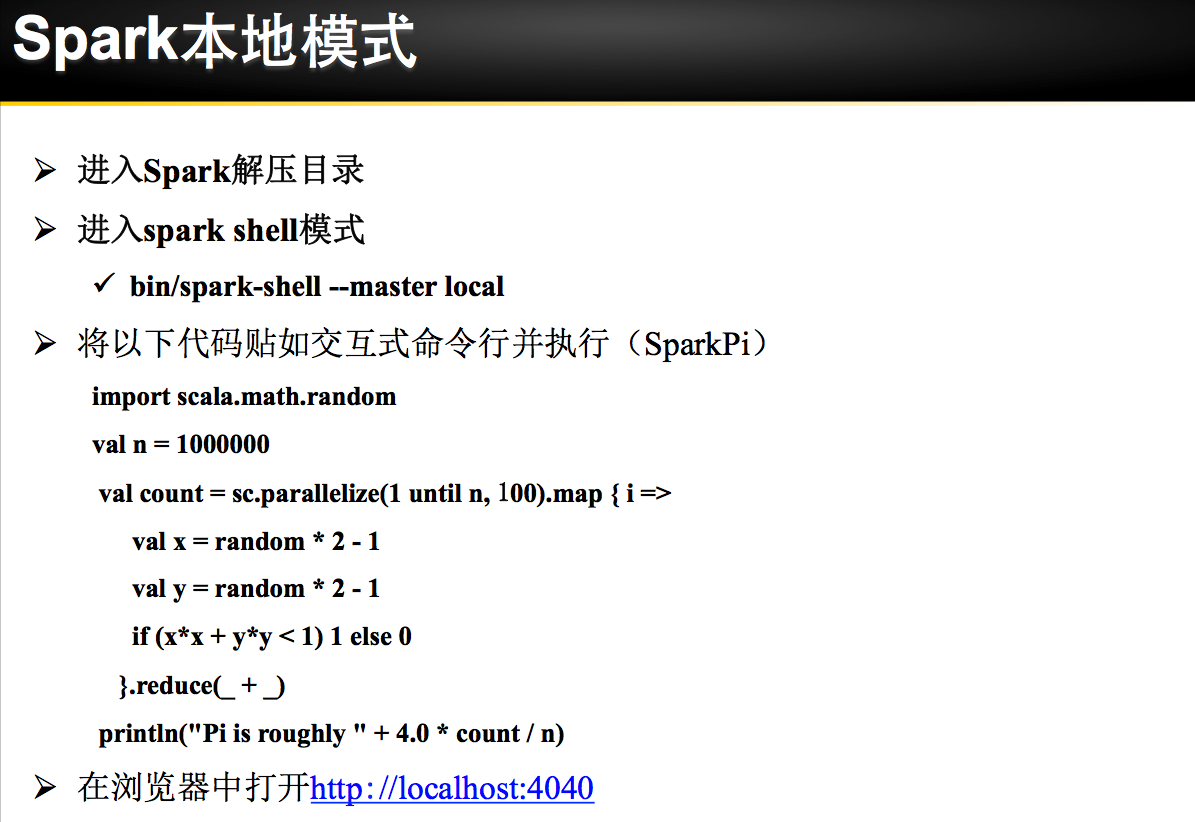


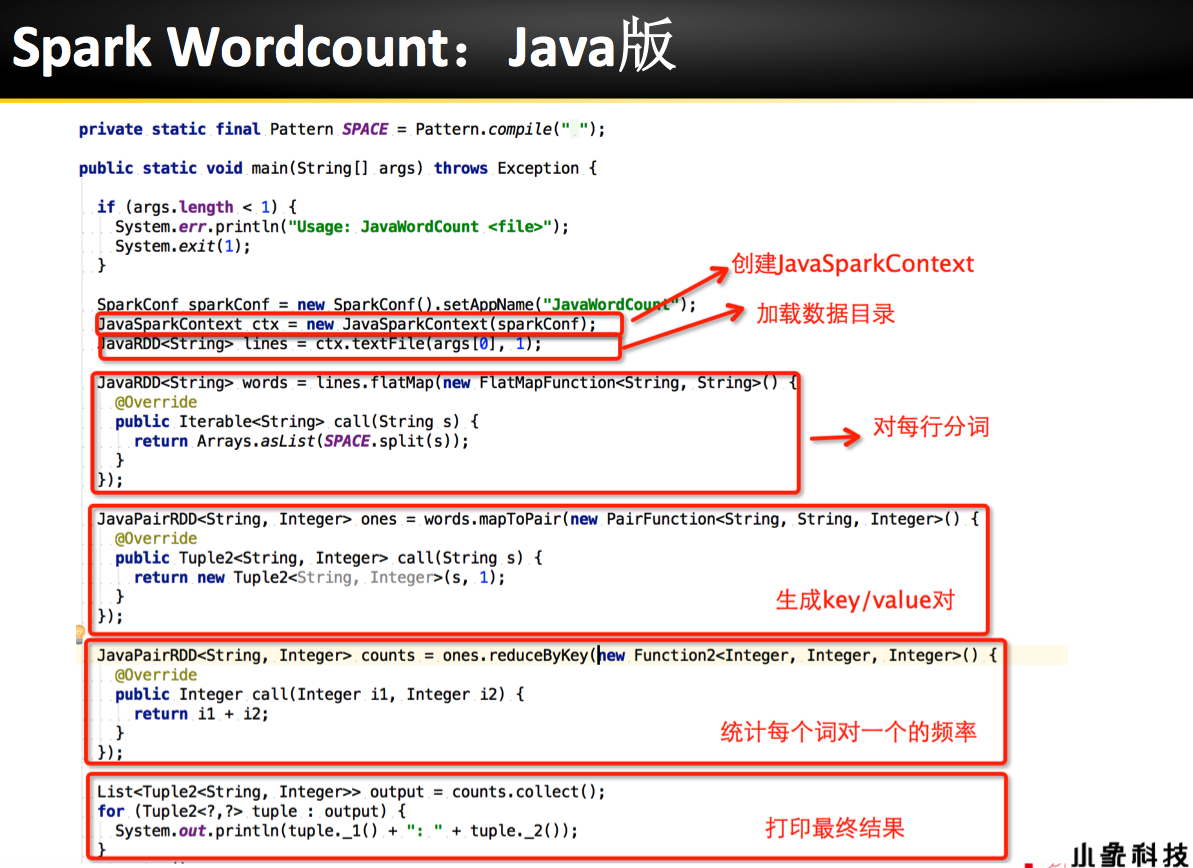

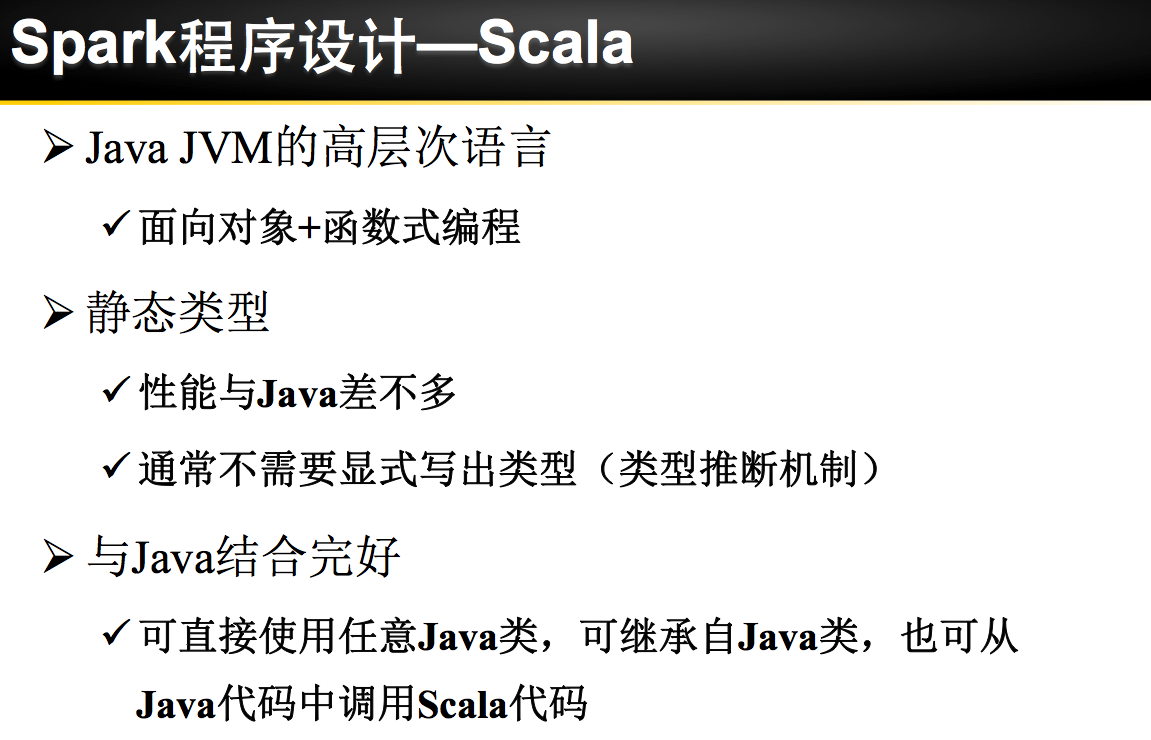


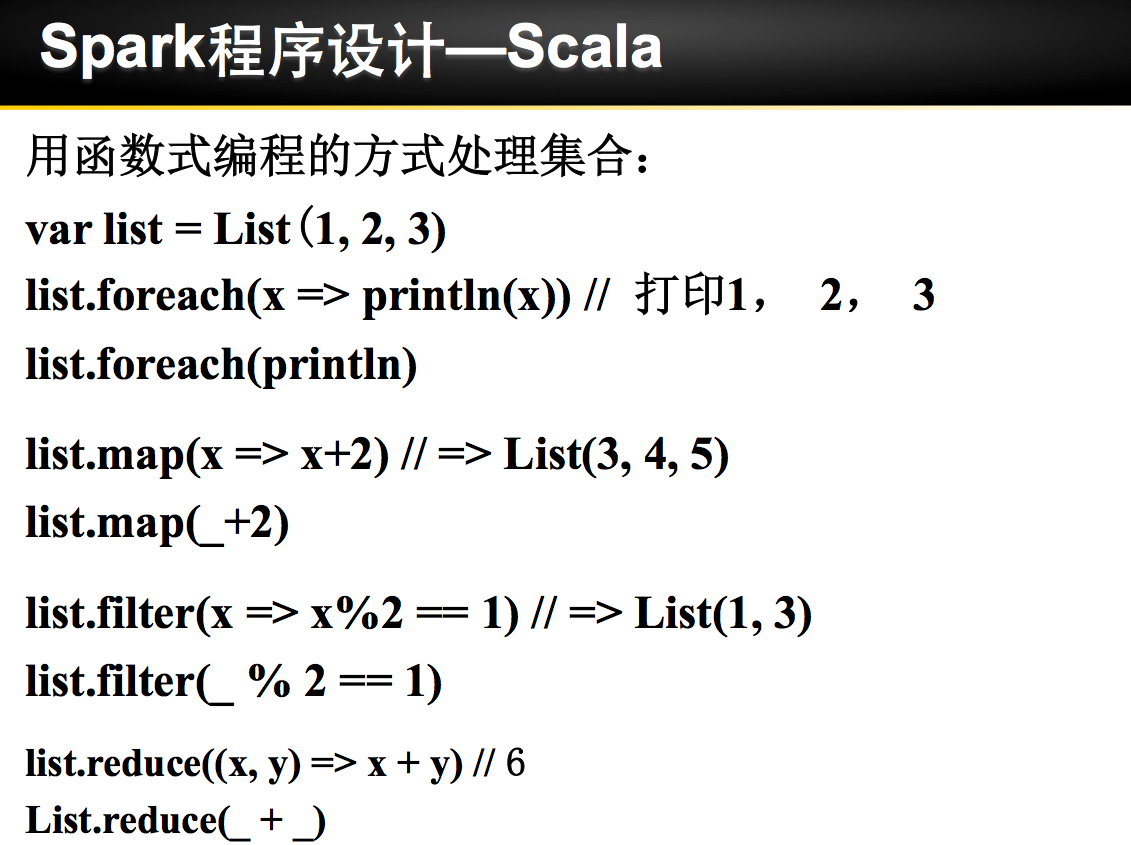
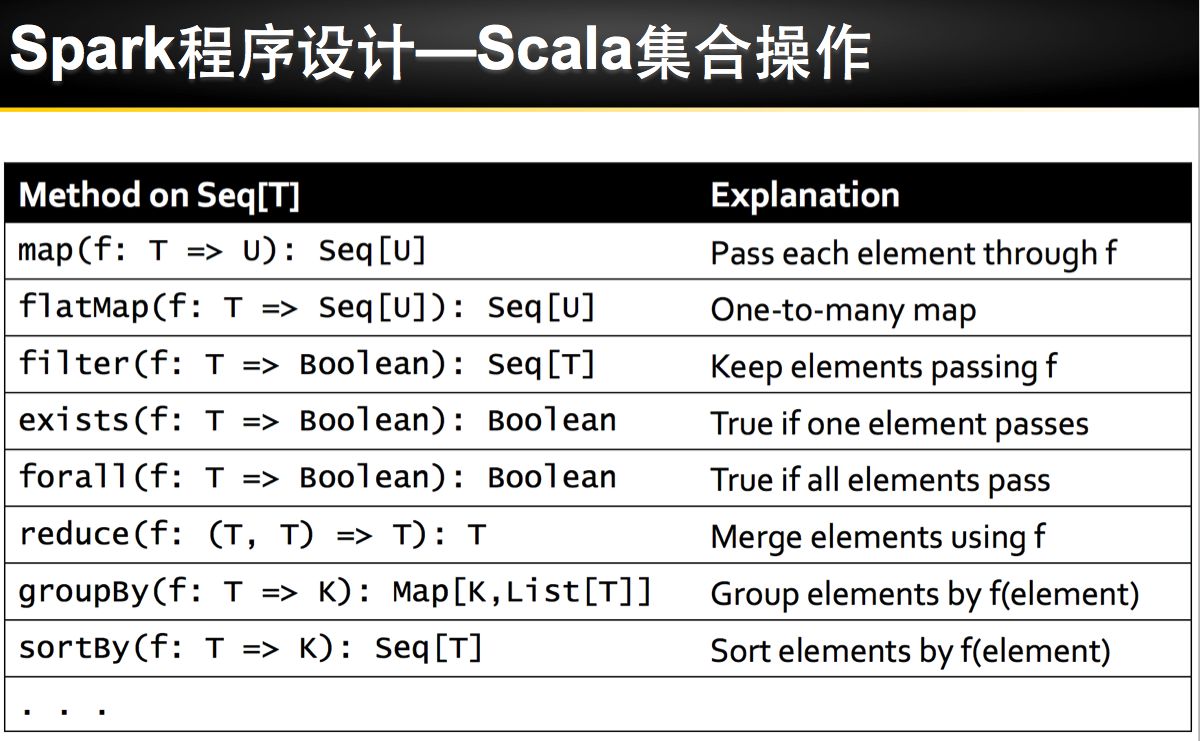
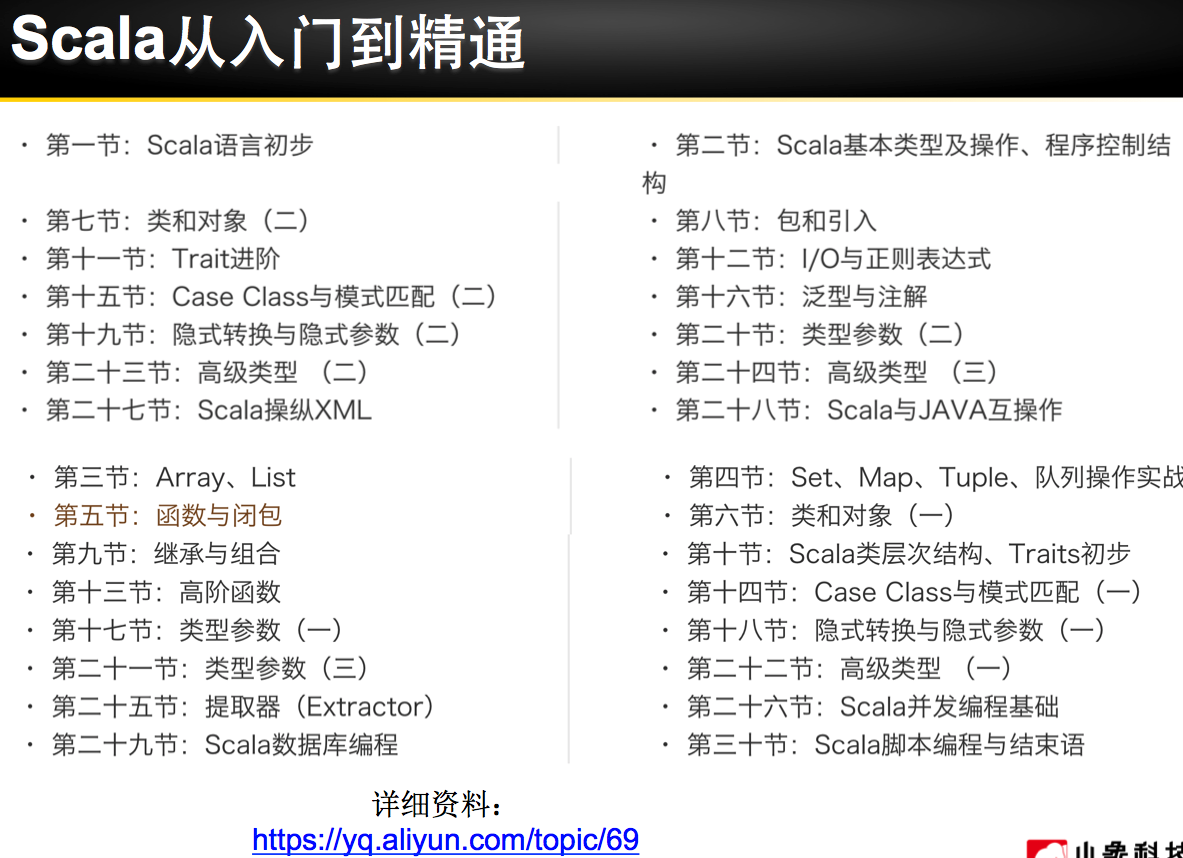
理论已经了解的差不多了,接下来是实际动手实验:
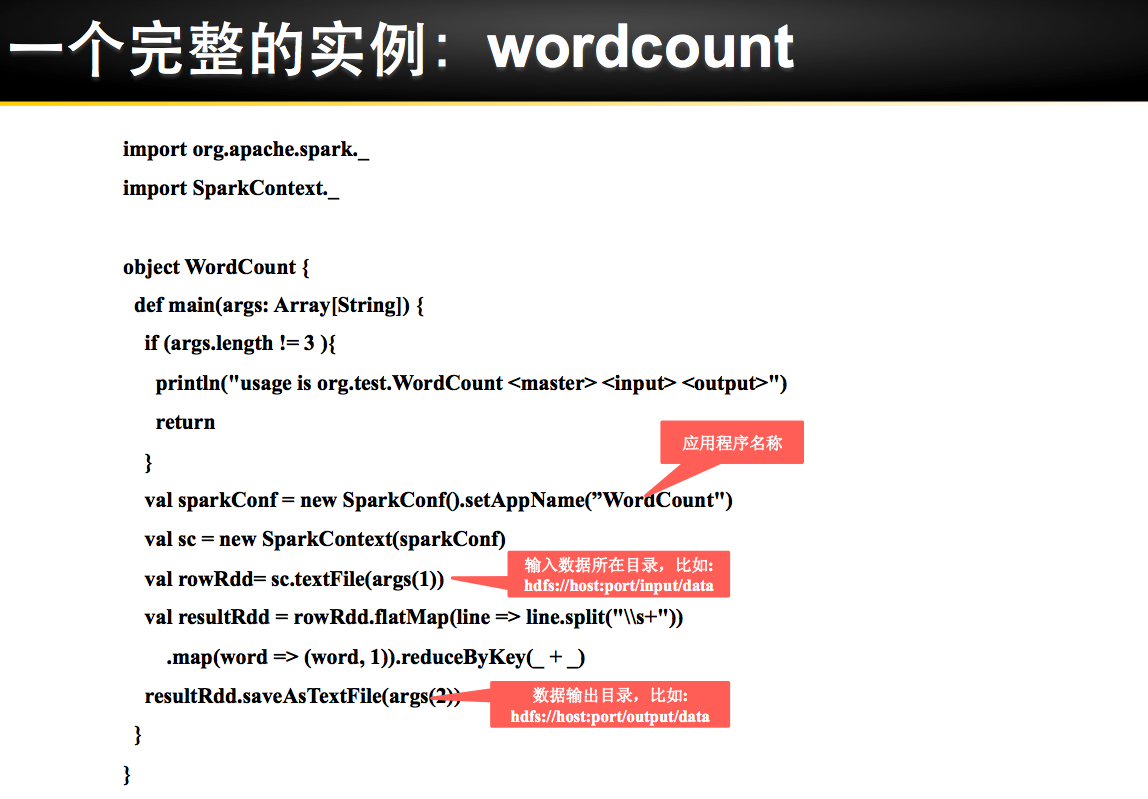
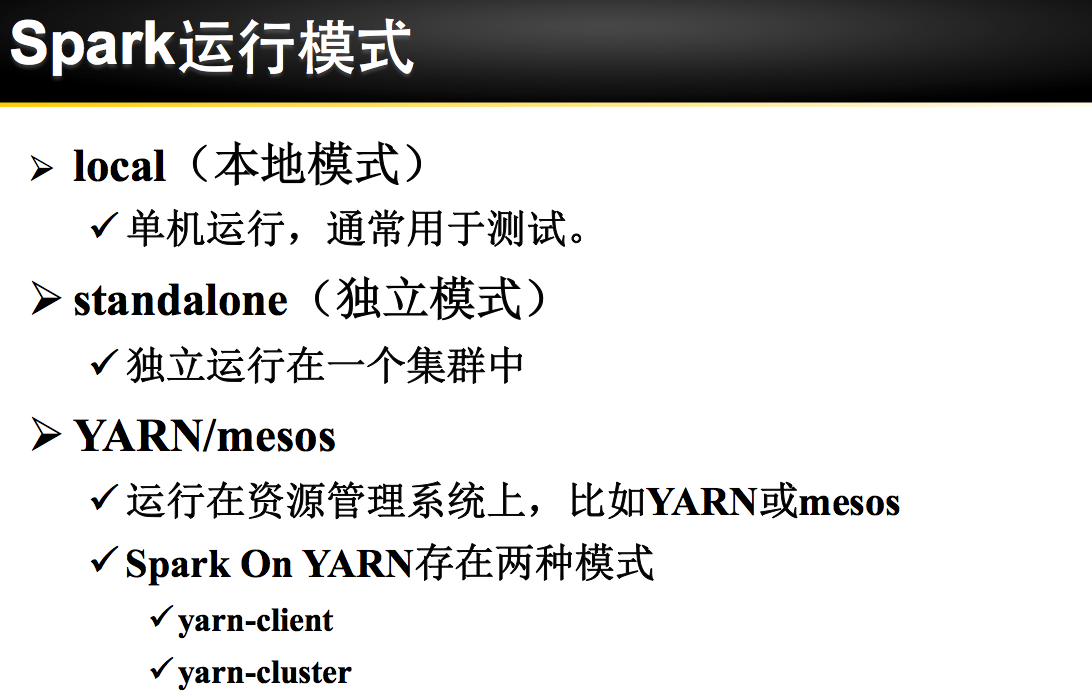
练习1 利用Spark Shell(本机模式) 完成WordCount
spark-shell 进行Spark-shell本机模式

第一步:通过文件方式导入数据
scala> val rdd1 = sc.textFile("file:///tmp/wordcount.txt")
rdd1: org.apache.spark.rdd.RDD[String] = file:///tmp/wordcount.txt MapPartitionsRDD[3] at textFile at <console>:24
scala> rdd1.count
res1: Long = 3

第二步:利用flatmap(_.split(" ")) 进行分词操作
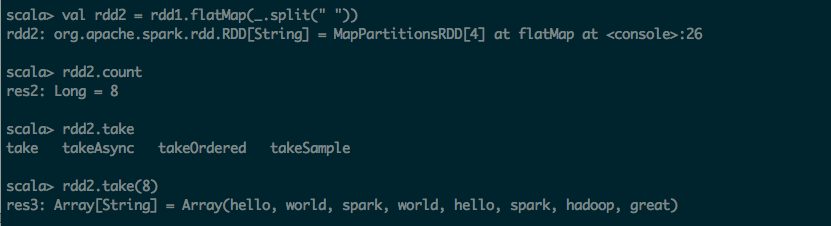
scala> val rdd2 = rdd1.flatMap(_.split(" "))
rdd2: org.apache.spark.rdd.RDD[String] = MapPartitionsRDD[4] at flatMap at <console>:26
scala> rdd2.count
res2: Long = 8
scala> rdd2.take
take takeAsync takeOrdered takeSample
scala> rdd2.take(8)
res3: Array[String] = Array(hello, world, spark, world, hello, spark, hadoop, great)
第三步:利用map 转化为KV的形式
scala> val kvrdd1 = rdd2.map(x => (x,1))
kvrdd1: org.apache.spark.rdd.RDD[(String, Int)] = MapPartitionsRDD[5] at map at <console>:28
scala> kvrdd1.count
res4: Long = 8
scala> kvrdd1.take(8)
res5: Array[(String, Int)] = Array((hello,1), (world,1), (spark,1), (world,1), (hello,1), (spark,1), (hadoop,1), (great,1))

第四步:把KV的map进行ReduceByKey操作
scala> val resultRdd1 = kvrdd1.reduceByKey(_+_)
resultRdd1: org.apache.spark.rdd.RDD[(String, Int)] = ShuffledRDD[6] at reduceByKey at <console>:30
scala> resultRdd1.count
res6: Long = 5
scala> resultRdd1.take(5)
res7: Array[(String, Int)] = Array((hello,2), (world,2), (spark,2), (hadoop,1), (great,1))

第五步:将结果保持到文件之中
scala> resultRdd1.saveAsTextFile("file:///tmp/output1")

练习2 利用Spark Shell(Yarn Client模式) 完成WordCount
spark-shell --master yarn-client 启动Spark-shell Yarn Client模式

第一步:通过文件方式导入数据
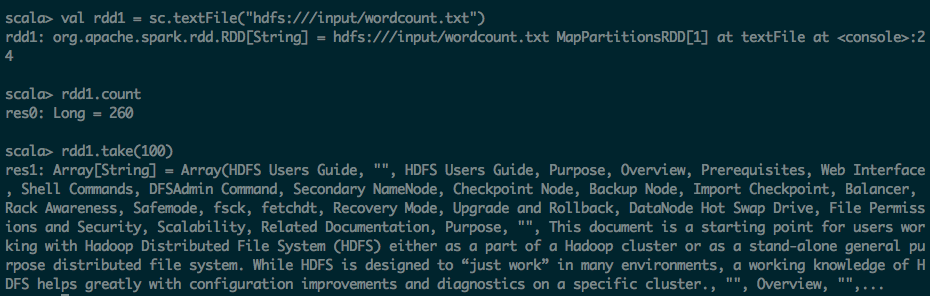
scala> val rdd1 = sc.textFile("hdfs:///input/wordcount.txt")
rdd1: org.apache.spark.rdd.RDD[String] = hdfs:///input/wordcount.txt MapPartitionsRDD[1] at textFile at <console>:24
scala> rdd1.count
res0: Long = 260
scala> rdd1.take(100)
res1: Array[String] = Array(HDFS Users Guide, "", HDFS Users Guide, Purpose, Overview, Prerequisites, Web Interface, Shell Commands, DFSAdmin Command, Secondary NameNode, Checkpoint Node, Backup Node, Import Checkpoint, Balancer, Rack Awareness, Safemode, fsck, fetchdt, Recovery Mode, Upgrade and Rollback, DataNode Hot Swap Drive, File Permissions and Security, Scalability, Related Documentation, Purpose, "", This document is a starting point for users working with Hadoop Distributed File System (HDFS) either as a part of a Hadoop cluster or as a stand-alone general purpose distributed file system. While HDFS is designed to “just work” in many environments, a working knowledge of HDFS helps greatly with configuration improvements and diagnostics on a specific cluster., "", Overview, "",...
第二步:利用flatmap(_.split(" ")) 进行分词操作
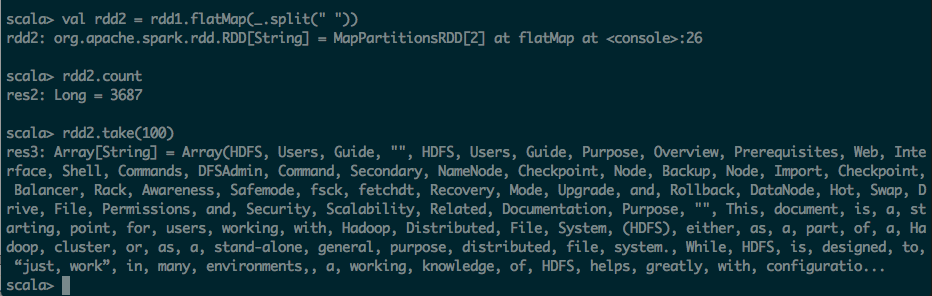
scala> val rdd2 = rdd1.flatMap(_.split(" "))
rdd2: org.apache.spark.rdd.RDD[String] = MapPartitionsRDD[2] at flatMap at <console>:26
scala> rdd2.count
res2: Long = 3687
scala> rdd2.take(100)
res3: Array[String] = Array(HDFS, Users, Guide, "", HDFS, Users, Guide, Purpose, Overview, Prerequisites, Web, Interface, Shell, Commands, DFSAdmin, Command, Secondary, NameNode, Checkpoint, Node, Backup, Node, Import, Checkpoint, Balancer, Rack, Awareness, Safemode, fsck, fetchdt, Recovery, Mode, Upgrade, and, Rollback, DataNode, Hot, Swap, Drive, File, Permissions, and, Security, Scalability, Related, Documentation, Purpose, "", This, document, is, a, starting, point, for, users, working, with, Hadoop, Distributed, File, System, (HDFS), either, as, a, part, of, a, Hadoop, cluster, or, as, a, stand-alone, general, purpose, distributed, file, system., While, HDFS, is, designed, to, “just, work”, in, many, environments,, a, working, knowledge, of, HDFS, helps, greatly, with, configuratio...
第三步:利用map 转化为KV的形式
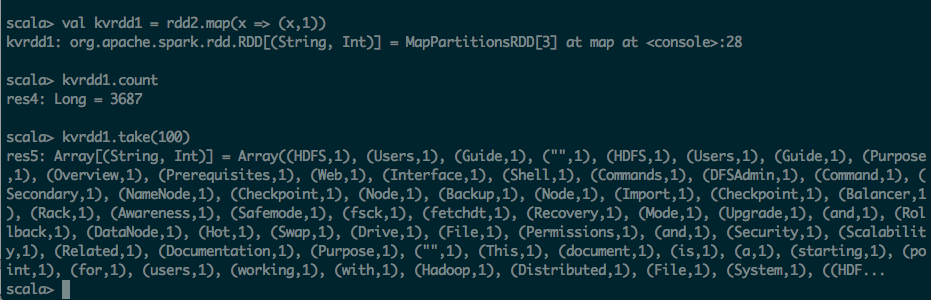
scala> val kvrdd1 = rdd2.map(x => (x,1))
kvrdd1: org.apache.spark.rdd.RDD[(String, Int)] = MapPartitionsRDD[3] at map at <console>:28
scala> kvrdd1.count
res4: Long = 3687
scala> kvrdd1.take(100)
res5: Array[(String, Int)] = Array((HDFS,1), (Users,1), (Guide,1), ("",1), (HDFS,1), (Users,1), (Guide,1), (Purpose,1), (Overview,1), (Prerequisites,1), (Web,1), (Interface,1), (Shell,1), (Commands,1), (DFSAdmin,1), (Command,1), (Secondary,1), (NameNode,1), (Checkpoint,1), (Node,1), (Backup,1), (Node,1), (Import,1), (Checkpoint,1), (Balancer,1), (Rack,1), (Awareness,1), (Safemode,1), (fsck,1), (fetchdt,1), (Recovery,1), (Mode,1), (Upgrade,1), (and,1), (Rollback,1), (DataNode,1), (Hot,1), (Swap,1), (Drive,1), (File,1), (Permissions,1), (and,1), (Security,1), (Scalability,1), (Related,1), (Documentation,1), (Purpose,1), ("",1), (This,1), (document,1), (is,1), (a,1), (starting,1), (point,1), (for,1), (users,1), (working,1), (with,1), (Hadoop,1), (Distributed,1), (File,1), (System,1), ((HDF...
第四步:把KV的map进行ReduceByKey操作
scala> var resultRdd1 = kvrdd1.reduce
reduce reduceByKey reduceByKeyLocally
scala> var resultRdd1 = kvrdd1.reduceByKey
reduceByKey reduceByKeyLocally
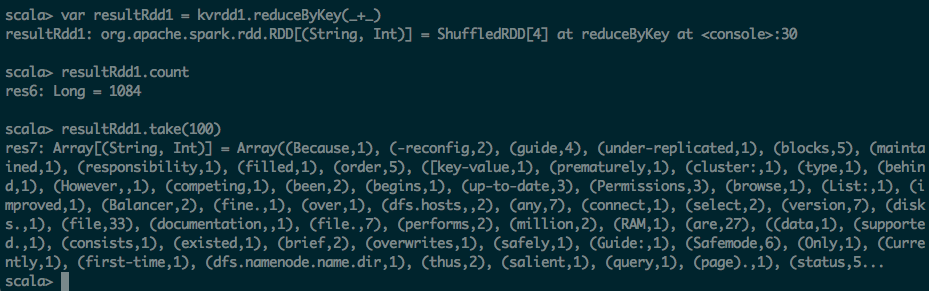
scala> var resultRdd1 = kvrdd1.reduceByKey(_+_)
resultRdd1: org.apache.spark.rdd.RDD[(String, Int)] = ShuffledRDD[4] at reduceByKey at <console>:30
scala> resultRdd1.count
res6: Long = 1084
scala> resultRdd1.take(100)
res7: Array[(String, Int)] = Array((Because,1), (-reconfig,2), (guide,4), (under-replicated,1), (blocks,5), (maintained,1), (responsibility,1), (filled,1), (order,5), ([key-value,1), (prematurely,1), (cluster:,1), (type,1), (behind,1), (However,,1), (competing,1), (been,2), (begins,1), (up-to-date,3), (Permissions,3), (browse,1), (List:,1), (improved,1), (Balancer,2), (fine.,1), (over,1), (dfs.hosts,,2), (any,7), (connect,1), (select,2), (version,7), (disks.,1), (file,33), (documentation,,1), (file.,7), (performs,2), (million,2), (RAM,1), (are,27), ((data,1), (supported.,1), (consists,1), (existed,1), (brief,2), (overwrites,1), (safely,1), (Guide:,1), (Safemode,6), (Only,1), (Currently,1), (first-time,1), (dfs.namenode.name.dir,1), (thus,2), (salient,1), (query,1), (page).,1), (status,5...
第五步:将结果保持到HDFS文件之中
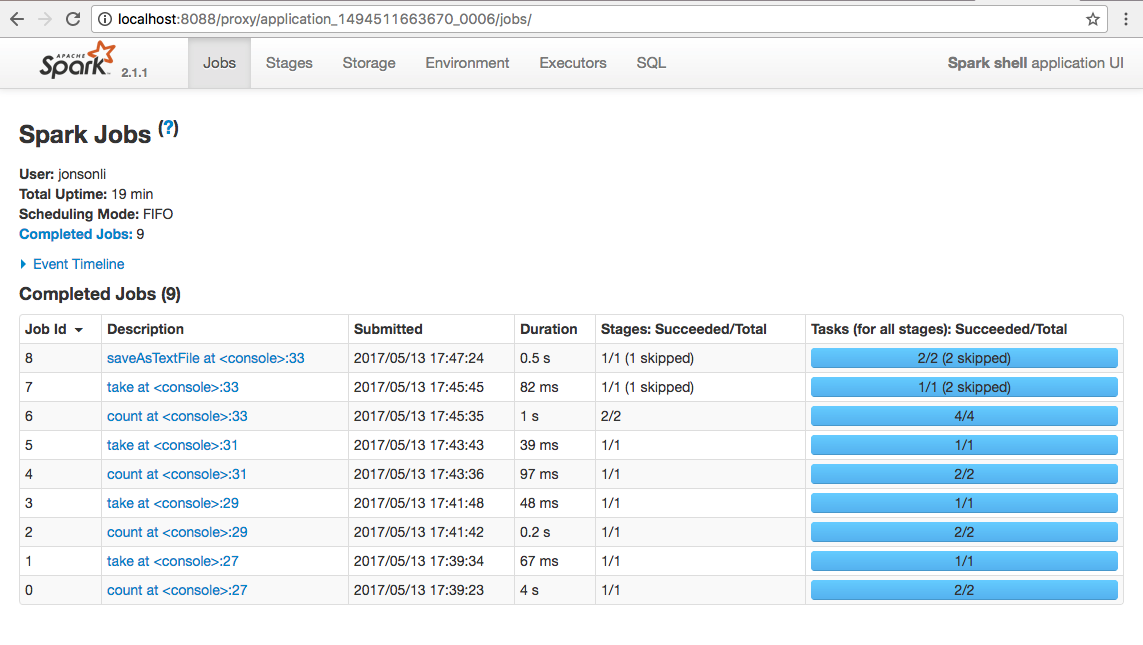
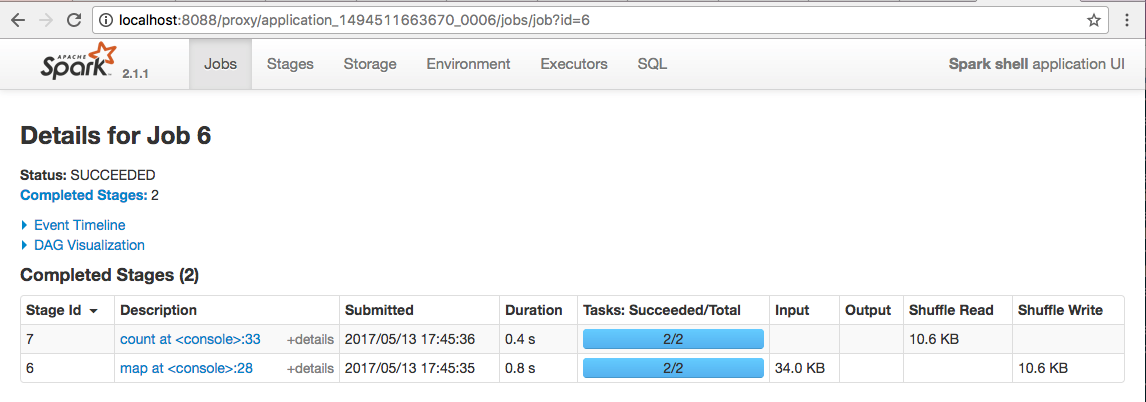
scala> resultRdd1.saveAsTextFile("hdfs:///output/wordcount1")

localhost:tmp jonsonli$ hadoop fs -ls /output/wordcount1
17/05/13 17:49:28 WARN util.NativeCodeLoader: Unable to load native-hadoop library for your platform... using builtin-java classes where applicable
Found 3 items
-rw-r--r-- 1 jonsonli supergroup 0 2017-05-13 17:47 /output/wordcount1/_SUCCESS
-rw-r--r-- 1 jonsonli supergroup 6562 2017-05-13 17:47 /output/wordcount1/part-00000
-rw-r--r-- 1 jonsonli supergroup 6946 2017-05-13 17:47 /output/wordcount1/part-00001



【原创 Hadoop&Spark 动手实践 5】Spark 基础入门,集群搭建以及Spark Shell的更多相关文章
- Spark集群搭建【Spark+Hadoop+Scala+Zookeeper】
1.安装Linux 需要:3台CentOS7虚拟机 IP:192.168.245.130,192.168.245.131,192.168.245.132(类似,尽量保持连续,方便记忆) 注意: 3台虚 ...
- Standalone集群搭建和Spark应用监控
注:图片如果损坏,点击文章链接:https://www.toutiao.com/i6815920501530034696/ 承接上一篇文档<Spark词频前十的统计练习> Spark on ...
- hadoop 集群搭建 配置 spark yarn 对效率的提升永无止境
[手动验证:任意2个节点间是否实现 双向 ssh免密登录] 弄懂通信原理和集群的容错性 任意2个节点间实现双向 ssh免密登录,默认在~目录下 [实现上步后,在其中任一节点安装\配置hadoop后,可 ...
- hadoop 集群搭建 配置 spark yarn 对效率的提升永无止境 Hadoop Volume 配置
[手动验证:任意2个节点间是否实现 双向 ssh免密登录] 弄懂通信原理和集群的容错性 任意2个节点间实现双向 ssh免密登录,默认在~目录下 [实现上步后,在其中任一节点安装\配置hadoop后,可 ...
- Hadoop框架:单服务下伪分布式集群搭建
本文源码:GitHub·点这里 || GitEE·点这里 一.基础环境 1.环境版本 环境:centos7 hadoop版本:2.7.2 jdk版本:1.8 2.Hadoop目录结构 bin目录:存放 ...
- ELK 之一:ElasticSearch 基础和集群搭建
一:需求及基础: 场景: 1.开发人员不能登录线上服务器查看详细日志 2.各个系统都有日志,日志数据分散难以查找 3.日志数据量大,查询速度慢,或者数据不够实时 4.一个调用会涉及到多个系统,难以在这 ...
- 集群搭建之Spark配置要点解析
注意点: 安装Spark前先要配置好Scala运行环境. Spark和Scala需要在各个机器上配置. 环境变量配置 在~/.bashrc中添加如下的配置信息. #scala conf export ...
- spark学习(1)--ubuntu14.04集群搭建、配置(jdk)
环境:ubuntu14.04 jdk-8u161-linux-x64.tar.gz 1.文本模式桌面模式切换 ctrl+alt+F6 切换到文本模式 ctrl + alt +F7 /输入命令start ...
- 【实践】Matlab2016a的mdce集群搭建
Matlab R2016a的mdce集群搭建 1.解压文件Matlab_R2016b_win64.iso. 文件下载地址:链接:https://pan.baidu.com/s/1mjJOaHa 密码: ...
随机推荐
- pygm2安装问题
pygm2是python的一个库,它提供了大部分数学处理的方式,今天在查看自己环境后,发现这个环境还没有安装上,于是,自己动手丰衣足食吧,我的系统为win10家庭版,首先执行的pip install ...
- shell crlf to lf
UNIX/Linux Commands You can use the following tools: dos2unix (also known as fromdos) – converts tex ...
- PhantomJS在Selenium中被标记为过时的应对措施
今天使用PhantomJS时,Selenium提示PhantomJS被标记不赞成,我就蒙了.PhantomJS可是Headless浏览器中相当知名的一款,标记为过时,代表着将在未来版本摒弃掉这个支持. ...
- win 2012 安装Net35
使用 PowerShell, 指定源文件路径然后进行安装: Install-WindowsFeature NET-Framework-Core –Source D:\Sources\sxs 使用命令提 ...
- How to show color in CSS
转至:https://blog.csdn.net/CallMeQiuqiuqiu/article/details/54743459 http://www.w3school.com.cn/cssref/ ...
- CentOs中玩docker
1.启动: systemctl start docker.service 2.停止: systemctl stop docker 3.从usts上拉取仓库 编辑文件 vi /etc/docker/da ...
- CentOS7.5 搭建ElasticSearch6.4.2 + Kibana6.4.2 环境
本文目录: 1.创建用户 2.授权sudo 3.下载ElasticSearch.Kibana 3.1 创建目录 3.2 下载文件 4.配置Elasticsearch 5.配置Kibana 参考资料: ...
- Markdown 的离线编辑工具推荐:Sublime Text3 or Typora?我推荐Typora
最新版Sublime Text3 通过插件的方式,可以完美支持Markdown文档的编写,但是,唯一不完美的是实时预览的缺陷.可能各位看官要喷了,谁说Sublime Text3 不能实时预览的?你看: ...
- C语言基础三(敲打键盘、寻找资料,循环语句)
有人在学C语言或者其他语言的时候,大家都会说逻辑思维的硬道理,认为没有逻辑思维的人走不远,那么小编这里借助简单的if...else... 英文解释if(如果),else(否则) ----------- ...
- async与await线程分配研究
using System; using System.Collections.Generic; using System.Linq; using System.Text; using System.T ...