
将基于 .NET Framework 的 WPF 项目迁移到基于 .NET Core 3
在 Connect(); 2018 大会上,微软发布了 .NET Core 3 Preview,以及基于 .NET Core 3 的 WPF;同时还发布了 Visual Studio 2019 预览版。你可以基于 .NET Core 3 创建 WPF 程序。不过,如果你已经有基于 .NET Framework 的 WPF 项目,那么如何快速迁移到基于 .NET Core 的版本呢?
本文将指导大家将现有基于 .NET Framework 的 WPF 项目迁移到基于 .NET Core 3 的版本。
安装 .NET Core 3.0 Preview SDK
前往官网下载:.NET Core 3.0 downloads for Linux, macOS, and Windows。
然后安装。
编辑 csproj 文件
卸载你原有的 WPF 项目,然后右键“编辑 csproj 文件”。将里面所有的内容改为以下代码:
<Project Sdk="Microsoft.NET.Sdk.WindowsDesktop">

  <PropertyGroup>

    <TargetFramework>netcoreapp3.0</TargetFramework>

    <UseWPF>true</UseWPF>

    <!-- 如果你的项目是 Exe,则设为 WinExe;如果是 WPF 类库,则删掉这一行 -->

    <OutputType>WinExe</OutputType>

    <!-- 如果你的原有项目中有 App.manifest 文件,则在此加入 -->

    <!-- <ApplicationManifest>Properties\App.manifest</ApplicationManifest> -->

    <!-- 如果你的原有项目中有 App.ico 图标,则在此加入 -->

    <!-- <ApplicationIcon>Properties\App.ico</ApplicationIcon> -->

    <!-- 如果你的原有项目中有自定义的 Main 函数,则在此加入 -->

    <!-- <StartupObject>Walterlv.Whitman.Program</StartupObject> -->

  </PropertyGroup>

  <ItemGroup>

    <!-- 如果你的原有项目中有自己添加的图标文件,则在此加入 -->

    <Resource Include="Properties\App.ico" />

    <!-- 如果你的原有项目中有其他非 .cs、.xaml 文件,则需要在这里加入 -->

  </ItemGroup>

</Project>
编辑 AssemblyInfo.cs 文件
由于在 .NET Core 中,程序集相关的信息是自动生成的,所以原有 AssemblyInfo.cs 中的大量程序集信息是需要删掉的,不然会出现重复 Attribute 的错误。
看以下代码,红色标记 “–” 的代码是需要删掉的,其他的代码保留。
--  using System.Reflection;

--  using System.Resources;

--  using System.Runtime.CompilerServices;

    using System.Runtime.InteropServices;

    using System.Windows;

--  // General Information about an assembly is controlled through the following

--  // set of attributes. Change these attribute values to modify the information

--  // associated with an assembly.

--  [assembly: AssemblyTitle("Whitman")]

--  [assembly: AssemblyDescription("")]

--  [assembly: AssemblyConfiguration("")]

--  [assembly: AssemblyCompany("")]

--  [assembly: AssemblyProduct("Whitman")]

--  [assembly: AssemblyCopyright("Copyright © walterlv 2018")]

--  [assembly: AssemblyTrademark("")]

--  [assembly: AssemblyCulture("")]

--

    // Setting ComVisible to false makes the types in this assembly not visible

    // to COM components.  If you need to access a type in this assembly from

    // COM, set the ComVisible attribute to true on that type.

    [assembly: ComVisible(false)]

--  //In order to begin building localizable applications, set

--  //<UICulture>CultureYouAreCodingWith</UICulture> in your .csproj file

--  //inside a <PropertyGroup>.  For example, if you are using US english

--  //in your source files, set the <UICulture> to en-US.  Then uncomment

--  //the NeutralResourceLanguage attribute below.  Update the "en-US" in

--  //the line below to match the UICulture setting in the project file.

--

--  //[assembly: NeutralResourcesLanguage("en-US", UltimateResourceFallbackLocation.Satellite)]

--

--

    [assembly: ThemeInfo(

        ResourceDictionaryLocation.None, //where theme specific resource dictionaries are located

                                         //(used if a resource is not found in the page,

                                         // or application resource dictionaries)

        ResourceDictionaryLocation.SourceAssembly //where the generic resource dictionary is located

                                                  //(used if a resource is not found in the page,

                                                  // app, or any theme specific resource dictionaries)

    )]

--

--

--  // Version information for an assembly consists of the following four values:

--  //

--  //      Major Version

--  //      Minor Version

--  //      Build Number

--  //      Revision

--  //

--  // You can specify all the values or you can default the Build and Revision Numbers

--  // by using the '*' as shown below:

--  // [assembly: AssemblyVersion("1.0.*")]

--  [assembly: AssemblyVersion("1.0.0.0")]

--  [assembly: AssemblyFileVersion("1.0.0.0")]
恢复 NuGet 包
打开你原有项目的 packages.config 文件。这里记录了你的项目中已经安装的 NuGet 包。
<?xml version="1.0" encoding="utf-8"?>

<packages>

  <package id="Microsoft.Toolkit.Wpf.UI.XamlHost" version="5.0.0" targetFramework="net471" />

</packages>
我们需要把这个文件里面的内容转换成 PackageReference。按照如下的方式逐一将 package 转换成 PackageReference。
<PackageReference Include="Microsoft.Toolkit.Wpf.UI.XamlHost" Version="5.0.0" />
这时,csproj 项目文件的内容如下:
    <Project Sdk="Microsoft.NET.Sdk.WindowsDesktop">

      <PropertyGroup>

        <TargetFramework>netcoreapp3.0</TargetFramework>

        <UseWPF>true</UseWPF>

        <OutputType>WinExe</OutputType>

        <ApplicationManifest>Properties\App.manifest</ApplicationManifest>

        <ApplicationIcon>Properties\App.ico</ApplicationIcon>

        <StartupObject>Walterlv.Whitman.Program</StartupObject>

      </PropertyGroup>

++    <ItemGroup>

++      <PackageReference Include="Microsoft.Toolkit.Wpf.UI.XamlHost" Version="5.0.0" />

++    </ItemGroup>

      <ItemGroup>

        <Resource Include="Properties\App.ico" />

      </ItemGroup>

    </Project>
如果你觉得这一步骤比较繁琐,那么可以在本文一开始就按照这篇博客的方式进行操作:自动将 NuGet 包的引用方式从 packages.config 升级为 PackageReference - walterlv。
编译、运行和修复其他错误
对于比较简单的项目,在经过以上步骤之后,你可能已经可以可以直接跑起来了。
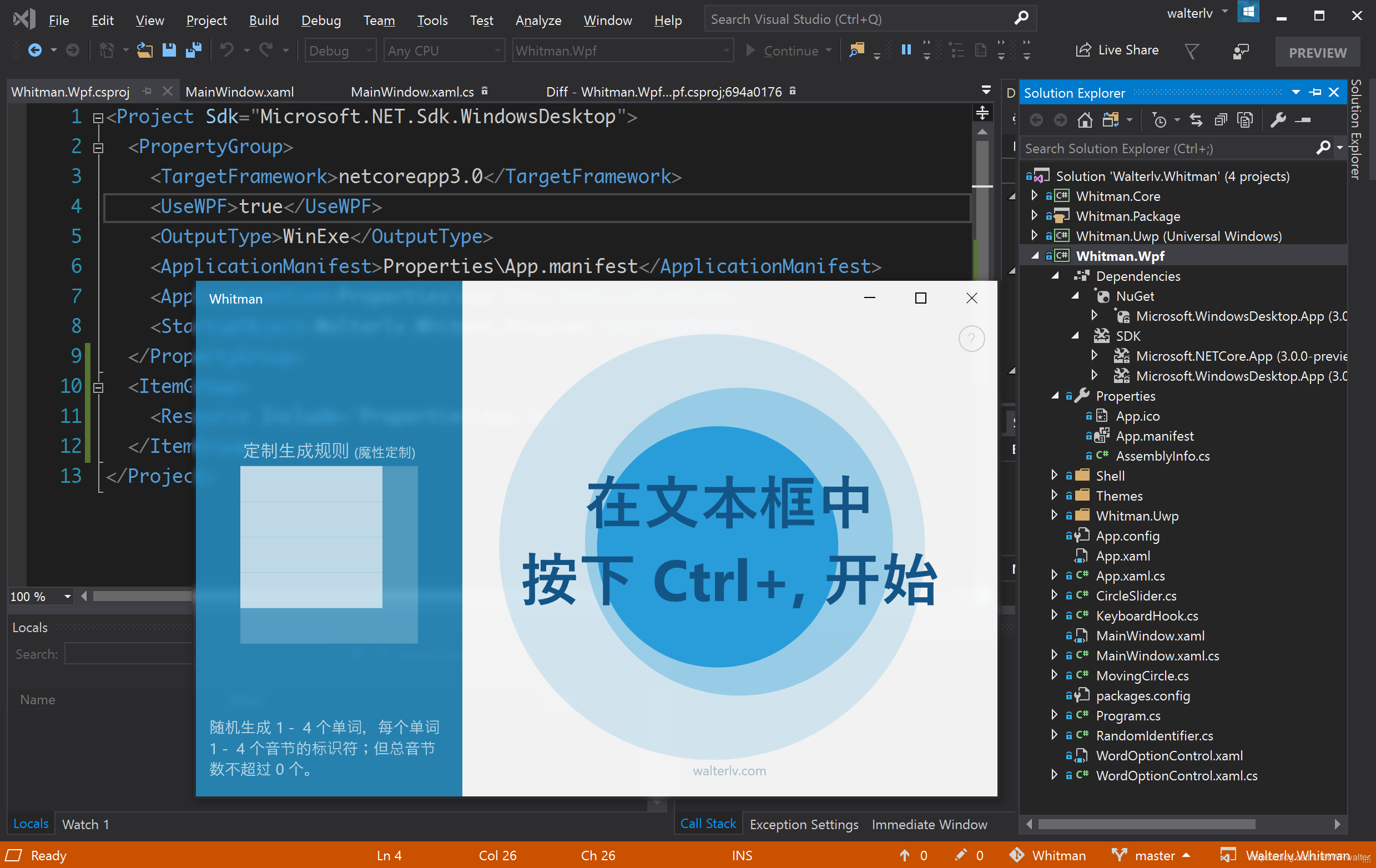
对于复杂一些的项目,你可能会遇到其他的编译或运行错误,你需要适当进行一些修复。而产生这些错误的原因是 csproj 文件中删除了太多的东西。你需要将 <ItemGroup /> 中的一些没有默认添加进来的文件加入进来。
更多
如果你只是希望创建基于 .NET Core 3 的新 WPF 项目,那么请阅读我的另一篇博客:如何创建一个基于 .NET Core 3 的 WPF 项目。
将基于 .NET Framework 的 WPF 项目迁移到基于 .NET Core 3的更多相关文章
- 58HouseSearch项目迁移到asp.net core
前言 58HouseSearch这个项目原本是基于ASP.NET MVC 4写的,开发环境是Windows+VS2015,发布平台是linux+mono+jexus,这样看来整个项目基本已经满足跨平台 ...
- 旧 WCF 项目迁移到 asp.net core + gRPC 的尝试
一个月前,公司的运行WCF的windows服务器down掉了,由于 AWS 没有通知,没有能第一时间发现问题. 所以,客户提出将WCF服务由C#改为JAVA,在Linux上面运行:一方面,AWS对Li ...
- [Powershell]使用Msbuild构建基于.NET Framework的WebAPI项目
查找最高版本的MsBuildTools. 清理缓存垃圾. 还原NuGet包. 构建解决方案. 按项目发布程序到本地. 按项目ZIP打包. <# .NOTES ================== ...
- 如何创建一个基于 .NET Core 3 的 WPF 项目
在 Connect(); 2018 大会上,微软发布了 .NET Core 3 Preview,以及基于 .NET Core 3 的 WPF:同时还发布了 Visual Studio 2019 预览版 ...
- Apworks框架实战(六):使用基于Entity Framework的仓储基础结构
在前面的章节中,我们已经设计了一个简单的领域模型,接下来我们希望能够实现领域模型的持久化及查询.在Apworks中,实现了面向Entity Framework.NHibernate以及MongoDB的 ...
- 将 WPF、UWP 以及其他各种类型的旧 csproj 迁移成基于 Microsoft.NET.Sdk 的新 csproj
原文 将 WPF.UWP 以及其他各种类型的旧 csproj 迁移成基于 Microsoft.NET.Sdk 的新 csproj 写过 .NET Standard 类库或者 .NET Core 程序的 ...
- 迁移WPF项目到.NET CORE
综述 .NET CORE 3.0开始,桌面端支持WPF了.很多.NET FRAMEWORK的项目已经跑了一阵子了,不是很有必要支持.NET CORE,不过最近用一个程序,为了贯彻一些C# 8的特性,需 ...
- step6----->往工程中添加spring boot项目------->修改pom.xml使得我的project是基于spring boot的,而非直接基于spring framework
文章内容概述: spring项目组其实有多个projects,如spring IO platform用于管理external dependencies的版本,通过定义BOM(bill of mater ...
- 记将一个大型客户端应用项目迁移到 dotnet 6 的经验和决策
在经过了两年的准备,以及迁移了几个应用项目积累了让我有信心的经验之后,我最近在开始将团队里面最大的一个项目,从 .NET Framework 4.5 迁移到 .NET 6 上.这是一个从 2016 时 ...
随机推荐
- box-shadow四周都有阴影
<style> .shadow{ -webkit-box-shadow: #666 0px 0px 10px; -moz-box-shadow: #666 0px 0px 10px; bo ...
- Python 爬虫-获得大学排名
2017-07-29 23:20:24 主要技术路线:requests+bs4+格式化输出 import requests from bs4 import BeautifulSoup url = 'h ...
- Netty优雅退出机制和原理
1.进程的优雅退出 1.1.Kill -9 PID带来的问题 在Linux上通常会通过kill -9 pid的方式强制将某个进程杀掉,这种方式简单高效,因此很多程序的停止脚本经常会选择使用kill - ...
- 【异常】Caused by: java.lang.NoClassDefFoundError: org/aspectj/lang/annotation/Around
原因:缺少aspect,AOP的maven坐标 导入maven坐标: <dependency> <groupId>org.springframework</groupId ...
- python-day48--mysql之视图、触发器、事务、存储过程、函数
一.视图(不推荐使用) 1).视图是一个虚拟表(非真实存在) 2).使用视图我们可以把查询过程中的临时表摘出来,用视图去实现,这样以后再想操作该临时表的数据时就无需重写复杂的sql了,直接去视图中查找 ...
- windows下线程间的通信方式
1.事件: (在信息交换函数中将控件的值与控件id进行绑定,这样我们就可以更新或者获取控件的值) void CMy0722ThreadTalkingDlg::DoDataExchange(CDataE ...
- Oracle 账户锁定问题解决办法
1 打开 SQL PLUS 2 登录数据库 3 输入 conn/as sysdba; 4 输入 alter user 数据库名 account unlock;
- Oracle解析复杂json的方法(转)
转:Oracle解析复杂json的方法 问题背景: 当前在Oracle数据库(11G之前的版本)解析json没有可以直接使用的系统方法,网上流传的PLSQL脚本大多也只可以解析结构较单一的json串, ...
- POJ 3481 splay模板
最后撸一发splay. 之前用treap撸的,现在splay也找到感觉了,果然不同凡响,两者之间差别与精妙之处各有其精髓! 真心赞一个! POJ平衡树的题目还是比较少,只能挑之前做过的捏一捏.但是收获 ...
- win10激活工具---KMSAutoNet
win10激活工具---KMSAutoNet 1> 2> 3> 4> 5> 6> 8>