
Masonry自动布局使用
Masonry是一个轻量级的布局框架,采用更好的语法封装自动布局,它有自己的布局DSL。简洁明了并具有高可读性 而且同时支持 iOS 和 Max OS X。
NSLayoutConstraints的缺点
NSLayoutConstraints是一个强大且灵活的自动布局架构,可是通过代码创建的约束是十分冗余,下面我们通过一段代码来实现你想要一个视图铺满它的父视图。但是边距为10
UIView *superview = self;

UIView *view1 = [[UIView alloc] init];

view1.translatesAutoresizingMaskIntoConstraints = NO;

view1.backgroundColor = [UIColor greenColor];

[superview addSubview:view1];

UIEdgeInsets padding = UIEdgeInsetsMake(, , , );

[superview addConstraints:@[

    //view1 constraints

    [NSLayoutConstraint constraintWithItem:view1

                                 attribute:NSLayoutAttributeTop

                                 relatedBy:NSLayoutRelationEqual

                                    toItem:superview

                                 attribute:NSLayoutAttributeTop

                                multiplier:1.0

                                  constant:padding.top],

    [NSLayoutConstraint constraintWithItem:view1

                                 attribute:NSLayoutAttributeLeft

                                 relatedBy:NSLayoutRelationEqual

                                    toItem:superview

                                 attribute:NSLayoutAttributeLeft

                                multiplier:1.0

                                  constant:padding.left],

    [NSLayoutConstraint constraintWithItem:view1

                                 attribute:NSLayoutAttributeBottom

                                 relatedBy:NSLayoutRelationEqual

                                    toItem:superview

                                 attribute:NSLayoutAttributeBottom

                                multiplier:1.0

                                  constant:-padding.bottom],

    [NSLayoutConstraint constraintWithItem:view1

                                 attribute:NSLayoutAttributeRight

                                 relatedBy:NSLayoutRelationEqual

                                    toItem:superview

                                 attribute:NSLayoutAttributeRight

                                multiplier:

                                  constant:-padding.right],

 ]];
即使一个简单的例子所需的代码都相当冗长,当你有超过 2 或 3 视图时变得不可读,另一种选择是使用可视化格式语言 (VFL),有点不太冗长。然而,ASCII 类型语法上有它自己的陷阱并且作为 NSLayoutConstraint constraintsWithVisualFormat: 添加动画效果 返回一个数组也有点难。
Masonry的优点
下面是使用MASConstraintMaker创建同样的约束
UIEdgeInsets padding = UIEdgeInsetsMake(10, 10, 10, 10);
[self.subview mas_makeConstraints:^(MASConstraintMaker *make) {
make.top.equalTo(self.view.mas_top).with.offset(padding.top);
make.left.equalTo(self.view.mas_left).with.offset(padding.left);
make.bottom.equalTo(self.view.mas_bottom).with.offset(-padding.bottom);
make.right.equalTo(self.view.mas_right).with.offset(-padding.right);
}];
更短代码实现
 [self.subview mas_makeConstraints:^(MASConstraintMaker *make) {

        make.edges.equalTo(self.view).with.insets(padding);

    }];
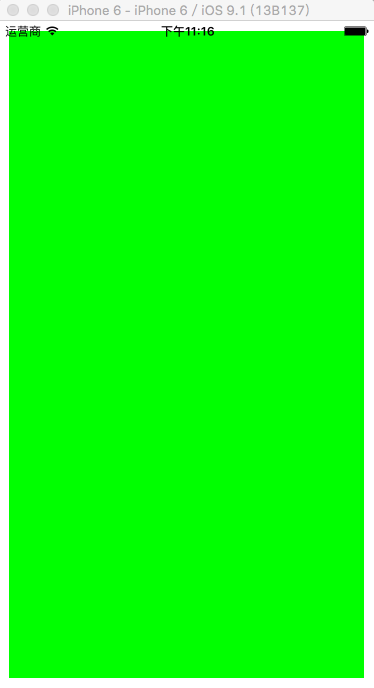
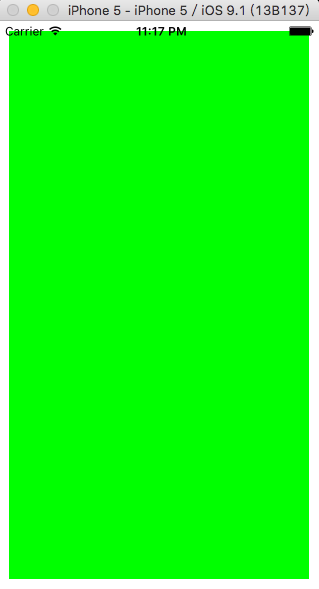
此外还需注意使用NSLayoutConstraints时调用了[superview addConstraints:... ] 方法,在Masonry库中是自动向当前视图添加约束的,我们也可以通过self.subview.translatesAutoresizingMaskIntoConstraints = NO来手动设置。
并不是所有创建都一样
.equalTo 等价于 NSLayoutRelationEqual
.lessThanOrEqualTo 等价于 NSLayoutRelationLessThanOrEqual
.greaterThanOrEqualTo 等价于 NSLayoutRelationGreaterThanOrEqual
这些三个等式约束可以是下列任一操作作为一个参数
1. MASViewAttribute
| MASViewAttribute | NSLayoutAttribute |
|---|---|
| view.mas_left | NSLayoutAttributeLeft |
| view.mas_right | NSLayoutAttributeRight |
| view.mas_top | NSLayoutAttributeTop |
| view.mas_bottom | NSLayoutAttributeBottom |
| view.mas_leading | NSLayoutAttributeLeading |
| view.mas_trailing | NSLayoutAttributeTrailing |
| view.mas_width | NSLayoutAttributeWidth |
| view.mas_height | NSLayoutAttributeHeight |
| view.mas_centerX | NSLayoutAttributeCenterX |
| view.mas_centerY | NSLayoutAttributeCenterY |
| view.mas_baseline | NSLayoutAttributeBaseline |
2. UIView/NSView
如果你想要view.left大于或等于label.left可以
make.left.greaterThanOrEqualTo(label);
make.left.greaterThanOrEqualTo(label.mas_left);
3. NSNumber
自动布局允许宽度和高度设置为常量值。如果你想要将视图具有最小值和最大宽度设置你可以
//width >= 200 && width <= 400

make.width.greaterThanOrEqualTo(@);

make.width.lessThanOrEqualTo(@)
然而自动布局不允许对齐属性如左对齐、 右对齐,centerY等将设置为常量值
//creates view.left = view.superview.left + 10

make.left.lessThanOrEqualTo(@)
make.top.mas_equalTo();

make.height.mas_equalTo();

make.size.mas_equalTo(CGSizeMake(, ));

make.edges.mas_equalTo(UIEdgeInsetsMake(, , , ));

make.left.mas_equalTo(view).mas_offset(UIEdgeInsetsMake(, , , ));
您可以使用基元和结构打造你的约束替代 NSNumber。默认情况下,支持自动装箱的宏均以 mas_ 作为前缀。没有前缀的版本均可通过导入之前定义 MAS_SHORTHAND_GLOBALS。
4. NSArray
make.height.equalTo(@[view1.mas_height, view2.mas_height]);

make.height.equalTo(@[view1, view2]);

make.left.equalTo(@[view1, @, view3.right]);
优先原则
.priority 允许你指定优先级
.priorityHigh等价于 UILayoutPriorityDefaultHigh高优先级
.priorityMedium 中等优先级
.priorityLow 等价于 UILayoutPriorityDefaultLow
make.left.greaterThanOrEqualTo(label.mas_left).with.priorityLow();

make.top.equalTo(label.mas_top).with.priority();
组成
Masonry也提供了几个方便的方法,同时创建多个约束,被称为 MASCompositeConstraints。
edges
// make top, left, bottom, right equal view2

make.edges.equalTo(view2);

// make top = superview.top + 5, left = superview.left + 10,

// bottom = superview.bottom - 15, right = superview.right - 20

make.edges.equalTo(superview).insets(UIEdgeInsetsMake(, , , ))
center
// make centerX and centerY = button1

make.center.equalTo(button1)

// make centerX = superview.centerX - 5, centerY = superview.centerY + 10

make.center.equalTo(superview).centerOffset(CGPointMake(-, ))
// All edges but the top should equal those of the superview

make.left.right.and.bottom.equalTo(superview);

make.top.equalTo(otherView);
Masonry自动布局使用的更多相关文章
- Masonry自动布局
介绍,入门: http://www.cocoachina.com/ios/20141219/10702.html 下载: http://code.cocoachina.com/detail/30114 ...
- Masonry自动布局与UIScrolView适配
Masonry介绍 Masonry是一个轻量级的布局框架 拥有自己的描述语法 采用更优雅的链式语法封装自动布局 简洁明了 并具有高可读性 而且同时支持 iOS 和 Max OS X.可以通过cocoa ...
- Masonry自动布局:复合约束
前言 说到iOS自动布局,有很多的解决办法.有的人使用xib/storyboard自动布局,也有人使用frame来适配.对于前者,笔者并不喜欢,也不支持.对于后者,更是麻烦,到处计算高度.宽度等,千万 ...
- IOS Masonry自动布局
之前项目用Frame布局,这个项目登录用了VFL,后来觉得用Masonry,前天布局TableViewCell时用了下 ,觉得还不错. #import "Masonry.h" #i ...
- 【iOS】Masonry 自动布局 MASViewConstraint.m:207 错误
问题详情: Assertion failure 报错原因: make.right.equalTo([_imageView superview]).right.with.offset(-); make. ...
- Coding源码学习第四部分(Masonry介绍与使用(三))
接上篇继续进行Masonry 的学习. (12)tableViewCell 布局 #import "TableViewController.h" #import "Tes ...
- masonry使用问题
2015年11月3日 coreData的学习练习中复习使用masonry自动布局 masonry自动布局发现问题: 两个控件的相对布局: 如果被参考对象用这个带anchor的属性,就会报这样一个错误: ...
- iOS masonry 不规则tagView布局 并自适应高度
在搜索页面经常会有不规则的tag出现,这种tagView要有点击事件,单个tagView可以设置文字颜色,宽度不固定根据内容自适应,高度固定,数量不固定.总高度就不固定.最近对于masonry的使用又 ...
- Masonry学习札记
Masnory学习札记 在之前的文章里有草草提到过Masonry自动布局,可这么重要第三方布局框架的怎么可以怎么随便带过呢!昨天在完成页面的时候刚好遇到了被Masorny功能惊叹的部分,所以趁热打铁写 ...
随机推荐
- Dynamic-Link Library Redirection
Dynamic-Link Library Redirection Applications can depend on a specific version of a shared DLL and s ...
- STM32F103ZET6 用定时器级联方式输出特定数目的PWM
STM32F103ZET6 用定时器级联方式输出特定数目的PWM STM32F103ZET6里共有8个定时器,其中高级定时器有TIM1-TIM5.TIM8,共6个. 这里需要使用定时器的级联功能,ST ...
- SPI中的极性CPOL和相位CPHA
详解SPI中的极性CPOL和相位CPHA SPI由于接口相对简单(只需要4根线),用途算是比较广泛,主要应用在 EEPROM,FLASH, 实时时钟,AD转换器,还有数字信号处理器和数字信号解码器之间 ...
- ICO如此疯狂为哪般?
编者语: 独角兽一词起源于硅谷,是投资行业,尤其是风险投资业的术语,指的是那些估值超过十亿美元的创业公司.独角兽凤毛麟角,占创业公司总数的0.1%都不到.鑫根资本认为,一个独角兽能达到如此估值,肯定是 ...
- 怎样把XP系统装到USB里?
怎么样在usb(usb闪存)里面装XP系统? 就是把usb当硬盘用 不买硬盘. U盘肯定装不了系统,装进去了也肯定蓝屏.为什么?因为USB得数据传输太慢,不会超过10M/S的,而你的IDE口或者SAT ...
- delphi 使用工控机控件 iThreadTimes 出现问题, 导致主程序创建页面的时候, 阻塞消息, 不能正常执行。
delphi 使用工控机控件 iThreadTimes 出现问题, 导致主程序创建页面的时候, 阻塞消息, 不能正常执行. 使用这个控件需要小心 function Tfrm_MainIPC.Open ...
- 在简历中使用STAR法则
一.什么是STAR法则? The STAR (Situation, Task, Action, Result) format is a job interview technique used by ...
- mariadb设置初始密码
mariadb设置初始密码 CENTOS7 自带MARIADB数据库.安装的时候可以勾选安装. 当然也可以以后在CENTOS7里面添加安装. MARIADB安装后,默认是没有密码的. 我们需要给ROO ...
- iOS 使用宏 常量 报错 expected expression
报错的代码: 报错原因:多写了一个分号!
- C# 其他图片格式转emf
using System; using System.Collections.Generic; using System.ComponentModel; using System.Data; usin ...