
django POST表单的使用
环境如下:django 1.7.8 版本.
1.在POST表单的时候会出现这个错误提示.
禁止访问 (403)

CSRF验证失败. 相应中断.

Help

Reason given for failure:

    CSRF token missing or incorrect.

In general, this can occur when there is a genuine Cross Site Request Forgery, or when Django's CSRF mechanism has not been used correctly.
For POST forms, you need to ensure:

    Your browser is accepting cookies.

    The view function passes a request to the template's render method.

    In the template, there is a {% csrf_token %} template tag inside each POST form that targets an internal URL.

    If you are not using CsrfViewMiddleware, then you must use csrf_protect on any views that use the csrf_token template tag, as well
as those that accept the POST data.

You're seeing the help section of this page because you have DEBUG = True in your Django settings file. Change that to False, and
only the initial error message will be displayed.

You can customize this page using the CSRF_FAILURE_VIEW setting.
无耐.看上面的提示是防止CSRF.也就是安全方面的,防止跨站请求伪造.
根据上面的提示来.需要有{% csrf_token %},那就在from表单中添加下
添加后的html代码如下.
{% extends "base.html" %}

{% block title %}

    hello

{% endblock %}

{% block content %}

    <div class="container">

      <form class="form-signin" action="/login_webmail/" method='post'>{% csrf_token %}

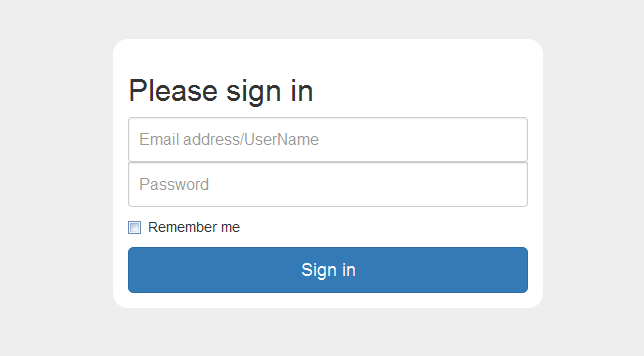
        <h2 class="form-signin-heading">Please sign in</h2>

        <label class="sr-only" for="inputUserName">Email address/UserName</label>

        <input type="text" autofocus="" required="" placeholder="Email address/UserName" class="form-control" id="inputUserName" name="inputUserName">

        <label class="sr-only" for="inputPassword">Password</label>

        <input type="password" required="" placeholder="Password" class="form-control" id="inputPassword">

        <div class="checkbox">

          <label>

            <input type="checkbox" value="remember-me"> Remember me

          </label>

        </div>

        <button type="submit" class="btn btn-lg btn-primary btn-block">Sign in</button>

      </form>

    </div> <!-- /container -->

{% endblock %}
重点是from后面的{% csrf_token %}
根据官网的提示及百度.
views.py的代码更改如下,主要的是return render_to_response('index.html',context_instance=RequestContext(request))
后面的 **context_instance=RequestContext(request)**
from django.http import HttpResponse

import datetime

from django.shortcuts import render_to_response

#post

from django.template import RequestContext

#post

def webindex(request):

    return render_to_response('index.html',context_instance=RequestContext(request))
接收的views视图方法
def login_webmail(request):

    if 'inputUserName' in request.POST:

        message = request.POST['inputUserName']

    else:

        message = "Not inputUserName"

    return render_to_response('test_post.html',{'test_post_name':message})
再测试.是否OK了.总结.只有两个步骤.
1.在from 表单中添加 {% csrf_token %}
2.在视图中添加 from django.template import RequestContext 导入项,并且在return 返回中添加context_instance=RequestContext(request)
然后就OK了.看来也是很简单的.新手可以参考.
---下面修改于2016-12-08好吧!要修改下上面的说法,好久以前的文章了,但还是要修改下,以免有再为此纠结的同学。
上面views的方法中,使用render_to_response的时候,仍可能会有问题的现象的话,使用下面的render则不会有问题,如:
return render(request,'test.html',{'uname':request.user,'error':error,'jc':jc})
其它的不用修改,仅将render_to_response修改为render,并且返回的值也相应的修改下,则就可以了。
这样在from下面会有一个隐藏的input的标签:

个人总结下,注意settings中的引用,还有html文件表单后{% csrf_token %},及在views中使用render进行返回就可以了。如果再有问题,欢迎留言下面,小伙伴一起看一下。
django POST表单的使用的更多相关文章
- python运维开发(十九)----Django后台表单验证、session、cookie、model操作
内容目录: Django后台表单验证 CSRF加密传输 session.cookie model数据库操作 Django后台Form表单验证 Django中Form一般有2种功能: 1.用于做用户提交 ...
- django form表单验证
一. django form表单验证引入 有时时候我们需要使用get,post,put等方式在前台HTML页面提交一些数据到后台处理例 ; <!DOCTYPE html> <html ...
- django from表单验证
django from表单验证 实现:表单验证 工程示例: urls.py 1 2 3 4 5 6 7 8 9 from django.conf.urls import url from djan ...
- django Form表单的使用
Form django表单系统中,所有的表单类都作为django.forms.Form的子类创建,包括ModelForm 关于django的表单系统,主要分两种 基于django.forms.Form ...
- Django(5) session登录注销、csrf及中间件自定义、django Form表单验证(非常好用)
一.Django中默认支持Session,其内部提供了5种类型的Session供开发者使用: 数据库(默认) 缓存 文件 缓存+数据库 加密cookie 1.数据库Session 1 2 3 4 5 ...
- django创建表单以及表单数据类型和属性
08.15自我总结 关于django的表单不同关系之间的创建 一.不同关系之间的创建 1.一对一 举例 母表:userinfo id name age 1 张三 12 2 李四 58 字表:priva ...
- Django form表单 组件
目录 Django form表单 组件 Form 组件介绍 普通方式手写注册功能 使用form组件实现注册功能 Form 常用字段与插件 常用字段(必备) 字段参数(必备) 内置验证(必备) 自定义效 ...
- [转]django自定义表单提交
原文网址:http://www.cnblogs.com/retop/p/4677148.html 注:本人使用的Django1.8.3版本进行测试 除了使用Django内置表单,有时往往我们需要自定义 ...
- Django实现表单验证、CSRF、cookie和session、缓存、数据库多表操作(双下划綫)
通常验证用户输入是否合法的话,是前端js和后端共同验证的,这是因为前端js是可以被禁用的,假如被禁用了,那就没法用js实现验证合法与否了,也就是即使用户输入的不合法,但是也没提示,用户也不知道怎么输入 ...
- 关于django post表单
CSRF verification failed. Request aborted. 默认会出现该状况,解决办法: 1. 使用requestcontext from django.template i ...
随机推荐
- openstack 资料
调用流程 https://blog.csdn.net/bill_xiang_/article/details/72909927
- centos7里面docker不能下载本地源
报这种错的 编辑这个文件 加上这一段内容 rstart重启,搞定.
- git库初次下载
1.右键Git Batch Here==>输入 git config --list 确认2.再次输入ssh-keygen -t rsa -C “修改后的邮箱” 3.回车多次 找到 生成序列目录 ...
- 重工单001800020505在IN表IN_SFCHEADER被过滤 TEMP_REMOVED_ID_IN_DATA
select * from SAP_AFKO WHERE AUFNR='001800020505'; ---有数据SELECT * FROM IN_SFCHEADER WHERE MO_ID ='0 ...
- http4e eclipse plugin 插件介绍
感谢作者的分享: http://blog.csdn.net/wiker_yong/article/details/10066905 以及作者的破解jar.目前看网站留言说已经git了. 官网链接地址: ...
- 搭建ssm环境
在eclipse下搭建ssm框架. 1.新建maven项目. 2.添加jar包依赖 3.修改web.xml配置文件 <?xml version="1.0" encoding= ...
- ss源码学习--从协议建立到完成一次代理请求
上一次介绍了ss源码中各个事件处理函数完成的工作,这次具体分析一下协议的建立以及请求数据的传输过程. 因为ss的local和server共用一个类以及一系列的事件处理函数,所以看起来稍显复杂.下面来将 ...
- 第十一章 串 (c1)KMP算法:从记忆力到预知力
- Linux 向文件末尾追加命令
Linux 向文件末尾追加命令 //echo后边用单引号包围要添加的内容 echo 'add content'>>/home/data/test.sh 注意:>> 是追加 ec ...
- Python+Selenium学习--窗口切换及操作元素
场景 有时候我们在测试一个web 应用时会出现多个浏览器窗口的情况,在selenium1.0 中这个问题比较难处理.webdriver 提供了相关相方法可以很轻松的在多个窗口之间切换并操作不同窗口上的 ...