
iot前台开发环境:请求示例
参考链接:http://www.cnblogs.com/keatkeat/category/872790.html
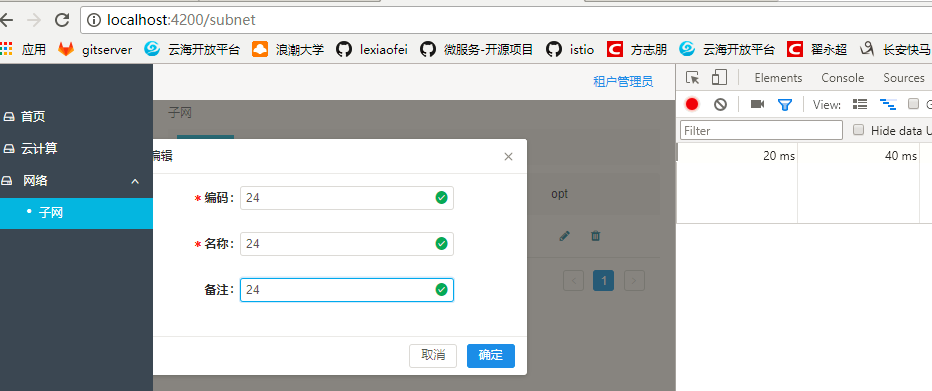
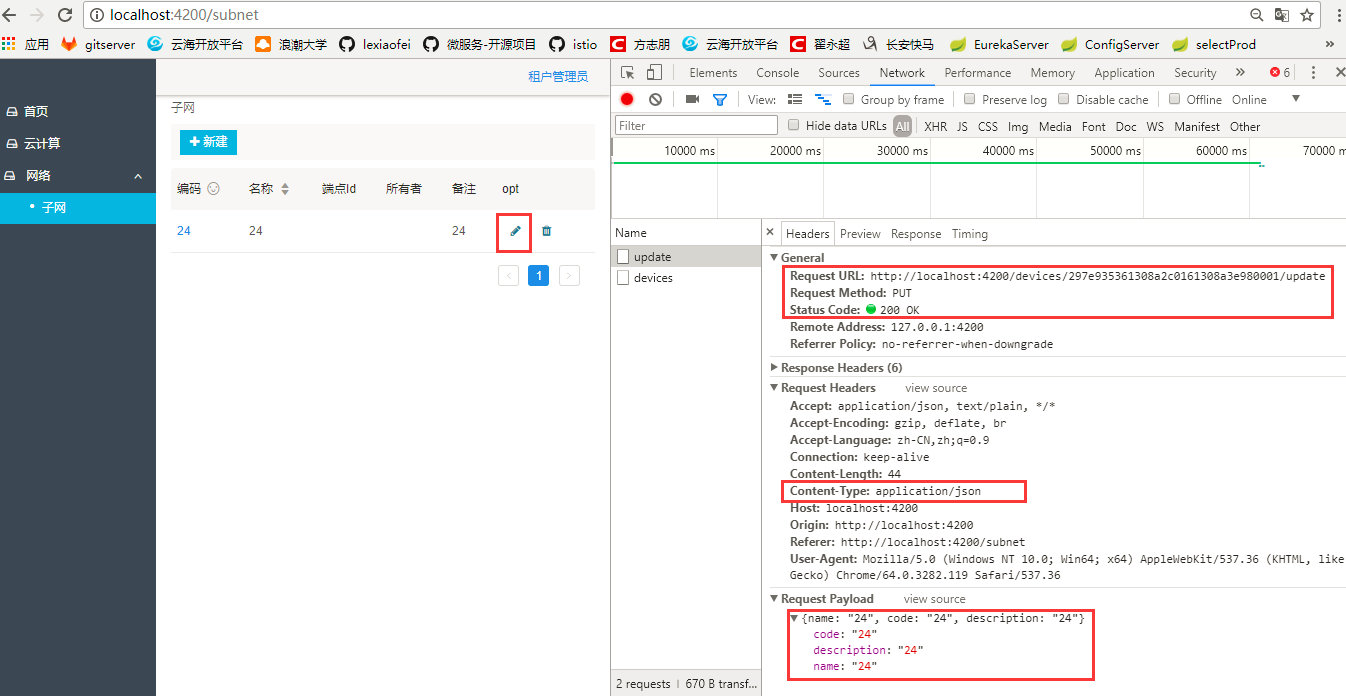
编辑-》update保存
一、typescipt
import { Injectable } from '@angular/core';
import { Headers, Http } from '@angular/http';
import { RequestOptions } from '@angular/http';
import 'rxjs/add/operator/toPromise';
@Injectable()
export class SubnetService {
constructor(private http: Http) {}
getDatas(): Promise<any> {
return this.http.get("/devices")
.toPromise()
.then(response => response.json())
.catch(this.handleError);
}
getData(): Promise<any> {
return this.http.get("/devices/")
.toPromise()
.then(response => response.json())
.catch(this.handleError);
}
update(id, data): Promise<any>{
let headers = new Headers({ 'Content-Type': 'application/json' });
let options = new RequestOptions({ headers: headers });
return this.http.post("/devices/"+ id +"/update", JSON.stringify(data),options)
.toPromise()
.then(response => response.json())
.catch(this.handleError);
}
delete(id): Promise<any> {
return this.http.delete("/devices/"+ id)
.toPromise()
.then(response => response)
.catch(this.handleError);
}
private handleError(error: any): Promise<any> {
console.error('An error occurred', error);
return Promise.reject(error.message || error);
}
}
二、java代码
package com.inspur.iot.iot_hub.controller;
import com.inspur.iot.iot_hub.entity.DmDevicetype;
import com.inspur.iot.iot_hub.service.DeviceService;
import io.swagger.annotations.ApiImplicitParam;
import io.swagger.annotations.ApiOperation;
import org.springframework.beans.factory.annotation.Autowired;
import org.springframework.web.bind.annotation.*;
import java.util.*;
@RestController
@RequestMapping(value="/devices") // 通过这里配置使下面的映射都在/devices下,可去除
public class DeviceTypeController {
@Autowired
DeviceService deviceServer;
@ApiOperation(value="获取设备类型列表", notes="")
@RequestMapping(value={""}, method= RequestMethod.GET)
public List<DmDevicetype> getDeviceList() {
List<DmDevicetype> devices = deviceServer.getDevice();
return devices;
}
@ApiOperation(value="查询设备类型", notes="")
@ApiImplicitParam(name = "device", value = "设备查询", required = true, dataType = "Device")
@RequestMapping(value="/code", method=RequestMethod.GET)
public List<DmDevicetype> getDevicesByCode(@PathVariable String code) {
List<DmDevicetype> devices = deviceServer.getDeviceByCode(code);
return devices;
}
@ApiOperation(value="创建设备类型", notes="")
@ApiImplicitParam(name = "device", value = "设备详细实体device", required = true, dataType = "Device")
@RequestMapping(value="", method=RequestMethod.POST)
public DmDevicetype createDevice(@RequestBody DmDevicetype device) {
deviceServer.create(device);
return device;
}
@ApiOperation(value="获取设备详细信息", notes="根据url的id来获取设备详细信息")
@ApiImplicitParam(name = "id", value = "设备ID", required = true, dataType = "String")
@RequestMapping(value="/{id}/detail", method=RequestMethod.GET)
public DmDevicetype getDevice(@PathVariable String id) {
return deviceServer.queryDevice(id);
}
@ApiOperation(value="更新设备详细信息", notes="根据url的id来指定更新对象,并根据传过来的device信息来更新用户详细信息")
@RequestMapping(value="/{id}/update", method=RequestMethod.POST)
public DmDevicetype updateDevice(@PathVariable String id, @RequestBody DmDevicetype device){
deviceServer.updateDevice(id,device);
return device;
}
@ApiOperation(value="删除设备", notes="根据url的id来指定删除对象")
@ApiImplicitParam(name = "id", value = "ID", required = true, dataType = "String")
@RequestMapping(value="/{id}", method=RequestMethod.DELETE)
public String deleteDevice(@PathVariable String id) {
deviceServer.deleteDevice(id);
return "success";
}
}
iot前台开发环境:请求示例的更多相关文章
- iot前台开发环境:搭建 SpringBoot+angularJs2
参考网站 Angular 中文官网:https://angular.cn/ 参考代码:https://ng.ant.design/#/components/dropdown npm install ...
- iot前台开发环境:前后台访问映射
一.前端映射- java代码 二.路由设置 -前台代码 三.访问应用
- Halcon开发环境和数据结构介绍——第1讲
1.Halcon是什么?如何初步了解Halcon? 这点我讲得不太好,不如给大家看看三个链接: ① Halcon官方网站:https://www.mvtec.com/products/halcon/ ...
- 《ArcGIS Runtime SDK for Android开发笔记》——(4)、基于Android Studio构建ArcGIS Android开发环境
1.前言 2015年1月15日,发布ArcGIS Runtime SDK for Android v10.2.5版本.从该版本开始默认支持android studio开发环境,示例代码的默认开发环境也 ...
- Salesforce Apex 开发环境设置和Hello World示例
本文介绍了Salesforce Apex开发环境的设置以及一个简单的Hello World示例的实现过程. Salesforce开发环境 Salesforce通过http://developer.fo ...
- Windows 10 IoT Serials 1 - 针对Minnow Board MAX的Windows 10 IoT开发环境搭建
目前,微软针对Windows IoT计划支持的硬件包括树莓派2,Minnow Board MAX 和Galileo (Gen 1和Gen 2).其中,Galileo (Gen 1和Gen 2)运行的是 ...
- Win10 IoT C#开发 1 - Raspberry安装IoT系统及搭建开发环境
Windows 10 IoT Core 是微软针对物联网市场的一个重要产品,与以往的Windows版本不同,是为物联网设备专门设计的,硬件也不仅仅限于x86架构,同时可以在ARM架构上运行. The ...
- 【笔记】vue-cli 开发环境中跨域连接后台api(vue-resource 跨域post 请求)
在vue-cli 项目中很多人会用到mock 数据(模拟数据),但是我觉得如果在真实的数据库交互中开发会更有安全感一些,所以查了一下百度很多人推荐的就是: 跨域! 跨域是什么概念?不同的主机名,同主机 ...
- activiti实战--第二章--搭建Activiti开发环境及简单示例
(一)搭建开发环境 学习资料:<Activiti实战> 第一章 认识Activiti 2.1 下载Activiti 官网:http://activiti.org/download.html ...
随机推荐
- 使用CMD命令编译和运行Java程序
对于初学者来说,使用CMD命令(Unix以及类Unix系统采用Termial)来编译和运行Java的好处是让初学者直观地体会到编译(Compile)这一步骤,加深记忆.所谓编译就是将文本文件xxx.j ...
- python smtp模块发送邮件
应用场景: 在服务器上设置的告警参数被触发后,通常是发送手机短信或者邮件通知,本例就以发送邮件为例,手机怎么收邮件呢?以qq邮箱为例,在手机端安装qq邮箱app,触发邮件后,手机也能及时查看了 代码展 ...
- linux操作日志:远程登录设置
想要远程linux服务器,首先需要在服务器上开通ssh服务,安装命令如下: sudo apt-get install openssh-server 在上图的提示中,输入“y”,继续等待安装,安装成 ...
- java ———基础总结
计算机语言的分类: 机器语言: 是计算机唯一能接受和执行的语言,只有二进制数字表示. 汇编语言: 是用助记符表示指令功能的计算机语言. 高级语言: 与自然语言相近并为计算机所接受和执行的计算机语言. ...
- QC的使用简介
目录一.站点管理员的操作(后台)1.登录2.创建域3.创建项目4.新建用户5.QC的一些其他信息的修改(非 常用)二.项目管理员对项目的配置管理(前台)1.登录2.修改用户个人信息及密码3.项目成员设 ...
- docker学习系列(五):使用docker创建集成服务--lnmp
在掌握了docker的基本命令之后,我也是想着去用docker做一点实际的配套环境,就拿自己最常用的lnmp环境来做测试.配套环境运行的顺序依次是mysql->php->nginx,至于为 ...
- 误删 /user/bin目录后的补救
当危险的动作发生, 误删 /user/bin目录后的补救 以下是昨天晚上真实的误操作现场,模拟记录一下 (这是测试环境,所以操作得很随意,有些执行动作很不规范) 在上面编译一个软件Dboop,完事以后 ...
- spy++捕获窗口消息
打开spy++,窗口截图如下,点击窗口搜索按钮(红框标识) ,如果找不到对应的窗口,鼠标右键刷新即可. 鼠标左键点击窗口搜索图标,按住不放,拖到需要抓取消息的窗口上: spy++会自动在列表中高亮定位 ...
- [POJ1631] nlogn求LIS
用到了algorithm自带的lower_bound函数进行二分查找 #include<cstdio> #include<cstring> #include<algori ...
- Mycat 分片规则详解--自然月分片
实现方式:按照月份列分片,每个自然月一个分片 优点:使数据按照每月来进行分时存储 缺点:由于数据是连续的,所以该方案不能有效的利用资源 配置示例: <tableRule name="s ...