
iot前台开发环境:搭建 SpringBoot+angularJs2
参考网站
Angular 中文官网:https://angular.cn/
参考代码:https://ng.ant.design/#/components/dropdown
npm install -g @angular/cli -> npm install -> ng build -> 普通angular工程:ng server
npm install -g @angular/cli -> npm install -> ng build -> 增加跨域配置工程启动: npm start
一、安装软件
1、安装nodejs 和 angularjs/cli
https://nodejs.org/en/
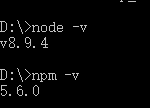
安装 nodejs
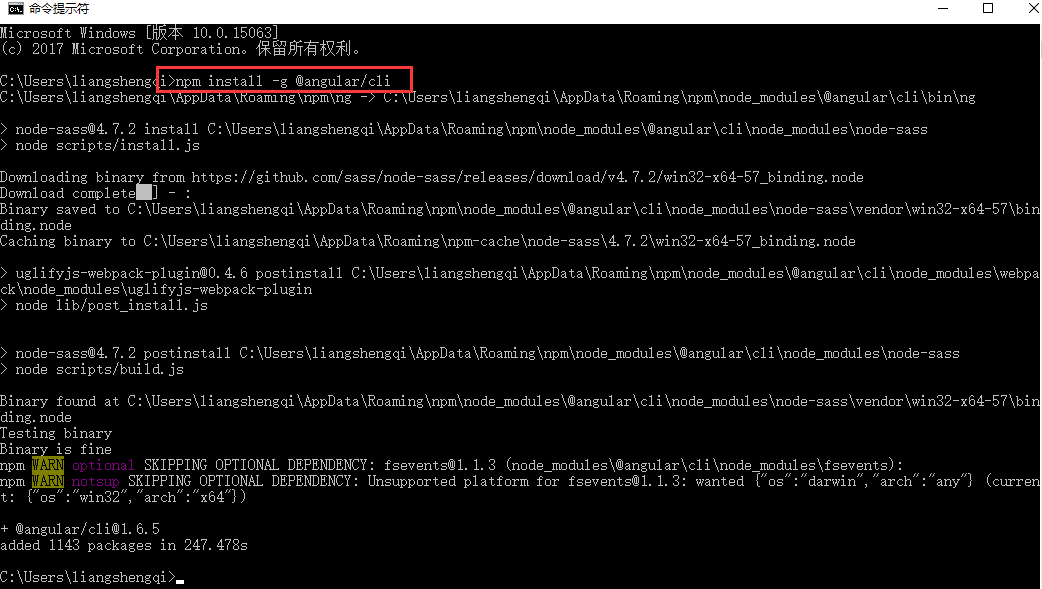
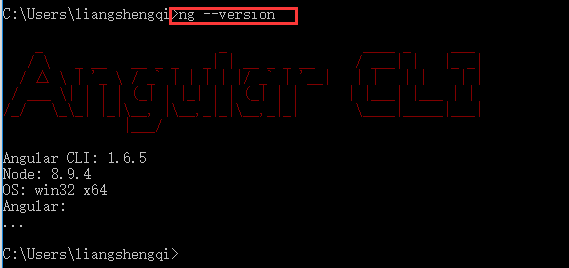
安装 angularjs/cli: npm install -g @angular/cli
执行 npm install
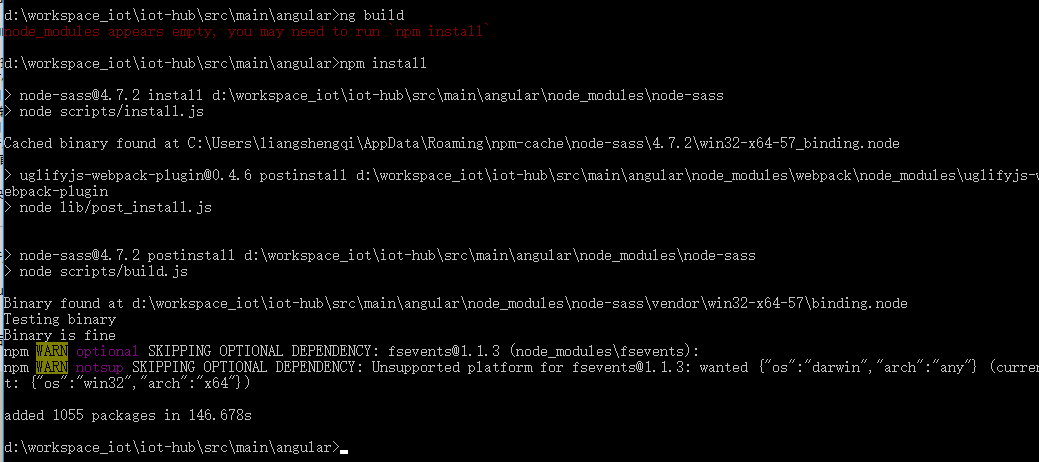
执行 ng build,编译前台代码输出到 spring boot 资源目录

2、安装augury
在google网上应用商店添加插件augury ,用来调试前端代码
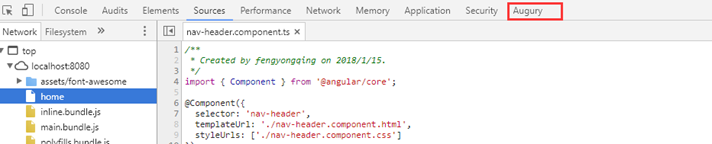
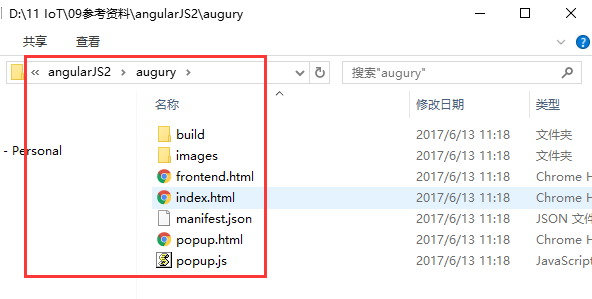
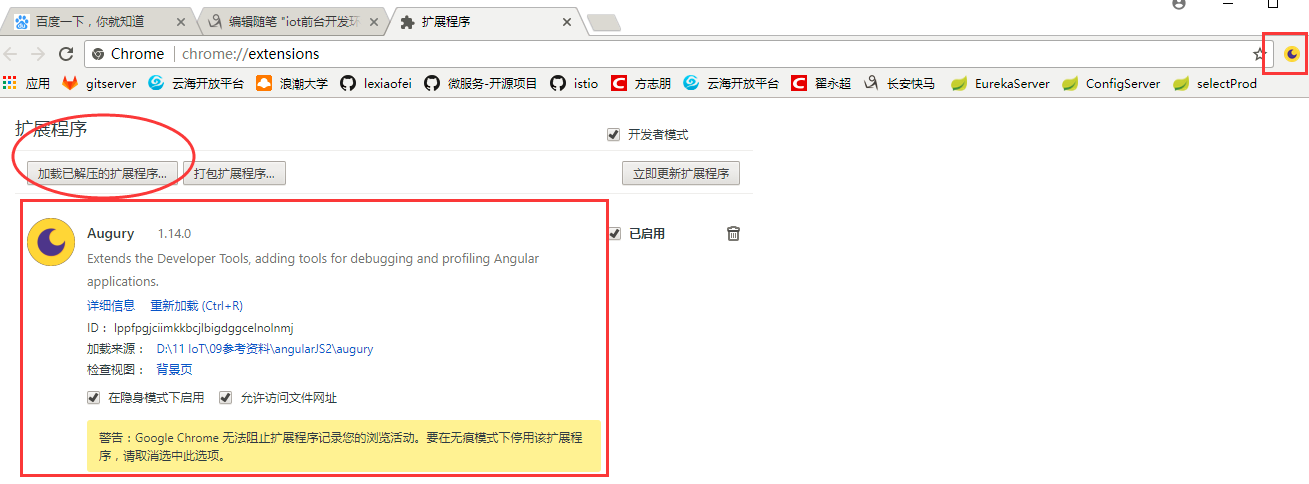
3、新建普通的 angular 项目 - ng new hello
通过命令 ng new hello 生成一个新项目以及应用的骨架代码
通过命令 ng server 启动项目,默认端口4200。

二、Spring boot 和 angular 集成
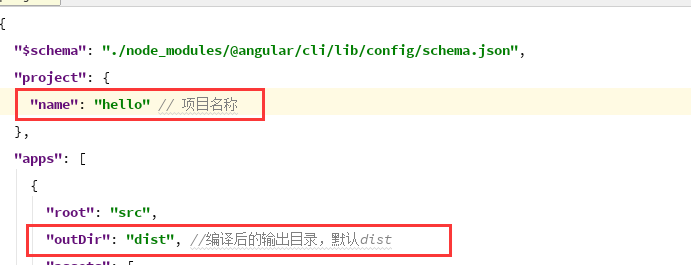
Spring boot 需要修改的地方在angular-cli.json中:
1、在springboot项目中新建/复制 angular 项目
方法一: 在src 目录下通过命令添加angular项目 : ng new angular
方法二: 将之前创建好的项目copy进来
设置angular项目的输出目录为springboot的资源目录
修改angular-cli.json 配置文件的name 和 outDir
该项目下name为 iot_hub
outDir 为../resources/static(静态资源路径,系统可以直接访问且路径下的所有文件均可被直接读取)
编译angular项目,产生输出到springboot资源目录
npm install
ng server --proxy-conf proxy.conf

ng build

2、启动工程
1、启动Spring boot
2、启动前端angular工程调试:npm start
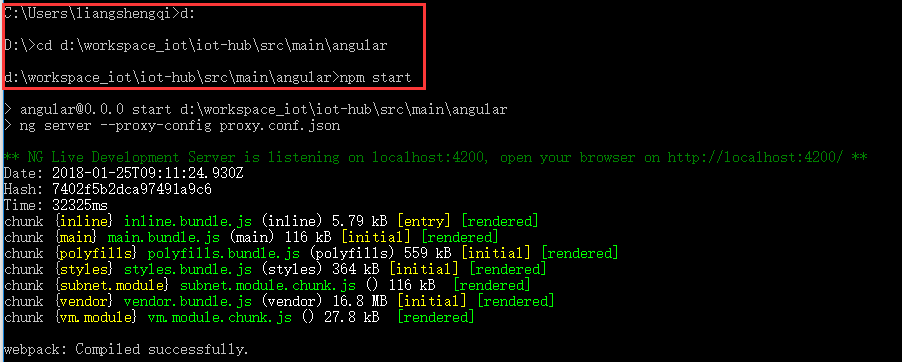
3、访问服务
http://localhost:8080
http://localhost:4200
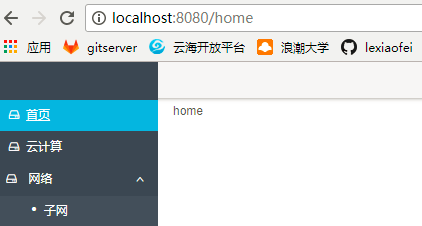
三、附录 - 常见问题
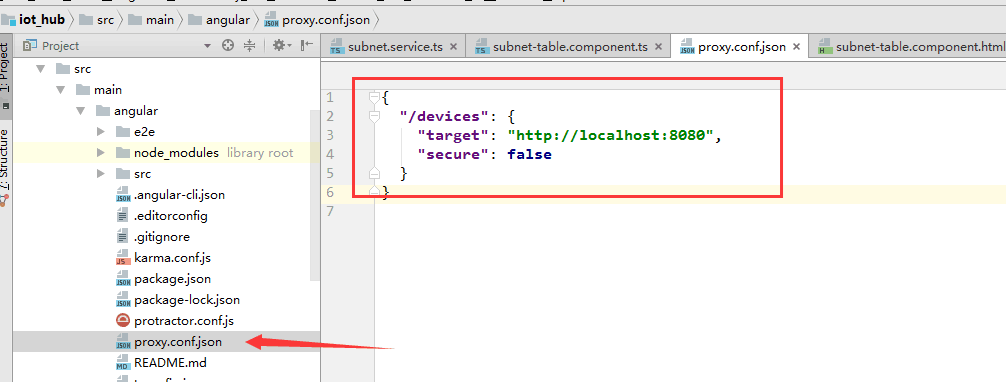
1、解决跨域问题
加一个这样的文件
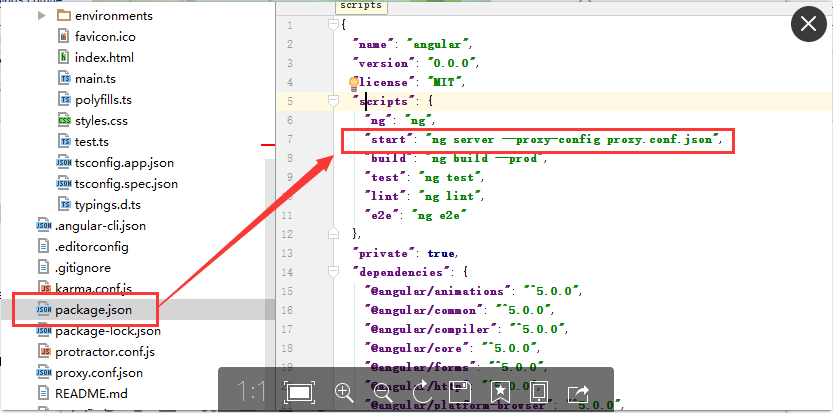
同时修改package.json中的start
2、热部署调试工程
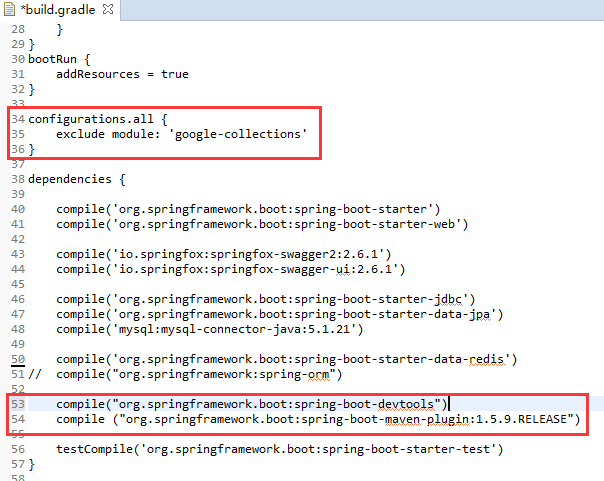 、
、
buildscript {
ext {
springBootVersion = '1.5.9.RELEASE'
}
repositories {
maven {
url "http://repo.iop.inspur.com:8081/nexus/content/groups/public"
}
}
dependencies {
classpath("org.springframework.boot:spring-boot-gradle-plugin:${springBootVersion}")
}
}
apply plugin: 'java'
apply plugin: 'idea'
apply plugin: 'eclipse'
apply plugin: 'org.springframework.boot'
group = 'com.inspur.iot'
version = '0.0.1-SNAPSHOT'
sourceCompatibility = 1.8
repositories {
maven {
url "http://repo.iop.inspur.com:8081/nexus/content/groups/public"
}
}
bootRun {
addResources = true
}
configurations.all {
exclude module: 'google-collections'
}
dependencies {
compile('org.springframework.boot:spring-boot-starter')
compile('org.springframework.boot:spring-boot-starter-web')
compile('io.springfox:springfox-swagger2:2.6.1')
compile('io.springfox:springfox-swagger-ui:2.6.1')
compile('org.springframework.boot:spring-boot-starter-jdbc')
compile('org.springframework.boot:spring-boot-starter-data-jpa')
compile('mysql:mysql-connector-java:5.1.21')
compile('org.springframework.boot:spring-boot-starter-data-redis')
// compile("org.springframework:spring-orm")
compile("org.springframework.boot:spring-boot-devtools")
compile ("org.springframework.boot:spring-boot-maven-plugin:1.5.9.RELEASE")
testCompile('org.springframework.boot:spring-boot-starter-test')
}
iot前台开发环境:搭建 SpringBoot+angularJs2的更多相关文章
- iot前台开发环境:请求示例
参考链接:http://www.cnblogs.com/keatkeat/category/872790.html 编辑->update保存 一.typescipt import { Injec ...
- iot前台开发环境:前后台访问映射
一.前端映射- java代码 二.路由设置 -前台代码 三.访问应用
- Windows 10 IoT Serials 1 - 针对Minnow Board MAX的Windows 10 IoT开发环境搭建
目前,微软针对Windows IoT计划支持的硬件包括树莓派2,Minnow Board MAX 和Galileo (Gen 1和Gen 2).其中,Galileo (Gen 1和Gen 2)运行的是 ...
- (转载)JAVA敏捷开发环境搭建
整个软件项目分为四个环境 开发本地环境.开发环境.测试环境.IDC环境.和传统C++开发不一样的模式是多了第一个开发本地环境.这是为什么呢,因为目前大部分开发人员还是比较熟悉windows下开发.对于 ...
- Guns(开源后台管理系统框架)实战(一)——开发环境搭建
1. 开发环境搭建 1.1. 开发环境要求 1.2. 配置Maven 1.3. 配置MySQL 1.4. Git克隆项目 1.5. Eclipse导入系统 2. 小结 3. 参考引用 1. 开发环境搭 ...
- 如何学习web开发环境搭建和脚手架
Web前端的学习路线 第一阶段: HTML+CSS: HTML进阶.CSS进阶.div+css布局.HTML+css整站开发. JavaScript基础: Js基础教程.js内置对象常用方法.常见DO ...
- gradle ofbiz 16 开发环境搭建
原 gradle ofbiz 16 开发环境搭建 2017年02月13日 10:59:19 阅读数:2702 1.安装jdk 2.配置jdk环境变量 3.eclipse 安装svn 插件 4.svn下 ...
- 手把手教你 Apache DolphinScheduler 本地开发环境搭建 | 中英文视频教程
点击上方 蓝字关注我们 最近,一些小伙伴反馈对小海豚的本地开发环境搭建过程不太了解,这不就有活跃的贡献者送来新鲜的视频教程!在此感谢@Tianqi-Dotes 的细致讲解 贡献者还贴心地录制了中英文两 ...
- python开发环境搭建
虽然网上有很多python开发环境搭建的文章,不过重复造轮子还是要的,记录一下过程,方便自己以后配置,也方便正在学习中的同事配置他们的环境. 1.准备好安装包 1)上python官网下载python运 ...
随机推荐
- 记一次线上Curator使用过程JVM栈溢出解决
为了同学们看起来一目了,特按如下思路进行讲解. 1.出现的场景 2.分析及解决的过程 3.总结 最近公司要使用zookeeper做配置管理(后面简称ZK),然后自己就提前用虚拟机进行 ...
- 项目角度谈矢量切片运用以及Geoserver处理自定义规格矢量切片方案
文章版权由作者李晓晖和博客园共有,若转载请于明显处标明出处:http://www.cnblogs.com/naaoveGIS/. 1. 背景 矢量切图方案目前已经是很常见的一个方案,在2016年时团队 ...
- HashSet实现不重复储值原理-附源码解析
在HashSet中,基本的操作都是由HashMap底层实现的,因为HashSet底层是用HashMap存储数据.当向HashSet中添加元素的时候,首先计算元素的hashcode值,然后用这个(元素的 ...
- 纯css3打造瀑布流布局
纯css3打造瀑布流布局 原理: 1.column-count 把div中的文本分为多少列 2.column-width 规定列宽 3.column-gap 规定列间隙 4.break-inside: ...
- route路由的顺序问题了数据包的转发流程
2018-02-28 15:29:26 [root@linux ~]# routeKernel IP routing tableDestination Gateway ...
- 解决浏览器兼容ES6特性
为什么ES6会有兼容性问题? 由于广大用户使用的浏览器版本在发布的时候也许早于ES6的定稿和发布,而到了今天,我们在编程中如果使用了ES6的新特性,浏览器若没有更新版本,或者新版本中没有对ES6的特性 ...
- macOS下利用dSYM文件将crash文件中的内存地址转换为可读符号
一.使用流程 Windows下的程序运行崩溃时,往往可以利用pdb文件快速解析出程序崩溃的具体位置,甚至可以对应到源代码的具体行数.macOS下的symbolicatecrash也具备相应的功能.对应 ...
- ASUS T100TA 换屏要记
建议完整阅读后再执行操作! 参考: [图片]华硕T100换触摸屏详细教程,全网第一发[平板电脑吧]_百度贴吧 [图片]我是这么修T100的……换外屏[win8平板吧]_百度贴吧 淘宝信息: 选择适用型 ...
- 在RE了16次之后,没想到还可以这样Runtime error
这是POJ: RE的原因: 比如: int b=2147483647; for(int i=0;i<=b;++i){ .... } 应该懂了吧, 2147483647是int能表示的最大整数 解 ...
- 设计模式 --> (3)策略模式
策略模式 策略模式是指定义一系列的算法,把它们一个个封装起来,并且使它们可相互替换.本模式使得算法可独立于使用它的客户而变化.也就是说这些算法所完成的功能一样,对外的接口一样,只是各自实现上存在差异. ...