
模拟学信网登录,Cookie 序列化,在反序列化之后不能用的问题
昨天和今天在模拟学信网登录,然后抓取用户的信息数据的时候发现一直登录不成功,
登录页面,https://account.chsi.com.cn/passport/login?service=http%3A%2F%2Fmy.chsi.com.cn%2Farchive%2Fj_spring_cas_security_check
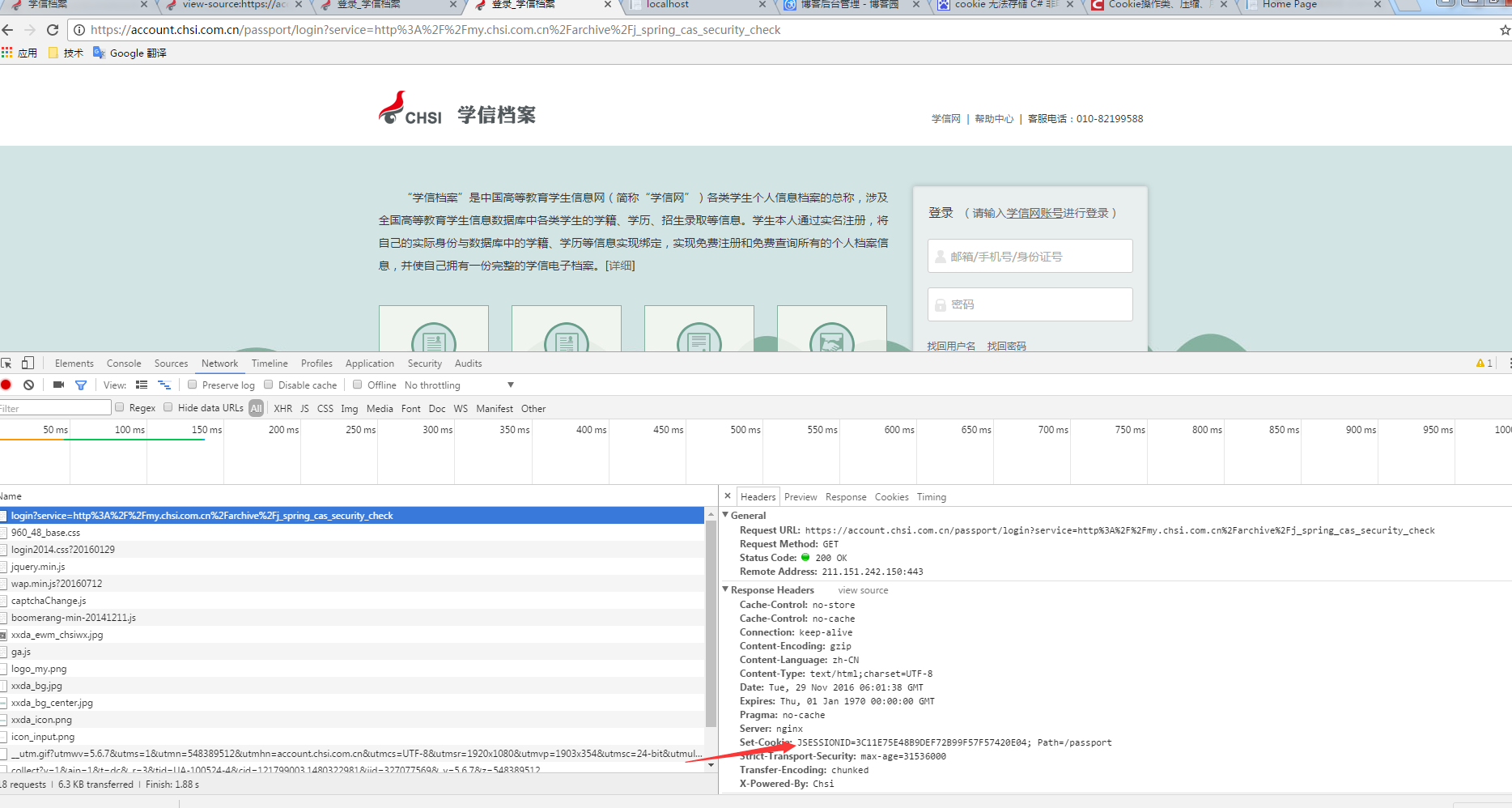
打开登录页面,发现就注入cookie了,然后自己也要模拟一个get请求,然后获取到cookie,
AccountModel accmodel = new AccountModel();
accmodel.username = "账号";
accmodel.password = "密码";
accmodel._eventId = "submit";
accmodel.submit = "登 录";
HttpHelper httphelper = new HttpHelper();
string strhtmlresult = httphelper.HttpGet(LoginIndexURL);
Regex regexlt = new Regex("<input type=\"hidden\" name=\"lt\" value=\"(?<hiddenlt>[^\"]*?)\"");
///携带验证标识
if (regexlt.IsMatch(strhtmlresult))
{
accmodel.lt = regexlt.Match(strhtmlresult).Groups["hiddenlt"].Value;
}
//获取cookie
List<Cookie> cookielist = new List<Cookie>();
foreach (Cookie cookie in httphelper.reponsecookie)
{
cookielist.Add(cookie);
}
httphelper.cookielist=cookielist;
#region 开始模拟cookie 请求
//model转换为dic,顺便把为空为null的值删掉
IDictionary<string, string> dicaccmodle = ModelUtil<AccountModel>.CreateDataALLdic_String(accmodel,true);
//HttpHelper httphelper = new HttpHelper();
//注入cookie
foreach (Cookie cookie in cookielist)
{
//cookielist.Add(new CookieModel() { Domain = cookie.Domain, Name = cookie.Name, Path = cookie.Path, Value = cookie.Value });
httphelper.requestcookie.Add(cookie);
}
strhtmlresult = httphelper.HttpPost(LoginIndexURL, SoleFupaySignature.GetSignContentbEncode_NoSort(dicaccmodle), LoginIndexURL);
Regex regexSchoolInformation = new Regex("a href=\"(?<SchoolInformationURL>[^\"]*?)\">学籍信息");
if (regexSchoolInformation.IsMatch(strhtmlresult))
{
string strSchoolInformationURL = regexSchoolInformation.Match(strhtmlresult).Groups["SchoolInformationURL"].Value;
string strhtmlSchoolInformation = httphelper.HttpGet(strSchoolInformationURL);
return new RedirectResult("/home/LoginSucess");
}
else
{
///携带验证标识
if (regexlt.IsMatch(strhtmlresult))
{
accmodel.lt = regexlt.Match(strhtmlresult).Groups["hiddenlt"].Value;
}
Regex regexcaptcha = new Regex("<input type=\"text\" class='input_text' id='captcha'");
///是否出现验证码
if (regexcaptcha.IsMatch(strhtmlresult))
{
ViewBag.captcha = true;
}
}
#endregion
这样发现成功了
而把get和post分开放到另外一个方法中,用一个序列化的cookie在反序列化就不行了。
AccountModel accmodel = new AccountModel();
accmodel.username = "账号";
accmodel.password = "密码";
accmodel._eventId = "submit";
accmodel.submit = "登 录";
HttpHelper httphelper = new HttpHelper();
string strhtmlresult = httphelper.HttpGet(LoginIndexURL);
Regex regexlt = new Regex("<input type=\"hidden\" name=\"lt\" value=\"(?<hiddenlt>[^\"]*?)\"");
///携带验证标识
if (regexlt.IsMatch(strhtmlresult))
{
accmodel.lt = regexlt.Match(strhtmlresult).Groups["hiddenlt"].Value;
}
//获取cookie
List<Cookie> cookielist = new List<Cookie>();
foreach (Cookie cookie in httphelper.reponsecookie)
{
cookielist.Add(cookie);
}
httphelper.cookielist=cookielist;
Login1(accmodel, Newtonsoft.Json.JsonConvert.SerializeObject(cookielist));
}
public void Login1(AccountModel accmodel, string strcookielist)
{
List<Cookie> cookielist = Newtonsoft.Json.JsonConvert.DeserializeObject<List<Cookie>>(strcookielist);
IDictionary<string, string> dicaccmodle = ModelUtil<AccountModel>.CreateDataALLdic_String(accmodel, true);
HttpHelper httphelper = new HttpHelper();// Newtonsoft.Json.JsonConvert.DeserializeObject<HttpHelper>(strhttphelper);
foreach (Cookie cookie in cookielist)
{
httphelper.requestcookie.Add(cookie);
}
string strhtmlresult = httphelper.HttpPost(LoginIndexURL, SoleFupaySignature.GetSignContentbEncode_NoSort(dicaccmodle), LoginIndexURL);
}
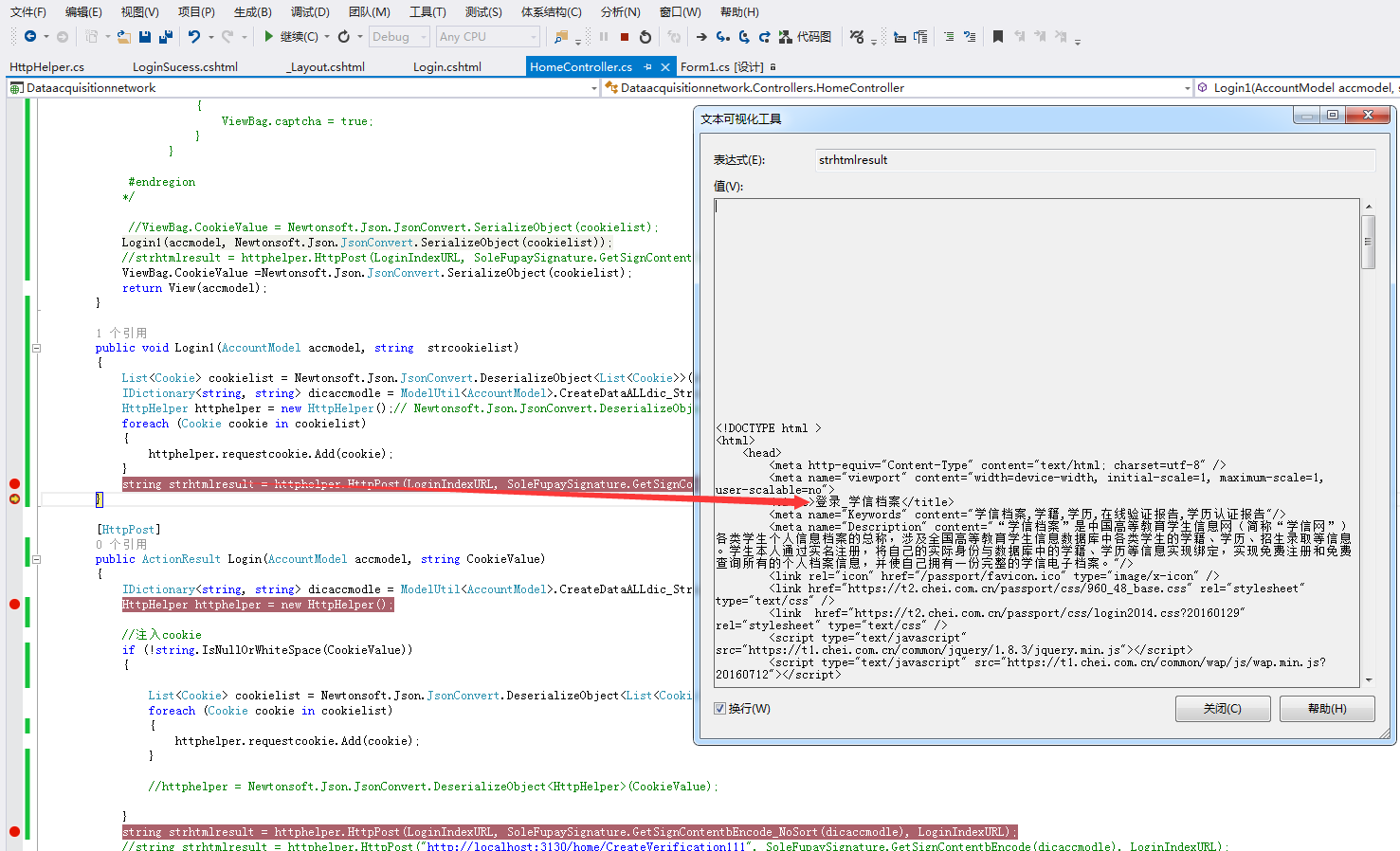
发现失败了, 后面自己想了下,可能由于cookie序列化后不允许传递给另外一个对象,所以失败了,然后就在根据原来的cookie,然后new 一个,传递给list
把Login1 换成下面的就可以了。
public void Login1(AccountModel accmodel, string strcookielist)
{
List<Cookie> cookielist = Newtonsoft.Json.JsonConvert.DeserializeObject<List<Cookie>>(strcookielist);
IDictionary<string, string> dicaccmodle = ModelUtil<AccountModel>.CreateDataALLdic_String(accmodel, true);
HttpHelper httphelper = new HttpHelper();// Newtonsoft.Json.JsonConvert.DeserializeObject<HttpHelper>(strhttphelper);
foreach (Cookie cookie in cookielist)
{
Cookie newcookie = new Cookie(cookie.Name, cookie.Value, cookie.Path, cookie.Domain);
newcookie.Secure = true;
newcookie.HttpOnly = true;
httphelper.requestcookie.Add(newcookie);
}
string strhtmlresult = httphelper.HttpPost(LoginIndexURL, SoleFupaySignature.GetSignContentbEncode_NoSort(dicaccmodle), LoginIndexURL);
}
然后这个是部署在服务器上面的,如果请求多的话会出现验证码,然后这样登录,如果去失败验证码。
模拟学信网登录,Cookie 序列化,在反序列化之后不能用的问题的更多相关文章
- java okhhtp下载学信网学籍信息
学信网的登录有验证码,是那种计算数字或者汉字识别的,很难识别.最近连学籍信息和学历信息也换成图片了,常规的正则 css xpath都不能使. 下载图片,需要先登录,获取登陆后的cookie和学籍信息的 ...
- 学信网改绑手机号码,但是忘记了老号码怎么办?利用node.js + puppeteer 跑脚本实现改绑手机号
最近登录学信网发现自己学信网上绑定的手机号码不是目前自己使用的手机号码,于是想改绑手机号,但是发现不记得之前的手机号码了: 于是百度各种方法都无济于事:也不想重新注册账号,最后看见一篇文章通过Pyth ...
- WebAPI调用笔记 ASP.NET CORE 学习之自定义异常处理 MySQL数据库查询优化建议 .NET操作XML文件之泛型集合的序列化与反序列化 Asp.Net Core 轻松学-多线程之Task快速上手 Asp.Net Core 轻松学-多线程之Task(补充)
WebAPI调用笔记 前言 即时通信项目中初次调用OA接口遇到了一些问题,因为本人从业后几乎一直做CS端项目,一个简单的WebAPI调用居然浪费了不少时间,特此记录. 接口描述 首先说明一下,基于 ...
- 模拟登陆115网盘(MFC版)
[cpp] view plain copy // 模拟登陆115网盘 #include <afxinet.h> // 包含相关的头文件 /* 用抓包工具抓包可得到需要提交的数据,然后模拟提 ...
- c#获取新浪微博登录cookie
用新浪微博api收集数据有诸多限制,每小时只能调用官方api函数150次,认证也很麻烦.因此想通过爬网页的方式来收集数据.访问新浪微博用户网页首先需要登录,登录获取cookie后可直接获取网页数据,无 ...
- SpringBoot + Spring Security 学习笔记(五)实现短信验证码+登录功能
在 Spring Security 中基于表单的认证模式,默认就是密码帐号登录认证,那么对于短信验证码+登录的方式,Spring Security 没有现成的接口可以使用,所以需要自己的封装一个类似的 ...
- Spring Security构建Rest服务-1203-Spring Security OAuth开发APP认证框架之短信验证码登录
浏览器模式下验证码存储策略 浏览器模式下,生成的短信验证码或者图形验证码是存在session里的,用户接收到验证码后携带过来做校验. APP模式下验证码存储策略 在app场景下里是没有cookie信息 ...
- Spring Security构建Rest服务-0702-短信验证码登录
先来看下 Spring Security密码登录大概流程,模拟这个流程,开发短信登录流程 1,密码登录请求发送给过滤器 UsernamePasswordAuthenticationFilter 2,过 ...
- springboot +spring security4 自定义手机号码+短信验证码登录
spring security 默认登录方式都是用户名+密码登录,项目中使用手机+ 短信验证码登录, 没办法,只能实现修改: 需要修改的地方: 1 .自定义 AuthenticationProvide ...
随机推荐
- Java Web编程的主要组件技术——Struts核心组件
参考书籍:<J2EE开源编程精要15讲> Struts配置文件struts-config.xml Struts核心文件,可配置各种组件,包括Form Beans.Actions.Actio ...
- Linux busybox mount -a fstab
/*********************************************************************** * Linux busybox mount -a fs ...
- HDU 5289 Assignment (数字序列,ST算法)
题意: 给一个整数序列,多达10万个,问:有多少个区间满足“区间最大元素与最小元素之差不超过k”.k是给定的. 思路: 如果穷举,有O(n*n)复杂度.可以用ST算法先预处理每个区间最大和最小,O(n ...
- pip
查看安装的包 pip list
- Java [Leetcode 83]Remove Duplicates from Sorted List
题目描述: Given a sorted linked list, delete all duplicates such that each element appear only once. For ...
- hadoop中日志聚集问题
遇到的问题: 当点击上面的logs时,会出现下面问题: 这个解决方案为: By default, Hadoop stores the logs of each container in the nod ...
- 常见设计模式解析和实现(C++)FlyWeight模式
作用:运用共享技术有效地支持大量细粒度的对象 UML结构图: 解析: Flyweight模式在大量使用一些可以被共享的对象的时候使用.比如,在QQ聊天时很多时候你懒得回复又不得不回复,一般会用一些客套 ...
- TRANSLATE
语法格式: TRANSLATE(expr, from_string, to_string) 示例如下: SELECT TRANSLATE('ab 你好 bcdefg', 'abcdefg', '123 ...
- private
成员变量私有化的好处在于可以强制加强面向对象和封装的概念,一个面向对象的系统更加关注行为,而不是数据,所以应该通过发送消息来获得数据,也应该实习细节的封装
- SQL中以count及sum为条件的查询
在开发时,我们经常会遇到以“累计(count)”或是“累加(sum)”为条件的查询.比如user_num表: id user num 1 a 3 2 a 4 3 b 5 4 b 7 例1:查询出现 ...