
centos 7 下安装Nginx
下载Nginx
wget nginx.tar.gz http://nginx.org/download/nginx-1.11.3.tar.gz
解压源码
tar -zxvf nginx-1.11..tar.gz
然后进入目录编译安装

cd nginx-1.11.

./configure --prefix=/usr/local/nginx \

--with-http_ssl_module --with-http_spdy_module \

--with-http_stub_status_module --with-pcre

如果没有error信息,就可以执行下边的安装了:

make

make install
安装prce(重定向支持)和openssl(https支持,如果不需要https可以不安装。)
yum -y install pcre*

yum -y install openssl*
Nginx配置文件详情
 #user  nobody;

 worker_processes  ;

 #error_log  logs/error.log;

 #error_log  logs/error.log  notice;

 #error_log  logs/error.log  info;

 #pid        logs/nginx.pid;

 events {

     worker_connections  ;

 }

 http {

     include       mime.types;

     default_type  application/octet-stream;

     #log_format  main  '$remote_addr - $remote_user [$time_local] "$request" '

     #                  '$status $body_bytes_sent "$http_referer" '

     #                  '"$http_user_agent" "$http_x_forwarded_for"';

     #access_log  logs/access.log  main;

     sendfile        on;

     #tcp_nopush     on;

     #keepalive_timeout  ;

     keepalive_timeout  ;

     #gzip  on;

     server {

         listen      ;

         server_name  localhost;

         #charset koi8-r;

         #access_log  logs/host.access.log  main;

         location / {

             root   html;

             index  index.html index.htm;

 proxy_set_header Host $host;

 proxy_set_header X-Real-IP $remote_addr;

 proxy_set_header X-Forwarded-For $proxy_add_x_forwarded_for;

 #需要代理的地址。upstream 配置负责均衡

 #proxy_pass http://localhost:5000;

         }

         #error_page                /.html;

         # redirect server error pages to the static page /50x.html

         #

         error_page        /50x.html;

         location = /50x.html {

             root   html;

         }

         # proxy the PHP scripts to Apache listening on 127.0.0.1:

         #

         #location ~ \.php$ {

         #    proxy_pass   http://127.0.0.1;

         #}

         # pass the PHP scripts to FastCGI server listening on 127.0.0.1:

         #

         #location ~ \.php$ {

         #    root           html;

         #    fastcgi_pass   127.0.0.1:;

         #    fastcgi_index  index.php;

         #    fastcgi_param  SCRIPT_FILENAME  /scripts$fastcgi_script_name;

         #    include        fastcgi_params;

         #}

         # deny access to .htaccess files, if Apache's document root

         # concurs with nginx's one

         #

         #location ~ /\.ht {

         #    deny  all;

         #}

     }

     # another virtual host using mix of IP-, name-, and port-based configuration

     #

     #server {

     #    listen       ;

     #    listen       somename:;

     #    server_name  somename  alias  another.alias;

     #    location / {

     #        root   html;

     #        index  index.html index.htm;

     #    }

     #}

     # HTTPS server

     #

     #server {

     #    listen        ssl;

     #    server_name  localhost;

     #    ssl_certificate      cert.pem;

     #    ssl_certificate_key  cert.key;

     #    ssl_session_cache    shared:SSL:1m;

     #    ssl_session_timeout  5m;

     #    ssl_ciphers  HIGH:!aNULL:!MD5;

     #    ssl_prefer_server_ciphers  on;

     #    location / {

     #        root   html;

     #        index  index.html index.htm;

     #    }

     #}

 }
启动nginx

./usr/local/nginx/sbin/nginx

重启或关闭进程:

./usr/local/nginx/sbin/nginx -s reload

./usr/local/nginx/sbin/nginx -s stop
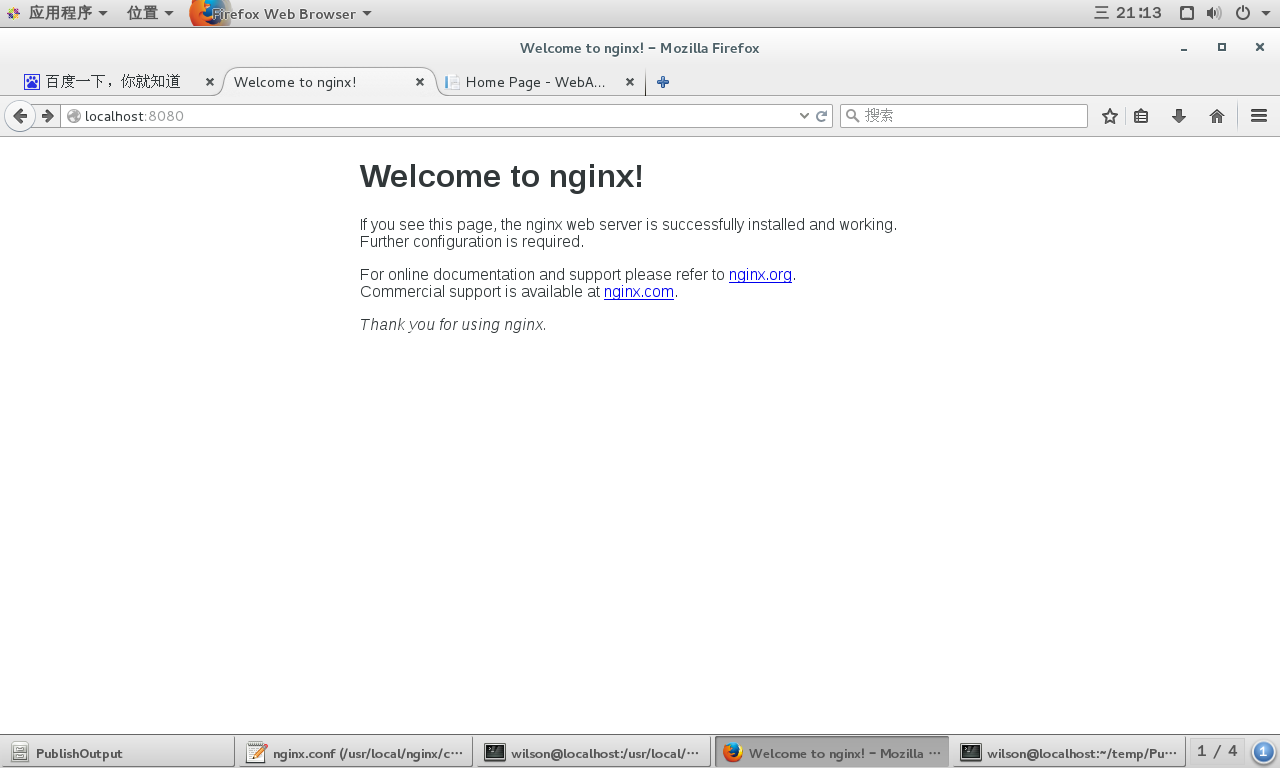
浏览器中输入http://localhost:8080,效果如下
官方文档中的安装方法,设置源后直接安装,对于配置文件自动写入默认路径
1、设置安装源
To set up the yum repository for RHEL/CentOS, create the file named /etc/yum.repos.d/nginx.repo with the following contents:

[nginx]

name=nginx repo

baseurl=http://nginx.org/packages/OS/OSRELEASE/$basearch/

gpgcheck=

enabled=

Replace “OS” with “rhel” or “centos”, depending on the distribution used, and “OSRELEASE” with “”, “”, or “”, for .x, .x, or .x versions, respectively.
具体文件内容为:
[nginx]

name=nginx repo

baseurl=http://nginx.org/packages/centos/7/$basearch/

gpgcheck=

enabled=
2、执行以下命令安装
sudo yum install nginx
3、启动、停止nginx服务
sudo nginx

sudo nginx -s stop
默认配置参数列表
Configure Arguments

Configure arguments common for nginx binaries from pre-built packages:

--prefix=/etc/nginx

--sbin-path=/usr/sbin/nginx

--conf-path=/etc/nginx/nginx.conf

--error-log-path=/var/log/nginx/error.log

--http-log-path=/var/log/nginx/access.log

--pid-path=/var/run/nginx.pid

--lock-path=/var/run/nginx.lock

--http-client-body-temp-path=/var/cache/nginx/client_temp

--http-proxy-temp-path=/var/cache/nginx/proxy_temp

--http-fastcgi-temp-path=/var/cache/nginx/fastcgi_temp

--http-uwsgi-temp-path=/var/cache/nginx/uwsgi_temp

--http-scgi-temp-path=/var/cache/nginx/scgi_temp

--user=nginx

--group=nginx

--with-http_ssl_module

--with-http_realip_module

--with-http_addition_module

--with-http_sub_module

--with-http_dav_module

--with-http_flv_module

--with-http_mp4_module

--with-http_gunzip_module

--with-http_gzip_static_module

--with-http_random_index_module

--with-http_secure_link_module

--with-http_stub_status_module

--with-http_auth_request_module

--with-threads

--with-stream

--with-stream_ssl_module

--with-http_slice_module

--with-mail

--with-mail_ssl_module

--with-file-aio

--with-http_v2_module

--with-ipv6
参考:http://nginx.org/en/linux_packages.html#stable
centos查看端口占用情况
netstat -lnp|grep
centos 7 下安装Nginx的更多相关文章
- Centos 7下安装nginx,使用yum install nginx,提示没有可用的软件包
Centos 7下安装nginx,使用yum install nginx,提示没有可用的软件包. 18 (flaskApi) [root@67 flaskDemo]# yum -y install n ...
- 在centos 7 下安装 nginx
在Linux下安装 nginx 1下载对应当前系统版本的nginx包(package) wget http://nginx.org/packages/centos/7/noarch/RPMS/ngi ...
- CentOS 7 下安装 Nginx
安装所需环境 Nginx 是 C语言 开发,建议在 Linux 上运行,当然,也可以安装 Windows 版本,本篇则使用 CentOS 7 作为安装环境. 一. gcc 安装安装 nginx 需要先 ...
- CentOS 7 下安装 Nginx(转)
转载自:http://www.linuxidc.com/Linux/2016-09/134907.htm 安装所需环境 Nginx 是 C语言 开发,建议在 Linux 上运行,当然,也可以安装 Wi ...
- centos系统下安装Nginx
参考链接 CentOS 7 用 yum 安装 Nginx Nginx负载均衡配置 下载并安装 #使用以下命令 sudo yum install -y nginx #sudo表示使用管理员权限运行命令 ...
- CentOS 6下安装nginx
原文:http://yubosun.akhtm.com/tech/centos-nginx.htm 1 在nginx官方网站下载一个rpm包,下载地址是:http://nginx.org/en/dow ...
- Linux Centos平台下安装Nginx
以home下安装为例,切换到home目录下 cd /home 安装依赖 nginx相关依赖 yum -y install make gcc gcc-c++ openssl openssl-devel ...
- centos虚拟机下安装nginx
通过yum安装 yum install epel-release -y(企业级的镜像源) yum install nginx-y 启动.停止.重启 service nginx start servic ...
- linux/centos下安装nginx(rpm安装和源码安装)详细步骤
Centos下安装nginx rpm包 ...
随机推荐
- POJ 2446 最小点覆盖
Chessboard Time Limit: 2000MS Memory Limit: 65536K Total Submissions: 14787 Accepted: 4607 Descr ...
- hdu 1036 (I/O routines, fgets, sscanf, %02d, rounding, atoi, strtol) 分类: hdoj 2015-06-16 19:37 32人阅读 评论(0) 收藏
thanks to http://stackoverflow.com/questions/2144459/using-scanf-to-accept-user-input and http://sta ...
- 《Java中的不可变类》
//不可变类举例: /* 下面程序试图定义一个不可变类Person类,但=因为Person类包含一个引用类型的成员变量, 且这个引用类是可变类,所以导致Person类也变成了可变类. */ class ...
- Swift的文档注释
官方文档地址:https://developer.apple.com/library/mac/documentation/Xcode/Reference/xcode_markup_formatting ...
- JDBCl链接中Statement
作用:创建的Statement对象执行SQL语句 (1)对象有Connection对象调用createStatement()方法创建 (2)有Statement对象调用executeUpdate()方 ...
- JQuery源码解析(十)
默认回调对象设计 不传入任何参数,调用add的时候将函数add到内部的list中,调用fire的时候顺序触发list中的回调函数: function fn1(val) { console.log('f ...
- block的内部实现
主要内容: 一.block相关的题目 二.block的定义 三.block的实现 四.捕获自动变量值 五.block存储区域 六.截获对象 一.block相关的题目 这是一篇比较长的博文,前部分是bl ...
- F - To the Max
Given a two-dimensional array of positive and negative integers, a sub-rectangle is any contiguous s ...
- kinnect相关
1. kinnect的现状. http://tech.qq.com/a/20150909/046760.htm 2. kinnect的相关工作 http://baike.baidu.com/link? ...
- SVG裁剪和平移的顺序
SVG 里为元素添加 clip-path 属性即可做出裁剪效果,添加 transfrom 属性可以平移.旋转元素. 根据需求不同,有两种情况: 先裁剪元素,再把裁剪后的图形平移 先平移元素,再按区域裁 ...