
关于scroll实现侧边导航栏
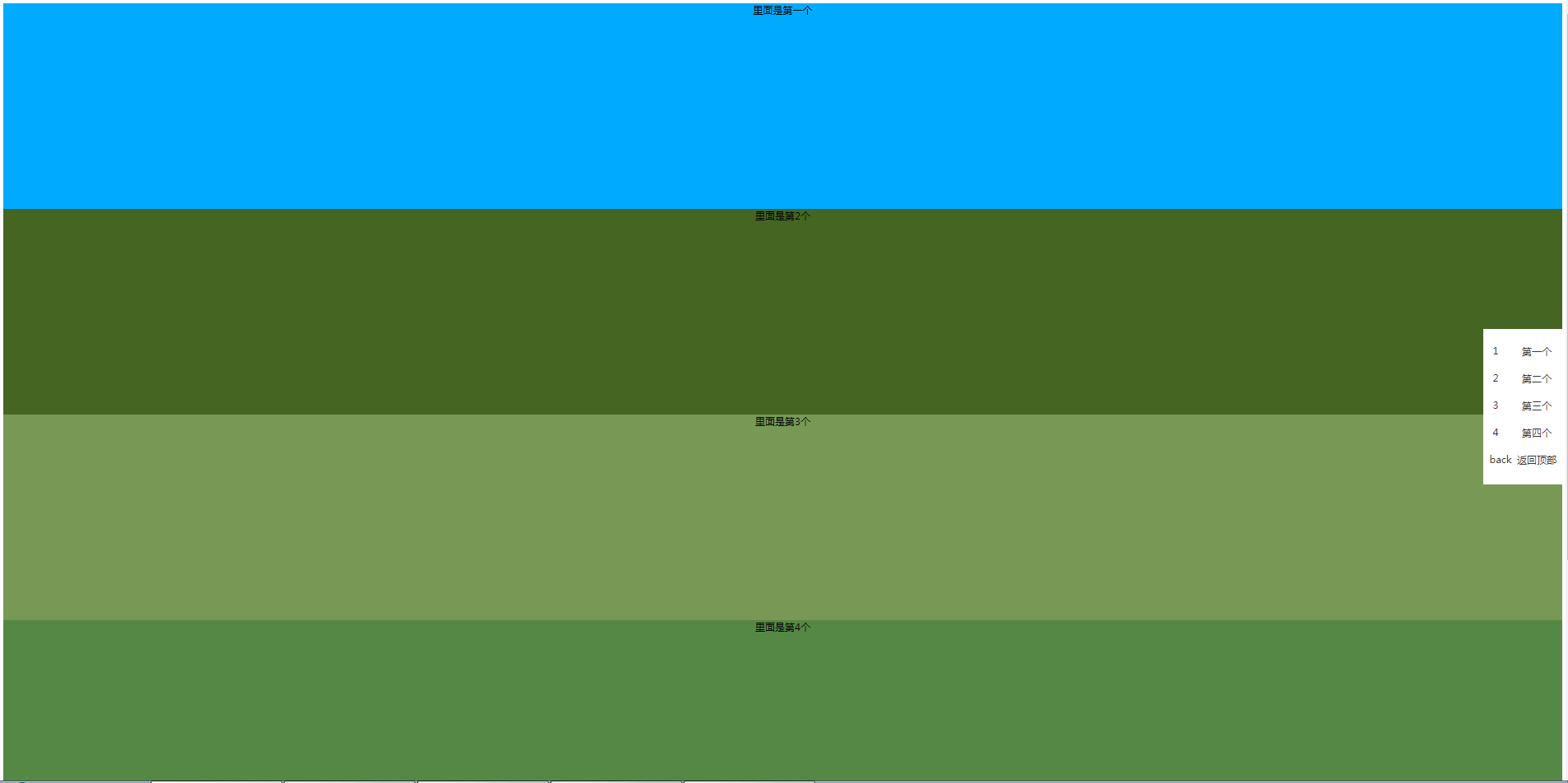
需求为一个简单的scroll效果,侧边选项卡跟随屏幕向下拖动变颜色的。点击侧边选项卡,跳转到相应模块。
索性上网找了一下类似的效果。附带源码地址 https://blog.csdn.net/dream_fa/article/details/72842193
原有样式与js确实有点欠妥,所以进行了简单修改。
需要注意的是js代码中。取得网页被卷去的高的时候,并未考虑兼容性的问题。以至于可能影响整体效果。
eg:// var scroH=document.body.scrollTop;

var scroH = document.documentElement.scrollTop || document.body.scrollTop;

实现后效果如下:
HTML代码如下
<section class="demo1">

里面是第一个

</section>

<section class="demo2">

里面是第2个

</section>

<section class="demo3">

里面是第3个

</section>

<section class="demo4">

里面是第4个

</section>

<section class="footer">

底部

</section>

<section class="menu">

<ul>

  <li>

    <a href="###"><i>1</i><label>第一个</label></a>

    <a href="###"><i>2</i><label>第二个</label></a>

    <a href="###"><i>3</i><label>第三个</label></a>

    <a href="###"><i>4</i><label>第四个</label></a>

    <a href="###"><i>back</i><label>返回顶部</label></a>

  </li>

</ul>

</section>
CSS代码如下
header{width: 100%; height: 300px;}

.demo1, .demo2 ,.demo3, .demo4{width: 100%; height: 500px; text-align: center;}

.demo1{background-color: #00aaff;}

.demo2{background-color: #446622;}

.demo3{background-color: #779955;}

.demo4{background-color: #558844;}

/**这块根据自己项目来进行定位***/

.menu{width:200px;overflow: hidden;position: fixed; top: 50%; margin-top: -150px; background: #fff; right: 0px;display: block;}

.menu ul{ list-style: none; padding-left: 0px;}

.menu ul li{width: 100%; height: 100%;}

.menu ul li a{display: inline-block;width: 100%; height: 60px; line-height: 60px;color: #333}

.menu ul li a i{display: inline-block;width:30px; height: 30px; float: left; text-align: center;line-height: 30px;

 font-style:normal;background: #fff; margin:15px 15px;}

.menu ul li a label{display: inline-block;width: 140px; height: 60px; float: right; text-align: center;line-height: 60px;cursor: pointer;}

.menu ul li a.active{color: red}

.footer{background-color:#145214;width: 100%; height: 600px}
JS代码如下
<script src="jquery-1.12.3.js"></script>

<script>

$(function(){

// 获取菜单栏到顶部的距离

var navH=$(".menu").offset().top;

$(window).scroll(function(){

// 获取滚动条滑动距离

//让菜单栏距离顶部300时候显示默认隐藏,

// var scroH=document.body.scrollTop;

var scroH = document.documentElement.scrollTop || document.body.scrollTop;

//为了兼容性

console.log(top)

if(scroH>=300){

$(".menu").css({"display":"block"});

}else{

$(".menu").css({"display":"none"}) ;

}

if(scroH>=0 && scroH<500){

$(".menu ul li a:first-child").addClass("active").siblings().removeClass("active");

}else if(scroH>=500 && scroH<1000){

$(".menu ul li a:nth-child(2)").addClass("active").siblings().removeClass("active");

}else if(scroH>=1000 && scroH<1500){

$(".menu ul li a:nth-child(3)").addClass("active").siblings().removeClass("active");

}else if(scroH>=1500 && scroH<2000){

$(".menu ul li a:nth-child(4)").addClass("active").siblings().removeClass("active");

}

})

$(".menu ul li a:first-child").click(function(){

$('body,html').animate({scrollTop:300},400);

})

$(".menu ul li a:nth-child(2)").click(function(){

$('body,html').animate({scrollTop:800},500);

})

$(".menu ul li a:nth-child(3)").click(function(){

$('body,html').animate({scrollTop:1300},500);

})

$(".menu ul li a:nth-child(4)").click(function(){

$('body,html').animate({scrollTop:1800},500);

})

$(".menu ul li a:last-child").click(function(){

$('body,html').animate({scrollTop:0},500);

})

})

</script>
关于scroll实现侧边导航栏的更多相关文章
- 【源码分享】jquery+css实现侧边导航栏
jquery+css实现侧边导航栏 最近做项目的时候,突然想用一个侧边导航栏,网上找了几个插件,有的太丑而且不太符合我的预期.与其修改别人的代码,不如自己来写一个了.废话不多说先上图,感兴趣的请继续看 ...
- Android 新兴的UI模式——侧边导航栏【转】
侧边导航栏也就是大家熟知的SliddingMenu,英文也叫Fly-In App Menu.Side Navigation等.当然谷歌现在已经推出类似这个效果的组件--Navigation Drawe ...
- [置顶]
bootstrap自定义样式-bootstrap侧边导航栏的实现
前言 bootstrap自带的响应式导航栏是向下滑动的,有时满足不了个性化的需求,需要做一个类似于android drawerLayout 侧滑的菜单,这就是我要实现的bootstrap自定义侧滑菜单 ...
- 【机器学习实践】Jupyter Notebook安装 侧边导航栏功能 操作及其他常用扩展功能介绍
安装过程: 1. 首先我们引入jupyter_contrib_nbextension这个第三方库. 2. 在Anaconda Promot中输入命令: pip install jupyter_con ...
- html+css写出响应式侧边导航栏
html部分:先写用div画好六个导航的卡片,再利用css添加响应效果 <div class='card-holder'> <div class='card-wrapper'> ...
- jQuery实现侧边导航栏效果
效果图: 效果体验:http://keleyi.com/keleyi/phtml/jqmenu/2.htm 以下是完整代码: <!DOCTYPE html> <html> &l ...
- 使用bootstrap3.0搭建一个具有自定义风格的侧边导航栏
由于工作变动,新的项目组,可能会涉及到更多的类似于后台管理系统这一类的项目,而且开发可能更加偏向于传统型的开发,希望今后能够在新的项目中能够用得上vuejs吧! 接手项目的时候,就是一个后台管理系统, ...
- iOS开发-仿大众点评iPad侧边导航栏
昨天其实已经写了一篇侧边栏的文章,不过感觉还不是很清晰,这篇文章算是补充吧,iPad上看了大众点评的侧边栏,基本上百分之九十类似,具体效果可参考下图: 对比昨天主要做了两个修改,一个是图片和文字的显示 ...
- layui禁用侧边导航栏点击事件
layui是一款优秀的前端模块化css框架,作者是贤心 —— 国内的一位前端大佬. 我用layui做过两个完整的项目,对她的感觉就是,这货非常适合做后台管理界面,且基于jquery,很容易上手.当然, ...
随机推荐
- gitlab+gitlab-ci+docker自动化部署
导言 本次测试用的是gitlab-ci,单纯与gitlab搭配而言,gitlab-ci较jenkins更加一体,顺畅. 主机1:192.168.100.151 gitlab 主机2:192.168.1 ...
- 在已有QT项目中添加多个UI布局界面
1.在工程中右键->添加新文件,按图选择 2.选择窗口部件 3.创建UI控制类 注意上图红框中命名按实际需要定义,否则后期改动要修改UI文件参数 4.修改UI文件,框1是窗口部件父类,框2是UI ...
- [轉]sendpage漏洞分析 CVE-2009-2692
之前看了<新爆内核高危漏洞sock_sendpage的利用分析的讨论 >这篇帖子,在九贱兄和诸位CUer的指引下,大致弄清了整个漏洞的始末.现与大家分享(引用自我的空间 ).有什么不足之处 ...
- bootstrap学习(三)表单
基本实例: from-group:可以是其内的标签排列更好 from-control:使标签宽度为100% <form> <div class="form-group&qu ...
- docker运行我们的容器
docker images docker pull nginx 运行 docker images 查看Nginx镜像是否获取成功,若为如下所示即为获取成功: docker run -p 8080:80 ...
- sql server 事务隔离性 snapshot 、read committed说明
一. --该 read committed 默认事务隔离级别 在 systemuser修改事务未完成时 select * from [SystemUser] where id=62; 该语句是不可读取 ...
- LeetCode Array Medium 11. Container With Most Water
Description Given n non-negative integers a1, a2, ..., an , where each represents a point at coordin ...
- redis 发布订阅(pub/sub )
- ethtool---查看网卡
ethtool 命令详解 命令描述: ethtool 是用于查询及设置网卡参数的命令. 使用概要:ethtool ethx //查询ethx网口基本设置,其中 x 是对应网卡的编号,如et ...
- PHP-移除元素
给定一个数组 nums 和一个值 val,你需要原地移除所有数值等于 val 的元素,返回移除后数组的新长度. 不要使用额外的数组空间,你必须在原地修改输入数组并在使用 O(1) 额外空间的条件下完成 ...