
git whoami
git whoami
$ git config --list

$ git config --global  --list

# quit

$ q
$ git config user.name xgqfrms

$ git config user.email xgqfrms@xgqfrms.xyz
git push bug
HTTPS bug
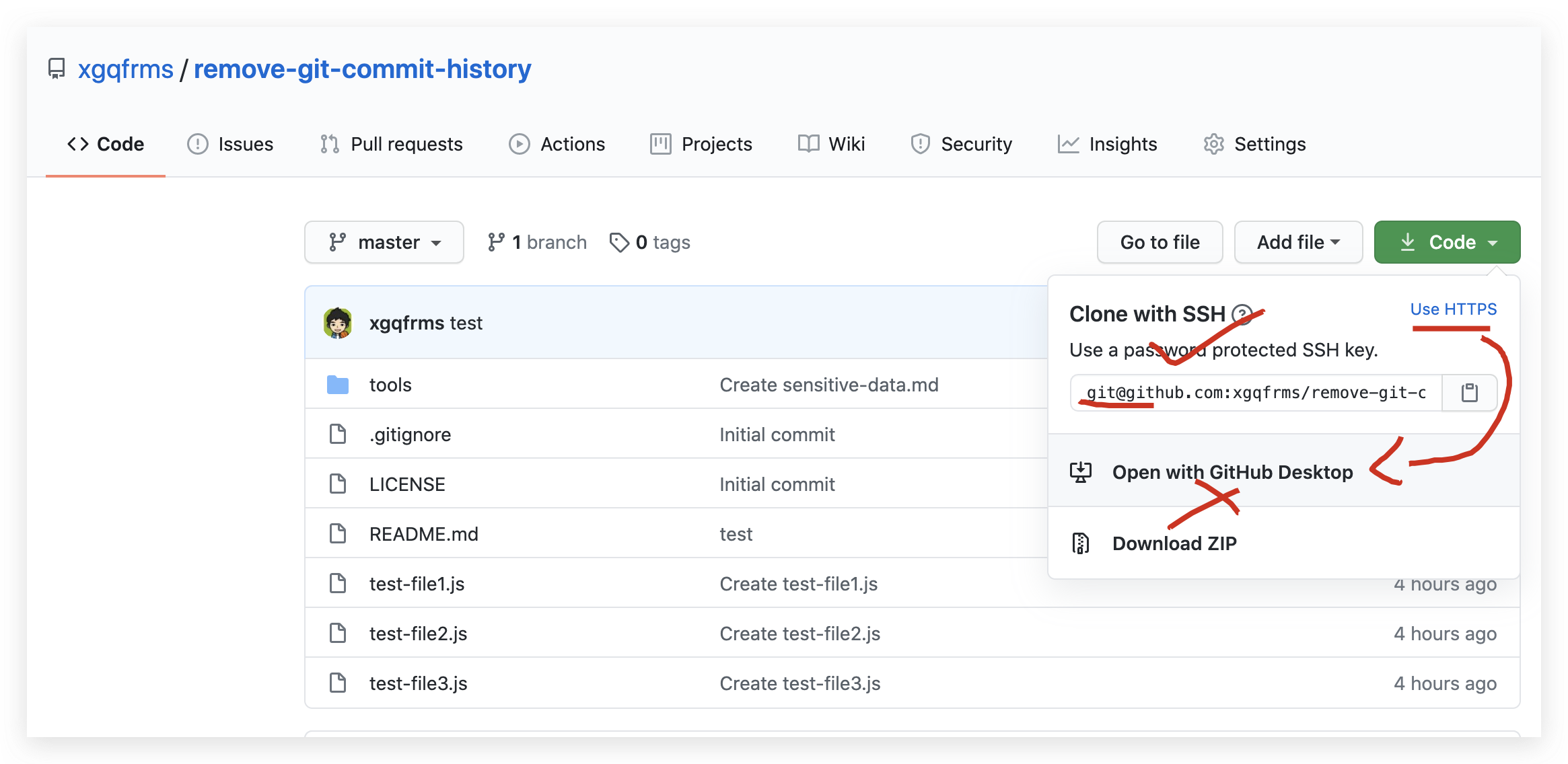

# https bug

$ git clone https://github.com/xgqfrms/remove-git-commit-history

# $ git clone git@github.com:xgqfrms/remove-git-commit-history.git
SSH
SSH OK

# remove-git-commit-history

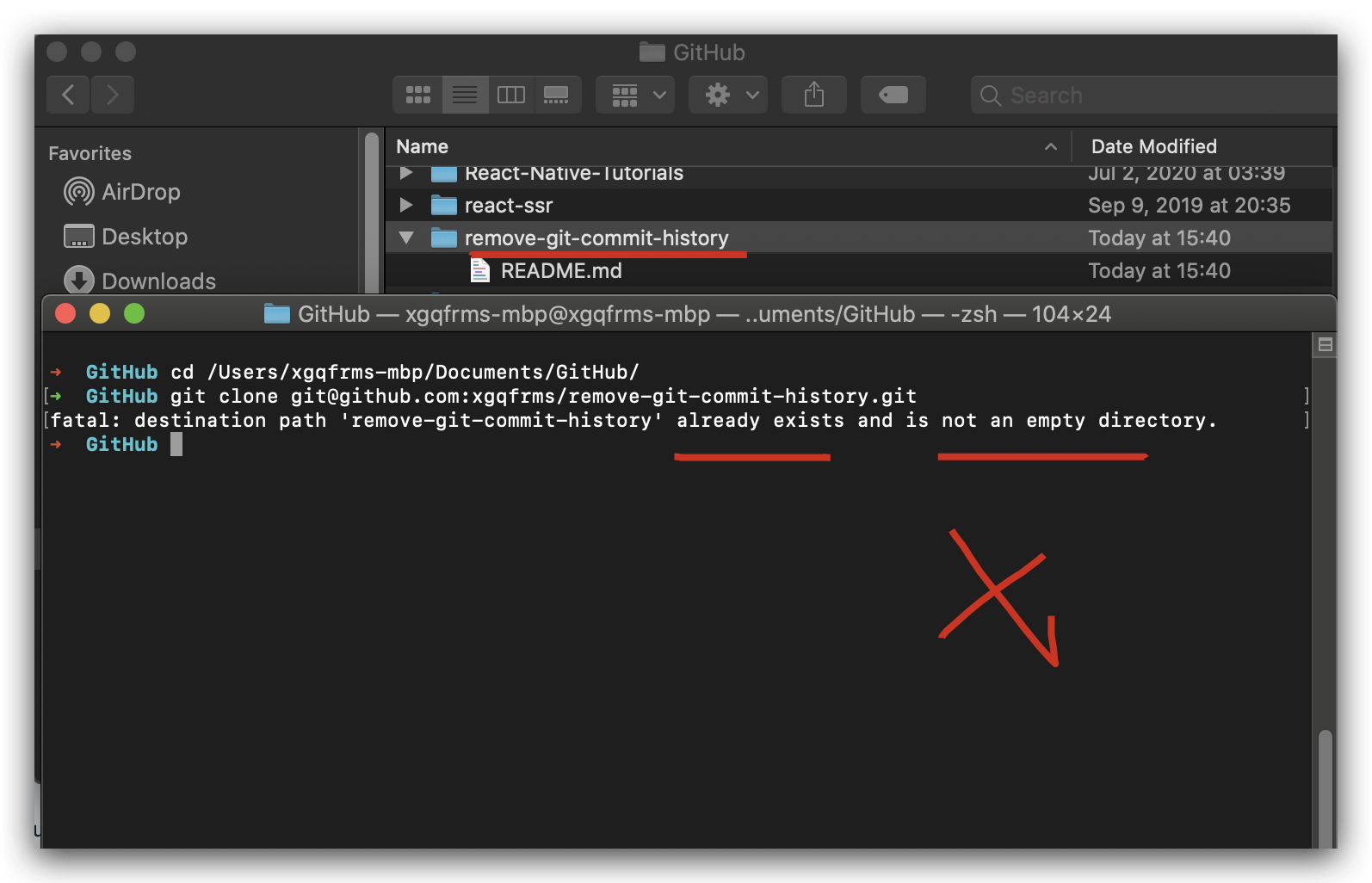
$ cd /Users/xgqfrms-mbp/Documents/GitHub/

# $ git clone https://github.com/xgqfrms/remove-git-commit-history

# SSH ok

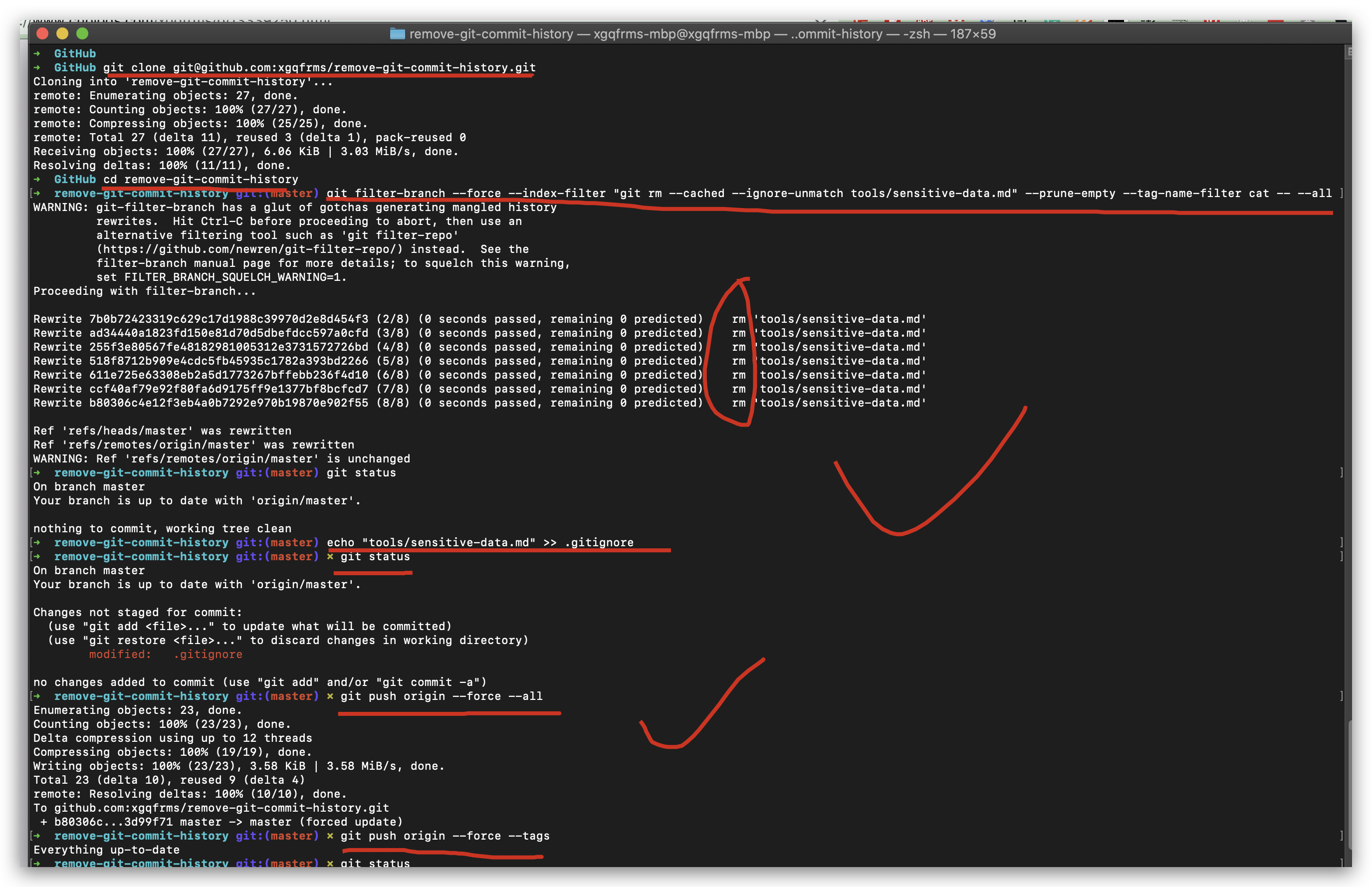
$ git clone git@github.com:xgqfrms/remove-git-commit-history.git

$ cd remove-git-commit-history

$ git filter-branch --force --index-filter "git rm --cached --ignore-unmatch tools/sensitive-data.md" --prune-empty --tag-name-filter cat -- --all

$ echo "tools/sensitive-data.md" >> .gitignore

$ git push origin --force --all

$ git push origin --force --tags

# 强制取消引用本地仓库中的所有对象并进行垃圾回收 ???

$ git for-each-ref --format="delete %(refname)" refs/original | git update-ref --stdin

$ git reflog expire --expire=now --all

$ git gc --prune=now
从仓库中删除敏感数据
https://docs.github.com/cn/github/authenticating-to-github/removing-sensitive-data-from-a-repository
# ???

$ git filter-branch --force --index-filter \

  "git rm --cached --ignore-unmatch tools/sensitive-data.md" \

  --prune-empty --tag-name-filter cat -- --all

# OR

# ???

$ cd tools

$ git filter-branch --force --index-filter \

  "git rm --cached --ignore-unmatch sensitive-data.md" \

  --prune-empty --tag-name-filter cat -- --all
git commits history 对比
https://github.com/xgqfrms/remove-git-commit-history/commits/master
before
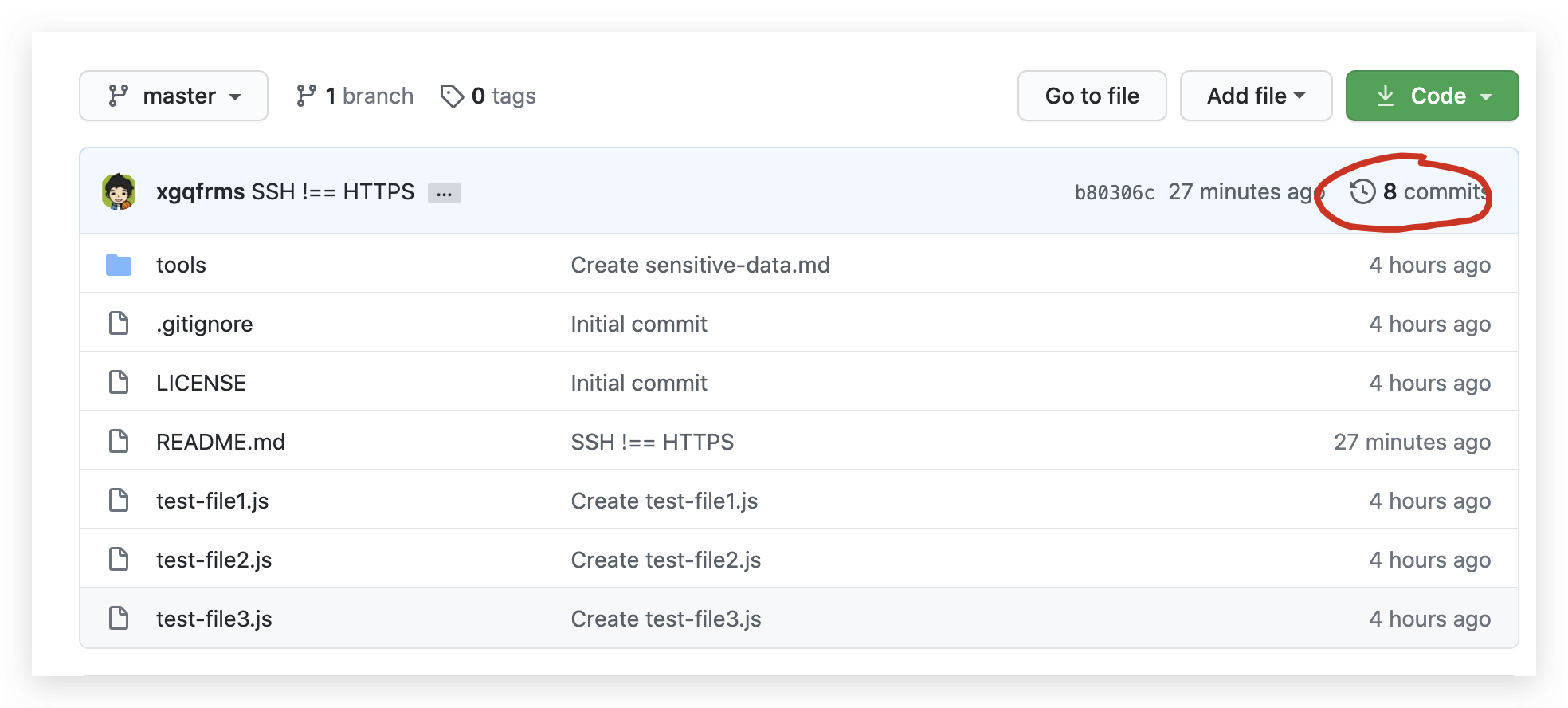
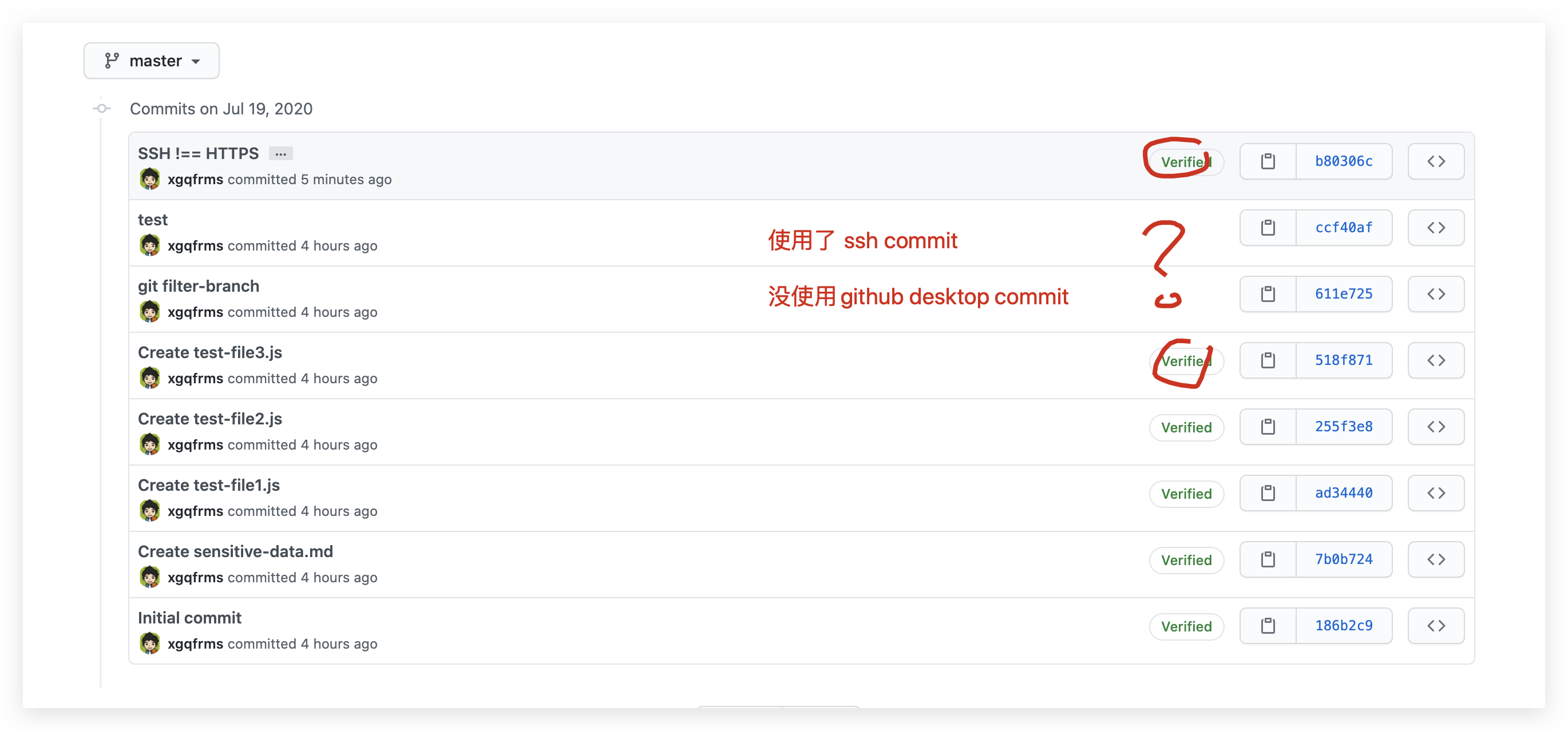
after


SSH key
https://www.cnblogs.com/xgqfrms/p/5880270.html
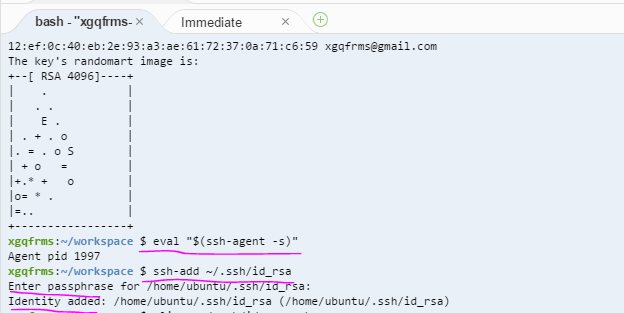
SSH !== HTTPS ️ bug
GitHub Desktop HTTPS bug, 要使用 SSH 通过 terminal clone 才行,

- HTTPS, 只能通过 GitHub Desktop 执行 git pull
https://github.com/xgqfrms/remove-git-commit-history
- SSH
git@github.com:xgqfrms/remove-git-commit-history.git
refs
https://alvinalexander.com/git/git-show-change-username-email-address/
git whoami的更多相关文章
- UBUNTU上的GIT SERVER
Git是一个开源的版本控制系统,由Linus Torvalds主导,用于支持Linux内核开发.每一个Git工作目录,都是一个完整的代码库,包含所有的提交历史.有能力跟踪所有的代码版本,而不会去依赖于 ...
- Mac常用基本命令/常用Git命令
Git地址: https://github.com/mancongiOS/command-line基本命令 目录/文件的操作 mkdir "目录名" 在当前路径下创建一个文件夹 m ...
- 看日记学git摘要~灰常用心的教程
看日记学git linux 命令行 cd ls / ls -a clear mkdir rmdir echo "hi, good day" > hi.txt touch he ...
- git 介绍及其使用总结
版本控制 Git 目录 目录 2 第1章 Shell和vi 4 1.1 什么是shell 4 1.2 shell分类 4 1.3 认识bash这个shell ...
- 一些常见的shell命令和git命令
shell命令: pwd : (Print Working Directory) 查看当前目录 cd (Change Directory) 切换目录,如 cd /etc ./当前目录 ../上级目录 ...
- Terminal,git,vim常用命令整理以及删除本地git仓库
Terminal常用命令 目录操作 ll 打开目录列表 ls -a 打开目录下所有文件列表 cd 切换到某目录 mkdir 创建目录 rmdir 删除空目录 rm -rf 目录名字 强制删除目录 mv ...
- MS-Windows中的Git命令行
Git command line for MS-Windows Inhalt 1 Download and install, or copy the git command line suite fo ...
- Git 及 GitHub 使用
Git bash 的常用命令 1. pwd 查看当前所在目录 2. cd cd .. 返回上一级 cd 目录 进入对应的目录 3. ls 查看当前文件夹的内容 ...
- 使用Git Hooks实现开发部署任务自动化
前言 版本控制,这是现代软件开发的核心需求之一.有了它,软件项目可以安全的跟踪代码变更并执行回溯.完整性检查.协同开发等多种操作.在各种版本控制软件中,git是近年来最流行的软件之一,它的去中心化架构 ...
随机推荐
- ubuntu14.04 LEMP(linux+nginx+mysql+php5)构建环境
Install LEMP (Linux, Nginx, MySQL and PHP) Stack on Ubuntu Linux 14.04 LTS by VIVEK GITE on DECEMBER ...
- code-server scala error: object apache is not a member of package org
原因是scala缺少包,需要把spark或对应的包放入scala目录下的lib,然后重启主机,在terminal输入reboot即可. 如果不重启主机,则在交互式编程中可以成功import.但是直接在 ...
- DP 状态 DP 转移方程 动态规划解题思路
如何学好动态规划(2) 原创 Gene_Liu LeetCode力扣 今天 算法萌新如何学好动态规划(1) https://mp.weixin.qq.com/s/rhyUb7d8IL8UW1IosoE ...
- UML 博客学习 后续继续完善
http://blog.csdn.net/monkey_d_meng/article/details/6005764 http://blog.csdn.net/badobad/article/det ...
- Apache HTTP Server 映射URL到文件系统(翻译)
div.example { background-color: rgba(229, 236, 243, 1); color: rgba(0, 0, 0, 1); padding: 0.5em; mar ...
- WPF学习里程(二) XAML基础
1.什么是XAML? 官方语言: XAML是eXtensible Application Markup Language的英文缩写,相应的中文名称为可扩展应用程序标记语言,它是微软公司为构建应用程序用 ...
- 7.DHCP的相关命令
1.Get-DhcpServerv4Scope :查看所有作用域状态 PS C:\Users\xinghen> Get-DhcpServerv4Scope ScopeId SubnetMask ...
- Pythonchallenge1过关攻略
第一关上来是一个电视,上面写着2^38,这就非常关键了,这时候我们已经有了大致思路,再看一眼电视机下面的话确认一下,"Hint: try to change the URL address. ...
- 2019 Multi-University Training Contest 1 D.Vacation(思维)
题意:有n俩车行驶在一条道路上,每辆车有车长li,距离终点的距离si,速度vi,不能超出,并且驶过终点后会依旧保持原状态行驶,问最后一辆车过终点的时间. 思路:因为行驶过终点后还是要保持之前的行驶方式 ...
- 灯光照射,圆形探测类问题(解题报告)<分层差分><cmath取整>
题目描述 一个n*n的网格图上有m个探测器,每个探测器有个探测半径r,问这n*n个点中有多少个点能被探测到. 输入输出格式 输入格式: (1<=r<n<=5000) (1<=m ...