
three.js 郭先生制作太阳系
今天郭先生收到评论,想要之前制作太阳系的案例,因为找不到了,于是在vue版本又制作一版太阳系,在线案例请点击博客原文(加载时间比较长,请稍等一下)。话不多说先看效果图。
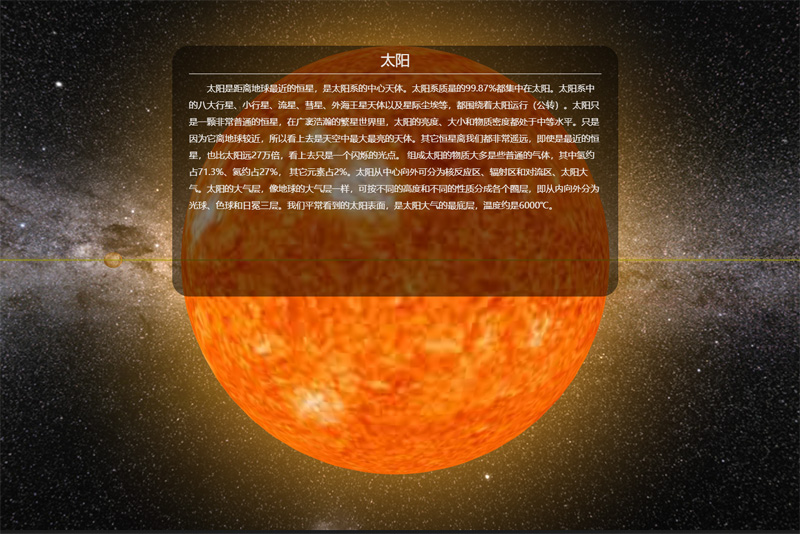
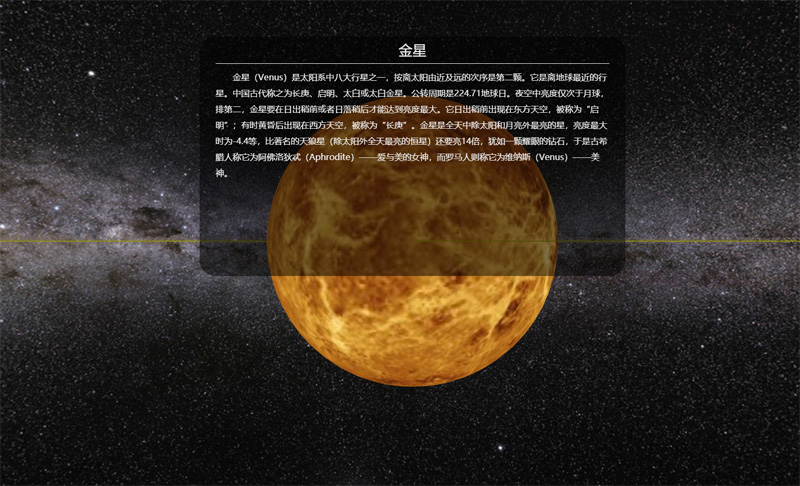
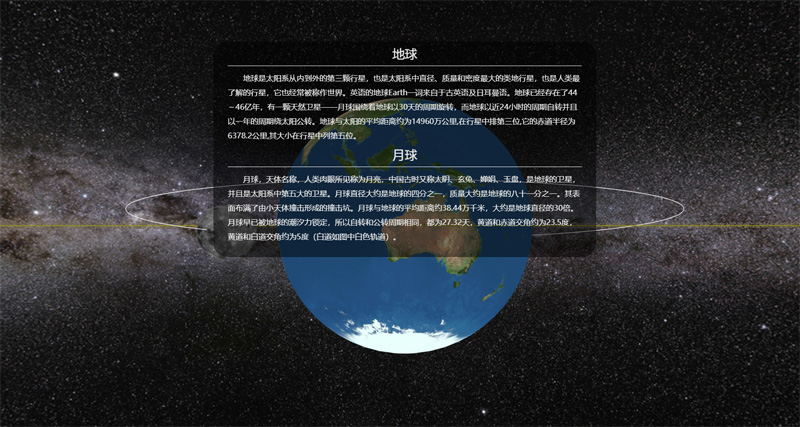
图片有点多,先放三张,相比于上一个版本,这个版本制作更加细致,动画更加流畅。那么下面分析一下主要代码。
1. 先介绍一下变量
这里查了一些资料radiuses、distances、pub_rotation、self_rotation、pitchs分别为八大行星半径比、到太阳的距离比、公转比、自转比、自转轴倾角比。
radiuses: [2440, 6052, 6371, 3397, 71492, 60268, 25559, 24766],

distances: [5791, 10820, 14960, 22794, 77833, 142940, 287099, 450400],

pub_rotation: [88, 225, 365, 687, 4329, 10767, 30769, 60152],

self_rotation: [58.65, 243, 1, 1, 0.41, 0.42, 0.64, 0.65],

pitchs: [0, 177, 23, 25, 3, 27, 98, 28],

sunObj: {

    radius: 60000//实际695500,为了好看太阳半径缩小了

},

moonObj: {

    distance: 800, //实际90 为了好看地月距离放大了

    radius: 1737,

    pitchs: 5,

    self_rotation: 27.25,

    pub_rotation: 27.25

},

asteriodObj: {

    radius: 2000,//

    pub_rotation: 408

},
2. 引入星球的纹理贴图
由于星球的贴图加载比较慢,所以要在贴图加载之后,再进行后续操作。
let loader = new THREE.TextureLoader();

taiyangT = loader.load('/static/images/texture/planets/sun.jpg');

shuixingT = loader.load('/static/images/texture/planets/shuixing.jpg');

jinxingT = loader.load('/static/images/texture/planets/jinxing.jpg');

diqiuT = loader.load('/static/images/texture/planets/diqiu.jpg');

huoxingT = loader.load('/static/images/texture/planets/huoxing.jpg');

muxingT = loader.load('/static/images/texture/planets/muxing.jpg');

tuxingT = loader.load('/static/images/texture/planets/tuxing.jpg');

tianwangxingT = loader.load('/static/images/texture/planets/tianwangxing.jpg');

haiwangxingT = loader.load('/static/images/texture/planets/haiwangxing.jpg');

yueqiuT = loader.load('/static/images/texture/planets/yueqiu.jpg');

asteriodsT = loader.load('/static/images/texture/planets/asteriod.jpg');

tuxinghuanT = loader.load('/static/images/texture/planets/tuxingring.png');
3. 绘制星球,并在场景中添加
这里我们写了一个公共的方法createMesh,这个方法传两个参数贴图和索引,可以根据这个索引找到自转周期、公转周期距离等等。
shuixing = this.createMesh(shuixingT, 0);

jinxing = this.createMesh(jinxingT, 1);

diqiu = this.createMesh(diqiuT, 2);

huoxing = this.createMesh(huoxingT, 3);

muxing = this.createMesh(muxingT, 4);

tuxing = this.createMesh(tuxingT, 5);

tianwangxing = this.createMesh(tianwangxingT, 6);

haiwangxing = this.createMesh(haiwangxingT, 7);

taiyang = this.createTaiyang();

yueqiu = this.createYueqiu();

scene.add(shuixing);

scene.add(jinxing);

scene.add(diqiu);

scene.add(huoxing);

scene.add(muxing);

scene.add(tuxing);

scene.add(tianwangxing);

scene.add(haiwangxing);

scene.add(taiyang);

scene.add(yueqiu);
创建公共网格方法如下
createMesh(texture, index) {

    let sphere = new THREE.SphereGeometry(this.radiuses[index] * this.radius_ratio, 60, 30);

    let material = new THREE.MeshBasicMaterial({map: texture});

    let mesh = new THREE.Mesh(sphere, material);

    mesh.position.x = this.distance_ratio * this.distances[index];

    return mesh;

}
创建太阳网格方法如下
createYueqiu() {

    let sphere = new THREE.SphereGeometry(this.moonObj.radius * this.radius_ratio, 30, 20);

    let material = new THREE.MeshBasicMaterial({map: yueqiuT});

    let mesh = new THREE.Mesh(sphere, material);

    mesh.position.x = this.distance_ratio * this.moonObj.distance;

    let moon = new THREE.Object3D();

    moon.position.copy(diqiu.position);

    moon.add(mesh);

    return moon;

}
4. 星体自转和公转
在render函数中调用自转和公转函数,控制自转的属性就是mesh.rotation。控制公转的属性就是mesh.position。这里使用欧拉角和THREE.Math方法
selfRotate() {

    shuixing.rotation.copy(new THREE.Euler(THREE.Math.degToRad(this.pitchs[0]), Math.sqrt(1 / this.self_rotation[0]) * this.self_ratio * this.timeS, 0));

    jinxing.rotation.copy(new THREE.Euler(THREE.Math.degToRad(this.pitchs[1]), Math.sqrt(1 / this.self_rotation[1]) * this.self_ratio * this.timeS, 0));

    diqiu.rotation.copy(new THREE.Euler(THREE.Math.degToRad(this.pitchs[2]), Math.sqrt(1 / this.self_rotation[2]) * this.self_ratio * this.timeS, 0));

    huoxing.rotation.copy(new THREE.Euler(THREE.Math.degToRad(this.pitchs[3]), Math.sqrt(1 / this.self_rotation[3]) * this.self_ratio * this.timeS, 0));

    muxing.rotation.copy(new THREE.Euler(THREE.Math.degToRad(this.pitchs[4]), Math.sqrt(1 / this.self_rotation[4]) * this.self_ratio * this.timeS, 0));

    tuxing.rotation.copy(new THREE.Euler(THREE.Math.degToRad(this.pitchs[5]), Math.sqrt(1 / this.self_rotation[5]) * this.self_ratio * this.timeS, 0));

    tianwangxing.rotation.copy(new THREE.Euler(0, Math.sqrt(1 / this.self_rotation[6]) * this.self_ratio * this.timeS, THREE.Math.degToRad(this.pitchs[6]), 'ZYX'));

    haiwangxing.rotation.copy(new THREE.Euler(THREE.Math.degToRad(this.pitchs[7]), Math.sqrt(1 / this.self_rotation[7]) * this.self_ratio * this.timeS, 0));

    // yueqiu.children[0].rotation.copy(new THREE.Euler(THREE.Math.degToRad(this.moonObj.pitchs), Math.sqrt(1 / this.moonObj.self_rotation) * this.self_ratio * this.timeS, 0));

    yueqiu.position.copy(diqiu.position);

    yueqiu.rotation.copy(new THREE.Euler(THREE.Math.degToRad(this.moonObj.pitchs), Math.sqrt(1 / this.moonObj.self_rotation) * this.self_ratio * this.timeS, 0));

    asteriods.rotation.copy(new THREE.Euler(0, this.timeS * this.pub_ratio / this.asteriodObj.pub_rotation / 2, 0));

},

pubRotate() {

    shuixing.position.set(Math.cos(this.timeP * this.pub_ratio / this.pub_rotation[0]) * this.distance_ratio * this.distances[0], 0, -Math.sin(this.timeP * this.pub_ratio / this.pub_rotation[0]) * this.distance_ratio * this.distances[0]);

    jinxing.position.set(Math.cos(this.timeP * this.pub_ratio / this.pub_rotation[1]) * this.distance_ratio * this.distances[1], 0, -Math.sin(this.timeP * this.pub_ratio / this.pub_rotation[1]) * this.distance_ratio * this.distances[1]);

    diqiu.position.set(Math.cos(this.timeP * this.pub_ratio / this.pub_rotation[2]) * this.distance_ratio * this.distances[2], 0, -Math.sin(this.timeP * this.pub_ratio / this.pub_rotation[2]) * this.distance_ratio * this.distances[2]);

    huoxing.position.set(Math.cos(this.timeP * this.pub_ratio / this.pub_rotation[3]) * this.distance_ratio * this.distances[3], 0, -Math.sin(this.timeP * this.pub_ratio / this.pub_rotation[3]) * this.distance_ratio * this.distances[3]);

    muxing.position.set(Math.cos(this.timeP * this.pub_ratio / this.pub_rotation[4]) * this.distance_ratio * this.distances[4], 0, -Math.sin(this.timeP * this.pub_ratio / this.pub_rotation[4]) * this.distance_ratio * this.distances[4]);

    tuxing.position.set(Math.cos(this.timeP * this.pub_ratio / this.pub_rotation[5]) * this.distance_ratio * this.distances[5], 0, -Math.sin(this.timeP * this.pub_ratio / this.pub_rotation[5]) * this.distance_ratio * this.distances[5]);

    tianwangxing.position.set(Math.cos(this.timeP * this.pub_ratio / this.pub_rotation[6]) * this.distance_ratio * this.distances[6], 0, -Math.sin(this.timeP * this.pub_ratio / this.pub_rotation[6]) * this.distance_ratio * this.distances[6]);

    haiwangxing.position.set(Math.cos(this.timeP * this.pub_ratio / this.pub_rotation[7]) * this.distance_ratio * this.distances[7], 0, -Math.sin(this.timeP * this.pub_ratio / this.pub_rotation[7]) * this.distance_ratio * this.distances[7]);

}
5. 使用动画,提升逼格
这里使用了tween控制相机的position和lookat属性,实现空间穿梭的感觉。
initTween() {

    let pos = {x: 0, y: 0, z: -96, lx: 0, ly: 0, lz: 0};

    tween1 = new TWEEN.Tween(pos).to({x: 57.91, y: 0, z: -5, lx: 57.91, ly: 0, lz: 0}, 20 * this.animation_time);

    tween1.easing(TWEEN.Easing.Linear.None);

    tween2 = new TWEEN.Tween(pos).to({x: 108.2, y: 0, z: -13, lx: 108.2, ly: 0, lz: 0}, 22 * this.animation_time);

    tween2.easing(TWEEN.Easing.Linear.None);

    tween3 = new TWEEN.Tween(pos).to({x: 149.6, y: 0, z: -14, lx: 149.6, ly: 0, lz: 0}, 24 * this.animation_time);

    tween3.easing(TWEEN.Easing.Linear.None);

    tween4 = new TWEEN.Tween(pos).to({x: 227.94, y: 0, z: -6, lx: 227.94, ly: 0, lz: 0}, 27 * this.animation_time);

    tween4.easing(TWEEN.Easing.Linear.None);

    tween5 = new TWEEN.Tween(pos).to({x: 436.5, y: 0, z: -6, lx: 436.5, ly: 0, lz: 0}, 30 * this.animation_time);

    tween5.easing(TWEEN.Easing.Linear.None);

    tween6 = new TWEEN.Tween(pos).to({x: 778.33, y: 0, z: -112, lx: 778.33, ly: 0, lz: 0}, 34 * this.animation_time);

    tween6.easing(TWEEN.Easing.Linear.None);

    tween7 = new TWEEN.Tween(pos).to({x: 1429.4, y: 0, z: -155, lx: 1429.4, ly: 0, lz: 0}, 35 * this.animation_time);

    tween7.easing(TWEEN.Easing.Linear.None);

    tween8 = new TWEEN.Tween(pos).to({x: 2871, y: 0, z: -46, lx: 2871, ly: 0, lz: 0}, 36 * this.animation_time);

    tween8.easing(TWEEN.Easing.Linear.None);

    tween9 = new TWEEN.Tween(pos).to({x: 4504, y: 0, z: -46, lx: 4504, ly: 0, lz: 0}, 37 * this.animation_time);

    tween9.easing(TWEEN.Easing.Linear.None);

    tween10 = new TWEEN.Tween(pos).to({x: -600, y: 452, z: 0, lx: 778.33, ly: 0, lz: 0}, 38 * this.animation_time);

    tween10.easing(TWEEN.Easing.Linear.None);

    tween1.chain(tween2).onUpdate(onUpdate).delay(50 * this.animation_time).onStart(() => this.show1 = false).onComplete(() => this.show2 = true);

    tween2.chain(tween3).onUpdate(onUpdate).delay(50 * this.animation_time).onStart(() => this.show2 = false).onComplete(() => this.show3 = true);

    tween3.chain(tween4).onUpdate(onUpdate).delay(50 * this.animation_time).onStart(() => this.show3 = false).onComplete(() => this.show4 = true);

    tween4.chain(tween5).onUpdate(onUpdate).delay(50 * this.animation_time).onStart(() => this.show4 = false).onComplete(() => this.show5 = true);

    tween5.chain(tween6).onUpdate(onUpdate).delay(50 * this.animation_time).onStart(() => this.show5 = false).onComplete(() => this.show6 = true);

    tween6.chain(tween7).onUpdate(onUpdate).delay(50 * this.animation_time).onStart(() => this.show6 = false).onComplete(() => this.show7 = true);

    tween7.chain(tween8).onUpdate(onUpdate).delay(50 * this.animation_time).onStart(() => this.show7 = false).onComplete(() => this.show8 = true);

    tween8.chain(tween9).onUpdate(onUpdate).delay(50 * this.animation_time).onStart(() => this.show8 = false).onComplete(() => this.show9 = true);

    tween9.chain(tween10).onUpdate(onUpdate).delay(50 * this.animation_time).onStart(() => this.show9 = false).onComplete(() => this.show10 = true);

    tween10.onUpdate(onUpdate).delay(50 * this.animation_time).onStart(() => this.show10 = false);

    tween1.start();

},
主要代码差不多就是这样,像这样制作太阳系并不难,只要你敢想。
转载请注明地址:郭先生的博客
three.js 郭先生制作太阳系的更多相关文章
- js傻瓜式制作电子时钟
js傻瓜式制作电子时间 使用到的知识点 setInterval函数 构建函数new Date if判断 demo: //css样式请自行设置 <span id="timer" ...
- three.js cannon.js物理引擎制作一个保龄球游戏
关于cannon.js我们已经学习了一些知识,今天郭先生就使用已学的cannon.js物理引擎的知识配合three基础知识来做一个保龄球小游戏,效果如下图,在线案例请点击博客原文. 我们需要掌握的技能 ...
- D3.js(v3)+react 制作 一个带坐标与比例尺的柱形图 (V3版本)
现在用D3.js + react做一个带坐标轴和比例尺的柱形图.我已经尽力把代码全部注释上了,最后我也会把完整柱形图代码奉上.如果还有疑惑的,可以去翻看一下我之前介绍的方法,以下方法都有介绍到. 还有 ...
- Walkway.js – 用线条制作简约的 SVG 动画
Walkway.js 是一个使用线条和路径元素组成 SVG 动画图像的简单方法.只需根据提供的配置对象创建一个新的 Walkway 实例就可以了.这种效果特别适合那些崇尚简约设计风格的网页.目前, W ...
- js笔记(制作一个简单的计数器)
首先编写静态页中的按钮: <input id="result" type="button" value="该程序已经运行了0秒!"/ ...
- 通过js代码来制作数据库增删改查插件
代码流程 1.订制表头:table_config 2.订制显示内容: table_config,data_list 3.加载框: 图片,position:fixed 4.-字符串格式化 ...
- 利用js键盘事件制作会移动效果
会移动的方块 描述 按键盘上的方向键方块会移动,按住alt键和方向键进行大幅度移动 <!DOCTYPE html> <html lang="en"> < ...
- js颜色选择器 制作分析
给html元素设置事件监听, 触发事件 弹出颜色选择器 颜色选择器绘制 获取上次选择的颜色(当前颜色) 绘制渐变色板(canvas) (方法: 横轴渐变ff0000, ffff00, 00ff00, ...
- 使用JS的画布制作一个瞄准镜
<canvas width="600" height="500" id="myCanvas"></canvas> & ...
随机推荐
- oracle闪回,找回已提交修改的记录
版权声明:本文为博主原创文章,未经博主允许不得转载. https://blog.csdn.net/qq_24521431/article/details/84580166 例如删除ward_id为96 ...
- SQL注入基础原理
Web安全: 三层架构(3-tier architecture) 通常意义上就是将整个业务应用划分为: 界面层(User Interface layer) 业务逻辑层(Business Logic L ...
- Glusterfs的安装、创建卷、配置和优化卷、挂载使用
一.网站推荐 1.https://gluster.readthedocs.io/en/latest/ 这是官方的说明网站.这里面有安装Glusterfs原理,安装流程,各种卷的原理.创建方式.以 ...
- 新建maven项目总是需要重新选择maven的配置文件
解决办法: other settings->settings for new projects... 找到maven设置自己的目录和配置
- (私人收藏)Linux命令大全(修正版)
Linux命令大全(修正版) https://pan.baidu.com/s/1tPTv1PzCelBC_Eq-ASAOBg1yp3 文件传输 bye ftp ftpcount ftpshut ftp ...
- Spring Security 实战干货:图解Spring Security中的Servlet过滤器体系
1. 前言 我在Spring Security 实战干货:内置 Filter 全解析对Spring Security的内置过滤器进行了罗列,但是Spring Security真正的过滤器体系才是我们了 ...
- Lambda 表达式遍历集合时用remove方法删除list集合中满足条件的元素问题
一:循环遍历list集合的四种方式 简单for循环 iterator循环 增加for循环 Lanbda表达式 二:四种遍历方式的用法示例 //简单for循环 List<SalaryAdjustm ...
- Django---进阶2
目录 数据的查,改,删 django orm中如何创建表关系 django请求生命周期流程图(必会) 路由层 路由匹配 无名分组 有名分组 无名有名是否可以混合使用 反向解析 作业 数据的查,改,删 ...
- 数据可视化之powerBI基础(三)编辑交互,体验更灵活的PowerBI可视化
https://zhuanlan.zhihu.com/p/64412190 PowerBI可视化与传统图表的一大区别,就是可视化分析是动态的,通过页面上筛选.钻取.突出显示等交互功能,可以快速进行访问 ...
- Python之介绍、基本语法、流程控制
本节内容 Python介绍 发展史 Python 2 or 3? 安装 Hello World程序 变量 用户输入 模块初识 .pyc是个什么鬼? 数据类型初识 数据运算 表达式if ...else语 ...