
Flutter入门(二)
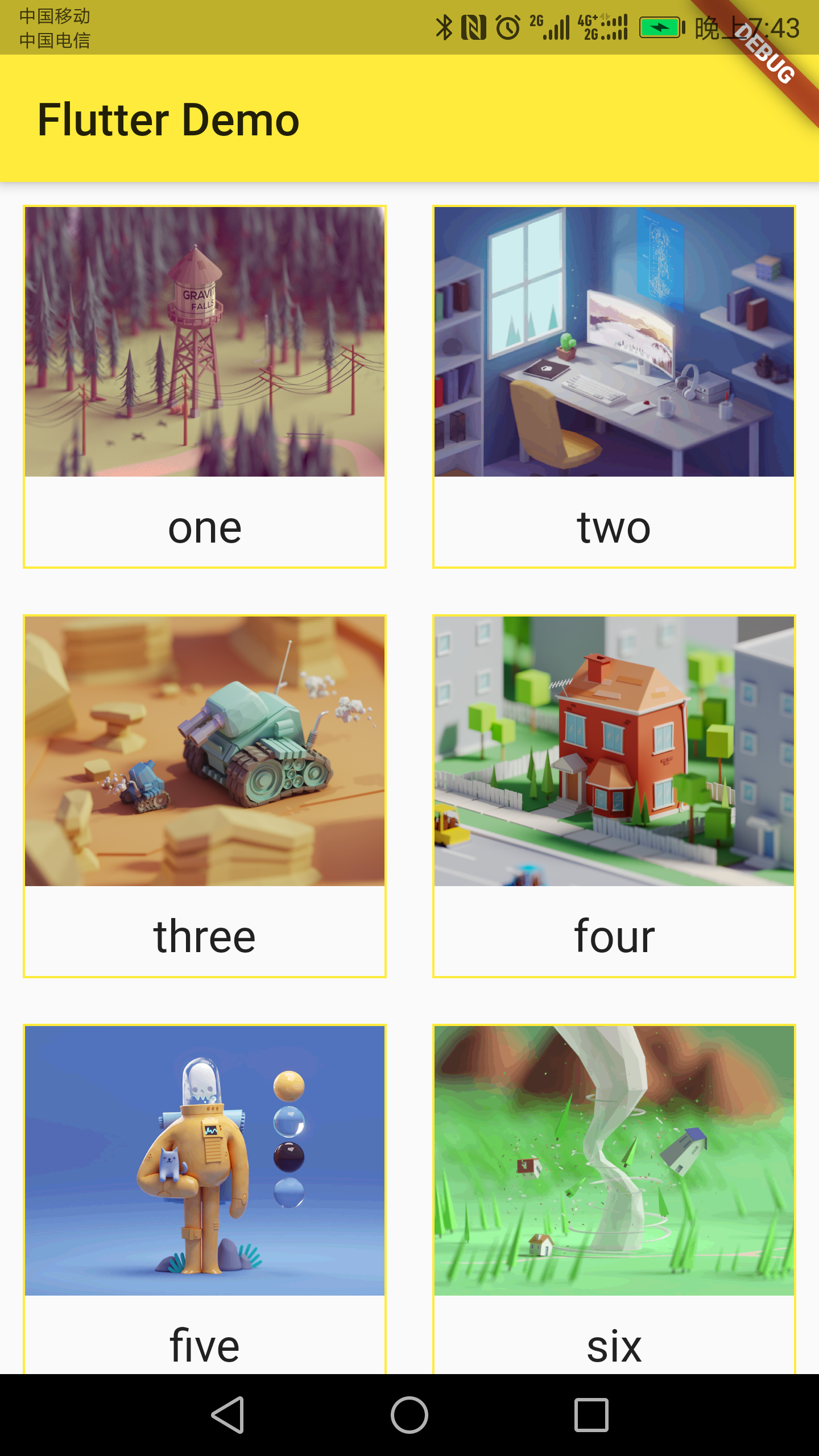
* 网格布局
class HomeContent extends StatelessWidget {

  List<Widget> _getListData() {

    var tempList = listData.map((value) {

      return Container(

        child: Column(

          children: <Widget>[

            Image.network(value['imageUrl']),

            SizedBox(

              height: 10,

            ),

            Text(

              value['title'],

              textAlign: TextAlign.center,

              style: TextStyle(fontSize: 20),

            ),

          ],

        ),

        decoration: BoxDecoration(

            border: Border.all(

          color: Colors.yellow,

          width: 1,

        )),

      );

    });

    return tempList.toList();

  }

  @override

  Widget build(BuildContext context) {

    // TODO: implement build

    return GridView.count(

      crossAxisSpacing: 20.0, //水平子Widget之间间距

      mainAxisSpacing: 20.0, //垂直子Widget之间间距

      padding: EdgeInsets.all(10),

      crossAxisCount: 2, //一行的Widget数量

      // childAspectRatio: 0.7, //宽度和高度的比例

      children: this._getListData(),

    );

  }

}
效果图
优化
class HomeContent extends StatelessWidget {

  Widget _getListData(context, index) {

    return Container(

      child: Column(

        children: <Widget>[

          Image.network(listData[index]['imageUrl']),

          SizedBox(

            height: 10,

          ),

          Text(

            listData[index]['title'],

            textAlign: TextAlign.center,

            style: TextStyle(fontSize: 20),

          ),

        ],

      ),

      decoration: BoxDecoration(

          border: Border.all(

        color: Colors.yellow,

        width: 1,

      )),

    );

  }

  @override

  Widget build(BuildContext context) {

    return GridView.builder(

      gridDelegate: SliverGridDelegateWithFixedCrossAxisCount(

        crossAxisSpacing: 10.0, //水平子Widget之间间距

        mainAxisSpacing: 10.0, //垂直子Widget之间间距

        crossAxisCount: 2, //一行的Widget数量

      ),

      itemCount: listData.length,

      itemBuilder: this._getListData,

    );

  }

}
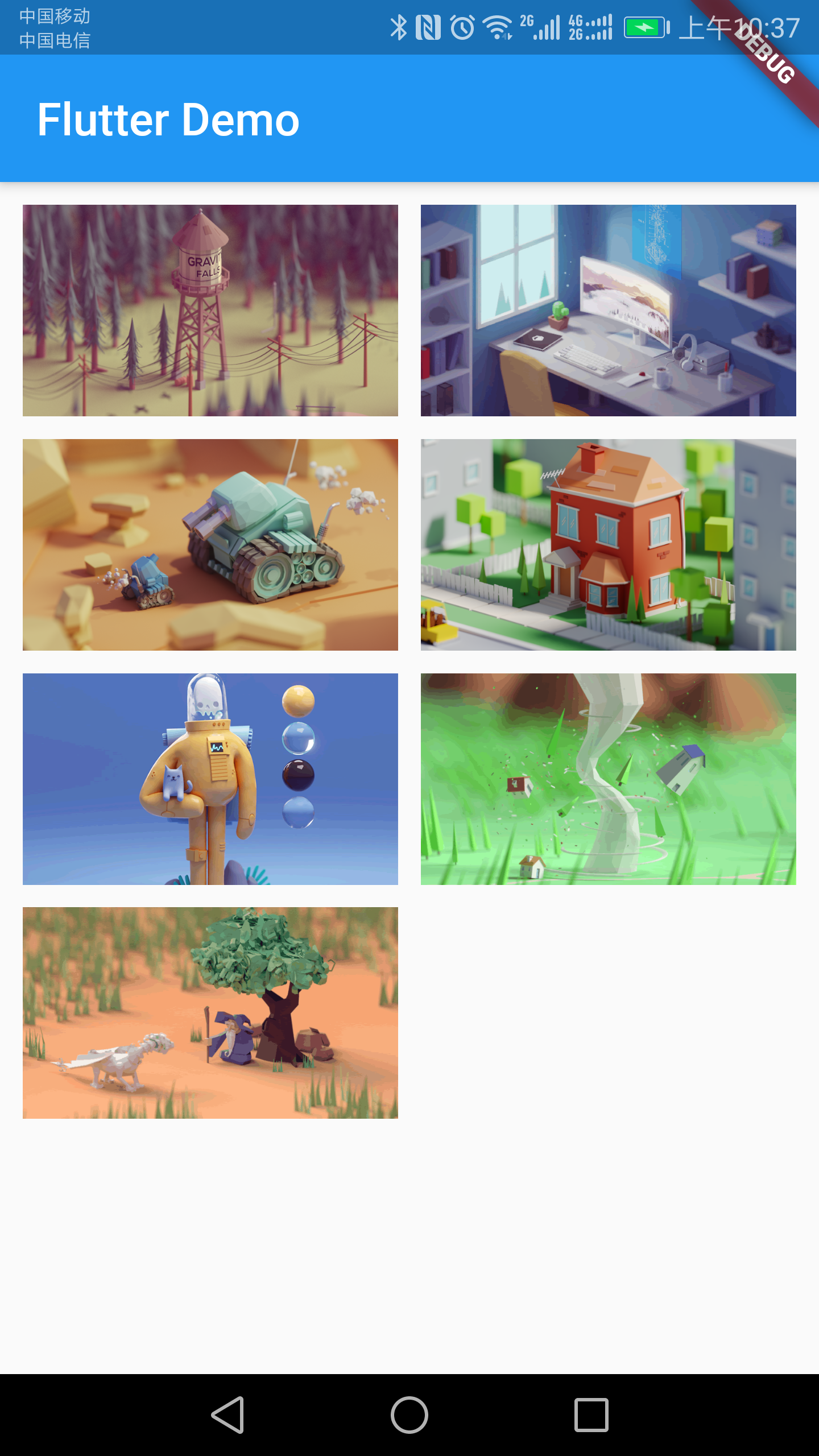
* Padding(个人感觉和Container很像)(下面的代码很难看,重要的是思路)
class HomeContent extends StatelessWidget {

  @override

  Widget build(BuildContext context) {

    return Padding(

        padding: EdgeInsets.fromLTRB(0, 0, 10, 0),

        child: GridView.count(

          crossAxisCount: 2,

          childAspectRatio: 1.7,

          children: <Widget>[

            Padding(

              padding: EdgeInsets.fromLTRB(10, 10, 0, 0),

              child: Image.network(

                'https://www.itying.com/images/flutter/1.png',

                fit: BoxFit.cover,

              ),

            ),

            Padding(

              padding: EdgeInsets.fromLTRB(10, 10, 0, 0),

              child: Image.network(

                'https://www.itying.com/images/flutter/2.png',

                fit: BoxFit.cover,

              ),

            ),

            Padding(

              padding: EdgeInsets.fromLTRB(10, 10, 0, 0),

              child: Image.network(

                'https://www.itying.com/images/flutter/3.png',

                fit: BoxFit.cover,

              ),

            ),

            Padding(

              padding: EdgeInsets.fromLTRB(10, 10, 0, 0),

              child: Image.network(

                'https://www.itying.com/images/flutter/4.png',

                fit: BoxFit.cover,

              ),

            ),

            Padding(

              padding: EdgeInsets.fromLTRB(10, 10, 0, 0),

              child: Image.network(

                'https://www.itying.com/images/flutter/5.png',

                fit: BoxFit.cover,

              ),

            ),

            Padding(

              padding: EdgeInsets.fromLTRB(10, 10, 0, 0),

              child: Image.network(

                'https://www.itying.com/images/flutter/6.png',

                fit: BoxFit.cover,

              ),

            ),

            Padding(

              padding: EdgeInsets.fromLTRB(10, 10, 0, 0),

              child: Image.network(

                'https://www.itying.com/images/flutter/7.png',

                fit: BoxFit.cover,

              ),

            ),

          ],

        ));

  }

}
效果图
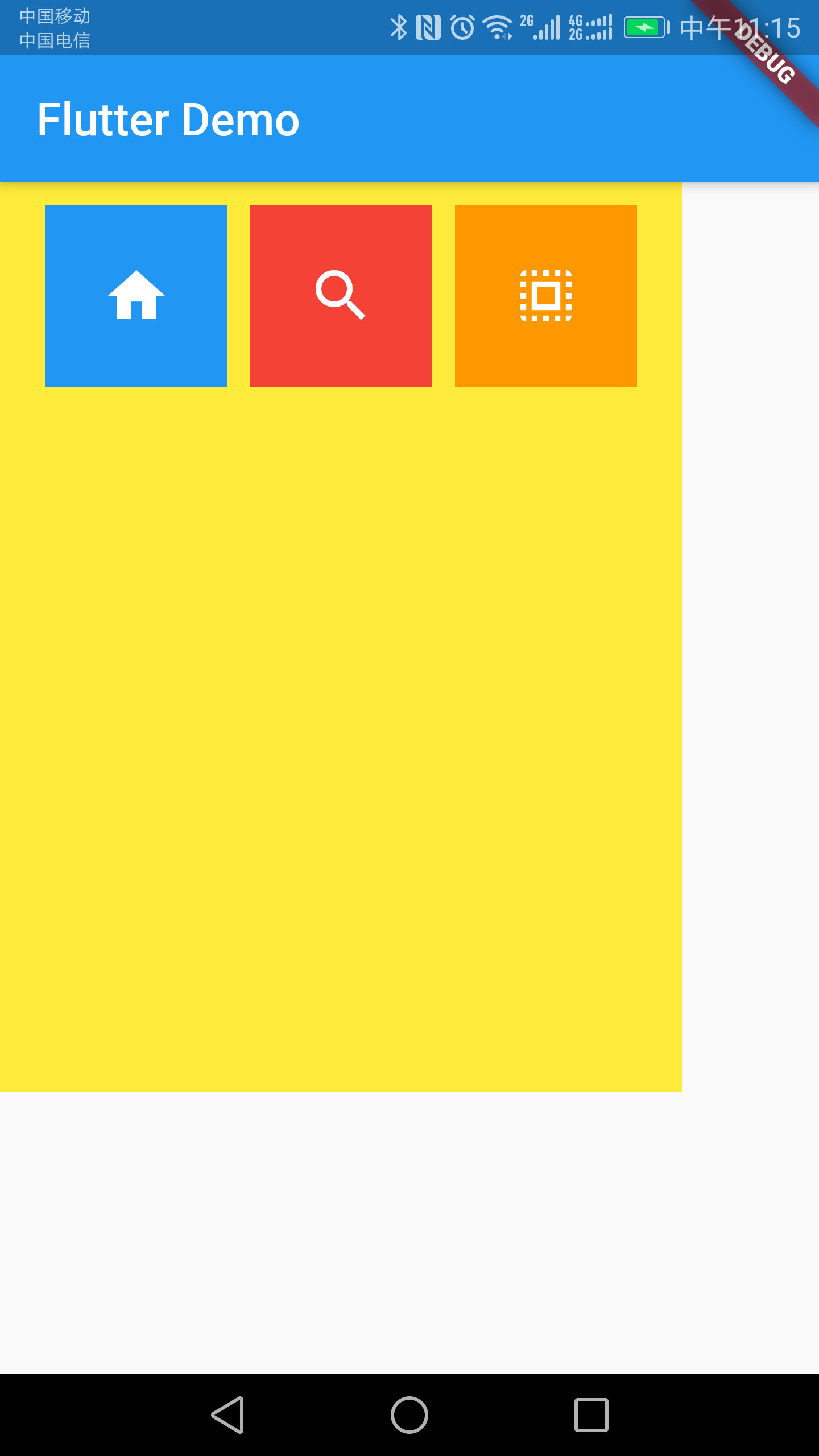
* Row横向排序(Column同理)
class HomeContent extends StatelessWidget {

  @override

  Widget build(BuildContext context) {

    return Container(

      height: 400.0,

      width: 300.0,

      color: Colors.yellow,

      padding: EdgeInsets.all(10),

      child: Row(

        mainAxisAlignment: MainAxisAlignment.spaceEvenly,

        crossAxisAlignment: CrossAxisAlignment.start,

        children: <Widget>[

          IconContainer(Icons.home, color: Colors.blue),

          IconContainer(Icons.search, color: Colors.red),

          IconContainer(Icons.select_all, color: Colors.orange)

        ],

      ),

    );

  }

}

class IconContainer extends StatelessWidget {

  double size;

  Color color;

  IconData icon;

  IconContainer(this.icon, {this.color = Colors.red, this.size = 30.0});

  @override

  Widget build(BuildContext context) {

    return Container(

      height: 80.0,

      width: 80.0,

      color: this.color,

      child: Center(

        child: Icon(

          this.icon,

          size: this.size,

          color: Colors.white,

        ),

      ),

    );

  }

}
效果图
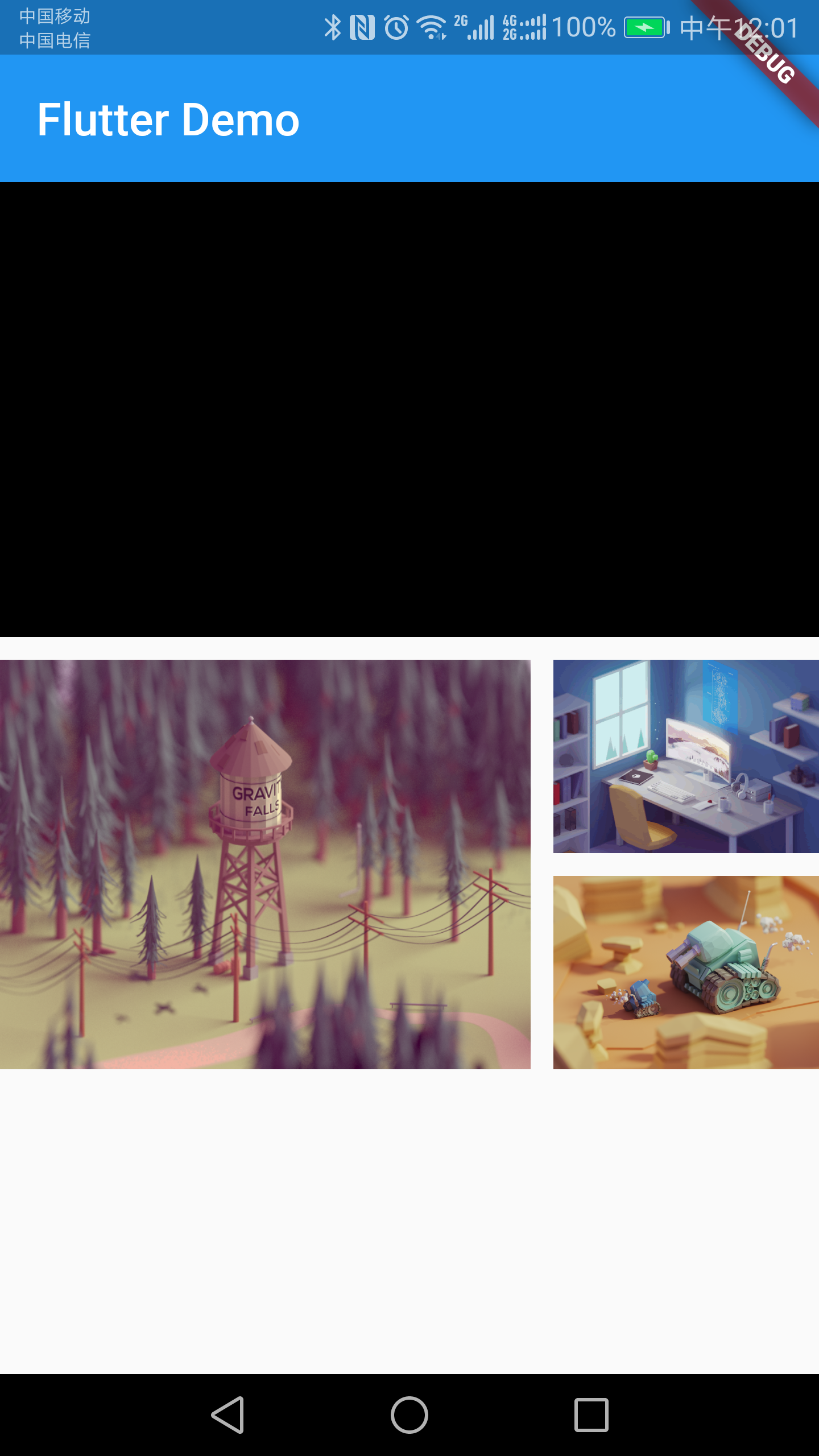
* 复杂布局
class HomeContent extends StatelessWidget {

  @override

  Widget build(BuildContext context) {

    return Column(children: <Widget>[

      Row(

        children: <Widget>[

          Expanded(

              child: Container(

            height: 200,

            color: Colors.black,

            child: Text('你好Flutter'),

          ))

        ],

      ),

      SizedBox(height: 10),

      Row(children: <Widget>[

        Expanded(

            flex: 2,

            child: Container(

                height: 180,

                child: Image.network(

                    'https://www.itying.com/images/flutter/1.png',

                    fit: BoxFit.cover))),

        SizedBox(width: 10),

        Expanded(

            flex: 1,

            child: Container(

                height: 180,

                child: ListView(

                  children: <Widget>[

                    Container(

                        height: 85,

                        child: Image.network(

                            'https://www.itying.com/images/flutter/2.png',

                            fit: BoxFit.cover)),

                    SizedBox(height: 10),

                    Container(

                        height: 85,

                        child: Image.network(

                            'https://www.itying.com/images/flutter/3.png',

                            fit: BoxFit.cover)),

                  ],

                )))

      ])

    ]);

  }

}
效果图
* Stack+Align
Stack(类似android的relativelayout)
class HomeContent extends StatelessWidget {

  @override

  Widget build(BuildContext context) {

    return Center(

      child: Container(

        height: 400,

        width: 300,

        color: Colors.red,

        child: Stack(

          children: <Widget>[

            Align(

              alignment: Alignment.topLeft,

              child: Icon(Icons.home, size: 40, color: Colors.white),

            ),

            Align(

              alignment: Alignment.center,

              child: Icon(Icons.search, size: 30, color: Colors.white),

            ),

            Align(

              alignment: Alignment.bottomRight,

              child: Icon(Icons.settings_applications,

                  size: 60, color: Colors.white),

            ),

          ],

        ),

      ),

    );

  }

}
效果图

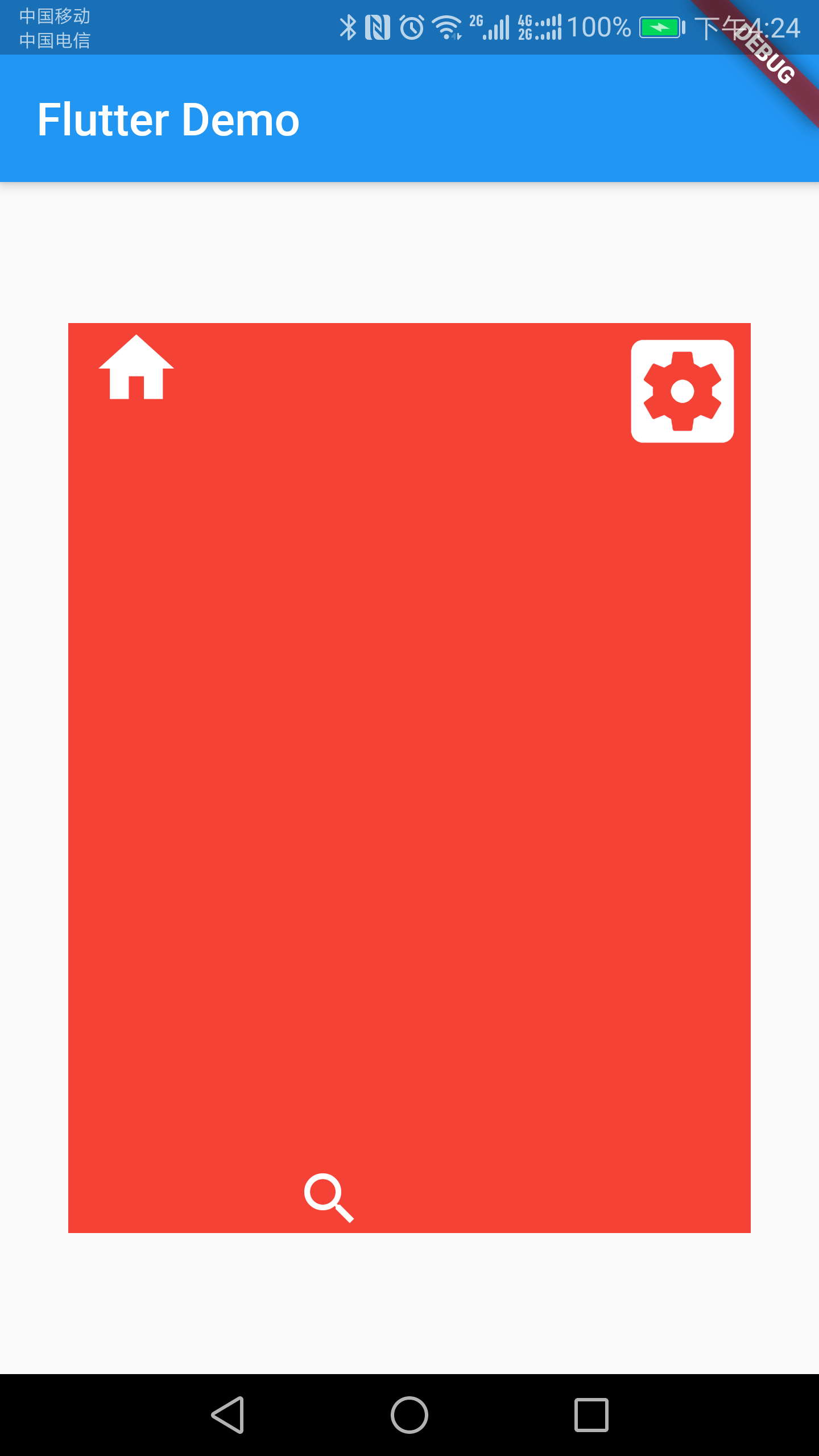
* Stack+Positioned
class HomeContent extends StatelessWidget {

  @override

  Widget build(BuildContext context) {

    return Center(

      child: Container(

        height: 400,

        width: 300,

        color: Colors.red,

        child: Stack(

          children: <Widget>[

            Positioned(

              left: 10, //距离左边10

              child: Icon(Icons.home, size: 40, color: Colors.white),

            ),

            Positioned(

              bottom: 0, //距离左边0

              left: 100, //距离左边100

              child: Icon(Icons.search, size: 30, color: Colors.white),

            ),

            Positioned(

              right: 0, //距离右边0

              child: Icon(Icons.settings_applications,

                  size: 60, color: Colors.white),

            ),

          ],

        ),

      ),

    );

  }

}
效果图
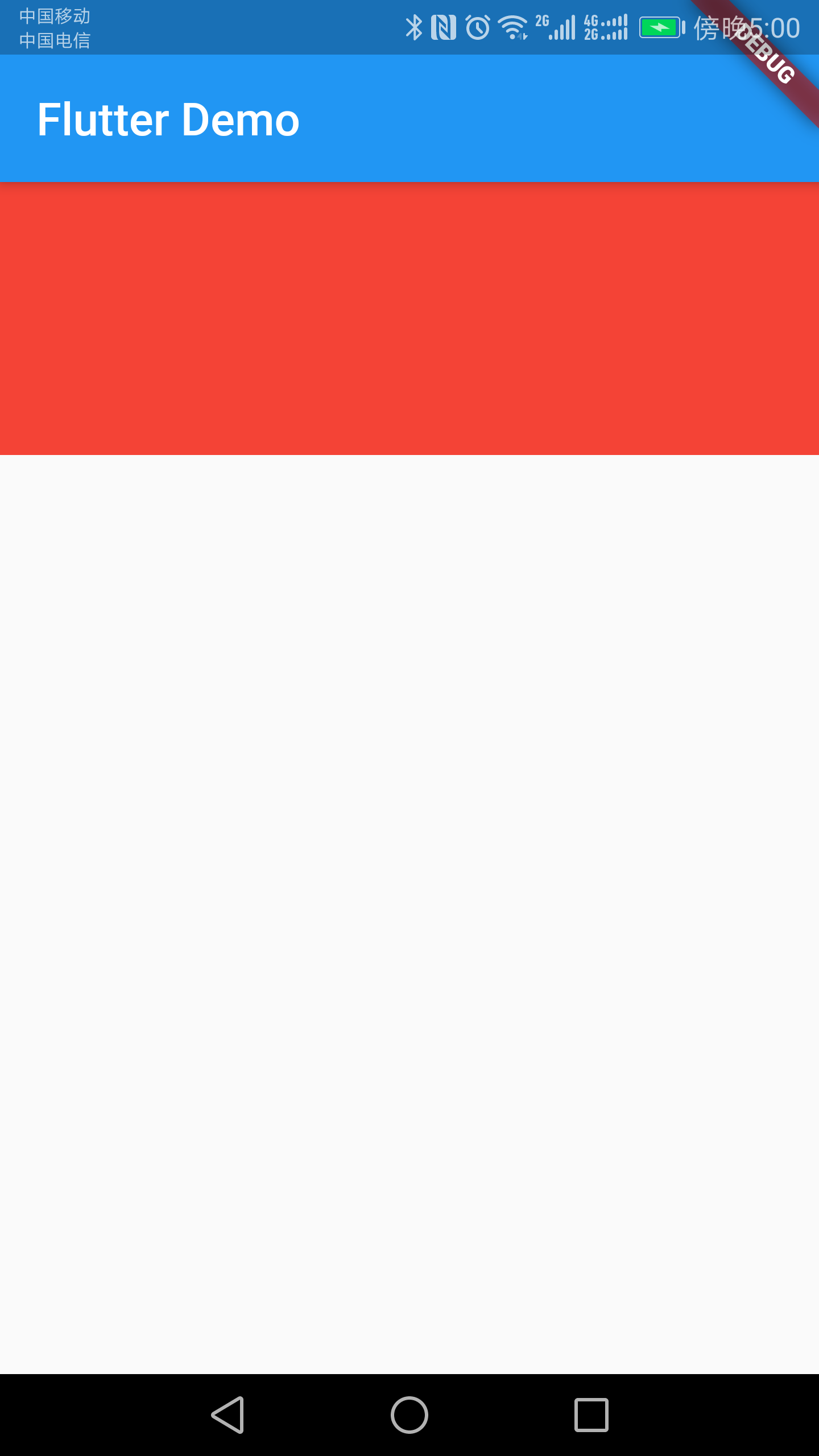
* AspectRatio宽高比组件
class HomeContent extends StatelessWidget {

  @override

  Widget build(BuildContext context) {

    return AspectRatio(

      aspectRatio: 3.0 / 1.0, //宽高比

      child: Container(

        color: Colors.red,

      ),

    );

  }

}
效果图
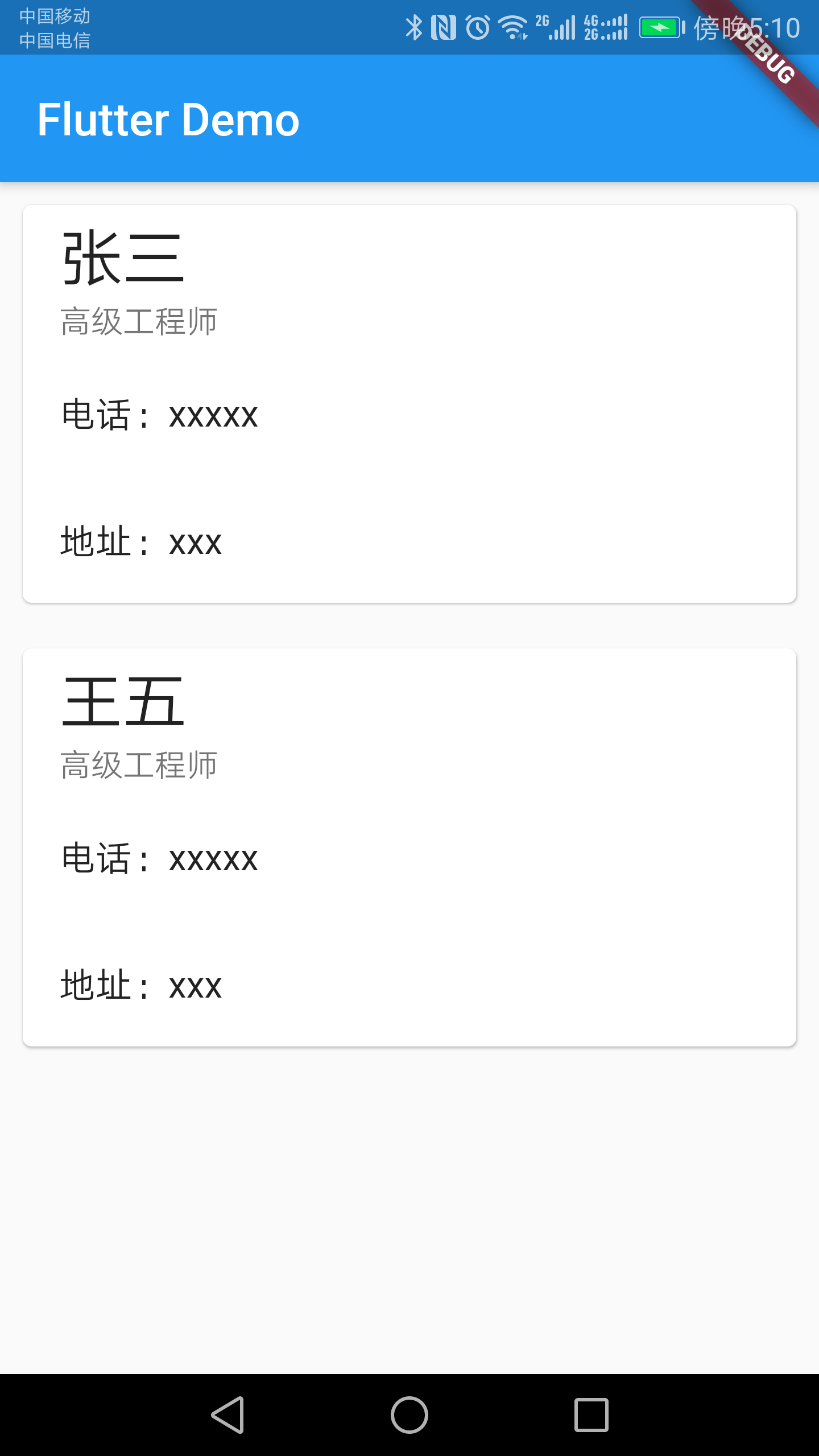
* 卡片
class HomeContent extends StatelessWidget {

  @override

  Widget build(BuildContext context) {

    return ListView(

      children: <Widget>[

        Card(

          margin: EdgeInsets.all(10),

          child: Column(

            children: <Widget>[

              ListTile(

                title: Text(

                  '张三',

                  style: TextStyle(fontSize: 28),

                ),

                subtitle: Text('高级工程师'),

              ),

              ListTile(

                title: Text("电话:xxxxx"),

              ),

              ListTile(

                title: Text("地址:xxx"),

              )

            ],

          ),

        ),

        Card(

          margin: EdgeInsets.all(10),

          child: Column(

            children: <Widget>[

              ListTile(

                title: Text(

                  '王五',

                  style: TextStyle(fontSize: 28),

                ),

                subtitle: Text('高级工程师'),

              ),

              ListTile(

                title: Text("电话:xxxxx"),

              ),

              ListTile(

                title: Text("地址:xxx"),

              )

            ],

          ),

        ),

      ],

    );

  }

}
效果图
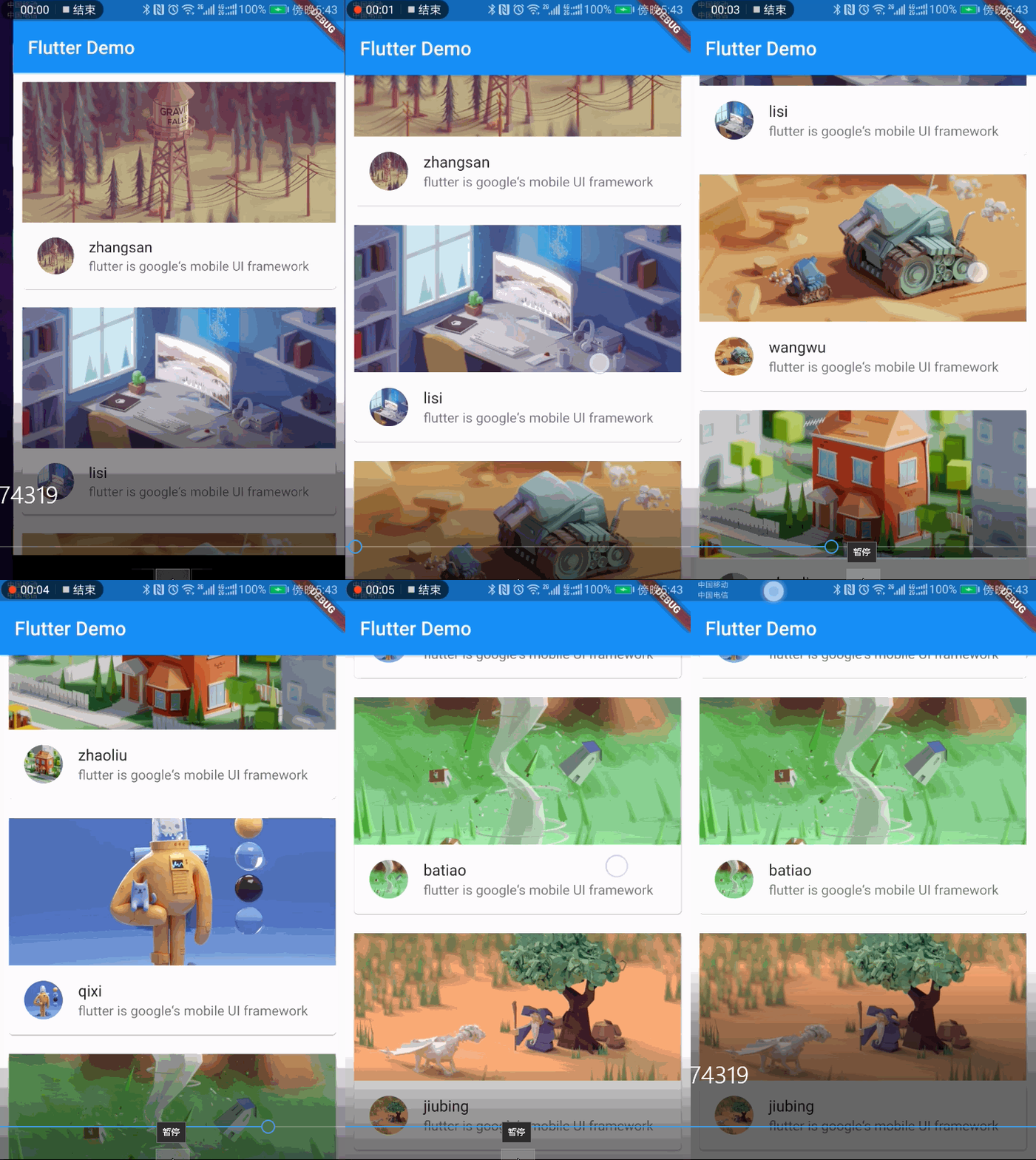
* 图文卡片
listData.dart
List listData = [

  {

    "title": 'zhangsan',

    "author": 'alibaba',

    "imageUrl": 'https://www.itying.com/images/flutter/1.png',

    "discription": 'flutter is google‘s mobile UI framework',

  },

  {

    "title": 'lisi',

    "author": 'huawei',

    "imageUrl": 'https://www.itying.com/images/flutter/2.png',

    "discription": 'flutter is google‘s mobile UI framework',

  },

  {

    "title": 'wangwu',

    "author": 'wangyi',

    "imageUrl": 'https://www.itying.com/images/flutter/3.png',

    "discription": 'flutter is google‘s mobile UI framework',

  },

  {

    "title": 'zhaoliu',

    "author": 'jinritoutiao',

    "imageUrl": 'https://www.itying.com/images/flutter/4.png',

    "discription": 'flutter is google‘s mobile UI framework',

  },

  {

    "title": 'qixi',

    "author": 'dajiang',

    "imageUrl": 'https://www.itying.com/images/flutter/5.png',

    "discription": 'flutter is google‘s mobile UI framework',

  },

  {

    "title": 'batiao',

    "author": 'tengxun',

    "imageUrl": 'https://www.itying.com/images/flutter/6.png',

    "discription": 'flutter is google‘s mobile UI framework',

  },

  {

    "title": 'jiubing',

    "author": 'weixin',

    "imageUrl": 'https://www.itying.com/images/flutter/7.png',

    "discription": 'flutter is google‘s mobile UI framework',

  },

];
class MyApp extends StatelessWidget {

  @override

  Widget build(BuildContext context) {

    return MaterialApp(

      home: Scaffold(

        appBar: AppBar(title: Text('Flutter Demo')),

        body: HomeContent(),

      ),

      theme: ThemeData(primaryColor: Colors.blue),

    );

  }

}

class HomeContent extends StatelessWidget {

  @override

  Widget build(BuildContext context) {

    return ListView(

      children: listData.map((value) {

        return Card(

          margin: EdgeInsets.all(10),

          child: Column(

            children: <Widget>[

              AspectRatio(

                aspectRatio: 20 / 9,

                child: Image.network(value["imageUrl"], fit: BoxFit.cover),

              ),

              ListTile(

                leading: CircleAvatar(

                    //头像组件

                    backgroundImage: NetworkImage(value["imageUrl"])),

                title: Text(value["title"]),

                subtitle: Text(

                  value["discription"],

                  overflow: TextOverflow.ellipsis,

                ),

              )

            ],

          ),

        );

      }).toList(),

    );

  }
效果图很好看
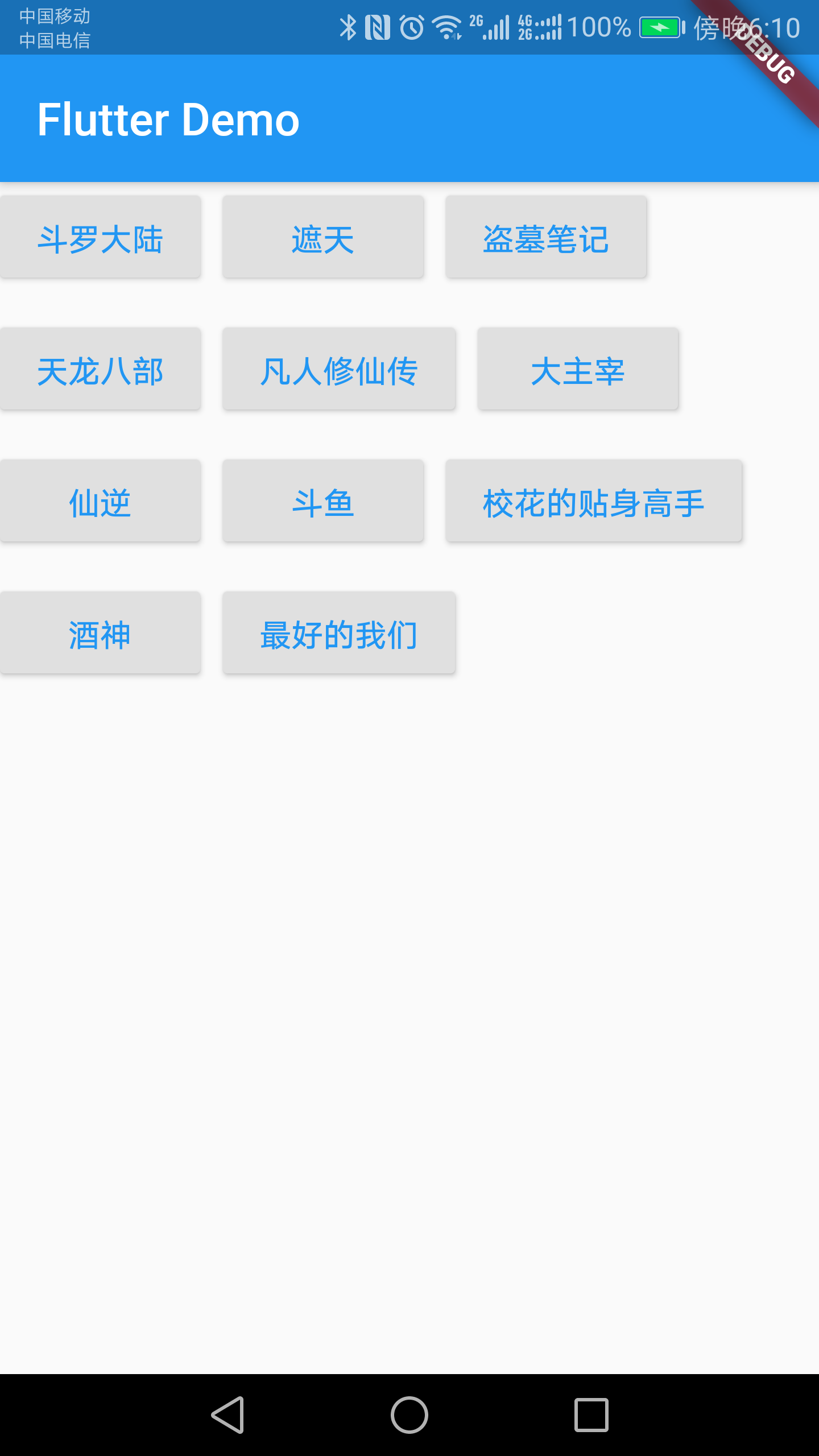
* Wrap 流布局
class HomeContent extends StatelessWidget {

  @override

  Widget build(BuildContext context) {

    return Wrap(

      spacing: 10,

      runSpacing: 10,

      // direction: Axis.vertical,//竖直排列

      alignment: WrapAlignment.start,

      children: <Widget>[

        MyButton("斗罗大陆"),

        MyButton("遮天"),

        MyButton("盗墓笔记"),

        MyButton("天龙八部"),

        MyButton("凡人修仙传"),

        MyButton("大主宰"),

        MyButton("仙逆"),

        MyButton("斗鱼"),

        MyButton("校花的贴身高手"),

        MyButton("酒神"),

        MyButton("最好的我们"),

      ],

    );

  }

}

class MyButton extends StatelessWidget {

  final String text;

  MyButton(this.text);

  @override

  Widget build(BuildContext context) {

    return RaisedButton(

      child: Text(this.text),

      textColor: Theme.of(context).accentColor,

      onPressed: () {},

    );

  }

}
效果图
欢迎关注我的微信公众号:安卓圈

Flutter入门(二)的更多相关文章
- Flutter入门教程(四)第一个flutter项目解析
一.创建一个Flutter工程 1.1 命令行创建 首先我们找一个空目录用来专门存放flutter项目,然后在路径中直接输入cmd: 使用 flutter create <projectname ...
- 【原创】NIO框架入门(二):服务端基于MINA2的UDP双向通信Demo演示
前言 NIO框架的流行,使得开发大并发.高性能的互联网服务端成为可能.这其中最流行的无非就是MINA和Netty了,MINA目前的主要版本是MINA2.而Netty的主要版本是Netty3和Netty ...
- Swift语法基础入门二(数组, 字典, 字符串)
Swift语法基础入门二(数组, 字典, 字符串) 数组(有序数据的集) *格式 : [] / Int / Array() let 不可变数组 var 可变数组 注意: 不需要改变集合的时候创建不可变 ...
- Thinkphp入门 二 —空操作、空模块、模块分组、前置操作、后置操作、跨模块调用(46)
原文:Thinkphp入门 二 -空操作.空模块.模块分组.前置操作.后置操作.跨模块调用(46) [空操作处理] 看下列图: 实际情况:我们的User控制器没有hello()这个方法 一个对象去访问 ...
- DevExpress XtraReports 入门二 创建 data-aware(数据感知) 报表
原文:DevExpress XtraReports 入门二 创建 data-aware(数据感知) 报表 本文只是为了帮助初次接触或是需要DevExpress XtraReports报表的人群使用的, ...
- css入门二-常用样式
css入门二-常用样式总结 基本标签样式 背景色background-color 高度height; 宽度width; 边框对齐以及详细设定举例 width/*宽度*/: 80%; height/*高 ...
- 微服务(入门二):netcore通过consul注册服务
基础准备 1.创建asp.net core Web 应用程序选择Api 2.appsettings.json 配置consul服务器地址,以及本机ip和端口号信息 { "Logging&qu ...
- IM开发者的零基础通信技术入门(二):通信交换技术的百年发展史(下)
1.系列文章引言 1.1 适合谁来阅读? 本系列文章尽量使用最浅显易懂的文字.图片来组织内容,力求通信技术零基础的人群也能看懂.但个人建议,至少稍微了解过网络通信方面的知识后再看,会更有收获.如果您大 ...
- 脑残式网络编程入门(二):我们在读写Socket时,究竟在读写什么?
1.引言 本文接上篇<脑残式网络编程入门(一):跟着动画来学TCP三次握手和四次挥手>,继续脑残式的网络编程知识学习 ^_^. 套接字socket是大多数程序员都非常熟悉的概念,它是计算机 ...
- 2.Python爬虫入门二之爬虫基础了解
1.什么是爬虫 爬虫,即网络爬虫,大家可以理解为在网络上爬行的一直蜘蛛,互联网就比作一张大网,而爬虫便是在这张网上爬来爬去的蜘蛛咯,如果它遇到资源,那么它就会抓取下来.想抓取什么?这个由你来控制它咯. ...
随机推荐
- C程序回顾
1.字符串操作 C中,字符串以一维数组的方式存储.字符串结束标志\0,可用scanf("%s",c);输入,以空格作为输入字符串之间的分隔符. 字符串处理函数:puts(str); ...
- jmeter中如何引用Java
通过source()获取java文件: vars.get,获取参数type_id的值
- nuxt 中使用 koa-session
官方 github 网址:https://github.com/koajs/session 自己做的demo:https://github.com/cag2050/nuxt_session_demo ...
- Goland在go mod vendor模式下无法识别某些库
症状:go build可以正常编译,但代码编辑器里面提示找不到相关lib,后来发现是因为go.mod中没有用require这个库,补上库地址和版本.因为项目的mod vendor模式,版本一般不需要写 ...
- Oracle执行过程中出现的问题
ORA-02292: 违反完整约束条件 (用户名.约束名) - 已找到子记录 造成原因:删除该表时,有依赖该表的子表数据,需要删除该条记录或者禁用约束. 查看约束所在的表:select * from ...
- elasticsearch集群搭建-windows
1.下载elasticsearch到本地并解压 下载地址: https://www.elastic.co/cn/downloads/elasticsearch 解压之后复制两份,node1当作主节点, ...
- arduino 开发视频
http://blog.uctronics.com/downloads/shields/ArduCAM_Camera_Shield_V2_DS.pdf http://www.arducam.com/k ...
- Word pair Hu
Memorize words in the way of games, learn foreign languages, and be more handy
- graphql-compose graphql schema 生成工具集
graphql-compose 是一个强大的graphql schema 生成工具集 包含以下特性 快速便捷的复杂类型生成 类型仓库,类型可以存储在schemacomposer 存储中 包含flowt ...
- cortex 基本试用
cortext是prometheus的多租户解决方案,目前在cncf 沙箱孵化,以下是一个简单的试用 注意因为golang 包的问题,而且以下依赖的几个项目都是基于go module 的所以使用了go ...