
gitlab的安装和基本使用
一、gitlab的安装
1)安装依赖包
sudo yum install git vim gcc glibc-statc telnet -y

sudo yum install -y curl policycoreutils-python openssh-server

sudo systemctl enable sshd

sudo systemctl start sshd

sudo yum install postfix

sudo systemctl enable postfix

sudo systemctl start postfix
安装依赖
2)设置防火墙(可选)
sudo firewall-cmd --permanent --add-service=http

sudo systemctl reload firewalld
3)添加gitlab安装源
3.1)设置国内安装源,如设置清华大学的源
vim /etc/yum.repos.d/gitlab-ce.repo

[gitlab-ce]

name=Gitlab CE Repository

baseurl=https://mirrors.tuna.tsinghua.edu.cn/gitlab-ce/yum/el$releasever/

gbgcheck=

enable=
国内清华源
3.2)在国外,设置国外源
curl https://packages.gitlab.com/install/repositories/gitlab/gitlab-ee/script.rpm.sh | sudo bash
国外源
4)安装gitlab
4.1)设置域名方式安装
sudo EXTERNAL_URL="http://gitlab.example.com" yum install -y gitlab-ce
域名安装
4.11)可购买真实发域名方式,替换上面的域名
4.12)本地域名测试,在 /etc/hosts里面添加
192.168.1.20 gitlab.example.com
4.2)不设置域名安装方式
yum install gitlab-ce    安装

gitlab-ctl reconfigure   修改配置
4.3)如果安装遇到问题解决。--nogpgcheck

EXTERNAL_URL="http://gitlab.example.com" yum install -y gitlab-ce --nogpgcheck
安装好修改配置文件
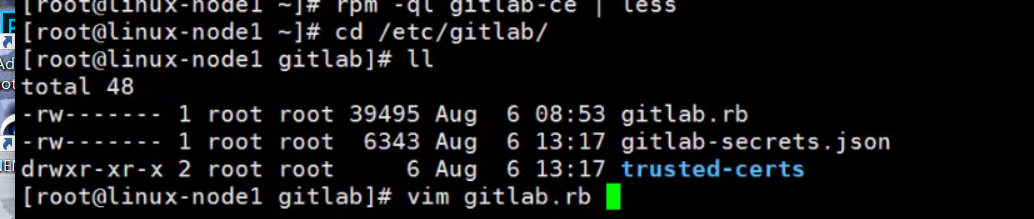

5)启动查看状态
gitlab-ctl reconfigure

[root@gitlab ~]# gitlab-ctl status

run: alertmanager: (pid ) 431s; run: log: (pid ) 430s

run: gitaly: (pid ) 432s; run: log: (pid ) 432s

run: gitlab-monitor: (pid ) 432s; run: log: (pid ) 431s

run: gitlab-workhorse: (pid ) 432s; run: log: (pid ) 431s

run: logrotate: (pid ) 487s; run: log: (pid ) 432s

run: nginx: (pid ) 493s; run: log: (pid ) 432s

run: node-exporter: (pid ) 475s; run: log: (pid ) 432s

run: postgres-exporter: (pid ) 430s; run: log: (pid ) 430s

run: postgresql: (pid ) 534s; run: log: (pid ) 432s

run: prometheus: (pid ) 431s; run: log: (pid ) 431s

run: redis: (pid ) 540s; run: log: (pid ) 432s

run: redis-exporter: (pid ) 463s; run: log: (pid ) 431s

run: sidekiq: (pid ) 501s; run: log: (pid ) 432s

run: unicorn: (pid ) 507s; run: log: (pid ) 432s
启动
6)本地测试访问注意问题
虚拟机中   /etc/hosts里面添加

192.168.0.49   gitlab.example.com

本地电脑中 C:\Windows\System32\drivers\etc\hosts

192.168.0.49   gitlab.example.com
强调hosts文件
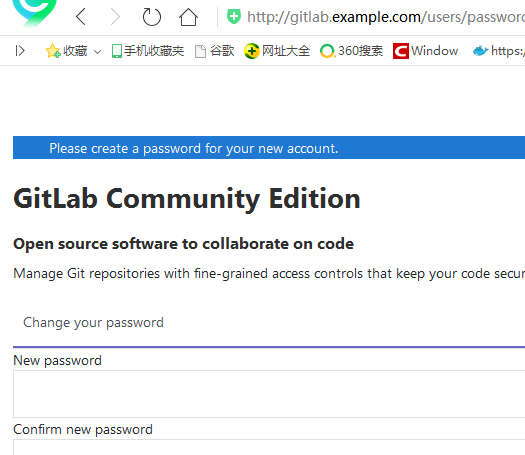
访问成功
7)gitlab常用命令
sudo gitlab-ctl start    # 启动所有 gitlab 组件;

sudo gitlab-ctl stop        # 停止所有 gitlab 组件;

sudo gitlab-ctl restart        # 重启所有 gitlab 组件;

sudo gitlab-ctl status        # 查看服务状态;

sudo gitlab-ctl reconfigure        # 启动服务;

sudo vim /etc/gitlab/gitlab.rb        # 修改默认的配置文件;

gitlab-rake gitlab:check SANITIZE=true --trace    # 检查gitlab;

sudo gitlab-ctl tail        # 查看日志;
gitlab常用命令
二、使用gitlab
1)创建用户名登录
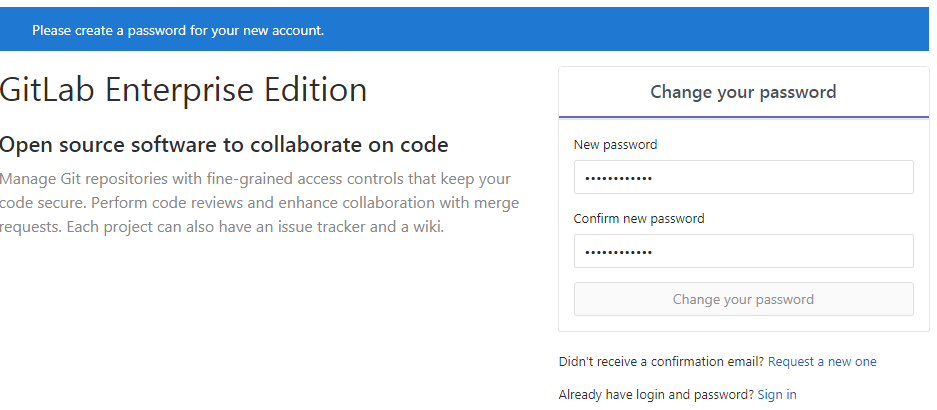
跳转至登录界面

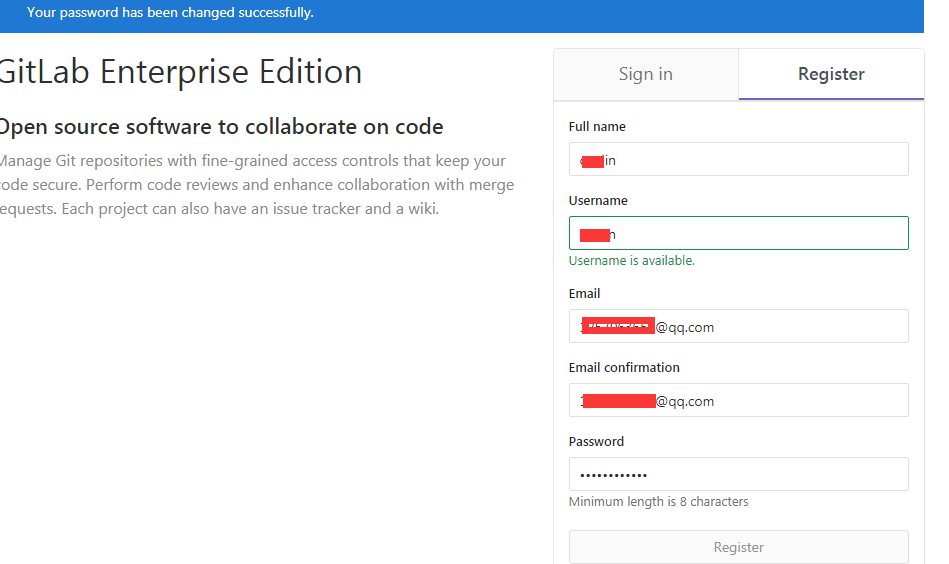
2)添加秘钥设置
在服务器上生成秘钥,复制公钥内容进来
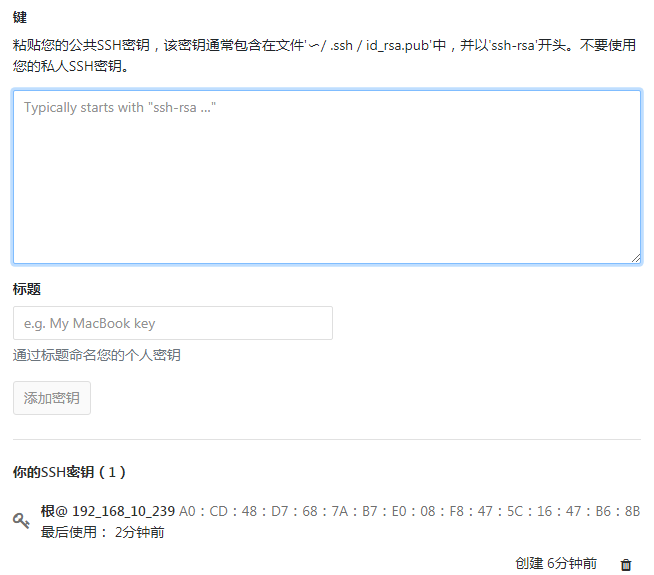
可使用ssh秘钥免费下载
[root@redis02 gitlab_test]# git clone git@192.168.10.239:user/public.git

Cloning into 'public'...

The authenticity of host '192.168.10.239 (192.168.10.239)' can't be established.

RSA key fingerprint is b5:f4::a4::2f:fd:5d::ba:8c:a4:e4:c2::5d.

Are you sure you want to continue connecting (yes/no)? yes

Warning: Permanently added '192.168.10.239' (RSA) to the list of known hosts.

remote: Enumerating objects: , done.

remote: Counting objects: % (/), done.

remote: Compressing objects: % (/), done.

remote: Total  (delta ), reused  (delta )

Receiving objects: % (/), done.

Checking connectivity... done.
修改代码上传
[root@redis02 public]# git config --global user.email "1257073656@qq.com"

[root@redis02 public]# git config --global user.name "user"

[root@redis02 public]# git commit -m "change on linux"

[master 3bb2d0d] change on linux

  file changed,  insertion(+)

[root@redis02 public]# git push origin master

Counting objects: , done.

Compressing objects: % (/), done.

Writing objects: % (/),  bytes |  bytes/s, done.

Total  (delta ), reused  (delta )

To git@192.168.10.239:caojin/public.git

   18965a3..3bb2d0d  master -> master
三、新版本gitlab测试
1)取消注册功能
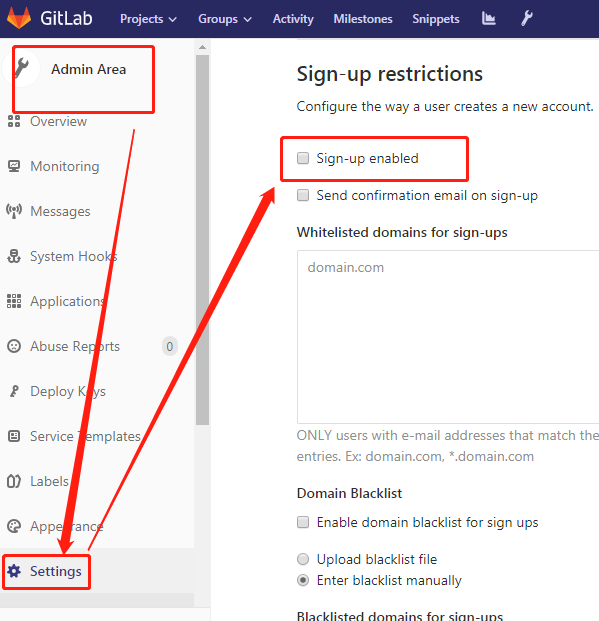
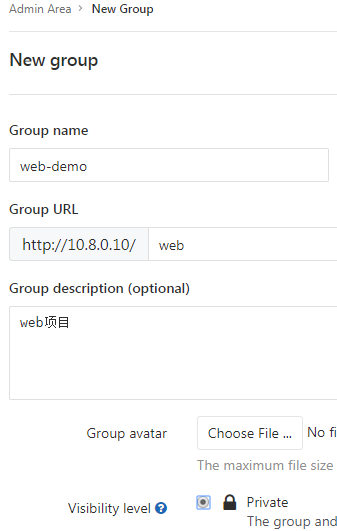
2)创建项目之前先创建组
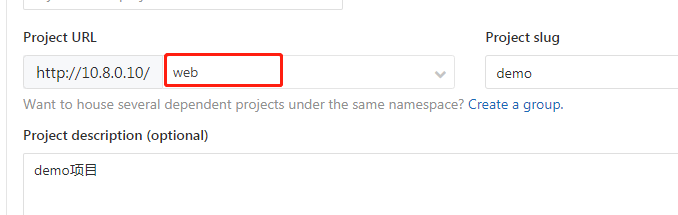
2)创建项目。可以选择之前的建立的组
3)git对提交代码的版本控制
[root@node02 demo]# git show|grep commit

commit f0e08a0c0df9d6e82ebaf4833bd446d7edd48422

[root@node02 demo]# git show|grep commit|cut -d ' ' -f2

f0e08a0c0df9d6e82ebaf4833bd446d7edd48422

[root@node02 demo]# API_VERL=$(git show|grep commit|cut -d ' ' -f2)

[root@node02 demo]# echo $API_VERL

f0e08a0c0df9d6e82ebaf4833bd446d7edd48422

[root@node02 demo]# echo ${API_VERL::}

f0e08a

[root@node02 demo]# API_VER=$(echo ${API_VERL::})

[root@node02 demo]# echo $API_VER

f0e08a
4)修改拉取代码的默认url
vim /etc/gitlab/gitlab.rb

.....

# external_url 'http://gitlab.example.com'

external_url 'http://192.168.10.24'

[root@node02 gitlab]# gitlab-ctl reconfigure  重启
gitlab的安装和基本使用的更多相关文章
- gitlab一键安装 (转)
原文地址:http://www.2cto.com/os/201411/353292.html 0 简介bitnami和gitlab bitnami BitNami是一个开源项目,该项目产生的开源软件包 ...
- gitlab的安装以及汉化
gitlab的安装 首先在网上下载好任意版本gitlab的rpm包 推荐下面的地址: https://mirrors.tuna.tsinghua.edu.cn/gitlab-ce/yum/el7/gi ...
- gitlab一键安装+配置(备份+LADP认证)
gitlab一键安装+配置(备份+LADP认证) #gitlab一键安装 #centos6 mini, GitLab社区版 #参考官方最新文档 https://www.gitlab.com.cn/in ...
- Gitlab的安装与实践
tucao 先让我来吐槽一下下,使用GitHub以及Bitbucket比较不太稳定,尤其是后者,可以说是极其不稳定,甚至无法克隆仓库到本地.因此,决定安装一款开源且免费的Git服务到自己的服务器主机上 ...
- Gitlab的安装及项目新建
1. Gitlab的安装及仓库创建 1.1下载gitlab安装包 1).官网下载速度较慢 建议先行下载 国内的源里面可以找到最新的版本https://mirrors.tuna.tsinghua.edu ...
- DevOps之一 Gitlab的安装与配置
gitlab的安装 参考治疗:https://www.gitlab.com.cn/installation/#centos-7 http://www.21yunwei.com/archives/435 ...
- docker+gitlab的安装和迁移
docker+gitlab的安装 docker search gitlab docker pull docker.io/gitlab/gitlab-ce docker run --name=: -- ...
- Gitlab的安装汉化及问题解决
Gitlab的安装汉化及问题解决(2017/12/14目前版本为10.2.4) 一.前言 Gitlab需要安装的包太TM多了,源码安装能愁死个人,一直出错,后来发现几行命令就装的真是遇到的新大陆一样. ...
- 持续集成(1)gitlab的安装
操作系统:centos 6.5 关闭selinux # 修改/etc/selinux/config 文件 将SELINUX=enforcing改为SELINUX=disabled ,然后重启电脑 # ...
随机推荐
- Spark-shell错误:Missing Python executable 'python', defaulting to ...
最近博主因为学习<云计算导论>一课,需要在Windows上搭建Saprk,故在网上找了相关教程搭建,步骤如下: 1. Scala 2.Spark 3.Handoop 但是不管博主怎么修正, ...
- jquery中的 deferred之 then (二)
例: var def = $.Deferred(); var prs1 = def.then(function (val) { var result = val + "_123" ...
- 搭建redis-sentinel(哨兵机制)集群
redis怎么才能做到高可用 对于redis主从架构,slave可以对应多个本身可以保障高可用,但是对于一个master节点,如果宕机,整个缓存系统就无法进行写的操作,显然整个系统会无法做到高可用 s ...
- Taro开发微信小程序之利用腾讯地图sdk标记
首先要下载腾讯地图提供的sdk,放在项目的对应目录下,引用. import QQMapWX from '../../sdks/qqmap-wx-jssdk' 设置好后,就可以开始使用了. let qq ...
- webapi+ajax跨域问题及cookie设置
最近小玩了点东西,发现简单的东西总能遇到点问题 1.webapi跨域设置 [EnableCors(origins: "*", headers: "*", met ...
- Oracel递归查询start with ...connect by prior在Mysql中的实现
Oracle是一个强大的数据库,有很多的函数和语法可以带来很多便利,有些函数和语法在Mysql中有代替的,但是有些没有现成可用的方法,比如Oracle的递归,在Mysql中怎么实现呢? 例子: Ora ...
- Ganglia监控扩展实现机制
Ganglia监控扩展实现机制 默认安装完成的Ganglia仅向我们提供基础的系统监控信息,通过Ganglia插件可以实现两种扩展Ganglia监控功能的方法.1.添加带内(in-band)插件,主要 ...
- pwnable.kr-passcode-witeup
进入远端运行, 废话不多说,下载下来分析. 根据提示,编译一下子. 知道问题了. 想象着,输入的值到了passcode1和passcode2的值作为地址的地方,passcode1处刚输入值时,程序终止 ...
- python 从大到小排序
a = [3,7,4,9]a = sorted(a,reverse=True)print(a)#[9, 7, 4, 3]
- css样式之input输入框默认样式
帮朋友写个简单的课程设计,后面会贴出来,项目刚开始就遇到一个坑(给input输入框设定样式,但是,点击后会出现蓝色边框),之前写其他的项目时也遇到过,百度一下资料解决了,现在又碰到了,写一下,留着备用 ...