
利用SUM打java补丁
Upgrade Single JAVA Component Patch Level Using SUM Tool
Hi Friends,
I came across few posts/threads where people are looking -How to apply patch for single component with out generating XML file in solution manager. So I thought lets write a blog on this topic.
In this blog I would like to share detailed procedure – How to upgrade single JAVA component patch level using SUM tool without generating XML file, for example here I have updated the component ENGINEAPI from patch level 12 to 16.
Download the patch from SAP market Place and place it in a folder as per your convenience .
->Make sure we have component ENGINEAPI patch 16 available on the server
Here in this blog I have used the SUM tool SP level 20
Extract and Give Permission To SUM Tool
After extracting the SUM TOOL SAR File
GIVE the PERMISSION and OWNERSHIP to SUM Folder
We have to change the ownership of SUM Folder from root to
Use following Command:
chown adm:sapsys -r
Extract the SUM tool with as shown below
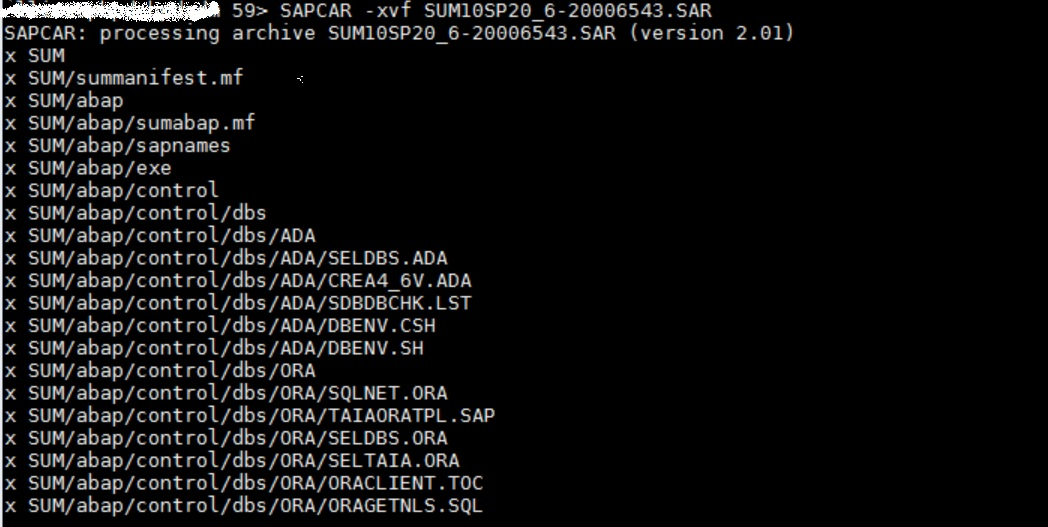
Give Full permission to folder SUM
chmod -R 777 SUM
In order to start the SUM tool in Linux, we need to run below command (it will restart SAP Host Agent)
Login with root user and execute the below command it will configure the host agent
/SUMSTART confighostagent
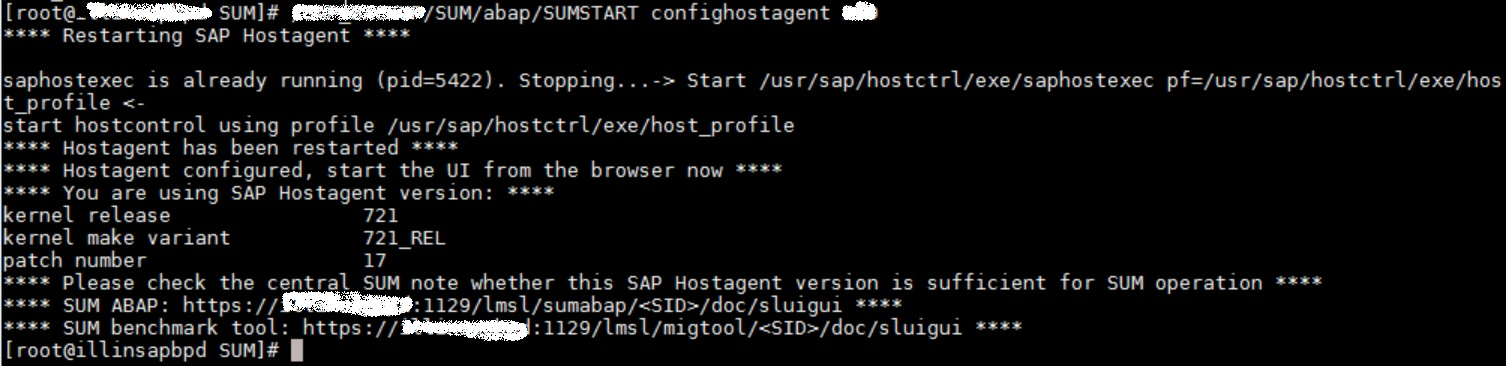
For java stack we have different URL for SUM tool
http://:1128/lmsl/sumjava//index.html
If you have extracted SUM tool with then we have to login with user itself, otherwise it will not allow to login with root user.
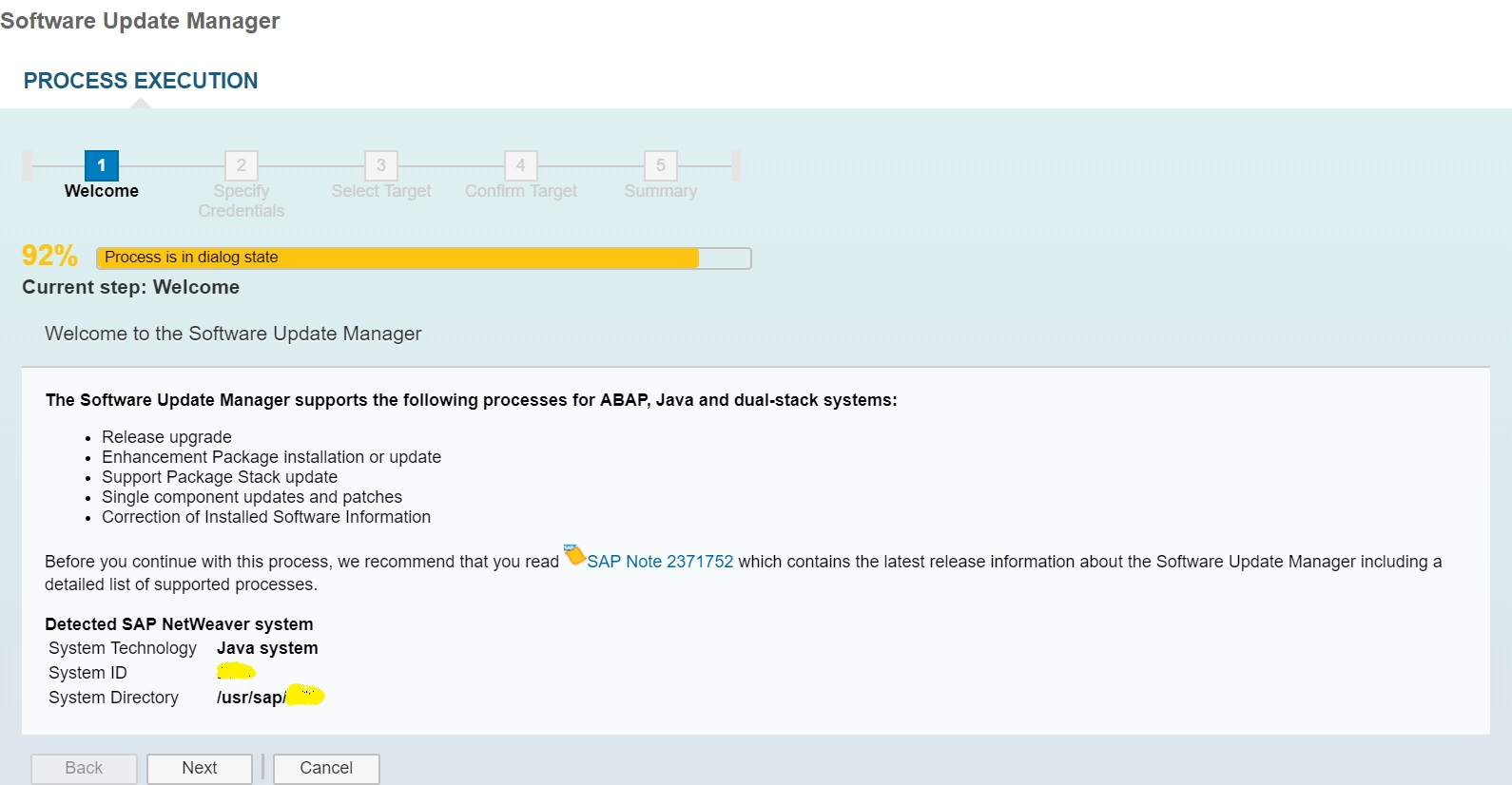
Click Next
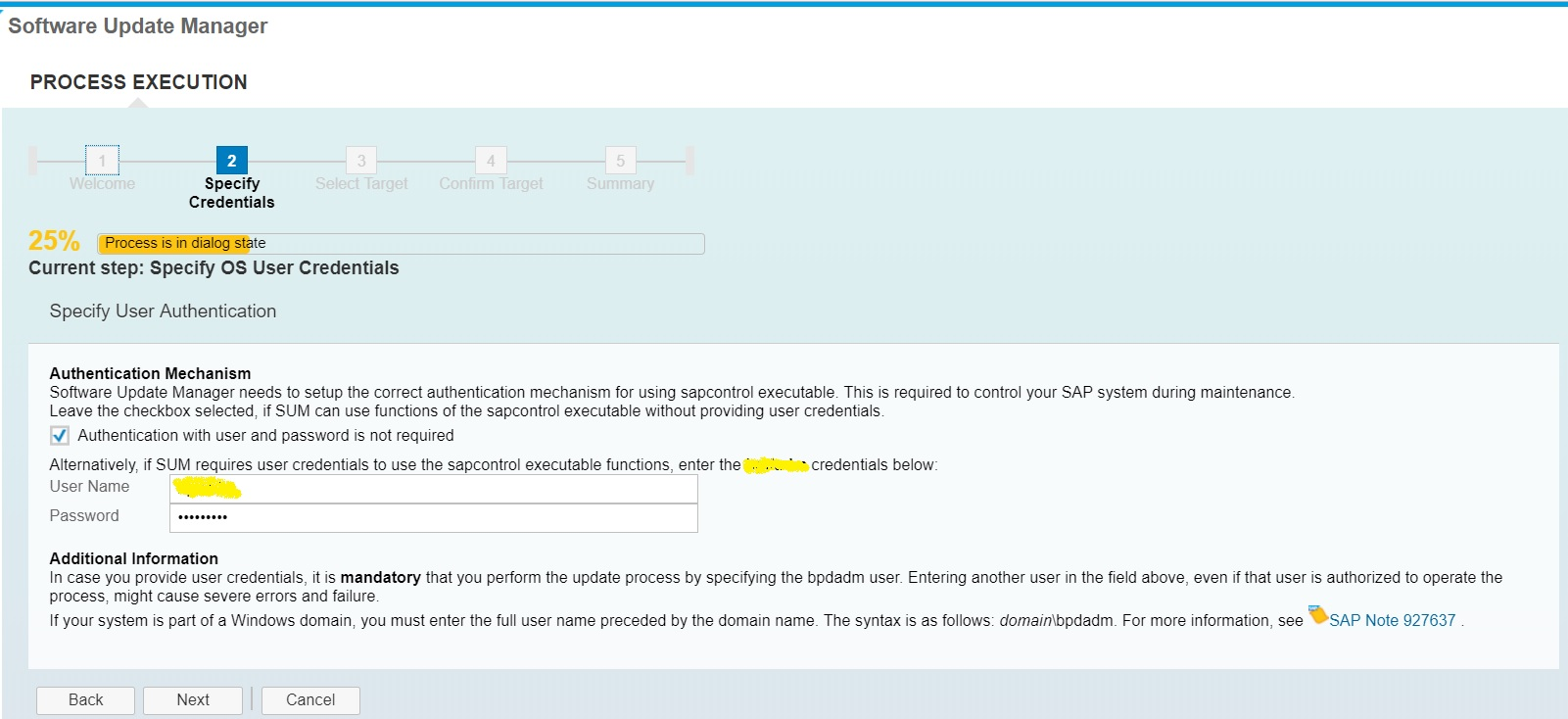
Provide username and password
Click Next
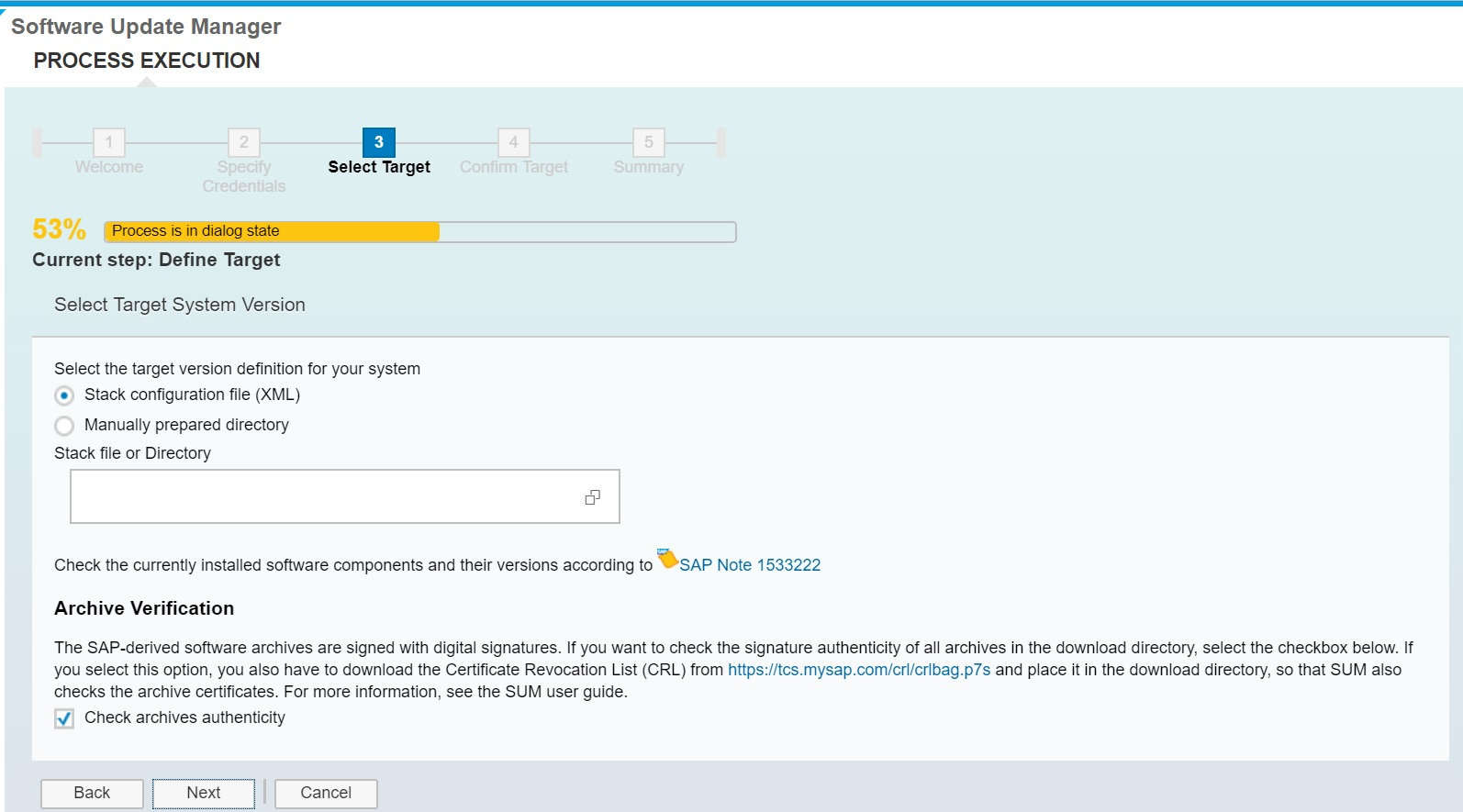
Select option ->Manually Prepared Directory because here we are just updating patch of single component , provide the path of the patch file
只提供路径
Click Next

Download the file from URL https://tcs.mysap.com/crl/crlbag.p7s
Place it in particular path and provide the path of the file crlbag.p7s
Click Next
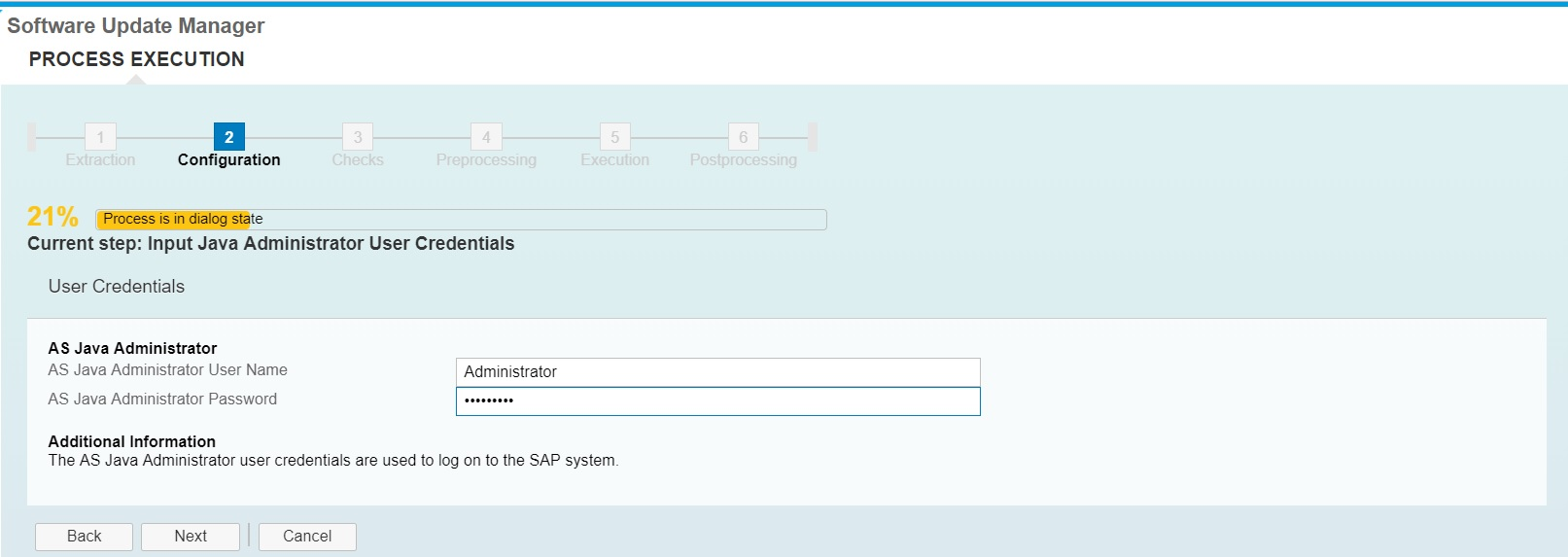
Provide Administrator user credentials and click Next
Here we are updating patch level of component ENGINEAPI from 12 to 16


Click Next
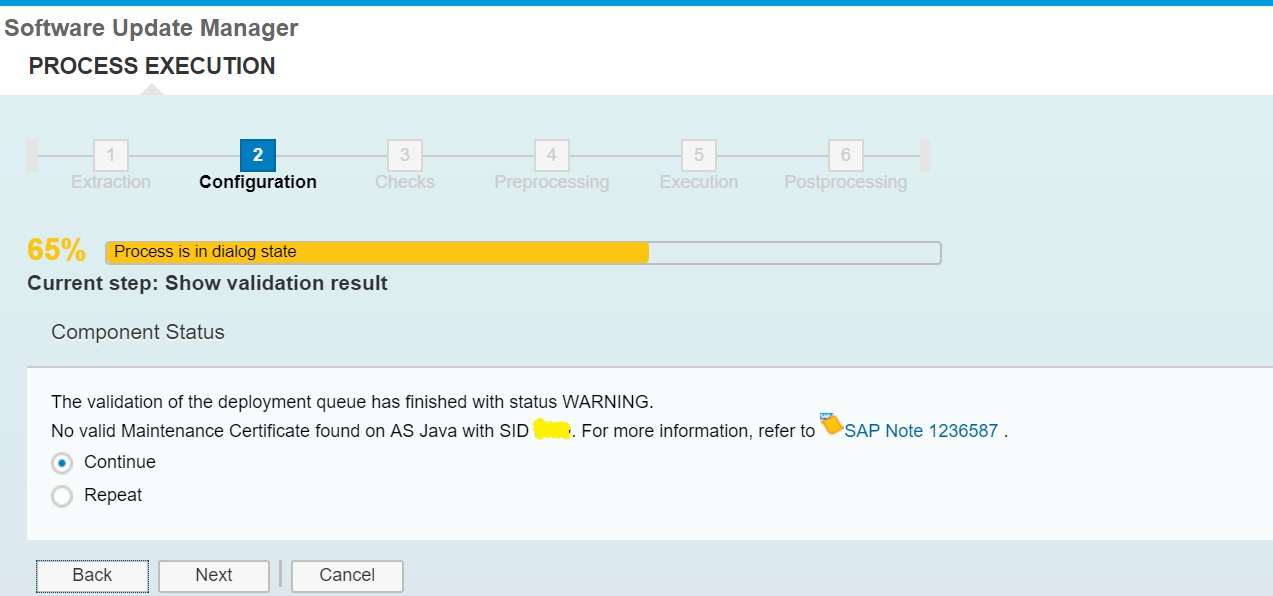
Apply the maintenance certificate license and click next

Click Next ,it will begin the downtime of the system, make sure you have proper maintenance downtime window of atleast 30 mins.


It is starting the java application


We also have other option to deploy java patches using Telnet but it is always good a practice to follow SAP Standard tools for standard procedures.
Reference:
1641062 – Single component update and patch scenarios in SUM
利用SUM打java补丁的更多相关文章
- 利用JAXB实现java实体类和xml互相转换
1.应用场景 在使用WebService实现数据上传下载,数据查询时,可以利用JAXB实现java实体类和xml互相转换 2.Demo 2.1 student.java 实体类,包含list(set同 ...
- 【项目分析】利用C#改写JAVA中的Base64.DecodeBase64以及Inflater解码
原文:[项目分析]利用C#改写JAVA中的Base64.DecodeBase64以及Inflater解码 最近正在进行项目服务的移植工作,即将JAVA服务的程序移植到DotNet平台中. 在JAVA程 ...
- 利用aspose-words 实现 java中word转pdf文件
利用aspose-words 实现 java中word转pdf文件 首先下载aspose-words-15.8.0-jdk16.jar包 引入jar包,编写Java代码 package test; ...
- iOS 利用JSPatch 添加热补丁功能
ios 由于苹果的审核政策,一旦上线后发现bug是件让人崩溃的事情 不过可以利用oc的runtime机制可以家用JSPatch动态的为工程打热补丁 下载地址:https://github.com/ag ...
- 利用Eclipse使用Java OpenCV(Using OpenCV Java with Eclipse)
最近在上计算机视觉这门课程用到了OpenCV,于是找到了"Using OpenCV Java with Eclipse"这篇博文,是英文的,我将它翻译如下与大家分享 正文: 从2. ...
- 【hadoop2.6.0】利用Hadoop的 Java API
Hadoop2.6.0的所有Java API都在 http://hadoop.apache.org/docs/r2.6.0/api/overview-summary.html 里. 下面实现一个利用J ...
- SOM网络聚类完整示例(利用python和java)
下面是几个城市的GDP等信息,根据这些信息,写一个SOM网络,使之对下面城市进行聚类.并且,将结果画在一个二维平面上. //表1中,X.为人均GDP(元):X2为工业总产值(亿元):X.为社会消费品零 ...
- 利用回调实现Java的异步调用
异步是指调用发出后,调用者不会立刻得到结果,而是在调用发出后,被调用者通知调用者,或通过回调函数处理这个调用. 回调简单地说就是B中有一个A,这样A在调用B的某个方法时实际上是调用到了自己的方法. 利 ...
- LeetCode算法题-Path Sum(Java实现)
这是悦乐书的第169次更新,第171篇原创 01 看题和准备 今天介绍的是LeetCode算法题中Easy级别的第28题(顺位题号是112).给定二叉树和整数sum,确定树是否具有根到叶路径,使得沿路 ...
随机推荐
- jq ajax数据交互
get 与 post 的区别 了解和使用 get和post是HTTP与服务器交互的方式, 说到方式,其实总共有四种:put,delete,post,get. 他们的作用分别是对服务器资源的增,删,改, ...
- PAT1001A+B Format
链接:https://www.patest.cn/contests/pat-a-practise/1001 时间限制 400 ms 内存限制 65536 kB 代码长度限制 16000 B 判题程序 ...
- 项目工程中的WebRoot与WebContent有什么区别?
[1] 在MyEclipse中创建web项目后,web程序的根目录文件夹是WebRoot,而创建dynam web project时候,web程序的根 目录文件夹是WebContent,他们之间没有本 ...
- 使用JBolt新建Maven版工程步骤
一.打开新建对话框 在左侧右键new中可以找到JFinal创建工程的菜单 JBoltHome页面也有快捷按钮用来弹出创建工程对话框. 二.填写Maven和其他信息配置 填写工程name 主包名 下面有 ...
- Appium环境搭建——安卓模拟器(AVD)调试 2-运行Apk失败点的总结
如何优化AVD模拟器运行速度? 解决方法:开启IntelHAXM 查询intelhaxm是否已经开启: sc query intelhaxm 若开启成功,则如图所示 若没有开启,可以通过BIOS打开, ...
- Windows登录后不记得密码
(不用输入原密码的方式修改用户的密码) 1 命令行输入命令:mmc #进入到控制台 2 点击左上角的文件,选择添加/删除管理单元 3 选择本地用户和组管理单元,添加到本地计算机,完成,确定 4 添加 ...
- Automated EBS Snapshots using AWS Lambda & CloudWatch
Overview In this post, we'll cover how to automate EBS snapshots for your AWS infrastructure using L ...
- 使用LNMP架构部署动态网站环境(源代码安装)
- Windows文本文件上传至linux显示乱码解决方法
iconv -f gbk -t UTF-8 显示异常文本名 -o 另存为文件名 iconv -f gbk -t UTF-8 rkgxdt_new.log -o new
- DNS实战--1
DNS(Domain Name System,域名系统)因特网上作为域名和IP地址相互映射的一个分布式数据库,能够使用户方便的访问互联网,而不用去记住能够被机器读取的IP数串.通过主机名,最终得到该主 ...