
springboot+thymeleaf+bootstrap 超级无敌简洁的页面展示 商城管理页面
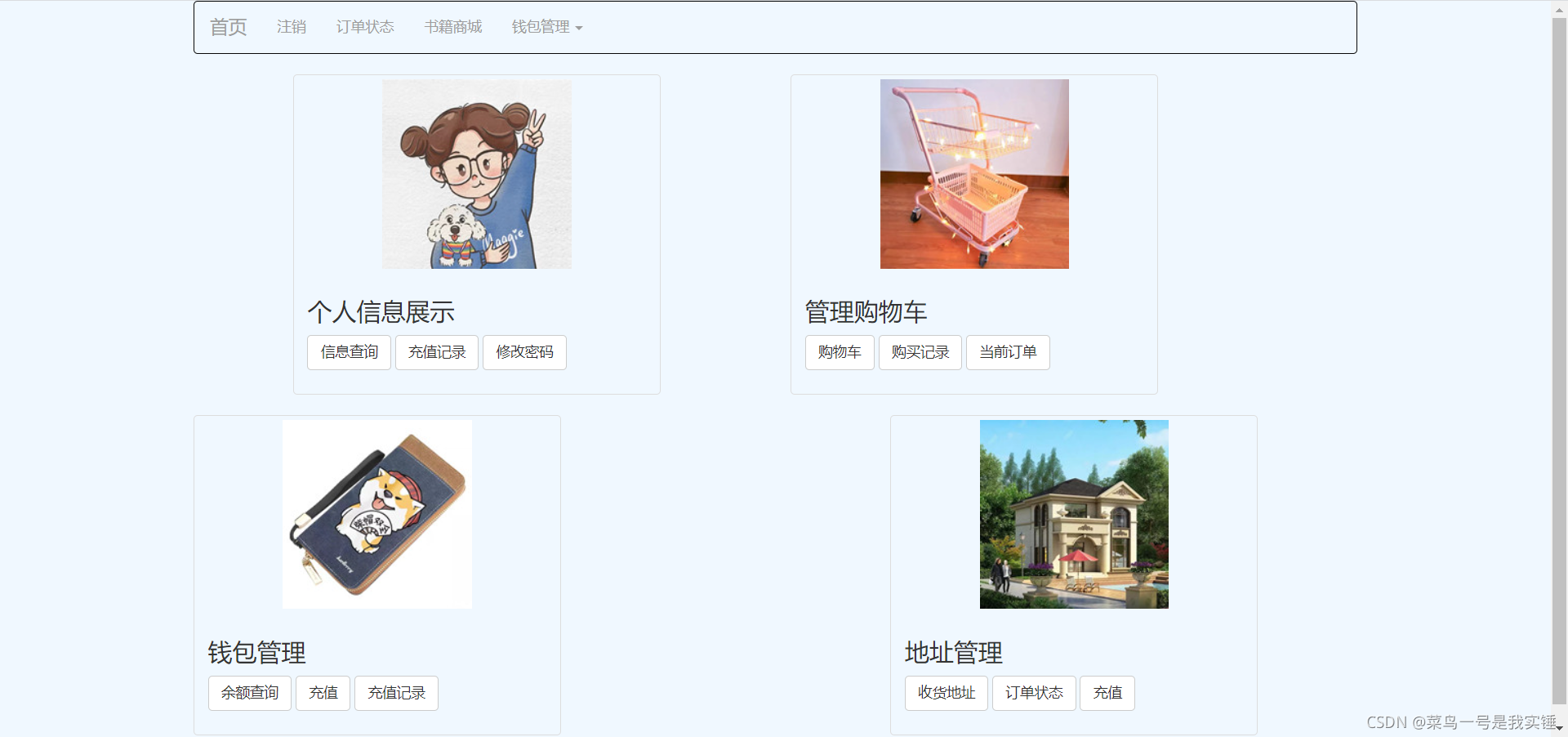
页面效果:
<!DOCTYPE html>

<html lang="en" xmlns:th="http://www.thymeleaf.org">

<head>

    <meta charset="utf-8">

    <meta http-equiv="X-UA-Compatible" content="IE=edge">

    <meta name="viewport" content="width=device-width, initial-scale=1">

    <!-- 上述3个meta标签*必须*放在最前面,任何其他内容都*必须*跟随其后! -->

    <title>Bootstrap 101 Template</title>

    <link rel="stylesheet" href="https://cdn.staticfile.org/twitter-bootstrap/3.3.7/css/bootstrap.min.css">

    <script src="https://cdn.staticfile.org/jquery/2.1.1/jquery.min.js"></script>

    <script src="https://cdn.staticfile.org/twitter-bootstrap/3.3.7/js/bootstrap.min.js"></script>

    <meta name="viewport" content="width=device-width, initial-scale=1">

    <!-- Bootstrap -->

    <link href="bootstrap.css" rel="stylesheet">

    <!-- jQuery (necessary for Bootstrap's JavaScript plugins) -->

    <script src="jquery-1.11.3.min.js"></script>

    <!-- Include all compiled plugins (below), or include individual files as needed -->

    <script src="bootstrap.min.js"></script>

    <!-- HTML5 shim and Respond.js for IE8 support of HTML5 elements and media queries -->

    <!-- WARNING: Respond.js doesn't work if you view the page via file:// -->

    <!--[if lt IE 9]>

    <script src="//cdn.bootcss.com/html5shiv/3.7.2/html5shiv.min.js"></script>

    <script src="//cdn.bootcss.com/respond.js/1.4.2/respond.min.js"></script>

    <![endif]-->

</head>

<body style="background-color: aliceblue">

<!--最外层的布局容器-->

<div class="container">

    <!--导航栏部分-->

    <nav class="navbar navbar-inverse" style="background-color: aliceblue">

        <div class="container-fluid">

            <!-- Brand and toggle get grouped for better mobile display -->

            <div class="navbar-header">

                <button type="button" class="navbar-toggle collapsed" data-toggle="collapse" data-target="#bs-example-navbar-collapse-1">

                    <span class="sr-only">Toggle navigation</span>

                    <span class="icon-bar"></span>

                    <span class="icon-bar"></span>

                    <span class="icon-bar"></span>

                </button>

                <a class="navbar-brand" href="#">首页</a>

            </div>

            <!-- Collect the nav links, forms, and other content for toggling -->

            <div class="collapse navbar-collapse" id="bs-example-navbar-collapse-1">

                <ul class="nav navbar-nav">

                    <li>

                        <a th:href="@{/logout}">注销<span class="sr-only">(current)</span></a>

                    </li>

                    <li>

                        <a th:href="@{/shop/status}">订单状态</a>

                    </li>

                    <li>

                        <a th:href="@{/book/bookList}">书籍商城</a>

                    </li>

                    <li class="dropdown">

                        <a href="#" class="dropdown-toggle" data-toggle="dropdown" >钱包管理 <span class="caret"></span></a>

                        <ul class="dropdown-menu" role="menu">

                            <li >

                                <a th:href="@{/customer/wallet}">余额查询</a>

                            </li>

                            <li >

                                <a th:href="@{/customer/torecharge}">充值</a>

                            </li>

                            <li >

                                <a th:href="@{/customer/paylog}">充值记录</a>

                            </li>

                        </ul>

                    </li>

                </ul>

            </div>

            <!-- /.navbar-collapse -->

        </div>

        <!-- /.container-fluid -->

    </nav>

        <div class="row" >

            <div class="col-md-1"></div>

            <div class="col-sm-6 col-md-4" >

                <div class="thumbnail" style="background-color: aliceblue">

                    <img src="../img/info/people.jpg" alt="...">

                    <div class="caption" >

                        <h3 >个人信息展示</h3>

                        <p>

                            <a class="btn btn-default" role="button" th:href="@{/customer/info}">信息查询</a>

                            <a th:href="@{/customer/paylog}" class="btn btn-default" role="button">充值记录</a>

                            <a  th:href="@{/cusomer/toUpdatePwd}" class="btn btn-default" role="button">修改密码</a>

                        </p>

                    </div>

                </div>

            </div>

            <div class="col-md-1"></div>

            <div class="col-sm-6 col-md-4" style="background-color: aliceblue">

                <div class="thumbnail" style="background-color: aliceblue">

                    <img src="../img/info/cart.jpg" alt="...">

                    <div class="caption" style="align-content: center">

                        <h3 >管理购物车</h3>

                        <p>

                            <a th:href="@{/shop/shopList}"class="btn btn-default" role="button" >购物车</a>

                            <a th:href="@{/shop/buylog}" class="btn btn-default" role="button" >购买记录</a>

                            <a th:href="@{/shop/goodsList}" class="btn btn-default" role="button" >当前订单</a></p>

                    </div>

                </div>

            </div>

        </div>

    <div class="row" style="background-color: aliceblue">

        <div class="col-sm-6 col-md-4">

            <div class="thumbnail" style="background-color: aliceblue">

                <img src="../img/info/money.jpg" alt="...">

                <div class="caption" style="align-content: center">

                    <h3 >钱包管理</h3>

                    <p>

                        <a th:href="@{/customer/wallet}" class="btn btn-default" role="button">余额查询</a>

                        <a th:href="@{/customer/torecharge}" class="btn btn-default" role="button">充值</a>

                        <a th:href="@{/customer/paylog}" class="btn btn-default" role="button">充值记录</a>

                </div>

            </div>

        </div>

        <div class="col-md-3"></div>

        <div class="col-sm-6 col-md-4">

            <div class="thumbnail" style="background-color: aliceblue">

                <img src="../img/info/address.jpg" alt="...">

                <div class="caption" style="align-content: center">

                    <h3 >地址管理</h3>

                    <p>

                        <a th:href="@{/customer/address}" class="btn btn-default" role="button">收货地址</a>

                        <a th:href="@{/customer/toAddAddress}" class="btn btn-default" role="button">新增地址</a>

                        <a th:href="@{/shop/status}" class="btn btn-default">订单状态</a>

                </div>

            </div>

        </div>

    </div>

    </div>

</body>

</html>
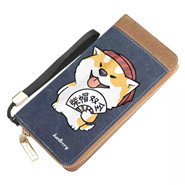
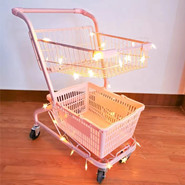
这里是图片
从淘宝上找的图片–又使用美图秀秀压缩尺寸。直接把原图放在前台就大的离谱。


springboot+thymeleaf+bootstrap 超级无敌简洁的页面展示 商城管理页面的更多相关文章
- python:页面布局 后台管理页面之常用布局
<!DOCTYPE HTML PUBLIC "-//W3C//DTD HTML 4.01 Transitional//EN" "http://www.w3.org/ ...
- 使用Vue写一个登陆页面并在管理页面查看和修改
注册页面代码如下html <!DOCTYPE html> <html lang="en"> <head> <meta charset=&q ...
- SpringBoot thymeleaf模板页面没提示,SpringBoot thymeleaf模板插件安装
SpringBoot thymeleaf模板插件安装 SpringBoot thymeleaf模板Html页面没提示 SpringBoot thymeleaf模板页面没提示 SpringBoot t ...
- 【SpringBoot】转载 springboot使用thymeleaf完成数据的页面展示
版权声明:本文为博主原创文章,遵循 CC 4.0 BY-SA 版权协议,转载请附上原文出处链接和本声明.本文链接:https://blog.csdn.net/weixin_36380516/artic ...
- SpringBoot页面展示Thymeleaf
https://www.jianshu.com/p/a842e5b5012e 开发传统Java WEB工程时,我们可以使用JSP页面模板语言,但是在SpringBoot中已经不推荐使用了.Spring ...
- springboot+thymeleaf简单使用
关于springboot想必很多人都在使用,由于公司项目一直使用的是SpringMVC,所以自己抽空体验了一下springboot的简单使用. 环境搭建 springbooot的环境搭建可以说很灵活, ...
- 基于Metronic的Bootstrap开发框架经验总结(9)--实现Web页面内容的打印预览和保存操作
在前面介绍了很多篇相关的<Bootstrap开发框架>的系列文章,这些内容基本上覆盖到了我这个Bootstrap框架的各个主要方面的内容,总体来说基本达到了一个稳定的状态,随着时间的推移可 ...
- springboot 与 shiro 整合 (简洁版)
前言: 网上有很多springboot 与 shiro 整合的资料,有些确实写得很好, 对学习shiro和springboot 都有很大的帮助. 有些朋友比较省事, 直接转发或者复制粘贴.但是没有经过 ...
- org.springframework.expression.spel.SpelEvaluationException: EL1004E: Method call: Method service() cannot be found on com.my.blog.springboot.thymeleaf.util.MethodTest type
前言 本文中提到的解决方案,源码地址在:springboot-thymeleaf,希望可以帮你解决问题. 至于为什么已经写了一篇文章thymeleaf模板引擎调用java类中的方法,又多此一举的单独整 ...
随机推荐
- 密码学系列之:PEM和PKCS7,PKCS8,PKCS12
目录 简介 PEM PKCS7 PKCS8 PKCS12 总结 简介 PEM是一种常见的保存key或者证书的格式,PEM格式的文件一般来说后缀是以.pem结尾的.那么PEM到底是什么呢?它和常用的证书 ...
- kali的安装与配置
VMware虚拟机与kali下载及安装教程 进入官网https://www.kali.org/get-kali/#kali-platforms 安装kali镜像 需要安装虚拟机 这里我们选择安装VMw ...
- ASP.NET Core 6框架揭秘实例演示[32]:错误页面的集中呈现方式
由于ASP.NET是一个同时处理多个请求的Web应用框架,所以在处理某个请求过程中出现异常并不会导致整个应用的中止.出于安全方面的考量,为了避免敏感信息外泄,客户端在默认情况下并不会得到详细的出错信息 ...
- Luogu1601 A+B Problem (高精度加法)
蒟蒻复习了下高精 #include <iostream> #include <cstdio> #include <cstring> #include <alg ...
- 【java】学习路径39-Buffered缓冲输出流
import java.io.BufferedOutputStream; import java.io.FileOutputStream; import java.io.IOException; pu ...
- 解决QIcon引用qrc不显示图片
引用Qrc 对于Qt来说,添加qrc之后,可以使用":"来直接访问qrc的文件,比如 QIcon icon(":/icon/red.png"); 绝对路径 当然 ...
- RabbitMQ 入门系列:10、扩展内容:延时队列:延时队列插件及其有限的适用场景(系列大结局)。
系列目录 RabbitMQ 入门系列:1.MQ的应用场景的选择与RabbitMQ安装. RabbitMQ 入门系列:2.基础含义:链接.通道.队列.交换机. RabbitMQ 入门系列:3.基础含义: ...
- 轻量级RTSP服务和内置RTSP网关有什么不同?
好多开发者疑惑,什么是内置RTSP网关,和轻量级RTSP服务又有什么区别和联系?本文就以上问题,做个简单的介绍: 轻量级RTSP服务 为满足内网无纸化/电子教室等内网超低延迟需求,避免让用户配置单独的 ...
- mysql_唯一索引数据重复问题总结
CREATE TABLE `tt_transfer_assemble_diffuse_plan_info` ( `id` bigint(20) unsigned NOT NULL AUTO_INCRE ...
- IP地址最后一位斜杠是什么意思?比如192.168.1.10/27?还有IP地址和子网掩码相加得到的网络地址是什么意思
IP地址最后一位斜杠是什么意思?比如192.168.1.10/27?还有IP地址和子网掩码相加得到的网络地址是什么意思 IP地址最后一位斜杠是什么意思?比如192.168.1.10/27?还有IP地址 ...