
【Playwright+Python】系列教程(七)使用Playwright进行API接口测试
playwright也是可以做接口测试的,但个人觉得还是没有requests库强大,但和selenium相比的话,略胜一筹,毕竟支持API登录,也就是说可以不用交互直接调用接口操作了。
怎么用
既然是API的测试了,那肯定就别搞UI自动化那套,搞什么浏览器交互,那叫啥API测试,纯属扯淡。
也不像有些博主更懒,直接贴的官方例子,难道我用你再帮我复制一次?
来下面,说明下使用playwright如何做API测试?
实例化request对象
示例代码如下:
playwright.request.new_context()
没错,实例化后,就是调API,看吧,其实也不是很难是不是?
实战举栗
这里用我自己写的学生管理系统的部分接口来做演示,并对部分常用api做以说明,代码示例都是用同步的写法。
1、GET请求
示例如下:
def testQueryStudent(playwright: Playwright):

    """

    查询学生

    """

    url = 'http://localhost:8090/studentFindById'

    param = {

        'id': 105

    }

    request_context = playwright.request.new_context()

    response = request_context.get(url=url, params=param)

    assert response.ok

    assert response.json()

    print('\n', response.json())
效果:
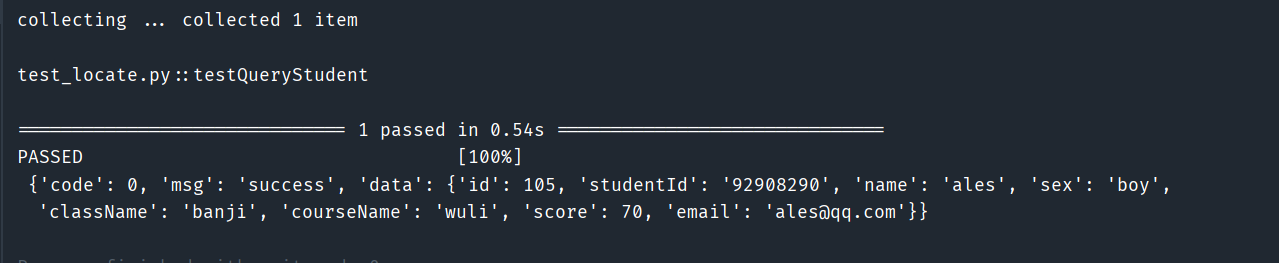
2、POST请求
示例代码:
def testAddStudent(playwright: Playwright):

    """

    新增学生

    :return:

    """

    url = 'http://localhost:8090/studentAdd'

    request_body = {

        "className": "banji",

        "courseName": "wuli",

        "email": "ales@qq.com",

        "name": "ales",

        "score": 70,

        "sex": "boy",

        "studentId": "92908290"

    }

    header = {"Content-Type": "application/json"}

    request_context = playwright.request.new_context()

    response = request_context.post(url=url, headers=header, data=request_body)

    assert response.ok

    assert response.json()

    print('\n', response.json())
效果:
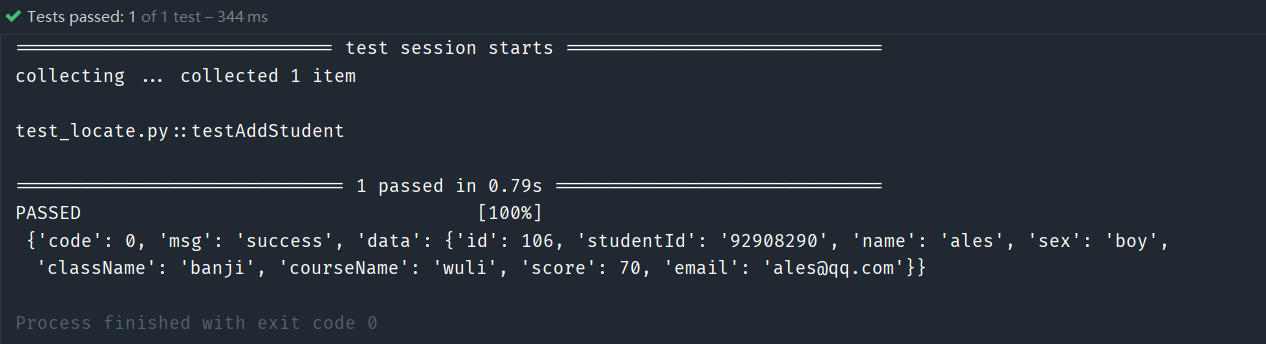
3、PUT请求
示例代码:
def testUpdateStudents(playwright: Playwright):

    """

    修改学生

    """

    url = 'http://localhost:8090/studentUpdate/100'

    param = {

        'studentId': "id" + str(100),

        'name': "name" + str(100),

        'score': 100,

        "sex": "girl",

        "className": "class" + str(100),

        "courseName": "course" + str(100),

        "email": str(100) + "email@qq.com"

    }

    request_context = playwright.request.new_context()

    response = request_context.put(url=url, form=param)

    assert response.ok

    assert response.json()

    print('\n', response.json())
效果:
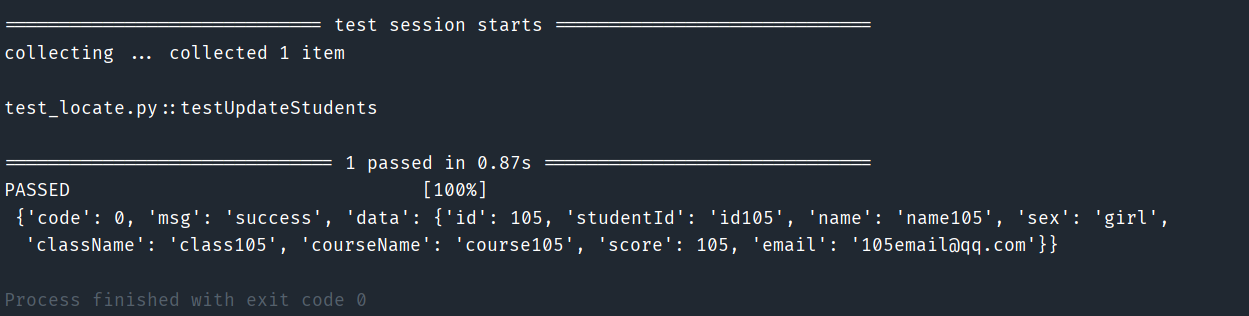
4、DELETE请求
示例代码:
def testDeleteStudents(playwright: Playwright):

    """

    删除学生

    """

    url = 'http://localhost:8090/studentDelete/' + str(105)

    request_context = playwright.request.new_context()

    response = request_context.delete(url=url)

    assert response.ok

    assert response.json()

    print('\n', response.json())
效果:
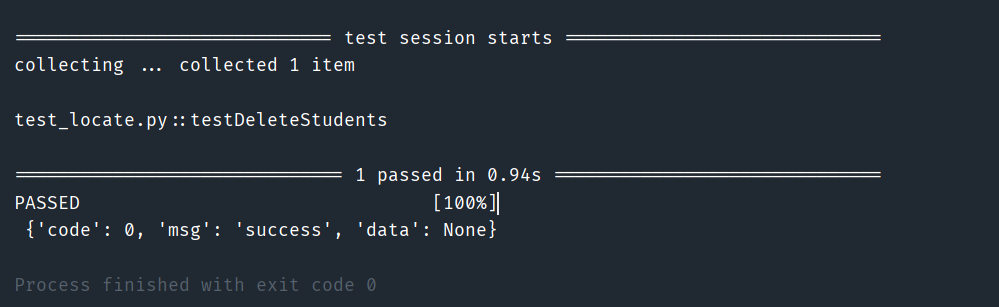
5、上传文件
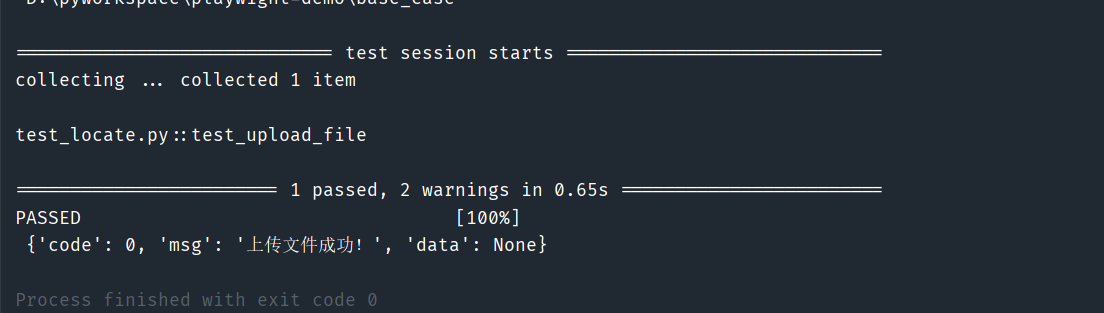
这个是特例吧,按照官方给的方法,我真的是死活也不能成功,一直都是提示上上传文件不能为空,也不到为啥,结果我用了一个替代方案,就是抓包模拟的构造入参,才成功,也是曲折呀。
示例代码:
def test_upload_file(playwright: Playwright):

    '''

    上传文件

    :param playwright:

    :return:

    '''

    # 创建请求上下文

    request_context = playwright.request.new_context()

    # 定义上传文件的URL

    upload_url = "http://localhost:8090/fileUpload"

    # 文件路径

    file_path = "d:/demo.txt"

    # 获取文件名和MIME类型

    filename = file_path.split('/')[-1]

    mime_type, _ = mimetypes.guess_type(file_path)

    if not mime_type:

        mime_type = 'application/octet-stream'

    # 读取文件内容

    with open(file_path, 'rb') as file:

        file_content = file.read()

    # 构造multipart/form-data的边界字符串

    boundary = '---------------------' + str(random.randint(1e28, 1e29 - 1))

    # 构造请求体

    body = (

        f'--{boundary}\r\n'

        f'Content-Disposition: form-data; name="file"; filename="{filename}"\r\n'

        f'Content-Type: {mime_type}\r\n\r\n'

        f'{file_content.decode("utf-8") if mime_type.startswith("text/") else file_content.hex()}'

        f'\r\n--{boundary}--\r\n'

    ).encode('utf-8')

    # 设置请求头

    headers = {

        'Content-Type': f'multipart/form-data; boundary={boundary}',

    }

    # 发起POST请求

    response = request_context.post(upload_url, data=body, headers=headers)

    # 检查响应

    assert response.status == 200, f"Upload failed with status: {response.status}"

    assert response.ok

    assert response.json()

    print('\n', response.json())
效果:
官方写法:
# 读取文件内容

with open(file_path, 'rb') as file:

    file_content = file.read()

    response = request_context.post(upload_url, multipart={

        "fileField": {

            "name": "demo.txt",

            "mimeType": "text/plain",

            "buffer": file_content,

        }

    })

print('\n', response.json())
效果:

官方写法,我不知道为啥,有大侠知道,还请帮忙给个例子,小弟不胜感激呀!
写在最后
我还是觉得微软很强呀,这套框架确实比selenium略胜一筹,综合来看。
终于有时间了,来更新一篇,感觉文章对你有用,转发留言都可,谢谢!
对了,那个上传文件的为啥不行,还请前辈们帮看一下呀!
【Playwright+Python】系列教程(七)使用Playwright进行API接口测试的更多相关文章
- 【转】PyQt5系列教程(七)控件
PyQt5系列教程(七)控件 软硬件环境 Windows 10 Python 3.4.2 PyQt 5.5.1 PyCharm 5.0.4 前言 控件是PyQt应用程序的基石.PyQt5自带很多不 ...
- CRL快速开发框架系列教程七(使用事务)
本系列目录 CRL快速开发框架系列教程一(Code First数据表不需再关心) CRL快速开发框架系列教程二(基于Lambda表达式查询) CRL快速开发框架系列教程三(更新数据) CRL快速开发框 ...
- ASP.NET 5系列教程(七)完结篇-解读代码
在本文中,我们将一起查看TodoController 类代码. [Route] 属性定义了Controller的URL 模板: [Route("api/[controller]") ...
- 黄聪:Microsoft Enterprise Library 5.0 系列教程(七) Exception Handling Application Block
原文:黄聪:Microsoft Enterprise Library 5.0 系列教程(七) Exception Handling Application Block 使用企业库异常处理应用程序模块的 ...
- webpack4 系列教程(七): SCSS提取和懒加载
教程所示图片使用的是 github 仓库图片,网速过慢的朋友请移步>>> (原文)webpack4 系列教程(七): SCSS 提取和懒加载. 个人技术小站: https://god ...
- (转)NGUI系列教程七(序列帧动画UITexture 和 UIsprit)
NGUI系列教程七(序列帧动画) 今天我给大家讲一下如何使用NGUI做序列帧动画.本节主要包括两方面内容,分别是使用UIspirit和使用UITexture 做序列帧动画.废话不说了,下面开始.还 ...
- Python系列教程-详细版 | 图文+代码,快速搞定Python编程(附全套速查表)
作者:韩信子@ShowMeAI 教程地址:http://showmeai.tech/article-detail/python-tutorial 声明:版权所有,转载请联系平台与作者并注明出处 引言 ...
- Unity3D脚本中文系列教程(七)
http://dong2008hong.blog.163.com/blog/static/4696882720140311445677/?suggestedreading&wumii Unit ...
- Python系列教程大汇总
Python初级教程 Python快速教程 (手册) Python基础01 Hello World! Python基础02 基本数据类型 Python基础03 序列 Python基础04 运算 Pyt ...
- NGUI系列教程七(序列帧动画)
今天我给大家讲一下如何使用NGUI做序列帧动画.本节主要包括两方面内容,分别是使用UIspirit和使用UITexture 做序列帧动画.废话不说了,下面开始.还要在啰嗦一句,首先大家要准备一些序列帧 ...
随机推荐
- 前端学习之nvm
接手了新的项目 需要使用nodejs,但是版本又不同如何解决呢 如果自己下载配置环境变量也太复杂了 下载nvm https://nvm.uihtm.com/download.html 使用nvm 下载 ...
- 图片接口JWT鉴权实现
图片接口JWT鉴权实现 前言 之前做了个返回图片链接的接口,然后没做授权,然后今天键盘到了,也是用JWT来做接口的权限控制. 然后JTW网上已经有很多文章来说怎么用了,这里就不做多的解释了,如果不懂的 ...
- 超大容量 | 瑞芯微RK3588J工业核心板新增16GB DDR + 128GB eMMC配置!
作为瑞芯微的金牌合作伙伴,创龙科技在2023年9月即推出搭载瑞芯微旗舰级处理器RK3588J的全国产工业核心板--SOM-TL3588. SOM-TL3588工业核心板是基于瑞芯微RK3588J/RK ...
- OtterCTF 2018 Forensics
OtterCTF 2018 Forensics 题单来自NSSCTF [OtterCTF 2018]What the password? [OtterCTF 2018]General Info [Ot ...
- 如何应对红帽不再维护 CentOS
CentOS(Community Enterprise Operating System,社区企业操作系统)是一种开源的.免费的操作系统.由 Lance Davis 发起,通过社区驱动,目标是创建一个 ...
- 编程好帮手:通义灵码(TONGYI Lingma),是阿里云出品的一款基于通义大模型的智能编码辅助工具
通义灵码(TONGYI Lingma),是阿里云出品的一款基于通义大模型的智能编码辅助工具,提供行级/函数级实时续写.自然语言生成代码.单元测试生成.代码注释生成.代码解释.研发智能问答.异常报错排查 ...
- SQL查询语句汇总
SQL查询语句汇总 students表 id class_id name gender score 1 1 小明 M 90 2 1 小红 F 95 class表 id name 1 一班 2 二班 3 ...
- WebGL管网展示(及TubeGeometry优化)
前言 管路展示在三维场景中很常见.比如地下管网,建筑里面的水果,暖通管道等等的展示. 建立管路的方式主要两种: 通过3DMax C4D Blender等建模工具进行建模. 通过路径数据,程序生成三维管 ...
- webgl智慧楼宇发光系列之线性采样下高斯模糊
目录 webgl智慧楼宇发光系列之线性采样下高斯模糊 效率问题 线性采样 代码讲解 总结 参考文档 webgl智慧楼宇发光系列之线性采样下高斯模糊 前面一篇文章 <webgl智慧楼宇发光效果算法 ...
- P2427 题解
洛谷链接 题目简述 给定 \(N \times M\) 的字符矩阵,有 \(Q\) 次询问,对于每次询问给出 \(x,y\),求以 \((x,y)\) 为中心的最大正方形边长且正方形中字符均相同. 思 ...