
Cloudera Manager安装之时间服务器和时间客户端(Ubuntu14.04)(二)
第二步:
Cloudera Manager安装之时间服务器和时间客户端(二)
找一台机器作为时间服务器
我这里,放到ubuntucmbigdata1这台机器!
注意,之前是已经做了集群时间同步了。
在ubuntu系统里,跟centos系统有点出入。
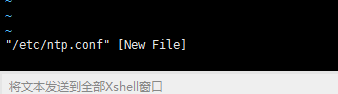
需要安装
root@ubuntucmbigdata1:~# sudo apt-get install ntp
然后,再来配置,就不为空了。
root@ubuntucmbigdata1:~# sudo vim /etc/ntp.conf
默认是如下

# /etc/ntp.conf, configuration for ntpd; see ntp.conf(5) for help

driftfile /var/lib/ntp/ntp.drift

# Enable this if you want statistics to be logged.

#statsdir /var/log/ntpstats/

statistics loopstats peerstats clockstats

filegen loopstats file loopstats type day enable

filegen peerstats file peerstats type day enable

filegen clockstats file clockstats type day enable

# Specify one or more NTP servers.

# Use servers from the NTP Pool Project. Approved by Ubuntu Technical Board

# on 2011-02-08 (LP: #104525). See http://www.pool.ntp.org/join.html for

# more information.

server 0.ubuntu.pool.ntp.org

server 1.ubuntu.pool.ntp.org

server 2.ubuntu.pool.ntp.org

server 3.ubuntu.pool.ntp.org

# Use Ubuntu's ntp server as a fallback.

server ntp.ubuntu.com

# Access control configuration; see /usr/share/doc/ntp-doc/html/accopt.html for

# details.  The web page <http://support.ntp.org/bin/view/Support/AccessRestrictions>

# might also be helpful.

#

# Note that "restrict" applies to both servers and clients, so a configuration

# that might be intended to block requests from certain clients could also end

# up blocking replies from your own upstream servers.

# By default, exchange time with everybody, but don't allow configuration.

restrict -4 default kod notrap nomodify nopeer noquery

restrict -6 default kod notrap nomodify nopeer noquery

# Local users may interrogate the ntp server more closely.

restrict 127.0.0.1

restrict ::1

# Clients from this (example!) subnet have unlimited access, but only if

# cryptographically authenticated.

#restrict 192.168.123.0 mask 255.255.255.0 notrust

# If you want to provide time to your local subnet, change the next line.

# (Again, the address is an example only.)

#broadcast 192.168.123.255

# If you want to listen to time broadcasts on your local subnet, de-comment the

# next lines.  Please do this only if you trust everybody on the network!

#disable auth

#broadcastclient
注意,这里有2处地方需要我们进行修改,如下
因为,
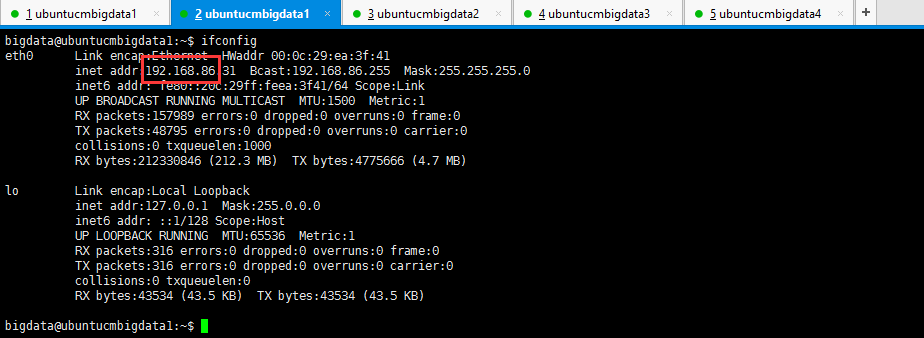
所以,修改地方1:


注意,Ubuntu系统的时间同步这块,跟centos系统有点出入。

root@ubuntucmbigdata1:~# sudo cp /usr/share/zoneinfo/Asia/Shanghai /etc/localtime

root@ubuntucmbigdata1:~# ntpdate pool.ntp.org

25 Jun 17:10:14 ntpdate[9227]: the NTP socket is in use, exiting

root@ubuntucmbigdata1:~# date

2017年 06月 25日 星期日 17:10:23 CST

root@ubuntucmbigdata1:~#
ubuntucmbigdata1、ubuntucmbigdata2、ubuntucmbigdata3、ubuntucmbigdata4都去执行。
修改linux swap空间的swappiness
Cloudera 建议将 /proc/sys/vm/swappiness 设置为 0。
修改swappiness的值为零:

root@ubuntucmbigdata1:~# cat /proc/sys/vm/swappiness

60

root@ubuntucmbigdata1:~# echo 0 > /proc/sys/vm/swappiness

root@ubuntucmbigdata1:~# cat /proc/sys/vm/swappiness

0

root@ubuntucmbigdata1:~#
我这里,仅拿ubuntucmbigdata1来说,其他的ubuntucmbigdata2、ubuntucmbigdata3和ubuntucmbigdata4是一样的。
同时,大家可以关注我的个人博客:
http://www.cnblogs.com/zlslch/ 和 http://www.cnblogs.com/lchzls/
人生苦短,我愿分享。本公众号将秉持活到老学到老学习无休止的交流分享开源精神,汇聚于互联网和个人学习工作的精华干货知识,一切来于互联网,反馈回互联网。
目前研究领域:大数据、机器学习、深度学习、人工智能、数据挖掘、数据分析。 语言涉及:Java、Scala、Python、Shell、Linux等 。同时还涉及平常所使用的手机、电脑和互联网上的使用技巧、问题和实用软件。 只要你一直关注和呆在群里,每天必须有收获
以及对应本平台的QQ群:161156071(大数据躺过的坑)



Cloudera Manager安装之时间服务器和时间客户端(Ubuntu14.04)(二)的更多相关文章
- Cloudera Manager安装之时间服务器和时间客户端(二)
福利 => 每天都推送 欢迎大家,关注微信扫码并加入我的4个微信公众号: 大数据躺过的坑 Java从入门到架构师 人工智能躺过的坑 Java全栈大联盟 ...
- Cloudera Manager安装_搭建CDH集群
2017年2月22日, 星期三 Cloudera Manager安装_搭建CDH集群 cpu 内存16G 内存12G 内存8G 默认单核单线 CDH1_node9 Server || Agent ...
- Cloudera Manager安装之Cloudera Manager 5.3.X安装(三)(tar方式、rpm方式和yum方式)
不多说,直接上干货! 福利每天都有 => =>=>=>=> 欢迎大家,关注微信扫码并加入我的4个微信公众号: 大数据躺过的坑 Java从入门到架构师 ...
- Cloudera Manager安装之Cloudera Manager安装前准备(CentOS6.5)(一)
Cloudera Manager安装前准备 (一)机器准备 192.168.80.148 clouderamanager01 (部署ClouderaManager-server和Mirror se ...
- Cloudera Manager安装之利用parcels方式安装3或4节点集群(包含最新稳定版本或指定版本的安装)(添加服务)(CentOS6.5)(五)
参考博客 Cloudera Manager安装之利用parcels方式安装单节点集群 Cloudera Manager安装之Cloudera Manager 5.3.X安装(三)(tar方式.rpm ...
- Cloudera Manager安装之利用parcels方式安装单节点集群(包含最新稳定版本或指定版本的安装)(添加服务)(CentOS6.5)(四)
不多说,直接上干货! 福利 => 每天都推送 欢迎大家,关注微信扫码并加入我的4个微信公众号: 大数据躺过的坑 Java从入门到架构师 人工智能躺过的坑 ...
- Cloudera Manager安装之利用parcels方式(在线或离线)安装3或4节点集群(包含最新稳定版本或指定版本的安装)(添加服务)(Ubuntu14.04)(五)
前期博客 Cloudera Manager安装之Cloudera Manager 5.6.X安装(tar方式.rpm方式和yum方式) (Ubuntu14.04) (三) 如果大家,在启动的时候,比如 ...
- Cloudera Manager 安装集群遇到的坑
Cloudera Manager 安装集群遇到的坑 多次安装集群,但每次都不能顺利,都会遇到很多很多的坑,今天就过去踩过的坑简单的总结一下,希望已经踩了的和正在踩的童鞋能够借鉴一下,希望对你们能有所帮 ...
- Cloudera Manager安装之Cloudera Manager安装前准备(Ubuntu14.04)(一)
其实,基本思路跟如下差不多,我就不多详细说了,贴出主要图. 博主,我是直接借鉴下面这位博主,来进行安装的!(灰常感谢他们!) 在线和离线安装Cloudera CDH 5.6.0 Cloudera M ...
随机推荐
- 迟到的成果——Qt 小学生出题神器设计
Github传送门 Part 1.成果展示及感想 原先一直有个疑惑的问题困扰着对Qt一无所知的我:如何才能使得C++代码在Qt上运行.然而这种困惑在进一步对Qt的了解过程中都得到了慢慢的解决,逐渐有一 ...
- 【前端布局】px与rpx的简述
本文只以移动设备为例说明. 注意:设计师以iphone6为标准出设计稿的话,1rpx=0.5px=1物理像素.Photoshop里面量出来的尺寸为物理像素点.所以可以直接使用标注尺寸数据. [像素Pi ...
- ES 遇到的一个坑too_many_clauses: maxClauseCount
异常: Caused by: org.elasticsearch.common.io.stream.NotSerializableExceptionWrapper: too_many_clauses: ...
- ZOJ3705:Applications
Recently, the ACM/ICPC team of Marjar University decided to choose some new members from freshmen to ...
- jira项目管理平台搭建
参考文档:http://www.cnblogs.com/ilanni/p/6200875.html 一.环境准备 jira7.2的运行是需要依赖java环境的,也就是说需要安装jdk并且要是1.8 ...
- 第六周—Alpha阶段项目复审(五饭来了吗)
第六周--Alpha阶段项目复审(五饭来了吗) 以下部分排名只是个人观点: 小组 优点 缺点,bug报告 名次 中午吃啥队 较完整的团体结构,可提供给商家和用户 感觉界面再优化一下就很棒了 1 天冷记 ...
- redis 映射数据结构粗略
[字符串] sds结构,simple dynamic string.是redis底层字符串实现,结构为: typedef char *sds; struct sdshdr { // buf 已占用长度 ...
- CLion编译的exe文件无法在windows下正常运行
The program cannot start because libgcc_s_dw2-1.dll is missing from your computer. Try reinstalling ...
- Visual Studio 2008 SP1键盘F10单步调试超慢解决方法
症状: 中断程序调试时,F10或者其它键盘操作都超级慢. 鼠标点击工具栏的按钮速度正常. 解决方法: 网上说的什么删掉所有断点啦,关掉几个窗口啦,重置用户设置啦,关掉某某调试选项啦,关掉防火墙啦,都是 ...
- VSM Import Cluster功能验证二(导入篇)
三 vsm import cluster 3.1登录vsm web UI 登陆 VSM web UI,https://172.16.34.51/dashboard/vsm/,点击Cluster Man ...