
Android之自定义生成彩色二维码

先导个zxing.jar包
下面是xml布局
activity_main.xml

<RelativeLayout xmlns:android="http://schemas.android.com/apk/res/android"

    xmlns:tools="http://schemas.android.com/tools"

    android:layout_width="match_parent"

    android:layout_height="match_parent"

    tools:context=".MainActivity"

    >

<EditText

    android:id="@+id/edittext"

    android:layout_width="wrap_content"

    android:layout_height="wrap_content"

    android:layout_alignParentLeft="true"

    android:layout_toLeftOf="@+id/button"

    android:hint="要生成的二维码" />

   <Button

       android:id="@+id/button"

       android:layout_width="wrap_content"

       android:layout_height="wrap_content"

       android:layout_alignParentRight="true"

       android:layout_alignParentTop="true"

       android:text="生成" />

   <ImageView

       android:id="@+id/image"

       android:layout_width="wrap_content"

       android:layout_height="wrap_content"

       android:layout_centerHorizontal="true"

       android:layout_centerVertical="true"

       />

</RelativeLayout>
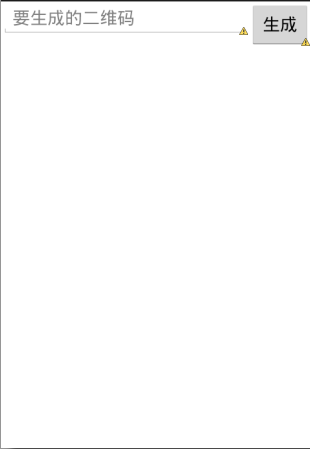
下面是MainActivity.java
图片自己找(头像,水印,背景)
package com.bawei.create2imageview;

import com.google.zxing.WriterException;

import android.os.Bundle;

import android.app.Activity;

import android.graphics.Bitmap;

import android.graphics.BitmapFactory;

import android.util.DisplayMetrics;

import android.view.Menu;

import android.view.View;

import android.view.View.OnClickListener;

import android.widget.Button;

import android.widget.EditText;

import android.widget.ImageView;

public class MainActivity extends Activity {

    private ImageView imageView;

    private EditText editText;

    private Button button;

    @Override

    protected void onCreate(Bundle savedInstanceState) {

        super.onCreate(savedInstanceState);

        setContentView(R.layout.activity_main);

        //生成按钮

        button = (Button) findViewById(R.id.button);

        //输入框

        editText = (EditText) findViewById(R.id.edittext);

        //image

        imageView = (ImageView) findViewById(R.id.image);

        button.setOnClickListener(new OnClickListener() {

            public void onClick(View v) {

                // TODO Auto-generated method stub

                String trim = editText.getText().toString().trim();

                Bitmap bitmap;

                try {

                    //生成彩色二维码

                    //bitmap = BitmapUtil.makeQRImage(trim, 400,400);

                    //中间头像转成bitmap类型

                     bitmap = BitmapUtil.gainBitmap(getApplicationContext(), R.drawable.image1);

                     //加头像把头像放到二维码里 1.头像2.获取要转化成二维码的信息3.宽4.高

                     bitmap = BitmapUtil.makeQRImage(bitmap,trim,400,400);

                     //根据要转化成二维码的信息的多少定义生成二维码的大小

                    // bitmap = BitmapUtil.makeQRImage(trim,400,400);

                     //加水印 1.生成的二维码2.水印图片

                      bitmap = BitmapUtil.composeWatermark( bitmap,BitmapUtil.gainBitmap(getApplicationContext(), R.drawable.z));

                    //加背景 1.生成的二维码2.背景图片

                      bitmap =  BitmapUtil.addBackground(bitmap, BitmapUtil.gainBitmap(getApplicationContext(), R.drawable.image2));

                    if(bitmap != null){

                        //给image赋值

                        imageView.setImageBitmap(bitmap);

                    }

                } catch (Exception e) {

                    // TODO Auto-generated catch block

                    e.printStackTrace();

                }

            }

        });

    }

}
BitmapUtil.java
package com.bawei.create2imageview;

import java.util.Hashtable;

import java.util.Random;

import android.content.Context;

import android.graphics.Bitmap;

import android.graphics.BitmapFactory;

import android.graphics.Canvas;

import android.util.Log;

import com.google.zxing.BarcodeFormat;

import com.google.zxing.EncodeHintType;

import com.google.zxing.MultiFormatWriter;

import com.google.zxing.WriterException;

import com.google.zxing.common.BitMatrix;

import com.google.zxing.qrcode.QRCodeWriter;

import com.google.zxing.qrcode.decoder.ErrorCorrectionLevel;

public class BitmapUtil {

    /**

    * 根据指定内容生成自定义宽高的二维码图片

    *

    * param logoBm

    * logo图标

    * param content

    * 需要生成二维码的内容

    * param width

    * 二维码宽度

    * param height

    * 二维码高度

    * throws WriterException

    * 生成二维码异常

    */

    public static Bitmap makeQRImage(Bitmap logoBmp, String content,

    int QR_WIDTH, int QR_HEIGHT) throws WriterException {

    try {

    // 图像数据转换,使用了矩阵转换

    Hashtable<EncodeHintType, Object> hints = new Hashtable<EncodeHintType, Object>();

    hints.put(EncodeHintType.CHARACTER_SET, "utf-8");

    hints.put(EncodeHintType.ERROR_CORRECTION, ErrorCorrectionLevel.H);// 容错率

    /*hints.put(EncodeHintType.MARGIN, 2); // default is 4

    hints.put(EncodeHintType.MAX_SIZE, 350);

    hints.put(EncodeHintType.MIN_SIZE, 100);*/

    BitMatrix bitMatrix = new QRCodeWriter().encode(content,

    BarcodeFormat.QR_CODE, QR_WIDTH, QR_HEIGHT, hints);

    int[] pixels = new int[QR_WIDTH * QR_HEIGHT];

    for (int y = 0; y < QR_HEIGHT; y++) {

    // 下面这里按照二维码的算法,逐个生成二维码的图片,//两个for循环是图片横列扫描的结果

    for (int x = 0; x < QR_WIDTH; x++) {

    if (bitMatrix.get(x, y)) {

    if (x < QR_WIDTH / 2 && y < QR_HEIGHT / 2) {

    pixels[y * QR_WIDTH + x] = 0xFF0094FF;// 蓝色

    Integer.toHexString(new Random().nextInt());

    } else if (x < QR_WIDTH / 2 && y > QR_HEIGHT / 2) {

    pixels[y * QR_WIDTH + x] = 0xFFFF0000;// 红色

    } else if (x > QR_WIDTH / 2 && y > QR_HEIGHT / 2) {

    pixels[y * QR_WIDTH + x] = 0xFF5ACF00;// 绿色

    } else {

    pixels[y * QR_WIDTH + x] = 0xFF000000;// 黑色

    }

    } else {

    pixels[y * QR_WIDTH + x] = 0xffffffff;// 白色

    }

    }

    }

    // ------------------添加图片部分------------------//

    Bitmap bitmap = Bitmap.createBitmap(QR_WIDTH, QR_HEIGHT,

    Bitmap.Config.ARGB_8888);

    // 设置像素点

    bitmap.setPixels(pixels, 0, QR_WIDTH, 0, 0, QR_WIDTH, QR_HEIGHT);

    // 获取图片宽高

    int logoWidth = logoBmp.getWidth();

    int logoHeight = logoBmp.getHeight();

    if (QR_WIDTH == 0 || QR_HEIGHT == 0) {

    return null;

    }

    if (logoWidth == 0 || logoHeight == 0) {

    return bitmap;

    }

    // 图片绘制在二维码中央,合成二维码图片

    // logo大小为二维码整体大小的1/5

    float scaleFactor = QR_WIDTH * 1.0f / 5 / logoWidth;

    try {

    Canvas canvas = new Canvas(bitmap);

    canvas.drawBitmap(bitmap, 0, 0, null);

    canvas.scale(scaleFactor, scaleFactor, QR_WIDTH / 2,

    QR_HEIGHT / 2);

    canvas.drawBitmap(logoBmp, (QR_WIDTH - logoWidth) / 2,

    (QR_HEIGHT - logoHeight) /2, null);

    canvas.save(Canvas.ALL_SAVE_FLAG);

    canvas.restore();

    return bitmap;

    } catch (Exception e) {

    bitmap = null;

    e.getStackTrace();

    }

    } catch (WriterException e) {

    e.printStackTrace();

    }

    return null;

    }

    /**

    * 获取十六进制的颜色代码.例如 "#6E36B4" , For HTML ,

    * @return String

    */

    public static String getRandColorCode(){

    String r,g,b;

    Random random = new Random();

    r = Integer.toHexString(random.nextInt(256)).toUpperCase();

    g = Integer.toHexString(random.nextInt(256)).toUpperCase();

    b = Integer.toHexString(random.nextInt(256)).toUpperCase();

    r = r.length()==1 ? "0" + r : r ;

    g = g.length()==1 ? "0" + g : g ;

    b = b.length()==1 ? "0" + b : b ;

    return r+g+b;

    }

    /**

    * 根据指定内容生成自定义宽高的二维码图片

    *

    * @param content

    * 需要生成二维码的内容

    * @param width

    * 二维码宽度

    * @param height

    * 二维码高度

    * @throws WriterException

    * 生成二维码异常

    */

    public static Bitmap makeQRImage(String content, int width, int height)

    throws WriterException {

    Hashtable<EncodeHintType, String> hints = new Hashtable<EncodeHintType, String>();

    hints.put(EncodeHintType.CHARACTER_SET, "UTF-8");

    // 图像数据转换,使用了矩阵转换

    BitMatrix bitMatrix = new QRCodeWriter().encode(content,

    BarcodeFormat.QR_CODE, width, height, hints);

    int[] pixels = new int[width * height];

    // 按照二维码的算法,逐个生成二维码的图片,两个for循环是图片横列扫描的结果

    for (int y = 0; y < height; y++) {

    for (int x = 0; x < width; x++) {

    if (bitMatrix.get(x, y))

    pixels[y * width + x] = 0xff000000;

    else

    pixels[y * width + x] = 0xffffffff;

    }

    }

    // 生成二维码图片的格式,使用ARGB_8888

    Bitmap bitmap = Bitmap.createBitmap(width, height,

    Bitmap.Config.ARGB_8888);

    bitmap.setPixels(pixels, 0, width, 0, 0, width, height);

    return bitmap;

    }

    /**

    * 从资源文件中获取图片转化成bitmap类型

    *

    * @param context

    * 上下文

    * @param drawableId

    * 资源文件id

    * @return

    */

    public static Bitmap gainBitmap(Context context, int drawableId) {

    Bitmap bmp = BitmapFactory.decodeResource(context.getResources(),

    drawableId);

    return bmp;

    }

    /**

    * 在图片右下角添加水印

    *

    * @param srcBMP

    * 原图

    * @param markBMP

    * 水印88图片

    * @return 合成水印后的图片

    */

    public static Bitmap composeWatermark(Bitmap srcBMP, Bitmap markBMP) {

    if (srcBMP == null) {

    return null;

    }

    // 创建一个新的和SRC长度宽度一样的位图

    Bitmap newb = Bitmap.createBitmap(srcBMP.getWidth(),

    srcBMP.getHeight(), Bitmap.Config.ARGB_8888);

    Canvas cv = new Canvas(newb);

    // 在 0,0坐标开始画入原图

    cv.drawBitmap(srcBMP, 0, 0, null);

    // 在原图的右下角画入水印

    cv.drawBitmap(markBMP, srcBMP.getWidth() - markBMP.getWidth()*4/5,

    srcBMP.getHeight()*2/7 , null);

    // 保存

    cv.save(Canvas.ALL_SAVE_FLAG);

    // 存储

    cv.restore();

    return newb;

    }

    /**

    * 给二维码图片加背景

    *

    */

    public static Bitmap addBackground(Bitmap foreground,Bitmap background){

    int bgWidth = background.getWidth();

    int bgHeight = background.getHeight();

    int fgWidth = foreground.getWidth();

    int fgHeight = foreground.getHeight();

    Bitmap newmap = Bitmap

    .createBitmap(bgWidth, bgHeight, Bitmap.Config.ARGB_8888);

    Canvas canvas = new Canvas(newmap);

    canvas.drawBitmap(background, 0, 0, null);

    canvas.drawBitmap(foreground, (bgWidth - fgWidth) / 2,

    (bgHeight - fgHeight) *3 / 5+70, null);

    canvas.save(Canvas.ALL_SAVE_FLAG);

    canvas.restore();

    return newmap;

    }

    }
简单黑色二维码
mainactivity监听调用
//根据要转化成二维码的信息的多少定义生成二维码的大小
bitmap = BitmapUtil.makeQRImage(trim,400,400);
BitmapUtil调用的是
/**

    * 根据指定内容生成自定义宽高的二维码图片

    *

    * @param content

    * 需要生成二维码的内容

    * @param width

    * 二维码宽度

    * @param height

    * 二维码高度

    * @throws WriterException

    * 生成二维码异常

    */

    public static Bitmap makeQRImage(String content, int width, int height)

    throws WriterException {

    Hashtable<EncodeHintType, String> hints = new Hashtable<EncodeHintType, String>();

    hints.put(EncodeHintType.CHARACTER_SET, "UTF-8");

    // 图像数据转换,使用了矩阵转换

    BitMatrix bitMatrix = new QRCodeWriter().encode(content,

    BarcodeFormat.QR_CODE, width, height, hints);

    int[] pixels = new int[width * height];

    // 按照二维码的算法,逐个生成二维码的图片,两个for循环是图片横列扫描的结果

    for (int y = 0; y < height; y++) {

    for (int x = 0; x < width; x++) {

    if (bitMatrix.get(x, y))

    pixels[y * width + x] = 0xff000000;

    else

    pixels[y * width + x] = 0xffffffff;

    }

    }

    // 生成二维码图片的格式,使用ARGB_8888

    Bitmap bitmap = Bitmap.createBitmap(width, height,

    Bitmap.Config.ARGB_8888);

    bitmap.setPixels(pixels, 0, width, 0, 0, width, height);

    return bitmap;

    }
彩色二维码
把上面
if (bitMatrix.get(x, y))

pixels[y * width + x] = 0xff000000;

else

pixels[y * width + x] = 0xffffffff;
改为
if (x < QR_WIDTH / 2 && y < QR_HEIGHT / 2) {

    pixels[y * QR_WIDTH + x] = 0xFF0094FF;// 蓝色

    Integer.toHexString(new Random().nextInt());

    } else if (x < QR_WIDTH / 2 && y > QR_HEIGHT / 2) {

    pixels[y * QR_WIDTH + x] = 0xFFFF0000;// 红色

    } else if (x > QR_WIDTH / 2 && y > QR_HEIGHT / 2) {

    pixels[y * QR_WIDTH + x] = 0xFF5ACF00;// 绿色

    } else {

    pixels[y * QR_WIDTH + x] = 0xFF000000;// 黑色

    }

    } else {

    pixels[y * QR_WIDTH + x] = 0xffffffff;// 白色

    }
二维码加头像
mainactivity监听调用
//中间头像转成bitmap类型

bitmap = BitmapUtil.gainBitmap(getApplicationContext(), R.drawable.image1);

//加头像把头像放到二维码里 1.头像2.获取要转化成二维码的信息3.宽4.高

 bitmap = BitmapUtil.makeQRImage(bitmap,trim,400,400);
BitmapUtil调用的是
/**

    * 根据指定内容生成自定义宽高的二维码图片

    *

    * param logoBm

    * logo图标

    * param content

    * 需要生成二维码的内容

    * param width

    * 二维码宽度

    * param height

    * 二维码高度

    * throws WriterException

    * 生成二维码异常

    */

    public static Bitmap makeQRImage(Bitmap logoBmp, String content,

    int QR_WIDTH, int QR_HEIGHT) throws WriterException {

    try {

    // 图像数据转换,使用了矩阵转换

    Hashtable<EncodeHintType, Object> hints = new Hashtable<EncodeHintType, Object>();

    hints.put(EncodeHintType.CHARACTER_SET, "utf-8");

    hints.put(EncodeHintType.ERROR_CORRECTION, ErrorCorrectionLevel.H);// 容错率

    /*hints.put(EncodeHintType.MARGIN, 2); // default is 4

    hints.put(EncodeHintType.MAX_SIZE, 350);

    hints.put(EncodeHintType.MIN_SIZE, 100);*/

    BitMatrix bitMatrix = new QRCodeWriter().encode(content,

    BarcodeFormat.QR_CODE, QR_WIDTH, QR_HEIGHT, hints);

    int[] pixels = new int[QR_WIDTH * QR_HEIGHT];

    for (int y = 0; y < QR_HEIGHT; y++) {

    // 下面这里按照二维码的算法,逐个生成二维码的图片,//两个for循环是图片横列扫描的结果

    for (int x = 0; x < QR_WIDTH; x++) {

    if (bitMatrix.get(x, y)) {

    if (x < QR_WIDTH / 2 && y < QR_HEIGHT / 2) {

    pixels[y * QR_WIDTH + x] = 0xFF0094FF;// 蓝色

    Integer.toHexString(new Random().nextInt());

    } else if (x < QR_WIDTH / 2 && y > QR_HEIGHT / 2) {

    pixels[y * QR_WIDTH + x] = 0xFFFF0000;// 红色

    } else if (x > QR_WIDTH / 2 && y > QR_HEIGHT / 2) {

    pixels[y * QR_WIDTH + x] = 0xFF5ACF00;// 绿色

    } else {

    pixels[y * QR_WIDTH + x] = 0xFF000000;// 黑色

    }

    } else {

    pixels[y * QR_WIDTH + x] = 0xffffffff;// 白色

    }

    }

    }

    // ------------------添加图片部分------------------//

    Bitmap bitmap = Bitmap.createBitmap(QR_WIDTH, QR_HEIGHT,

    Bitmap.Config.ARGB_8888);

    // 设置像素点

    bitmap.setPixels(pixels, 0, QR_WIDTH, 0, 0, QR_WIDTH, QR_HEIGHT);

    // 获取图片宽高

    int logoWidth = logoBmp.getWidth();

    int logoHeight = logoBmp.getHeight();

    if (QR_WIDTH == 0 || QR_HEIGHT == 0) {

    return null;

    }

    if (logoWidth == 0 || logoHeight == 0) {

    return bitmap;

    }

    // 图片绘制在二维码中央,合成二维码图片

    // logo大小为二维码整体大小的1/5

    float scaleFactor = QR_WIDTH * 1.0f / 5 / logoWidth;

    try {

    Canvas canvas = new Canvas(bitmap);

    canvas.drawBitmap(bitmap, 0, 0, null);

    canvas.scale(scaleFactor, scaleFactor, QR_WIDTH / 2,

    QR_HEIGHT / 2);

    canvas.drawBitmap(logoBmp, (QR_WIDTH - logoWidth) / 2,

    (QR_HEIGHT - logoHeight) /2, null);

    canvas.save(Canvas.ALL_SAVE_FLAG);

    canvas.restore();

    return bitmap;

    } catch (Exception e) {

    bitmap = null;

    e.getStackTrace();

    }

    } catch (WriterException e) {

    e.printStackTrace();

    }

    return null;

    }

/**

    * 从资源文件中获取图片转化成bitmap类型

    *

    * @param context

    * 上下文

    * @param drawableId

    * 资源文件id

    * @return

    */

    public static Bitmap gainBitmap(Context context, int drawableId) {

    Bitmap bmp = BitmapFactory.decodeResource(context.getResources(),

    drawableId);

    return bmp;

    }
二维码加水印
先生成二维码
然后mainactivity监听再调用
//加水印 1.生成的二维码2.水印图片

 bitmap = BitmapUtil.composeWatermark( bitmap ,BitmapUtil.gainBitmap(getApplicationContext(), R.drawable.z));
BitmapUtil调用的是
/**

    * 在图片右下角添加水印

    *

    * @param srcBMP

    * 原图

    * @param markBMP

    * 水印88图片

    * @return 合成水印后的图片

    */

    public static Bitmap composeWatermark(Bitmap srcBMP, Bitmap markBMP) {

    if (srcBMP == null) {

    return null;

    }

    // 创建一个新的和SRC长度宽度一样的位图

    Bitmap newb = Bitmap.createBitmap(srcBMP.getWidth(),

    srcBMP.getHeight(), Bitmap.Config.ARGB_8888);

    Canvas cv = new Canvas(newb);

    // 在 0,0坐标开始画入原图

    cv.drawBitmap(srcBMP, 0, 0, null);

    // 在原图的右下角画入水印

    cv.drawBitmap(markBMP, srcBMP.getWidth() - markBMP.getWidth()*4/5,

    srcBMP.getHeight()*2/7 , null);

    // 保存

    cv.save(Canvas.ALL_SAVE_FLAG);

    // 存储

    cv.restore();

    return newb;

    }
二维码加背景
先生成二维码
然后mainactivity监听再调用
//加背景 1.生成的二维码2.背景图片

 bitmap =  BitmapUtil.addBackground(bitmap, BitmapUtil.gainBitmap(getApplicationContext(), R.drawable.image2));
BitmapUtil调用的是
/**

    * 给二维码图片加背景

    *

    */

    public static Bitmap addBackground(Bitmap foreground,Bitmap background){

    int bgWidth = background.getWidth();

    int bgHeight = background.getHeight();

    int fgWidth = foreground.getWidth();

    int fgHeight = foreground.getHeight();

    Bitmap newmap = Bitmap

    .createBitmap(bgWidth, bgHeight, Bitmap.Config.ARGB_8888);

    Canvas canvas = new Canvas(newmap);

    canvas.drawBitmap(background, 0, 0, null);

    canvas.drawBitmap(foreground, (bgWidth - fgWidth) / 2,

    (bgHeight - fgHeight) *3 / 5+70, null);

    canvas.save(Canvas.ALL_SAVE_FLAG);

    canvas.restore();

    return newmap;

    }
Android之自定义生成彩色二维码的更多相关文章
- jquery.qrcode二维码插件生成彩色二维码
jquery.qrcode.js 是居于jquery类库的绘制二维码的插件,用它来实现二维码图形渲染支持canvas和table两种绘图方式. (jquery.qrcode.js 设置显示方式为tab ...
- C# 生成二维码,彩色二维码,带有Logo的二维码及普通条形码
每次写博客,第一句话都是这样的:程序员很苦逼,除了会写程序,还得会写博客!当然,希望将来的一天,某位老板看到此博客,给你的程序员职工加点薪资吧!因为程序员的世界除了苦逼就是沉默.我眼中的程序员大多都不 ...
- Android应用--QR的生成(二维码)
二维码的定义: 二维码(2-dimensional bar code),是用某种特定的几何图形按一定规律在平面(二维方向上)分布的黑白相间的图形记录数据符号信息的. 在许多种类的二维条码中,常用的码制 ...
- Android之扫描二维码和根据输入信息生成名片二维码
开发中常常遇到二维码扫码操作,前段时间做项目要实现该功能,于是网上查找资料实现了,现在把他做出来给各位分享一下,主要包含了二维码扫描和生成二维码名片. 先来看看效果图: 生成的二维码,打开微信扫一 ...
- Android开发学习之路-二维码学习
这个月装逼有点少了,为什么呢,因为去考软件射鸡师了,快到儿童节了,赶紧写篇博纪念一下逝去的青春,唔,请忽略这句话. 二维码其实有很多种,但是我们常见的微信使用的是一种叫做QRCode的二维码,像下面这 ...
- 公司开发的APP,如何生成一个二维码,供客户下载使用
1.其实和简单,因为一般的用户使用扫一扫,大多数都是用微信自带的扫一扫工具 而,微信打开的二维码页面,会自动屏蔽apk文件,所以显然把apk的url生成一个二维码,让用户扫一扫就能直接下载,这样是行不 ...
- PHP生成QRCode二维码
php生成QRCode二维码示例 <?php //引入 phpqrcode 类库 //phpqrcode下载地址:https://github.com/t0k4rt/phpqrcode //或从 ...
- python小工具myqr生成动态二维码
python小工具myqr生成动态二维码 (一)安装 (二)使用 (一)安装 命令: pip install myqr 安装完成后,就可以在命令行中输入 myqr 查看下使用帮助: myqr --he ...
- Python | 一行命令生成动态二维码
当我看到别人的二维码都做的这么炫酷的时候,我心动了! 我也想要一个能够吸引眼球的二维码,今天就带大家一起用 Python 来做一个炫酷的二维码! 首先要安装工具 myqr: pip install m ...
随机推荐
- How to delete expired archive log files using rman?
he following commands will helpful to delete the expired archive log files using Oracle Recovery Man ...
- .NET Framework 4 和 .NET Framework 4 Client Profile
提出这个问题的背景:在新项目中封装了一个DAL来通过EF框架对数据库操作,但是在项目引用后,每当编译时就会出错!更加诡异的是在Web项目和WCF项目中对此DAL引用时就不会出现此问题.作为一个初学者, ...
- ELK-Python(二)
不具有通用性,留作纪念. [root@GXB-CTRLCENTER python]# cat insert_pv.py #!/usr/bin/env python # -*- coding:utf-8 ...
- http和webservice接口区别
httpservice通过post和get得到你想要的东西webservice就是使用soap协议得到你想要的东西,相比httpservice能处理些更加复杂的数据类型 http协议传输的都是字符 ...
- php sql分离
sql.php <?php $con = mysql_connect("localhost","root","root"); mysq ...
- QT中静态库的生成与使用
一. 静态库的生成 1. 测试目录: lib 2. 源码文件名: mywindow.h, mywindow.cpp, 类MyWindow继承于QPushButton, 并将文字设置为&qu ...
- [BS-06] 设置release发布时NSLog不打印设置
设置release发布时NSLog不打印设置 前提:在XCode做开发调试时往往需要打印一些调试信息做debug用,大家知道当打印信息的地方多了之后在模拟器上跑可能不会有什么问题,因为模拟器用的是电脑 ...
- App上架出现问题-ERROR ITMS-90034
1.打开钥匙串,显示->显示已过期的证书,因为有些过期的证书会被钥匙串隐藏起来,让过期的证书都显示出来,删掉过期的证书. 2.经检查,我发现我的AppleWWDRCA.cer证书过期了,所以我就 ...
- pptp建立vpn
1. 安装依赖 ppp yum -y install ppp 2. 编译安装pptpd wget http://jaist.dl.sourceforge.net/project/poptop/pptp ...
- Java基础之处理事件——添加菜单图标(Sketcher 8 with toolbar buttons and menu icons)
控制台程序. 要为菜单项添加图标以补充工具栏图标,只需要在创建菜单项的Action对象中添加IconImage对象,作为SMALL_ICON键的值即可. // Defines application ...