
Swift - 实现点击cell动态修改高度
Swift - 实现点击cell动态修改高度
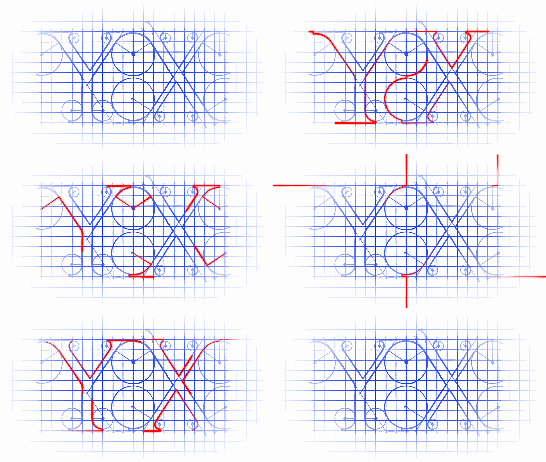
效果
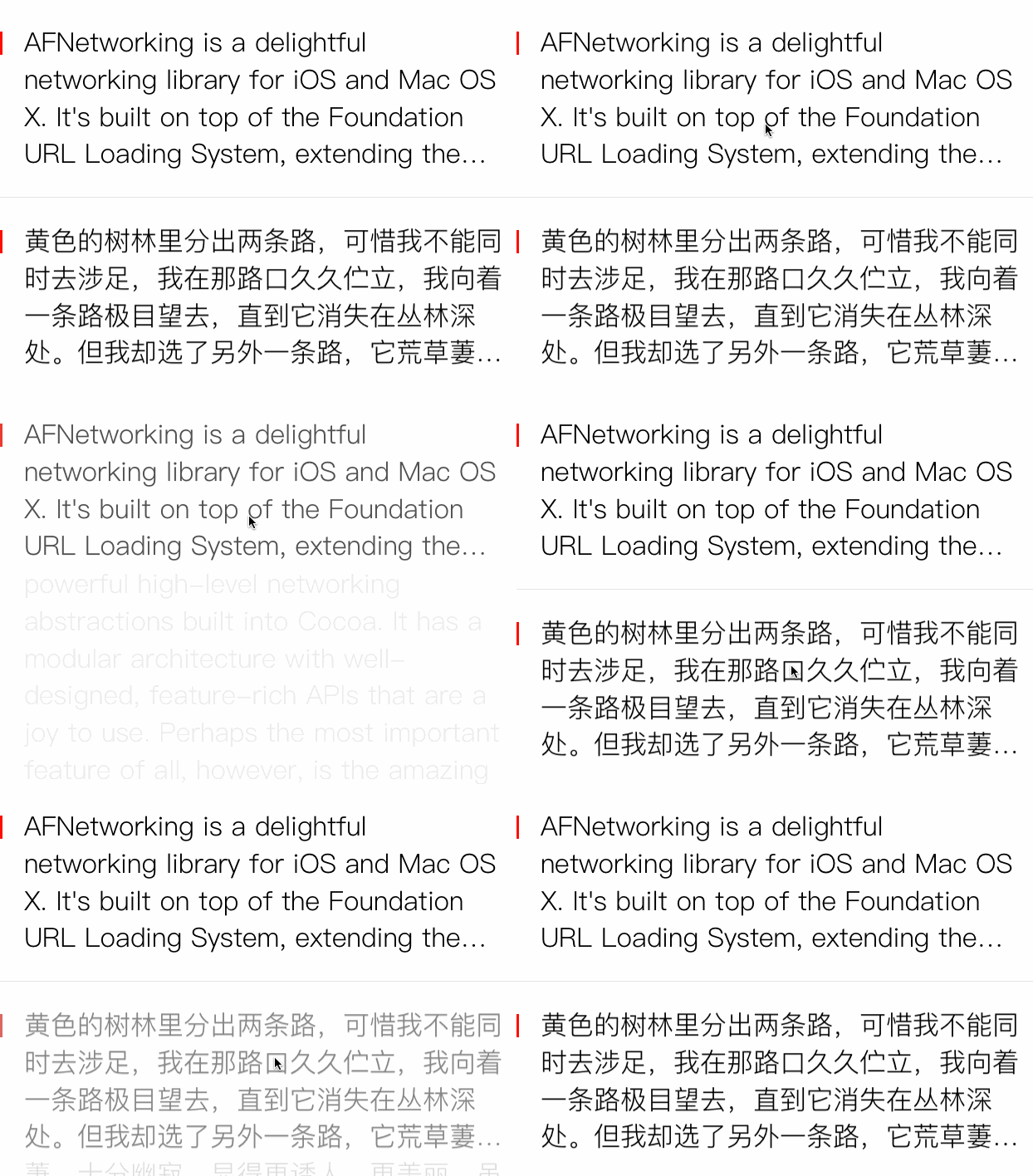
源码
https://github.com/YouXianMing/Swift-Animations
//

//  TapCellAnimationController.swift

//  Swift-Animations

//

//  Created by YouXianMing on 16/8/30.

//  Copyright © 2016年 YouXianMing. All rights reserved.

//

import UIKit

class TapCellAnimationController: NormalTitleViewController, UITableViewDelegate, UITableViewDataSource {

    private var tableView : UITableView!

    private var datas     : [CellDataAdapter]!

    override func setup() {

        super.setup()

        datas = [CellDataAdapter]()

        tableView                = UITableView(frame: (contentView?.bounds)!)

        tableView.delegate       = self

        tableView.dataSource     = self

        tableView.separatorStyle = .None

        ShowTextCell.RegisterTo(tableView)

        contentView?.addSubview(tableView)

        func addText(string : String) {

            let model = ShowTextModel(string)

            datas.append(ShowTextCell.Adapter(

                data       : model,

                cellHeight : ShowTextCell.HeightWithData(model),

                type       : EShowTextCellType.NormalType.rawValue))

        }

        GCDQueue.executeInMainQueue({

            addText("AFNetworking is a delightful networking library for iOS and Mac OS X. It's built on top of the Foundation URL Loading System, extending the powerful high-level networking abstractions built into Cocoa. It has a modular architecture with well-designed, feature-rich APIs that are a joy to use. Perhaps the most important feature of all, however, is the amazing community of developers who use and contribute to AFNetworking every day. AFNetworking powers some of the most popular and critically-acclaimed apps on the iPhone, iPad, and Mac. Choose AFNetworking for your next project, or migrate over your existing projects—you'll be happy you did!")

            addText("黄色的树林里分出两条路,可惜我不能同时去涉足,我在那路口久久伫立,我向着一条路极目望去,直到它消失在丛林深处。但我却选了另外一条路,它荒草萋萋,十分幽寂,显得更诱人、更美丽,虽然在这两条小路上,都很少留下旅人的足迹,虽然那天清晨落叶满地,两条路都未经脚印污染。呵,留下一条路等改日再见!但我知道路径延绵无尽头,恐怕我难以再回返。也许多少年后在某个地方,我将轻声叹息把往事回顾,一片树林里分出两条路,而我选了人迹更少的一条,从此决定了我一生的道路。")

            addText("★タクシー代がなかったので、家まで歩いて帰った。★もし事故が発生した场所、このレバーを引いて列车を止めてください。(丁)为了清楚地表示出一个短语或句节,其后须标逗号。如:★この薬を、夜寝る前に一度、朝起きてからもう一度、饮んでください。★私は、空を飞ぶ鸟のように、自由に生きて行きたいと思った。*****为了清楚地表示词语与词语间的关系,须标逗号。标注位置不同,有时会使句子的意思发生变化。如:★その人は大きな音にびっくりして、横から飞び出した子供にぶつかった。★その人は、大きな音にびっくりして横から飞び出した子供に、ぶつかった。")

            addText("Two roads diverged in a yellow wood, And sorry I could not travel both And be one traveler, long I stood And looked down one as far as I could To where it bent in the undergrowth; Then took the other, as just as fair, And having perhaps the better claim, Because it was grassy and wanted wear; Though as for that the passing there Had worn them really about the same, And both that morning equally lay In leaves no step had trodden black. Oh, I kept the first for another day! Yet knowing how way leads on to way, I doubted if I should ever come back. I shall be telling this with a sigh Somewhere ages and ages hence: Two roads diverged in a wood, and I- I took the one less traveled by, And that has made all the difference.")

            var indexPaths = [NSIndexPath]()

            for i in  ..< self.datas.count {

                indexPaths.append(NSIndexPath(forItem: i, inSection: ))

            }

            self.tableView.insertRowsAtIndexPaths(indexPaths, withRowAnimation: .Fade)

            GCDQueue.executeInMainQueue({

                let cell = self.tableView.cellForRowAtIndexPath(NSIndexPath(forItem: , inSection: )) as! CustomCell

                cell.selectedEvent()

                }, afterDelaySeconds: 0.5)

            }, afterDelaySeconds: 0.5)

    }

    func tableView(tableView: UITableView, cellForRowAtIndexPath indexPath: NSIndexPath) -> UITableViewCell {

        return tableView.dequeueAndLoadContentReusableCellFromAdapter(datas[indexPath.row], indexPath: indexPath, tableView: tableView)

    }

    func tableView(tableView: UITableView, numberOfRowsInSection section: Int) -> Int {

        return datas.count

    }

    func tableView(tableView: UITableView, heightForRowAtIndexPath indexPath: NSIndexPath) -> CGFloat {

        return datas[indexPath.row].cellHeight!

    }

    func tableView(tableView: UITableView, didSelectRowAtIndexPath indexPath: NSIndexPath) {

        tableView.selectedEventWithIndexPath(indexPath)

    }

}
Swift - 实现点击cell动态修改高度的更多相关文章
- 点击cell动态修改高度动画
点击cell动态修改高度动画 效果 源码 https://github.com/YouXianMing/Animations // // TapCellAnimationController.m // ...
- Swift iOS tableView static cell动态计算高度
TableView是iOS开发中经常使用的组件.有些表格由于UILabel包括的文本字数不一样,须要显示的高度也会不同,因此须要动态计算static cell的高度.我用的是static cell,注 ...
- JQuery中点击超链接动态修改url连接地址无效
这篇随笔的标题真是好拗口,想表达的意思是,当点击超链接后,才去修改超链接的地址,此时超链接仍然链接的是是修改之前的页面,而不是修改之后的页面. 超链接代码如下: <a id="chao ...
- html中iframe根据子页面内容动态修改高度
JavaScript var browserVersion = window.navigator.userAgent.toUpperCase(); var isOpera = browserVersi ...
- 使用Autolayout实现UITableView的Cell动态布局和高度动态改变
本文翻译自:stackoverflow 有人在stackoverflow上问了一个问题: 1 如何在UITableViewCell中使用Autolayout来实现Cell的内容和子视图自动计算行高,并 ...
- UITableView自定义Cell中,纯代码编程动态获取高度
在UITableView获取高度的代理方法中,经常需要根据实际的模型重新计算每个Cell的高度.直接的做法是在该代理方法中,直接根据模型来返回行高:另 [1]-(CGFloat)tableView:( ...
- android中动态修改ImageView控件的宽高度
本例实现了动态修改ImageView控件的宽高度,有两个按钮,一个按钮实现放大image,一个按钮实现缩小image activity_main.xml <?xml version=" ...
- iOS 动态修改导航栏颜色 UINavigationBar
示例 所谓动态修改 意思是 在当前页面滚动的过程中 亦或 是在 触发返回事件\进入一个新的页面 导航栏的动态变化 由于系统级别的navBar 高度集成 很多自己想实现的功能 很不好弄 如果是通过 ...
- Ida动态修改android程序的内存数据和寄存器数值,绕过so文件的判断语句
我们继续分析自毁程序密码这个app,我们发现该程序会用fopen ()打开/proc/[pid]/status这个文件,随后会用fgets()和strstr()来获取,于是我们在strstr()处下个 ...
随机推荐
- [MOSEK] Mosek求解中遇到的奇葩内存问题
在使用mosek优化库的时候,使用http://docs.mosek.com/7.0/capi/MSK_getxx_.html的 MSKrescodee MSK_getxx ( MSKtask_t t ...
- centos上手动编译安装tmux的问题
https://blog.linuxeye.com/323.html 装个tmux也是不容易.. 关键词:libevent要自己下载2.0版,然后编译.安装时还要各种参数指定目录.
- zt-Simple source policy routing
原文地址: http://tldp.org/HOWTO/Adv-Routing-HOWTO/lartc.rpdb.simple.html Linux Advanced Routing & Tr ...
- StringGrid 实例3: 本例功能: 1、修改 TStringGrid的默认宽与高; 2、添加行; 3、确认当前单元并赋值.
实例3: 本例功能: 1.修改 TStringGrid的默认宽与高; 2.添加行; 3.确认当前单元并赋值. 实例图形:
- tesseract-ocr 出现 错误 Please make sure the TESSDATA_PREFIX environment variable is set to the parent d irectory of your "tessdata" directory.解决方案
简单就是说把tessdata拷贝到exe的所在目录,或者设置TESSDATA_PREFIX环境变量
- angularjs+jasmine单元测试入门
使用cordova.angularjs.ionic开发hybrid App有一段时间了.为了做单元测试,之前一直是把要测的某一部分产品代码复制到另一个单独的工程中来写测试代码,测好了以后再复制回去.弊 ...
- windows7 自带l2tp/ipsec VPN客户端连接Cisco ASA
搞了半天,最后发现其实很简单,在ASA默认配置的基础上,把所有crypto ipsec ikev1 transform-set 加上mode transport,然后把tunnel-group Def ...
- Android:res之layer-list的用法
layer-list可以将多个图片按照顺序层叠起来,让其看起来像一个图一样. 和 叠加为: 用法: 在在drawable下建立一个xml文件,faceleft.xml <?xml ver ...
- 我的WebService入门
ERP: 1. Data Layer: (ProductInfoDBHelper.cs) /// <summary> /// 获取门店图片信息 /// </summary> p ...
- Asp.Net Web API 2第十二课——Media Formatters媒体格式化器
前言 阅读本文之前,您也可以到Asp.Net Web API 2 系列导航进行查看 http://www.cnblogs.com/aehyok/p/3446289.html 本教程演示如何在ASP.N ...