
spring cloud --- Feign --- 心得
spring boot 1.5.9.RELEASE
spring cloud Dalston.SR1
1.前言
什么是Feign?
为了简化我们的开发,Spring Cloud Feign出现了!它基于 Netflix Feign 实现,整合了 Spring Cloud Ribbon 与 Spring Cloud Hystrix,
除了整合这两者的强大功能之外,它还提 供了声明式的服务调用(不再通过RestTemplate)。
事实上很早Feign就已经停止维护了 ,spring推出了 open Feign ,原理基本一样 ,但是 Feign还是有必要了解怎么使用的。
2.操作
(1)引入依赖
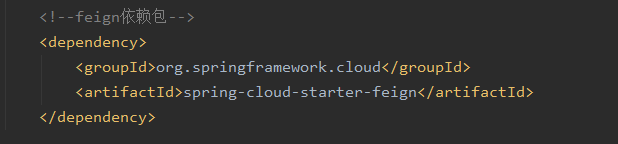
完成的pom.xml
<?xml version="1.0" encoding="UTF-8"?>

<project xmlns="http://maven.apache.org/POM/4.0.0" xmlns:xsi="http://www.w3.org/2001/XMLSchema-instance"

         xsi:schemaLocation="http://maven.apache.org/POM/4.0.0 https://maven.apache.org/xsd/maven-4.0.0.xsd">

    <modelVersion>4.0.0</modelVersion>

    <parent>

        <groupId>com.atguigu.springcloud</groupId>

        <!--    父级maven模块的工程名字-->

        <artifactId>microservicecloud</artifactId>

        <version>0.0.1-SNAPSHOT</version>

    </parent>

    <groupId>com.example</groupId>

    <artifactId>demo-my-cen-feign</artifactId>

    <version>0.0.1-SNAPSHOT</version>

    <name>demo-my-cen-feign</name>

    <description>Demo project for Spring Boot</description>

    <properties>

        <java.version>1.8</java.version>

    </properties>

    <dependencies>

        <dependency>

            <groupId>org.springframework.boot</groupId>

            <artifactId>spring-boot-starter-thymeleaf</artifactId>

        </dependency>

        <dependency>

            <groupId>org.springframework.boot</groupId>

            <artifactId>spring-boot-starter-web</artifactId>

        </dependency>

        <dependency>

            <groupId>org.springframework.boot</groupId>

            <artifactId>spring-boot-starter-test</artifactId>

            <scope>test</scope>

            <exclusions>

                <exclusion>

                    <groupId>org.junit.vintage</groupId>

                    <artifactId>junit-vintage-engine</artifactId>

                </exclusion>

            </exclusions>

        </dependency>

        <!-- Ribbon相关 -->

        <dependency>

            <groupId>org.springframework.cloud</groupId>

            <artifactId>spring-cloud-starter-eureka</artifactId>

        </dependency>

        <dependency>

            <groupId>org.springframework.cloud</groupId>

            <artifactId>spring-cloud-starter-ribbon</artifactId>

        </dependency>

        <!-- 修改后立即生效,热部署 -->

        <dependency>

            <groupId>org.springframework</groupId>

            <artifactId>springloaded</artifactId>

        </dependency>

        <dependency>

            <groupId>org.springframework.boot</groupId>

            <artifactId>spring-boot-devtools</artifactId>

        </dependency>

        <!--feign依赖包-->

        <dependency>

            <groupId>org.springframework.cloud</groupId>

            <artifactId>spring-cloud-starter-feign</artifactId>

        </dependency>

    </dependencies>

    <build>

        <plugins>

            <plugin>

                <groupId>org.springframework.boot</groupId>

                <artifactId>spring-boot-maven-plugin</artifactId>

            </plugin>

        </plugins>

    </build>

</project>
(2)新建一个装 Feign 接口的文件夹 ,我这里设为 feignInter
目录结构截图
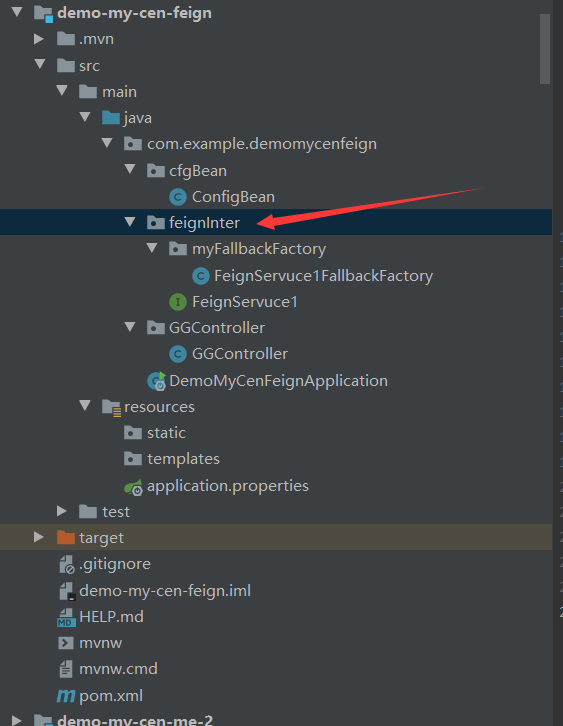
(3)编写一个目标微服务的接口 FeignServuce1 ,名字随意 ,一般一个微服务实例则装载一个文件里或者一个一个文件夹里面
package com.example.demomycenfeign.feignInter;

import com.example.demomycenfeign.feignInter.myFallbackFactory.FeignServuce1FallbackFactory;

import org.springframework.cloud.netflix.feign.FeignClient;

import org.springframework.web.bind.annotation.RequestMapping;

import org.springframework.web.bind.annotation.RequestMethod;

//注入服务的应用名

@FeignClient(value = "MICROSERVICECLOUD-DEPT1", fallbackFactory = FeignServuce1FallbackFactory.class)

public interface FeignServuce1 {

    @RequestMapping(value = "/ask", method = RequestMethod.GET)

    public String ask();

}
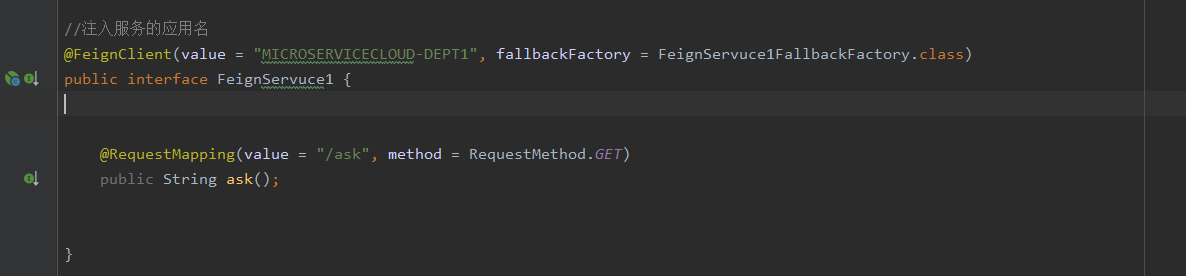
注解 @FeignClient 是用来标记这个接口是用来映射微服务接口的 ,参数 value 是为微服务提供者的应用名 ,在eureka可以查到 ,fallbackFactory 是当服务熔断后调用这个类的方法,
接口具体的路径和参数应该与服务提供者的一样。
(3)编写熔断抛出的类 FeignServuce1FallbackFactory,类似于抛出异常操作
package com.example.demomycenfeign.feignInter.myFallbackFactory;

import com.example.demomycenfeign.feignInter.FeignServuce1;

import feign.hystrix.FallbackFactory;

import org.springframework.stereotype.Component;

import java.util.Date;

/**

 * feign使用断路器【熔断器】 ,当熔断发生后,运行这里的方法。类似于异常抛出

 * 这里主要是处理异常出错的情况(降级/熔断时服务不可用,fallback就会找到这里来)

 */

@Component // 不要忘记添加,不要忘记添加,不加则无法使用熔断器

public class FeignServuce1FallbackFactory implements FallbackFactory<FeignServuce1> {

    @Override

    public FeignServuce1 create(Throwable throwable) {

        return new FeignServuce1() {

            @Override

            public String ask() {

                return "feign使用了断路器【熔断器】,限制服务处于熔断状态,运行了类似于抛出异常的方法,时间=" + new Date();

            }

        };

    }

}

注解 @Component 很重要,否则熔断后无法找到,请求会一直在等待
开启熔断器,还有关键的一步,去applicable.properties 配置 ,因为feign 底层熔断器就是使用 Hystrix

完整的配置
server.port=520

spring.application.name=520love

# 当前微服务不注册到eureka中(消费端)

eureka.client.register-with-eureka=false

eureka.client.service-url.defaultZone=http://localhost:7001/eureka/

#

#

#

# feign开启熔断器必须加这句话,不然无法使用,直接报500状态码

feign.hystrix.enabled=true

#

#

#

##

##是否开启超时熔断, 如果为false, 则熔断机制只在服务不可用时开启,即忽略hystrix的超时时间

# hystrix.command.default.execution.timeout.enabled=true

## 设置超时熔断时间

# hystrix.command.default.execution.isolation.thread.timeoutInMilliseconds=1000

#

##全局配置

## 请求连接的超时时间 默认的时间为 1 秒

#ribbon.ConnectTimeout=5000

## 请求处理的超时时间

#ribbon.ReadTimeout=5000

#

## 开启饥饿加载 解决第一次feign调用失败的问题

#ribbon.eager-load.enabled=true

##需要饥饿加载的服务名称

#ribbon.eager-load.clients=commodity-center

#
(4)默认客户端负载均衡策略是轮询策略 ,想要修改,有3种办法 ,这里只介绍一种 ,使用注解 @Configuration
新建一个配置类
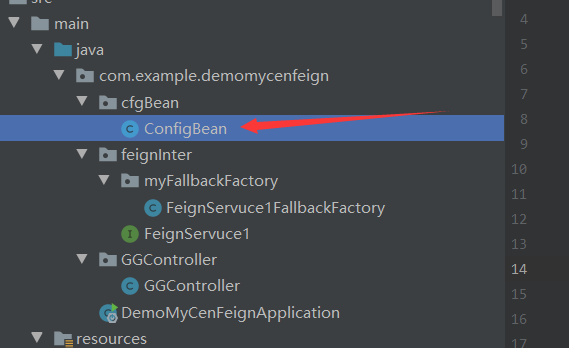
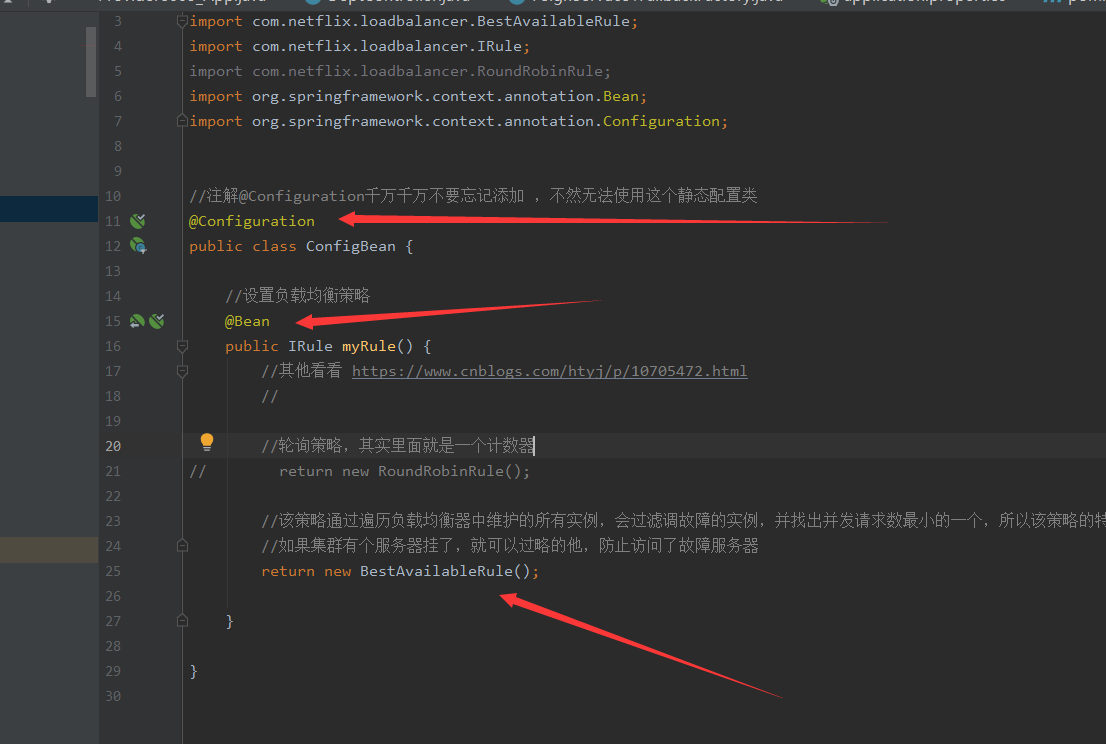
现在去启动类开启 Feign 和设置负载均衡策略
package com.example.demomycenfeign;

import com.example.demomycenfeign.cfgBean.ConfigBean;

import org.springframework.boot.SpringApplication;

import org.springframework.boot.autoconfigure.SpringBootApplication;

import org.springframework.cloud.netflix.eureka.EnableEurekaClient;

import org.springframework.cloud.netflix.feign.EnableFeignClients;

import org.springframework.cloud.netflix.ribbon.RibbonClient;

@SpringBootApplication

@EnableEurekaClient

//

//

@EnableFeignClients(basePackages = {"com.example.demomycenfeign.feignInter"})

//开启客户端负载均衡自定义策略,参数name是该服务器的应用名字 ,configuration设置 策略配置类

@RibbonClient(name = "520love" ,configuration = ConfigBean.class)

//

public class DemoMyCenFeignApplication {

    public static void main(String[] args) {

        SpringApplication.run(DemoMyCenFeignApplication.class, args);

    }

}

注解 @ EnableFeignClients 是开启 Feign ,参数 basePackages 是指 装有 目标微服务的接口 的文件夹 ,用于Feign扫描接口才能知道在服务接口在哪里
注解 @RibbonClient 开启客户端负载均衡自定义策略,参数name是该服务器的应用名字 ,configuration设置 策略配置类
(5)到了关键的一步,怎么使用 Feign 调用服务呢?
很简单

package com.example.demomycenfeign.GGController;

import com.example.demomycenfeign.feignInter.FeignServuce1;

import org.springframework.beans.factory.annotation.Autowired;

import org.springframework.beans.factory.annotation.Value;

import org.springframework.context.annotation.PropertySource;

import org.springframework.stereotype.Controller;

import org.springframework.web.bind.annotation.RequestMapping;

import org.springframework.web.bind.annotation.ResponseBody;

import org.springframework.web.bind.annotation.RestController;

import org.springframework.web.client.RestTemplate;

@RestController

//@PropertySource("classpath:my.properties")

public class GGController {

//    private static final String REST_URL_PREFIX = "http://MICROSERVICECLOUD-DEPT1";

    @Autowired

    private FeignServuce1 feignServuce1;

    @RequestMapping("/bb")

    public String bb(){

//        Food d = new Food();

//        d.setApple("苹果");

//        d.setEgg("鸡蛋");

//        System.out.println(d);

//        try {

//            Thread.sleep(5000);

//        } catch (InterruptedException e) {

//            e.printStackTrace();

//        }

//        System.out.println("调用服务,开启负载均衡Ribbon");

        //使用restTemplate 直接调用 ,postForObject 是post请求方式 ,getForObject是get请求方式,根据服务提供者的接口选择,这个是需要提前知道服务提供者的接口格式的

//        return restTemplate.getForObject(REST_URL_PREFIX + "/ask", String.class) +"===========消费者端口是"+port;

//        try {

//            Thread.sleep(5000);

//        } catch (InterruptedException e) {

//            e.printStackTrace();

//        }

        return feignServuce1.ask()+"===========我的消费者端口是"+port;

    }

    @Value("${server.port}")

    private String port;

//    public String myFallback(){

//        return "服务繁忙,已经开启了Hystrix";

//    }

    @RequestMapping("/cc")

    public String otherService() {

        return "我是其他服务";

    }

}
3.测试
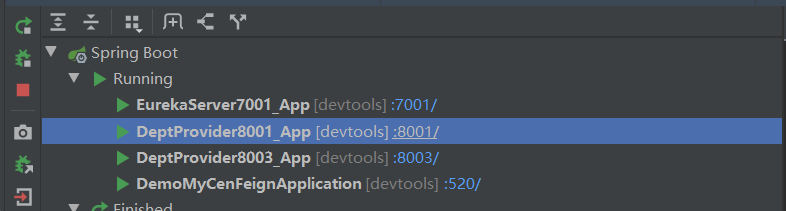
(1)提前准备 并开启 1个注册中心端口7001 , 2个服务提供者端口8001,8003 【集群】,一个消费者端口520
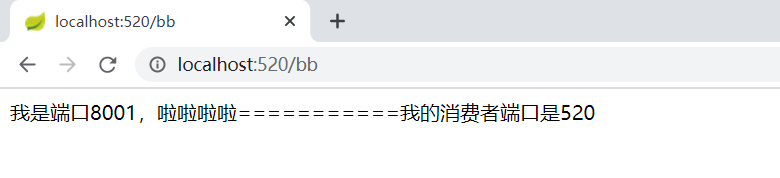
(2)端口520 ,浏览器输入 http://localhost:520/bb ,可以正常访问
浏览器输入 http://localhost:520/cc ,可以正常访问

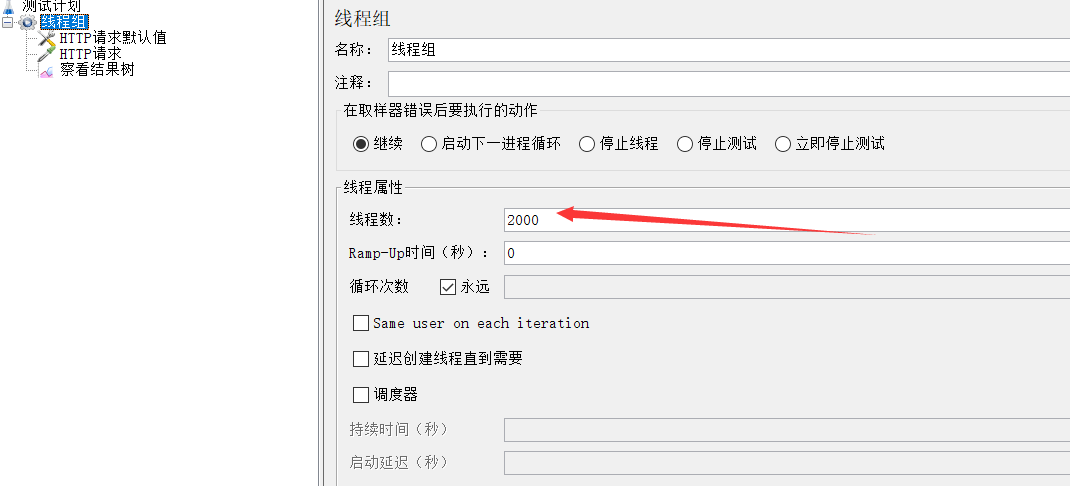
(3)现在使用JMeter 工具做压力测试 ,建立2000个线程,同时访问http://localhost:520/bb
(4)端口520 ,再次浏览器输入 http://localhost:520/bb ,可以看到服务熔断了,对服务做降级保护,运行了fallbackFactory的类方法
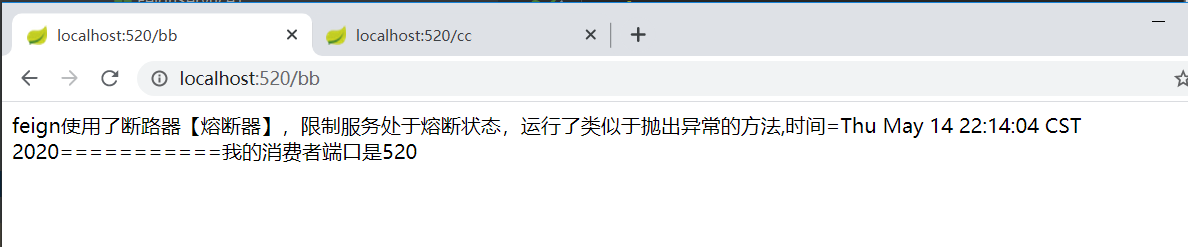
再次访问其他端口 , 浏览器输入 http://localhost:520/cc ,可以正常访问,接口并没有崩溃 ,但是。。。。多访问几次,会发现端口520崩了。。。/cc访问不到
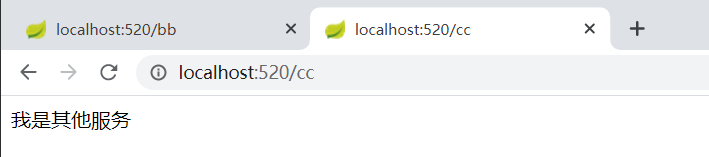
结论是:2000线程访问http://localhost:520/bb ,导致 端口520崩溃 ,
猜测,feign 熔断只是对远程服务接口负责,当服务不可用或者服务响应超时,则会熔断/服务降级
//需要验证一下
4.第二次测试
(1)只开一个服务端口8001 ,
在端口520 ,浏览器输入 http://localhost:520/bb ,可以正常访问服务
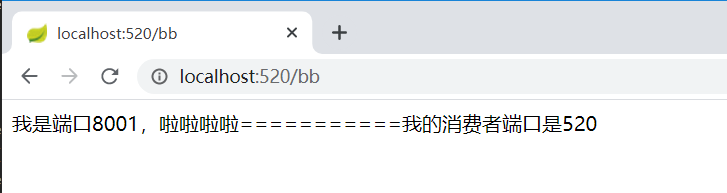
(2)使用JMeter 工具做压力测试 ,建立2000个线程,同时访问http://localhost:8001/ask ,导致服务8001端口崩了
端口520 ,浏览器输入 http://localhost:520/bb ,发现接口熔断了

(3)关闭2000线程后,端口520 ,浏览器输入 http://localhost:520/bb,有可以调用接口了
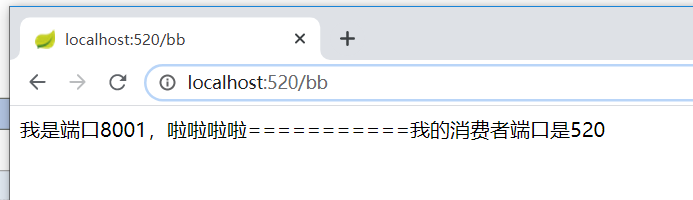
结论:feign 熔断只是对远程服务接口负责,当服务不可用或者服务响应超时,则会熔断/服务降级,消费者端口不可再调用服务
最简单的证明就是把服务提供者服务器直接关掉,服务消费者的调用接口直接熔断,无法使用,展示这里就不写了
spring cloud --- Feign --- 心得的更多相关文章
- 笔记:Spring Cloud Feign Ribbon 配置
由于 Spring Cloud Feign 的客户端负载均衡是通过 Spring Cloud Ribbon 实现的,所以我们可以直接通过配置 Ribbon 的客户端的方式来自定义各个服务客户端调用的参 ...
- 笔记:Spring Cloud Feign Hystrix 配置
在 Spring Cloud Feign 中,除了引入了用户客户端负载均衡的 Spring Cloud Ribbon 之外,还引入了服务保护与容错的工具 Hystrix,默认情况下,Spring Cl ...
- 笔记:Spring Cloud Feign 其他配置
请求压缩 Spring Cloud Feign 支持对请求与响应进行GZIP压缩,以减少通信过程中的性能损耗,我们只需要通过下面二个参数设置,就能开启请求与响应的压缩功能,yml配置格式如下: fei ...
- 笔记:Spring Cloud Feign 声明式服务调用
在实际开发中,对于服务依赖的调用可能不止一处,往往一个接口会被多处调用,所以我们通常会针对各个微服务自行封装一些客户端类来包装这些依赖服务的调用,Spring Cloud Feign 在此基础上做了进 ...
- 第六章:声明式服务调用:Spring Cloud Feign
Spring Cloud Feign 是基于 Netflix Feign 实现的,整合了 Spring Cloud Ribbon 和 Spring Cloud Hystrix,除了提供这两者的强大功能 ...
- Spring Cloud Feign Ribbon 配置
由于 Spring Cloud Feign 的客户端负载均衡是通过 Spring Cloud Ribbon 实现的,所以我们可以直接通过配置 Ribbon 的客户端的方式来自定义各个服务客户端调用的参 ...
- Spring Cloud feign
Spring Cloud feign使用 前言 环境准备 应用模块 应用程序 应用启动 feign特性 综上 1. 前言 我们在前一篇文章中讲了一些我使用过的一些http的框架 服务间通信之Http框 ...
- 微服务架构之spring cloud feign
在spring cloud ribbon中我们用RestTemplate实现了服务调用,可以看到我们还是需要配置服务名称,调用的方法 等等,其实spring cloud提供了更优雅的服务调用方式,就是 ...
- Spring Cloud Feign 在调用接口类上,配置熔断 fallback后,输出异常
Spring Cloud Feign 在调用接口类上,配置熔断 fallback后,出现请求异常时,会进入熔断处理,但是不会抛出异常信息. 经过以下配置,可以抛出异常: 将原有ErrorEncoder ...
随机推荐
- I/O流之文件流
1.文件操作类 File 1.public File(String pathname)//给定一个要操作文件的完整路径 2.public File(File parent,String child)/ ...
- 记一次SQL Server insert触发器操作
需求:在河道水情表(ST_RIVER_R )新增插入数据时,更新实时数据表(SS_data) 中关联字段的值. 需求概括下:当A表中新增数据时,同时更新B表中的某字段 代码如下: USE [DBCNB ...
- bcloud_bctf_2016
目录 bcloud_bctf_2016 总结 题目分析 checksec 函数分析 main welcome get_name get_org_host menu new_note show_note ...
- C# SAP Connector .NET Framework 4.5 版本下载
公司对接 SAP 数据使用 SAP Connector 程序,主要是两个类库:sapnco.dll.sapnco_utils.dll 但是没想到它的版本如此混乱,.NET 2.0 和 .NET 4.0 ...
- Google Earth Engine 批量点击RUN任务,批量取消正在上传的任务
本文内容参考自: https://blog.csdn.net/qq_21567935/article/details/89061114 https://blog.csdn.net/qq_2156793 ...
- 小迪安全 Web安全 基础入门 - 第九天 信息打点 - CDN绕过篇&漏洞回链&接口探针&全网扫描&反向邮件
一. CDN知识-工作原理及阻碍 (一)工作原理 1.概述:CDN的全称是Content Delivery Network,即内容分发网络.CDN是构建在现有网络基础之上的智能虚拟网络,依靠部署在各地 ...
- 用 shell 脚本做自动化测试
前言 项目中有一个功能,需要监控本地文件系统的变更,例如文件的增.删.改名.文件数据变动等等.之前只在 windows 上有实现,采用的是 iocp + ReadDirectoryChanges 方案 ...
- IDEA微服务项目SpringBoot一键(批量)顺序启动
找到 搜索 RunDashboard <option name="configurationTypes"> <set> <option value=& ...
- c++指针函数和函数指针概述
欢迎指正 代码写的不够规范: 目的是缩短文章篇幅,实际中请注意 阅读完本文, 你一定能判断和写出:指针函数和函数指针. 0.结论 A.指针函数: 函数的返回值是指针类型 B.函数指针: 函数名是一个指 ...
- nim_duilib(9)之RichEdit
introduction 更多控件用法,请参考 here 和 源码. 本文的代码基于这里 RichEdit的更多用法,请参考源码中RichEdit.h提供的函数,RichEdit控件,可以定制为多种多 ...