
OAuth2认证和授权:AuthorizationCode认证
前面的OAuth2认证,里面的授权服务器都是用的identityserver4搭建的
ids4没有之前一般都是Owin搭建授权服务器,博客园有很多
ids4出来后,一般都是用ids4来做认证和授权了,
所以这里简单说下AuthorizationCode认证,但授权服务器依然是ids4
下篇接受ids4的认证和授权
ConfigureServices配置:
#region OAuth认证

            services.AddAuthentication(options =>

            {

                //options.DefaultAuthenticateScheme=OAuthDefaults.DisplayName

                //options.DefaultAuthenticateScheme = CookieAuthenticationDefaults.AuthenticationScheme;

                options.DefaultAuthenticateScheme = "Cookies";

                options.DefaultSignInScheme = "Cookies";

                //options.DefaultSignOutScheme = "Cookies";

                options.DefaultChallengeScheme = "OAuth";

            })

            .AddCookie()

            .AddOAuth("OAuth", options =>

            {

                options.ClientId = "OAuth.Client";

                options.ClientSecret = "secret";

                options.AuthorizationEndpoint = "http://localhost:5003/connect/authorize";

                options.TokenEndpoint = "http://localhost:5003/connect/token";

                options.CallbackPath = new PathString("/OAuth");

                options.SaveTokens = true;

                options.Scope.Add("OAuth1");

                options.Scope.Add("OAuth2");

                options.Scope.Add("OAuth3");

                //options.Scope.Add("offline_access");

                options.Events = new OAuthEvents()

                {

                    //OnRedirectToAuthorizationEndpoint = t =>

                    //{

                    //    t.Response.Redirect("http://localhost:5001/Account/userinfo");

                    //    return Task.FromResult(0);

                    //},

                    //远程异常触发

                    OnRemoteFailure = OAuthFailureHandler =>

                    {

                        //var msg = OAuthFailureHandler.Failure.Message;

                        var authProperties = options.StateDataFormat.Unprotect(OAuthFailureHandler.Request.Query["state"]);

                        var redirectUrl = authProperties.RedirectUri;

                        if (redirectUrl.Contains("/"))

                        {

                            redirectUrl = string.Format($"{redirectUrl.Substring(0, redirectUrl.LastIndexOf("/") + 1)}#");

// redirectUrl.Substring(0, redirectUrl.IndexOf("/") + 1);

                        }

                        //"http://localhost:5001/#"

                        OAuthFailureHandler.Response.Redirect(redirectUrl);

                        OAuthFailureHandler.HandleResponse();

                        return Task.FromResult();

                    }

                };

            });

            #endregion
中间件:
app.UseAuthentication();
授权服务器的ApiResource配置
var oauth = new ApiResource

            {

                Name = "OAuth.ApiName", //这是资源名称

                Description = "",

                DisplayName = "",

                Scopes = {

                    new Scope{

                        Name="OAuth1", //这里是指定客户端能使用的范围名称 , 是唯一的

                        Description="描述",

                        DisplayName="获得你的个人信息,好友关系",

                        Emphasize=true,

                        Required=true,

                        //ShowInDiscoveryDocument=true,

                    },

                    new Scope{

                        Name="OAuth2",

                        Description="描述",

                        DisplayName="分享内容到你的博客",

                        Emphasize=true,

                        Required=true,

                    },

                    new Scope{

                        Name="OAuth3",

                        Description="描述",

                        DisplayName="获得你的评论",

                    }

                }

            };
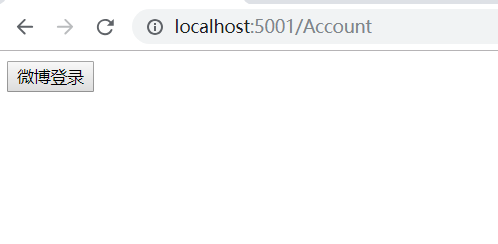
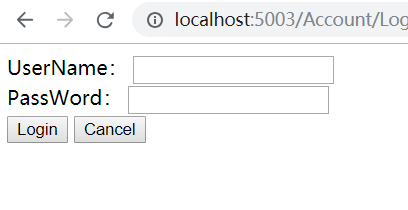
当选择使用微博登陆。就会跳转到授权服务器,使用微博账号登陆
当然,如果你取消,则会跳转回来,是根据OnRemoteFailure事件来的
登陆成功后,则提示是否同意授权
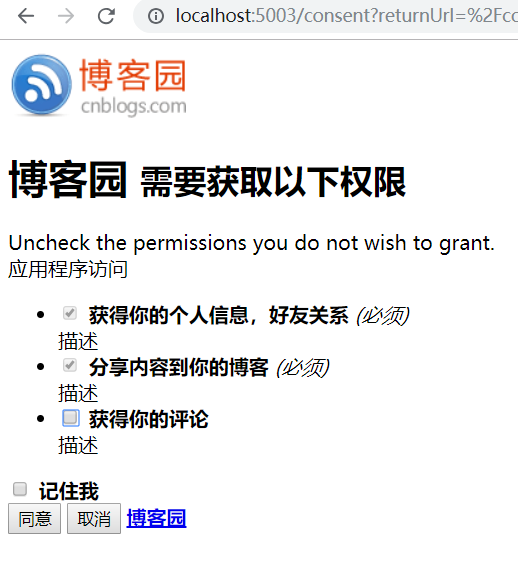
如果取消,则也会跳回之前的页面
同意授权后,则跳转回来,拿到了access_token ,可以请求资源服务器获取资源了
从5003跳转到了5001
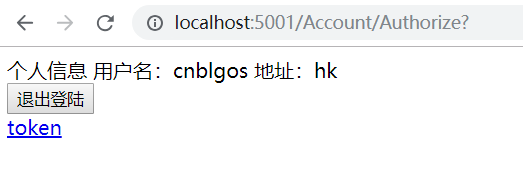
就这么一个简单的过程,下篇详细接受下ids4,感觉那才是重点
OAuth2认证和授权:AuthorizationCode认证的更多相关文章
- keycloak~账号密码认证和授权码认证
用户名密码登录 POST /auth/realms/demo/protocol/openid-connect/token 请求体 x-www-form-urlencoded grant_type:pa ...
- ASP.NET Core WebAPI中使用JWT Bearer认证和授权
目录 为什么是 JWT Bearer 什么是 JWT JWT 的优缺点 在 WebAPI 中使用 JWT 认证 刷新 Token 使用授权 简单授权 基于固定角色的授权 基于策略的授权 自定义策略授权 ...
- OAuth2.0认证和授权原理
什么是OAuth授权? 一.什么是OAuth协议 OAuth(开放授权)是一个开放标准. 允许第三方网站在用户授权的前提下访问在用户在服务商那里存储的各种信息. 而这种授权无需将用户提供用户名和密 ...
- [转载] OAuth2.0认证和授权原理
转载自http://www.tuicool.com/articles/qqeuE3 什么是OAuth授权? 一.什么是OAuth协议 OAuth(开放授权)是一个开放标准,允许第三方网站在用户授权的前 ...
- 一步步搭建最简单oauth2.0认证和授权
oauth2.0 最早接触这个概念是在做微信订阅号开发.当时还被深深的绕进去,关于oauth2.0的解释网上有好多,而且都讲解的比较详细,下面给大家价格参考资料. http://owin.org/ h ...
- OAuth2.0认证和授权以及单点登录
https://www.cnblogs.com/shizhiyi/p/7754721.html OAuth2.0认证和授权机制讲解 2017-10-30 15:33 by shizhiyi, 2273 ...
- OAuth2认证和授权:ResourceOwnerPassword认证
ResourceOwnerPassword在 ClientCredentials认证上新增了用户名和密码 但通过RequestPasswordTokenAsync获取不到refresh_token,不 ...
- OAuth2认证和授权:ClientCredentials认证
1:创建授权服务器项目:AuthorizationServer,添加包:IdentityServer4 2:创建资源服务器项目:ResourcesServer,添加包:IdentityServer4. ...
- OAuth2认证和授权入门
OAuth2四种授权方式 四种授权方式 OAuth 2.0定义了四种授权方式. 密码模式(resource owner password credentials) 授权码模式(authorizatio ...
随机推荐
- Geoserver GeoWebCache 切图失败 This requested used more time than allowed and has been forcefully stopped. Max rendering time is 60.0s
错误信息: This requested used more time than allowed and has been forcefully stopped. Max rendering time ...
- golang 中的指针
# golang 中的指针 看了一篇[文章](http://blog.51cto.com/steed/2341409),写的很好.这里略微总结下重点: 1. 地址值.unsafe.Pointer.ui ...
- What is a TensorFlow Session?
Sep 26, 2016 I've seen a lot of confusion over the rules of tf.Graph and tf.Session in TensorFlow. I ...
- mapstruct与lombok结合使用
当mapstruct与lombok想结合使用的时候,出现了生成的MapperImpl里方法,没有对实体进行转换的情况. 解决方案: <plugin> <groupId>org. ...
- rabbitmq消费端加入精确控频。
控制频率之前用的是线程池的数量来控制,很难控制.因为做一键事情,做一万次,并不是每次消耗的时间都相同,所以很难推测出到底多少线程并发才刚好不超过指定的频率. 现在在框架中加入控频功能,即使开200线程 ...
- EnumUtil 链表转换工具类
package com.das.common.util; import org.springframework.util.CollectionUtils; import java.lang.refle ...
- OSG相关扩展工程
https://blog.csdn.net/wang15061955806/article/details/51003803 OSG的相关扩展,OSG针对每个特定应用,也有很多的开发者进行开发和完善, ...
- 如何用AJax提交name[]数组?
https://www.cnblogs.com/junzilan/p/5424120.html
- vs启动出错(chenlu-1):参数“basePath”不能是相对路径
参数“basePath”不能是相对路径 原因: 1.调试路径下没有exe文件.没有生成exe文件. 2.项目属性->配置属性->调试->命令中的参数被设置为相对路径.
- Louvain 算法原理
Louvain算法是一种基于图数据的社区发现算法,算法的优化目标为最大化整个数据的模块度,模块度的计算如下: 其中m为图中边的总数量,k_i表示所有指向节点i的连边权重之和,k_j同理.A_{i,j} ...