
一个休假申请页对input标签各种属性的用法案例(手机端)
<%@ page language="java" import="java.util.*" contentType="text/html; charset=utf-8" pageEncoding="utf-8"%>

<%@ taglib prefix="s" uri="/struts-tags" %>

<!DOCTYPE html PUBLIC "-//W3C//DTD HTML 4.01 Transitional//EN" "http://www.w3.org/TR/html4/loose.dtd">

<html>

<head>

    <meta http-equiv="Content-Type" content="text/html; charset=utf-8">

    <meta name="viewport" content="width=device-width,initial-scale=1,maximum-scale=1,minimum-scale=1,user-scalable=no" />

    <meta http-equiv="X-UA-Compatible" content="IE=edge">

    <title>休假申请</title>

    <script src="jquery-1.11.1.min.js"></script>

    <style>

        body{margin: 0;padding: 0;}

        html,body{ font-size:14px; height:100%;}

        dl{

            width: 220px;

            height: auto;

            margin: 30px auto;

        }

        dl dt span{

            color: red;

        }

        dl dd{

            width: 100%;

            margin: 4px 0 12px;

        }

        dl dd select,input{

            width: 100%;

            height:2em;

            border-radius: 0;

            padding:0;

            margin:0;

            background-color: transparent;

        }

        footer{

            width: 100%;

        }

        button.submit{

            width: 150px;

            height: 2em;

            line-height: 2em;

            display: block;

            margin: 0 auto 20px;

            border-radius: 4px;

            border: none;

            font-weight: bold;

            color:#fff;

            background-color:#4d8fd8;

            font-size:14px;

        }

    </style>

</head>

<body>

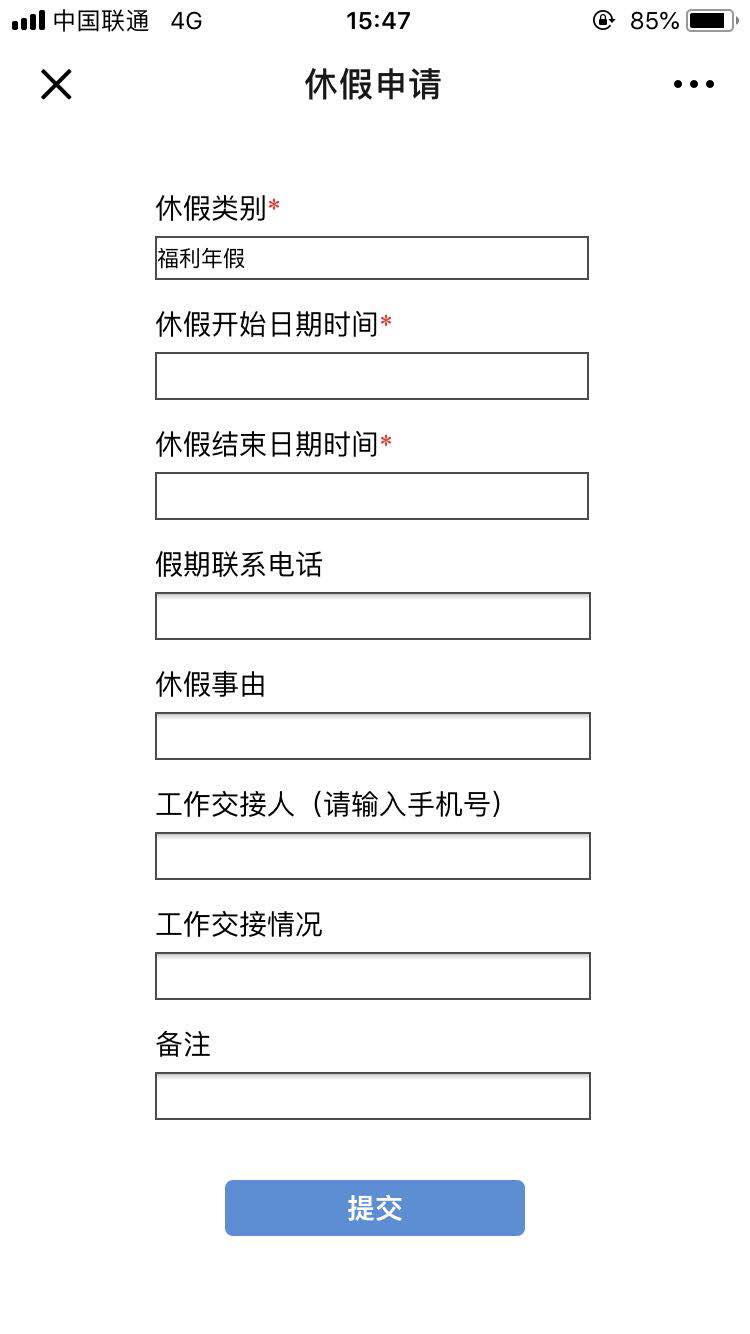
    <dl>

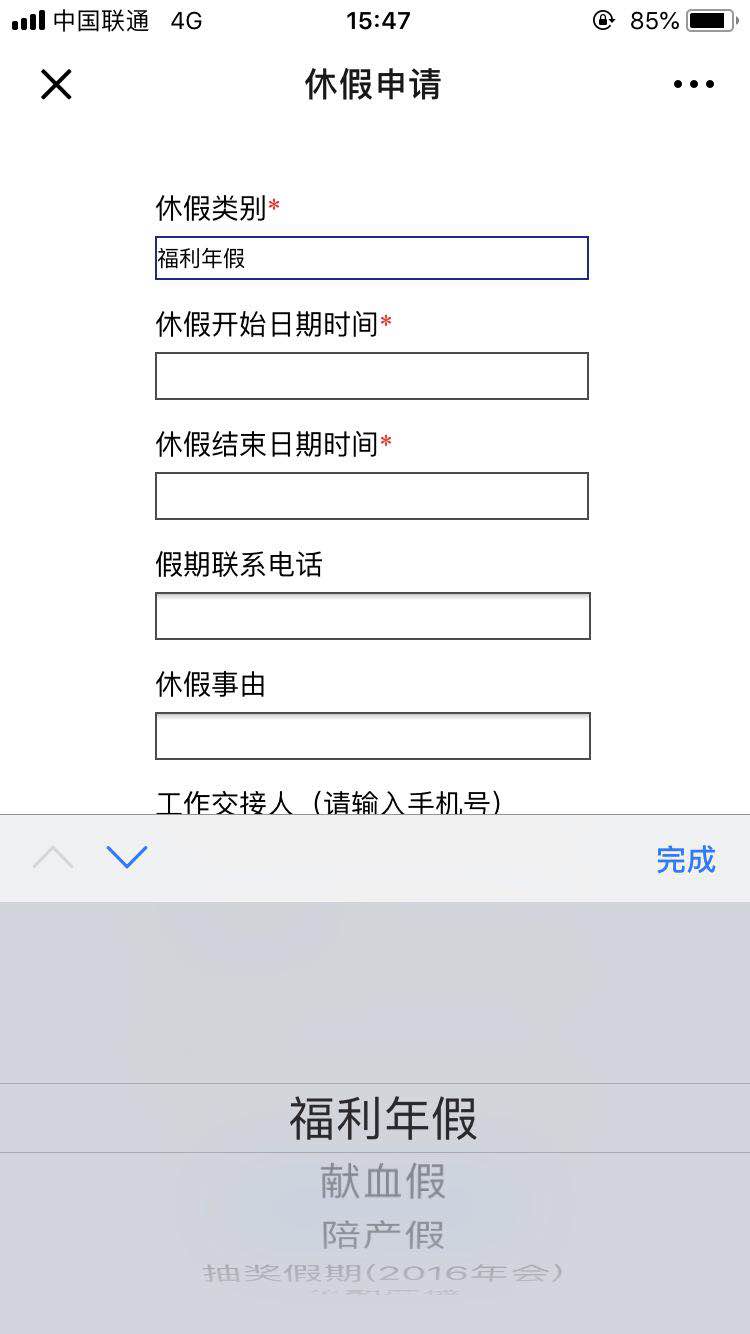
        <dt>休假类别<span>*</span></dt>

        <dd>

            <select id="leaveCategory" style="width:217px;">

                <s:if test="typeList!=null && typeList.size()>0">

                    <s:iterator value="typeList" status="s">

                        <option value="<s:property value="timeItemCode"/>"> <s:property value="timeItemName"/> </option>

                    </s:iterator>

                </s:if>

            </select>

        </dd>

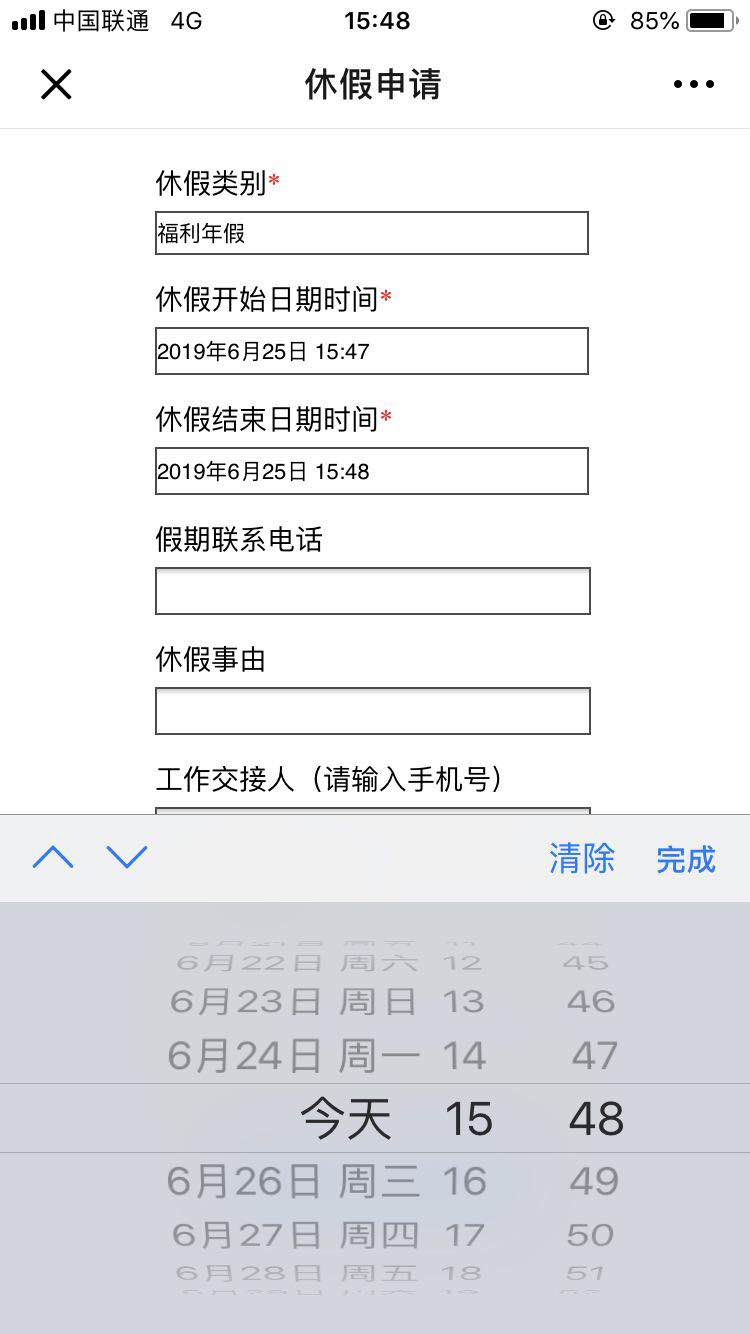
        <dt>休假开始日期时间<span>*</span></dt>

        <dd><input type="datetime-local" id="beginTime" style="width:215px;" /></dd>

        <dt>休假结束日期时间<span>*</span></dt>

        <dd><input type="datetime-local" id="endTime" style="width:215px;" /></dd>

        <dt>假期联系电话</dt>

        <dd><input type="tel" id="ownTel" maxlength="13" style="width:216px;" /></dd>

        <dt>休假事由</dt>

        <dd><input type="text" id="reason" maxlength="100" style="width:216px;" /></dd>

        <dt>工作交接人(请输入手机号)</dt>

        <dd><input type="tel" id="handoverTel" maxlength="20" style="width:216px;" /></dd>

        <dt>工作交接情况</dt>

        <dd><input type="text" id="situation" maxlength="100" style="width:216px;" /></dd>

        <dt>备注</dt>

        <dd><input type="text" id="note" maxlength="200" style="width:216px;" /></dd>

    </dl>

    <footer><button class="submit" onclick="submit()">提交</button></footer>

    <script>

        function submit(){

            var leaveCategory = $('#leaveCategory').val();

            if(!leaveCategory){

                alert("休假类别不能为空");

                return

            }

            var beginTime = $('#beginTime').val().substr(0,16);  //时间只取值到分

            if(!beginTime){

                alert("休假开始日期时间不能为空");

                return

            }

            var endTime = $('#endTime').val().substr(0,16);

            if(!endTime){

                alert("休假结束日期时间不能为空");

                return

            }

            if(beginTime>=endTime){

                alert("休假结束日期时间必须大于休假开始日期时间");

                return

            }

            var ownTel = $('#ownTel').val();

            var reason = $('#reason').val();

            var handoverTel = $('#handoverTel').val();

            var situation = $('#situation').val();

            var note = $('#note').val();

            $.ajax({

                url: '',

                type: 'post',

                data: {

                    timeItemCode : leaveCategory,

                    beginTime : beginTime,

                    endTime : endTime,

                    ownTel : ownTel,

                    reason : reason,

                    handoverTel : handoverTel,

                    situation : situation,

                    note : note

                },

                dataType: 'json',

                success: function(res){},

                error: function(){}

            })

        }

    </script>

</body>

</html>
一个休假申请页对input标签各种属性的用法案例(手机端)的更多相关文章
- html <input>标签类型属性type(file、text、radio、hidden等)详细介绍
html <input>标签类型属性type(file.text.radio.hidden等)详细介绍 转载请注明:文章转载自:[169IT-最新最全的IT资讯] html <inp ...
- select标签multiple属性的用法
前些日子公司让做一个功能模块.对于里面一个小功能费了些周折,现将其总结一下: 一.实现效果: watermark/2/text/aHR0cDovL2Jsb2cuY3Nkbi5uZXQvZ2FvaHVh ...
- 一个解决chrome浏览器下input标签当autocomplete的时候背景变黄色同时input背景图片消失方案
最近在改一个bug即如标题所讲的一样,chrome浏览器下当input标签开启autocomplete的时候input的背景颜色变黄同时在input的背景图片也被覆盖了.为此百度了好久发现网上说的使用 ...
- 解决input标签placeholder属性浏览器兼容性问题的一种方法
为文本框input添加文字输入提示,H5为input提供了一个placeholder属性.在支持H5的浏览器中,用此属性设置输入提示,简单方便,但是对于IE8以下版本,都不支持placeholder属 ...
- HTML中input标签maxlength属性的妙处
HTML中的input标签可是很常用的. HTML本身也非常简单,就是若干标签,每个标签有若干属性. 我在学习HTML的过程中,也没有太过重视. 今年,在写前端表单验证的时候,发现maxlength这 ...
- 关于input标签checkbox属性 和checked
我们设置了type的属性为checkbox时,记住以下3个关键点 1.点勾选时或者说点击时,checked为选中,在input标签中是checked=“checked”,注意这里面无论checked= ...
- 前端 html input标签 placeholder属性 标签上显示内容
前端 html input标签 的placeholder属性 标签上显示内容 <!DOCTYPE html> <html lang="en"> < ...
- input标签新增属性
<input list='list_t' type="text" name='user' placeholder='请输入姓名' value="" / ...
- 前端 HTML form表单标签 input标签 type属性 file 上传文件
加上上传文件功能 input type='file' - 依赖form表单里一个属性 enctype="multipart/form-data" 加上这个属性表示把你上次文件一点 ...
随机推荐
- PHP中echo和print的区别
这篇文章主要介绍了PHP中echo和print的区别,针对二者使用中常见的用法区别进行了较为深入的总结与分析,需要的朋友可以参考下 一般来说,PHP中动态输出HTML内容,是通过print 和 ech ...
- 改进MySQL Order By Rand()的低效率
Author:flymorn Source:飘易Categories:PHP编程 PostTime:2011-1-14 15:35:07 正 文: 最近由于需要研究了一下MYSQL的随机抽取实现方法. ...
- linux环境下安装varnish
Varnish是一款高性能的开源HTTP加速器,挪威最大的在线报纸 Verdens Gang 使用3台Varnish代替了原来的12台Squid,性能比以前更好. sudo apt-get insta ...
- Oracle 自己主动内存管理 SGA、PGA 具体解释
ASMM自己主动共享内存管理: 自己主动依据工作量变化调整 最大程度地提高内存利用率 有助于消除内存不足的错误 SYS@PROD>show parameter sga NAME ...
- POJ 1128 Frame Stacking(拓扑排序·打印字典序)
题意 给你一些矩形框堆叠后的鸟瞰图 推断这些矩形框的堆叠顺序 每一个矩形框满足每边都至少有一个点可见 输入保证至少有一个解 按字典序输出全部可行解 和上一题有点像 仅仅是这个要打印全部的可行 ...
- MongoDB改动、删除文档的域属性实例
MongoDB改动.删除文档的域属性实例 在站点的开发中,可能最初的设计不合理.或者后期业务的变更,会造成文档结构会有些无用的属性.须要去删除或改动.因为MongoDB 是无 Schema 的,不像关 ...
- pytest 失败用例重试
https://www.cnblogs.com/jinzhuduoduo/articles/7017405.html http://www.lxway.com/445949491.htm https: ...
- 使用OpenCV滑动条写成的简单调色器,实时输出RGB值
好久没有写博客了,近期在看OpenCV.于是动手写了个简单的RGB调色器,在终端实时输出RGB的值.通过这个程序学习滑动条的使用.程序中主要用到cvCreateTrackbar ,其使用方法例如以下: ...
- codeforces Looksery Cup 2015 D. Haar Features
The first algorithm for detecting a face on the image working in realtime was developed by Paul Viol ...
- Privoxy shadowscocks代理
ubuntu已经启动好了sock5的代理, 代理为: 127.0.0.1:1080. #使用Privoxy将sock5代理映射为http代理. 安装Privoxy sudo apt-get updat ...