
关于css3的背景切割(background-clip)、背景原点(background-origin)的使用


 <!doctype html>

 <html lang="en">

 <head>

 <meta charset="UTF-8">

 <title>Document</title>

 <style type="text/css">

 .div1{

 width: 300px;

 height: 300px;

 border:50px dashed green;

 font-size: 60px;

 color: #fff;

 padding: 30px;

 margin: 30px;

 background: #fff url(bac.jpg) 0 0 no-repeat;

 background-clip: border-box;

 /*background-clip: padding-box;*/

 /*background-clip: content-box;*/

 }

 </style>

 </head>

 <body>

 <div class="div1">过后覅计划公交窖口换IP感觉</div>

 </body>

 </html>
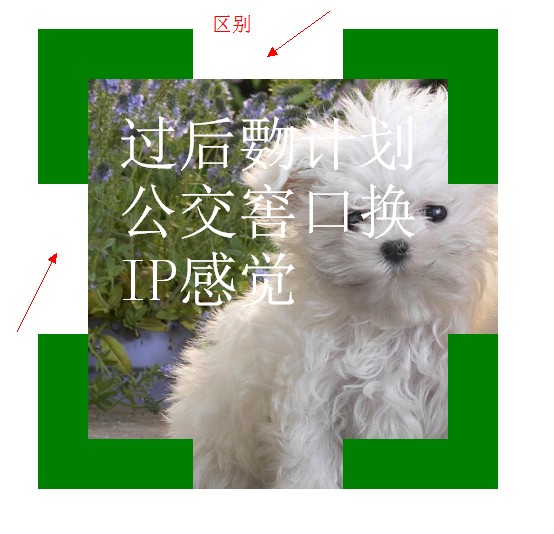

 <!doctype html>

 <html lang="en">

 <head>

 <meta charset="UTF-8">

 <title>Document</title>

 <style type="text/css">

 .div1{

 width: 300px;

 height: 300px;

 border:50px dashed green;

 font-size: 60px;

 color: #fff;

 padding: 30px;

 margin: 30px;

 background: #fff url(bac.jpg) 0 0 no-repeat;

 background-clip: border-box;

 /*background-clip: padding-box;*/

 /*background-clip: content-box;*/

 }

 </style>

 </head>

 <body>

 <div class="div1">过后覅计划公交窖口换IP感觉</div>

 </body>

 </html>


 <!doctype html>

 <html lang="en">

 <head>

 <meta charset="UTF-8">

 <title>Document</title>

 <style type="text/css">

 .div1{

 width: 300px;

 height: 300px;

 border:50px dashed green;

 font-size: 60px;

 color: #fff;

 padding: 30px;

 margin: 30px;

 background: #fff url(bac.jpg) 0 0 no-repeat;

 background-clip: border-box;

 /*background-clip: padding-box;*/

 /*background-clip: content-box;*/

 background-origin: border-box;

 }

 </style>

 </head>

 <body>

 <div class="div1">过后覅计划公交窖口换IP感觉</div>

 </body>

 </html>
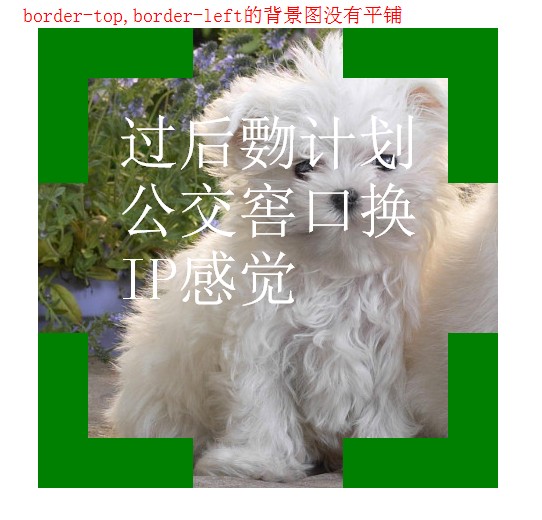


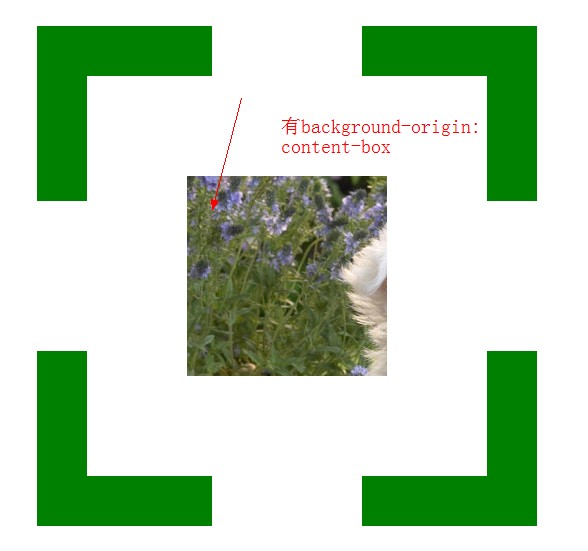

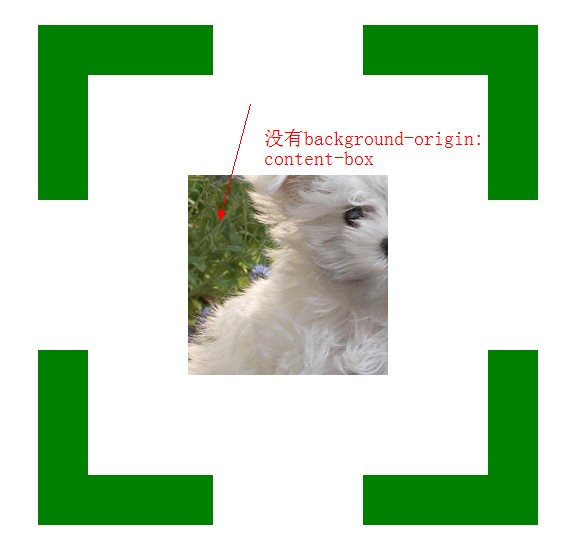
 <!doctype html>

 <html lang="en">

 <head>

 <meta charset="UTF-8">

 <title>Document</title>

 <style type="text/css">

 .div1{

 width: 200px;

 height: 200px;

 border:50px dashed green;

 font-size: 60px;

 color: #fff;

 padding: 100px;

 margin: 30px;

 background: #f00 url(bac.jpg) 0 0 no-repeat;

 background-clip: content-box;

 background-origin: content-box;

 }

 </style>

 </head>

 <body>

 <div class="div1"></div>

 </body>

 </html>
 <!doctype html>

 <html lang="en">

 <head>

 <meta charset="UTF-8">

 <title>Document</title>

 <style type="text/css">

 .div1{

 width: 200px;

 height: 200px;

 border:50px dashed green;

 padding: 100px;

 margin: 30px;

 background: #000 url(bac.jpg) 0 0 no-repeat;

 /*background-size:400px 400px;*/

 /*background-size:100% 100%;*/

 /*background-size:auto;*/

 background-size:cover;

 /*background-size:contain;*/

 }

 </style>

 </head>

 <body>

 <div class="div1"></div>

 </body>

 </html>

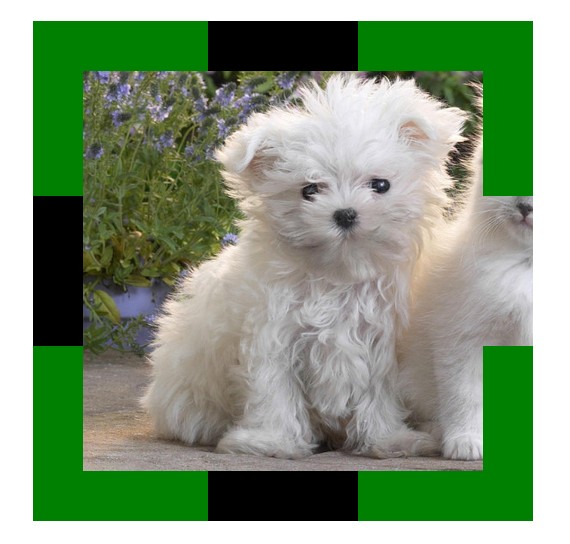
 <!doctype html>

 <html lang="en">

 <head>

 <meta charset="UTF-8">

 <title>Document</title>

 <style type="text/css">

 body{

 color: #fff;

 background: #000;

 }

 div{

 color: #fff;

 font-size: 50px;

 font-weight: bold;

 background: rgba(255,255,255,0.5);

 position: absolute;

 }

 </style>

 </head>

 <body>

 <div>会后集合与交通</div>

 </body>

 </html>


 <!doctype html>

 <html lang="en">

 <head>

 <meta charset="UTF-8">

 <title>Document</title>

 <style type="text/css">

 div{

 height: 100px;

 width: 100px;

 background: -webkit-gradient(linear,left center,right center,from(yellow),color-stop(0.5,black),color-stop(0.5,#fff),to(blue));

 }

 </style>

 </head>

 <body>

 <div></div>

 </body>

 </html>


 <!doctype html>

 <html lang="en">

 <head>

 <meta charset="UTF-8">

 <title>Document</title>

 <style type="text/css">

 div{

 height: 100px;

 width: 100px;

 border-radius: 50px;

 background: -webkit-gradient(radial,30 30,1,30 30,100,from(#fff),color-stop(0.3,yellow),to(blue));

 }

 </style>

 </head>

 <body>

 <div></div>

 </body>

 </html>


关于css3的背景切割(background-clip)、背景原点(background-origin)的使用的更多相关文章
- CSS3总结二:(background)背景/渐变色函数
background-color(CSS2) background-image background-position background-size background-repeat backgr ...
- css3基础-选择器+边框与圆角+背景与渐变
Css3选择器相关: section > div直接子元素选择器 div + article相邻兄弟选择器(在元素之后出现) div ~ article通用兄弟选择器(在元素之后出现) 属性选择 ...
- CSS(九):background(背景属性)
通过CSS背景属性,可以给页面元素添加背景样式. 背景属性可以设置背景颜色.背景图片.背景平铺.背景图像固定等. background-color(背景颜色) background-color属性定义 ...
- css考核点整理(八)-在什么情况下通过img引入图片,什么情况用背景图引入?背景属性有哪些
在什么情况下通过img引入图片,什么情况用背景图引入?背景属性有哪些
- PDF如何去除背景,PDF去除背景颜色
PDF文件在使用的时候大多都是单调的白色背景,但是也有小伙伴再制作PDF文件的时候会给PDF文件添加背景颜色,会有影响文字阅读的情况,这个时候就需要把背景颜色去除了,那么该怎么做呢,不会的小伙们就跟小 ...
- CSS3动画设置后台登录页背景切换图片
CSS3的动画很实用很好用,简单几句话就可以做出一个好看而且过渡平滑的body背景图片,不多说,来来来,上代码 body{ animation:mybg 7s; -webkit-animation:m ...
- css3动画,点击圆形背景扩展整个页面效果
上次做项目的时候,要求点击链接,这个链接的圆形背景扩散充满整个页面,今天把这个效果整理一下,是简单的css3的动画特效,粘贴下面的代码看效果 <!DOCTYPE html> <htm ...
- CSS3:元素的边框、背景和大小
边框 和边框相关的属性例如以下. border-width 用于设置边框的宽度,可选择包含: 1)<长度值>:将边框宽度设为以CSS度量单位(如em.px.cm)表达的长度值. 2)< ...
- CSS3背景图片(多重背景、起始位置、裁剪、尺寸)
一.多重背景图片 ①CSS3允许我们在一个元素上添加多个图片 ②多重背景可以把多个图片资源添加到background属性上,用逗号隔开,然后用background-position把他们定位到你想要的 ...
随机推荐
- mac版gif格式录屏工具下载和使用
下载链接: http://pan.baidu.com/s/1geeRmtd 密码: rstv ps:如果失效可以联系发邮件至chenruichn@163.com联系我 [以下教程为转载]本帖最后由 S ...
- 纯css改变下拉列表select框的默认样式
下列CSS就可以解决,原理是将浏览器默认的下拉框样式清除,然后应用上自己的,再附一张向右对齐小箭头的图片即可. select { /*Chrome和Firefox里面的边框是不一样的,所以复写了一下* ...
- mysql的四种隔离级别
一.READ UNCOMMITTED(未提交读) 在READ UNCOMMITTED级别,事务中的修改,即使未提交,对其他事务也都是可见的.事务可以读取未提交的数据,这也被称为脏读( Dirty RE ...
- Raknet实现的简单服务器与客户端的交互
1. 首先下载Raknet的源代码,我用的是4.0的,不是最新的,解压后编译DLL工程,编译完成后进入解压的根目录下,进入Lib文件夹下找到RakNet_DLL_Debug_Win32.dll, R ...
- TensorFlow 深度学习笔记 从线性分类器到深度神经网络
转载请注明作者:梦里风林 Github工程地址:https://github.com/ahangchen/GDLnotes 欢迎star,有问题可以到Issue区讨论 官方教程地址 视频/字幕下载 L ...
- linux shell if语句
#!/bin/bash read -p "please input Y/N" keyWord if [ "$keyWord" == "Y" ...
- ORA-06502: PL/SQL: 数字或值错误 : 字符串缓冲区太小 错误分析
目录(?)[+] 1. 问题起因 最近在进行Oracle的一些操作时,总会遇到这个错误: ORA-06502: PL/SQL: 数字或值错误 : 字符串缓冲区太小,错误如下: ORA-00604: ...
- VC++学习之一
对于编程语言,我一直认为它只是一种工具,就像锤子,斧头一样,每种语言都用自己比较适用的地方,用的时候拿来就可以了.这种思想让我对语言没有做过很仔细的学习,虽然频繁使用过C,C++,java,C#,De ...
- Sublime Text Packages Control 安装
一.简单的安装方法 使用Ctrl+`快捷键或者通过View->Show Console菜单打开命令行,粘贴如下代码: import urllib.request,os; pf = 'Packag ...
- 中国省市位置描述JSON数据
数据包括:省.市.区县的行政编码,以及经纬度位置. {}对象的属性描述,如:{"no":"450400","latlng":"23 ...