
1、SSH框架整合
1、建立项目
2、导入SSHjar包
http://pan.baidu.com/s/1hsELr04
3、引入web.xml文件
<?xml version="1.0" encoding="UTF-8"?>

<web-app xmlns:xsi="http://www.w3.org/2001/XMLSchema-instance"

    xmlns="http://java.sun.com/xml/ns/javaee"

    xsi:schemaLocation="http://java.sun.com/xml/ns/javaee http://java.sun.com/xml/ns/javaee/web-app_2_5.xsd"

    id="WebApp_ID" version="2.5">

    <display-name>crm</display-name>

    <!-- 配置Spring框架整合WEB的监听器 -->

    <listener>

        <listener-class>org.springframework.web.context.ContextLoaderListener</listener-class>

    </listener>

    <context-param>

        <param-name>contextConfigLocation</param-name>

        <param-value>classpath:applicationContext.xml</param-value>

    </context-param>
<!-- 解决延迟加载的问题也注释掉 -->
    <!-- 解决延迟加载的问题 -->

    <filter>

        <filter-name>OpenSessionInViewFilter</filter-name>

        <filter-class>org.springframework.orm.hibernate5.support.OpenSessionInViewFilter</filter-class>

    </filter>

    <filter-mapping>

        <filter-name>OpenSessionInViewFilter</filter-name>

        <url-pattern>/*</url-pattern>

    </filter-mapping>

    <!-- 配置Struts2框架的核心的过滤器 -->

    <filter>

        <filter-name>struts2</filter-name>

        <filter-class>org.apache.struts2.dispatcher.ng.filter.StrutsPrepareAndExecuteFilter</filter-class>

    </filter>

    <filter-mapping>

        <filter-name>struts2</filter-name>

        <url-pattern>/*</url-pattern>

    </filter-mapping>

    <!-- 程序出现了500的异常,跳转到error.jsp的页面 -->

    <error-page>

        <error-code>500</error-code>

        <location>/jsp/error.jsp</location>

    </error-page>

    <welcome-file-list>

        <welcome-file>login.jsp</welcome-file>

    </welcome-file-list>

</web-app>
4、导入struts.xml、log4j.properties、applicationContext.xml
<!--struts.xml基本上不需要变化,模仿写配置即可-->
<?xml version="1.0" encoding="UTF-8" ?>

<!DOCTYPE struts PUBLIC

    "-//Apache Software Foundation//DTD Struts Configuration 2.3//EN"

    "http://struts.apache.org/dtds/struts-2.3.dtd">

<struts>

    <!-- 先配置包结构 -->

    <package name="crm" extends="struts-default" namespace="/">

        <!-- 配置全局的结果页面 -->

        <global-results>

            <result name="login" type="redirect">/login.jsp</result>

        </global-results>

        <!-- 配置客户的Action,如果Action由Spring框架来管理,class标签上只需要编写ID值就OK -->

        <action name="customer_*" class="customerAction" method="{1}">

            <result name="page">/jsp/customer/list.jsp</result>

        </action>

        <!-- 配置用户的模块 -->

        <action name="user_*" class="userAction" method="{1}">

            <result name="loginOK" type="redirect">/index.jsp</result>

        </action>

    </package>

</struts>
###log4j.properties基本上不需要变化
### direct log messages to stdout ###

log4j.appender.stdout=org.apache.log4j.ConsoleAppender

log4j.appender.stdout.Target=System.err

log4j.appender.stdout.layout=org.apache.log4j.PatternLayout

log4j.appender.stdout.layout.ConversionPattern=%d{ABSOLUTE} %5p %c{1}:%L - %m%n

### direct messages to file mylog.log ###

log4j.appender.file=org.apache.log4j.FileAppender

log4j.appender.file.File=c\:mylog.log

log4j.appender.file.layout=org.apache.log4j.PatternLayout

log4j.appender.file.layout.ConversionPattern=%d{ABSOLUTE} %5p %c{1}:%L - %m%n

### set log levels - for more verbose logging change 'info' to 'debug' ###

log4j.rootLogger=info, stdout
<!-- spring配置文件中可能要改变数据库信息 -->
<?xml version="1.0" encoding="UTF-8"?>

<beans xmlns="http://www.springframework.org/schema/beans"

    xmlns:xsi="http://www.w3.org/2001/XMLSchema-instance"

    xmlns:context="http://www.springframework.org/schema/context"

    xmlns:aop="http://www.springframework.org/schema/aop"

    xmlns:tx="http://www.springframework.org/schema/tx"

    xsi:schemaLocation="http://www.springframework.org/schema/beans

    http://www.springframework.org/schema/beans/spring-beans.xsd

    http://www.springframework.org/schema/context

    http://www.springframework.org/schema/context/spring-context.xsd

    http://www.springframework.org/schema/aop

    http://www.springframework.org/schema/aop/spring-aop.xsd

    http://www.springframework.org/schema/tx

    http://www.springframework.org/schema/tx/spring-tx.xsd">

    <!-- 先配置C3P0的连接池 -->

    <bean id="dataSource" class="com.mchange.v2.c3p0.ComboPooledDataSource">

        <property name="driverClass" value="com.mysql.jdbc.Driver"/>

        <property name="jdbcUrl" value="jdbc:mysql:///crm_28"/>

        <property name="user" value="root"/>

        <property name="password" value="root"/>

    </bean>

    <!-- LocalSessionFactoryBean加载配置文件 -->

    <bean id="sessionFactory" class="org.springframework.orm.hibernate5.LocalSessionFactoryBean">

        <!-- 先加载连接池 -->

        <property name="dataSource" ref="dataSource"/>

        <!-- 加载方言,加载可选 -->

        <property name="hibernateProperties">

            <props>

                <prop key="hibernate.dialect">org.hibernate.dialect.MySQLDialect</prop>

                <prop key="hibernate.show_sql">true</prop>

                <prop key="hibernate.format_sql">true</prop>

                <prop key="hibernate.hbm2ddl.auto">update</prop>

            </props>

        </property>

        <!-- 引入映射的配置文件,这部分先删除,不删除的话,会报mappingResources的问题,后面使用的时候可以模仿 -->

        <property name="mappingResources">

            <list>

                <value>com/itheima/domain/User.hbm.xml</value>

                <value>com/itheima/domain/Customer.hbm.xml</value>

                <value>com/itheima/domain/Dict.hbm.xml</value>

            </list>

        </property>

    </bean>

    <!-- 先配置平台事务管理器 -->

    <bean id="transactionManager" class="org.springframework.orm.hibernate5.HibernateTransactionManager">

        <property name="sessionFactory" ref="sessionFactory"/>

    </bean>

    <!-- 开启事务的注解 -->

    <tx:annotation-driven transaction-manager="transactionManager"/>
<!-- 这部分一定要注释掉,因为没有类,在运行的时候,加载找不到类,后面使用的时候可以模仿 -->
    <!-- 配置客户模块 -->

    <bean id="customerAction" class="com.itheima.web.action.CustomerAction" scope="prototype">

        <property name="customerService" ref="customerService"/>

    </bean>

    <bean id="customerService" class="com.itheima.service.CustomerServiceImpl">

        <property name="customerDao" ref="customerDao"/>

    </bean>

    <bean id="customerDao" class="com.itheima.dao.CustomerDaoImpl">

        <property name="sessionFactory" ref="sessionFactory"/>

    </bean>

    <!-- 配置用户的模块 -->

    <bean id="userAction" class="com.itheima.web.action.UserAction" scope="prototype">

        <property name="userService" ref="userService"/>

    </bean>

    <bean id="userService" class="com.itheima.service.UserServiceImpl">

        <property name="userDao" ref="userDao"/>

    </bean>

    <bean id="userDao" class="com.itheima.dao.UserDaoImpl">

        <property name="sessionFactory" ref="sessionFactory"/>

    </bean>

</beans>
5、导入静态页面(页面有些问题)
6、运行
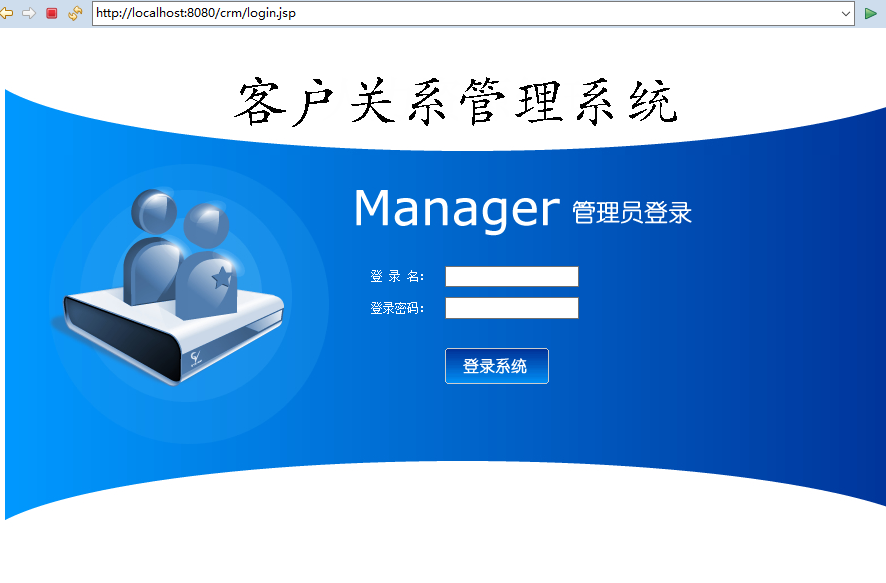
至此,SSH框架搭建好了,SSH框架搭建源码
http://pan.baidu.com/s/1boKKNQB
1、SSH框架整合的更多相关文章
- SSH框架整合
SSH框架整合 一.原理图 action:(struts2) 1.获取表单的数据 2.表单的验证,例如非空验证,email验证等 3.调用service,并把数据传递给service Service: ...
- dwr与ssh框架整合教程
(1)dwr与ssh框架整合教程dwr框架介绍. DWR(Direct Web Remoting)是一个用于改善web页面与Java类交互的远程服务器端Ajax开源框架,可以帮助开 发人员开发包含AJ ...
- ssh框架整合之登录以及增删改查
1.首先阐述一下我用得开发工具,myeclipse2017+oracle,所以我的基本配置步骤可能不一样,下面我用几张图来详解我的开发步骤. ---1先配置structs (Target 选择apac ...
- Spring+Hibernate+Struts(SSH)框架整合
SSH框架整合 前言:有人说,现在还是流行主流框架,SSM都出来很久了,更不要说SSH.我不以为然.现在许多公司所用的老项目还是ssh,如果改成流行框架,需要成本.比如金融IT这一块,数据库dao层还 ...
- J2EE进阶(十)SSH框架整合常见问题汇总(一)
SSH框架整合常见问题汇总(一) 前言 以下所列问题具有针对性,但是遇到同类型问题时均可按照此思路进行解决. HTTP Status 404 - No result defined for actio ...
- MVC+Spring.NET+NHibernate .NET SSH框架整合 C# 委托异步 和 async /await 两种实现的异步 如何消除点击按钮时周围出现的白线? Linq中 AsQueryable(), AsEnumerable()和ToList()的区别和用法
MVC+Spring.NET+NHibernate .NET SSH框架整合 在JAVA中,SSH框架可谓是无人不晓,就和.NET中的MVC框架一样普及.作为一个初学者,可以感受到.NET出了MV ...
- SSH框架整合的其它方式
--------------------siwuxie095 SSH 框架整合的其它方式 1.主要是整合 Spring 框架和 Hibernate 框架时,可以不写 Hibernate 核心配置文件: ...
- SSH框架整合过程总结
---------------------siwuxie095 SSH 框架整合过程总结 (一)导入相关 jar 包(共 ...
- SSH框架整合思想
--------------------siwuxie095 SSH 框架整合思想 1.SSH 框架,即 Struts2 ...
- SSH框架整合jar包时的注意事项
SSH框架整合jar包时的注意事项: 在将三个框架所需的jar整合到一起后,要看一下有没有相同类型但是版本不同的jar包,如果有的话,需要把低版本的jar包删除掉,否则会报错.我这里整合的时候java ...
随机推荐
- Docker的一些常用
日常使用的一些命令 1234567891011121314 docker pull mysql:tags // 拉mysql的tag版本 docker run -it -p(端口映射-主机端口:容器端 ...
- xshell 提示 继续使用此程序必须应用到最新的更新或使用新版本 的解决方案
当打开正在使用的xshell后,提示“继续使用此程序必须应用到最新的更新或使用新版本 ” 是因为我们正在使用的是xshell5 版本,需要我们再安装一个xshell6 版本 我个人使用的是家庭/教育 ...
- 安卓笔记-adb指令、打包安装
adb install -r -s xxx.apk -r重装 -s 安装到sd卡 安装软件 adb uninstall -k 包名 -k 只卸载程序不清除数据 adb ...
- k8s1.4.3安装实践记录(2)-k8s安装
前面一篇已经安装好了ETCD.docker与flannel(k8s1.4.3安装实践记录(1)),现在可以开始安装k8s了 1.K8S 目前centos yum上的kubernetes还是1.2.0, ...
- 传输类型为 "multipart/form-data" 的传送写法 (上传文件 和图片)
一: 传字符的情况: 抓包数据: 传输的数据: python-request写法: 二:上传图片的情况:
- 安全人员常用的python库
如果你对漏洞挖掘.逆向工程分析或渗透测试感兴趣的话,我第一个要推荐给你的就是Python编程语言.Python不仅语法简单上手容易,而且它还有大量功能强大的库和程序可供我们使用.在这篇文章中,我们会给 ...
- vptr, vtable, virtual base class table
#include <iostream> using namespace std; class X { int x, y, z; }; class Y: public virtual X { ...
- CentOS7 系统菜单中添加快捷方式
一,在桌面新建一个文件 文件名随意,但必须带有.desktop的后缀名, 以Eclipse为例 vi /usr/share/applications/eclipse.desktop 二,在文件中写入如 ...
- 多路径路由算法选择(1)——ECMP、WCMP
不要问为什么,现在的工作转向了网络路由协议的设计. 传统的网络拓朴结构可以形象的表示为树结构,我们称之为“有中心的网络拓扑结构”,简单地认为很多流量请求最终会汇聚到主干网这样的路由中心,才能转发到下一 ...
- EasyUI介绍及常见问题
JQuery Easy UI介绍 1.JQuery Easy UI环境搭建和调试: https://jingyan.baidu.com/article/67508eb4342f9f9cca1ce426 ...