
GLFW+GLEW搭建opengl环境(备忘)
使用VS2017社区版本(免费版)
下载GLFW和GLEW源码。
使用CMAKE生成工程文件
打开右击GLFW和GLEW项目编译
GLFW默认是静态库
编译GLEW时调整为静态库。将生成的lib和源码中的include文件夹放好,新建空的C++项目。在项目属性设置好路径。
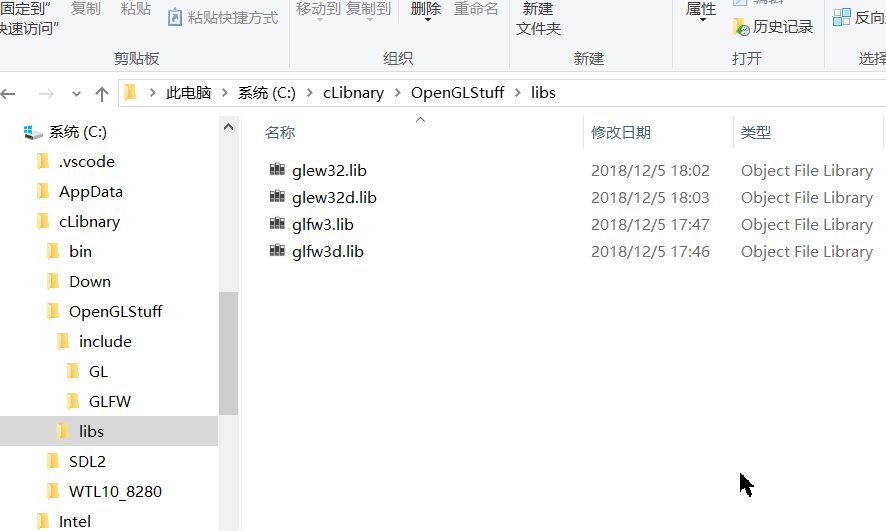
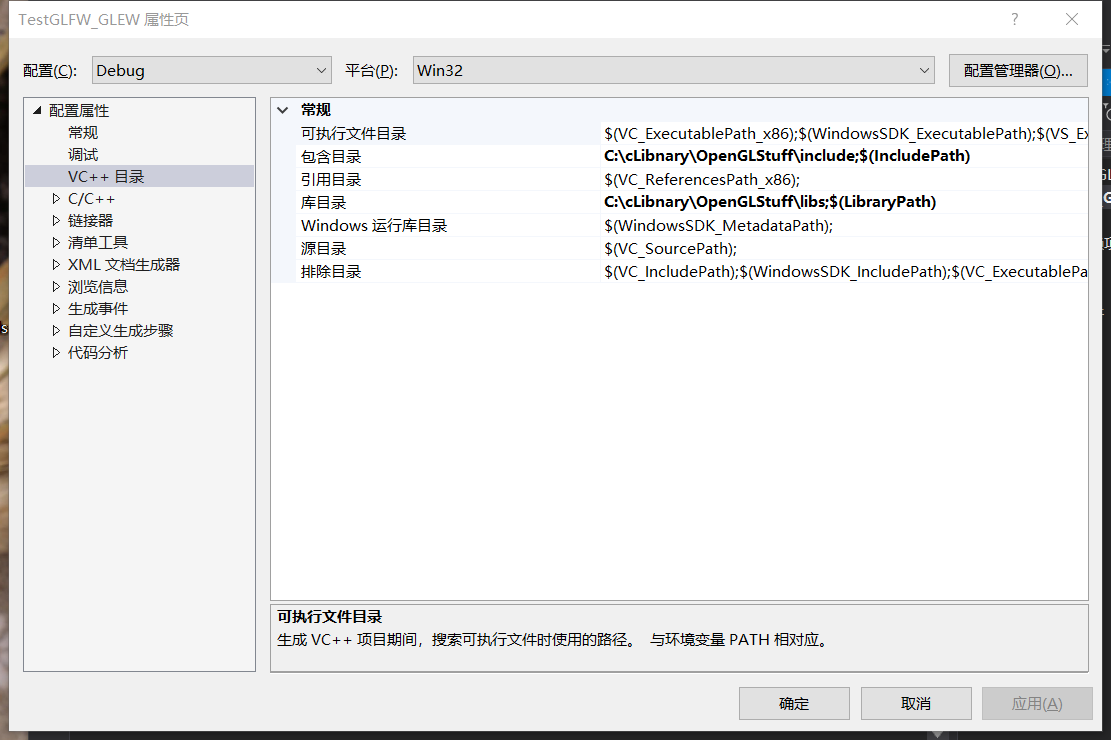
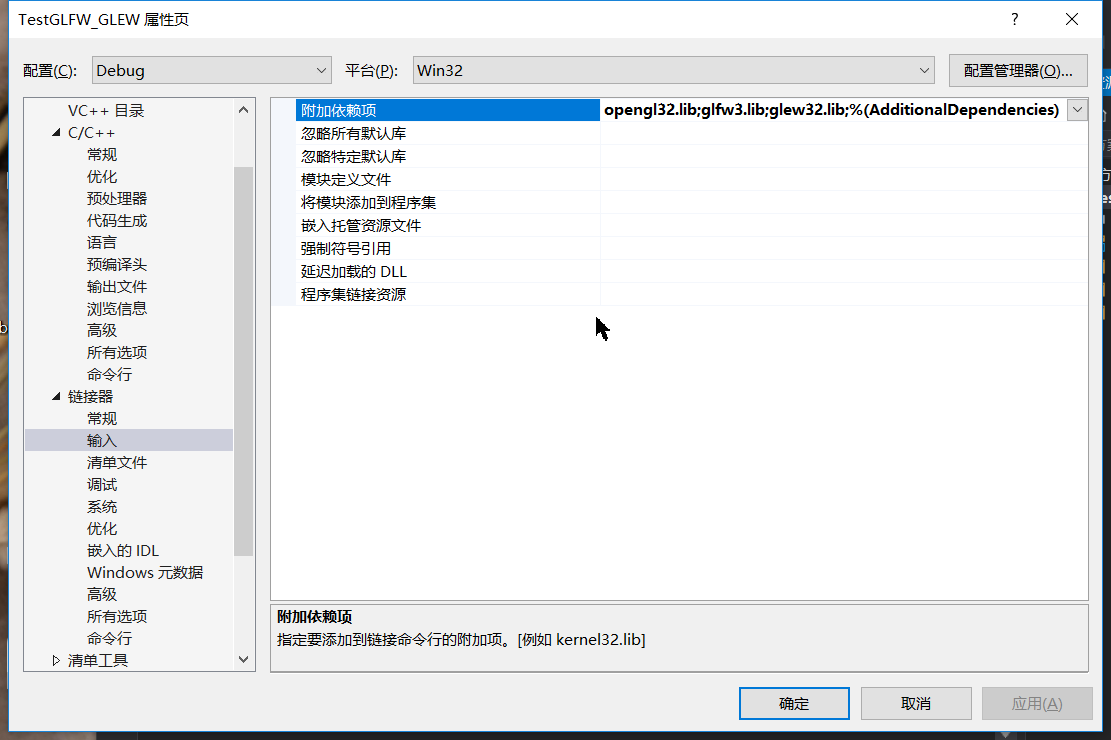
opengl32.lib包含在window sdk 10中了。不需要单独编译。
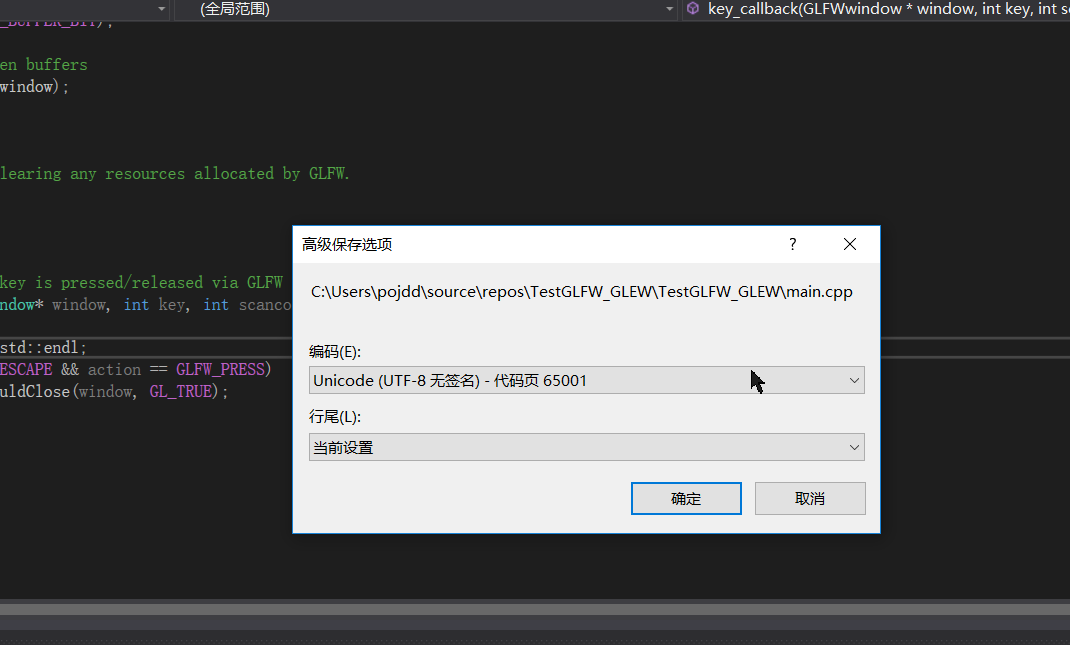
为了支持中文需要使用UTF-8无bom编码。测试代码如下。
#include <iostream>

// GLEW

#define GLEW_STATIC

#include <GL/glew.h>

#include <Windows.h>

// GLFW

#include <GLFW/glfw3.h>

#pragma comment(lib,"winmm.lib") // 告诉连接器与这个库连接,因为我们要播放多媒体声音

#pragma comment(linker, "/subsystem:\"windows\" /entry:\"mainCRTStartup\"" )

//#define DEBUG

// Function prototypes

void key_callback(GLFWwindow* window, int key, int scancode, int action, int mode);

// Window dimensions

const GLuint WIDTH = , HEIGHT = ;

// The MAIN function, from here we start the application and run the game loop

//#ifdef DEBUG

//int main()

//#else

//int WINAPI WinMain(HINSTANCE hInstance, HINSTANCE hPrevInstance, PSTR szCmdLine, int iCmdShow)

//#endif

int main()

{

    std::cout << "Starting GLFW context, OpenGL 3.3" << std::endl;

    // Init GLFW

    glfwInit();

    // Set all the required options for GLFW

    glfwWindowHint(GLFW_CONTEXT_VERSION_MAJOR, );

    glfwWindowHint(GLFW_CONTEXT_VERSION_MINOR, );

    glfwWindowHint(GLFW_OPENGL_PROFILE, GLFW_OPENGL_CORE_PROFILE);

    glfwWindowHint(GLFW_RESIZABLE, GL_FALSE);

    // Create a GLFWwindow object that we can use for GLFW's functions

    GLFWwindow* window = glfwCreateWindow(WIDTH, HEIGHT,"墨迹",nullptr, nullptr);

    if (window == nullptr)

    {

        std::cout << "Failed to create GLFW window" << std::endl;

        glfwTerminate();

        return -;

    }

    glfwMakeContextCurrent(window);

    // Set the required callback functions

    glfwSetKeyCallback(window, key_callback);

    // Set this to true so GLEW knows to use a modern approach to retrieving function pointers and extensions

    glewExperimental = GL_TRUE;

    // Initialize GLEW to setup the OpenGL Function pointers

    if (glewInit() != GLEW_OK)

    {

        std::cout << "Failed to initialize GLEW" << std::endl;

        return -;

    }

    // Define the viewport dimensions

    glViewport(, , WIDTH, HEIGHT);

    // Game loop

    while (!glfwWindowShouldClose(window))

    {

        // Check if any events have been activiated (key pressed, mouse moved etc.) and call corresponding response functions

        glfwPollEvents();

        // Render

        // Clear the colorbuffer

        glClearColor(0.2f, 0.3f, 0.3f, 1.0f);

        glClear(GL_COLOR_BUFFER_BIT);

        // Swap the screen buffers

        glfwSwapBuffers(window);

        Sleep();

    }

    // Terminate GLFW, clearing any resources allocated by GLFW.

    glfwTerminate();

    return ;

}

// Is called whenever a key is pressed/released via GLFW

void key_callback(GLFWwindow* window, int key, int scancode, int action, int mode)

{

    std::cout << key << std::endl;

    if (key == GLFW_KEY_ESCAPE && action == GLFW_PRESS)

        glfwSetWindowShouldClose(window, GL_TRUE);

}
效果如下
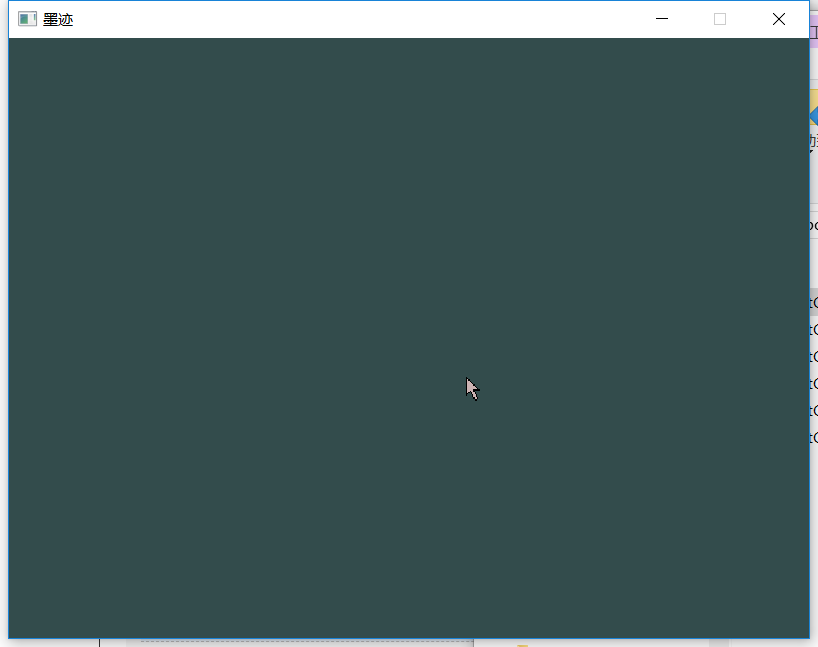
程序400kb,无需动态库。

单独一个程序的话会比动态库要小。
GLFW+GLEW搭建opengl环境(备忘)的更多相关文章
- 基于OpenGL编写一个简易的2D渲染框架-02 搭建OpenGL环境
由于没有使用GLFW库,接下来得费一番功夫. 阅读这篇文章前请看一下这个网页:https://learnopengl-cn.github.io/01%20Getting%20started/02%20 ...
- Windows10+VS2017 用GLFW+GLAD 搭建OpenGL开发环境
本文参考:https://learnopengl-cn.github.io/ 一 下载GLFW(https://www.glfw.org/download.html) 和 GLAD(https:// ...
- 搭建OpenGL环境-Windows/VS2013
对于opengl的环境,简单搭建的话其实和opencv差不多,你会看到下面的过程与opencv类似,不同的就是某些文件需要自己找(因为不是集成的,各个拓展需要单独下载) 1.首先,对于opengl头文 ...
- vs2012搭建OpenGL环境
1. 下载glut库 glut库地址为:http://www.opengl.org/resources/libraries/glut/glutdlls37beta.zip glut全称为:OpenGL ...
- IOS 中openGL使用教程1(openGL ES 入门篇 | 搭建openGL环境)
OpenGL版本 iOS系统默认支持OpenGl ES1.0.ES2.0以及ES3.0 3个版本,三者之间并不是简单的版本升级,设计理念甚至完全不同,在开发OpenGL项目前,需要根据业务需求选择合适 ...
- ubuntu下搭建openGL环境
1. 建立基本编译环境 sudo apt-get install build-essential 2. 安装OpenGL Library sudo apt-get install ...
- iOS-----openGL--openGL ES iOS 入门篇--->搭建openGL环境
OpenGL版本 iOS系统默认支持OpenGl ES1.0.ES2.0以及ES3.0 3个版本,三者之间并不是简单的版本升级,设计理念甚至完全不同,在开发OpenGL项目前,需要根据业务需求选择合适 ...
- TF版网络模型搭建常用代码备忘
本文主要介绍如何搭建一个网络并训练 最近,我在写代码时经常碰到这样的情况,明明记得代码应该怎么写,在写出来的代码调试时,总是有些小错误.原因不是接口参数个数不对,就是位置不对.为了节约上网查找时间,现 ...
- Ubuntu下使用Docker搭建MySQL步骤备忘
docker 安装和 pull MySQL镜像这里就不介绍了,很多介绍,建议去docker官方网站查看. 本文主要介绍MySQL container 运行起来之后的一些配置 在往下看之前,确保 doc ...
随机推荐
- C# System.Windows.Forms.WebBrowser中判断浏览器内核和版本
参考 [完美]原生JS获取浏览器版本判断--支持Edge,IE,Chrome,Firefox,Opera,Safari,以及各种使用Chrome和IE混合内核的浏览器 利用js来判断 namespac ...
- UWP 使用Windows.Web.Http命名空间下的HttpClient使用post方法,上传图片服务器
1.从相册里面选取图片 /// <summary> /// 1.1 从相册里面选取图片 /// </summary> /// <param name="send ...
- QT运行cmd指令(两种办法:QProcess.start然后waitForFinished,运行cmd /c命令)
QProcess p(); p.start("route");//写入要运行的指令即可 p.waitForStarted(); p.waitForFinished(); qDebu ...
- vs2008在win7系统中安装不问题
据说是office软件冲突问题. 解决方案是卸载了office软件,不管是2007还是其它版本,先安装vs2008,再安装其它的.
- 为QNetworkAccessManager添加超时提醒(自己记录一段时间里的下载字节数,用定时器去定期检测,从而判断是否超时)
在做更新,在测试异常的时候,在下载过程中,发现如果直接系统禁用了网络,会报错误,可以捕获.但是如果是第三方软件限制程序联网,问题来了. 程序会一直在那里等待,没有异常,也不发送QNetworkAcce ...
- vim 列编辑模式
vim 列编辑模式 标签: vim 视窗模式 列编辑模式 vim 列编辑模式 例子:给列批量添加前缀.后缀.修改字段 vim 列编辑模式 vim 有三种编辑模式,命令模式.输入模式.视窗模式,我们常用 ...
- 记录一次关于Cookie、Json中文乱码的解决方法
今天工作上遇到一个问题,需要把一个对象集合List<Model>存入一个Cookie,按照原来都封装方法存入都ok,但是到取值都时候中文会变成乱码. 首先,我们可以确认Json和Cooki ...
- vuex分模块
Vuex速学篇:(4)把我们的业务按模块分类 原创 2016年11月29日 10:45:38 8504 文档:http://vuex.vuejs.org/zh-cn/modules.html 这个mo ...
- mysql开启日志查询功能
set global general_log_file='/tmp/general.lg';set global general_log=on; show global variables like ...
- [MFC.Windows程序设计(第2版) 第一章
1,windows编程模型如下图: 2, windows的消息有成百上千种,以下列举10个: 3,消息处理函数的四个参数:窗口句柄(表示消息属于哪个窗口,32值.该窗口句柄引用一个数据结构,数据结构存 ...