
vue-music 使用better-scroll遇到轮播图不能自动轮播
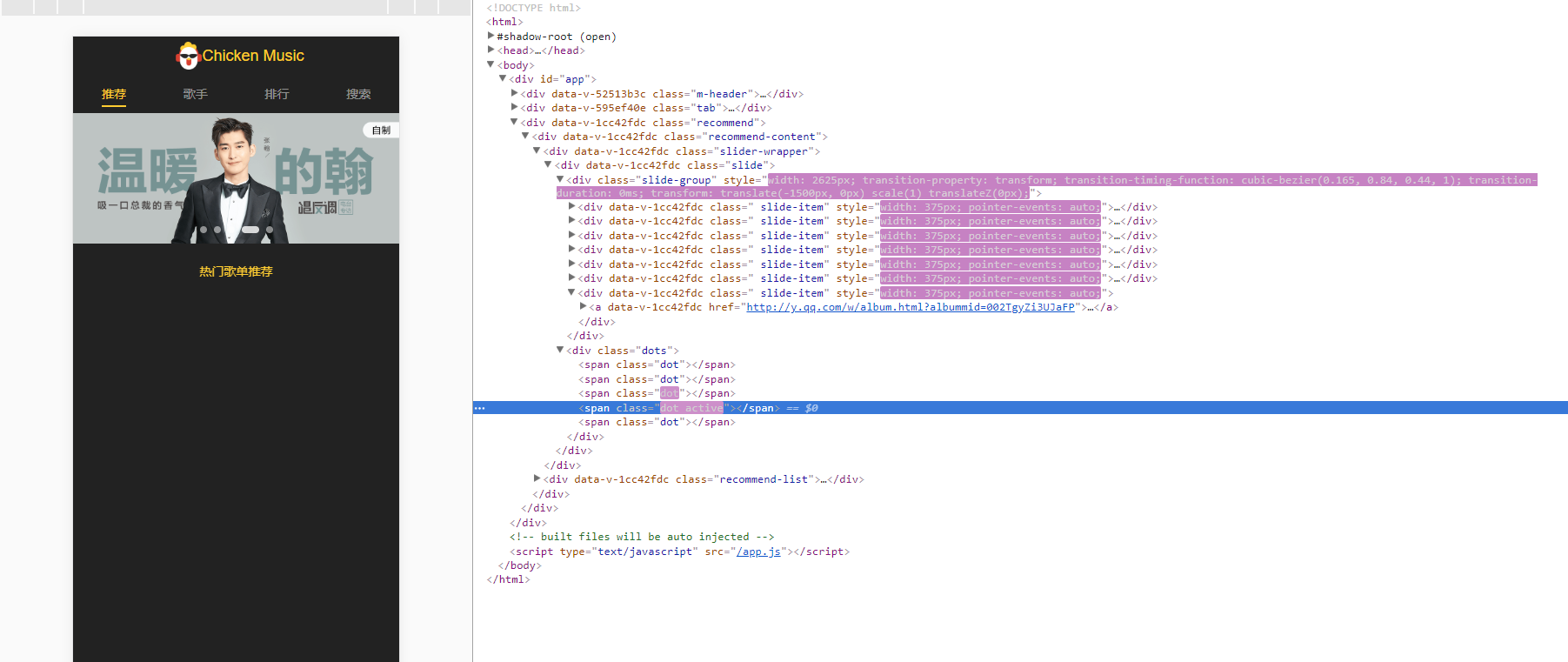
根据vue-music视频中slider组建的使用,当安装新版本的better-scroll,轮播组件,不能正常轮播
这是因为,better-scroll发布新版本之后,参数设置发生改变
这是旧版本: 组件为slider
<template>

  <div class="slider" ref="slider">

    <div class="slider-group" ref="sliderGroup">

      <slot>

      </slot>

    </div>

    <div class="dots">

      <span class="dot" :class="{active: currentPageIndex === index }" v-for="(item, index) in dots" :key="item.id"></span>

    </div>

  </div>

</template>

<script type="text/ecmascript-6">

import { addClass } from "common/js/dom";

import BScroll from "better-scroll";

export default {

  name: "slider",

  props: {

    loop: {

      type: Boolean,

      default: true

    },

    autoPlay: {

      type: Boolean,

      default: true

    },

    interval: {

      type: Number,

      default:

    }

  },

  data() {

    return {

      dots: [],

      currentPageIndex: 0

    };

  },

  mounted() {

    setTimeout(() => {

      this._setSliderWidth();

      this._initDots();

      this._initSlider();

      if (this.autoPlay) {

        this._play();

      }

    }, 20);

    window.addEventListener("resize", () => {

      if (!this.slider) {

        return;

      }

      this._setSliderWidth(true);

      this.slider.refresh();

    });

  },

  activated() {

    if (this.autoPlay) {

      this._play();

    }

  },

  deactivated() {

    clearTimeout(this.timer);

  },

  beforeDestroy() {

    clearTimeout(this.timer);

  },

  methods: {

    _setSliderWidth(isResize) {

      this.children = this.$refs.sliderGroup.children;

      let width = 0;

      let sliderWidth = this.$refs.slider.clientWidth;

      for (let i = 0; i < this.children.length; i++) {

        let child = this.children[i];

        addClass(child, "slider-item");

        child.style.width = sliderWidth + "px";

        width += sliderWidth;

      }

      if (this.loop && !isResize) {

        width += 2 * sliderWidth;

      }

      this.$refs.sliderGroup.style.width = width + "px";

    },

    _initSlider() {

      // better-scroll 对外暴露了一个 BScroll 的类

      // Vue.js 提供了我们一个获取 DOM 对象的接口—— vm.$refs

      this.slider = new BScroll(this.$refs.slider, {

        scrollX: true,

        scrollY: false,

        momentum: false,

        snap: true,

        snapLoop: this.loop,

        snapThreshold: 0.3,

        snapSpeed:

      });

     // 是否派发滚动到底部事件,用于上拉加载

    //  切换到下一张的时候派发的事件

      this.slider.on("scrollEnd", () => {

        let pageIndex = this.slider.getCurrentPage().pageX;

        if (this.loop) {

          pageIndex -= 1;

        }

        this.currentPageIndex = pageIndex;

        if (this.autoPlay) {

          this._play();

        }

      });

     // 是否派发列表滚动开始的事件

      this.slider.on("beforeScrollStart", () => {

        if (this.autoPlay) {

          clearTimeout(this.timer);

        }

      });

    },

    _initDots() {

      this.dots = new Array(this.children.length);

    },

    _play() {

      let pageIndex = this.currentPageIndex + 1;

      if (this.loop) {

        pageIndex += 1;

      }

      this.timer = setTimeout(() => {

        this.slider.goToPage(pageIndex, 0, 400);

      }, this.interval);

    }

  }

};

</script>

<style scoped lang="stylus" rel="stylesheet/stylus">

@import '~common/stylus/variable';

.slider {

  min-height: 1px;

  .slider-group {

    position: relative;

    overflow: hidden;

    white-space: nowrap;

    .slider-item {

      float: left;

      box-sizing: border-box;

      overflow: hidden;

      text-align: center;

      a {

        display: block;

        width: 100%;

        overflow: hidden;

        text-decoration: none;

      }

      img {

        display: block;

        width: 100%;

      }

    }

  }

  .dots {

    position: absolute;

    right: 0;

    left: 0;

    bottom: 12px;

    text-align: center;

    font-size: 0;

    .dot {

      display: inline-block;

      margin: 0 4px;

      width: 8px;

      height: 8px;

      border-radius: 50%;

      background: $color-text-l;

      &.active {

        width: 20px;

        border-radius: 5px;

        background: $color-text-ll;

      }

    }

  }

}

</style>
下面是版本升级之后,做出的变化
<template>

    <div class="slide" ref="slide">

        <div class="slide-group" ref="slideGroup">

            <slot>

            </slot>

        </div>

        <div v-if="showDot" class="dots">

            <span class="dot" :class="{active: currentPageIndex === index }" v-for="(item, index) in dots" :key="index"></span>

        </div>

    </div>

</template>

<script type="text/ecmascript-6">

import { addClass } from "common/js/dom";

import BScroll from "better-scroll";

// const COMPONENT_NAME = "slide";

export default {

//   name: COMPONENT_NAME,

  props: {

    loop: {

      type: Boolean,

      default: true

    },

    autoPlay: {

      type: Boolean,

      default: true

    },

    interval: {

      type: Number,

      default:

    },

    showDot: {

      type: Boolean,

      default: true

    },

    click: {

      type: Boolean,

      default: true

    },

    threshold: {

      type: Number,

      default: 0.3

    },

    speed: {

      type: Number,

      default:

    }

  },

  data() {

    return {

      dots: [],

      currentPageIndex: 0

    };

  },

  mounted() {

    this.update();

    window.addEventListener("resize", () => {

      if (!this.slide || !this.slide.enabled) {

        return;

      }

      clearTimeout(this.resizeTimer);

      this.resizeTimer = setTimeout(() => {

        if (this.slide.isInTransition) {

          this._onScrollEnd();

        } else {

          if (this.autoPlay) {

            this._play();

          }

        }

        this.refresh();

      }, 60);

    });

  },

  activated() {

    if (!this.slide) {

      return;

    }

    this.slide.enable();

    let pageIndex = this.slide.getCurrentPage().pageX;

    this.slide.goToPage(pageIndex, 0, 0);

    this.currentPageIndex = pageIndex;

    if (this.autoPlay) {

      this._play();

    }

  },

  deactivated() {

    this.slide.disable();

    clearTimeout(this.timer);

  },

  beforeDestroy() {

    this.slide.disable();

    clearTimeout(this.timer);

  },

  methods: {

    update() {

      if (this.slide) {

        this.slide.destroy();

      }

      this.$nextTick(() => {

        this.init();

      });

    },

    refresh() {

      this._setSlideWidth(true);

      this.slide.refresh();

    },

    prev() {

      this.slide.prev();

    },

    next() {

      this.slide.next();

    },

    init() {

      clearTimeout(this.timer);

      this.currentPageIndex = 0;

      this._setSlideWidth();

      if (this.showDot) {

        this._initDots();

      }

      this._initSlide();

      if (this.autoPlay) {

        this._play();

      }

    },

    _setSlideWidth(isResize) {

      this.children = this.$refs.slideGroup.children;

      let width = 0;

      let slideWidth = this.$refs.slide.clientWidth;

      for (let i = 0; i < this.children.length; i++) {

        let child = this.children[i];

        addClass(child, "slide-item");

        child.style.width = slideWidth + "px";

        width += slideWidth;

      }

      if (this.loop && !isResize) {

        width += 2 * slideWidth;

      }

      this.$refs.slideGroup.style.width = width + "px";

    },

    _initSlide() {

      console.log(this.threshold);

      this.slide = new BScroll(this.$refs.slide, {

        scrollX: true,

        scrollY: false,

        momentum: false,

        snap: {

          loop: this.loop,

          threshold: this.threshold,

          speed: this.speed

        },

        bounce: false,

        stopPropagation: true,

        click: this.click

      });

  this.slide.on("scrollEnd", this._onScrollEnd);

      this.slide.on("touchEnd", () => {

        if (this.autoPlay) {

          this._play();

        }

      });

      this.slide.on("beforeScrollStart", () => {

        if (this.autoPlay) {

          clearTimeout(this.timer);

        }

      });

    },

    _onScrollEnd() {

      let pageIndex = this.slide.getCurrentPage().pageX;

      this.currentPageIndex = pageIndex;

      if (this.autoPlay) {

        this._play();

      }

    },

    _initDots() {

      this.dots = new Array(this.children.length);

    },

    _play() {

      clearTimeout(this.timer);

      this.timer = setTimeout(() => {

        this.slide.next();

      }, this.interval);

    }

  },

  watch: {

    loop() {

      this.update();

    },

    autoPlay() {

      this.update();

    },

    speed() {

      this.update();

    },

    threshold() {

      this.update();

    }

  }

};

</script>

<style lang="stylus" rel="stylesheet/stylus">

@import '../../common/stylus/variable';

.slide {

    min-height: 1px;

    .slide-group {

        position: relative;

        overflow: hidden;

        white-space: nowrap;

        .slide-item {

            float: left;

            box-sizing: border-box;

            overflow: hidden;

            text-align: center;

            a {

                display: block;

                width: 100%;

                overflow: hidden;

                text-decoration: none;

            }

            img {

                display: block;

                width: 100%;

            }

        }

    }

    .dots {

        position: absolute;

        right: 0;

        left: 0;

        bottom: 12px;

        transform: translateZ(1px);

        text-align: center;

        font-size: 0;

        .dot {

            display: inline-block;

            margin: 0 4px;

            width: 8px;

            height: 8px;

            border-radius: 50%;

            background: $color-text-l;

            &.active {

                width: 20px;

                border-radius: 5px;

                background: $color-text-ll;

            }

        }

    }

}

</style>
可参考官方文档:https://github.com/ustbhuangyi/better-scroll/blob/master/example/components/slide/slide.vue
vue-music 使用better-scroll遇到轮播图不能自动轮播的更多相关文章
- swiper轮播问题之一:轮播图内容为动态数据生成时轮播图无法自动轮播
本人在用H5做移动端项目中使用Swiper遇到的两个问题,因此加深了对Swiper的掌握,分享出来对刚开始接触Swiper的童鞋们或多或少会有帮助. 首先,new Swiper的初始化最 ...
- swiper手滑动轮播图后自动轮播失效解决办法
设置autoplay:true之后,再设置 autoplay:{disableOnInteraction: false} --------------------------------------- ...
- 2017年10月21日 CSS常用样式&鼠标样式 以及 jQuery鼠标事件& jQuery图片轮播& jQuery图片自动轮播代码
css代码 背景与前景 background-color:#0000; //背景色,样式表优先级高 background-image:url(路径); //设置背景图片 background-atta ...
- 用Vue来实现音乐播放器(八):自动轮播图啊
slider.vue组件的模板部分 <template> <div class="slider" ref="slider"> <d ...
- bootstrap轮播组件之“如何关闭自动轮播”
在一个页面里使用多个bootstrap轮播组件的时候,如果还让所有轮播图都自动轮播的话,整个画面都在动,会给用户一种很不好的体验感受.所以,需要关闭轮播图的自动轮播. 关闭方法:去除如下属性即可: d ...
- 自定义完美的ViewPager 真正无限循环的轮播图
网上80%的思路关于Android轮播图无限循环都是不正确的,不是真正意义上的无限循环, 其思路大多是将ViewPager的getCount方法返回值设置为Integer.MAX_VALUE, 然后呢 ...
- vue-cli中轮播图vue-awesome-swiper使用方法
1 npm 安装 npm install vue-awesome-swiper --save 2在所用的组件中引入 import 'swiper/dist/css/swiper.css' import ...
- JavaScript实现动态轮播图效果
功能描述: 1.鼠标经过 左右侧箭头显示,鼠标离开 箭头隐藏 2.动态添加底部小圆圈并绑定单击事件,并且让小圆圈的点击事件和左右箭头点击事件同步 3.拷贝第一张图片添加到ul最后可以实现动态添加图片 ...
- 授人以渔式解析原生JS写轮播图
需求与分析 需求:循环无缝自动轮播五张图,按左右箭头可以手动切换图片,鼠标点击轮播图下面按钮 1 2 3 4 5会跳转到对应的第1 2 3 4 5张图片.鼠标放到轮播图的图片上时不再自动轮播并且左右箭 ...
随机推荐
- Spring Boot 2.x基础教程:使用Swagger2构建强大的API文档
随着前后端分离架构和微服务架构的流行,我们使用Spring Boot来构建RESTful API项目的场景越来越多.通常我们的一个RESTful API就有可能要服务于多个不同的开发人员或开发团队:I ...
- .NET Core应用的三种部署方式
.NET Core应用提供了三种部署方式: FDD FDD:Framework-dependent deployment,框架依赖部署.这种方式针对某个特定版本的.NET Core进行发布,只打包应用 ...
- .NetCore技术研究-.NET Core迁移前的准备工作
前段时间迁移.NET Core做了大量的试水和评估,今天整理一下分享给大家.大致有以下几个部分: 1. .NET Core的由来 2. 为什么要迁移.NET Core 3. .NET Core3.X主 ...
- OpenGl 实现鼠标分别移动多个物体 ----------移动一个物体另外一个物体不动--读取多个3d模型操作的前期踏脚石
原文作者:aircraft 原文链接:https://www.cnblogs.com/DOMLX/p/11620088.html 前言: 因为接下来的项目需求是要读取多个3D模型,并且移动拼接,那么我 ...
- Redis-->windows上的安装教程
Windows下安装Redis服务 说明:本文拷贝自http://www.cnblogs.com/jaign/articles/7920588.html Redis是有名的NoSql数据库,一般Lin ...
- Django之使用haystack+whoosh实现搜索功能
为了实现项目中的搜索功能,我们使用的是全文检索框架haystack+搜索引擎whoosh+中文分词包jieba 安装和配置 安装所需包 pip install django-haystack pip ...
- Android中Project、Module的区别
Project 可以包含多含 Module. Project相当于eclipse里面的工作区间,module相当于其project.module可以作为狭义上的模块,可以多个app共用的module. ...
- Nullable Reference Types 可空引用类型
在写C#代码的时候,你可能经常会遇到这个错误: 但如果想避免NullReferenceException的发生,确实需要做很多麻烦的工作. 可空引用类型 Null Reference Type 所以, ...
- CSS 选择符有哪些?哪些属性可以继承?优先级算法如何计算?
CSS 选择符有哪些? 1.id选择器(#id) 2.类选择器(.class) 3.标签选择器(div,h1,p) 4.相邻选择器(h1 + p) 5.子选择器(ul > li) 6.后代选择器 ...
- Node.js入门教程 第四篇 (流及文件操作)
流 Stream是Node.js中的抽象接口,有不少Node.js对象实现自Stream. 所有的Stream对象都是EventEmitter 的实例. 例如:fs模块(用于读写操作文件的模块) fs ...