
Ubuntu 16.04.4 LTS + Ambari 2.6.1.5 + HDP 2.6.4.0 安装部署
服务器
|
主机名 |
master |
slave1 |
slave2 |
slave3 |
|
IP |
192.168.1.40 |
192.168.1.41 |
192.168.1.42 |
192.168.1.43 |
离线包服务器: 192.168.1.50
-------------------------------------------------------------------------------------------------------------------------------------------------
-------------------------------------------------------------------------------------------------------------------------------------------------
1.启用root账号
1)sudo passwd root
2)sudo vi /etc/ssh/sshd_config
PermitRootLogin yes
RSAAuthentication yes
PubkeyAuthentication yes
AuthorizedKeysFile %h/.ssh/authorized_keys
3)sudo service sshd restart
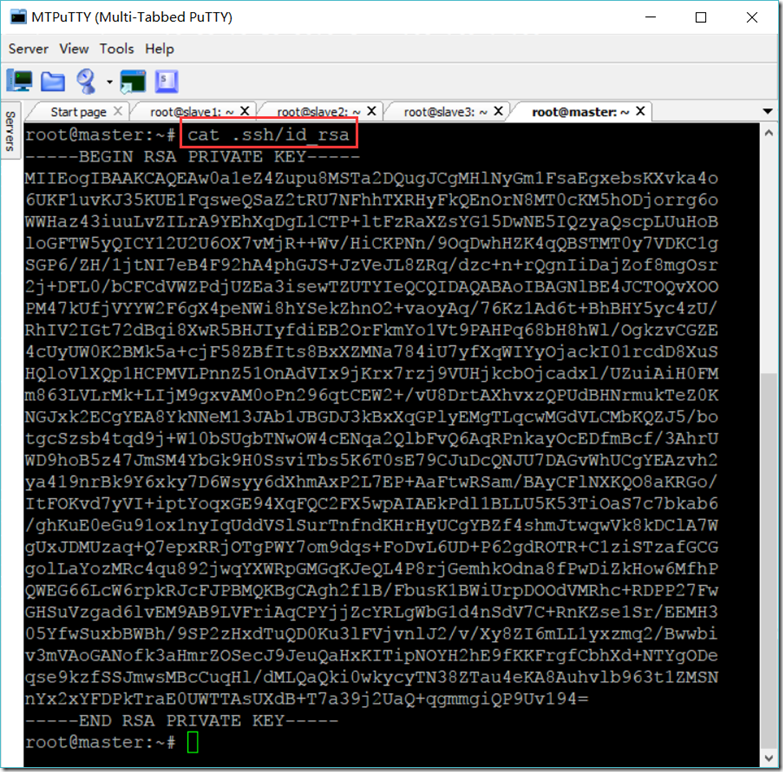
4)SSH免密码
所有服务器
su – root
ssh-keygen -t rsa
cd ~/.ssh/
cat id_rsa.pub >> authorized_keys
master服务器
scp root@192.168.1.41:/root/.ssh/authorized_keys /root/.ssh/authorized_keys_slave1
scp root@192.168.1.42:/root/.ssh/authorized_keys /root/.ssh/authorized_keys_slave2
scp root@192.168.1.43:/root/.ssh/authorized_keys /root/.ssh/authorized_keys_slave3
cat authorized_keys_slave1 >> authorized_keys
cat authorized_keys_slave2 >> authorized_keys
cat authorized_keys_slave3 >> authorized_keys
chmod 600 ~/.ssh/authorized_keys
其它服务器
scp root@192.168.1.40:/root/.ssh/authorized_keys /root/.ssh/authorized_keys
5)设置文件句柄与线程限制
vi /etc/security/limits.conf
* soft nofile 204800
* hard nofile 204800
* soft nproc 204800
* hard nproc 204800
2.创建如下的几个文件放到所有服务器上
hdp.list
#VERSION_NUMBER=2.6.4.0-91
deb http://192.168.1.50/ubuntu/HDP/ubuntu16/2.6.4.0-91 HDP main
hdp.utils.list
#VERSION_NUMBER=1.1.0.22-91
deb http://192.168.1.50/ubuntu/HDP-UTILS/ HDP-UTILS main
hdp.gpl.list
#VERSION_NUMBER=2.6.4.0-91
deb http://192.168.1.50/ubuntu/HDP-GPL/ubuntu16/2.6.4.0-91 HDP-GPL main
ambari.list
#VERSION_NUMBER=2.6.1.5-3
deb http://192.168.1.50/ubuntu/ambari/ubuntu16/2.6.1.5-3 Ambari main
sudo scp zyx@master:/etc/apt/sources.list.d/hdp.list /etc/apt/sources.list.d/hdp.list
sudo scp zyx@master:/etc/apt/sources.list.d/hdp.utils.list /etc/apt/sources.list.d/hdp.utils.list
sudo scp zyx@master:/etc/apt/sources.list.d/hdp.gpl.list /etc/apt/sources.list.d/hdp.gpl.list
sudo scp zyx@master:/etc/apt/sources.list.d/ambari.list /etc/apt/sources.list.d/ambari.list
sudo apt-key adv --recv-keys --keyserver keyserver.ubuntu.com B9733A7A07513CAD
sudo apt-get update
3.安装其它JAR(jce_policy-8.zip和mysql-connector-java.jar)
1)
unzip -o -j -q jce_policy-8.zip -d /usr/lib/jvm/jdk1.8.0_171/jre/lib/security
scp -r zyx@master:/usr/lib/jvm/jdk1.8.0_171/jre/lib/security /usr/lib/jvm/jdk1.8.0_171/jre/lib/
2)MySQL相关
(1)MySQL安装及设置
dpkg -i mysql-apt-config_0.8.10-1_all.deb
sudo apt-get update
apt-get install mysql-server
systemctl start mysql
systemctl enable mysql
vi /etc/mysql/mysql.conf.d/mysqld.cnf
bind-address = 0.0.0.0
(2)设权限与建库
mysql -u root -p
GRANT ALL PRIVILEGES ON *.* TO 'root'@'%' IDENTIFIED BY 'gis' WITH GRANT OPTION;
create database ambari character set utf8;
CREATE USER 'ambari'@'%'IDENTIFIED BY 'gis';
GRANT ALL PRIVILEGES ON *.* TO 'ambari'@'%';
FLUSH PRIVILEGES;
create database hive character set utf8;
CREATE USER 'hive'@'%'IDENTIFIED BY 'gis';
GRANT ALL PRIVILEGES ON *.* TO 'hive'@'%';
FLUSH PRIVILEGES;
create database oozie character set utf8;
CREATE USER 'oozie'@'%'IDENTIFIED BY 'gis';
GRANT ALL PRIVILEGES ON *.* TO 'oozie'@'%';
FLUSH PRIVILEGES;
quit
(3)将mysql-connector-java.jar放到/usr/share/java/目录下
cp mysql-connector-java.jar /usr/share/java/
4.安装如下的Python组件
sudo apt-get install libffi-dev
sudo apt-get install python-pip
sudo apt-get install python-pip
pip install ndg-httpsclient
pip install pyopenssl
pip install pyasn1
sudo pip install -U requests[security]
5.安装ambari-server
sudo apt-get install ambari-server
sudo ambari-server setup --jdbc-db=mysql --jdbc-driver=/usr/share/java/mysql-connector-java.jar
sudo ambari-server setup --java-home=/usr/lib/jvm/jdk1.8.0_171
/var/lib/ambari-server/resources/Ambari-DDL-MySQL-CREATE.sql
6.取消加密方式限制
vi /etc/ambari-server/conf/ambari.properties
security.server.disabled.ciphers=
7.启动服务
ambari-server start
ambari-server stop
ambari-server status
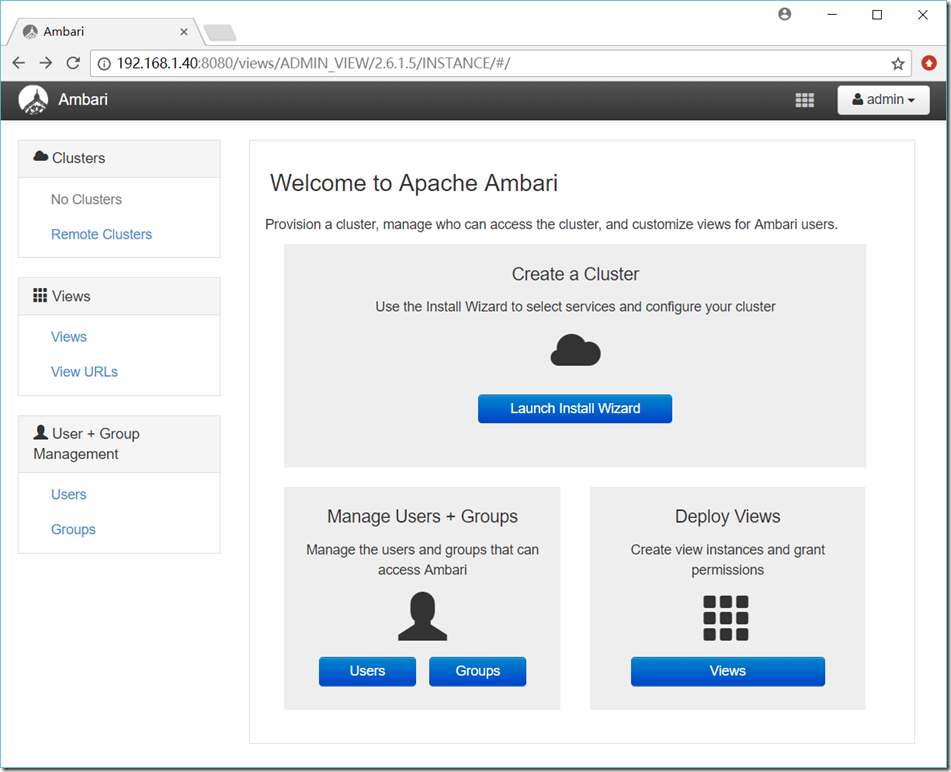
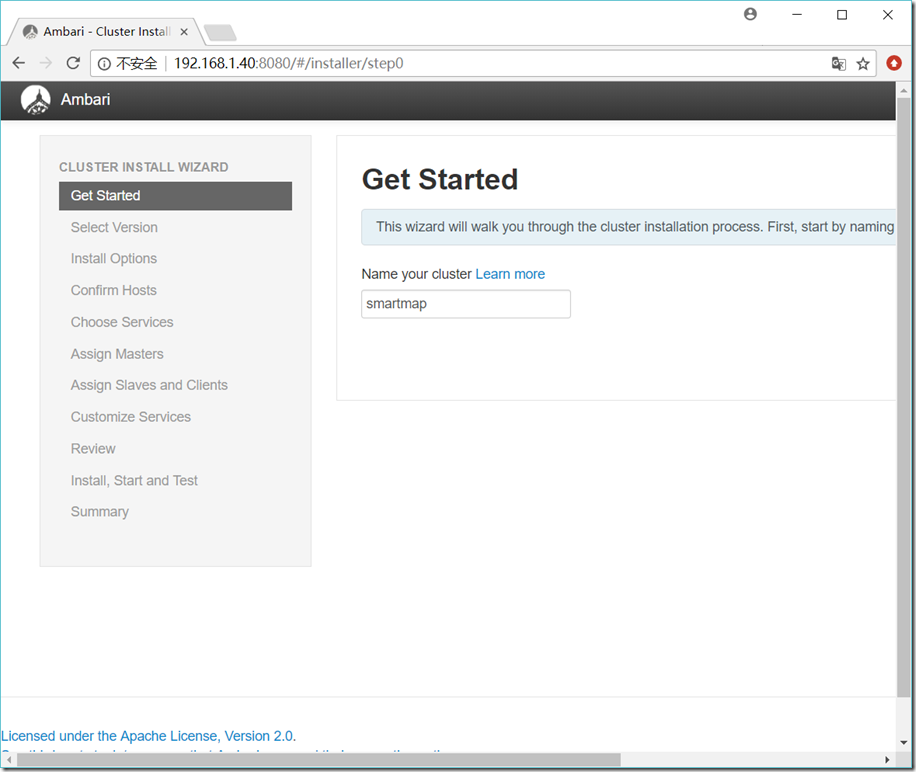
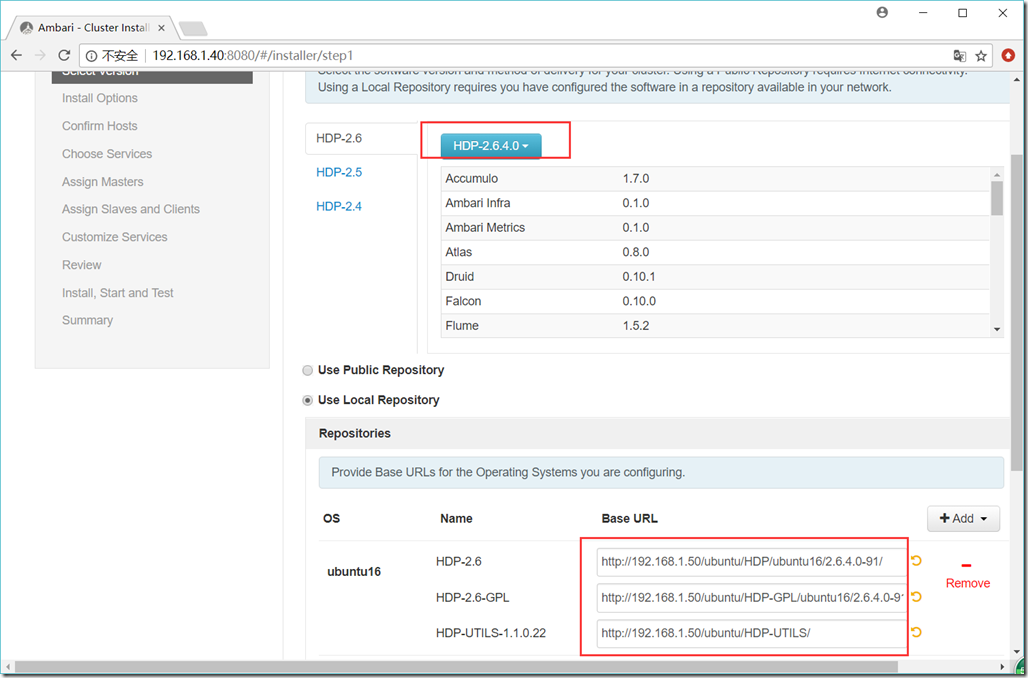
http://192.168.1.50/ubuntu/HDP/ubuntu16/2.6.4.0-91/
http://192.168.1.50/ubuntu/HDP-GPL/ubuntu16/2.6.4.0-91/
http://192.168.1.50/ubuntu/HDP-UTILS/
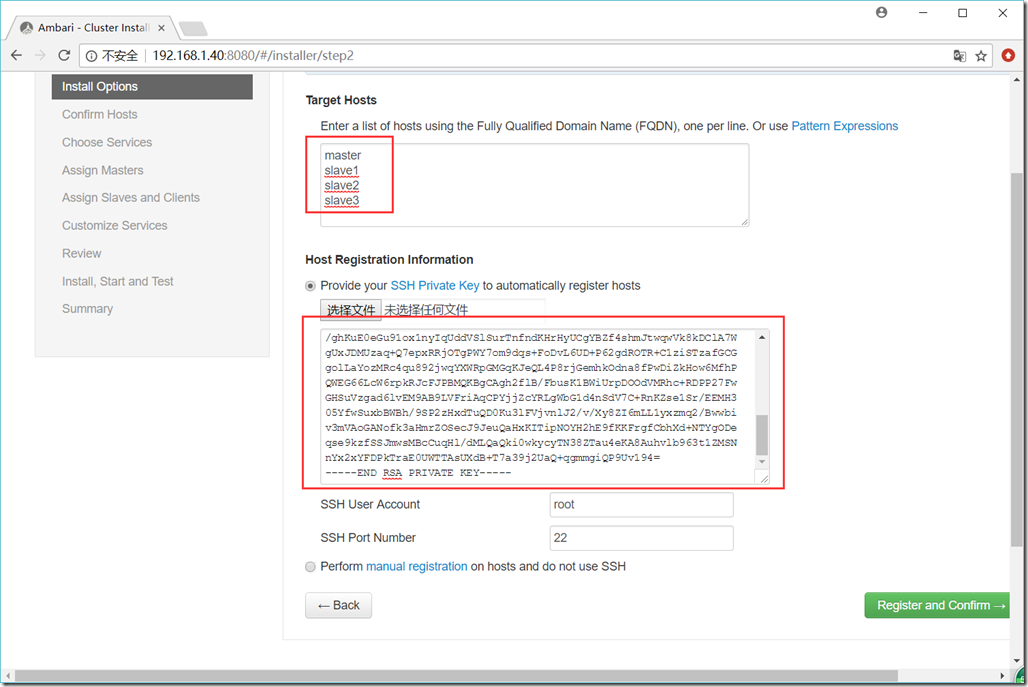
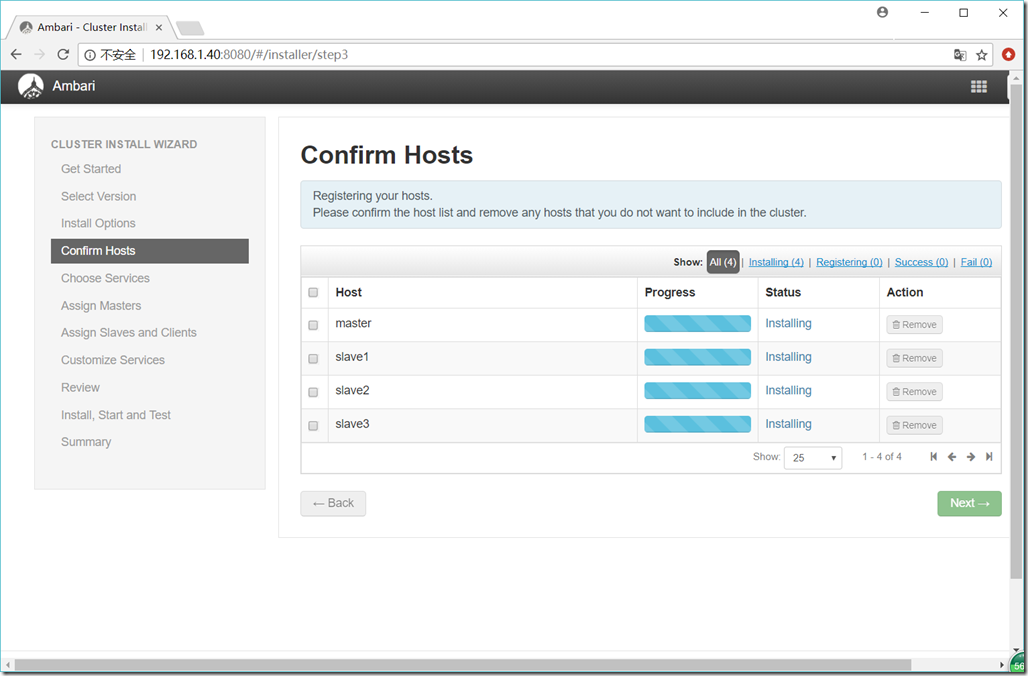
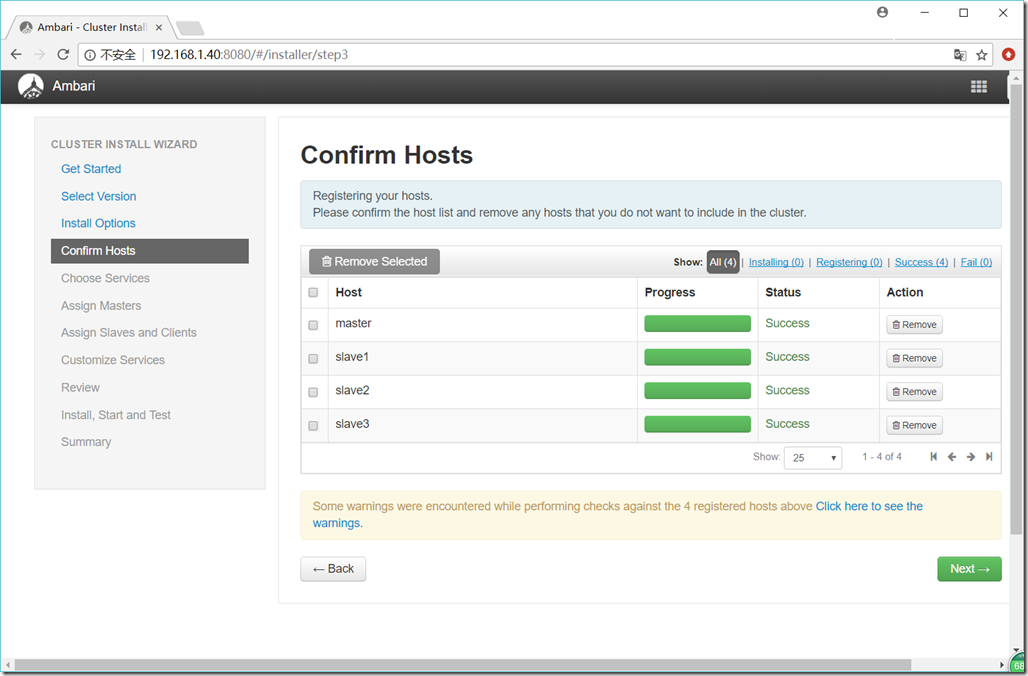
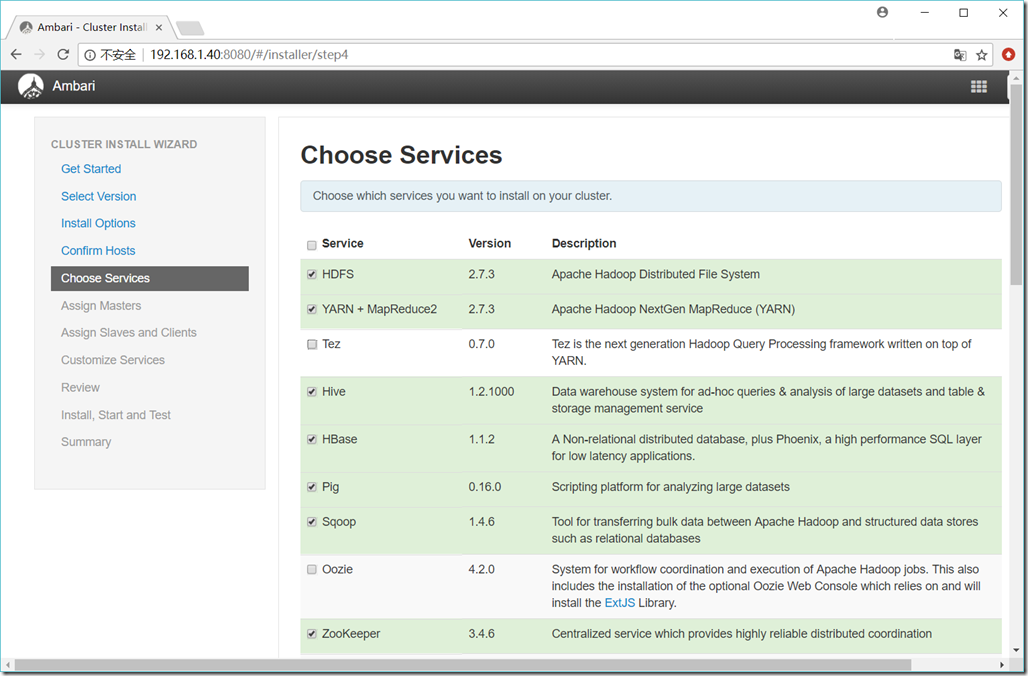
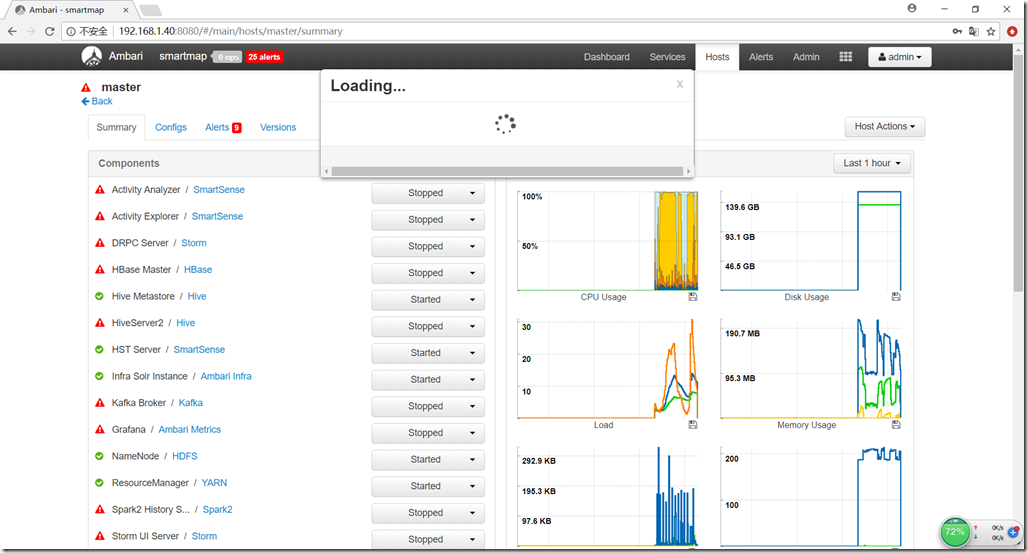
Admin Name : admin
Cluster Name : smartmap
Total Hosts : 4 (4 new)
Repositories:
ubuntu16 (HDP-2.6):
http://192.168.1.50/ubuntu/HDP/ubuntu16/2.6.4.0-91/
ubuntu16 (HDP-UTILS-1.1.0.22):
http://192.168.1.50/ubuntu/HDP-UTILS/
Services:
HDFS
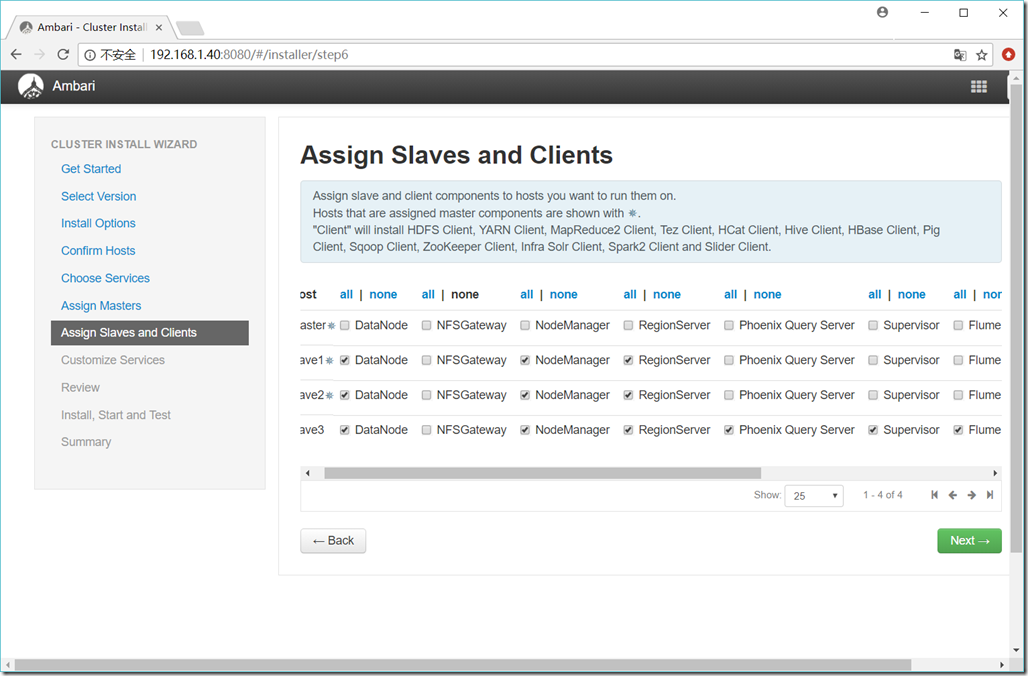
DataNode : 3 hosts
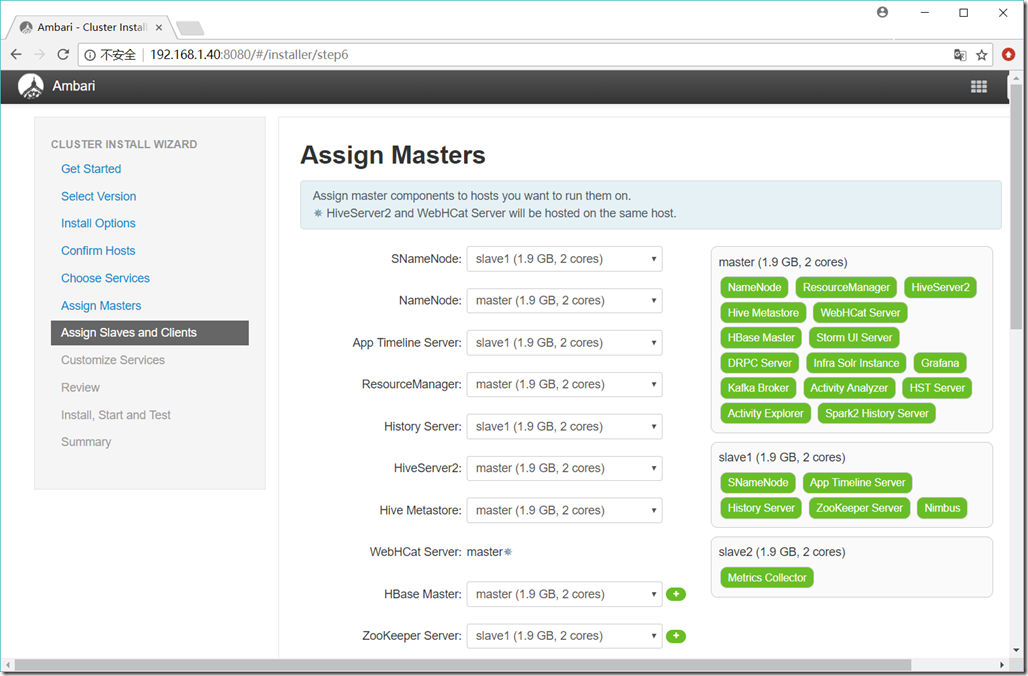
NameNode : master
NFSGateway : 0 host
SNameNode : slave1
YARN + MapReduce2
App Timeline Server : slave1
NodeManager : 3 hosts
ResourceManager : master
Tez
Clients : 1 host
Hive
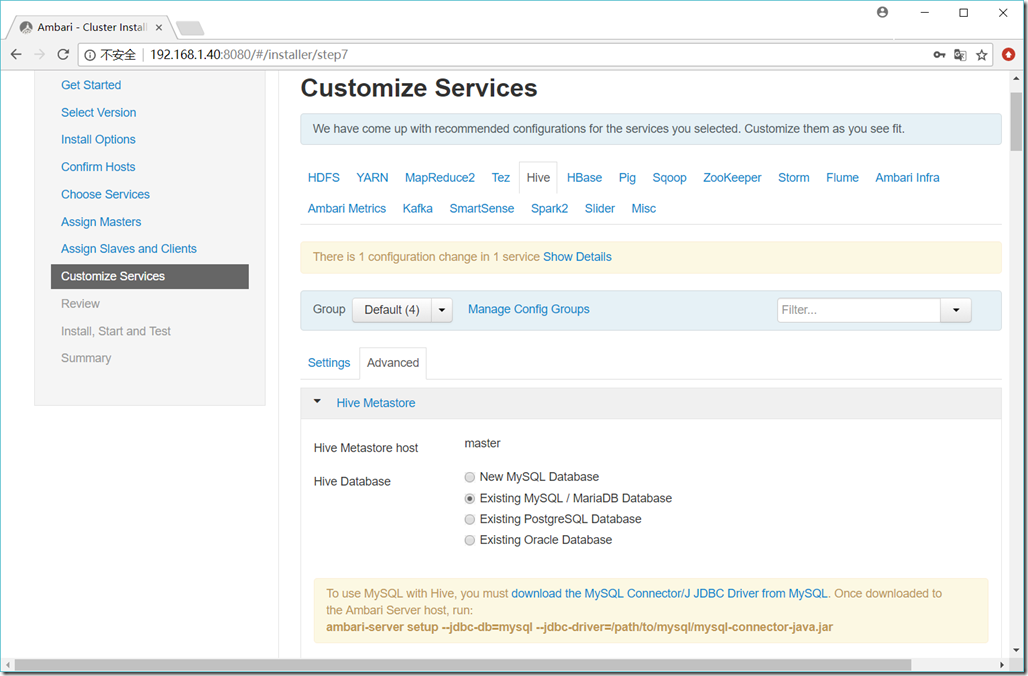
Metastore : master
HiveServer2 : master
WebHCat Server : master
Database : Existing MySQL / MariaDB Database
HBase
Master : master
RegionServer : 3 hosts
Phoenix Query Server : 1 host
Pig
Clients : 1 host
Sqoop
Clients : 1 host
ZooKeeper
Server : slave1
Storm
DRPC Server : master
Nimbus : slave1
UI Server : master
Supervisor : 1 host
Flume
Flume : 1 host
Ambari Infra
Infra Solr Instance : master
Ambari Metrics
Metrics Collector : slave2
Grafana : master
Kafka
Broker : master
SmartSense
Activity Analyzer : master
Activity Explorer : master
HST Server : master
Spark2
Livy for Spark2 Server : 1 host
History Server : master
Thrift Server : 1 host
Slider
Clients : 1 host
Ubuntu 16.04.4 LTS + Ambari 2.6.1.5 + HDP 2.6.4.0 安装部署的更多相关文章
- CentOS7.4 + Ambari 2.6.1.5 + HDP 2.6.4.0 安装部署
1. 参考说明 参考文档: https://docs.hortonworks.com/HDPDocuments/Ambari-2.6.1.5/bk_ambari-installation/conten ...
- Ubuntu 16.04.3 LTS u盘-安裝教程(填坑)
Ubuntu 16.04.3 LTS 下载地址: https://www.ubuntu.com/download/desktop 下载u盘后文件为iso,可以选择UltraISO制作U盘启动,也可以直 ...
- Alienware-15-R3 装Ubuntu 16.04.3 LTS
前言:Alienware-15-R3默认安装的系统是win10.现在卸载win0,装Ubuntu 16.04.3 LTS. 一.下载Ubuntu 16.04.3 LTS镜像文件,下载地址:https: ...
- Ubuntu 16.04.4 LTS环境中php7.0使用mysqli失败,数据库无法访问
环境: Ubuntu 16.04.4 LTS php7.0 输入命令php -m,显示如下,发现没有mysqli模块 输入命令sudo apt install php-mysql,安装mysql模块, ...
- Ubuntu 16.04.2 LTS 安装 jdk1.6 和 tomcat6 (一)
java和tomcat环境配置已经有很多教程和文章,最近项目需要配置Ubuntu 16.04.2下的古老的java6和tomcat 6,遇到小坑,特记录和分享. 网上的教程不是太新,就是太老,还有一些 ...
- Ubuntu 16.04.4 LTS设置root用户登陆图形界面
普通用户登陆真是太憋屈,这也不能那也不能,root用户登录就可以肆无忌惮了 本方法采用nano编辑器,ubantu版本Ubuntu 16.04.4 LTS,其他版本应该也一样,下面进入正题 1.终端登 ...
- Ubuntu 16.04.2 LTS 安装 jdk1.6 和 tomcat6 (二)
上一篇记录和分享了jdk1.6 在Ubuntu 16.04.2 环境下的安装配置,本文开始安装和配置tomcat 6 2 安装tomcat http://tomcat.apache.org ...
- ubuntu 16.04(Windows 10双系统+grub引导)无法进入tt1~tt6(NVIDIA驱动安装相关-黑屏,login loop,分辨率)
目录 前言回顾 最终解决: 0.关闭x服务 1.禁用nouveau 2.加入 3.更新 4.查找匹配驱动 5.选择推荐版本 6.等待安装后重启,nvidia-smi查看是否安装成功,或者lsmod | ...
- 在VMWare虚拟机中安装Ubuntu 16.04.1 LTS
一.需要的准备 安装好VMWare虚拟机(傻瓜式安装,一直next就可以,请支持正版),将Ubuntu的系统镜像下载好,目前最新的LTS版本为16.04.1. 我把虚拟机和Ubuntu镜像传到了百度云 ...
随机推荐
- dubbo rpc调用,接收到的bean为null原因?
前几天对接公司内部其他部门的系统,用dubbo调用,dubbo看起来很简单,但是却让我们调试了好久啊! 下面是调试纪录: 1. 调用该服务时,直接调不通,查看错误为 no provider ? 然后就 ...
- fiddler 使用方法汇总
作为网络开发人员,怎能不使用一些抓包工具呢?fiddler是个不错的选择. 不过,一般情况下,我们往往使用浏览器自带的控制台的[网络]选项就可以达到查看数据的通信情况了,当然,一些浏览器不容易捕捉的事 ...
- 使用swoole进行消息推送通知,配合vb.net进行客户端开发一样爽[开发篇]
在以前的项目中,就曾听说过swoole的大名,想用来进行消息推送,但是当时只是有了初步的了解,并不敢大胆的运用到线上产品.所谓 识不足则多虑,威不足则多怒.所以就是怕,只能跟领导说了运用极光的推送功能 ...
- spring-boot(hello world)
重拾程序,想不到从java开始,最近两周开搞web,从基本框架开始,仅做个人学习记录,遗漏之处望请海涵. 1.基本准备 开发环境win7: IDE myeclipse Version: 2017 C ...
- Testing - 软件测试知识梳理 - 测试方法
选择和使用测试方法和工具 按照测试需求用途(或测试技巧)选择 在软件开发生命周期和软件测试流程中适当地选择 按照测试人员实际技能选择 选择可提供的和可执行的 测试方法 类别及技巧 目标 使用方法 举例 ...
- python中的变量和算数运算
先说下变量的作用: 用来保存数据,为什么要保存? 后面要使用. 变量的概念: 变量就是用来存储一些信息,供程序以后调用或者操作修改.变量为标记数据提供了一种描述性的名字,以便我们的程序可以被程序的阅读 ...
- [原]Windows Azure开发之Linux虚拟机
Windows Azure是微软的云服务集合,用来提供云在线服务所需要的操作系统与基础存储与管理的平台,是微软的云计算的核心组成组件之一.其中windows azure提供的最重要的一项服务就是虚 ...
- laravel5实现第三方登录(微信)
背景 最近手头一个项目需要实现用户在网站的第三方登录(微信和微博),后端框架laravel5.4. 实现过程以微信网页版第三方登录,其他于此类似,在此不做重复. 准备工作 网站应用微信登录是基于OAu ...
- 远程工作社区|远程工作|APCOW社区|AP社区
远程工作社区|远程工作|APCOW社区|AP社区 远程工作,那是高中时代就进入我眼帘的一种生活.由于各种电影的摧残,倒是我对国外程序员的生活一直很向往.今天在纽约,下周在旧金山,过段时间又回到了自己的 ...
- ie请求缓存问题,页面内容没有及时更新
问题一:列表页面删除一条数据成功了,但页面上还有数据,再次点击删除,报错了... 问题二:一个点赞按钮,点击后发送一个请求,后台返回1或0 (点赞.取消点赞) ,谷歌浏览器功能正常,但在ie浏览器,后 ...