
Appium for Mac 环境准备篇
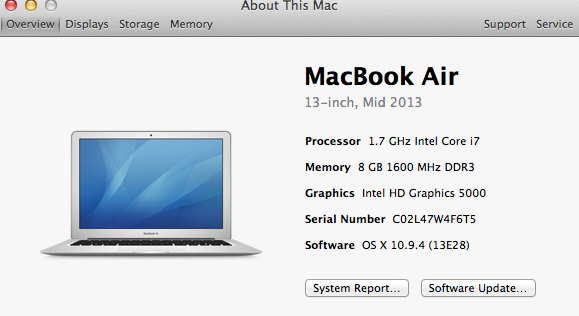
之前写过一篇Appium for windows的文章,因为是09年的T400,启动Android模拟器的时候死机三次,那就公司申请台Macbook air吧,15寸的Macbook Pro实在太重了,也就Mac才能真正发挥Appium的功能,支持Android和iOS。好了,废话不多,开始。
1. 爬墙
因为后续安装过程中可能会碰到墙的问题,所以首先得解决爬墙的问题。
我的方便,公司提供代理。
2. java
guowenxie-macbookair:~ guowenxie$ java -version
java version "1.8.0_05"
Java(TM) SE Runtime Environment (build 1.8.0_05-b13)
Java HotSpot(TM) 64-Bit Server VM (build 25.5-b02, mixed mode)
3. git
guowenxie-macbookair:~ guowenxie$ git --version
git version 1.8.5.2 (Apple Git-48)
4. ruby
guowenxie-macbookair:~ guowenxie$ ruby -v
ruby 2.0.0p451 (2014-02-24 revision 45167) [universal.x86_64-darwin13]
5. brew
guowenxie-macbookair:~ guowenxie$ brew -v
Homebrew 0.9.5
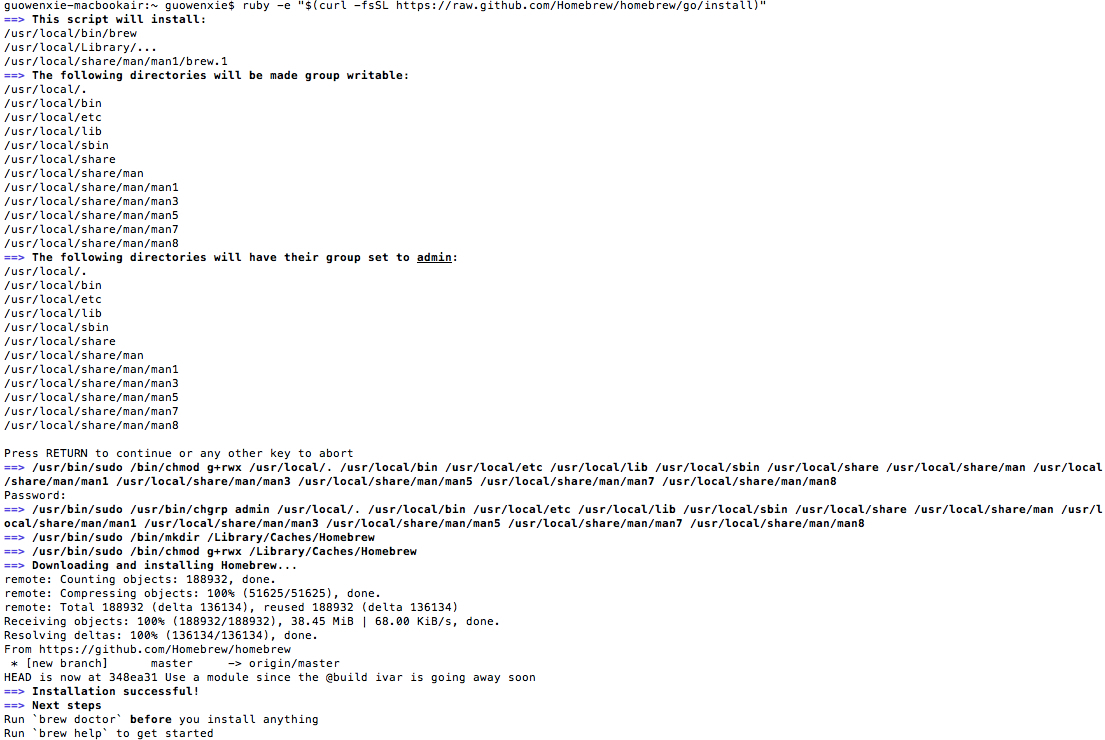
这边提下brew的安装,brew是Mac OS不可或缺的套件管理器
执行下面命令ruby -e "$(curl -fsSL https://raw.github.com/Homebrew/homebrew/go/install)"
6. node
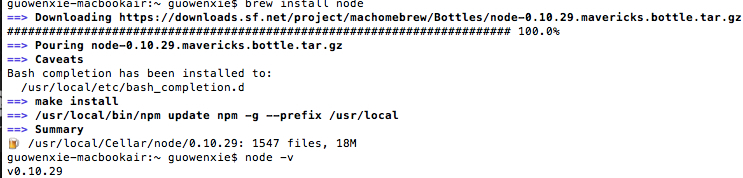
有了brew安装node就方便了brew install node
7. npm
guowenxie-macbookair:~ guowenxie$ npm -v
2.0.0-alpha-5
8. Appium
现在可以开始安装Appium
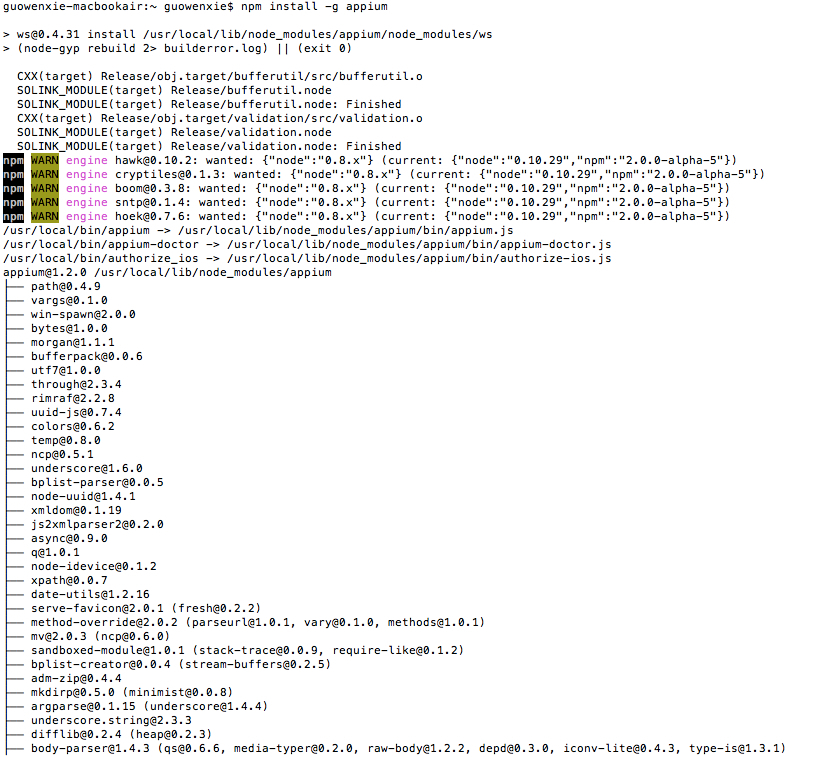
guowenxie-macbookair:~ guowenxie$ appium -v
1.2.0
9. wd
npm install wd

10. Xcode和Android SDK
这个不说了
11. 检查环境
Appium提供了一个doctor,运行appium-doctor
guowenxie-macbookair:~ guowenxie$ appium-doctor
Running iOS Checks
✔ Xcode is installed at /Applications/Xcode.app/Contents/Developer
✖ Xcode Command Line Tools are NOT installed: Error: Command failed: No receipt for 'com.apple.pkg.CLTools_Executables' found at '/'.
Fix it? (y/n) y
Press any key to continue:
✔ Xcode Command Line Tools are installed.
✔ DevToolsSecurity is enabled.
✔ The Authorization DB is set up properly.
✔ Node binary found at /usr/local/bin/node
✔ iOS Checks were successful.
Running Android Checks
✖ ANDROID_HOME is set but does not exist on the file system at "Users/guowenxie/Documents/adt-bundle_mac-x86_64-20140702/sdk"
Appium-Doctor detected problems. Please fix and rerun Appium-Doctor.
这里可以看到我Xcode Command Line Tools没有安装,这个方便,Fix it?的时候输入Y,就能自动导向安装了。
另一个是ANDROID_HOME的环境变量没配置好,那么我们要配置下。
12. bash_profile文件
Mac 默认是没有这个文件的,我们自己建一个touch .bash_profile
vi .bash_profile
打开bash_profile文件配置ANDROID_HOME和JAVA_HOME
export ANDROID_HOME="/Users/guowenxie/Documents/adt-bundle-mac-x86_64-20140702/sdk"
export JAVA_HOME=$(/usr/libexec/java_home)
source .bash_profile
好了,再次运行appium-doctor
guowenxie-macbookair:~ guowenxie$ appium-doctor
Running iOS Checks
✔ Xcode is installed at /Applications/Xcode.app/Contents/Developer
✔ Xcode Command Line Tools are installed.
✔ DevToolsSecurity is enabled.
✔ The Authorization DB is set up properly.
✔ Node binary found at /usr/local/bin/node
✔ iOS Checks were successful.
Running Android Checks
✔ ANDROID_HOME is set to "/Users/guowenxie/Documents/adt-bundle-mac-x86_64-20140702/sdk"
✔ JAVA_HOME is set to "/usr/libexec/java_home."
✔ ADB exists at /Users/guowenxie/Documents/adt-bundle-mac-x86_64-20140702/sdk/platform-tools/adb
✔ Android exists at /Users/guowenxie/Documents/adt-bundle-mac-x86_64-20140702/sdk/tools/android
✔ Emulator exists at /Users/guowenxie/Documents/adt-bundle-mac-x86_64-20140702/sdk/tools/emulator
✔ Android Checks were successful.
✔ All Checks were successful
到此,环境基本准备好了。
最后,如果不想通过命令行安装Appium,也可以安装dmg

Appium for Mac 环境准备篇的更多相关文章
- 转 Appium for Mac 环境准备篇
转发地址:http://www.cnblogs.com/oscarxie/p/3894559.html 1. 爬墙因为后续安装过程中可能会碰到墙的问题,所以首先得解决爬墙的问题.我的方便,公司提供代理 ...
- Appium - iOS Mac环境结构
Appium - iOS Mac环境结构 笔者: Max.Bai 时间: 2014/10 1. iOS开发环境的搭建 1.1系统要求 MacOS X 10.7 or higher, 10.9.2 re ...
- 移动端自动化测试(一)之 Appium+Pyhton环境准备篇
移动端自动化测试(一)之 Appium+Pyhton环境准备篇 2016-11-17 16:51 by CockRoacher, 5046 阅读, 1 评论, 收藏, 编辑 由于工作的需要进行Andr ...
- Appium——appium之mac环境安装
一.安装brew:Homebrew是一款Mac OS平台下的软件包管理工具执行:/usr/bin/ruby -e "$(curl -fsSL https://raw.githubuserco ...
- Appium Java Windows环境搭建篇
1. 安卓SDK及配置环境变量 1.1.先下载sdk安装包:installer_r24.4.1-windows.exe 下载地址:链接: http://pan.baidu.com/s/1dEyPSa9 ...
- mac上搭建appium+IOS自动化测试环境(一)
阅读须知 由于OS X系统最近才开始接触,所以有些东西也不是很清楚,这里只提供方法不提供原理,能解释清楚的我也会尽量解释.可能也有一些地方说的不严谨或有错的,还望大家指点一二. 实验环境 操作系统: ...
- mac上搭建appium+IOS自动化测试环境(二)
上一篇: mac上搭建appium+IOS自动化测试环境(一) 9.安装appium-xcuitest-driver依赖 进入WebDriverAgent安装目录,运行bootstrap 首先进入目录 ...
- (mac环境)Appium安装了client包,但是提示no module named appium
背景 mac环境,使用pip install Appium-Python-Client已经安装了client包 问题 import appium,提示no module named appium ...
- 总结下Mac环境下按照appium
第10天休息 先来总结下Mac环境下按照appium 一.相关网站 官网: http://appium.io/ 测试论坛 https://testerhome.com/wiki 二.环境准备 从官 ...
随机推荐
- SparkSQL之旅
1.准备数据employee.txt ,Gong Shaocheng, ,Li Dachao, ,Qiu Xin, ,Cheng Jiangzhong, ,Wo Binggang, 将数据放入hdfs ...
- MyJni撒旦
package com.baidu.jnitest; import android.os.Bundle; import android.app.Activity; import android.vie ...
- sqoop的命令行操作
- Bootstrap框架基础
特点:写非常少的代码 即可实现多终端的页面适配 ☑ 简单灵活可用于架构流行的用户界面和交互接口的html.css.javascript工具集. ☑ 基于html5.css3的bootstrap,具 ...
- Ubuntu中查看32还是64
安装ubuntu在pc上,不推荐在32位pc安装64位操作系统,64位pc安装32位操作系统 方法/步骤 1 按ctrl+shift+t 快捷键,打开终端,输入sudo uname --m ,按下 ...
- 黑马程序员:Java编程_反射技术
=========== ASP.Net+Android+IOS开发..Net培训.期待与您交流!=========== Java类用于描述一类事物的共性,该类事物有什么属性,没有什么属性,至于这个属性 ...
- 去除Input输入框中边框的方式
我们在做制作注册页面时,经常会需要消除Input带来的边框,这时候我们需要用到两个属性 一个是input在非激活状态下,不现实边框,代码规则为 border:none:同时当鼠标移到input输入框上 ...
- CSS盒状模型简介
CSS盒状模型 在平时的开发过程中还是经常得写博客,这2天有个公司找我面试,在面试当中提到了CSS中的盒状模型.这个东西在平时的前端开发经常用到.以下简单介绍一下: CSS中的盒状模型由:margin ...
- 机器学习(一) 从一个R语言案例学线性回归
写在前面的话 按照正常的顺序,本文应该先讲一些线性回归的基本概念,比如什么叫线性回归,线性回规的常用解法等.但既然本文名为<从一个R语言案例学会线性回归>,那就更重视如何使用R语言去解决线 ...
- java web项目中 获取resource路径下的文件路径
public GetResource{ String path = GetResource.class.getClassLoader().getResource("xx/xx.txt&quo ...