
js实现拖动验证码
效果图:


Index.html
<!DOCTYPE html>

<html lang="en">

<head>

    <meta http-equiv="Content-Type" content="text/html; charset=utf-8" />

    <meta charset="utf-8" />

    <meta name="viewport" content="width=device-width, initial-scale=1.0">

    <title>滑动验证</title>

    <link rel="stylesheet" href="./style.css">

    <script type="text/javascript" src="./style.js"></script>

</head>

<body>

    <div id="slideBar"></div>

    <script type="text/javascript">

        var dataList = ["",""];

        var options = {

            dataList: dataList,

            success:function(){

                alert("成功了");

            },

            fail: function(){

                alert("失败了");

            }

        };

        SliderBar("slideBar", options);

    </script>

</body>

</html>
style.js:
(function (window, document) {

    var SliderBar = function (targetDom, options) {

        // 判断是用函数创建的还是用new创建的。这样我们就可以通过MaskShare("dom") 或 new MaskShare("dom")来使用这个插件了

        if (!(this instanceof SliderBar)) return new SliderBar(targetDom, options);

        // 参数

        this.options = this.extend({

            dataList: []

        }, options);

        // 获取dom

        this.targetDom = document.getElementById(targetDom);

        var dataList = this.options.dataList;

        if (dataList.length > ) {

            var html = "<div class='slide-box'><div class='slide-img-block'>" +

                "<div class='slide-loading'></div><div class='slide-img-border'>" +

                "<div class='scroll-background slide-top'></div><div class='slide-img-div'>" +

                "<div class='slide-img-nopadding'><img class='slide-img' id='slideImg' src='' />" +

                "<div class='slide-block' id='slideBlock'></div><div class='slide-box-shadow' id='cutBlock'></div></div>" +

                "<div class='scroll-background  slide-img-hint-info' id='slideHintInfo'>" +

                "<div class='slide-img-hint'><div class='scroll-background slide-icon' id='slideIcon'></div>" +

                "<div class='slide-text'><span class='slide-text-type' id='slideType'></span>" +

                "<span class='slide-text-content' id='slideContent'></span></div></div></div></div>" +

                "<div class='scroll-background slide-bottom'>" +

                "<div class='scroll-background slide-bottom-refresh' id='refreshBtn' title='更换图片'></div>" +

                "<div class='slide-bottom-no-logo'></div></div></div></div>" +

                "<div class='scroll-background scroll-bar'>" +

                "<div class='scroll-background slide-btn' id='slideBtn'></div>" +

                "<div class='slide-title' id='slideHint'> <-按住滑块,拖动完成上面拼图</div></div></div>";

            this.targetDom.innerHTML = html;

            this.slideBtn = document.getElementById("slideBtn");                 // 拖拽按钮

            this.refreshBtn = document.getElementById("refreshBtn");             // 换图按钮

            this.slideHint = document.getElementById("slideHint");               // 提示名称

            this.slideImg = document.getElementById("slideImg");                 // 图片

            this.cutBlock = document.getElementById("cutBlock");                 // 裁剪区域

            this.slideBlock = document.getElementById("slideBlock");             // 裁剪的图片

            this.slideIcon = document.getElementById("slideIcon");               // 正确、失败的图标

            this.slideType = document.getElementById("slideType");               // 正确、失败

            this.slideContent = document.getElementById("slideContent");         // 正确、失败的正文

            this.slideHintInfo = document.getElementById("slideHintInfo");       // 弹出

            this.resultX = ;

            this.startX = ;

            this.timer = ;

            this.startTamp = ;

            this.endTamp = ;

            this.x = ;

            this.imgWidth = ;

            this.imgHeight = ;

            this.imgList = [];

            this.isSuccess = true;

            for (var i = ; i < ; i++) {

                this.imgList.push(i + ".jpg");

            }

        }

        this.init();

    }

    SliderBar.prototype = {

        init: function () {

            this.event();

        },

        extend: function (obj, obj2) {

            for (var k in obj2) {

                obj[k] = obj2[k];

            }

            return obj;

        },

        event: function () {

            var _this = this;

            _this.reToNewImg();

            _this.slideBtn.onmousedown = function(event){

                _this.mousedown(_this, event);

            }

            _this.refreshBtn.onclick = function(){

                _this.refreshBtnClick(_this);

            }

        },

        refreshBtnClick: function(_this){

            _this.isSuccess = true;

            _this.slideBlock.style.cssText = "";

            _this.cutBlock.style.cssText = "";

            _this.reToNewImg();

        },

        reToNewImg: function () {

            var _this = this;

            var index = Math.round(Math.random() * );         // 该方法有等于0 的情况

            var imgSrc = "./images/" + _this.imgList[index] + "";

            _this.slideImg.setAttribute("src", imgSrc);

            _this.slideBlock.style.backgroundImage = "url("+ imgSrc +")";

            _this.slideImg.onload = function (e) {

                e.stopPropagation();

                _this.imgWidth = _this.slideImg.offsetWidth;                   // 图片宽

                _this.imgHeight = _this.slideImg.offsetHeight;                 // 图片高

            }

        },

        cutImg: function () {

            var _this = this;

            _this.cutBlock.style.display = "block";

            var cutWidth = _this.cutBlock.offsetWidth;                // 裁剪区域宽

            var cutHeight = _this.cutBlock.offsetHeight;              // 裁剪区域高

            // left

            _this.resultX = Math.floor(Math.random() * (_this.imgWidth - cutWidth *  - ) + cutWidth);

            // top

            var cutTop = Math.floor(Math.random() * (_this.imgHeight - cutHeight * ) + cutHeight);

            // 设置样式

            _this.cutBlock.style.cssText = "top:" + cutTop + "px;" + "left:" + _this.resultX + "px; display: block;";

            _this.slideBlock.style.top = cutTop + "px";

            _this.slideBlock.style.backgroundPosition = "-" + _this.resultX + "px -" + cutTop + "px";

            _this.slideBlock.style.opacity = "";

        },

        mousedown: function (_this, e) {

            e.preventDefault();

            _this.startX = e.clientX;

            _this.startTamp = (new Date()).valueOf();

            var target = e.target;

            target.style.backgroundPosition = "0 -216px";

            _this.slideHint.style.opacity = "";

            if(_this.isSuccess){

                _this.cutImg();

            }

            document.addEventListener('mousemove', mousemove);

            document.addEventListener('mouseup', mouseup);

            // 拖拽

            function mousemove(event) {

                _this.x = event.clientX - _this.startX;

                if (_this.x < ) {

                    _this.slideBtn.style.left = "0px";

                    _this.slideBlock.style.left = "2px";

                } else if (_this.x >=  && _this.x <= ) {

                    _this.slideBtn.style.left = _this.x + "px";

                    _this.slideBlock.style.left = _this.x + "px";

                } else {

                    _this.slideBtn.style.left = "217px";

                    _this.slideBlock.style.left = "217px";

                }

                _this.slideBtn.style.transition = "none";

                _this.slideBlock.style.transition = "none";

            };

            // 鼠标放开

            function mouseup() {

                document.removeEventListener('mousemove', mousemove);

                document.removeEventListener('mouseup', mouseup);

                var left = _this.slideBlock.style.left;

                left = parseInt(left.substring(, left.length-));

                if(_this.resultX > (left - ) && _this.resultX < (left + )){

                    _this.isSuccess = true;

                    _this.endTamp = (new Date()).valueOf();

                    _this.timer = ((_this.endTamp - _this.startTamp) / ).toFixed();

                    // 裁剪图片(拼图的一块)

                    _this.slideBlock.style.opacity = "";

                    _this.slideBlock.style.transition = "opacity 0.6s";

                    // 裁剪的区域(黑黑的那一块)

                    _this.cutBlock.style.opacity = "";

                    _this.cutBlock.style.transition = "opacity 0.6s";

                    // 正确弹出的图标

                    _this.slideIcon.style.backgroundPosition = "0 -1207px";

                    _this.slideType.className = "slide-text-type greenColor";

                    _this.slideType.innerHTML = "验证通过:";

                    _this.slideContent.innerHTML = "用时" + _this.timer + "s";

                    setTimeout(function(){

                        _this.cutBlock.style.display = "none";

                        _this.slideBlock.style.left = "2px";

                        _this.reToNewImg();

                    }, );

                    _this.options.success&&_this.options.success();

                }else{

                    _this.isSuccess = false;

                    // 设置样式

                    // 裁剪图片(拼图的一块)

                    _this.slideBlock.style.left = "2px";

                    _this.slideBlock.style.transition = "left 0.6s";

                    // 错误弹出的图标

                    _this.slideIcon.style.backgroundPosition = "0 -1229px";

                    _this.slideType.className = "slide-text-type redColor";

                    _this.slideType.innerHTML = "验证失败:";

                    _this.slideContent.innerHTML = "拖动滑块将悬浮图像正确拼合";

                    _this.options.fail&&_this.options.fail();

                }

                // 设置样式

                _this.slideHintInfo.style.height = "22px";

                setTimeout(function(){

                    _this.slideHintInfo.style.height = "0px";

                }, );

                _this.slideBtn.style.backgroundPosition = "0 -84px";

                _this.slideBtn.style.left = "";

                _this.slideBtn.style.transition = "left 0.6s";

                _this.slideHint.style.opacity = "";

            }

        }

    }

    window.SliderBar = SliderBar;

}(window, document));
style.css:
.slide-box{

    display: block;

    position: relative;

}

.scroll-background{

    background-image: url("./images/sprite.3.2.0.png");

    background-repeat: no-repeat;

}

.scroll-bar{

    margin-left: 15px;

    width: 261px;

    background-position:  ;

    height: 28px;

    position: relative;

}

.slide-btn{

    height: 44px;

    width: 44px;

    background-position:  -84px;

    cursor: pointer;

    display: block;

    position: absolute;

    left: ;

    top: -9px;

    -moz-box-shadow: none;

    box-shadow: none;

    border-radius: 13px;

    z-index: ;

}

.slide-title{

    cursor: default;

    position: absolute;

    left: 35px;

    font-size: 12px !important;

    color: #486c80;

    opacity: ;

    filter: alpha(opacity=);

    height: 28px;

    line-height: 28px !important;

    text-align: center;

    width: 220px;

    -moz-user-select: none;

    -ms-user-select: none;

    -webkit-user-select: none;

    user-select: none;

}

.slide-img-div{

    width: 260px;

    height: 116px;

    padding:  15px 2px 13px;

    position: relative;

    background-color: #f2ece1;

    border-left: 1px solid #e4ddd1;

    border-right: 1px solid #e4ddd1;

}

.slide-img-div img{

    width: %;

    height: %;

}

.slide-top{

    height: 14px;

    width: 290px;

    background-position:  -1341px;

    position: relative;

}

.slide-bottom{

    height: 28px;

    width: 290px;

    background-position:  -56px;

    line-height: 14px !important;

    position: relative;

    text-align: left;

    overflow: visible;

}

.slide-bottom-no-logo{

    margin-right: 15px;

    width: 65px;

    height: 16px;

    position: absolute;

    right: ;

    top: 6px;

    background-color: #f2ece1 !important;

    cursor: default;

}

.slide-bottom-refresh{

    overflow: visible;

    display: block;

    zoom: ;

    display: inline-block;

    vertical-align: bottom;

    cursor: pointer;

    margin-right: 16px !important;

    background-color: #f1e9de;

    margin: 6px   18px !important;

    height: 14px;

    width: 14px;

    background-position:  -1179px;

}

.slide-box-shadow{

    display: none;

    position: absolute;

    width: 40px;

    height: 40px;

    border-radius: 4px;

    background-color: rgba(, , , 0.2);

    box-shadow:   10px  rgba(, , , 0.5) inset;

}

.slide-block{

    opacity: ;

    position: absolute;

    top: ;

    left: 2px;

    width: 40px;

    height: 40px;

    border-radius: 4px;

    background-repeat: no-repeat;

    background-attachment: scroll;

    border: 1px solid rgba(, , , 0.8);

    background-size: 260px 116px;

    box-shadow:   10px  rgba(, , , 0.4),   10px  rgba(, , , 0.4);

    box-sizing: border-box;

    z-index: ;

}

.slide-img-nopadding{

    position: relative;

    width: %;

    height: %;

}

.slide-icon{

    float: left;

    height: 22px;

    width: 26px;

}

.slide-img-hint{

    -webkit-font-smoothing: subpixel-antialiased;

    font-size: 12px !important;

    line-height: 22px !important;

    margin:  auto;

    position: relative;

}

.slide-text{

    text-align: left !important;

    color: #4b3f33;

}

.slide-img-hint-info{

    height: 22px;

    width: 260px;

    background-position:  -674px;

    height: ;

    overflow: hidden;

    position: absolute;

    bottom: 1px;

    transition: height .3s;

    z-index: ;

}

.redColor{

    color: red;

}

.greenColor{

    color: green;

}

.slide-img-border{

    margin-bottom: 3px;

}
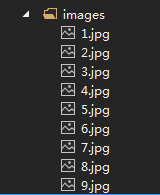
images:
转自:https://www.cnblogs.com/huaji666/p/8257710.html
js实现拖动验证码的更多相关文章
- php+js实现极验滑块拖动验证码-tncode
先上图: 演示地址:http://aso.39gs.com/tncode/index.html 相信在淘宝,斗鱼这些大网站都见到过这样的验证码了,拖动验证码比传统在移动端有更好的化验,减少用户的输入. ...
- jQuery与vue分别实现超级简单的绿色拖动验证码功能
jquery的绿色拖动验证功能 在网上看到了一个这样的问题:那种像拖动滑块匹配图形的验证方式是怎么实现的?. 突然想到实现一个简单绿色拖动验证码的功能,在网上搜了下,有一个用jquery实现的该功能代 ...
- 原生JS实现拖动滑块验证登录效果
♀分享一组利用原生JS实现拖动滑块验证效果 ♀在这个组代码中涉及三个方面的知识: ⑴事件处理 ⑵添加验证标记 ⑶选择器的封装 代码如下: <!DOCTYPE html> <htm ...
- Js 实现登录验证码
Js代码: /** * 验证码 */function yzm(){ var codeChars = new Array(0, 1, 2, 3, 4, 5, 6, 7, 8, 9, 'a','b','c ...
- 利用 canvas 破解 某拖动验证码
利用 canvas 破解 某拖动验证码 http://my.oschina.net/u/237940/blog/337194
- 使用JS来实现验证码功能
最近想为自己的Django博客添加验证码功能,本来想使用第三方库来实现的,不过考虑到添加第三方库对性能的影响,以及第三方库是否安全可靠的问题,还是用自己的代码来实现吧.反正用JS来实现验证码功能又不是 ...
- captcha.js一个生成验证码的插件,使用js和canvas生成
一.captcha`captcha.js`是一个生成验证码的插件,使用js和canvas生成的,确保后端服务被暴力攻击,简单判断人机以及系统的安全性,体积小,功能多,支持配置. 验证码插件内容,包含1 ...
- TP引用样式表和js文件及验证码
TP引用样式表和js文件及验证码 引入样式表和js文件 <script src="__PUBLIC__/bootstrap/js/jquery-1.11.2.min.js"& ...
- JS实现拖动div层移动
JS实现拖动div层移动 在谈到拖动div层之前,我们有必要来了解下 下面JS几个属性的区别---- pageX,pageY,layerX,layerY,clientX,clientY,screen ...
随机推荐
- 即将发布的 ASP.NET Core 2.2 会有哪些新玩意儿?
今年 6 月份的时候时候 .NET 团队就在 GitHub 公布了 ASP.NET Core 2.2 版本的 Roadmap(文末有链接),而前两天 ASP.NET Core 2.2 预览版 2 已经 ...
- 用Eclipse中的git提交代码流程
有更新有提交 Commit到本地,pull,然后再push 提交 Commit到本地 或者直接commit and Push 更新 先对比然后pull或者右键项目直接pull 有冲突时 有冲突的时候优 ...
- RocksDB系列二十二:RocksDB使用场景和特性
- Java canlendar task
DayPilot for Java - Calendar, Scheduler and Gantt Chart Componentshttps://java.daypilot.org/ AJAX Sc ...
- oracle--数据筛选
一:当统一社会信用代码或者工商注册号两个字段中,有的时候只有一个字段含有数据,但是所取的值必须要拥有字段,这个时候,语句为下: select t.entname, case when t.unisci ...
- laravel 远程一对多实例
/** * 关联楼宇推荐书关联表 * 远程一对一 */ public function buildingPanos() { return $this->hasManyThrough( 'App\ ...
- AngularJS 1.x系列:Node.js安装及npm常用命令(1)
1. Node.js安装 1.1 Node.js下载 Node.js官网:https://nodejs.org 当前下载版本(含npm):Latest LTS Version: v6.10.3 (in ...
- vue环境的搭建与第一个demo
参考两个博客 1 2 git.npm和淘宝镜像的安装过程过程省略了,直接开始webpack + vue-cli + 创建demo 首先,在磁盘创建一个文件夹,命名为vue-projects,里面再建一 ...
- gson常用的方式
gson提供的fromJson()方法来实现从Json相关对象到Java实体的方法. 第一种.Json格式转成单一实体对象和转换成对象列表或者其他结构 第二种.转换成列表类型 注:TypeToken: ...
- How to proof MD5
F(X, Y, Z) = (X&Y) | ((~X) & Z) G(X, Y, Z) = (X&Z) | (Y & (~Z)) H(X, Y, Z) = X^Y^Z I ...