
C# [Win32] [API] Layered Windows
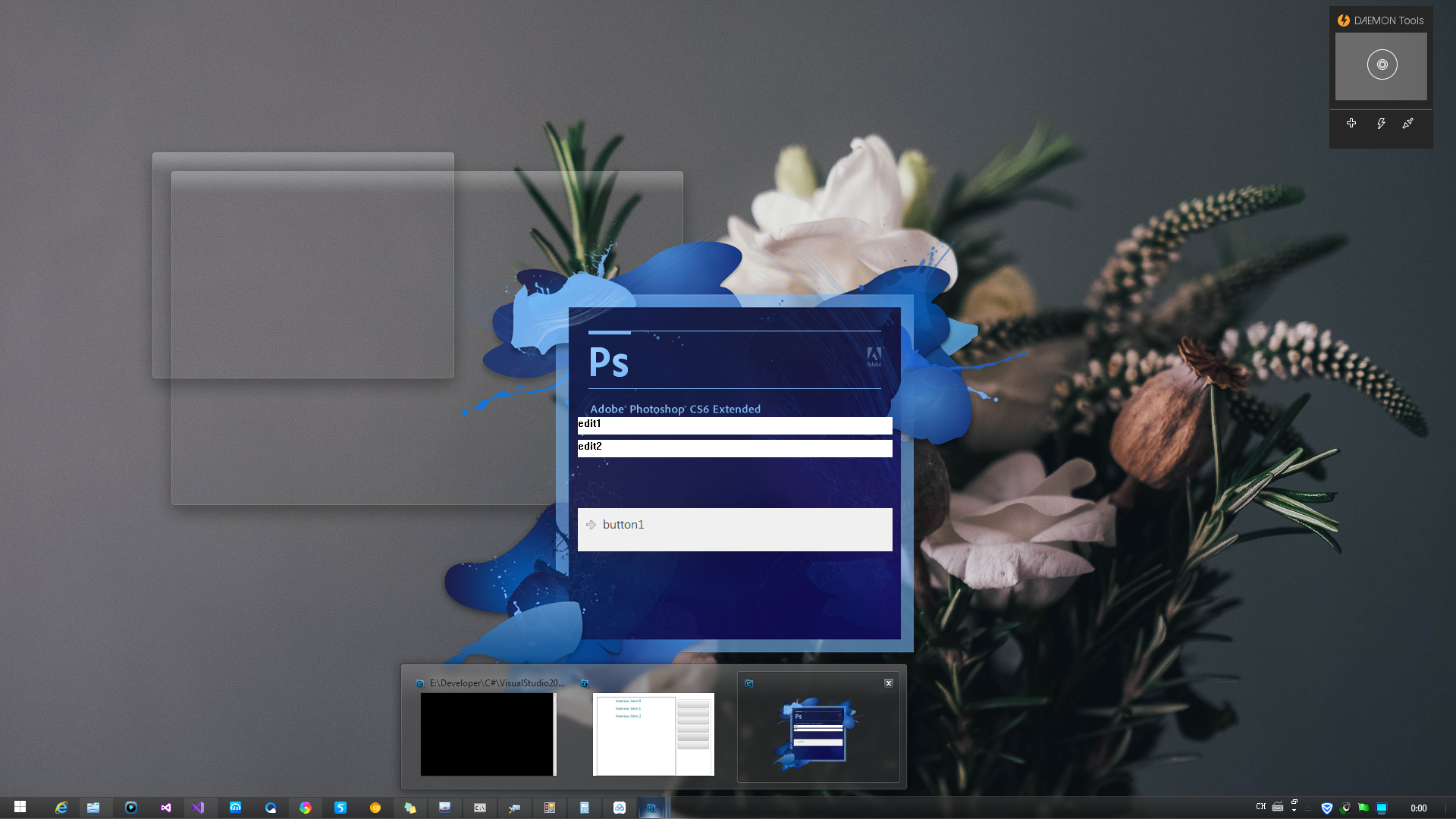
         static void* WndProc(void* hwnd, uint uMsg, void* wParam, void* lParam)

         {

             switch (uMsg)

             {

                 case WM_PAINT:

                 case WM_CTLCOLORMSGBOX:

                 case WM_CTLCOLOREDIT:

                 case WM_CTLCOLORLISTBOX:

                 case WM_CTLCOLORBTN:

                 case WM_CTLCOLORDLG:

                 case WM_CTLCOLORSCROLLBAR:

                 case WM_CTLCOLORSTATIC:

                 case WM_CAPTURECHANGED:

                     {

                         if (_pimg != null)

                         {

                             void* _hwnd = GetAncestor(hwnd, GA_ROOT);

                             uint uw, uh;

                             GdipGetImageWidth(_pimg, &uw); GdipGetImageHeight(_pimg, &uh);

                             RECT rcc, rcs;

                             GetClientRect(_hwnd, &rcc);

                             GetWindowRect(_hwnd, &rcs);

                             PAINTSTRUCT ps;

                             void* hdc = BeginPaint(_hwnd, &ps); //GetDC(hwnd);

                             void* hdcmem = CreateCompatibleDC(hdc);

                             BITMAPINFO bi;

                             bi.bmiHeader.biSize = sizeof(BITMAPINFOHEADER);

                             bi.bmiHeader.biWidth = (int)uw;

                             bi.bmiHeader.biHeight = (int)uh;

                             bi.bmiHeader.biPlanes = ;

                             bi.bmiHeader.biBitCount = ;

                             bi.bmiHeader.biCompression = BI_RGB;

                             bi.bmiHeader.biClrUsed = ;

                             bi.bmiHeader.biSizeImage = ;

                             void* pvbits;

                             void* hbmpmem = CreateDIBSection(hdc, &bi, DIB_RGB_COLORS, &pvbits, null, 0u);

                             if (hbmpmem != null)

                             {

                                 SelectObject(hdcmem, hbmpmem);

                                 GpGraphics* g;

                                 if (GdipCreateFromHDC(hdcmem, &g) == )

                                 {

                                     GdipDrawImageRectI(g, _pimg, , , (int)uw, (int)uh);

 #if true

                                     RECT rc;

                                     for (int i = ; i < ; i++)

                                     {

                                         void* h = GetDlgItem(_hwnd, i);

                                         if (IsWindowVisible(h) == )

                                         {

                                             GetWindowRect(h, &rc);

                                             MapWindowPoints(null, _hwnd, (POINT*)&rc, );

                                             GpBitmap* gpbmp;

                                             GdipCreateBitmapFromScan0(rc.right - rc.left, rc.bottom - rc.top, , PixelFormat32bppARGB, null, &gpbmp);

                                             GpGraphics* gpg;

                                             if (GdipGetImageGraphicsContext((GpImage*)gpbmp, &gpg) == )

                                             {

                                                 void* hdc2;

                                                 GdipGetDC(gpg, &hdc2);

                                                 SendMessageW(h, WM_PRINT, hdc2, (void*)(PRF_NONCLIENT | PRF_CLIENT | PRF_ERASEBKGND | PRF_CHILDREN));

                                                 GdipReleaseDC(gpg, hdc2);

                                                 GdipDeleteGraphics(gpg);

                                             }

                                             GdipDrawImageRectI(g, (GpImage*)gpbmp, rc.left, rc.top, rc.right - rc.left, rc.bottom - rc.top);

                                             GdipDisposeImage((GpImage*)gpbmp);

                                         }

                                     }

 #endif

                                     POINT ptscr;

                                     POINT ptdst;

                                     ptdst.x = rcs.left;

                                     ptdst.y = rcs.top;

                                     SIZE szwnd;

                                     szwnd.cx = (int)uw;

                                     szwnd.cy = (int)uh;

                                     BLENDFUNCTION bf;

                                     bf.BlendOp = AC_SRC_OVER;

                                     bf.BlendFlags = 0x0;

                                     bf.SourceConstantAlpha = 0xff;

                                     bf.AlphaFormat = AC_SRC_ALPHA;

                                     UPDATELAYEREDWINDOWINFO ulwi;

                                     ulwi.cbSize = sizeof(UPDATELAYEREDWINDOWINFO);

                                     ulwi.hdcDst = hdc;

                                     ulwi.pptDst = &ptdst;

                                     ulwi.psize = &szwnd;

                                     ulwi.hdcSrc = hdcmem;

                                     ulwi.pptSrc = &ptscr;

                                     ulwi.crKey = (COLORREF)0u;

                                     ulwi.pblend = &bf;

                                     ulwi.dwFlags = ULW_ALPHA;

                                     ulwi.prcDirty = null;

                                     //UpdateLayeredWindow(_hWnd, hdc, &ptdst, &szwnd, hdcmem, &ptscr, (COLORREF)0u, &bf, ULW_ALPHA);

                                     UpdateLayeredWindowIndirect(_hwnd, &ulwi);

                                     GdipDeleteGraphics(g);

                                 }

                                 DeleteObject(hbmpmem);

                             }

                             DeleteDC(hdcmem);

                             //ReleaseDC(hwnd, hdc);

                             EndPaint(_hwnd, &ps);

                         }

                     }

                     break;

             }

             return DefWindowProcW(hwnd, uMsg, wParam, lParam);

         }

C# [Win32] [API] Layered Windows的更多相关文章
- Serial Port Programming using Win32 API(转载)
In this tutorial we will learn How to communicate with an external device like a microcontroller boa ...
- How to change windows applicatioin's position via Win32 API
可以使用的Win32 API是: [DllImport("user32.dll")] private extern static bool SetWindowPos(IntPtr ...
- WIN32 API ------ 最简单的Windows窗口封装类
1 开发语言抉择 1.1 关于开发Win32 程序的语言选择 C还是C++ 在决定抛弃MFC,而使用纯Win32 API 开发Window桌面程序之后,还存在一个语言的选择,这就是是否使用C++.C+ ...
- 使用Win32 API创建不规则形状&带透明色的窗口
前一阵突然想起了9月份电面某公司实习时的二面题,大概就是说怎么用Win32 API实现一个透明的窗口,估计当时我的脑残答案肯定让面试官哭笑不得吧.所以本人决定好好研究下这个问题.经过一下午的摸索,基本 ...
- 初次认识 C# win32 api
第一次接触win32api,刚开始的时候有点迷迷糊糊的. Windows API 就是windows应用程序接口. win api向上就是windows应用程序,向下就是windows操作系统核心. ...
- 【温故Delphi】GAEA用到Win32 API目录
Delphi是Windows平台下著名的快速应用程序开发工具,它在VCL中封装并使用了大量的Win32 API. GAEA基于VCL开发的工具类产品,在程序中使用了大量的Win32 API,将经常用到 ...
- 【C#】分享基于Win32 API的服务操作类(解决ManagedInstallerClass.InstallHelper不能带参数安装的问题)
注:这里的服务是指Windows 服务. ------------------201508250915更新------------------ 刚刚得知TransactedInstaller类是支持带 ...
- C#中导入Win32 API函数
C#中导入Win32 API的方法: 1.引用命名空间 using System.Net.Security; using System.Runtime.InteropServices; 2. [Dll ...
- C#调用Win32 api学习总结
从.NET平台调用Win32 API Win32 API可以直接控制Microsoft Windows的核心,因为API(Application Programming Interface)本来就是微 ...
随机推荐
- 自制操作系统Antz(8)——实现内核 (中) 扩展内核
Antz系统更新地址: https://www.cnblogs.com/LexMoon/category/1262287.html 在前几天的任务中,我们已经简单实现了MBR,直接操作显示器和硬盘操作 ...
- Ubuntu14.04+Dell 7060安装无线/有线网络驱动
7060的有线网卡I219-LM,可以用e1000e的驱动 1.sudo mkdir -p /usr/local/src/e1000e (在/usr/local/src/中新建文件夹e1000e) s ...
- Linux常用命令——文本编辑器Vim
Linux常用命令--文本编辑器Vim Linux Vim常用操作 插入命令 a 在光标所在字符后插入 A 在光标所在行尾插入 i 在光标所在字符前插入 I 在光标所在行首插入 o 在光标下插入新行 ...
- yii restful和一般路由共存
<?php namespace app\controllers; use Yii; use yii\rest\ActiveController; /** * */ class TestContr ...
- scipy插值与拟合
原文链接:https://zhuanlan.zhihu.com/p/28149195 1.最小二乘拟合 实例1 import numpy as np import matplotlib.pyplot ...
- 51nod 1405 树的距离之和 树形dp
1405 树的距离之和 基准时间限制:1 秒 空间限制:131072 KB 收藏 关注 给定一棵无根树,假设它有n个节点,节点编号从1到n, 求任意两点之间的距离(最短路径)之和. Input ...
- js for 循环示例
//for 循环 ,,,,,,]; ; i < array.length; i++) { console.log(i,array[i]); } //for in ,,,,,,]; for(let ...
- Windows安装zookeeper 单机版
首先需要安装JdK,从Oracle的Java网站下载,安装很简单,就不再详述. 1.下载zookeeper, https://mirrors.tuna.tsinghua.edu.cn/apache/z ...
- Android人脸识别Demo竖屏YUV方向调整和图片保存
本博客包含三个常用方法,用于盛开Android版人脸识别Demo中竖屏使用时送入yuv数据,但一直无法识别的情况. 1.首先可以尝试顺时针旋转90°或270°,然后送入识别SDK. 2.旋转方向后依然 ...
- (转)通过maven,给没有pom文件的jar包生成pom文件,maven项目引入本地jar包
文章完全转载自 : https://blog.csdn.net/qq_31289187/article/details/81117478 问题一: 经常遇到公司私服或者中央仓库没有的jar包,然后通过 ...