
Intent解析
一.综述
intent对象是一个信息桶。它包含了接收它的组件感兴趣的信息(如:携带的动作和数据),附加Android系统感兴趣的信息(如:处理intent和启动目标Activity指令的组件的类别)
程序的3个核心组件——Activity、services、广播接收器——是通过intent传递消息的。intent消息对于运行时绑定不同的组件是很方便的,这些组件可以是同一个程序也可以是不同的。一个intent对象,是一个被动的数据结构,它保存了一个操作的抽象描述——或通常是一个广播的实例,一些发生的事情的描述,一个通知。传递intent到不同组件的机制是互不相同的。
- intent对象是传递给Context.startActivity() 或Activity.startActivityForResult() 以启动Activity或是让一个存在的Activity做些事情。(也可以传递给Activity.setResult()来返回Activity的信息,这个函数叫startActivityForResult()。)
- intent对象传递给函数来初始化一个service或是分发一个新的指令给一个正在进行的service。同样,intent传递给来建立一个在调用组件和目标service间的联系。如果一个service没有运行,它可以开始它。
- intent可以传递给任何广播函数(如:Context.sendBroadcast()、Context.sendOrderedBroadcast()、 Context.sendStickyBroadcast()),intent被分派给所有感兴趣的广播接收者。很多广播源在系统内核里。
Android系统会寻找合适的Activity、service或设置广播接收器来响应intent,在需要的时候实例化它们。在消息系统里没有交叠:广播intent仅仅分派给广播接收器,不会分派给Activity或service。一个intent分派给startActivity()仅仅分派给Activity,不会分派给service或广播接收器,等等。
二.Intent关联的东西
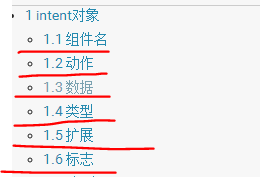
@1四大组件Activity,Brocast,Service,Receiver,intent可以在四大组件中传递消息和数据。
@2动作Action,通过 setAction()函数设置,通过getAction()函数读取
@3数据Data,数据的URI和MIME类型的数据,setData() 函数指定数据作为一个URI, setType()指定它为一个MIME类型,setDataAndType()指定它是URI也是MIME类型。 getData()函数读取URI, getType()读取类型
@4类型addCategory() 放置一个intent里的类别,removeCategory()删除之前添加的,getCategories()获取当前所有的类别。
@5扩展,intent有一系列的put...() 函数来插入各种类型的数据和一系列get...()函数来获取各种类型的数据。对Bundle 对象,这些函数是并行的。事实上,可以使用函数putExtras()和函数getExtras()来把数据作为Bundle读取、插入
@6标志,各种排序的标志。指示Android如何启动Activity(例如:Activity属于那个任务)启动后如何处理(例如:是否属于现在Activity 的列表)。这些标志在intent类里定义。
和平台相关的Android系统和程序使用intent来发送系统的广播、激活系统定义的组件。和intent激活系统组件相关的内容,在list of intents
三.Intent的分类
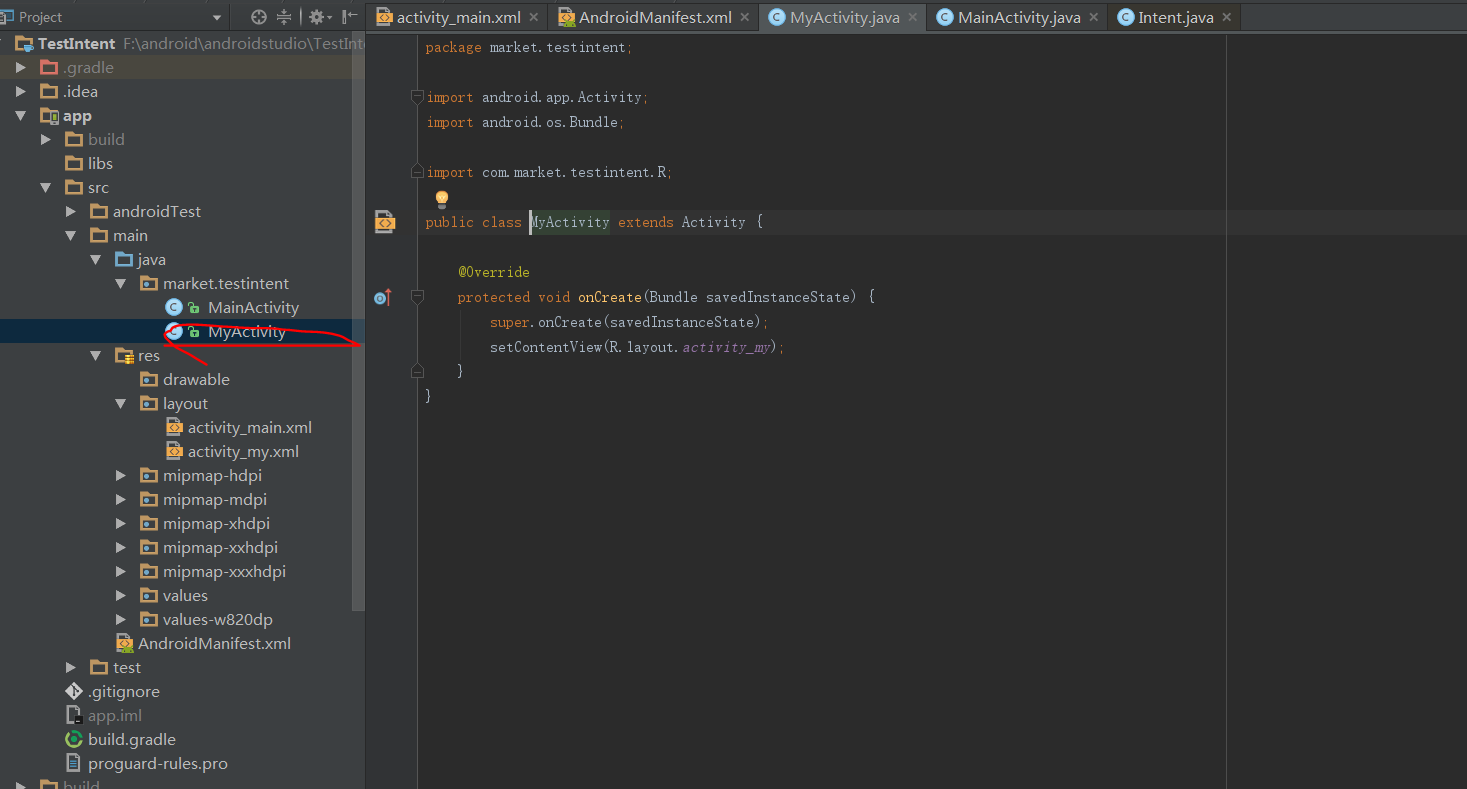
1.显示意图Intent

    /**

     * 显示意图开启activity

     *

     * @param view

     */

    public void see(View view) {

        Intent intent  = new Intent(this,MyActivity.class);

        startActivity(intent);

    }
2.隐式意图Intent

实例程序:
@1开启本应用的Activity
    /**

     * 隐式意图开启本应用的Activity

     *

     * @param view

     */

    public void start(View view) {

            Intent intent = new Intent("com.market.textintent.MY");

            intent.setDataAndType(Uri.parse("huihui:"+123456),"pp/my");

            startActivity(intent);

    }
<?xml version="1.0" encoding="utf-8"?>

<manifest xmlns:android="http://schemas.android.com/apk/res/android"

    package="com.market.testintent">

    <uses-permission android:name="android.permission.SEND_SMS" />

    <application

        android:allowBackup="true"

        android:icon="@mipmap/ic_launcher"

        android:label="@string/app_name"

        android:supportsRtl="true"

        android:theme="@style/AppTheme">

        <activity android:name="market.testintent.MainActivity">

            <intent-filter>

                <action android:name="android.intent.action.MAIN" />

                <category android:name="android.intent.category.LAUNCHER" />

            </intent-filter>

        </activity>

        <activity android:name="market.testintent.MyActivity">

            <intent-filter>

                <action android:name="com.market.textintent.MY"/>

                <category android:name="android.intent.category.DEFAULT"/>

                <data android:scheme="huihui"/>

                <data android:mimeType="pp/my"/>

            </intent-filter>

        </activity>

    </application>

</manifest>
<?xml version="1.0" encoding="utf-8"?>

<LinearLayout xmlns:android="http://schemas.android.com/apk/res/android"

    android:orientation="vertical"

    android:layout_width="match_parent"

    android:gravity="center_horizontal"

    android:padding="20dp"

    android:layout_height="match_parent">

    <TextView

        android:layout_width="wrap_content"

        android:layout_height="wrap_content"

        android:layout_marginTop="20dp"

        android:text="测试Intent" />

    <Button

        android:onClick="send"

        android:layout_width="wrap_content"

        android:layout_height="wrap_content"

        android:text="发短信" />

    <Button

        android:onClick="start"

        android:layout_width="wrap_content"

        android:layout_height="wrap_content"

        android:text="startMyActivity" />

    <Button

        android:onClick="see"

        android:layout_width="wrap_content"

        android:layout_height="wrap_content"

        android:text="显示意图" />

</LinearLayout>
@2开启系统应用Activity
    /**

     * y隐式意图发短信

     *

     * @param view

     */

    public void send(View view) {

        Intent intent  = new Intent();

        intent.setAction(Intent.ACTION_VIEW );

        intent.addCategory(Intent.CATEGORY_DEFAULT);

        intent.setType("vnd.android-dir/mms-sms");

        intent.putExtra("sms_body","美女,你吃饭了没?");

        startActivity(intent);

    }
短信应用清单文件activity配置


Intent解析的更多相关文章
- Android Intent 解析之二
服务端Intent运行过程: Sticky:这个类型的BroadCast表示某些Intent须要被保留,当新的应用起来后,须要关注这个消息,可是呢,又不须要启动这个应用来接收此消息,比方耳机插入等消息 ...
- Android Google官方文档(cn)解析之——Intents and Intent filter
应用程序核心组件中的三个Activity,service,还有broadcast receiver都是通过一个叫做intent的消息激活的.Intent消息传送是在相同或不同的应用程序中的组件之间后运 ...
- android Intent介绍
Android中提供了Intent机制来协助应用间的交互与通讯,Intent负责对应用中一次操作的动作.动作涉及数据.附加数据进行描述,Android则根据此Intent的描述,负责找到对应的组件,将 ...
- Android开发之旅: Intents和Intent Filters(理论部分)
引言 大部分移动设备平台上的应用程序都运行在他们自己的沙盒中.他们彼此之间互相隔离,并且严格限制应用程序与硬件和原始组件之间的交互. 我们知道交流是多么的重要,作为一个孤岛没有交流的东西,一定毫无意义 ...
- intent属性
private String mAction;private Uri mData;private String mType;private String mPackage;private Compon ...
- [转]android Intent机制详解
转自:http://blog.csdn.net/t12x3456/article/details/7688154 1.什么是Intent Intent是一种运行时绑定(run-time binding ...
- Android开发-API指南-Intent和Intent过滤器
Intents and Intent Filters 英文原文:http://developer.android.com/guide/components/intents-filters.html 采 ...
- Intent Android 详解
Intents and Intent Filters 三种应用程序基本组件 activity, service和broadcast receiver——是使用称为intent的消息来激活的. Inte ...
- Android组件的通讯——Intent
转载:Android组件的通讯-Intent 1.概述 一个应用程序的三个核心组件——activities.services.broadcast receivers,都是通过叫做intents的消息激 ...
随机推荐
- github上传文件
说来也惭愧,我是最近开始用github,小白一个,昨天研究了一个下午.终于可以上传了,所以今天写点,一来分享是自己的一些经验,二来也是做个记录,万一哪天又不记得了:) 废话不多说,直接来,这次主要介绍 ...
- hdu2159 FATE 经典二维背包
题目链接:http://acm.hdu.edu.cn/showproblem.php?pid=2159 思路: 定义ans存当前满足条件的消耗的最小的忍耐值(满足条件的忍耐值为在当前消耗的忍耐值的情况 ...
- [刷题]算法竞赛入门经典(第2版) 5-2/UVa1594 - Ducci Sequence
书上具体所有题目:http://pan.baidu.com/s/1hssH0KO 代码:(Accepted,20 ms) //UVa1594 - Ducci Sequence #include< ...
- linux下登陆MongoDB的两种方式
第一种:不带auth认证的 第二种:需要带auth认证的(即需要用户名和密码的) 当指定用户名和密码在查看数据,发现就可以看得到了 查看文章:开启MongoDB客户端访问控制
- 用 Vue 全家桶二次开发 V2EX 社区
一.开发背景 为了全面的熟悉Vue+Vue-router+Vuex+axios技术栈,结合V2EX的开放API开发了这个简洁版的V2EX. 在线预览 (为了实现跨域,直接npm run dev部署的, ...
- Welcome to my Blog
Only English? Oh my god!!! why open live write can't write by Chinese?
- 通过ssh远程ipython notebook登录使用服务器
远程服务器有时候我们这里通过虚拟机登录服务器的winclient会发生冲突,怎么办呢?曲线救国,使用SSH登录. 首先在远程机器上,启动IPython notebooks服务: remote_user ...
- Nginx教程(二) Nginx虚拟主机配置
Nginx教程(二) Nginx虚拟主机配置 1 虚拟主机管理 1.1 Nginx管理虚拟主机 虚拟主机使用的是特殊的软硬件技术,它把一台运行在因特网上的服务器主机分成一台台“虚拟”的主机,每台虚拟主 ...
- Mac下安装第三方模块报错:‘sqlfront.h‘ file not found的解决办法
1.软件环境: mac环境:10.11.6(15G31) python: 3.6 2.问题: sudo pip install pymssql 后出现下面问题: fatal error: 'sqlfr ...
- countDownLatch和cyclicBarrier
< Effecit In Java >说过,从java 1.5发现版本开始, 就不建议使用wait和notify,它们使用比较困难,可以使用更高级并发工具来替代. 图一所说的同步器是指那些 ...