
Error starting daemon: error initializing graphdriver: devmapper: Device docker-thinpool is not a thin pool
Error starting daemon: error initializing graphdriver: devmapper: Device docker-thinpool is not a thin pool
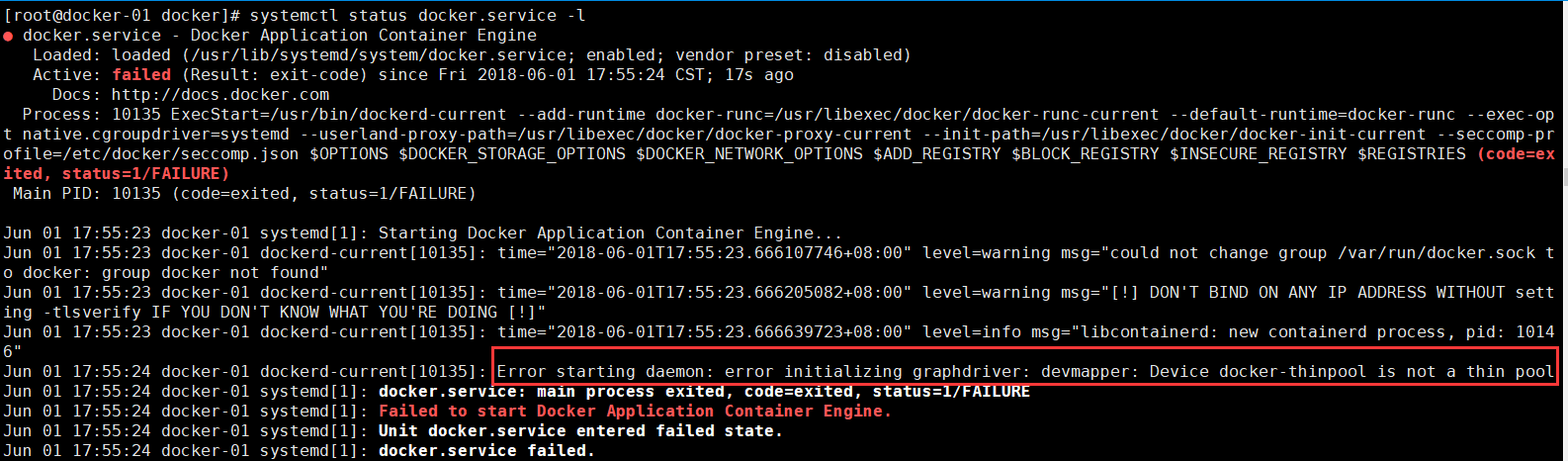
解决办法:
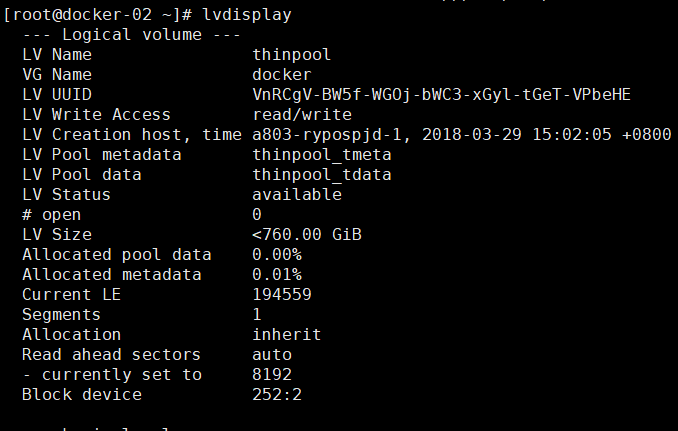
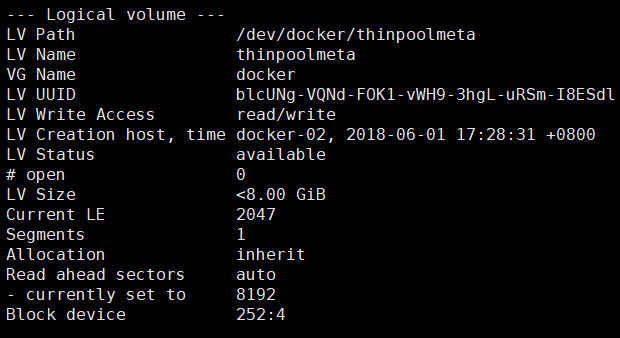
删除以上逻辑卷:
lvremove /dev/docker/thinpool
lvremove /dev/docker/thinpoolmeta

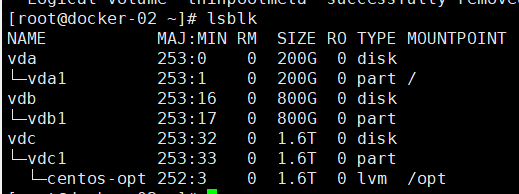
查看机器挂载明细
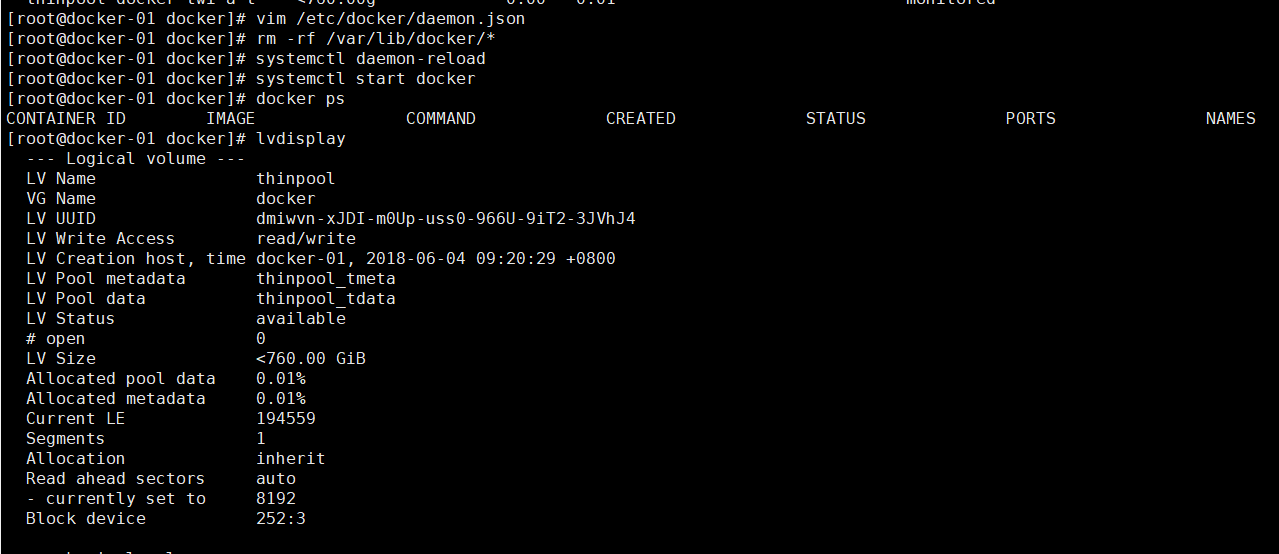
lvdisplay

docker info

lsblk

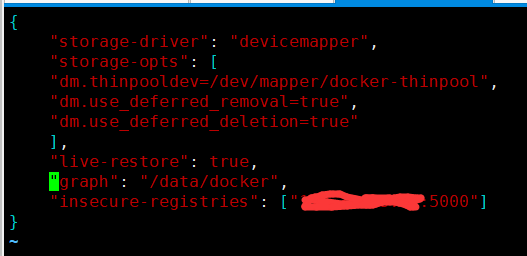
pvcreate /dev/vdb1

vgcreate docker /dev/vdb1

vgdisplay docker

lvcreate --wipesignatures y -n thinpool docker -l 95%VG

lvcreate --wipesignatures y -n thinpoolmeta docker -l 1%VG

lvconvert -y --zero n -c 512K --thinpool docker/thinpool --poolmetadata docker/thinpoolmeta

vi /etc/lvm/profile/docker-thinpool.profile

lvs -o+seg_monitor

vim /etc/docker/daemon.json

rm -rf /var/lib/docker/*

systemctl daemon-reload

systemctl start docker

docker ps
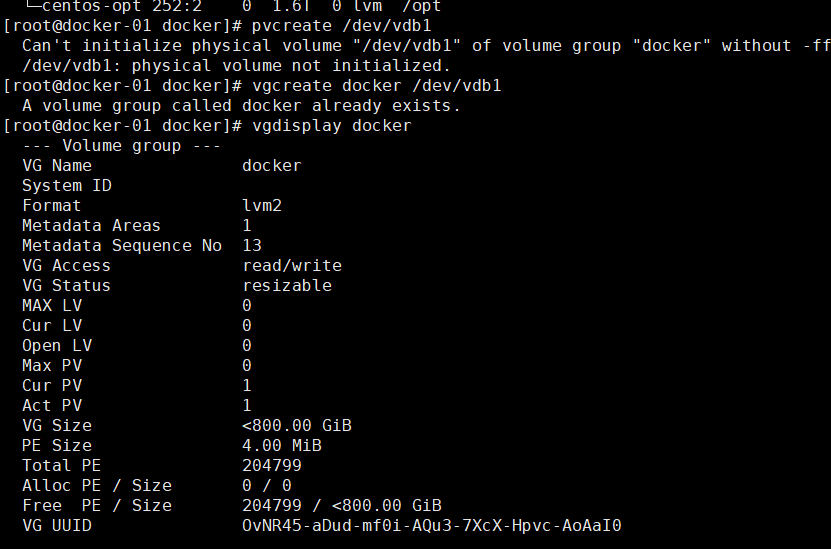

vi /etc/lvm/profile/docker-thinpool.profile
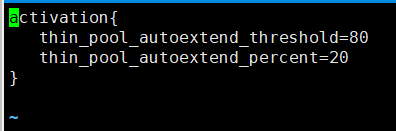
vim /etc/docker/daemon.json
Error starting daemon: error initializing graphdriver: devmapper: Device docker-thinpool is not a thin pool的更多相关文章
- 解决 docker 报错: Error starting daemon: error initializing graphdriver: backing file system is unsupported for this graph driver
CentOS 7.5 x64下 sudo yum install docker -y systemctl enable docker systemctl start docker 发现启动失败 jou ...
- Error starting daemon: error initializing graphdriver: driver not supported
Error starting daemon: error initializing graphdriver: driver not supported systemctl stop docker rm ...
- Docker 启动遇到 Error starting daemon: Error initializing network controller 错误
docker 版本 1.10.3 一台装有 docker 的机器重启后,没法启动,/var/log/messages 展示如下错误信息: May 17 11:11:14 gziba-hc03 syst ...
- Error response from daemon ... no space left on device docker启动容器服务报错
docker 启动容器服务的时候,报错no space left on device 1. 检查磁盘是否用光 3.检查inode是否耗光,从截图看到是inode耗光导致出现问题: 进入到/run里面看 ...
- devmapper: Thin Pool has 162394 free data blocks which is less than minimum required 163840 free data blocks. Create more free space in thin pool or use dm.min_free_space option to change behavior
问题: 制作镜像的时候报错 devmapper: Thin Pool has 162394 free data blocks which is less than minimum required 1 ...
- 转 MySQL: Starting MySQL….. ERROR! The server quit without updating PID file解决办法
http://blog.sina.com.cn/s/blog_637e04c9010117ri.html 1 问题 [root@localhost mysql]# /etc/rc.d/init.d/m ...
- [转]MySQL: Starting MySQL….. ERROR! The server quit without updating PID file
转自: http://icesquare.com/wordpress/mysql-starting-mysql-error-the-server-quit-without-updating-pid-f ...
- MySQL: Starting MySQL….. ERROR! The server quit without updating PID file解决办法
MySQL: Starting MySQL….. ERROR! The server quit without updating PID file解决办法 1 问题 [root@localhost m ...
- Docker 在转发端口时的这个错误Error starting userland proxy: mkdir /port/tcp:0.0.0.0:3306:tcp:172.17.0.2:3306: input/output error.
from:https://www.v2ex.com/amp/t/463719 系统环境是 Windows 10 Pro,Docker 版本 18.03.1-ce,电脑开机之后第一次运行 docker ...
随机推荐
- JDK8 新特性 Lambda表达式
1.java8中Lambda表达式基础语法: (x,y) -> {} 左侧是一个小括号,里面是要实现的抽象方法的参数,有几个参数就写几个参数名,无参可写空括号,无需声明参数类型: 中间是一个jd ...
- 为ubuntu找个能用的桌面,顺便进行适当的改造
最近,开始玩ros,结果官方推荐ubuntu linux,虽然都是差不多的linux,无非就是软件包形式不同而已.但是,个人对ubuntu的unity桌面实在是没有爱,最让人无语的是,kubuntu无 ...
- oracle中查询某个库中所有的表以及所占的表空间大小
1. 查某一用户下的表select SEGMENT_NAME,TABLESPACE_NAME,sum(BYTES/1024/1024)||'M' from USER_extents where SEG ...
- JS的十大排序算法
名词解释: n: 数据规模k:“桶”的个数In-place: 占用常数内存,不占用额外内存Out-place: 占用额外内存稳定性:排序后2个相等键值的顺序和排序之前它们的顺序相同 冒泡排序(Bub ...
- 本地项目文件通过git提交到GitHub上
参考:https://blog.csdn.net/kongying19910218/article/details/50515834 步骤: 1.初始化git,假如我们要提交test文件夹下的所有目录 ...
- DSSM算法-计算文本相似度
转载请注明出处: http://blog.csdn.net/u013074302/article/details/76422551 导语 在NLP领域,语义相似度的计算一直是个难题:搜索场景下quer ...
- JAVA-Thread 线程的几种状态
Oracle JDK 定义中,线程一共有六种状态 https://docs.oracle.com/javase/8/docs/api/java/lang/Thread.State.html NEW:未 ...
- MyEclipse环境的项目改为在Eclipse中运行爬坑记【我】
新检出一个web项目,同事都是运行在MyEclipse中的,我用Eclipse启动, 1.首先是许多jar包报错: 处理方法为 remove掉,然后 选 WEB-INF 下的所有 jar 重新添加 ...
- css中em小于1时chrome字体大小和firefox字体大小不一致的问题
css中em设置为0.8,结果页面显示,chrome字体比firefox字体大了不少. chrome有默认字体大小,默认为12px.设置的字体大小小于12px时,也是按照12px来显示. firefo ...
- 启动mongodb报错,无法连接mongodb
报错原因如下: MongoDB shell version v3.4.2 connecting to: mongodb://127.0.0.1:27017 --01T12:: W NETWORK [t ...