
基于jeesite的cms系统(三):使用RESTful API在前端渲染数据
使用RESTful API可以更好的开发前后分离的应用,后面一节会介绍使用模版引擎Beetl开发后端渲染的应用。
一、配置Swagger(Api 接口文档)
1、使用系统自带
拷贝jeesite-modules-swagger中的config.SysApiConfig和swagger.config.SwaggerComfig到com.jeesite.modules下面
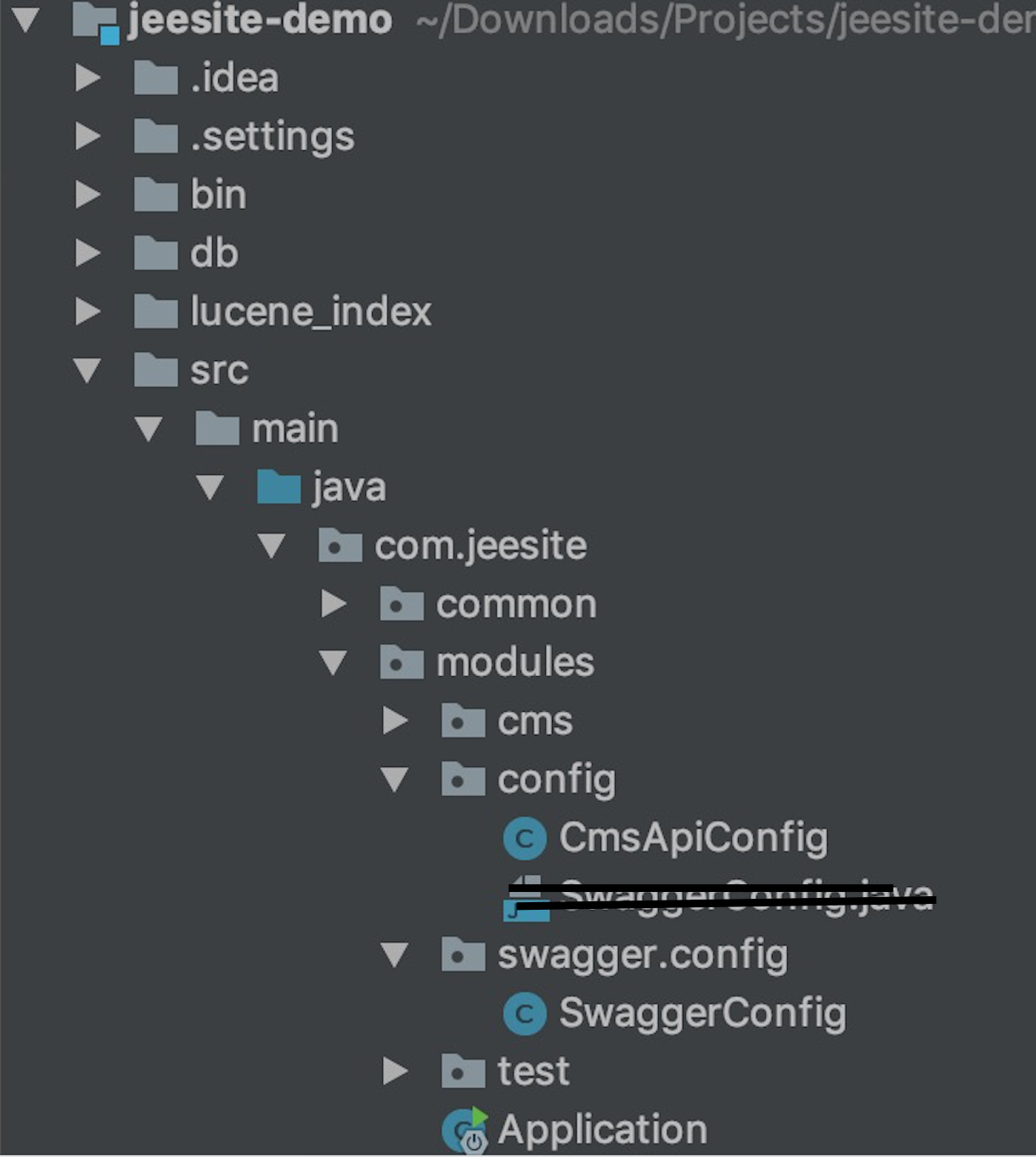
将SysApiConfig修改为CmsApiConfig
//

// Source code recreated from a .class file by IntelliJ IDEA

// (powered by Fernflower decompiler)

//

package com.jeesite.modules.config;

import com.jeesite.modules.swagger.config.SwaggerConfig;

import org.springframework.boot.autoconfigure.condition.ConditionalOnProperty;

import org.springframework.context.annotation.Bean;

import org.springframework.context.annotation.Configuration;

import springfox.documentation.builders.RequestHandlerSelectors;

import springfox.documentation.spring.web.plugins.Docket;

@Configuration

@ConditionalOnProperty(

        name = {"web.swagger.enabled"},

        havingValue = "true",

        matchIfMissing = false

)

public class CmsApiConfig {

    public CmsApiConfig() {

    }

    @Bean

    public Docket cmsApi() {

        String moduleCode = "cms";

        String moduleName = "内容模块";

        String basePackage = "com.jeesite.modules.cms.web";

        return SwaggerConfig.docket(moduleCode, moduleName, basePackage).select().apis(RequestHandlerSelectors.basePackage(basePackage)).build();

    }

}
SwaggerConfig根据需要修改
2、自己配置
pom.xml
swagger

        <dependency>

            <groupId>io.springfox</groupId>

            <artifactId>springfox-swagger2</artifactId>

            <version>2.8.0</version>

        </dependency>

        <dependency>

            <groupId>io.springfox</groupId>

            <artifactId>springfox-swagger-ui</artifactId>

            <version>2.8.0</version>

        </dependency>
SwaggerConfig.java
package com.jeesite.modules.config;

import org.springframework.context.annotation.Bean;

import org.springframework.context.annotation.Configuration;

import springfox.documentation.builders.ApiInfoBuilder;

import springfox.documentation.builders.PathSelectors;

import springfox.documentation.builders.RequestHandlerSelectors;

import springfox.documentation.service.ApiInfo;

import springfox.documentation.spi.DocumentationType;

import springfox.documentation.spring.web.plugins.Docket;

/**

 *

 * @author Vito

 *

 */

@Configuration

public class SwaggerConfig {

    @Bean

    public Docket createRestApi() {

        return new Docket(DocumentationType.SWAGGER_2)

                .apiInfo(apiInfo())

                .groupName("yuosc-api")

                .select()

                .apis(RequestHandlerSelectors.basePackage("com.jeesite.modules.cms.web"))

                .paths(PathSelectors.any())

                .build();

    }

    private ApiInfo apiInfo() {

        return new ApiInfoBuilder()

                .title("YUOSC API")

                .description("YUOSC<a href='http://vote.yangtzeu.edu.cn' target='_blank'>门户</a>" +

                        "和<a href='http://localhost:8980/index' target='_blank'>博客</a>的API文档")

//                .termsOfServiceUrl("http://localhost:8980/index")

                .version("1.0")

                .build();

    }

}
在Application启动容器加注解@EnableSwagger2
此种方式可以查看下面两篇文章
使用swagger作为restful api的doc文档生成
SpringBoot(七):SpringBoot整合Swagger2
二、写接口程序
此时返回前端的是实体json
/**

     * 首页内容(获取top5文章)

     * @param

     * @return

     */

    @ApiOperation(value="首页内容(获取top5文章)", notes="获取最新top5文章")

    @GetMapping(value = "/index")

    public JsCmsResponse index(JsCmsResponse resp) throws Exception {

        List<JsCmsArticlesEntity> articles = this.frontService.getAllArticles();

        resp.setRespCode(JsCmsResponse.RESPCODE_SUCCESS);

        resp.setMsgInfo("获取内容成功");

        resp.setRespObj(articles);

        return resp;

    }
三、http://localhost:8980/swagger-ui.html
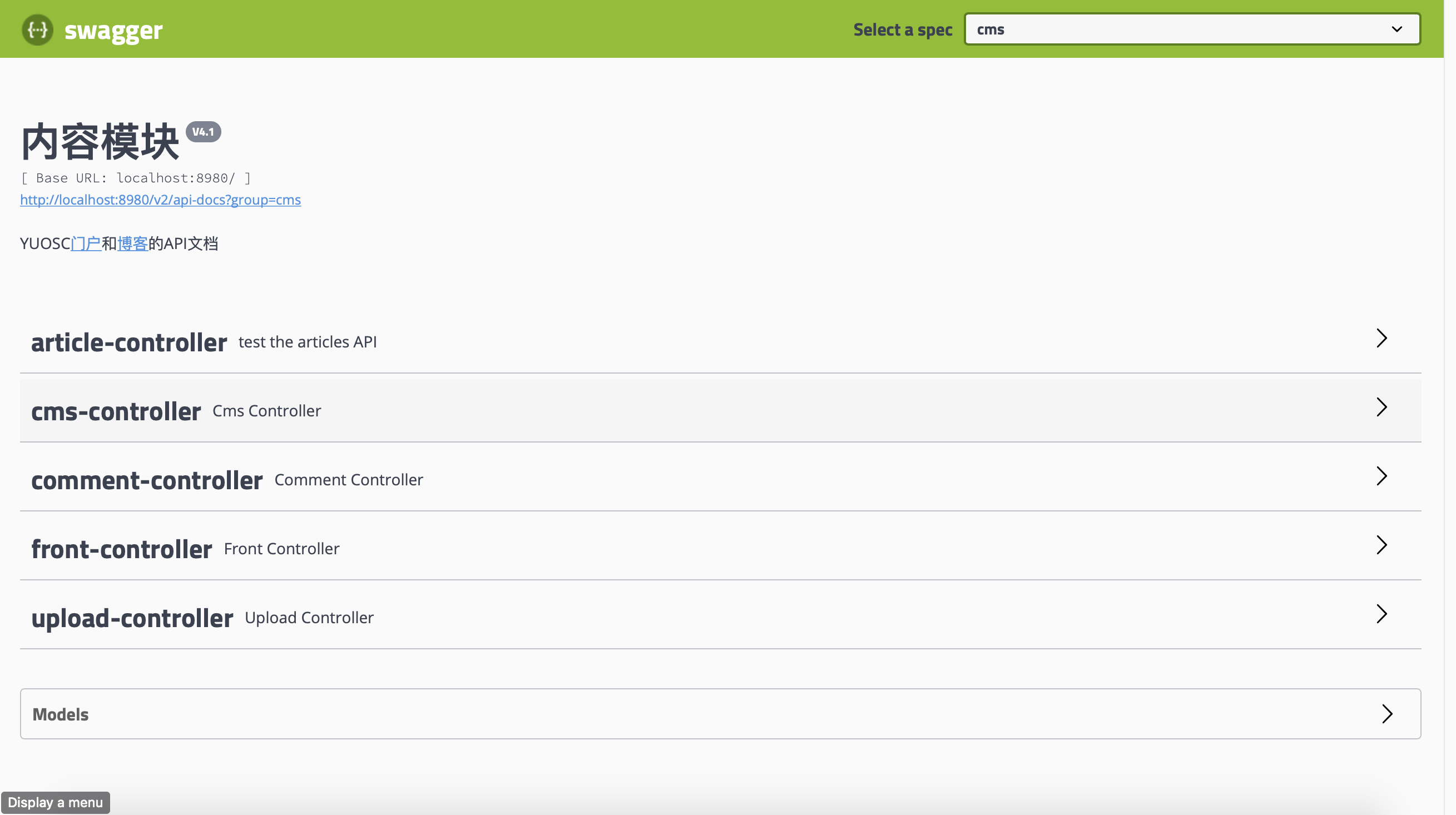
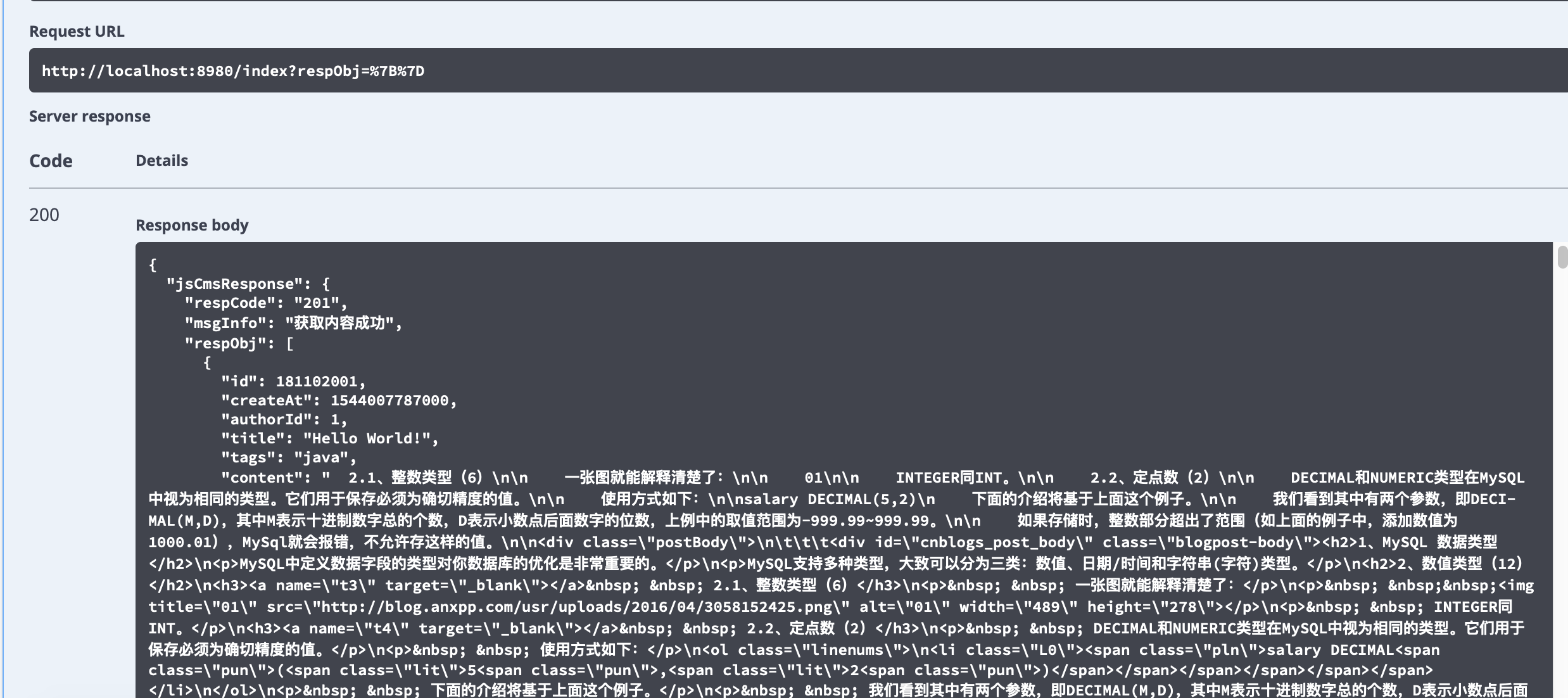
基于jeesite的cms系统(三):使用RESTful API在前端渲染数据的更多相关文章
- 基于jeesite的cms系统(一):开发环境搭建
基于jeesite的cms系统系列,是对基于jeesite进行二次开发的博客模块开发过程的总结.涉及入门安装,二次开发,部署等 一.概况: JeeSite 是一个 Java 企业级快速开发平台,基于经 ...
- 基于jeesite的cms系统(四):使用Beetl模版引擎在后端渲染数据
一.Beetl简介 1. 什么是Beetl Beetl目前版本是2.9.3,相对于其他java模板引擎,具有功能齐全,语法直观,性能超高,以及编写的模板容易维护等特点.使得开发和维护模板有很好的体验. ...
- 基于jeesite的cms系统(五):wangEditor富文本编辑器
一.关于wangEditor: wangEditor —— 轻量级 web 富文本编辑器,配置方便,使用简单.支持 IE10+ 浏览器. 官网:www.wangEditor.com 文档:www.ka ...
- 基于jeesite的cms系统(二):整体设计
一.菜单设计 在系统管理-菜单管理中可以设置内容管理菜单(自动生成) 注意:归属模块应属于核心模块core.如果新加的的菜单设置为内容管理模块cms,系统下次重启时会重置本次设置,具体原因不详. 二. ...
- 基于jeesite的cms系统(七):GlobalException全局异常和部署
关于全局异常: 在业务代码中专注处理业务,而不是返回各种CodeMsg(比如这里只需要知道登录时成功还是失败,其余情况直接抛出异常),可以直接抛出异常,添加一个全局异常类,根据CodeMsg来生成异常 ...
- 基于jeesite的cms系统(六):Lucene全文搜索引擎
1.lucene初始化 // @Value("${lucene.index.path}") private String indexPath = "/Users/vito ...
- 4- vue django restful framework 打造生鲜超市 -restful api 与前端源码介绍
4- vue django restful framework 打造生鲜超市 -restful api 与前端源码介绍 天涯明月笙 关注 2018.02.20 19:23* 字数 762 阅读 135 ...
- 基于Node的PetShop,oauth2认证RESTful API
前篇 - 基本认证,用户名密码 后篇 - OAuth2 认证 前文使用包passport实现了一个简单的用户名.密码认证.本文改用oauth2来实现更加安全的认证.全部代码在这里. OAUTH2 用户 ...
- 一百零一:CMS系统之自定义restful风格json返回格式和内容
鉴于flask-restful用起来太麻烦,这里自定义json统一返回格式和内容 from flask import jsonify class HttpCode: """ ...
随机推荐
- MongoDB自学(2)
条件操作符: gt(大于),gte(大于等于),lt(小于),lte(小于等于)E.G:db.People.find({age:{$gt:100}})//查找集合里age大于100的文档 注意:str ...
- 将Windows Server 2016 打造成工作站(20161030更新)
将Windows Server 2016 打造成工作站(20161030更新) 一.基础设置 1.1.关闭自动弹窗: 「开始菜单」 - 「服务器管理器」 - 「仪表板」(或 Win + R或CMD ...
- java-retry实现
有这样一个需求,当调用某个方法抛出异常,比如通过 HttpClient 调用远程接口时由于网络原因报 TimeOut 异常:或者所请求的接口返回类似于“处理中”这样的信息,需要重复去查结果时,我们希望 ...
- UVA - 11090 - Going in Cycle!!(二分+差分约束系统)
Problem UVA - 11090 - Going in Cycle!! Time Limit: 3000 mSec Problem Description You are given a we ...
- 使用fiddler模拟控制网速,实现网速慢。(丢包如何模拟)
参考连接 https://blog.csdn.net/baidu_zhongce/article/details/46683323 参考连接2 https://www.jianshu.com/p/b9 ...
- 解决mySQL数据库锁表问题。
先用这条命令查询数据库阻塞的进程 SELECT * FROM information_schema.innodb_trx 找到后在根据下图这个字段:try_mysql_thread_id 作为这条数据 ...
- vue动态设置初始页
- [Alpha阶段]第十一次Scrum Meeting
Scrum Meeting博客目录 [Alpha阶段]第十一次Scrum Meeting 基本信息 名称 时间 地点 时长 第六次Scrum Meeting 19/04/20 大运村寝室6楼 65mi ...
- [转帖][超级少儿不宜]一氧化氮(NO),为什么亚洲人是最硬
阴茎科学:一氧化氮(NO),为什么亚洲人是最硬 尼堪巴图鲁 关注他 2,911 人赞同了该文章 https://zhuanlan.zhihu.com/p/55941740 超级少儿不宜.. ...
- celery 和 haystack
celery 是分布式异步框架 haystack 是全文检索 只能在Django中用. 一.什么是celery? ---->它是Python写的,所以只支持Python使用.但是消 ...