
SpringBoot 与 SpringSecurity
一、环境搭建
(1)IDEA创建SpringBoot工程
(2)导入依赖
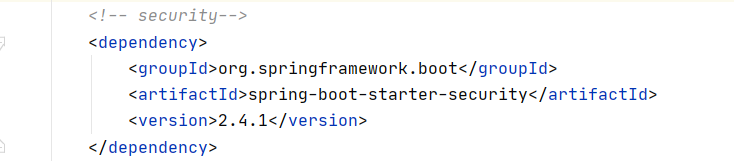
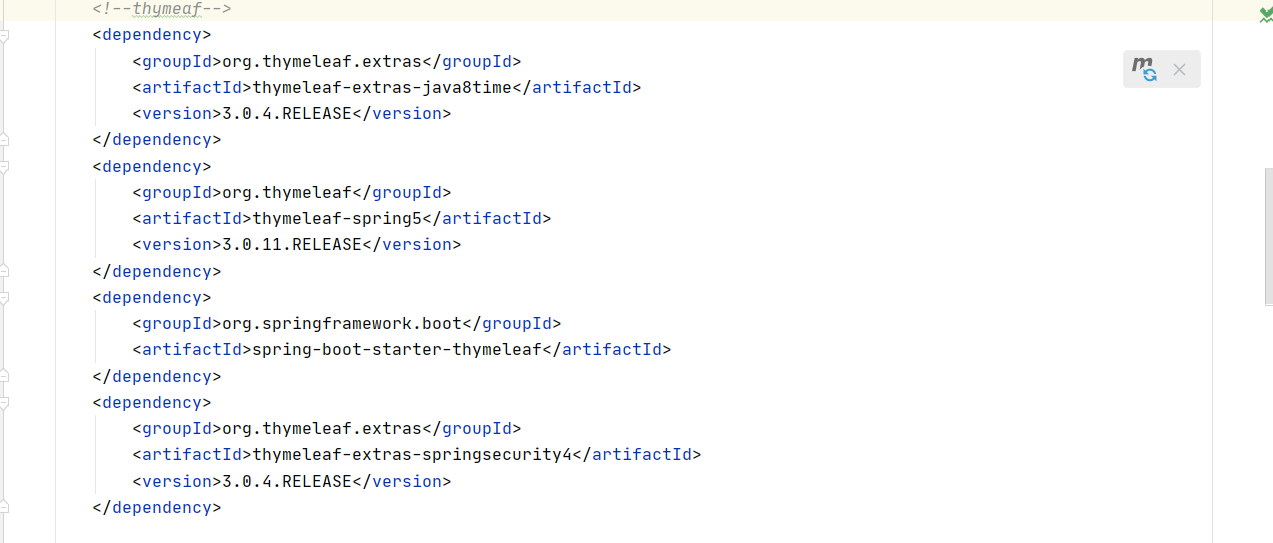
(3)如果是thymeleaf项目 需导入thymeleaf整合security的依赖
(4)编写配置类(采用AOP横切入程序中)
(1)SecurityConfig类继承 WebSecurityConfigurerAdapter类,WebSecurityConfigurerAdapter 类是个适配器, 在配置的时候,需要我们自己写个配置类去继承他,然后编写自己所特殊需要的配置。
(2)采用注解@EnableWebSecurity(该注解的作用,如下图)
作用:(1)激活了WebSecurityConfiguration配置类,在这个配置类中, 注入了一个非常重要的bean, bean的name为: springSecurityFilterChain,这是Spring Secuity的核心过滤器, 这是请求的认证入口。
(2)激活了AuthenticationConfiguration配置类, 这个类是来配置认证相关的核心类, 这个类的主要作用是,向spring容器中注入AuthenticationManagerBuilder, AuthenticationManagerBuilder其实是使用了建造者模式, 他能建造AuthenticationManager, 这个类前面提过,是身份认证的入口。
(5)配置类采用(链式编程)
(1)在该类中重写2个方法。如图,第一个方法是授权,第二个方法是认证
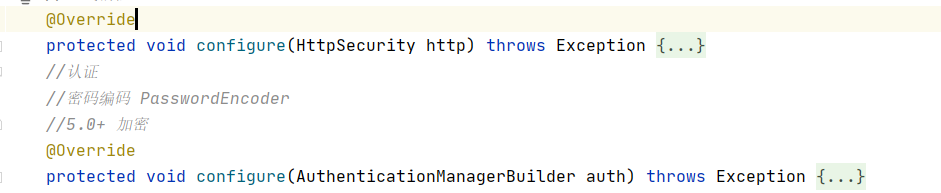
(2)在第一个方法中实现了首页可以所有人可以访问,功能页只有相应有权限的人才能访问(类似于腾讯视频普通用户、VIP、超前点播的层次)
http.authorizeRequests().antMatchers(“/”).permitAll()
.antMatchers(“/level1/**”).hasRole(“VIP1”)
.antMatchers(“/level2/**”).hasRole(“VIP2”)
.antMatchers(“/level3/**”).hasRole(“VIP3”);
(3)如果没有权限返回到登陆页面
http.formLogin();
(4)关闭其他网站通过get post put方式攻击本网站 关闭csrf(csrf又称跨域请求伪造,攻击方通过伪造用户请求访问受信任站点。)
http.csrf().disable();
(5)开启注销功能
http.logout().logoutSuccessUrl("/");
(3)第二个方法里认证需采用 new BCryptPasswordEncoder();对密码进行加密
auth.inMemoryAuthentication.passwordEncoder(new BCryptPasswordEncoder)
(正常来讲,数据都从数据库获取)
 .withUser("downson").password(new BCryptPasswordEncoder().encode("dw")).roles("vip2","vip3")
 .and()
 .withUser("root").password(new BCryptPasswordEncoder().encode("dw")).roles("vip1","vip2","vip3")
 .and()
 .withUser("guest").password(new BCryptPasswordEncoder().encode("dw")).roles("vip1");
SpringBoot 与 SpringSecurity的更多相关文章
- boke练习: springboot整合springSecurity出现的问题,传递csrf
boke练习: springboot整合springSecurity出现的问题,传递csrf freemarker模板 在html页面中加入: <input name="_csrf&q ...
- boke练习: springboot整合springSecurity出现的问题,post,delete,put无法使用
springboot 与 SpringSecurity整合后,为了防御csrf攻击,只有GET|OPTIONS|HEAD|TRACE|CONNECTION可以通过. 其他方法请求时,需要有token ...
- SpringBoot使用SpringSecurity搭建基于非对称加密的JWT及前后端分离的搭建
SpringBoot使用SpringSecurity搭建基于非对称加密的JWT及前后端分离的搭建 - lhc0512的博客 - CSDN博客 https://blog.csdn.net/lhc0512 ...
- SpringBoot整合SpringSecurity简单实现登入登出从零搭建
技术栈 : SpringBoot + SpringSecurity + jpa + freemark ,完整项目地址 : https://github.com/EalenXie/spring-secu ...
- 【使用篇二】SpringBoot集成SpringSecurity(22)
SpringSecurity是专门针对基于Spring项目的安全框架,充分利用了依赖注入和AOP来实现安全管控.在很多大型企业级系统中权限是最核心的部分,一个系统的好与坏全都在于权限管控是否灵活,是否 ...
- SpringBoot+JWT+SpringSecurity+MybatisPlus实现Restful鉴权脚手架
若图片查看异常,请前往掘金查看:https://juejin.im/post/5d1dee34e51d4577790c1cf4 前言 JWT(json web token)的无状态鉴权方式,越来越流行 ...
- SpringBoot 集成SpringSecurity JWT
目录 1. 简介 1.1 SpringSecurity 1.2 OAuth2 1.3 JWT 2. SpringBoot 集成 SpringSecurity 2.1 导入Spring Security ...
- SpringBoot整合SpringSecurity示例实现前后分离权限注解
SpringBoot 整合SpringSecurity示例实现前后分离权限注解+JWT登录认证 作者:Sans_ juejin.im/post/5da82f066fb9a04e2a73daec 一.说 ...
- 9、SpringBoot整合之SpringBoot整合SpringSecurity
SpringBoot整合SpringSecurity 一.创建项目,选择依赖 选择Spring Web.Thymeleaf即可 二.在pom文件中导入相关依赖 <!-- 导入SpringSecu ...
- SpringBoot整合SpringSecurity实现JWT认证
目录 前言 目录 1.创建SpringBoot工程 2.导入SpringSecurity与JWT的相关依赖 3.定义SpringSecurity需要的基础处理类 4. 构建JWT token工具类 5 ...
随机推荐
- transient关键字的作用以及几个疑问的解决
目录 1.从Serilizable说到transient 2.序列化属性对象的类需要实现Serilizable接口? 3.不想被序列化的字段怎么办? 4.ArrayList里面的elementData ...
- B 站今日黑白页是怎么实现的?
今天是2020年4月4日哀悼活动,不少相关站点都将网站全部变为灰色,以表示哀悼.以下为CSS代码.直接在*.css文件最前面加入. <!-- 置为灰色 --> <style type ...
- 08_UI控件
uiControl整体界面如下图所示,按照视频教程,学习控件由于是初学,都是最基础知识.还有ImageSwitcher.Gallery未更新,o(╯□╰)o 1 package com.example ...
- 解决:com.netflix.discovery.shared.transport.TransportException: Cannot execute request on any known server
com.netflix.discovery.shared.transport.TransportException: Cannot execute request on any known serve ...
- 第15.3节 PyCharm程序调试功能介绍
一. 代码调试 点击工具栏的调试按钮(如下图蓝色圈标记按钮)可以进行程序调试,可以在调试前先设置断点,断点设置就是在打开文件的行与前面的行号之间用鼠标单击进行设置和取消(如下图蓝色下划线上面的实体圆点 ...
- GYCTF Web区部分WP
目录: Blacklist Easyphp Ezsqli FlaskApp EasyThinking 前言: 这次比赛从第二天开始打的,因为快开学了所以就没怎么看题目(主要还是自己太菜)就只做出一道题 ...
- Vscode:常用的插件
Chinese (Simplified) Language Pack for Visual Studio Code==>汉化 Live Server==>运行代码 ESLint==> ...
- html文本域textarea高度自增、自动换行
文本域自动换行.高度自增,采用以下方式: html: <textarea rows="1" class="answerTextArea" maxlengt ...
- 二、TestNG的Hello World
创建第一个TestNG的例子 1.创建一个TestNG的类 选择项目路径"右键"--NEW--Other 选择TestNG cLass(如果没有这个选项是testng没有配置成功) ...
- expdp、impdp状态查看及中断方法
一.expdp状态查看及中断方法 1.查询expdp的job的名字 SQL> select job_name from dba_datapump_jobs; JOB_NAME---------- ...