
[Xamarin] 用Service 來製作一個Notification的時鐘 (转帖)
這篇利用來製作一個會出現在Notification的時鐘,來敘述一下 Service,在你製作的App被關閉時,可以透過Service繼續運行你想處理的部分,當然Service 也有其生命周期

接下來我們來介紹一下今天的案例: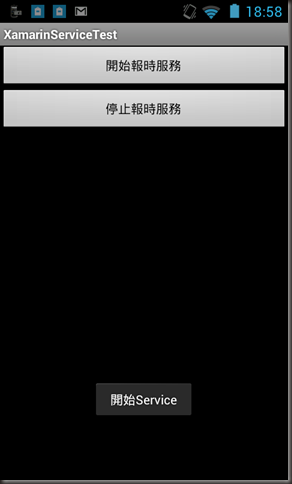
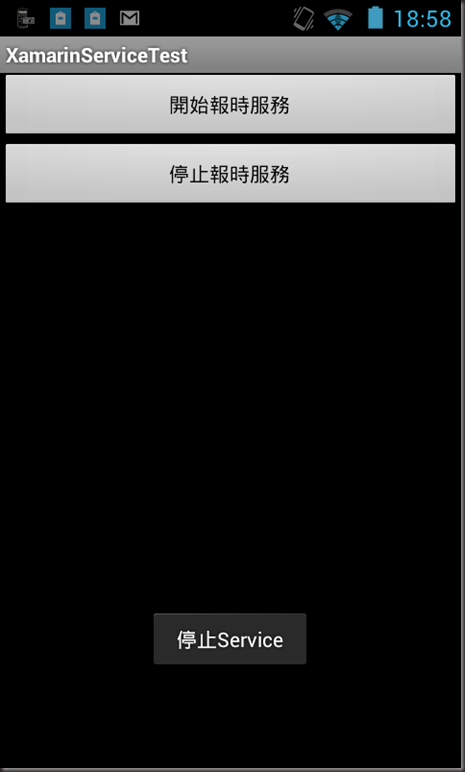
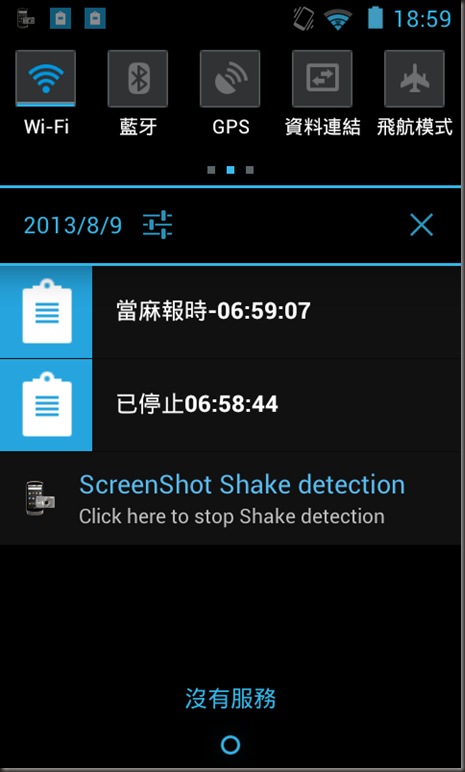
當按下開始報時服務按鈕時,就會啟動Service,並且更新Notification 如下: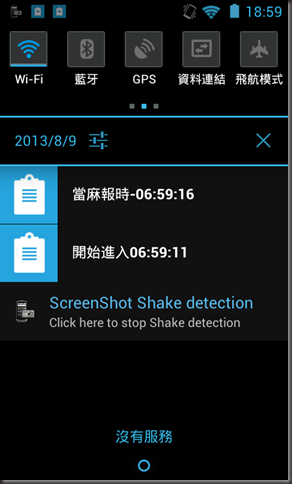
之後就算離開APP他的秒數也是會繼續跑的跟現在時間同步,之後按下停止報時服務才會將其終結..
1.首先我們得在專案裡面建立一個 RemindService.cs 當然這是自己命名的 ,他必須繼承Service
namespace XamarinServiceTest
{
//此 attribute 一定要加
[Service]
public class RemindService : Service
{
...
之後因為方便我對Notification 更新資料,我在這 ReminService 寫一個專門更新 Notification的method :
/// <summary>
/// 簡單包裝Notification
/// 詳情可以參考
/// http://no2don.blogspot.com/2013/07/xamarin-notification.html
/// </summary>
/// <param name="id">Notify id</param>
/// <param name="content">Notify content</param>
private void NotiSomething(int id, string content)
{
NotificationCompat.Builder builder = new NotificationCompat.Builder(this)
.SetContentTitle(content)
.SetSmallIcon(Resource.Drawable.Icon2);
var notificationManager = (NotificationManager)GetSystemService(Context.NotificationService);
//都用同一組id
notificationManager.Notify(id, builder.Build());
}
因為每秒更新,所以我必須 宣告一隻 Timer
private System.Timers.Timer TimerMainTask { get; set; }
在Service 開始時,只要複寫 OnStartCommand 即可,在內容我就寫啟動 TimerMainTask讓TimerMainTask每一秒鐘都去更新Notification資訊
/// <summary>
/// 開始Service 開始時呼叫
/// </summary>
/// <param name="intent"></param>
/// <param name="flags"></param>
/// <param name="startId"></param>
/// <returns></returns>
public override StartCommandResult OnStartCommand(Android.Content.Intent intent, StartCommandFlags flags, int startId)
{
TimerMainTask = new System.Timers.Timer(1000);
TimerMainTask.Elapsed += TimerMainTask_Elapsed;
TimerMainTask.Start();
NotiSomething(4, "開始進入" + System.DateTime.Now.ToString("hh:mm:ss"));
return StartCommandResult.Sticky;
}
/// <summary>
/// 每次timer 做的事情
/// 設計為一秒跑一次
/// </summary>
/// <param name="sender"></param>
/// <param name="e"></param>
void TimerMainTask_Elapsed(object sender, System.Timers.ElapsedEventArgs e)
{
NotiSomething(1, "當麻報時-" + System.DateTime.Now.ToString("hh:mm:ss"));
}
再來就是當Service 停止時,必須要將TimerMainTask關掉:
/// <summary>
/// 當Service 停止時呼叫
/// </summary>
public override void OnDestroy()
{
NotiSomething(4, "已停止" + System.DateTime.Now.ToString("hh:mm:ss"));
TimerMainTask.Stop();
base.OnDestroy();
}
2.第一步完成後,接下來就是在AndroidManifest.xml 加入Service服務
<?xml version="1.0" encoding="utf-8"?>
<manifest xmlns:android="http://schemas.android.com/apk/res/android" package="com.donma.xamarin.servicetest" android:installLocation="auto">
<uses-sdk android:minSdkVersion="8" android:targetSdkVersion="8" />
<application android:label="XamarinServiceTest"></application>
<service android:name="XamarinServiceTest.RemindService"></service>
</manifest>
就是加入 <service android:name="XamarinServiceTest.RemindService"></service>
3. 主程式中將RemindService 呼叫起來:
var btnStart = FindViewById<Button>(Resource.Id.btnStart);
btnStart.Click += delegate
{
StartService(new Intent(this, typeof(RemindService)));
Toast.MakeText(this, "開始Service", ToastLength.Short).Show();
};
關閉RemindService
var btnEnd = FindViewById<Button>(Resource.Id.btnEnd);
btnEnd.Click += delegate
{
StopService(new Intent(this, typeof(RemindService)));
Toast.MakeText(this, "停止Service", ToastLength.Short).Show();
};
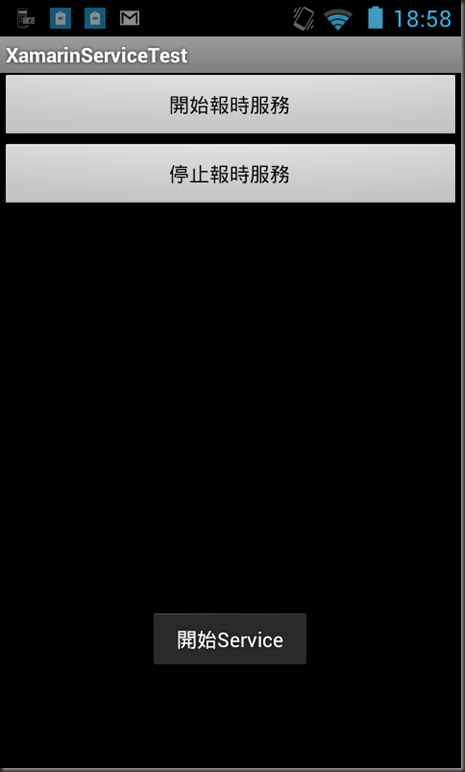
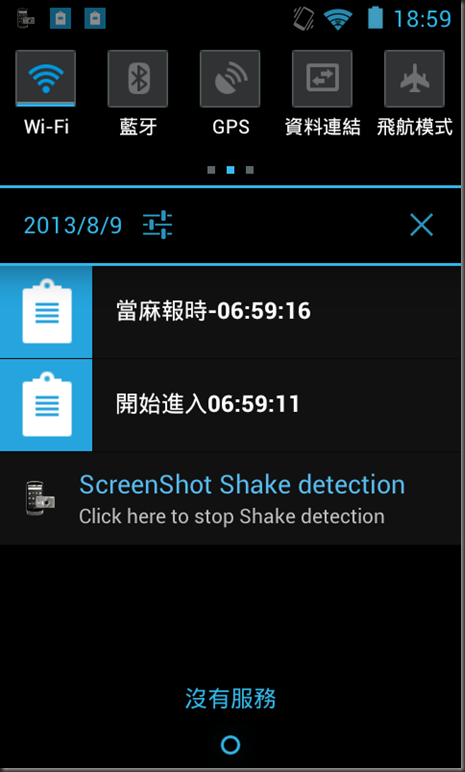
結果:
reference :
http://docs.xamarin.com/guides/android/application_fundamentals/services/part_1_-_started_services
https://developer.android.com/training/run-background-service/index.html
[Xamarin] 用Service 來製作一個Notification的時鐘 (转帖)的更多相关文章
- [Xamarin] 製作吐司(Toast)以及圖文並茂的Toast (转帖)
最近在看Xamarin使用C#來撰寫Android App . 紀錄一下,順便給之後有需要的人可以有所參考 :) 今天要來聊的是關於Toast 這東西,這在以前Android 上面我是很常使用 拿來l ...
- concat函數 函數concat 可以用來合拼兩個或以上的字串。
12. “Mexico 墨西哥”的首都是”Mexico City”. 顯示所有國家名字,其首都是國家名字加上”City”. concat函數 函數concat 可以用來合拼兩個或以上的字串. : SE ...
- [Xamarin] 透過 intent-filter 來接管 http ,製作偽瀏覽器 (转帖)
使用Android 的朋友一定對這畫面不陌生在開啟網址的時候,或是Youtube連結的時候,因為Android 發現,你手機安裝的App有哪些可以支援這些東西的瀏覽 所以,就可以使用甚麼東西來進行開啟 ...
- [Xamarin] 製作Options Menu、Intent 呼叫網址和Market (转帖)
Android的設計如果沒意外的話通常有三棵按鈕,BACK,HOME,OPTION (圖片來源:http://developer.android.com/design/index.html) 在OPT ...
- [Xamarin] 使用Webview 來做APP (转帖)
有時候,企業要求的沒有這麼多,他原本可能官方網站就已經有支援Mobile Web Design 他只需要原封不動的開發一個APP 也或是,他只是要型錄型,或是問卷調查的型的APP,這時候透過類似像if ...
- CSS製作動畫效果(Transition、Animation、Transform)
CSS 2D Transforms https://www.w3schools.com/css/css3_2dtransforms.asp CSS 3D Transforms https://www. ...
- yii框架製作簡易RBAC權限管理
控制器源碼 <?php namespace app\controllers; use yii; use yii\web\Controller; class PowerController ext ...
- 需要重刷整個 image 的時機 - 1
最近遇到一個問題, gpio 讀出來的值與預期不同, 詳細描述如下: 首先手機 download 了一個完整的 daily build image , 接下來 不斷地修改 kernel 部分 code ...
- 鸟哥之安裝 CentOS7.x
http://linux.vbird.org/linux_basic/0157installcentos7.php since 2002/01/01 新手建議 開始閱讀之前 網站導覽 Linux 基礎 ...
随机推荐
- 借助 MySQLTuner 优化 MySQL 性能(转载的一篇文章)
MySQLTuner 是一个 Perl 脚本,可以用来分析您的 MySQL 性能,并且基于收集到的信息给出相应的优化建议.这样子,您就可以调整 my.cnf 从而优化您的 MySQL 设置. 这边只是 ...
- display:inline-block
/* inline为行内元素不自动换行,不占用文档流,也就是说你在这个后面写一个元素这个元素会并排显示.block为块元素,单独占一行文档,并可以给这个块元素添加宽高背景颜色.而inline-bloc ...
- Spring3 url匹配规则
Spring3 url匹配规则 Wildcard Description ? 匹配任何单字符 * 匹配0或者任意数量的字符 ** 匹配0或者更多的目录 宝贝网址:
- XGBoost参数调优完全指南(附Python代码)
XGBoost参数调优完全指南(附Python代码):http://www.2cto.com/kf/201607/528771.html https://www.zhihu.com/question/ ...
- git push throws error: RPC failed; result=22, HTTP code = 411的解决办法
原因:默认 Git 设置 http post 的缓存为 1MB,将其设置为 500MB 解决办法如下: git config http.postBuffer 524288000
- 亚马逊开放机器学习系统源代码:挑战谷歌TensorFlow
北京时间5月17日上午消息,亚马逊在开源技术领域迈出了更大的步伐,宣布开放该公司的机器学习软件DSSTNE的源代码.这个最新项目将与谷歌的TensorFlow竞争,后者已于去年开源.亚马逊表示,在缺乏 ...
- ascii文件转为utf-8格式
import codecs import os #格式转换 fhanzi1 = codecs.open(os.path.join(outputpath,"hanzi1.txt"), ...
- [转] mhvtl虚拟磁带库的安装与应用
转自:candon123 -- http://candon123.blog.51cto.com/704299/388192/ 1.获取mhvtl: 官方网站:http://mhvtl.nimsa.u ...
- 一个有趣的基于C++的模拟发牌程序
在内存中模拟出一副牌,然后模拟洗牌,发牌等动作. 流程是这样的:构建一副牌保存到一个数组中—洗牌—创建玩家—向玩家发牌–输出每个玩家的牌. #include <stdio.h> #incl ...
- Uber从Postgres切换到MySQL
Uber工程师在官方博客上描述了他们为什么要从 Postgres 切换到 MySQL 数据库.Uber的早期架构是由 Python编写的后端应用构成,使用了 Postgres 数据库.但此后,Uber ...