
【转】3 Essential Sublime Text Plugins for Node & JavaScript Developers
原文转自:http://scottksmith.com/blog/2014/09/29/3-essential-sublime-text-plugins-for-node-and-javascript-developers/
Check out these 3 great and essential Sublime Text plugins every JavaScript and Node developer should know about and use.
JsFormat
https://github.com/jdc0589/JsFormat
JsFormat is a JavaScript formatting plugin. Behind the scenes, it uses the command line formatter from jsbeautifier.org to format full or portions of JavaScript and JSON files.
Features
- JavaScript formatting
- JSON formatting
- Full file formatting
- Selected text formatting
- Customizable settings for formatting options
- Customize per project with .jsbeautifyrc settings file
Usage
Either cmd+alt+f on OS X or ctrl+alt+f on Linux/Windows
JSHint
https://github.com/uipoet/sublime-jshint
“JSHint is a community-driven tool to detect errors and potential problems in JavaScript code and to enforce your team’s coding conventions. It is very flexible so you can easily adjust it to your particular coding guidelines and the environment you expect your code to execute in. JSHint is open source and will always stay this way.” - JSHint
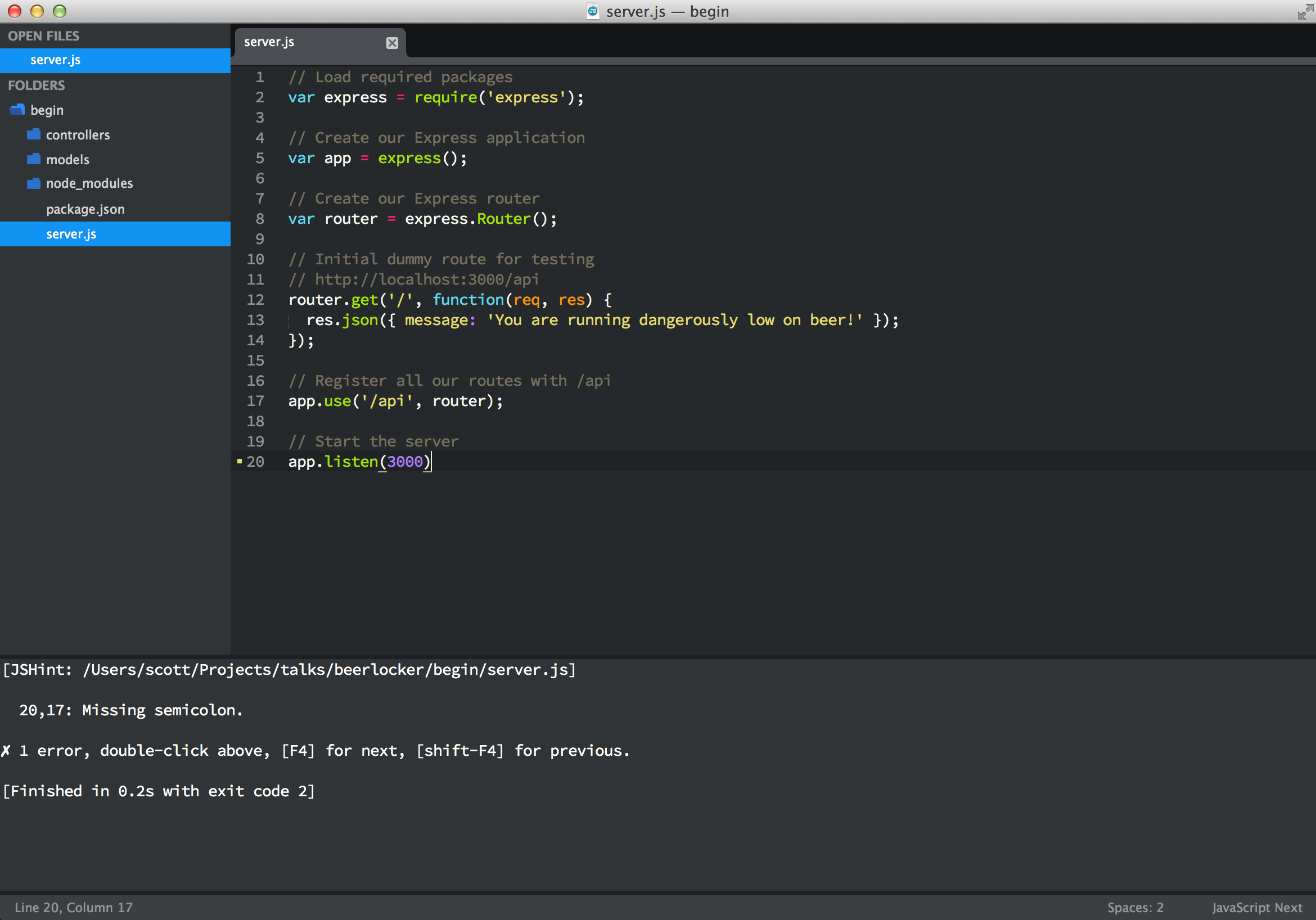
Usage
ctrl+j on OS X or alt+j on Linux/Windows
If you would like to have JSHint run anytime you save a JavaScript file (highly suggest this), you will need to install the SublimeOnSaveBuild package.
JavaScriptNext
https://github.com/Benvie/JavaScriptNext.tmLanguage
This plugin is a better syntax highlighter for JavaScript. Not only does it improve syntax highlighting for current ES5, it also adds syntax highlighting for new ES6 syntax such as modules, succinct methods, arrow functions, classes, and generators.
Here is the original JavaScript syntax highlighter:
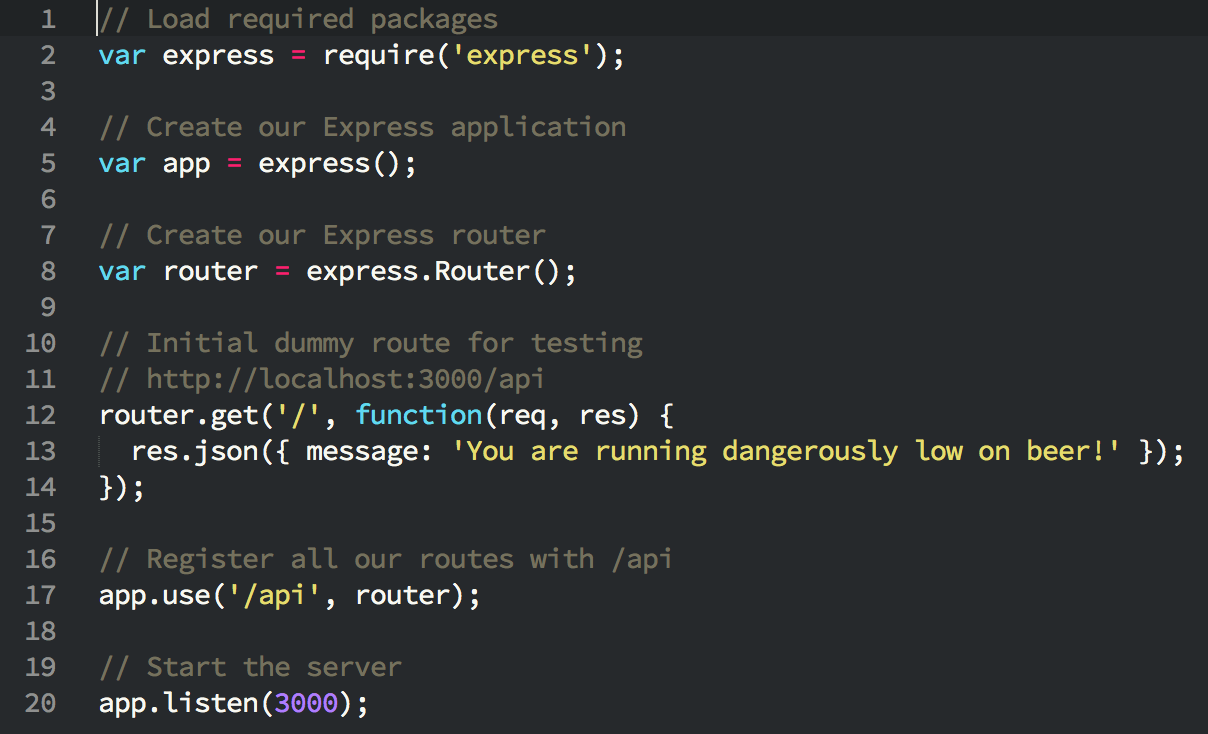
Here is the new JavaScript syntax highlighter:

Usage
You can either set individual JavaScript files to use this syntax highlighter by changing it in the “View -> Syntax” menu or you can change it for all JavaScript files in the “View -> Syntax -> Open all with current extension as”.
Wrap up
These 3 plugins have been very beneficial to me as a JavaScript and Node developer. If you know of other useful plugins, feel free to share them in the comments.
If you found this article or others useful be sure to subscribe to my RSS feed or follow me on Twitter. Also, if there are certain topics you would like me to write on, feel free to leave comments and let me know.
【转】3 Essential Sublime Text Plugins for Node & JavaScript Developers的更多相关文章
- Essential Sublime Text Plugins
Essential Sublime Text Plugins Add some killer tools to your arsenal. View them all at /repo/sublime ...
- sublime text plugins
Sublime Text 插件,HTML+CSS+JAVASCRIPT+JSON快速格式化: htmlpretty 快捷键:Ctrl+Shift+H Essential Sublime Text 2 ...
- 使用Sublime Text 3进行Node.js开发
总体思路: 环境: Win7 64bit Sp1 1.官网下载node.js(我的是8.9.4LTS).注意:偶数开头的是稳定版,奇数开头的是测试版.目前我下的版本,已带npm 下载后直接下一步... ...
- Sublime Text 插件推荐——for web developers
楼主向高大上的: web front-end development engineer (好吧,google就是这样翻译的 ^_^)们推荐 ST 插件,在此抛砖引玉: NO.1 :Emmet (原名: ...
- Sublime Text插件:HTML-CSS-JS Prettify
该插件依赖到nodejs环境 1.安装 在Sublime Text中,按下Ctrl+Shift+P调出命令面板; 输入install 调出 Install Package 选项并回车; 输入prett ...
- Sublime Text 最佳插件列表(转)
Package Control 安装方法 首先通过快捷键 ctrl+` 或者 View > Show Console 打开控制台,然后粘贴相应的 Python 安装代码. Sublime Tex ...
- 使用sublime text 2 版本至今我所遇到的问题及解决方法
1.汉化:下载汉化包 .打开程序Preference下的浏览包文件夹.将解压的程序包粘贴进包文件夹2.破解:标题栏上面有带(unregistered)表示还没有注册: 打开HELP→Enter lic ...
- 2016/4/26 sublime text 2 版本 遇到的问题及解决方法
1.汉化:下载汉化包 .打开程序Preference下的浏览包文件夹.将解压的程序包粘贴进包文件夹2.破解:标题栏上面有带(unregistered)表示还没有注册: 打开HELP→Enter lic ...
- [转]The Best Plugins for Sublime Text
Source: http://ipestov.com/the-best-plugins-for-sublime-text/ Good day, everyone! I tried to collect ...
随机推荐
- Snappy压缩
Snappy压缩时,碰到不能解压问题,所用服务器Tomcat8.经验证,降低Tomcat版本为7,才可正常解压文件. 若碰到偶尔不能解压的问题,试着换个浏览器试试.
- Spark(2) - Developing Application with Spark
Exploring the Spark shell Spark comes bundled with a PERL shell, which is a wrapper around the Scala ...
- MyEclipse10.X 的破解过程详细图解
http://wenku.baidu.com/view/423e95056c85ec3a87c2c512.html
- 使用Vibrator控制手机振动
import android.os.Bundle;import android.os.Vibrator;import android.app.Activity;import android.app.S ...
- 一模 (1) day2
第一题:(水题) 题目大意:就是给出扫雷的图,然后统计每个九宫格的雷的个数. 解题过程: 1.好久没做这样的水题了.直接模拟水过.. 第二题: 题目大意:给出一个长度小于1000的数k,要求一个尽可能 ...
- redis学习(一)
一.redis简介 Redis是基于内存.可持久化的日志型.key-value高性能存储系统.关键字(Keys)是用来标识数据块.值(Values)是关联于关键字的实际值,可以是任何东西.有时候你会存 ...
- Xcode6.2创建Empty Application
运行Xcode 6,创建一个Single View Application工程. 创建好后,把工程目录下的Main.storyboard和LaunchScreen.xib删除,扔进废纸篓. 打 ...
- BPM与OA,选择好烦恼!
企业在信息化建设的过程中 难免遭遇BPM和OA之争, 难!难!难! 选择BPM吧, 有人觉得你“打肿脸充胖子”: 选择OA嘛, “行业大哥”们已经在BPM的路上越走越远… 其实, OA和BPM从某种意 ...
- SSH(1)
假定服务器ip为192.168.1.139,ssh服务的端口号为22,服务器上有个用户为pi,两边都是ubuntu 一,Init *安装 如果是想用ssh从本机登陆别的机器,只需要安装openssh- ...
- Nginx 缓存参数
看看这下面两个指令参数: ----------------------------------------------------------------- proxy_cache_path /ho ...