
IOS CALayer的阴影属性
@property(nullable) CGColorRef shadowColor;

/* The opacity of the shadow. Defaults to 0. Specifying a value outside the

 * [0,1] range will give undefined results. Animatable. */

@property float shadowOpacity;

/* The shadow offset. Defaults to (0, -3). Animatable. */

@property CGSize shadowOffset;

/* The blur radius used to create the shadow. Defaults to 3. Animatable. */

@property CGFloat shadowRadius;

/* When non-null this path defines the outline used to construct the

 * layer's shadow instead of using the layer's composited alpha

 * channel. The path is rendered using the non-zero winding rule.

 * Specifying the path explicitly using this property will usually

 * improve rendering performance, as will sharing the same path

 * reference across multiple layers. Upon assignment the path is copied.

 * Defaults to null. Animatable. */

@property(nullable) CGPathRef shadowPath;
1、shadowColor:阴影颜色
2、shadowOpacity:不透明度,取值范围[0,1],可以对应UIView的 透明度 进行理解
3、shadowRadius:对阴影的模糊度,默认值为3 ,值越大,越模糊,越自然如果为零则有明确的边界线
4、shadowOffset:阴影的偏移量,默认(0,-3)
5、shadowPath:可以指定阴影的形状,可以矩形,圆形甚至是贝塞尔曲线生成的任意形状,如下代码,生成的就是矩形的阴影
CGFloat x,y,w,h;
CGMutablePathRef squarePath = CGPathCreateMutable();

CGPathAddRect(squarePath, NULL, CGRectMake(x, y, w, h));

view.layer.shadowPath = squarePath;
相同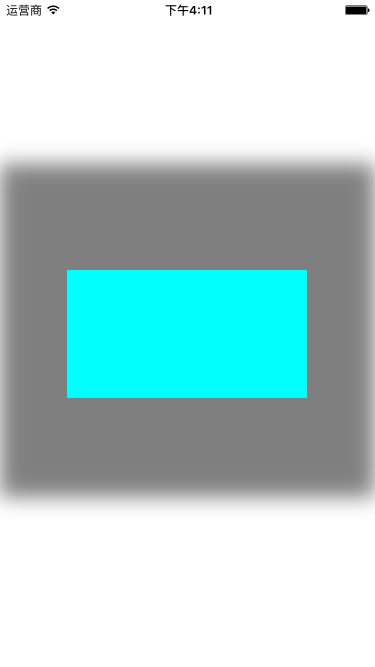
IOS CALayer的阴影属性的更多相关文章
- IOS CALayer的属性和使用
一.CALayer的常用属性 1.@propertyCGPoint position; 图层中心点的位置,类似与UIView的center:用来设置CALayer在父层中的位置:以父层的左上角为原点( ...
- iOS开发UI篇—CAlayer层的属性
iOS开发UI篇—CAlayer层的属性 一.position和anchorPoint 1.简单介绍 CALayer有2个非常重要的属性:position和anchorPoint @property ...
- iOS开发UI 篇—CAlayer层的属性
一.position和anchorPoint 1.简单介绍 CALayer有2个非常重要的属性:position和anchorPoint @property CGPoint position; 用来设 ...
- iOS CALayer使用
CALayer使用 iOS的设备中,我们之所以能看到各种各样的控件.文字.图片,都是Core Animation框架的功劳.它通过图层的合成,最终显示在屏幕上.而今天这篇文章讲的就是Core Anim ...
- CAlayer层的属性
iOS开发UI篇—CAlayer层的属性 一.position和anchorPoint 1.简单介绍 CALayer有2个非常重要的属性:position和anchorPoint @property ...
- CALayer的additive属性解析
CALayer的additive属性解析 效果: 源码:https://github.com/RylanJIN/ShareOfCoreAnimation // // CAPartAViewContro ...
- Pop–实现任意iOS对象的任意属性的动态变化
简介 Pop 是一个可扩展的动画引擎,可用于实现任意iOS对象的任意属性的动态变化,支持一般动画,弹性动画和渐变动画三种类型. 项目主页: pop 最新示例: 点击下载 注意: 官方代码中,并不包含实 ...
- iOS CALayer总结——图层几何
最近看了一下关于图层和动画的内容,所以写了一份总结,算是对这些内容的汇总吧,都是一些简单的基础知识,不知道大家都了不了解. 除了和用户的交互之外,图层的很多属性和视图基本上都是一样的,今天就先从CAL ...
- iOS CALayer 简单介绍
https://www.jianshu.com/p/09f4e36afd66 什么是CALayer: 总结:能看到的都是uiview,uiview能显示在屏幕上是因为它内部的一个层calyer层. 在 ...
随机推荐
- 关于datarow的状态
发现没有添加到DataTable中的行删除则为Detached,添加之后则为Deleted.MSDN对RowState的说明 Detached 该行已被创建,但不属于任何 DataRowCollect ...
- 转:MVC 数据验证
一.基础特性 一.Required 必填选项,当提交的表单缺少该值就引发验证错误. 二.StringLength 指定允许的长度 指定最大长度: [StringLength()] //最大长度不超过2 ...
- Corex-M0 系统嘀嗒定时器 Systick 详解
- java类初始化的过程
在复习Thinking in java的过程中看到了相关内容,顺便整理一下,像下面一样的代码具体的执行顺序(ABCD都是类) public class A { public A(String text ...
- [转]搬瓦工教程之九:通过Net-Speeder为搬瓦工提升网速
搬瓦工教程之九:通过Net-Speeder为搬瓦工提升网速 有的同学反映自己的搬瓦工速度慢,丢包率高.这其实和你的网络服务提供商有关.据我所知一部分上海电信的同学就有这种问题.那么碰到了坑爹的网络服务 ...
- 《storm实战-构建大数据实时计算读书笔记》
自己的思考: 1.接收任务到任务的分发和协调 nimbus.supervisor.zookeeper 2.高容错性 各个组件都是无状态的,状态 ...
- freemarker页面如何获取绝对路径basePath
1. freemarker获取系统相对路径方式 spring-mvc.xml 中配置 <!-- FreeMarker视图解析 如返回userinfo..在这里配置后缀名ftl和视图解析器.. - ...
- Java中的Atomic包使用指南
Atomic包介绍 在Atomic包里一共有12个类,四种原子更新方式,分别是原子更新基本类型,原子更新数组,原子更新引用和原子更新字段.Atomic包里的类基本都是使用Unsafe实现的包装类. 原 ...
- Redhat 7 或者 CentOS 7 密码破解
1.在如下界面按 e 2.在 linux16 这一行的最后面添加 rd.break,然后按 ctrl + x 进入单用户模式 3.以读写的方式重新挂载 sysroot 4.切换到 sysroot 目录 ...
- python操作word入门
1.安装pywin32 http://sourceforge.net/projects/pywin32 在files里去找适合你的python版本.截止此文,最新版本是pywin32-219快捷路径: ...