
【转】Encrypt ConnectionString in Web.Config 【加密ASP.NET web.config数据库链接字串】
原文链接:https://www.codeproject.com/Tips/795135/Encrypt-ConnectionString-in-Web-Config
web.config中一般会存放一些关键的信息,比如数据库链接字串,如果没有加密,就会有安全风险。
本次文章转载一个印度小哥写的教程,使用.net framwork自带的aspnet_regiis组件为web.config加密
Introduction
The tip gives you information about how to encrypt the connection string in Web.Config to increase the security and keep the connection with the database secure. There is so much other sensitive information that can be encrypted but in this tip, I'll particularly talk about encrypting the ConnectionString in Web.Config file.
Why It Is Important?
Encrypting sensitive sections of the Web.Config is important because they are just that, sensitive. Think about production Web.Config file. It may contain all information that requires running your web application. There are often passwords for SQL database connections, SMTP server, API Keys, or other critical information. In addition to this, Web.Config files are usually treated as just another source code file, that means, any developer on the team, or more accurately anyone with access to the source code, can see what information is stored in Web.Config file.
Encrypting the Connection String
In our example, we will encrypt ConnectionString in our Web.Config file.
Before Encrypting Web.Config
If you look at the below Config file, it can be easily readable. This doesn't seem to be secure if anyone has access to your Web.Config file.
<configuration>

  <connectionStrings>

    <add name="SqlServices" connectionString="Data Source=localhost;Integrated Security=SSPI;Initial Catalog=Northwind;" />

  </connectionStrings>

</configuration>
Encrypting Web.Config
- Open Command Prompt with Administrator privileges
- At the Command Prompt, enter:
Hide Copy Code
cd C:\Windows\Microsoft.NET\Framework\v4.0.30319
- In case your web Config is located in "D:\Articles\EncryptWebConfig" directory path, then enter the following to encrypt the
ConnectionString:Hide Copy CodeASPNET_REGIIS -pef "connectionStrings" "D:\Articles\EncryptWebConfig"
Use Aspnet_regiis.exe tool with the
–pefoption and specify the application path as shown above.Note: The parameter "
connectionStrings" is case sensitive.
After Encrypting Web.Config
After encrypting your ConnectionStrings section, your ConnectionStrings will not be in a readable format.
 Copy Code
<configuration>
<connectionStrings configProtectionProvider="RsaProtectedConfigurationProvider">
<EncryptedData Type="http://www.w3.org/2001/04/xmlenc#Element" xmlns="http://www.w3.org/2001/04/xmlenc#">
<EncryptionMethod Algorithm="http://www.w3.org/2001/04/xmlenc#tripledes-cbc" />
<KeyInfo xmlns="http://www.w3.org/2000/09/xmldsig#">
<EncryptedKey xmlns="http://www.w3.org/2001/04/xmlenc#">
<EncryptionMethod Algorithm="http://www.w3.org/2001/04/xmlenc#rsa-1_5" />
<KeyInfo xmlns="http://www.w3.org/2000/09/xmldsig#">
<KeyName>Rsa Key</KeyName>
</KeyInfo>
<CipherData>
<CipherValue>ZbDTF00MYzUUW5U3w3PU0rfiAH1UKhvuLSNWPmB/YifBKne6HAWfVc3CnKVimyP8SFyamaR5oAIAxj/xavfpox8EOYXNI+afsksiuA5huSDupCZKNuXq+VCZrdIyn6YOq+W7s3Ojlu7q9VwKcoKurl28l2hcPvWkBk11KYB7hr0=</CipherValue>
</CipherData>
</EncryptedKey>
</KeyInfo>
<CipherData>
<CipherValue>42IPPRUjJxCNDHEBLCAJI4/NyLpLueZSBzUXO69lVdZU8+nLpxO+opnbZNxqddyzNnbCO1Uk2Da3ljExkqnLIxT2zs90JAhZvJ5ljIgCipq7ZEp7zHOpvTH9fBGoZJJWhgdddOrHZsLDE9mILjlvBHDhPQrYcMHtY6oLIbxJq92it82iBJv0fS7v1S/o0p4hAtfky+6hXCZWSKUJHr88NDrKe2EEK3mazD2QD5Ozf/w=</CipherValue>
</CipherData>
</EncryptedData>
</connectionStrings>
</configuration>
Accessing Decrypted Configuration Settings
It’s very good to know that ASP.NET automatically decrypts the contents of the Web.Config file when it processes the file. Therefore, no additional steps are required to decrypt the encrypted configuration settings. You can run your existing application by encrypting your Web.Config file and it will run perfectly without any modification to your existing code. Isn't that interesting?
string ConnString = ConfigurationManager.ConnectionStrings[1].ToString();
Decrypting the Connection String
Is it possible to decrypt my Web.Config so that I can read it in original format?
Yes, it is possible.
Simply perform the following command to decrypt the connectionStrings element in the Web.config file.
ASPNET_REGIIS -pdf "connectionStrings" "D:\Articles\EncryptWebConfig"
Note: The parameter "connectionStrings" is case sensitive.
Questions and Answers
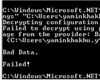
1. You might ask me a question if Web.Config file can be encrypted and decrypted using ASPNET_REGIIS then anyone who has access to Web.Config file can decrypt the content, right?
To answer this question, I would say no, if you encrypt your Config file, then your machine would store your keys and if you copy the Config file to a different system and try to decrypt it, then you might get an error.
Pros
- Web.Config sensitive information is not in a readable condition (after encryption)
- You don't have to explicitly write code to decrypt the Web.Config file as ASP.NET automatically decrypts the configuration and processes your request
Cons
- You can't modify the encrypted content on the fly. It requires you to decrypt the content before editing.
Points of Interest
Web.Config encryption only takes a couple moments and provides much more security than a clear-text file. It may not be enough to thwart a hacker that has full access to your entire server.
I'm encrypting all my sensitive data stored in Web.Config after learning the concept of encryption. How about you?
【转】Encrypt ConnectionString in Web.Config 【加密ASP.NET web.config数据库链接字串】的更多相关文章
- ASP.NET Web API和ASP.NET Web MVC中使用Ninject
ASP.NET Web API和ASP.NET Web MVC中使用Ninject 先附上源码下载地址 一.准备工作 1.新建一个名为MvcDemo的空解决方案 2.新建一个名为MvcDemo.Web ...
- 【翻译】使用Knockout, Web API 和 ASP.Net Web Forms 进行简单数据绑定
原文地址:http://www.dotnetjalps.com/2013/05/Simple-data-binding-with-Knockout-Web-API-and-ASP-Net-Web-Fo ...
- Knockout, Web API 和 ASP.Net Web Forms 进行简单数据绑定
使用Knockout, Web API 和 ASP.Net Web Forms 进行简单数据绑定 原文地址:http://www.dotnetjalps.com/2013/05/Simple-da ...
- App.config使用ASP.NET Web Project的Transformation
1.创建对应configuration的App.config文件,比如:App.Debug.config.App.Release.config. 2.编辑项目文件,将App.*.config文件的Bu ...
- [转] JSON Web Token in ASP.NET Web API 2 using Owin
本文转自:http://bitoftech.net/2014/10/27/json-web-token-asp-net-web-api-2-jwt-owin-authorization-server/ ...
- JSON Web Token in ASP.NET Web API 2 using Owin
In the previous post Decouple OWIN Authorization Server from Resource Server we saw how we can separ ...
- 在ASP.NET Web API和ASP.NET Web MVC中使用Ninject
先附上源码下载地址 一.准备工作 1.新建一个名为MvcDemo的空解决方案 2.新建一个名为MvcDemo.WebUI的空MVC应用程序 3.使用NuGet安装Ninject库 二.在ASP.N ...
- 【Web API2】ASP.NET Web API Security
实现安全的方式既可以是host提供,也可以框架提供. 1,HTTP Module 方式,工作在IIS上,所以web api要托管在IIS上才行.其作用于HTTP管道的最前端,所以这种方式影响的是全局, ...
- Web API 2 入门——使用Web API与ASP.NET Web窗体(谷歌翻译)
在这篇文章中 概观 创建Web窗体项目 创建模型和控制器 添加路由信息 添加客户端AJAX 作者:Mike Wasson 虽然ASP.NET Web API与ASP.NET MVC打包在一起,但很容易 ...
随机推荐
- 24. 两两交换链表中的节点 leetcode
题目: 给定一个链表,两两交换其中相邻的节点,并返回交换后的链表. 你不能只是单纯的改变节点内部的值,而是需要实际的进行节点交换. 示例: 给定 1->2->3->4, 你应该返回 ...
- 带你玩转Visual Studio——带你高效开发
VassistX的简单介绍与下载安装 简单介绍 VassistX的全称是Visual Assist X,是whole tomato开发的一个非常好用的插件,可用于VC6.0及Visual Studio ...
- 驼峰转大写(javaScript)
var a = function(s){return s.replace(/([A-Z])/g,"_$1").toUpperCase();} F12控制台可以直接用
- [ActionScript 3.0] 像素级碰撞检测
package { import flash.display.BitmapData; import flash.display.BlendMode; import flash.display.Disp ...
- 小记一次shellscript的麻烦
小记一次shellscript的麻烦 一.起因: 之前写过篇文章 文本分析实例 ,大致的内容就是对 "nginx的web服务器进行日志分析,删除不被访问的截图". 点我打开哔哩哔哩 ...
- leetcode-824-Goat Latin(字符串的处理)
题目描述: A sentence S is given, composed of words separated by spaces. Each word consists of lowercase ...
- [转载]Flip an image in UIImageView using UIView transitionWithView
View animations on the iPhone are wonderful. Used properly they will delight your users and help you ...
- 从零开始完整搭建 Spring-Boot 项目开发框架的教程
前言 难度:简单 类型:step-by-step 适用:初学者,完全没有接触过 Spring-Boot 开发环境:jdk 1.8 关键词:java, sring-boot, spring-mvc, r ...
- Android 开发者文档 -- 应用基础知识
https://developer.android.com/guide/components/fundamentals 应用基础知识 Android 应用采用 Java 编程语言编写.Android ...
- 《UltraFast设计法实践》系列目录
最近准备开始潜心学习快速和高效的时序收敛设计了,突然想就把整个学习过程做成一个博客系列吧,虽然想想就很激动(技术狗就这么点出息--),但希望坚持下来. 这篇做个目录或者索引,不断向其中添加学习内容. ...