
vue02—— 动画、组件、组件之间的数据通信
一、vue中使用动画
文档:https://cn.vuejs.org/v2/guide/transitions.html
1. Vue 中的过渡动画
<!DOCTYPE html>

<html lang="en">

<head>

    <meta charset="UTF-8">

    <title>Title</title>

    <style>

        .box{

            width: 200px;

            height: 200px;

            background-color:yellow;

        }

        .fade-enter,.fade-leave-to{

            opacity: 0;

            transform: translateX(200px);

        }

        .fade-enter-active,.fade-leave-active{

            transition: all 0.5s ease-in-out;

        }

    </style>

</head>

<body>

<div id="app">

    <button @click="show=!show">切换</button>

    <transition name="fade">

        <div class="box" v-if="show">始于1886,可口可乐</div>

    </transition>

</div>

<script src="js/vue.js"></script>

<script>

    new Vue({

        el:'#app',

        data:{

            show:true

        },

    });

</script>

</body>

</html>

2. 过渡动画 案例
<!DOCTYPE html>

<html lang="en">

<head>

    <meta charset="UTF-8">

    <title>Title</title>

    <style>

        *{

            padding: 0;

            margin: 0;

            list-style: none;

        }

        #app{

            width: 600px;

            margin: 50px auto;

        }

        li{

            width: 500px;

            height: 30px;

            border: 1px dashed #3fa435;

            margin-top: 10px;

        }

        li:hover{

            cursor: pointer;

            background-color: #ff7408;

            transition: all 0.8s ease;  /* hover 动画效果  */

        }

        /*从这里开始设置 vue 的动画*/

        .hero-enter, .hero-leave-to{

            opacity: 0;

            transform: translateY(80px);

        }

        .hero-enter-active, .hero-leave-active{

            transition: all 0.5s ease;

        }

        .hero-move{

            transition: all 1s ease-in-out;

        }

    </style>

</head>

<body>

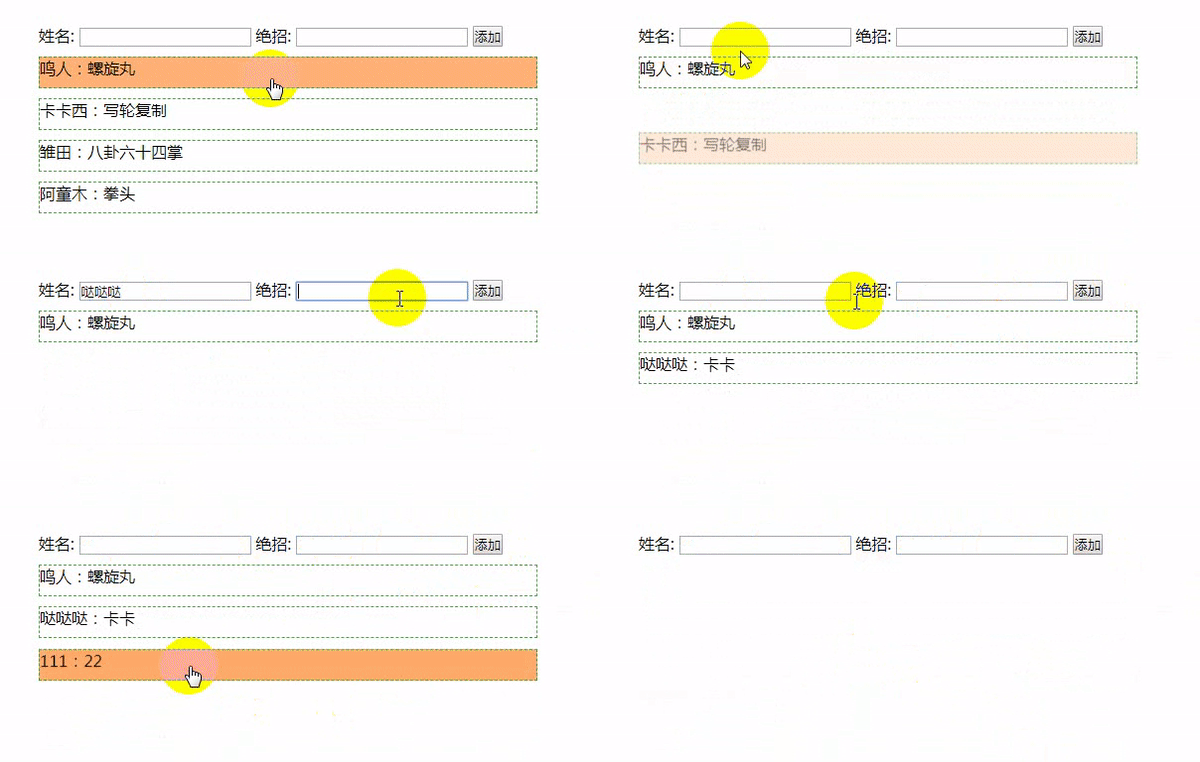
<div id="app">

    <div>

        <label>姓名: <input type="text" v-model="name"></label>

        <label>绝招: <input type="text" v-model="unique_skill"></label>

        <button @click="add()">添加</button>

    </div>

    <transition-group tag="ul" name="hero">

        <li v-for="(list,index) in lists" @click="del(index)" :key="index">

            {{list.name}}:{{list.unique_skill}}

        </li>

    </transition-group>

</div>

<script src="js/vue.js"></script>

<script>

    new Vue({

        el:'#app',

        data:{

            name:'',

            unique_skill:'',

            lists:[

                {name:'鸣人',unique_skill:'螺旋丸'},

                {name:'卡卡西',unique_skill:'写轮复制'},

                {name:'雏田',unique_skill:'八卦六十四掌'},

                {name:'阿童木',unique_skill:'拳头'}

            ]

        },

        methods:{

            del(index){

                this.lists.splice(index,1)

            },

            add(){

                this.lists.push({name:this.name,unique_skill:this.unique_skill});

                this.name = '';

                this.unique_skill = '';

            }

        }

    })

</script>

</body>

</html>
3. 用第三方动画库 animate.css
<!DOCTYPE html>

<html lang="en">

<head>

    <meta charset="UTF-8">

    <title>Title</title>

    <link rel="stylesheet" href="css/animate.css">

</head>

<body>

<div id="app">

    <button @click="flag = !flag">切换</button>

    <br>

    <transition

        enter-active-class="bounceIn"

        leave-active-class="bounceIn"

        :duration="{enter:1000,leave:500}"

    >

        <img v-if="flag" src="img/1.jpg" alt="" class="animated">

    </transition>

    <h1 class="animated infinite bounce delay-2s">↑↑↑↑↑</h1>

</div>

<script src="js/vue.js"></script>

<script>

    new Vue({

        el:'#app',

        data:{

            flag:false,

        }

    })

</script>

</body>

</html>

其他动画操作方式,查看vue官网文档,这里先不记录了。
二、Vue 组件
以下演示的组件的各种创建方式。在工程化开发中.
1.全局 Vue 组件
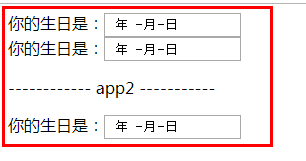
全局组件,所有实例都可以使用
<!DOCTYPE html>

<html lang="en">

<head>

    <meta charset="UTF-8">

    <title></title>

</head>

<body>

<div id="app">

    <my-date></my-date>

    <my-date></my-date>

</div>

<div id="app2">

    <p>------------ app2 -----------</p>

     <my-date></my-date>

</div>

<script src="js/vue.js"></script>

<script>

    // 1. 组件构造器

    let Profile = Vue.extend({

        // 模板选项

        template:

            `

        <div>

            <span>你的生日是:</span><input type="date">

        </div>

        `

    });

    // 2. 注册全局组件

    Vue.component('my-date',Profile);

    // 1. 创建Vue的实例

    new Vue({

        el: '#app',

        data: {

            msg: '哒哒哒'

        }

    });

    new Vue({

        el:'#app2'

    })

</script>

</body>

</html>
2. 局部 Vue 组件
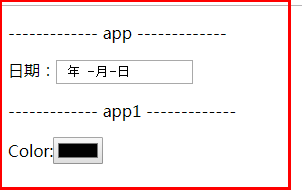
局部组件在各自的实例里面注册。
<!DOCTYPE html>

<html lang="en">

<head>

    <meta charset="UTF-8">

    <title></title>

</head>

<body>

<div id="app">

    <p>------------- app -------------</p>

    <my-date></my-date>

    <!-- my-color 这里写里也没用-->

    <my-color></my-color>

</div>

<div id="app1">

    <p>------------- app1 -------------</p>

    <my-color></my-color>

</div>

<script src="js/vue.js"></script>

<script>

    // 1. 组件构造器

    let Profile = Vue.extend({

        // 模板选项

        template: `

          <div>

              <span>日期:</span><input type="date">

          </div>

          `

    });

    let Profile1 = Vue.extend({

        // 模板选项

        template: `

          <div>

              <span>Color:</span><input type="color">

          </div>

          `

    });

    // 1. 创建Vue的实例

    new Vue({

        el: '#app',

        data: {

            msg: '撩课学院'

        },

        components: {

            'my-date': Profile

        }

    });

    new Vue({

        el: '#app1',

        components: {

            'my-color': Profile1

        }

    })

</script>

</body>

</html>
3. 另一种注册组件的方式
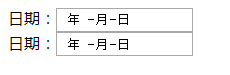
全局组件:
<html lang="en">

<head>

    <meta charset="UTF-8">

    <title></title>

</head>

<body>

<div id="app">

    <my-date></my-date>

</div>

<div id="app1">

    <my-date></my-date>

</div>

<script src="js/vue.js"></script>

<script>

    //  注册全局组件

    Vue.component('my-date', {

        template: `

          <div>

              <span>日期:</span><input type="date">

          </div>

          `

    });

    // 1. 创建Vue的实例

    new Vue({

        el: '#app',

    });

    new Vue({

        el: '#app1',

    });

</script>

</body>

</html>
局部组件:
<body>

<div id="app">

    <my-date></my-date>

    <my-color></my-color>

</div>

<script src="js/vue.js"></script>

<script>

    new Vue({

        el:'#app',

        data:{},

        components:{

            'my-date':{

                template:`<div> <span>日期:</span> <input type="date"> </div>`

            },

            'my-color': {

                template: `

          <div>

              <span>Color:</span><input type="color">

          </div>

          `

            },

        }

    })

</script>

</body>

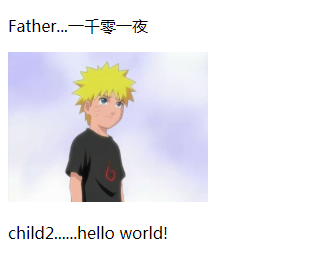
4.父子组件
<body>

<div id="app">

    <parent></parent>

    <!--<child></child>-->

</div>

<script src="js/vue.js"></script>

<script>

    // 1.构造子组件

    let child1 = Vue.extend({

        template:`<img src="img/1.jpg" width="200px">`

    });

    Vue.component('child',child1);

    let child2 = Vue.extend({

        template:`<p>child2......hello world!</p>`

    });

    // 2.构造父组件

    Vue.component('parent',{

        components:{

            'my-child1':child1,

            'my-child2':child2

        },

        template:

        `

        <div>

            <p>Father...一千零一夜</p>

            <my-child1></my-child1>

            <my-child2></my-child2>

        </div>

        `

    });

    new Vue({

        el:'#app',

    });

</script>

</body>
5. vue 组件中的 template标签
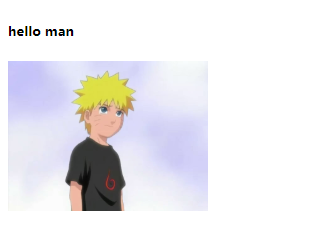
<body>

<div id="app">

    <g_box></g_box>

</div>

<template id="g_box">

    <div>

        <h5>hello man</h5>

        <img src="img/1.jpg" width="200px" alt="">

    </div>

</template>

<script src="js/vue.js"></script>

<script>

    Vue.component('g_box',{

        template:'#g_box'

    });

    new Vue({

        el:'#app',

    })

</script>

</body>
6.Vue组件中的 script 标签
这种方式不常用。
<body>

<div id="app">

    <g_div></g_div>

</div>

<script type="text/template" id="g_div">

    <div>

        <h5>hello Nurato!</h5>

        <img src="img/1.jpg" width="200px" alt="">

    </div>

</script>

<script src="js/vue.js"></script>

<script>

    Vue.component('g_div',{

       template:'#g_div'

    });

    new Vue({

        el:'#app'

    })

</script>

</body>

三、组件中间的数据通信
1.Vue的组件数据传递-data
在这里,data选项必须为函数,必须要用函数返回的方式传递数据
<body>

<div id="app">

    <g_div></g_div>

</div>

<template id="g_div">

    <div>

        <h5>{{msg}}</h5>

        <img src="img/1.jpg" width="200px" alt="">

    </div>

</template>

<script src="js/vue.js"></script>

<script>

    Vue.component('g_div',{

        template:'#g_div',

        // 这里data 只能通过函数返回的方式来,因为这样申明的话,和new Vue 里的data会互相污染

        // data:{

        //     msg:'hello man'

        // }

        data(){

            return {msg:'hello man'}

        }

    });

    new Vue({

        el:'#app',

        data:{

        }

    })

</script>

</body>

2.Vue的组件之间的通信
<body>

<div id="app">

    <g_box msg="hello Nurato" imgSrc="img/1.jpg"></g_box>

</div>

<template id="g_box">

    <div>

        <h5>{{msg}}</h5>

        <img :src="imgsrc" width="200px" alt="">

    </div>

</template>

<script src="js/vue.js"></script>

<script>

    // 1 创建组件

    Vue.component('g_box',{

        template:'#g_box',

        props:['msg','imgsrc']

    });

    // 2 创建实例

    new Vue({

        el:'#app',

        data:{

            msg:''

        }

    })

</script>

</body>

3.Vue的组件之间的通信-多层
<div id="app">

    <!-- 1. 这种不带 : 号的,可以直接填值,但是用不了 实例中 data 里的数据  -->

    <!--<my-parent imgsrc="img/1.jpg" img_title="Nurato"></my-parent>-->

    <!-- 2. 图片,imgsrc 如果是用 实例中的data,必须是用加 : 号的方式  -->

    <my-parent :img_title="title" :imgsrc="img"></my-parent>

</div>

<!-- 子组件 1 -->

<template id="my_img">

    <img :src="imgsrc"width="200px"  alt="">

</template>

<!-- 子组件 2 -->

<template id="my_title">

    <h5>{{title}}</h5>

</template>

<!-- 父级组件 -->

<div id="my_parent">

    <div>

        <child1 :imgsrc="imgsrc"></child1>

        <child2 :title="img_title"></child2>

    </div>

</div>

<script src="js/vue.js"></script>

<script>

    // 1.子组件实例

    let child1 = Vue.extend({

        template:'#my_img',

        props:['imgsrc']

    });

    let child2 = Vue.extend({

        template:'#my_title',

        props:['title']

    });

    // 父组件

    Vue.component('my-parent',{

        props:['imgsrc','img_title'],

        components:{

            'child1':child1,

            'child2':child2

        },

        template:'#my_parent'

    });

    new Vue({

        el:'#app',

        data:{

            img:'img/1.jpg',

            title:'2.哒哒哒'

        }

    })

</script>

</body>

vue02—— 动画、组件、组件之间的数据通信的更多相关文章
- jquery插件模式开发和react组件开发之间的异同
jquery插件模式开发和react组件开发之间的异同
- Vue 根组件,局部,全局组件 | 组件间通信,案例组件化
一 组件 <div id="app"> <h1>{{ msg }}</h1> </div> <script src=" ...
- 微信小程序 - 组件 | 自定义组件 | 组件事件传递页面
组件 小程序允许我们使用自定义组件的方式来构建页面 类似Vue的小组件 自定义组件 类似于页面,一个自定义组件由 json, wxml, wxss, js 4个文件组成 1.创建 1.创建compon ...
- React组件(组件属性this.state和this.props,css样式修饰组件)
目录: 1.创建组件的第一种方式 function2.将组件抽离为单独的jsx文件3.省略.jsx后缀, 配置webpack设置根目录4.创建组件的第二种方式--使用class关键字创建组件5.组件私 ...
- vue组件之间的通信,父子之间的数据通信
父子组件之间的通信问题既可以传递数据也可以传递变量,父组件传递数据给子组件可以使用props,子组件传递数据给父组件则可以自定义函数来监听子组件的事件发射器. 首先说说组件注册,组件的注册分为全局注册 ...
- [2014.01.27]wfGifAnimator 动画GIF组件 3.0
组件支持设置GIF帧延时和获取GIF的帧延迟. 组件支持添加或插入或更新帧(支持bmp/jpg/gif/wmf/emf/ico格式).删除帧.清空帧操作. 组件支持GIF动画缩放大小. 组件支持绘制线 ...
- Vue 组件&组件之间的通信 之 非父子关系组件之间的通信
Vue中不同的组件,即使不存在父子关系也可以相互通信,我们称为非父子关系通信: 我们需要借助一个空Vue实例,在不同的组件中,使用相同的Vue实例来发送/监听事件,达到数据通信的目的: 实例: 初始加 ...
- Vue 组件&组件之间的通信 父子组件的通信
在Vue的组件内也可以定义组件,这种关系成为父子组件的关系: 如果在一个Vue实例中定义了component-a,然后在component-a中定义了component-b,那他们的关系就是: Vue ...
- vue的$emit 与$on父子组件与兄弟组件的之间通信
本文主要对vue 用$emit 与 $on 来进行组件之间的数据传输. 主要的传输方式有三种: 1.父组件到子组件通信 2.子组件到父组件的通信 3.兄弟组件之间的通信 一.父组件传值给子组件 父组件 ...
随机推荐
- High Performance MySQL笔记:count
在SQL中使用count()好像是非常自然的事情: SELECT COUNT(*) FROM TABLE_NAME; 有时候确实会想过,count(*)和单独的count(column_name)有什 ...
- c++实现全密码生成
这里所谓的“全密码”指的是指定字符串中所有可能出现的密码.以字符串“0123456789”为例,可能出现的2位密码会有100个,即L^N个.(L代表字符串的长度,N代表要生成密码的位数). 第一种方法 ...
- Sql 列转行字符串
select OrderID,ProdDetailID from A 表A : OrderID,ProdDetailID 1 6 1 7 1 ...
- 新年开篇-ERP和OA集成步骤
1.备份要升级帐套的数据库 6点 - 6点10分完成 重启 服务器 2.升级数据库 6点30 - 7点 3.配置ERP电子表单和EasyFlow表单 7点 - 7点30分 录入多公司信息(电子签核), ...
- IOS地理信息使用
概览 现在很多社交.电商.团购应用都引入了地图和定位功能,似乎地图功能不再是地图应用和导航应用所特有的.的确,有了地图和定位功能确实让我们的生活更加丰富多彩,极大的改变了我们的生活方式.例如你到了一个 ...
- 微信小程序开发6-WXSS
1.WXSS(WeiXin Style Sheets)是一套用于小程序的样式语言,用于描述WXML的组件样式,也就是视觉上的效果.WXSS与Web开发中的CSS类似.为了更适合小程序开发,WXSS对C ...
- 创建基于 AFS 的 Docker 容器卷
标准的 Docker 容器卷一般是位于 Docker 主机上的一个本地目录.在这样的配置下,容器必须依赖于一台特定的主机,因此使得容器的迁移和扩展变得困难.通过使用容器卷插件,能让容器访问独立于主机的 ...
- [翻译] BBCyclingLabel
BBCyclingLabel BBCyclingLabel is just like a UILabel but allows you to perform custom animations whe ...
- WritePrivateProfileString、GetPrivateProfileString 读写配置文件
WritePrivateProfileString 写配置文件 BOOL WINAPI WritePrivateProfileString( _In_ LPCTSTR lpAppName, _In_ ...
- 英语零散笔记Note整理
无意之间整理电脑发现还存放着以前自己看视频做的一些笔记,关于新概念英语的笔记,觉得不错,放于博客,以供学习. English Note1 定语从句 将不重要的动作放在定语从句中,重要的放在主干中. 倒 ...