
maven nexus私服搭建
1. 下载
wget http://download.sonatype.com/nexus/oss/nexus-2.12.0-01-bundle.tar.gz
2. 解压
tar zxvf nexus-2.12.0-01-bundle.tar.gz
解压后两个目录
nexus-2.12.0-01 //应用路径
sonatype-work //开发包存放路径
3. 配置
vim bin/nexus

RUN_AS_USER=root

vim conf/nexus.properties

application-port=8888   //启动端口

nexus-work=/xxx/data/sonatype-work/nexus  //jar包存放路径
4. 启动
./bin/nexus start
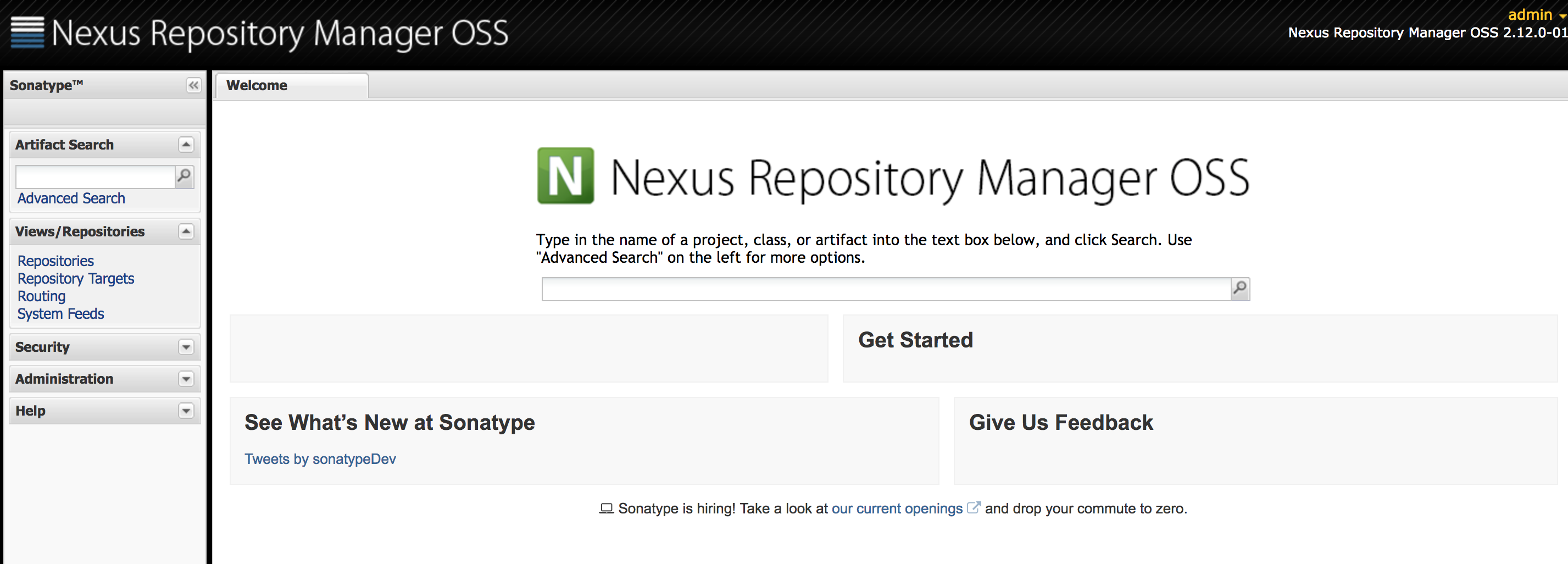
5. 查看UI
http://xxx.201.69.8:8888/nexus/
login default: admin/admin123
6. 配置nexus
将type为proxy的Repository的Download Remote Indexes 设置为true.
本地hosted仓库取不到即会向proxy远程仓库取。
7. IDE project配置
// pom.xml

<distributionManagement>

    <repository>

      <id>releases</id>

      <name>xxx Releases</name>

      <url>http://xxx.201.69.8:8888/nexus/content/repositories/releases</url>

    </repository>

    <snapshotRepository>

      <id>snapshots</id>

      <name>xxx Snapshots</name>

      <url>http://xxx.201.69.8:8888/nexus/content/repositories/snapshots</url>

    </snapshotRepository>

</distributionManagement>

// setting.xml

    <server>

        <id>releases</id>

        <username>lqy_dev</username>

        <password>lqy123</password>

    </server>

    <server>

        <id>snapshots</id>

        <username>lqy_dev</username>

        <password>lqy123</password>

    </server>
发布不能成功可能原因,setting文件配置不正确,查看实际使用的setting文件:
mvn help:effective-settings
maven nexus私服搭建的更多相关文章
- maven nexus私服搭建,特别痛苦!!
一.下载nexu,配置环境 参考我的文章:http://www.cnblogs.com/quanyongan/archive/2013/04/24/3037589.html 二.解压并准备Nexus安 ...
- maven nexus 私服搭建 Windows版
准备工作 已安装jdk,并配置好了环境变量 已安装maven,并配置好了环境变量 下载Nexus Repository OSS:https://www.sonatype.com/download-os ...
- maven nexus 私服搭建 Linux版
准备工作 已安装jdk 已安装maven 下载Nexus Repository OSS:https://www.sonatype.com/download-oss-sonatype 如果无法下载成功, ...
- nexus私服搭建及信息配置
nexus私服搭建及信息配置 下载 登录nexus官网下载nexus安装包https://help.sonatype.com/repomanager2/download/download-archiv ...
- ava Maven项目之Nexus私服搭建和版本管理应用
目录: Nexus介绍 环境.软件准备 Nexus服务搭建 Java Maven项目版本管理应用 FAQ 1.Nexus介绍 Nexus是一个强大的Maven仓库管理器,它极大地简化了自己内部仓库的维 ...
- Java Maven项目之Nexus私服搭建和版本管理应用
转载自:https://cloud.tencent.com/developer/article/1010603 1.Nexus介绍 Nexus是一个强大的Maven仓库管理器,它极大地简化了自己内部仓 ...
- nexus私服搭建及maven生命周期
一.maven找库流程 从流程上看创建nexus私服,能够优化流程,而且更加快速 二.nexus下载.安装 1.nexus下载地址 https://sonatype-download.global.s ...
- Maven使用教程二:nexus私服搭建及使用
nexus安装 从nexus官网 下载最新的安装包 1.打开命令行,切换到nexus-3.2.1-01/bin目录下,回车.例:C:\Nexus\nexus-3.2.1-01\bin 2.输入:nex ...
- Window下Nexus私服搭建
项目组大部分人员不能访问maven的central repository,因此在局域网里找一台有外网权限的机器,搭建nexus私服,然后开发人员连到这台私服上 环境是:nexus-2.1.1.mav ...
随机推荐
- 《C++ Primer Plus》14.3 多重继承 学习笔记
多重继承(MI)描述的是有多个直接基类的类.与单继承一样,共有MI表示的也是is-a关系.例如,可以从Awiter类和Singer类派生出SingingWaiter类:class SingingWai ...
- 学习坤哥的replaceTpl方法
学习坤哥的方法之后自己写的replaceTpl function replaceTpl(tpl, data){///////////////没有传入可让用户自己定义的方式进行替换,不够灵活 ...
- go练习3 --map的操作
func T2_1() { // 键值string , 值 int 类型 m1 := map[string]int{} //添加一个元素 m1["str1&q ...
- 在ListView中嵌套ListView的事件处理
十分感谢此作者,以及作者的作者,让我卡了一星期的问题解决了!!http://blog.csdn.net/hutengfei0701/article/details/8956284谢谢http://my ...
- SSH电力项目二
底层方法封装(CommonDaoImpl类) public class CommonDaoImpl<T> extends HibernateDaoSupport implements IC ...
- having使用的时机
where 子句的作用是在对查询结果进行分组前,将不符合where条件的行去掉,即在分组之前过滤数据,条件中不能包含聚组函数,使用where条件显示特定的行. having 子句的作用是筛选满足条件的 ...
- postgresql----INSERT
INSERT即向表中写入数据,每条INSERT语句可以写入一条数据,也可以写入多条数据.另外还可以将其他的查询结果集用在INSERT中,将查询结果写入表中. 测试表 test)); CREATE TA ...
- oracle基础开发工具及常用命令
oracle自带用户的讲解 1,oracle安装完毕创建数据库实例的时候会自动生成sys,system,scott 2,sys用户超级管理员,具有oracle的最高权限,具有sysdba角色,具有cr ...
- Visual Studio的“Waiting for a required operation to complete...”问题
自从使用Visual Studio 2013之后,多次遇到这个恼人的“Waiting for a required operation to complete...”问题. 问题发生于在Visual ...
- MyBatis 内置日志工厂基于运行时自省机制选择合适的日志工具
mybatis – MyBatis 3 | 日志 http://www.mybatis.org/mybatis-3/zh/logging.html MyBatis 内置日志工厂基于运行时自省机制选择合 ...