
omnibus gitlab-ce安装
架构

关闭防火墙
[root@gitlab ~]# systemctl stop firewalld

[root@gitlab ~]# systemctl disable firewalld
关闭SELinux
[root@gitlab ~]# setenforce 0

setenforce: SELinux is disabled
安装依赖组件
[root@gitlab ~]# yum -y install curl policycoreutils openssh-server openssh-clients postfix
下载gitlab-ce仓库
curl -sS https://packages.gitlab.com/install/repositories/gitlab/gitlab-ce/script.rpm.sh | bash
。
启动邮件服务器
[root@gitlab data]# systemctl start postfix

[root@gitlab data]# systemctl enable postfix
安装gitlab
安装omnibus gitlab-ce
omnibus相当于一键安装包,自动安装gitlab所依赖的所有组件
yum -y install gitlab-ce
创建私钥与证书
[root@gitlab data]# mkdir /etc/gitlab/ssl

[root@gitlab data]# openssl genrsa -out "/etc/gitlab/ssl/gitlab.aubin.com.key" 2048

创建申请证书

openssl req -new -key "/etc/gitlab/ssl/gitlab.aubin.com.key" -out "/etc/gitlab/ssl/gitlab.aubin.com.csr

Country Name (2 letter code) [XX]:cn                # 国家

State or Province Name (full name) []:bj            # 省份

Locality Name (eg, city) [Default City]:bj          # 城市

Organization Name (eg, company) [Default Company Ltd]:ctyun # 公司名

Organizational Unit Name (eg, section) []:ops       # 部门

Common Name (eg, your name or your server's hostname) []:gitlab.aubin.com

Email Address []:

Please enter the following 'extra' attributes

to be sent with your certificate request

A challenge password []:

An optional company name []:

给申请证书签名

[root@gitlab data]# openssl x509 -req -days 3650 -in "/etc/gitlab/ssl/gitlab.aubin.com.csr" -signkey "/etc/gitlab/ssl/gitlab.aubin.com.key" -out "/etc/gitlab/ssl/gitlab.aubin.com.crt"

创建pem

openssl dhparam -out /etc/gitlab/ssl/dhparams.pem 2048

修改权限

chmod 600 /etc/gitlab/ssl/*
配置gitlab
nginx['redirect_http_to_https'] = ture

nginx['ssl_client_certificate'] = "/etc/gitlab/ssl/gitlab.aubin.com.crt"

nginx['ssl_certificate'] = "/etc/gitlab/ssl/gitlab.aubin.com.crt"

nginx['ssl_certificate_key'] = "/etc/gitlab/ssl/gitlab.aubin.com.key"

nginx['ssl_dhparam'] = "/etc/gitlab/ssl/dhparams.pem"

nginx['listen_addresses'] = ['*']

nginx['listen_port'] = 9000
初始化所有配置
[root@gitlab ssl]# gitlab-ctl reconfigure
配置本地windows住的hosts文件
# gitlab

42.81.133.59 gitlab.aubin.com
浏览器访问
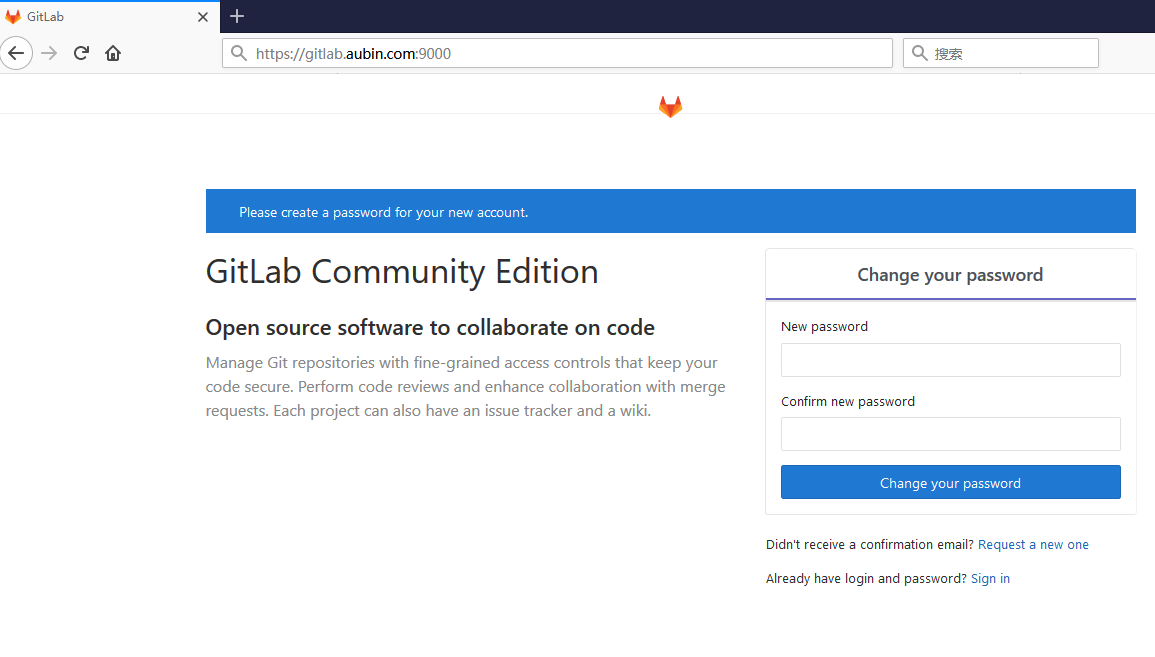
初次进入需要设置管理员密码(默认账号为root),前面配置了nginx为https访问,所以访问地址应该为https
https://IP:9000
nginx配置文件
修改配置文件后要重启gitlabgitlab-ctl restart
/var/opt/gitlab/nginx/conf/gitlab-http.conf
omnibus gitlab-ce安装的更多相关文章
- gitlab的安装和配置
1 使用omnibus gitlab来安装gitlab 也就是说,将gitlab和它所需要的组件打一个包,即打一个bundle进行安装. 第一步,安装gitlab的源. curl https://pa ...
- 安装gitlab ce
切换到root用户,安装相关依赖 yum install curl policycoreutils openssh-server openssh-clients service sshd restar ...
- gitlab的安装以及汉化
gitlab的安装 首先在网上下载好任意版本gitlab的rpm包 推荐下面的地址: https://mirrors.tuna.tsinghua.edu.cn/gitlab-ce/yum/el7/gi ...
- gitlab centos 安装配置运维笔记
写在前面 如果你需要一个git服务器,为企业或自己的团队托管代码而又不希望将代码仓库存储到第三方.你可以在自己的服务器上搭建一个gitlab. 本文为我在最初安装配置gitlab服务器的时候留存的笔记 ...
- docker下运行Gitlab CE+Jenkins+Nexus3+docker-registry-frontend
DevOps - Gitlab CE - Jenkins - Nexus Gitlab CE https://hub.docker.com/r/gitlab/gitlab-ce/ https://do ...
- gitlab ce 中删除空项目之后,没有删除掉,访问500
在VirtualBox中的gitlab ce,在管理页面的操作如下: 新建一个仓库名为test的仓库,并从gitlab中导入 导入失败,使用root用户登录,在 Admin Area -> Pr ...
- gitlab一键安装+配置(备份+LADP认证)
gitlab一键安装+配置(备份+LADP认证) #gitlab一键安装 #centos6 mini, GitLab社区版 #参考官方最新文档 https://www.gitlab.com.cn/in ...
- GitLab的安装及使用教程
1.配置yum源 vim /etc/yum.repos.d/gitlab-ce.repo 复制以下内容: [gitlab-ce] name=gitlab-ce baseurl=http://mirro ...
- Centos下的GitLab的安装汉化和数据备份以及管理员密码重置
前言: 安装版本:gitlab-ce-8.8.5-ce.1.el7.x86_64.rpm 下载地址: https://mirrors.tuna.tsinghua.edu.cn/gitlab-ce/yu ...
- Gitlab的安装
# GitLab Server 的搭建 参考 https://about.gitlab.com/installation ## 1. 准备工作 以Centos7为例,准备一台至少内存为4G的机器. # ...
随机推荐
- C/C++程序编译流程
单个文件的编译过程 多个文件的编译过程
- Android搜索自动提示功能 AutocompleteTextView
1.配置main.xml中自动提示控件: <AutoCompleteTextView android:id="@+id/autotv_searchresult" androi ...
- JFinal的启动源码解读
本文对Jfinal的启动源码做解释说明. PS:Jfinal启动容器可基于Tomcat/Jetty等web容器启动,本文基于Jetty的启动方式做启动源码的解读和分析,tomcat类似. 入口 JF ...
- oracle和mysql如何快速查看每个表的数据量?
oracle: select t.table_name,t.num_rows from user_tables t ORDER BY NUM_ROWS DESC; mysql: use informa ...
- 几种常用的SQL优化工具及方法
转自:http://blog.itpub.net/35489/viewspace-764856/ 1. sql 详细执行计划,主要检查驱动路径,索引是否合适:同一个pl/sql窗口连续执行即可:exp ...
- 310实验室 Linux 软件安装常见问题
电脑装好Linux系统后,系统默认安装软件不齐,需要自己根据自己的需要安装一些列工具软件,在linux系统中,用的最多的就是Synaptic Package Manager,什么是Synaptic?新 ...
- Android数据存储之SQLite 数据库学习
Android提供了五种存取数据的方式 (1)SharedPreference,存放较少的五种类型的数据,只能在同一个包内使用,生成XML的格式存放在设备中 (2) SQLite数据库,存放各种数据, ...
- (转)大数据量下的SQL Server数据库优化
在SQL Server中,默认MDF文件初始大小为5MB,自增为1MB,不限增长,LDF初始为1MB,增长为10%,限制文件增长到一定的数目:一般设计中,使用SQL自带的设计即可,但是大型数据库设计 ...
- Kafka Consumer接口
对于kafka的consumer接口,提供两种版本, high-level 一种high-level版本,比较简单不用关心offset, 会自动的读zookeeper中该Consumer grou ...
- Oracle监控的关键指标
1.监控事例的等待 select event, , , )) "Prev", , , )) "Curr", count(*) "Tot" f ...