
Appium 自动化测试(8) -- Appium Python client -- API
最好的学习方法,就是看源码!
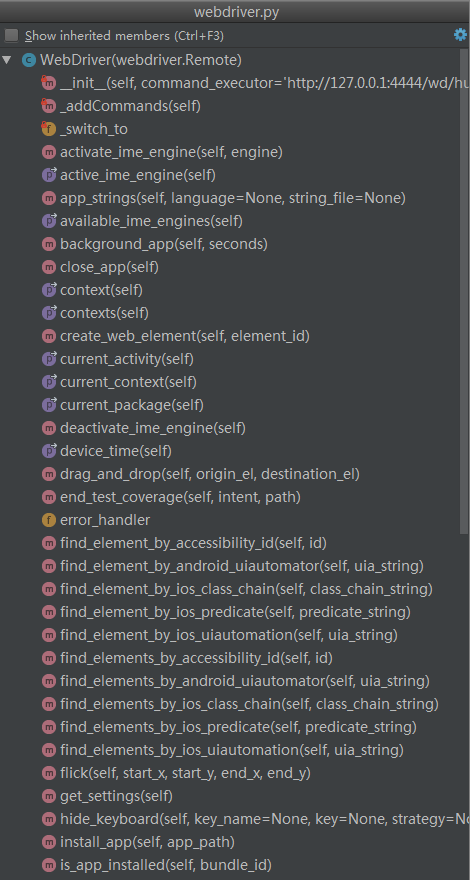
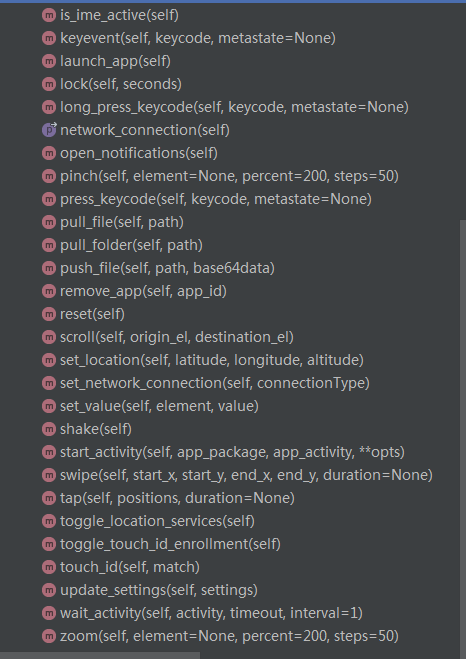
在 \appium\webdriver\webdriver.py ,新增了两个封装好定位安卓元素的方法,如 find_element_by_accessibility_id 与 find_element_by_android_uiautomator
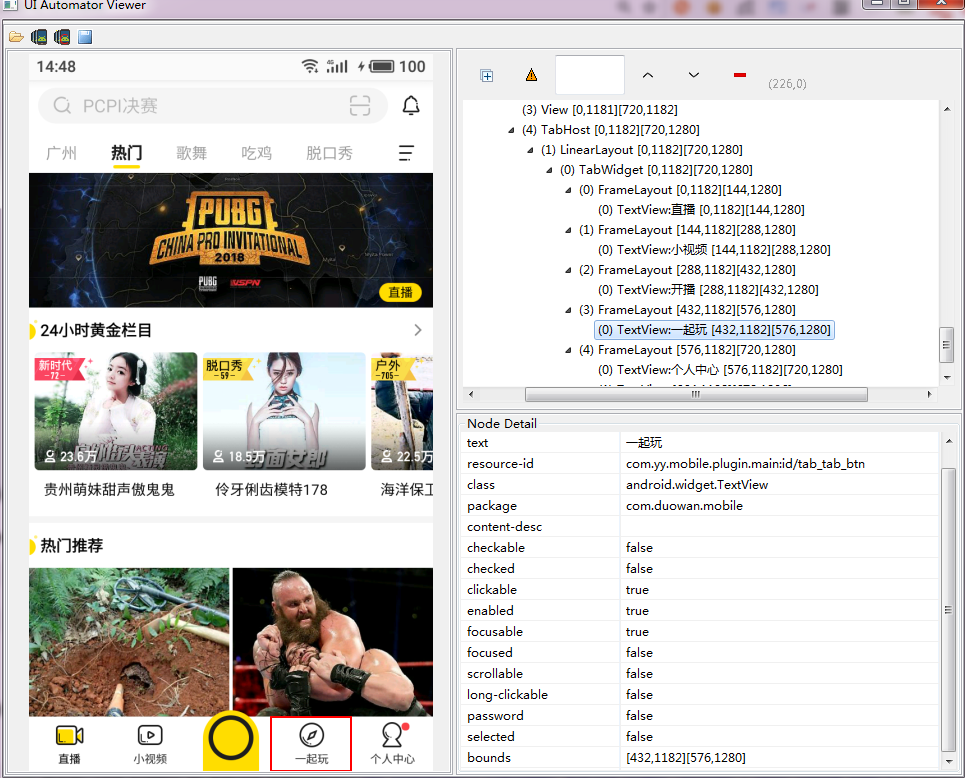
如下图,定位“一起玩”tab页:
一、根据UIAutomator定位元素
    def test_find_element(self):

        self.driver.wait_activity('com.yy.mobile.ui.home.MainActivity',30)

        # text 属性的方法

        el = self.driver.find_element_by_android_uiautomator('new UiSelector().text("一起玩")')

        self.assertIsNotNone(el)

        e2 = self.driver.find_element_by_android_uiautomator('new UiSelector().textContains("起玩")')

        self.assertIsNotNone(e2)

        e3 = self.driver.find_element_by_android_uiautomator('new UiSelector().textStartsWith("一起")')

        self.assertIsNotNone(e3)

        e4 = self.driver.find_element_by_android_uiautomator('new UiSelector().textMatches("^一起.*")')

        self.assertIsNotNone(e4)

        # class属性的方法

        e5 = self.driver.find_element_by_android_uiautomator('new UiSelector().className("android.widget.TextView").text("一起玩")')

        self.assertIsNotNone(e5)

        # resourceId属性的方法

        e6 = self.driver.find_element_by_android_uiautomator('new UiSelector().resourceId("com.yy.mobile.plugin.main:id/tab_tab_btn")')

        self.assertIsNotNone(e6)
二、根据accessibility_id定位
    def find_element_by_accessibility_id(self, id):

        """Finds an element by accessibility id.

        :Args:

         - id - a string corresponding to a recursive element search using the

         Id/Name that the native Accessibility options utilize

        :Usage:

            driver.find_element_by_accessibility_id()

        """

        return self.find_element(by=By.ACCESSIBILITY_ID, value=id)
对于 Android 就是 content-description
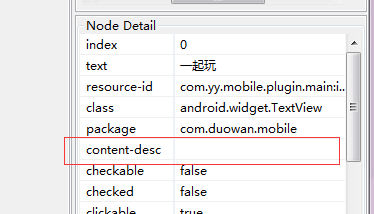
对于 iOS 就是 accessibility identifier
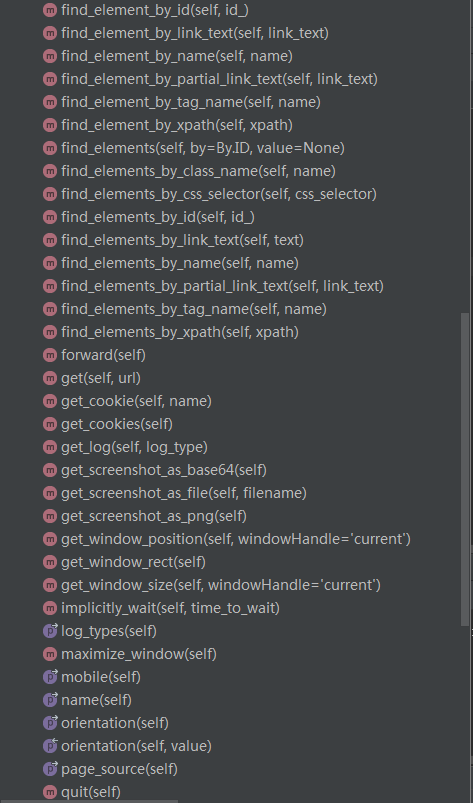
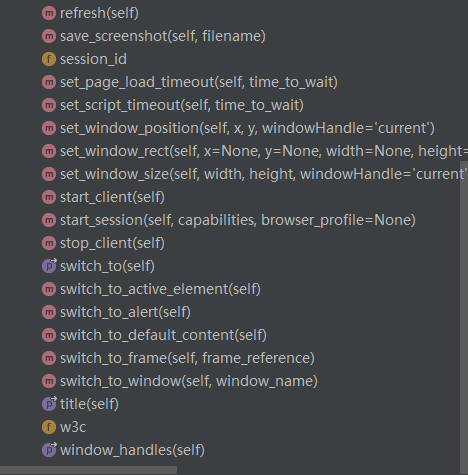
三、看源码可知,Appium 中的Webdriver是Selenium中的webdirver.Remote的子类,所以更多的API,可是在Selenium中寻找

***微信扫一扫,关注“python测试开发圈”,了解更多测试教程!***
Appium 自动化测试(8) -- Appium Python client -- API的更多相关文章
- Python+Appium自动化测试(1)-appium环境搭建
用python+appium做appUI自动化测试,系统为Windows.首先是JDK与Android SDK的安装与环境变量的设置. 一,安装JDK,配置JDK环境变量 1,下载jdk jdk8官网 ...
- Python+Appium自动化测试(2)-appium连接真机启动app
app自动化测试的第一步,是启动被测app.appium环境搭建好后,我们就可以连接真机启动app了.环境为windows,Appium1.18.0,Android手机,被测app为今日头条app,让 ...
- Python+Appium自动化测试(5)-appium元素定位常用方法
对于Android而言,查找appUI界面元素属性的工具有三种:appium desktop,uiautomatorviewer.bat,weditor.之前已经介绍过了weditor的使用,这里我将 ...
- appium自动化测试框架——在python脚本中执行dos命令
一般我们运行dos命令,会有两种需求,一种是需要收集执行结果,如ip.device等:一种是不需要收集结果,如杀死或开启某个服务. 对应的在python中就要封装两种方法,来分别实现这两种需求. 1. ...
- Appium自动化测试教程-自学网-monkeyrunner API
MonkeyRunner API MonkeyRunner工具主要有三个类: MonkeyRunner MonkeyDevice MonkeyImage 官方API文档 :http://www.and ...
- Appium 自动化测试(3)--Appium框架与流程介绍
Appium介绍 Appium是一个移动端的自动化框架,可用于测试原生应用,移动网页应用和混合型应用,且是跨平台的.可用于IOS和Android以及firefox的操作系统.原生的应用是指用andro ...
- Appium 自动化测试(7) -- Appium 服务器初始化参数设置
Desired Capabilities Desired capabilities 是一些发送给 Appium 服务器的键值对集合 (比如 map 或 hash),告诉服务器我们想要启动什么类型的自动 ...
- Python Client API文档
官网文档地址:http://docs.minio.org.cn/docs/master/python-client-api-reference 初使化MinIO Client对象 from minio ...
- Appium 自动化测试(5)-- Appium详细介绍:Appium 手机自动化测试_TesterHome公开版pdf
随机推荐
- Lucene.net的简单使用
一.Lucene.net的简单介绍 1.为什么要使用Lucene.net 使用like的模糊查询,模糊度太低,中间添加几个字就无法查找.同时会造成数据库的全文检索,效率低下,数据库服务器造 ...
- IFS二次开发03——Item
在TFS 中把每个文件夹被抽象成“ItemSet”或“Item”,相对于父级目录来讲就是Item ,相对于子级目录来讲就是“ItemSet”.每个文件都被抽象成“Item”. //连接TFS stri ...
- 介绍一个Redis的WEB 客户端
http://webd.is/ $ git clone git://github.com/nicolasff/webdis.git $ cd webdis$ make$ ...
- Cat VS Dog---hdu3829(最大独立集)
题目链接 题意:有n只猫,有m只狗.现在有P个学生去参观动物园.每个孩子有喜欢的动物和不喜欢的动物.假如他喜欢猫那么他就一定不喜欢狗(反之亦然). 如果一个孩子喜欢一个动物,那么这个动物不会被移除 ...
- Get,Post请求方式详解
前几天工作中,所有表单我都采用post方法,头儿说那样不好,大型网站上一般都采用get方法,不理解. 在网上摘到一段比较有用的话 减低服务器流量压力根据 HTTP 规范,GET 用于信息获取,而且应该 ...
- mysql 数据操作 多表查询 子查询 介绍
子查询就是: 把一条sql语句放在一个括号里,当做另外一条sql语句查询条件使用 拿到这个结果以后 当做下一个sql语句查询条件mysql 数据操作 子查询 #1:子查询是将一个查询语句嵌套在另一个 ...
- android GridView的setOnItemClickListener事件不执行
问题可能1: item设置的可能是button,或者可以click点击事件控件,导致控件执行而item按钮不执行 解决方法:设置控件 的 android:clickable="false& ...
- Laravel 5.* 中路由绑定 Controller 包含子目录写法
https://blog.csdn.net/maxsky/article/details/54017981 [可以使用命令在项目根目录一键创建 php artisan make:controller ...
- [golang note] 工程组织
golang项目目录结构 <golang_proj> ├─README ├─AUTHORS ├─<bin> ...
- 超全超详细的 ADB 用法大全
原文地址:原文地址 基本用法 命令语法 为命令指定目标设备 启动/停止 查看 adb 版本 以 root 权限运行 adbd 指定 adb server 的网络端口 设备连接管理 查询已连接设备/模拟 ...