
Appium 自动化测试(8) -- Appium Python client -- API
最好的学习方法,就是看源码!
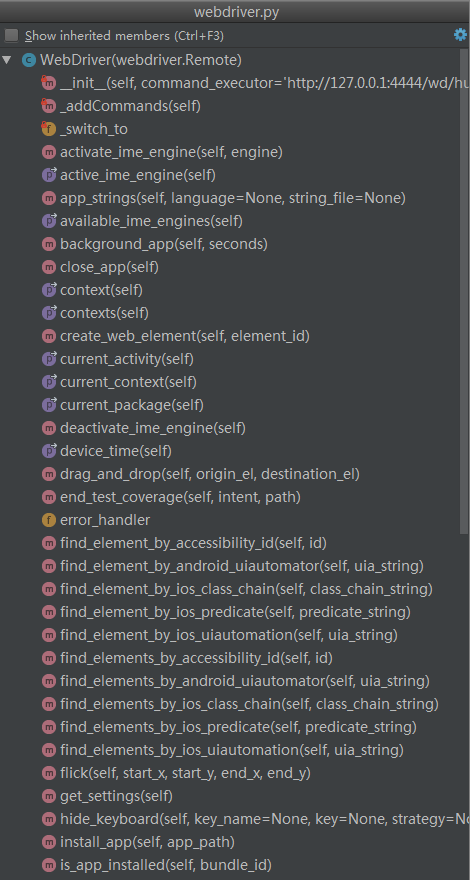
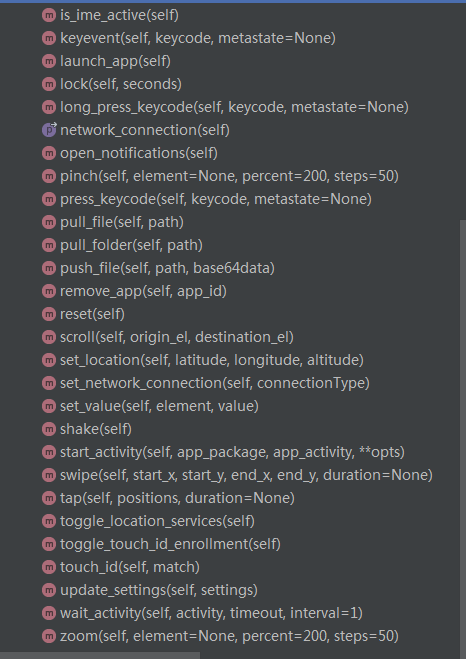
在 \appium\webdriver\webdriver.py ,新增了两个封装好定位安卓元素的方法,如 find_element_by_accessibility_id 与 find_element_by_android_uiautomator
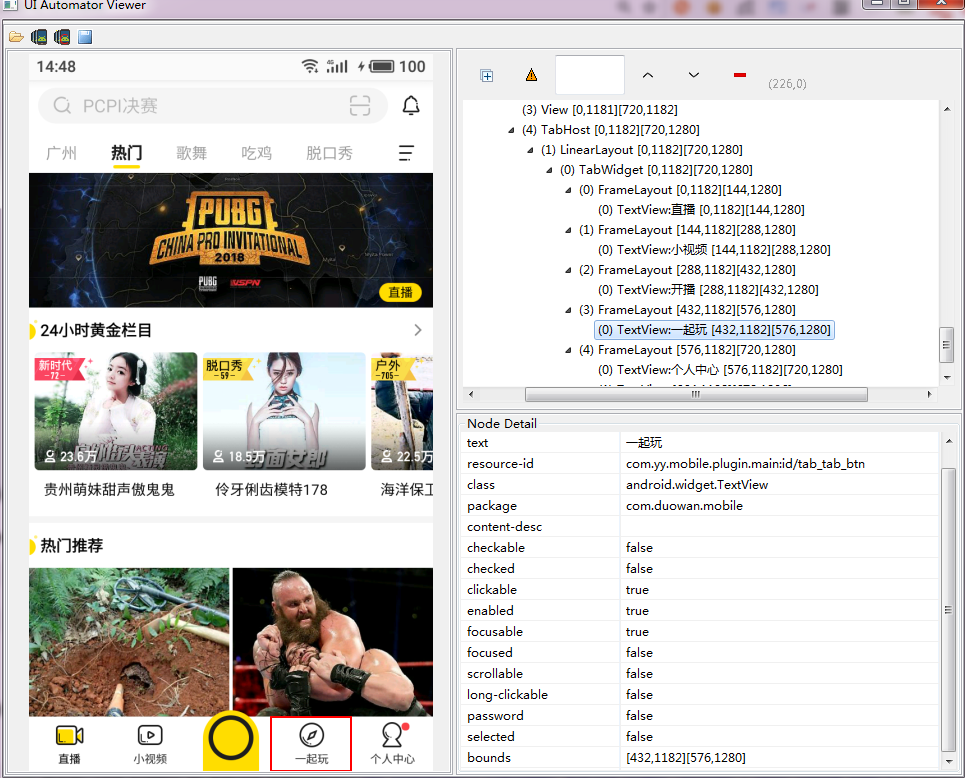
如下图,定位“一起玩”tab页:
一、根据UIAutomator定位元素
    def test_find_element(self):

        self.driver.wait_activity('com.yy.mobile.ui.home.MainActivity',30)

        # text 属性的方法

        el = self.driver.find_element_by_android_uiautomator('new UiSelector().text("一起玩")')

        self.assertIsNotNone(el)

        e2 = self.driver.find_element_by_android_uiautomator('new UiSelector().textContains("起玩")')

        self.assertIsNotNone(e2)

        e3 = self.driver.find_element_by_android_uiautomator('new UiSelector().textStartsWith("一起")')

        self.assertIsNotNone(e3)

        e4 = self.driver.find_element_by_android_uiautomator('new UiSelector().textMatches("^一起.*")')

        self.assertIsNotNone(e4)

        # class属性的方法

        e5 = self.driver.find_element_by_android_uiautomator('new UiSelector().className("android.widget.TextView").text("一起玩")')

        self.assertIsNotNone(e5)

        # resourceId属性的方法

        e6 = self.driver.find_element_by_android_uiautomator('new UiSelector().resourceId("com.yy.mobile.plugin.main:id/tab_tab_btn")')

        self.assertIsNotNone(e6)
二、根据accessibility_id定位
    def find_element_by_accessibility_id(self, id):

        """Finds an element by accessibility id.

        :Args:

         - id - a string corresponding to a recursive element search using the

         Id/Name that the native Accessibility options utilize

        :Usage:

            driver.find_element_by_accessibility_id()

        """

        return self.find_element(by=By.ACCESSIBILITY_ID, value=id)
对于 Android 就是 content-description
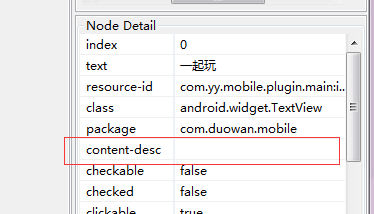
对于 iOS 就是 accessibility identifier
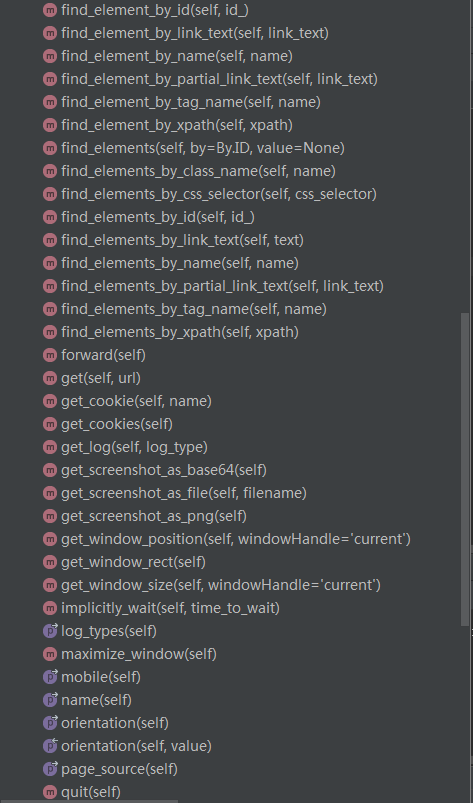
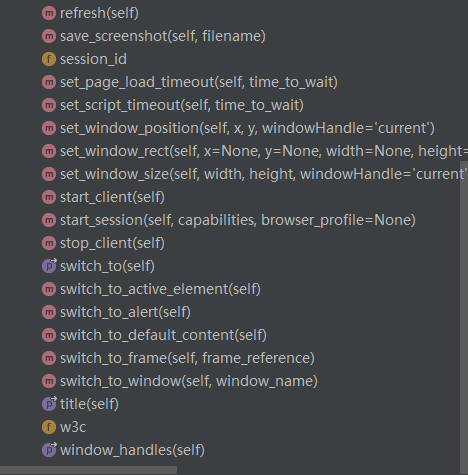
三、看源码可知,Appium 中的Webdriver是Selenium中的webdirver.Remote的子类,所以更多的API,可是在Selenium中寻找

***微信扫一扫,关注“python测试开发圈”,了解更多测试教程!***
Appium 自动化测试(8) -- Appium Python client -- API的更多相关文章
- Python+Appium自动化测试(1)-appium环境搭建
用python+appium做appUI自动化测试,系统为Windows.首先是JDK与Android SDK的安装与环境变量的设置. 一,安装JDK,配置JDK环境变量 1,下载jdk jdk8官网 ...
- Python+Appium自动化测试(2)-appium连接真机启动app
app自动化测试的第一步,是启动被测app.appium环境搭建好后,我们就可以连接真机启动app了.环境为windows,Appium1.18.0,Android手机,被测app为今日头条app,让 ...
- Python+Appium自动化测试(5)-appium元素定位常用方法
对于Android而言,查找appUI界面元素属性的工具有三种:appium desktop,uiautomatorviewer.bat,weditor.之前已经介绍过了weditor的使用,这里我将 ...
- appium自动化测试框架——在python脚本中执行dos命令
一般我们运行dos命令,会有两种需求,一种是需要收集执行结果,如ip.device等:一种是不需要收集结果,如杀死或开启某个服务. 对应的在python中就要封装两种方法,来分别实现这两种需求. 1. ...
- Appium自动化测试教程-自学网-monkeyrunner API
MonkeyRunner API MonkeyRunner工具主要有三个类: MonkeyRunner MonkeyDevice MonkeyImage 官方API文档 :http://www.and ...
- Appium 自动化测试(3)--Appium框架与流程介绍
Appium介绍 Appium是一个移动端的自动化框架,可用于测试原生应用,移动网页应用和混合型应用,且是跨平台的.可用于IOS和Android以及firefox的操作系统.原生的应用是指用andro ...
- Appium 自动化测试(7) -- Appium 服务器初始化参数设置
Desired Capabilities Desired capabilities 是一些发送给 Appium 服务器的键值对集合 (比如 map 或 hash),告诉服务器我们想要启动什么类型的自动 ...
- Python Client API文档
官网文档地址:http://docs.minio.org.cn/docs/master/python-client-api-reference 初使化MinIO Client对象 from minio ...
- Appium 自动化测试(5)-- Appium详细介绍:Appium 手机自动化测试_TesterHome公开版pdf
随机推荐
- 170621、springboot编程之全局异常捕获
1.创建GlobalExceptionHandler.java,在类上注解@ControllerAdvice,在方法上注解@ExceptionHandler(value = Exception.cla ...
- ebay商品基本属性组合成数据表格式,可用上传到系统递交数据
该刊登表设计是利用VB写的,当时因为两个系统的数据不能直接对接,又copy并且组合SKU,一个表格一个表格填写,比较麻烦,还好刊登系统可以允许用excel表格上传数据 所以就下好模板,学了VB语言,在 ...
- CentOS 6.7 配置LVM (逻辑卷管理)
LVM 简介 LVM是逻辑盘卷组管理 (Logical Volume Manager) 的简称. LVM是建立在硬盘和分区之上的一个逻辑层,来提高磁盘分区管理的灵活性,在一定程度上解决普通磁盘分区带来 ...
- django自带权限机制
1. Django权限机制概述 权限机制能够约束用户行为,控制页面的显示内容,也能使API更加安全和灵活:用好权限机制,能让系统更加强大和健壮.因此,基于Django的开发,理清Django权限机制是 ...
- scrapy框架(2)
一.使用scrapy框架发送post请求 1.需求一:使用scrapy发送百度翻译中的ajax请求 创建一个项目,如下目录,修改settings.py文件中的 "ROBOTSTXT_OBEY ...
- mysql 数据操作 多表查询 多表连接查询 内连接
内连接:只连接匹配的行 只取两张表共同的部分,相当于利用where 过滤条件从笛卡尔积结果中筛选出了正确的结果 select * from 左表 inner join 要连接的表 on 条件 #dep ...
- PHP debug_backtrace() 函数打印调用处的调试信息
http://php.net/manual/zh/function.debug-backtrace.php debug_backtrace (PHP 4 >= 4.3.0, PHP 5, PHP ...
- [转]AJAX 跨源 HTTP 请求
转自OSChina, 原文: http://www.oschina.net/translate/ajax-cross-origin-http-request 背景 跨源HTTP请求(也称跨域AJAX请 ...
- Ruby 安装和gem配置
在linux或mac等*unix系统下可以使用rvm来进行ruby的配置和管理. 安装方法 (需要curl) curl -L get.rvm.io | bash -s stable rvm官方网站: ...
- this指向 - 开端
/* 这个主题 主要是为了论述 js 中一个最烦人的问题 --> this 的指向问题 其实,这个 this 到底指向什么,指向谁,查了好多资料.书籍.官文,也没有给出明确的一个结论, 也学这也 ...