
蓝牙实现对等网络连接 <GameKit/GameKit.h>
/*

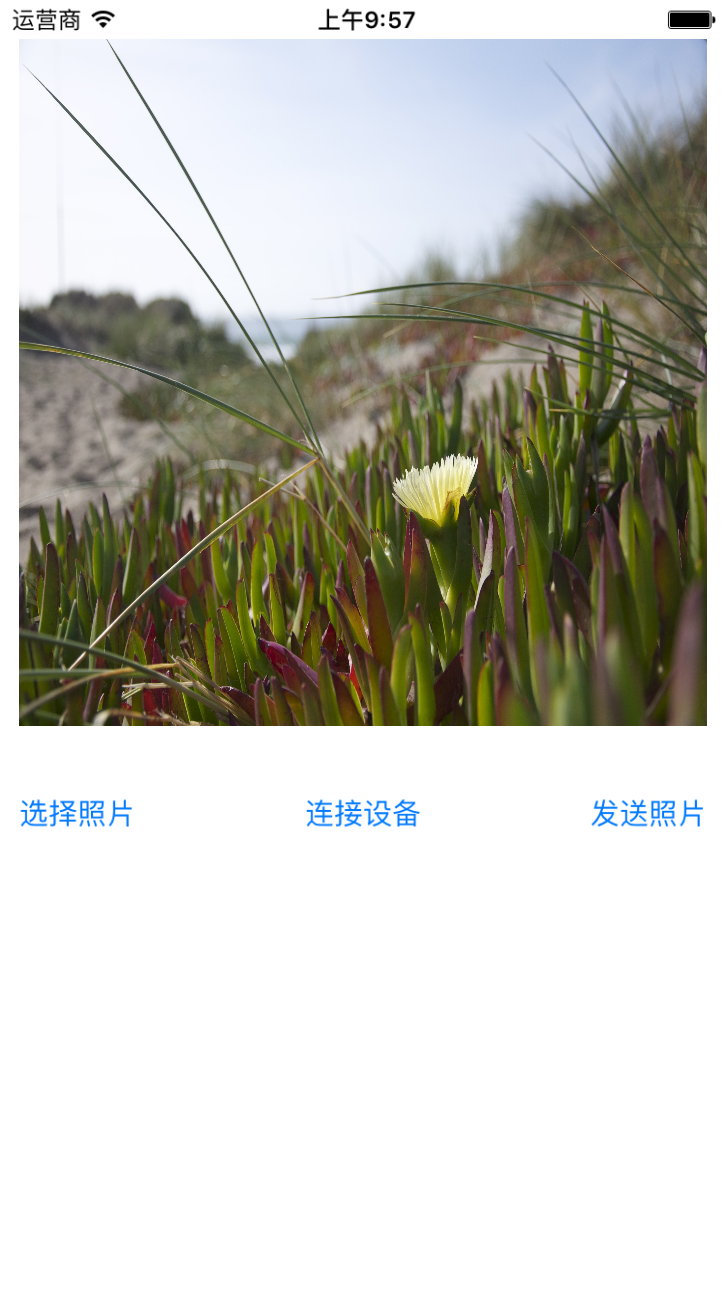
 1.设置UI界面

 2.引入框架

 3.点击选择照片

 4.连接蓝牙设备

 5.实现蓝牙的代理方法

 6.发送照片

 */

#import "ViewController.h"

#import <GameKit/GameKit.h>

@interface ViewController ()<UINavigationControllerDelegate, UIImagePickerControllerDelegate, GKPeerPickerControllerDelegate>

@property (nonatomic, strong) UIImageView *imgView;

@property (nonatomic, strong) UIButton *selectImgBtn;

@property (nonatomic, strong) UIButton *connectionDeviceBtn;

@property (nonatomic, strong) UIButton *sendImgBtn;

@property (nonatomic, strong) GKSession *seccion; // first deprecated in iOS 7.0

@end

@implementation ViewController

- (void)viewDidLoad {

    [super viewDidLoad];

    _imgView = [[UIImageView alloc] initWithFrame:CGRectMake(, , self.view.bounds.size.width - , self.view.bounds.size.width - )];

    _imgView.backgroundColor = [UIColor lightGrayColor];

    [self.view addSubview:_imgView];

    _selectImgBtn = [UIButton buttonWithType:UIButtonTypeSystem];

    _selectImgBtn.frame = CGRectMake(, CGRectGetMaxY(_imgView.frame) + , , );

    [_selectImgBtn setTitle:@"选择照片" forState:UIControlStateNormal];

    [self.view addSubview:_selectImgBtn];

    [_selectImgBtn addTarget:self action:@selector(clickSelectImgBtnAction) forControlEvents:UIControlEventTouchUpInside];

    _connectionDeviceBtn = [UIButton buttonWithType:UIButtonTypeSystem];

    _connectionDeviceBtn.frame = CGRectMake(, , , );

    CGPoint p = CGPointMake(self.view.center.x, _selectImgBtn.center.y);

    _connectionDeviceBtn.center = p;

    [_connectionDeviceBtn setTitle:@"连接设备" forState:UIControlStateNormal];

    [self.view addSubview:_connectionDeviceBtn];

    [_connectionDeviceBtn addTarget:self action:@selector(clickConnectionDeviceBtnAction) forControlEvents:UIControlEventTouchUpInside];

    _sendImgBtn = [UIButton buttonWithType:UIButtonTypeSystem];

    _sendImgBtn.frame = CGRectMake(self.view.bounds.size.width - , CGRectGetMinY(_selectImgBtn.frame), , );

    [_sendImgBtn setTitle:@"发送照片" forState:UIControlStateNormal];

    [self.view addSubview:_sendImgBtn];

    [_sendImgBtn addTarget:self action:@selector(clickSendImgBtnAction) forControlEvents:UIControlEventTouchUpInside];

}

// 选择图片

- (void)clickSelectImgBtnAction {

    // 0.判断照片是否可用

    if (![UIImagePickerController isSourceTypeAvailable:UIImagePickerControllerSourceTypePhotoLibrary]) {

        return;

    }

    // 1.创建控制器

    UIImagePickerController *ipc = [UIImagePickerController new];

    // 2.设置图片源

    ipc.sourceType = UIImagePickerControllerSourceTypePhotoLibrary;

    // 3.设置代理

    ipc.delegate = self;

    // 4.显示控制器

    [self presentViewController:ipc animated:YES completion:nil];

}

// 连接设备

- (void)clickConnectionDeviceBtnAction {

    // 1.创建控制器

    GKPeerPickerController *pic = [GKPeerPickerController new];  // first deprecated in iOS 7.0

    // 2.连接设备获取数据

    pic.delegate = self;

    // 3.显示控制器

    [pic show];

}

// 发送图片

- (void)clickSendImgBtnAction {

    // 0.需要一个data对象,把图片转化成data数据

    // CGFloat compressionQuality 精度,压缩比

    NSData *data = UIImageJPEGRepresentation(self.imgView.image, 0.2);

    // 1.通过session发送数据

    /*

     数据报(数据包,小块)

     GKSendDataReliable, 网络数据发送有误的时候,可以保证消息按照发送的顺序到达

     GKSendDataUnreliable 只发一次

     */

    [self.seccion sendDataToAllPeers:data withDataMode:GKSendDataReliable error:nil]; // first deprecated in iOS 7.0
}

#pragma 相册的代理
- (void)imagePickerController:(UIImagePickerController *)picker didFinishPickingMediaWithInfo:(NSDictionary<NSString *,id> *)info {

  NSLog(@"--info-- = %@", info);
  UIImage *image = info[UIImagePickerControllerOriginalImage];
  _imgView.image = image;
  [picker dismissViewControllerAnimated:YES completion:nil];
}

#pragma mark - GKPeerPickerControllerDelegate
- (void)peerPickerController:(GKPeerPickerController *)picker didConnectPeer:(NSString *)peerID toSession:(GKSession *)session {

  self.seccion = session;

  // 1.设置session会话,Handler(句柄,类似代理)
  [session setDataReceiveHandler:self withContext:nil];

  // 2.控制器的移除
  [picker dismiss];
}

// 从setDataReceiveHandler里面找出来
- (void)receiveData:(NSData *)data formPeer:(NSString *)peer inSession:(GKSession *)session context:(void *)context {

  UIImage *image = [UIImage imageWithData:data];
  _imgView.image = image;
}
蓝牙实现对等网络连接 <GameKit/GameKit.h>的更多相关文章
- wp———跳转系统设置页面的wifi、网络连接、蓝牙、飞行模式等
通过 ConnectionSettingsType 的设置,可以跳转 到 wifi.蓝牙.飞行模式.以及网络连接 其他方案跳转 private async void Button_Click_1(ob ...
- Android Wi-Fi Peer-to-Peer(Android的Wi-Fi P2P对等网络)
Wi-Fi peer-to-peer(P2P,对等网络),它同意具备对应硬件的Android 4.0(API level 14)或者更高版本号的设备能够直接通过wifi而不须要其他中间中转节点就能直接 ...
- MMORPG大型游戏设计与开发(服务器 游戏场景 掉落与网络连接)
时间一点点的消逝,伴着自己空闲日子将要结束的时候我尽量的学习和分享场景和AI的知识给朋友们,不过很遗憾的是这些文章还有不足的地方,就是有的难点没有完全的分析到.掉落在游戏中必不可少的,同时网络连接也是 ...
- VMware Workstation中网络连接之桥接、NAT和Host-only
在Windows XP系统中,安装好VMware Workstation虚拟机软件以后,我们可以查看一下"网络连接"窗口: 在窗口中多出了两块网卡: VMware Network ...
- [转]VMware Workstation网络连接的三种模式
经常要使用VMWare Workstation来在本地测试不同的操作系统,以前也搞不清楚网络连接三种模式,最近看了几篇文章才算明白.现总结如下: 1. VMware Workstation的虚拟网络组 ...
- openstack(liberty): 简单网络连接图
openstack起初的网络部分是和计算核心nova合在一起的,后来被拆分出来,独立成为一个模块, 现在名为Neutron. 本博文是学习记录,记录的是基于GRE tunnel技术的neutron和计 ...
- Win7+VMware Workstation环境下的CentOS-Linux网络连接设置
Win7+VMware Workstation环境下的CentOS-Linux网络连接设置 http://blog.sciencenet.cn/blog-430991-507041.html 近日 ...
- iOS 如何判断当前网络连接状态 网络是否正常 网络是否可用
网络资源:出处http://blog.csdn.net/mad1989/article/details/8987368 众所周知,我们在开发APP时,涉及网络连接的时候,都会想着提前判断一下当前的 ...
- linux虚拟机网络连接模式 bridged, host-only, NAT
最近安装了fedora9.0,却一直不能连接到外网,我用的是3G无线网卡上网的,起初以为是linux不支持3G无线方式的,可后来装了虚拟机ubuntu却可以上网,在后来用有ADSL网络连接的电脑安装f ...
随机推荐
- Java 获取当前时间距离当天凌晨的秒数
原文出自:https://blog.csdn.net/seesun2012 在前期项目中遇到一个客户端与服务器间的时间同步问题,需要获取到当前时间与当天凌晨时间距离的秒数,写这篇文章主要是为了总结一下 ...
- node.js之forEach
forEach用法: var array1=[1,2,3]; array1.forEach(function(item,index){ console.log(item+'---'+index); } ...
- Angular6路由复用与延迟加载的冲突解决——看看有备无患
结论: 结论放最上面,送给匆匆查资料的你: 同时使用延迟加载 + 路由复用,一定不能使用route.routeConfig.path做key去缓存,否则会死得难看. 经实测(我没有完全去解读源代码 ...
- 探寻hashmap
Hashmap源码 1. 构造器: a)获得默认数组大小:1>>4 :16 b) 获得负载因子:0.75:衡量hashmap的空间使用程度 i.过大:使用空间更加充分,但是查找效率变低, ...
- The nineteenth day
Twinkle,twinkle,little start! 闪烁,闪烁,小星星 How I wonder what you are, 我想知道你是什么 Up above the world so hi ...
- 如何在web.config文件中配置Session变量的生命周期
实例说明:在网上购物商城中,为了维护在线购物环境,一般只有注册会员才可以购买商品.实现购物功能时,先通过Session变量记录会员的登录名,然后在购买商品页面通过判断会员是否登录确定其能否购买商品. ...
- Azure 11 月新公布
Azure 11 月新发布:Apple FairPlay Streaming, 应用服务(App Service), 虚拟机规模集(VMSS) Azure 媒体服务的 Apple FairPlay S ...
- SVN:验证位置时发生错误解决方案
1. 2. 3.preferencens > svn >svn接口-选择SVNKit(Pure Java)设置后,再引用svn路径后,直接弹出输入用户名和密码就对了. 4.
- 诊断GRID无法启动问题
诊断 Grid Infrastructure 启动问题 (文档 ID 1623340.1)
- wmware共享磁盘redhat 5.8挂载问题
需要修改参数vi /etc/sysconfig/selinux将SELINUX=enforcing改为SELINUX=disabled,这样重启服务器则不会启动selinux服务 不然重启虚拟机后共享 ...