
【代码笔记】iOS-UITextField设置placeholder颜色
一,效果图。
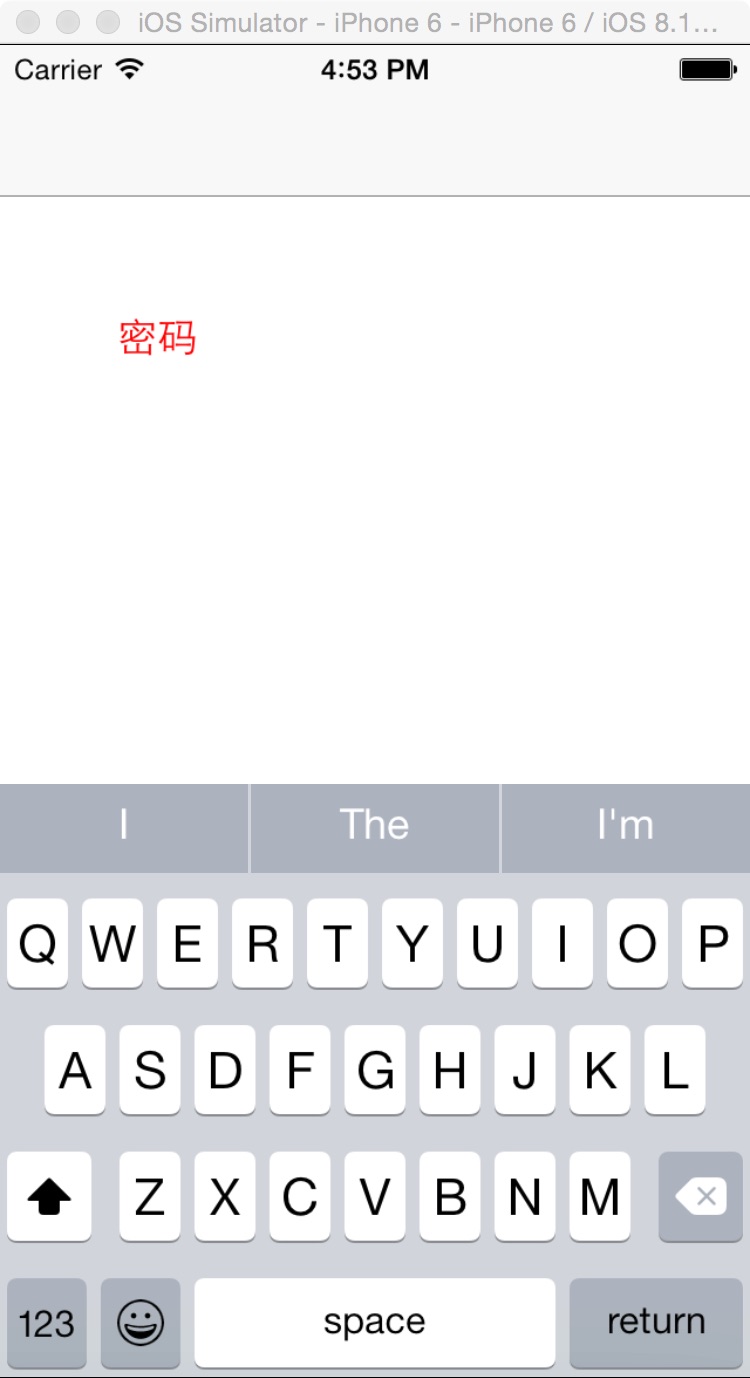
二,工程图。

三,代码。
RootViewController.h
#import <UIKit/UIKit.h>

@interface RootViewController : UIViewController

<UITextFieldDelegate>

@end
RootViewController.m

#import "RootViewController.h"

@interface RootViewController ()

@end

@implementation RootViewController

- (id)initWithNibName:(NSString *)nibNameOrNil bundle:(NSBundle *)nibBundleOrNil

{

    self = [super initWithNibName:nibNameOrNil bundle:nibBundleOrNil];

    if (self) {

        // Custom initialization

    }

    return self;

}

- (void)viewDidLoad

{

    [super viewDidLoad];

    // Do any additional setup after loading the view.

    UITextField *textField=[[UITextField alloc]initWithFrame:CGRectMake(50, 100, 200, 50)];

    //UITextField设置placeholder颜色

    UIColor *color = [UIColor redColor];

    textField.attributedPlaceholder = [[NSAttributedString alloc] initWithString:@"密码" attributes:@{NSForegroundColorAttributeName: color}];

    textField.delegate=self;

    [self.view addSubview:textField];

}
【代码笔记】iOS-UITextField设置placeholder颜色的更多相关文章
- iOS UITextField设置placeholder颜色
设置UITextField的placeholder颜色 UIColor *color = [UIColor blackColor]; textField.attributedPlaceholder = ...
- UITextfield设置Placeholder颜色 控件 内边距、自适应高度
//创建UITextField对象 UITextField * tf=[[UITextField alloc]init]; //设置Placeholder颜色 [text setAttribut ...
- iOS UITextField更改placeholder颜色
[_textField setValue:COLOR_PLACEHOLDER forKeyPath:@"_placeholderLabel.textColor"];
- iOS-改变UITextField的Placeholder颜色的三种方式
转自:http://blog.csdn.net/mazy_ma/article/details/51775670 有时,UITextField自带的Placeholder的颜色太浅或者不满足需求,所以 ...
- UITextView模拟UITextField 设置Placeholder属性 --董鑫
由于最近有用到输入框,刚开始考虑的是UITextField,因为它在没有输入的时候可以有提示的Placeholder更能,很人性化,但UITextField只能单行输入,不能跳行,对于一些强迫症的亲来 ...
- iOS学习-UITextField设置placeholder的颜色
UITextField *text = [[UITextField alloc] initWithFrame:CGRectMake(, , , )]; text.borderStyle = UITex ...
- UITextField 设置 placeholder 的字体颜色方法
p.p1 { margin: 0.0px 0.0px 0.0px 0.0px; font: 18.0px Helvetica; color: #ff2608 } [_textField setValu ...
- 【代码笔记】iOS-16进制颜色与UIColor互转
一,效果图 二,工程目录. 三,代码 RootViewController.m - (void)viewDidLoad { [super viewDidLoad]; // Do any additio ...
- 【代码笔记】iOS-UIView的placeholder的效果
一,效果图. 二,工程图. 三,代码. RootViewController.h #import <UIKit/UIKit.h> @interface RootViewController ...
随机推荐
- JS验证控件jQuery Validate
jQuery Validate 插件为表单提供了强大的验证功能,让客户端表单验证变得更简单,同时提供了大量的定制选项,满足应用程序各种需求.该插件捆绑了一套有用的验证方法,包括 URL 和电子邮件验证 ...
- jQuery.unique引发一个血案
项目开发过程中,PM说系统只要在一个特定的浏览器中运行就好,但是在其他的浏览器中不能出现逻辑的错误,所以在开发过程中,前端和后台选择是Chrome浏览器,没有仔细测试Firefox和IE.但是昨天PM ...
- SQL Server 隐式转换引发的躺枪死锁-程序员需知
在SQL Server的应用开发过程(尤其是二次开发)中可能由于开发人员对表的结构不够了解,造成开发过程中使用了不合理的方式造成数据库引擎未按预定执行,以致影响业务.这是非常值得注意的.这次为大家介绍 ...
- 云计算之路-阿里云上:从ASP.NET线程角度对“黑色30秒”问题的全新分析
在这篇博文中,我们抛开对阿里云的怀疑,完全从ASP.NET的角度进行分析,看能不能找到针对问题现象的更合理的解释. “黑色30秒”问题现象的主要特征是:排队的请求(Requests Queued)突增 ...
- 微软消息分析器(Microsoft Message Analyzer )更新至1.2版-2015-1-20
就在刚才,收到了微软Connect的邮件推送,大名鼎鼎的微软消息分析器更新至1.2版,并且有公众下载链接,大家可以在这里进行下载. 这里简单摘录一下博客里面提到的新版所增加的功能与功能的改进方面. G ...
- 数据结构:C_链表队列的实现
数据结构链表形式队列的实现(C语言版) 1.写在前面 队列是一种和栈相反的,遵循先进先出原则的线性表. 本代码是严蔚敏教授的数据结构书上面的伪代码的C语言实现代码. 分解代码没有包含在内的代码如下: ...
- 1.Java网络编程之概述
黑马程序员_毕向东_Java基础视频教程第23天-01-网络编程(概述)学习笔记 网络通讯三要素: 1.IP地址 I.网络中设备的标识 II.不易记忆,可用主机名 www 万维网组织,baidu主机 ...
- C# 异步操作 async await
在编程的过程中,我们会遇到很多需要异步操作的场景.比如要下载一个文件,如果使用同步的方式进行下载,那么UI操作就会被卡住,这时最好能够使用异步的方式进行下载.在C#中,很早就开始支持异步的操作了,只不 ...
- 详解SQLServer 存储过程
Sql Server的存储过程是一个被命名的存储在服务器上的Transacation-Sql语句集合,是封装重复性工作的一种方法,它支持用户声明的变量.条件执行和其他强大的编程功能. 存储过程相对于其 ...
- os模块汇总
os.name 输出字符串指示正在使用的平台.如果是window 则用'nt'表示,对于Linux/Unix用户,它是'posix'. os.getcwd() 函数得到当前Python脚本工作的目录路 ...