
emulator: ERROR: x86 emulation currently requires hardware acceleration!
emulator: ERROR: x86 emulation currently requires hardware acceleration!Please ensure Intel is properly installed and usable.CPU acceleration status: HAX keHAXMrnel module is not installed!
Android Studio 1.0 已经放出来了,以后的Android平台开发激昂逐步从Eclipse向Android Studio迁移,为了能不落伍我也特意从Google下载了Android Studio的安装包,并且兴高采烈地创建了我的第一个android项目。但是当运行的时候就他么悲催了。
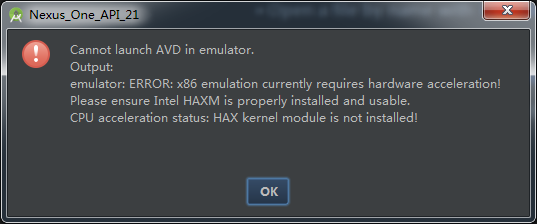

emulator: ERROR: x86 emulation currently requires hardware acceleration!

Please ensure Intel HAXM is properly installed and usable.

CPU acceleration status: HAX kernel module is not installed!
妈 妈的,模拟器居然启动不起来!
随随便便扔出这样一段话就了事!我就是想开一下模拟器用得着这样子对我吗?
好吧谁让我特能忍呢,迁移的路注定不会一帆风顺。报错信息告诉我说是 HAXM没有开,可是“HAXM”到底是什么呀?
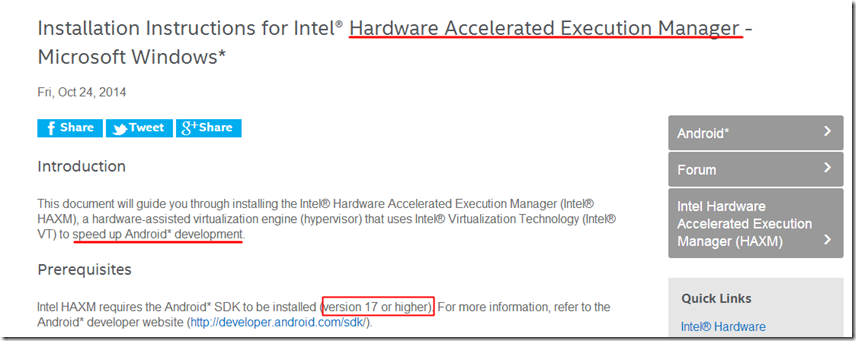
这是Inter官网告诉我的,作用是管理硬件加速的,估计是用了这个东西模拟器就能告别Eclipse时代的龟速。
你也可以在Inter官网下载这个HAXM,当然Android SDK已经集成了这个软件,你需要做的就是找到他,然后安装它就是了。
他的位置放在这个目录下:
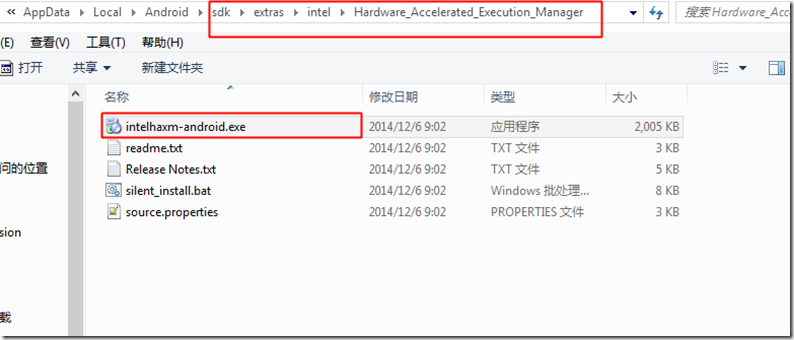
当然你的位置可能会不一样,如果找不到就没必要死磕开发了。
如果问题就这样解决了,那也太小儿科了吧;当我双击安装,问题又来了:
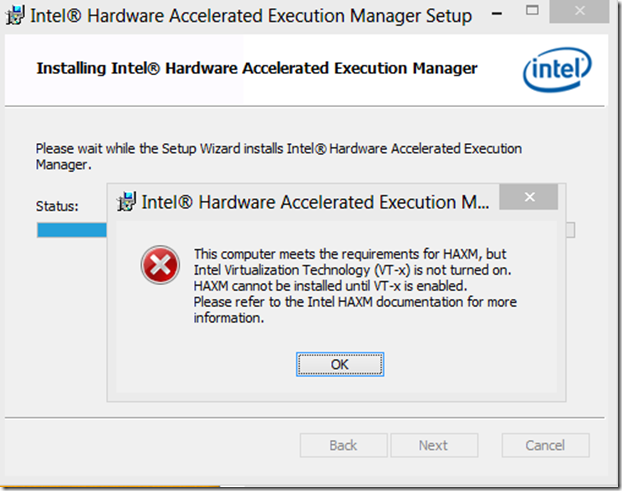
this computer meets the requirements for haxm but intel virtualization technology(VT-x) is not turned onHAXM cannot be installed until VT-x is enable
please refer to the intel HAXM documentation for more information
好吧,继续寻求帮助Inter官方的教程有这样一段话:连接地址:https://software.intel.com/en-us/android/articles/installation-instructions-for-intel-hardware-accelerated-execution-manager-windows
Intel VT-x not enabled
In some cases, Intel VT-x may be disabled in the system BIOS and must be enabled within the BIOS setup utility. To access the BIOS setup utility, a key must be pressed during the computer’s boot sequence. This key is dependent on which BIOS is used but it is typically the F2, Delete, or Esc key. Within the BIOS setup utility, Intel VT may be identified by the terms "VT", "Virtualization Technology", or "VT-d." Make sure to enable all of the Virtualization features.
意思是如果安装失败了,那多半是BIOS里面的“Virtualization Technology”选项没有打开,去BIOS里面打开就可以了。

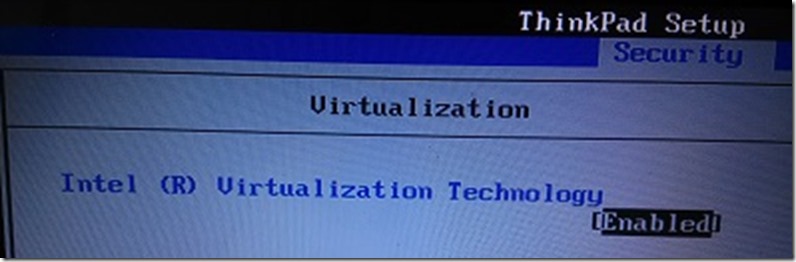
重新启动安装,就成功了!
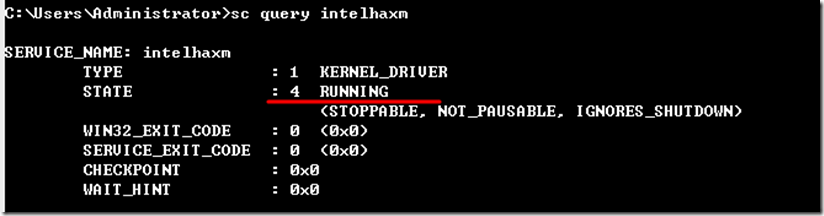
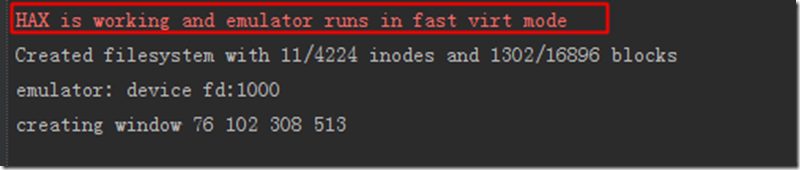
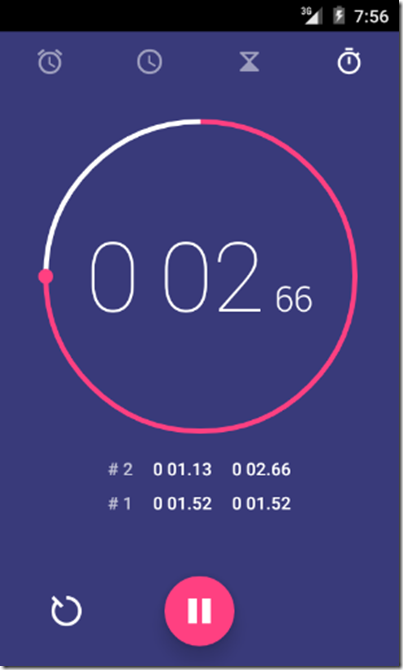
让我们看看Android 5.0炫酷的界面吧:
这是网上找的方法,但是我的BIOS里找不到TV的设置?估计是我的不支持TV
emulator: ERROR: x86 emulation currently requires hardware acceleration!的更多相关文章
- 运行android模拟器,emulator: ERROR: x86 emulation currently requires hardware acceleration!
运行android模拟器,emulator: ERROR: x86 emulation currently requires hardware acceleration! 问题: 运行android模 ...
- emulator: ERROR: x86 emulation currently requires hardware acceleration!Please ensure Intel HAXM is properly installed and usable.CPU acceleration status: HAX kernel module is not installed!
Android Studio 1.0 已经放出来了,以后的Android平台开发激昂逐步从Eclipse向Android Studio迁移,为了能不落伍我也特意从Google下载了Android St ...
- android ------ Emulator: error: x86 emulation currently requires hardware acceleration
我创建 Android 模拟器,运行项目时出现了一个这样的错误: 如下: emulator ERROR:x86 emulation currently requires hardware accele ...
- Android Studio3.1.2运行模拟器出错Emulator:emulator:ERROR:x86 emulation currently requires hardware acceleration!
出错截图如下所示: 解决方法: 由于我是已经解决了这个问题,安装了Intel x86 Emulator Accelerator,所以显示后面显示的是 Installed,如果报错和我贴的图一样,就可以 ...
- andriod studio报错 Emulator: emulator: ERROR: x86 emulation currently requires hardware acceleration! Emulator: Process finished with exit code 1
安装即可,再次运行svd,成功
- Android Studio ERROR: x86 emulation currently requires hardware acceleration!报错解决傻瓜教程~
很早之前就碰到过Android Studio模拟器无法启动的问题,今天终于尝试去解决了下,下面将我解决的方法记录下. 模拟器报错信息为: emulator: ERROR: x86 emulation ...
- 启动安卓模拟器报错 emulator: ERROR: x86_64 emulation currently requires hardware acceleration! CPU acceleration status:HAXM must be updated(version 1.1.1<6.0.1) 解决办法
启动安卓模拟器报错 emulator: ERROR: x86_64 emulation currently requires hardware acceleration! CPU accelerat ...
- Android AVD启动报错:emulator: ERROR: x86_64 emulation currently requires hardware acceleration! Please ensure Intel HAXM is properly installed and usable.
打开Android SDK manager查看安装发现HAXM在windows上无法安装 可以去 http://www.androiddevtools.cn/index.html 下载 Android ...
- Android Studio 模拟器无法打开 emulator: ERROR: x86 emulation currently requires hardware
首先要打开SDK的下载位置,找到以下陌路: android-sdk\extras\intel\Hardware_Accelerated_Execution_Manager\IntelHaxm.exe ...
随机推荐
- 【Xamarin报错】visual studio android 模拟器部署卡住
模拟器启动成功,但是部署一直等待中,没有反应. 1>Starting deploy 5" KitKat (4.4) XXHDPI Phone ...1>Starting emul ...
- PHP 常见语法 集合
1.die()与exit()的真正区别 die 为 exit 的别名, 执行过程 将释放内存,停止代码执行 echo "begin exec <br/>"; show( ...
- Arcgis10.2 破解注意问题
Arcgis10.2 破解注意问题 2014年11月17日 20:22 按照网上教程直接替换service.txt和arcgis.exe之后 需要重新启动license服务 可是无法启动 解决办法 修 ...
- 【eoe 6】ActionBar的使用
一. Action Bar 一般位于屏幕顶部,包括四个可操作区域: 应用图标或LOGO区域,用于视图控制的Spinner下拉菜单或TAB控件区域, Action button(也称为Action It ...
- Android View自动生成插件
在ButterKnife这样强大的注入库出来之后,使用注入进行UI开发已经非常普遍.但考虑到效率.学习成本等问题,findViewById方式仍然是不错的选择. 但是当页面UI变得复杂后,我们从Lay ...
- Ruby on Rails 和 J2EE:两者能否共存?
http://www.ibm.com/developerworks/cn/java/wa-rubyonrails/
- 又是一个小正则replace
var a = "http://www.xx.com?id=111&-deb"; var b = "http://www.xx.com?-deb&id=1 ...
- 解决 Tomcat 无法绑定 80 端口的问题,以及 Tomcat 配置虚拟目录、二级域名等
问题 今天安装完 Tomcat,安装时把 Tomcat 默认的 HTTP/1.1 Connector Port 从 8080 改为了 7080,启动 Tomcat,在浏览器中输入 Http://loc ...
- sass调试--页面看到sass文件而不是css文件问题
在浏览器页面有时看到sass文件而不是css文件问题,其主要由于sass开启了source-map(调试)功能,问题如下图: sass调试 sass调试需要开启编译时输出调试信息和浏览器调试功能,两者 ...
- bootstrap插件学习-bootstrap.tooltip.js
先看bootstrap-tooltip.js的结构 var Tooltip = function ( element, options ){} // 构造器 Tooltip.prototype ={} ...