
得到windows聚焦图片(windows 10)
有些Windows聚焦图片确实很漂亮,很希望保留下来,但是Windows聚焦图片总更好,网上有得到聚焦图片的方法,每次都手动去弄真麻烦,于是自己编了一个小程序,自动得到Windows聚焦图片,下面是运行这个小程序得到Windows聚焦图片的效果!
小工具以及源码下载:http://download.csdn.net/detail/sunylat/9741756
解压缩下载文件后,小工具在解压缩后的文件夹中:“Win32\Debug”,文件名:“Project1.exe”。
运行效果截图:
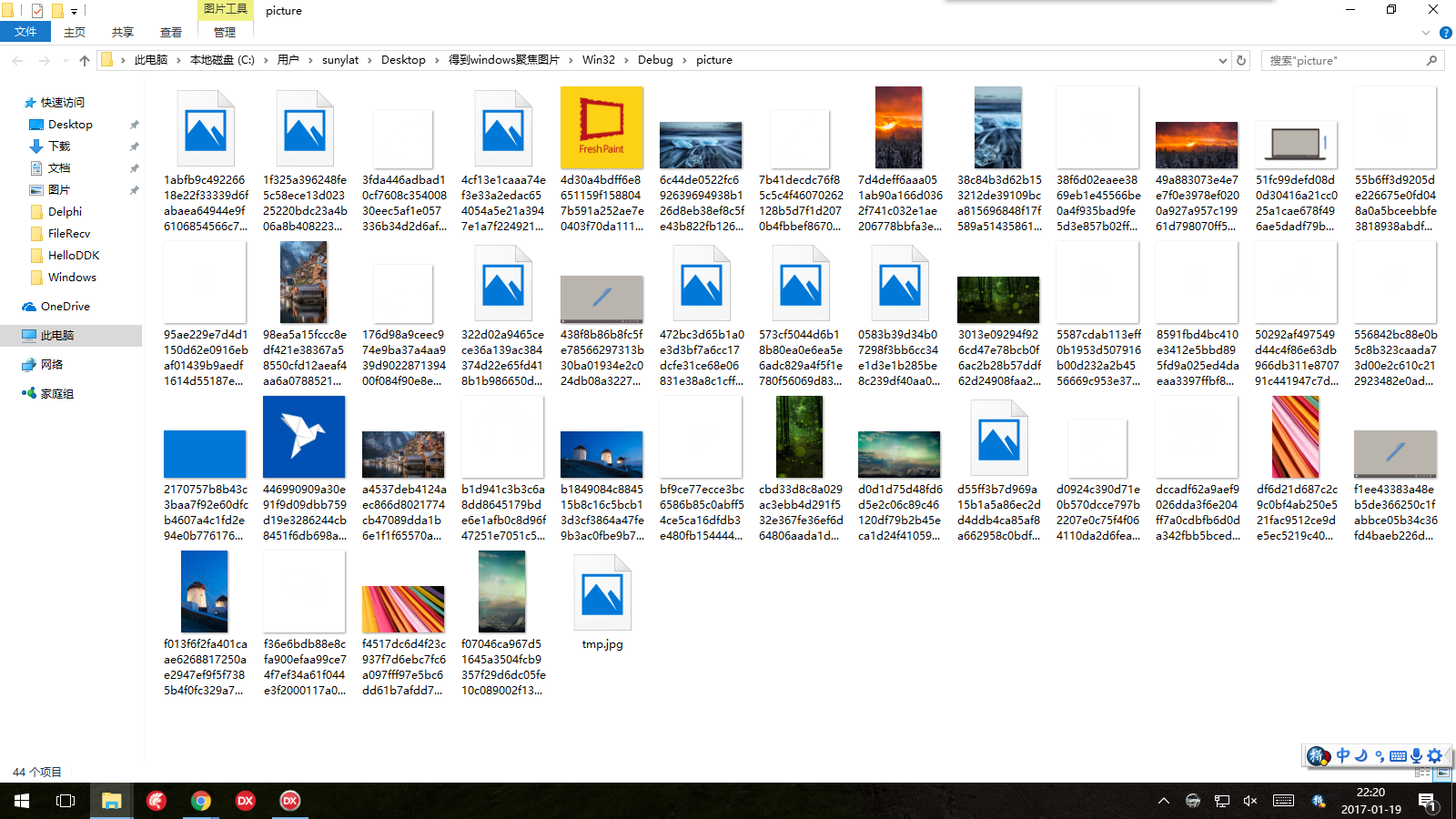
我用这个小工具保存下来的Windows聚焦图片:

全部源码:
unit Unit1;

interface

uses

  Winapi.Windows, Winapi.Messages, System.SysUtils, System.Variants,

  System.Classes, Vcl.Graphics,

  Vcl.Controls, Vcl.Forms, Vcl.Dialogs, Vcl.StdCtrls, Vcl.ExtCtrls;

type

  TForm2 = class(TForm)

    Panel1: TPanel;

    Panel2: TPanel;

    clearLogBtn: TButton;

    logMemo: TMemo;

    Splitter1: TSplitter;

    Panel3: TPanel;

    Button2: TButton;

    procedure clearLogBtnClick(Sender: TObject);

    procedure Button2Click(Sender: TObject);

    procedure FormCreate(Sender: TObject);

  private

    { Private declarations }

    // 得到特殊目录

    function GetSpecialDir(SpecialDirID: Integer): string;

    // 得到用户目录

    function GetAppdataLocal: string;

    //重命名所有文件扩展名

    procedure Rename(filePath: string);

  public

    { Public declarations }

    procedure MyLog(tempLog: string); // log方法

  end;

var

  Form2: TForm2;

  logInfo: string; // log信息

implementation

{$R *.dfm}

uses

  ShlObj, {GetSpecialDir用单元}

  System.IOUtils,

  shellapi;

procedure TForm2.Button2Click(Sender: TObject);

const

  pictureDir =

    '\Packages\Microsoft.Windows.ContentDeliveryManager_cw5n1h2txyewy\LocalState\Assets';

var

  picturePath: string;

  pictureTempPath: string;

begin

  //windows聚焦图片存放目录

  picturePath := self.GetAppdataLocal + pictureDir;

  //存放得到图片的目录

  pictureTempPath := ExtractFilePath(paramstr()) + 'picture';

  //删除先前处理图片的目录

  if TDirectory.Exists(pictureTempPath) = true then

  begin

    TDirectory.Delete(pictureTempPath,true);

  end;

  //拷贝windows聚焦图片到临时目录

  TDirectory.Copy(picturePath, pictureTempPath);

  //如果临时存放图片目录不为空,则继续处理

  if TDirectory.IsEmpty(pictureTempPath) = false then

  begin

    //重命名所有文件为扩展名是"jpg"的图片类型文件

    self.Rename(pictureTempPath);

    //打开存放图片目录

    ShellExecute(Handle, 'open', 'Explorer.exe', PChar(pictureTempPath), nil,

      SW_NORMAL);

  end;

 end;

procedure TForm2.clearLogBtnClick(Sender: TObject);

begin

  logMemo.Clear;

end;

procedure TForm2.FormCreate(Sender: TObject);

begin

end;

// log方法

procedure TForm2.MyLog(tempLog: string);

var

  temp: string;

  oldLog: string;

begin

  if Trim(tempLog) <> '' then

  begin

    oldLog := Trim(logMemo.Text);

    logMemo.Clear;

    temp := FormatDateTime('yyyy-mm-dd hh:mm:ss', now) + ' ' + Trim(tempLog);

    if oldLog = '' then

    begin

      logMemo.Lines.Add(temp);

      logMemo.Lines.Add('');

    end

    else

    begin

      logMemo.Lines.Add(temp);

      logMemo.Lines.Add('');

      logMemo.Lines.Add(oldLog);

    end;

  end;

end;

// 得到特殊目录

function TForm2.GetSpecialDir(SpecialDirID: Integer): string;

var

  pidl: PItemIDList;

  Path: array [ .. MAX_PATH] of Char;

begin

  SHGetSpecialFolderLocation(, SpecialDirID, pidl);

  SHGetPathFromIDList(pidl, Path);

  Result := Path;

end;

// 得到用户目录

function TForm2.GetAppdataLocal: string;

begin

  Result := GetSpecialDir(CSIDL_LOCAL_APPDATA);

end;

procedure TForm2.Rename(filePath: string);

const

  batFile = 'tmp.cmd'; // 保存各种要执行命令的bat文件名

var

  tempList: TStringList;

begin

  try

    // 进入当前目录

    ChDir(filePath);

    tempList := TStringList.Create;

    with tempList do

    begin

      Add('ren *.* *.jpg');

      Add('del ' + batFile);

      SaveToFile(batFile);

      SaveToFile(batFile);

    end;

  finally

    tempList.Free;

    // 执行bat文件

    WinExec(batFile, SW_HIDE);

  end;

end;

end.
参考:http://www.iplaysoft.com/save-win10-spotlight-wallpapers.html
得到windows聚焦图片(windows 10)的更多相关文章
- 使用 Python 获取 Windows 聚焦图片
Windows 聚焦图片会定期更新,拿来做壁纸不错,它的目录是: %localappdata%\Packages\Microsoft.Windows.ContentDeliveryManager_cw ...
- windows聚焦图片文件重命名bash脚本
win10聚焦路径为: %localappdata%\Packages\Microsoft.Windows.ContentDeliveryManager_cw5n1h2txyewy\LocalStat ...
- Windows聚焦转为图片
1.windows聚焦图片目录路径: C:\Users\Er\AppData\Local\Packages\Microsoft.Windows.ContentDeliveryManager_cw5n1 ...
- 如何获得Windows聚焦壁纸0726
Windows聚焦壁纸缓存位置,绿色部分是你的用户名: (1)找到之后,一般是大于100K的 (2)将图片复制到另一个文件夹img,要用到路径 (3)在改文件夹下新建一个txt; txt文档里写:re ...
- Windows 聚焦的锁屏壁纸设置为桌面壁纸
需求: Windows的锁屏壁纸偶尔遇到非常喜欢的壁纸,想设置为桌面壁纸. 步骤如下: 1. “Windows 聚焦”的锁屏壁纸都保存在隐藏文件夹 --- Assets里. a. 打开“资源管理器 b ...
- Windows聚焦失效问题的解决办法
1. 设置Windows聚焦 步骤:任务栏右键 → 任务栏设置 → 锁屏界面 → 背景选择Windows聚焦 2. 解决Windows聚焦失效问题 设置完Windows聚焦之后,锁屏界面却没有变. 尝 ...
- Windows Phone开发(10):常用控件(上)
原文:Windows Phone开发(10):常用控件(上) Windows Phone的控件有几个来源,和传统的桌面应用程序开发或Web开发一样,有默认提供的控件和第三方开者发布的控件.一般而言,如 ...
- 重新想象 Windows 8 Store Apps (10) - 控件之 ScrollViewer 特性: Chaining, Rail, Inertia, Snap, Zoom
原文:重新想象 Windows 8 Store Apps (10) - 控件之 ScrollViewer 特性: Chaining, Rail, Inertia, Snap, Zoom [源码下载] ...
- 使用“万能数据库查询分析器”的Windows 7、Windows 8、Windows 10的用户须知
与以前的Windows操作系统版本(包括WinXP/VISTA/Windows2000/WindowsNt/Win98)不同,Windows 7.Windows 8.Windows 10短日期采用的分 ...
随机推荐
- MySQL 主从同步失败,数据表修复
问题描述: 接到报警称一台 MySQL 从库同步失败.登录服务器查看错误日志信息如下: Last_Error: Error 'Incorrect key file for table './bfcc/ ...
- MySQL内置功能之视图、触发器和存储过程
主要内容: 一.视图 二.触发器 三.存储过程 1️⃣ 视图 一.关于视图的理解 1.1.何谓视图? 视图是一个虚拟表(非真实存在),其本质是[根据SQL语句获取动态的数据集,并为其命名], 用户使 ...
- 使用AddressSanitizer做内存分析(一)——入门篇
使用AddressSanitizer做内存分析 新建文件mem_leak.cpp,键入代码: #include <iostream> int main() { ]; p = NULL; ; ...
- 使用vue-cli创建一个vue项目
安装vue-cli npm install -g @vue/cli 1, 使用vue创建一个项目 vue create luffy 2, 安装所需的插件 npm install vue-router ...
- eclipse+hbase开发环境部署
一.前言 1. 前提 因为hbase的运行模式是伪分布式,需要用到hdfs,所以在此之前,我已经完成了hadoop-eclipse的开发环境搭建,详细看另一篇文章:hadoop开发环境部署——通过ec ...
- p1429 平面最近点对(加强版)
传送门 分析 我们可以枚举每一个点算它的最近点 估价函数应该分为3种情况计算: 大于max,小于min,位于min和max之间 代码 #include<iostream> #include ...
- Linux网络配置之虚拟网卡的配置(ubuntu 16.04)
关于图形界面的配置,我这里就不多介绍了,这个很简单.这里介绍的是如何通过修改配置文件来实现虚拟网卡. 首先介绍ubuntu(我这里使用的是ubuntu-16.04)下虚拟网卡的配置 1.先用ifcon ...
- YII2 rules 规则验证器
[['code','name'],'trim'], ['code','string','max'=>4], [['code','name','status'], 'required'], ['e ...
- xampp 添加ssl 访问
编辑php.ini 文件,找到 “;extension=php_openssl.dll” (去掉前面的;号注释) <VirtualHost *:8090> DocumentRoot &qu ...
- Dubbo的配置及启动
Tomcat+Dubbo安装 1.将tomcat的webapps目录下的所有文件清空,讲Dubbo管理控制台的程序dubbo-admin-2.5.3.war放 到webapps中,并且解压命名为ROO ...