
Centos7上安装、破解bamboo6.0.3
1、下载bamboo安装包,地址:https://www.atlassian.com/software/bamboo/download?_ga=2.65378349.245489969.1512876945-1569392796.1512635383(选择tar.gz)
2、服务器上安装jdk1.8
3、在一个较大的分区下,新建一个文件夹,例如/home/CI-new,将安装包拷贝到该文件夹下,并解压。
[root@host---- ~]# cd /home/CI-new/

[root@host---- CI-new]# ls

atlassian-bamboo-6.0..tar.gz

[root@host---- CI-new]# tar -xvzf atlassian-bamboo-6.0..tar.gz

[root@host---- CI-new]# ls

atlassian-bamboo-6.0.  atlassian-bamboo-6.0..tar.gz
4、/home/CI-new文件夹下新建一个bamboo_home文件夹
[root@host---- CI-new]# mkdir bamboo_home

[root@host---- CI-new]# ls

atlassian-bamboo-6.0.  atlassian-bamboo-6.0..tar.gz  bamboo_home

[root@host---- CI-new]# cd bamboo_home/

[root@host---- bamboo_home]# pwd

/home/CI-new/bamboo_home

[root@host---- bamboo_home]#
5、拷贝atlassian-extras-decoder-v2-3.3.0.jar(链接:https://pan.baidu.com/s/1a0NJl58cF4JKu4T01fIDXA 密码:nfdy)到/home/CI-new/atlassian-bamboo-6.0.3/atlassian-bamboo/WEB-INF/lib文件夹下,覆盖原始的jar包(破解需要)
6、编辑配置文件,配置bamboo-home(第四步中创建的文件夹路径)
[root@host---- ~]# cat /home/CI-new/atlassian-bamboo-6.0./atlassian-bamboo/WEB-INF/classes/bamboo-init.properties

## You can specify your bamboo.home property here or in your system environment variables.

bamboo.home=/home/CI-new/bamboo_home
7、编辑配置文件,配置bamboo服务端口。编辑 /home/CI-new/atlassian-bamboo-6.0.3/conf/server.xml ,将其中的8085端口改为你希望的端口(例如8216),保存退出。

8、启动bamboo
[root@host---- ~]# cd /home/CI-new/atlassian-bamboo-6.0./bin/

[root@host---- bin]# ls

bamboobanner.txt  catalina.sh         commons-daemon.jar            digest.sh        setenv.sh    start-bamboo.sh  stop-bamboo.sh   tomcat-native.tar.gz  version.sh

bootstrap.jar     catalina-tasks.xml  commons-daemon-native.tar.gz  setclasspath.sh  shutdown.sh  startup.sh       tomcat-juli.jar  tool-wrapper.sh

[root@host---- bin]# ./start-bamboo.sh

To run Bamboo in the foreground, start the server with start-bamboo.sh -fg

Server startup logs are located in /home/CI-new/atlassian-bamboo-6.0./bin/logs/catalina.out

Bamboo Server Edition

   Version : 6.0.

If you encounter issues starting or stopping Bamboo Server, please see the Troubleshooting guide at https://confluence.atlassian.com/display/BAMBOO/Installing+and+upgrading+Bamboo

Using CATALINA_BASE:   /home/CI-new/atlassian-bamboo-6.0.

Using CATALINA_HOME:   /home/CI-new/atlassian-bamboo-6.0.

Using CATALINA_TMPDIR: /home/CI-new/atlassian-bamboo-6.0./temp

Using JRE_HOME:        /usr

Using CLASSPATH:       /home/CI-new/atlassian-bamboo-6.0./bin/bootstrap.jar:/home/CI-new/atlassian-bamboo-6.0./bin/tomcat-juli.jar

Tomcat started.

[root@host---- bin]#
9、访问bamboo界面:hostIp:8216,在界面上会显示serverID例如:Server id BUS3-0CBR-GDG7-DKUY
10、破解license
- 破解原理详见:http://www.jianshu.com/p/20dbcf85f962?utm_campaign=haruki&utm_content=note&utm_medium=reader_share&utm_source=weixin
- 搭建开发环境(jdk8),使AtlassianLicenseGenerator.java(链接:https://pan.baidu.com/s/1mp3luH7kdkAOY1khAZuPyQ 密码:5msg)能够运行
- 执行main函数,输入对应的信息,即可得到license。将license录入到系统中,即完成破解
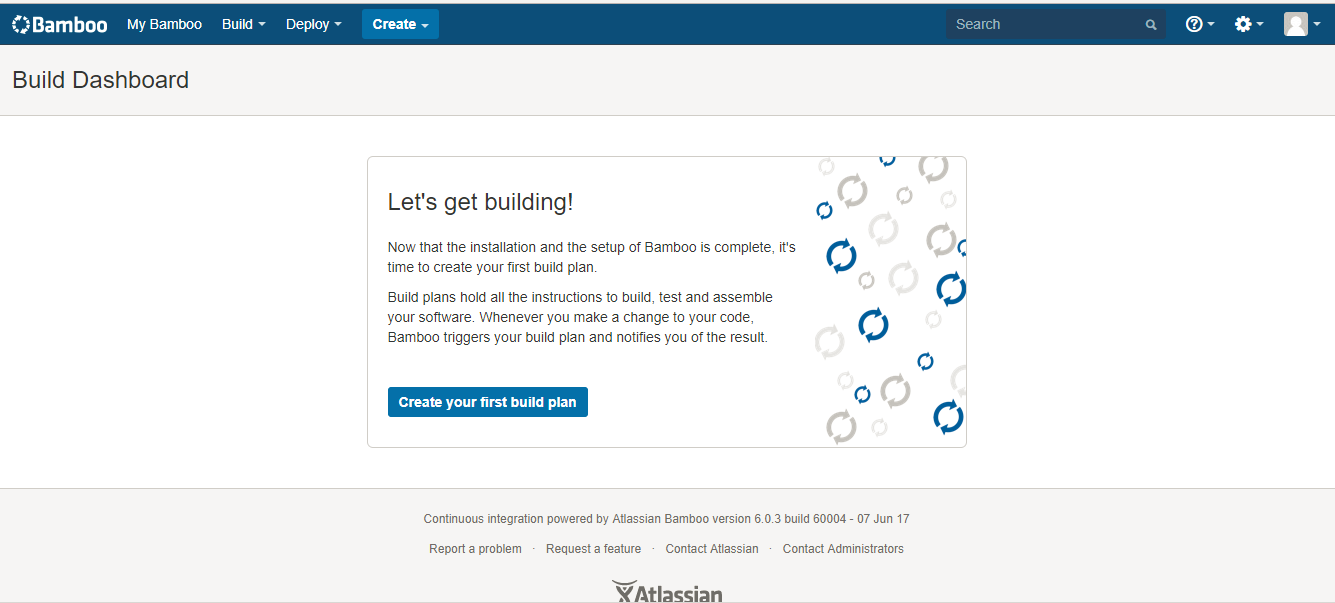
11、license验证之后,按照要求输入管理员信息即可
Centos7上安装、破解bamboo6.0.3的更多相关文章
- Centos7下安装zabbix 3.0.19
参考网站: https://www.cnblogs.com/xiewenming/p/7732144.html https://www.cnblogs.com/clsn/p/7885990.html ...
- 在centos7上安装Jenkins
在centos7上安装Jenkins 安装 添加yum repos,然后安装 sudo wget -O /etc/yum.repos.d/jenkins.repo http://pkg.jenkins ...
- 在 CentOS7 上安装 zookeeper-3.4.9 服务
在 CentOS7 上安装 zookeeper-3.4.9 服务 1.创建 /usr/local/services/zookeeper 文件夹: mkdir -p /usr/local/service ...
- 在 CentOS7 上安装 MongoDB
在 CentOS7 上安装 MongoDB 1 通过 SecureCRT 连接至 CentOS7 服务器: 2 进入到 /usr/local/ 目录: cd /usr/local 3 在当前目录下创建 ...
- 在 CentOS7 上安装 MySQL5.7
在 CentOS7 上安装 MySQL5.7 1 通过 SecureCRT 连接到阿里云 CentOS7 服务器: 2 进入到目录 /usr/local/ 中: cd /usr/local/ 3 创建 ...
- 在 CentOS7 上安装 Tomcat9
在 CentOS7 上安装 Tomcat9 1 通过 SecureCRT 连接到阿里云 CentOS7 服务器: 2 进入到目录 /usr/local/ 中: cd /usr/local/ 3 创建目 ...
- 在CentOS7上安装JDK1.8
在CentOS7上安装JDK1.8 1 通过 SecureCRT 连接到阿里云 CentOS7 服务器: 2 进入到目录 /usr/local/ 中: cd /usr/local/ 3 创建目录 to ...
- 如何在centos7上安装源码包
在我们使用linux的过程中,有很多程序是通过红帽官网给的系统中安装的,但是一般来说,系统更新的速度比较慢,如果这个时候我们又想用最新版的该怎么办呢?总不能一直等系统升级吧╮(╯﹏╰)╭所以,我们可以 ...
- centos7上安装0penStack
centos7上安装0penStack author:headsen chen 2017-10-09 20:41:54 个人原创,欢迎转载,请注明作者,出去,否则依法追究责任 一,准备工作(配置ip ...
- Centos7上安装docker (转)
Centos7上安装docker Docker从1.13版本之后采用时间线的方式作为版本号,分为社区版CE和企业版EE. 社区版是免费提供给个人开发者和小型团体使用的,企业版会提供额外的收费服务,比如 ...
随机推荐
- windows上react-native run-android时Exception in thread "main" java.lang.IllegalArgumentException: MALFORMED报错
报错如图 解决 在C:\Users\{用户名}\.gradle\wrapper\dists路径下,删除所有文件夹,重新run-android ps:网上搜了说是说是java解压缩编码格式问题什么的,感 ...
- 一种常见的maven打包后同名文件冲突错误
在使用一些开源框架的时候(比如spark.hadoop.lucene等),偶尔会见到说找不到某个具体实现类或者某个配置(比如spark的akka配置)不见了. 部分例子如下: [Lucene]An S ...
- Restful概念的理解和践行
在实习是leader有让我们实习生看restful相关的知识,奈何当初根基很浅,看了一篇博文,但是还是很难用自己的话来描述.现在又接触了Restful的内容,就补上一篇文章. 在Spring Fram ...
- Go数组求和
package main import "fmt" ]int func main() { a := [],,,,} var b int for index,value := ran ...
- dtNavMeshQuery::findLocalNeighbourhood m_tinyNodePool->getNode dtHashRef整数哈希 getPortalPoints dtOverlapPolyPoly2D
dtNavMeshQuery::findLocalNeighbourhood(dtPolyRef startRef, const float* centerPos, const float radiu ...
- robotframe中使用report,设置路径带有时间戳
1.打开C:\Python27\Lib\site-packages\robotide\contrib\testrunner,找到testrunner.py. 修改代码块def _create_te ...
- XenServer多网卡绑定
xenserver通过 XenCenter可以绑定网卡,支持Active-Active和Active-Standby的模式,但是通过Xencenter只能绑定两块网卡为一组.更多的比如3块一组.4块一 ...
- C语言:二进制模5
输入一串字符,若是二进制则求其模五的值. 要求:1.若输入的字符包含除0.1以外的值,则输出:invalid 2.若输入的为二进制字符串,则输出所计算的其模五的值 3.若其输入字符均为0.1,但是第一 ...
- 与PON相关的abbreviation
AAL:Asynchronous transfer mode Adaptation Layer 异步传输适配层 ACS:Autoconfiguration Server 自动配置服务 ADSL:Asy ...
- CDI feature
CDI Java EE的上下文和依赖注入(Contexts and Dependency Injection for Java EE,CDI),CDI是即将完成的Java EE 6平台的关键组成部分, ...